2017 CHEVROLET SS light
[x] Cancel search: lightPage 104 of 400

Chevrolet SS Sedan Owner Manual (GMNA-Localizing-U.S.-10122752) -2017 - crc - 8/31/16
Instruments and Controls 103
If the warning light comes on, thereis a brake problem. Have the brakesystem inspected right away.
This light should come on brieflywhen the engine is started. If it doesnot come on then, have it fixed so itwill be ready to warn you if there isaproblem.
If the light comes on and stays on,there is a base brake problem.
{Warning
The brake system might not be
working properly if the brake
system warning light is on.
Driving with the brake system
warning light on can lead to a
crash. If the light is still on after
the vehicle has been pulled off
(Continued)
Warning (Continued)
the road and carefully stopped,
have the vehicle towed for
service.
Electric Parking Brake
Light
The parking brake status lightcomes on when the brake isapplied. If the light continuesflashing after the parking brake isreleased, or while driving, there is aproblem with the electric parkingbrake system. A message may alsodisplay on the Driver InformationCenter (DIC). SeeBrake SystemMessages011 3for moreinformation.
If the light does not come on,or remains flashing, see your dealer.
Service Electric Parking
Brake Light
The service electric parking brakelight should come on briefly whenstarting the vehicle. If it does notcome on, have the vehicle servicedby your dealer.
If this light stays on, there is aproblem with a system on thevehicle that is causing the parkingbrake system to work at a reducedlevel. The vehicle can still be driven,but should be taken to a dealer assoon as possible. SeeElectricParking Brake0242.Ifamessagedisplays in the Driver InformationCenter (DIC), seeBrake SystemMessages011 3.
Page 105 of 400
Chevrolet SS Sedan Owner Manual (GMNA-Localizing-U.S.-10122752) -2017 - crc - 8/31/16
104 Instruments and Controls
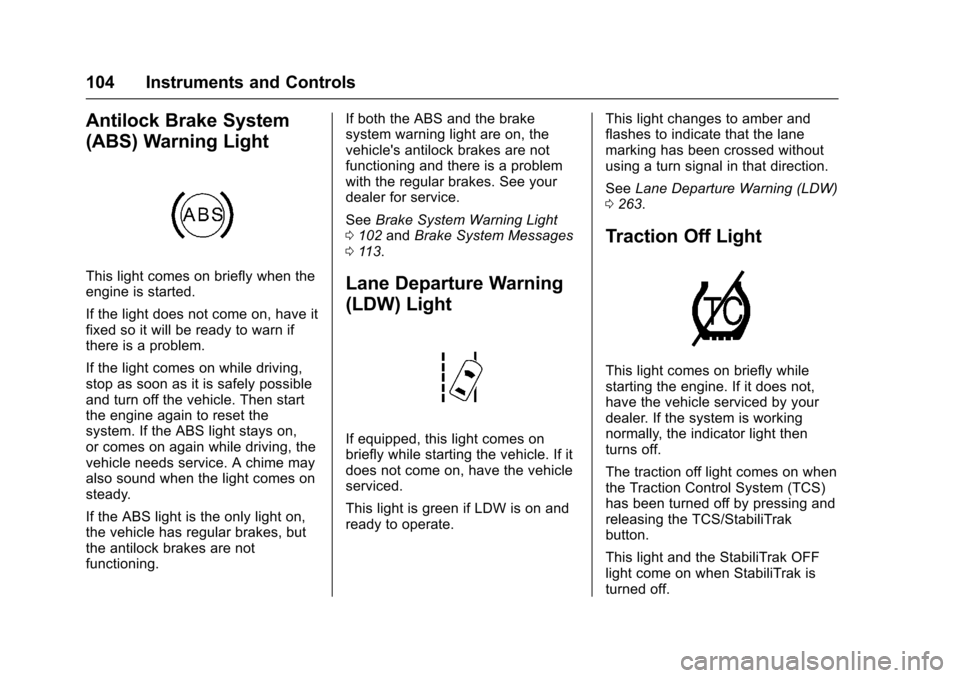
Antilock Brake System
(ABS) Warning Light
This light comes on briefly when theengine is started.
If the light does not come on, have itfixed so it will be ready to warn ifthere is a problem.
If the light comes on while driving,stop as soon as it is safely possibleand turn off the vehicle. Then startthe engine again to reset thesystem. If the ABS light stays on,or comes on again while driving, thevehicle needs service. A chime mayalso sound when the light comes onsteady.
If the ABS light is the only light on,the vehicle has regular brakes, butthe antilock brakes are notfunctioning.
If both the ABS and the brakesystem warning light are on, thevehicle's antilock brakes are notfunctioning and there is a problemwith the regular brakes. See yourdealer for service.
SeeBrake System Warning Light0102andBrake System Messages011 3.
Lane Departure Warning
(LDW) Light
If equipped, this light comes onbriefly while starting the vehicle. If itdoes not come on, have the vehicleserviced.
This light is green if LDW is on andready to operate.
This light changes to amber andflashes to indicate that the lanemarking has been crossed withoutusing a turn signal in that direction.
SeeLane Departure Warning (LDW)0263.
Traction Off Light
This light comes on briefly whilestarting the engine. If it does not,have the vehicle serviced by yourdealer. If the system is workingnormally, the indicator light thenturns off.
The traction off light comes on whenthe Traction Control System (TCS)has been turned off by pressing andreleasing the TCS/StabiliTrakbutton.
This light and the StabiliTrak OFFlight come on when StabiliTrak isturned off.
Page 106 of 400

Chevrolet SS Sedan Owner Manual (GMNA-Localizing-U.S.-10122752) -2017 - crc - 8/31/16
Instruments and Controls 105
If the TCS is off, wheel spin is notlimited. Adjust driving accordingly.
SeeTr a c t i o n C o n t r o l / E l e c t r o n i cStability Control0245.
StabiliTrak®OFF Light
This light comes on briefly whilestarting the engine. If it does not,have the vehicle serviced by yourdealer.
This light comes on when theStabiliTrak system is turned off.If StabiliTrak is off, the TractionControl System (TCS) is also off.
If StabiliTrak and TCS are off, thesystem does not assist in controllingthe vehicle. Turn on the TCS andthe StabiliTrak systems, and thewarning light turns off.
SeeTr a c t i o n C o n t r o l / E l e c t r o n i cStability Control0245.
Traction Control System
(TCS)/StabiliTrak®Light
This light comes on briefly when theengine is started.
If the light does not come on, havethe vehicle serviced by your dealer.If the system is working normally,the indicator light turns off.
If the light is on and not flashing, theTCS and potentially the StabiliTraksystem have been disabled.ADriverInformationCenter(DIC)message may display. Check theDIC messages to determine whichfeature(s) is no longer functioningand whether the vehicle requiresservice. SeeRide Control SystemMessages011 7.
If the light is on and flashing, theTCS and/or the StabiliTrak systemis actively working.
SeeTr a c t i o n C o n t r o l / E l e c t r o n i cStability Control0245.
Driver Mode Control Light
This light comes on and the displaywill change to say”Sport”,Tour”,“Perf”,or“Track”when the Sport,To u r i n g , P e r f o r m a n c e , o r T r a c kmodes are selected.SeeDriver Mode Control0247andTr a c k D r i v e r M o d e0249.
Page 107 of 400

Chevrolet SS Sedan Owner Manual (GMNA-Localizing-U.S.-10122752) -2017 - crc - 8/31/16
106 Instruments and Controls
Tire Pressure Light
For vehicles with the Tire PressureMonitor System (TPMS), this lightcomes on briefly when the engine isstarted. It provides informationabout tire pressures and the TPMS.
When the Light Is On Steady
This indicates that one or more ofthe tires are significantlyunderinflated.
ADriverInformationCenter(DIC)tire pressure message may alsodisplay. SeeTire Messages011 8.Stop as soon as possible, andinflate the tires to the pressure valueshown on the Tire and LoadingInformation label. SeeTire Pressure0309.
When the Light Flashes First andThen Is On Steady
If the light flashes for about a minuteand then stays on, there may be aproblem with the TPMS. If theproblem is not corrected, the lightwill come on at every ignition cycle.SeeTire Pressure MonitorOperation0312.
Engine Oil Pressure Light
Caution
Lack of proper engine oil
maintenance can damage the
engine. Driving with the engine oil
low can also damage the engine.
The repairs would not be covered
by the vehicle warranty. Check
the oil level as soon as possible.
Add oil if required, but if the oil
level is within the operating range
and the oil pressure is still low,
have the vehicle serviced. Always
follow the maintenance schedule
for changing engine oil.
This light should come on briefly asthe engine is started. If it does notcome on, have the vehicle servicedby your dealer.
If the light comes on and stays on, itmeans that oil is not flowing throughthe engine properly. The vehiclecould be low on oil and might havesome other system problem. Seeyour dealer.
Low Fuel Warning Light
This light is near the fuel gauge andcomes on briefly when the ignition isturned on as a check to show it isworking.
Page 108 of 400

Chevrolet SS Sedan Owner Manual (GMNA-Localizing-U.S.-10122752) -2017 - crc - 8/31/16
Instruments and Controls 107
It also comes on when the fuel tankis low on fuel. The light turns offwhen fuel is added. If it does not,have the vehicle serviced.
Security Light
The security light should come onbriefly as the engine is started. If itdoes not come on, have the vehicleserviced by your dealer. If thesystem is working normally, theindicator light turns off.
If the light stays on and the enginedoes not start, there could be aproblem with the theft-deterrentsystem. SeeImmobilizer Operation037.
High-Beam On Light
This light comes on when thehigh-beam headlamps are in use.
SeeHeadlamp High/Low-BeamChanger0126.
Lamps On Reminder
This light comes on when theexterior lamps are in use. SeeExterior Lamp Controls0126.
Cruise Control Light
For vehicles with cruise control, thecruise control light is white when thecruise control is on and ready, andturns green when the cruise controlis set and active.
The light turns off when the cruisecontrol is turned off. SeeCruiseControl0251.
Page 109 of 400

Chevrolet SS Sedan Owner Manual (GMNA-Localizing-U.S.-10122752) -2017 - crc - 8/31/16
108 Instruments and Controls
Door Ajar Light
If equipped, this light comes onwhen a door is open or not securelylatched. Before driving, check thatall doors are properly closed. SeeDoor Ajar Messages011 4.
Information Displays
Driver Information
Center (DIC)
The DIC displays information aboutthe vehicle. It also displays warningmessages if a system problem isdetected. SeeVehicle Messages011 3.AllmessagesappearintheDIC display in the center of theinstrument cluster.
The vehicle may also have featuresthat can be customized through thecontrols on the radio. SeeVehiclePersonalization0120.
DIC Operation and Displays
The DIC has different displays,which can be accessed by using theDIC buttons on the turn signal leverto the left of the steering wheel. TheDIC displays trip, fuel, vehiclesystem information, and warningmessages if a system problem isdetected.
1.SET/CLR:Press to set,or press and hold to clear, themenu item displayed.
2.\:Use the band to scroll
through the items ineach menu.
3.MENU:Press to display theDIC menus. This button is alsoused to return to or exit the lastscreen displayed on the DIC.
Trip/Fuel Menu Items
Press MENU on the turn signallever until Trip/Fuel Menu is
displayed. Use\to scroll through
the following possible menu items:
.Digital Speedometer
.Trip
.Fuel Range
.Average Fuel Economy
.Instantaneous Fuel Economy
Page 111 of 400

Chevrolet SS Sedan Owner Manual (GMNA-Localizing-U.S.-10122752) -2017 - crc - 8/31/16
110 Instruments and Controls
.Units
.Tire Pressure Monitoring
.Remaining Oil Life
Battery Voltage
This display, available on somevehicles, shows the current batteryvoltage. If the voltage is in thenormal range, the value will display.For example, the display may readBattery Voltage 15.0 Volts. Thevehicle's charging system regulatesvoltage based on the state of thebattery. The battery voltage canfluctuate while viewing thisinformation on the DIC. This isnormal. SeeCharging System Light0100.Ifthereisaproblemwiththebattery charging system, the DICwill display a message.
Speed Warning
This display is used to set thevehicle speed at which the speedwarning chime sounds and the alertis displayed. The speed can be setby pressing SET/CLR while thespeed warning display is showing.
Units
Move\to switch between metric
or US when the Units display isactive. Press SET/CLR to confirmthe setting. This will change thedisplays on the cluster and DIC toeither metric or English (US)measurements.
Tire Pressure Monitoring
This display will show a vehicle withthe approximate pressures of allfour tires. Tire pressure is displayedin either kilopascal (kPa) or poundsper square inch (psi). SeeTirePressure Monitor Operation0312.
Remaining Oil Life
This display shows an estimate ofthe oil's remaining useful life. If 99%is displayed, that means 99% of thecurrent oil life remains.
When the remaining oil life is low,the CHANGE ENGINE OIL SOONmessage will appear on the display.SeeEngine Oil Messages011 5.The oil should be changed as soonas possible. SeeEngine Oil0275.In addition to the engine oil lifesystem monitoring the oil life,
additional maintenance isrecommended in the MaintenanceSchedule. SeeMaintenanceSchedule0349.
Remember, the Remaining Oil Lifedisplay must be reset after each oilchange. It will not reset itself. Also,be careful not to reset the Oil Lifedisplay accidentally at any timeother than when the oil has justbeen changed. It cannot be resetaccurately until the next oil change.To r e s e t t h e e n g i n e o i l l i f e s y s t e m ,press SET/CLR while the Oil Lifedisplay is active. SeeEngine OilLife System0277.
Head-Up Display (HUD)
{Warning
If the HUD image is too bright or
too high in your field of view, it
may take you more time to see
things you need to see when it is
dark outside. Be sure to keep the
HUD image dim and placed low in
your field of view.
Page 112 of 400

Chevrolet SS Sedan Owner Manual (GMNA-Localizing-U.S.-10122752) -2017 - crc - 8/31/16
Instruments and Controls 111
With HUD, some informationconcerning the operation of thevehicle is projected onto thewindshield. The image is projectedthrough the HUD lens on top of theinstrument panel. The informationappears as an image focused outtoward the front of the vehicle.
Caution
If you try to use the HUD image
as a parking aid, you may
misjudge the distance and
damage your vehicle. Do not use
the HUD image as a parking aid.
The HUD may display some of thefollowing alerts or information forvehicles equipped with thesefeatures:
.Speedometer
.Ta c h o m e t e r
.High Beam Indicator Symbol
.Forward Collision Alert Warnings
.Audio Functions
.Navigation
.Transmission Position
.Shift Up Meter
.Cruise Control Active
The HUD control is to the left of thesteering wheel.
To a d j u s t t h e H U D i m a g e :
1. Adjust the driver seat.
2. Start the engine.
Use the following settings to adjustthe HUD.
$(Image Adjustment) :Pressdown or up to center the HUDimage. The HUD image can only beadjusted up and down, not sideto side.
PA G E ( D i s p l a y V i e w ) :Press toselect the display view. Turnclockwise or counterclockwise tobrighten or dim the display. Turncompletely counterclockwise to turnthe display off.
The HUD image will automaticallydim and brighten to compensate foroutside lighting. The HUDbrightness control can also beadjusted as needed.
The HUD image can temporarilylight up depending on the angle andposition of the sunlight on the HUDdisplay. This is normal.
Polarized sunglasses could makethe HUD image harder to see.