2017 CHEVROLET MALIBU you are driver
[x] Cancel search: you are driverPage 145 of 419
Chevrolet Malibu Owner Manual (GMNA-Localizing-U.S./Canada/Mexico-10122664) - 2017 - crc - 5/23/16
144 Instruments and Controls
SERVICE DRIVER ASSIST
SYSTEM
If this message displays, take thevehicle to your dealer to repair thesystem.
Adaptive Cruise Control (ACC),Forward Collision Alert (FCA),Active Emergency Braking System,Assistance Systems for Parking orBacking, and/or Lane Keep Assist(LKA) system may not work. Do notuse these systems until the vehiclehas been repaired.
SERVICE FRONT CAMERA
If this message remains on aftercontinued driving, the vehicle needsservice. Take the vehicle to yourdealer. Do not use the FrontPedestrian Braking (FPB), ForwardCollision Alert (FCA), ForwardAutomatic Braking (FAB), LaneKeep Assist (LKA), and LaneDeparture Warning (LDW) features.
SERVICE PARK ASSIST
This message displays if there is aproblem with the Parking Assistsystem. Do not use this system tohelp you park. See your dealer forservice.
SERVICE SIDE DETECTION
SYSTEM
If this message remains on aftercontinued driving, the vehicle needsservice. Side Blind Zone Alert(SBZA), Lane Change Alert (LCA),and Rear Cross Traffic Alert (RCTA)features will not work. Take thevehicle to your dealer.
SIDE DETECTION SYSTEM
UNAVAILABLE
This message indicates that SideBlind Zone Alert (SBZA), LaneChange Alert (LCA), and RearCross Traffic Alert (RCTA) aredisabled either because the sensoris blocked and cannot detectvehicles in the blind zone, or thevehicle is passing through an openarea, such as the desert, wherethere is insufficient data foroperation. This message may also
activate during heavy rain or due toroad spray. The vehicle does notneed service. For cleaning, see"Washing the Vehicle" underExterior Care0358.
TAKE STEERING
If LKA does not detect active driversteering, an alert and chime may beprovided. Move the steering wheelto dismiss. SeeLane Keep Assist(LKA)0266.
Propulsion Power
Messages
PROPULSION POWER IS
REDUCED
This message displays when thepropulsion power is reduced andcan affect the ability to accelerate.If this message is on, but there is noreduction in performance, proceedto your destination. Theperformance may be reduced thenext time the vehicle is driven. Thevehicle may be driven at a reducedspeed while this message is on, butmaximum acceleration and speedmay be reduced. If this message
Page 147 of 419
Chevrolet Malibu Owner Manual (GMNA-Localizing-U.S./Canada/Mexico-10122664) - 2017 - crc - 5/23/16
146 Instruments and Controls
STEERING ASSIST IS
REDUCED DRIVE WITH CARE
This message can appear forseveral reasons. Take the vehicle toyour dealer if the problem persists.
Starting the Vehicle
Messages
INITIALIZING—WAIT TO
SHIFT
In extreme cold temperatures thehybrid vehicle can take up to30 seconds to start. Wait to shiftfrom P (Park) while the vehicle isstarting.
PRESS BRAKE TO START
This message displays whenattempting to start the vehiclewithout first pressing the brakepedal.
Tire Messages
SERVICE TIRE MONITOR
SYSTEM
This message displays if there is aproblem with the Tire PressureMonitor System (TPMS). SeeTirePressure Monitor Operation0328.
TIRE LEARNING ACTIVE
This message displays when thesystem is learning new tires. SeeTire Pressure MonitorOperation0328.
TIRE PRESSURE LOW ADD
AIR TO TIRE
On vehicles with the Tire PressureMonitor System (TPMS), thismessage displays when thepressure in one or more of thevehicle's tires is low.
The low tire pressure warning lightwill also come on. SeeTirePressure Light0127.
If a tire pressure message displays,inflate the tires until the tire pressureis equal to the values shown on theTire and Loading Information label.SeeTires0317,Vehicle LoadLimits0325,andTirePressure0325.
More than one tire pressuremessage can be received at a time.The DIC also shows the tirepressure values. SeeDriverInformation Center (DIC) (BaseLevel)0131orDriver InformationCenter (DIC) (Uplevel)0134.
Transmission Messages
SERVICE TRANSMISSION
This message displays if there is aproblem with the transmission. Seeyour dealer.
SHIFT DENIED
This message displays whenattempting to use the automatictransmission manual mode to shiftto too low or too high of a gear. SeeManual Mode0235.
Page 148 of 419
Chevrolet Malibu Owner Manual (GMNA-Localizing-U.S./Canada/Mexico-10122664) - 2017 - crc - 5/23/16
Instruments and Controls 147
SHIFT FROM NEUTRAL
(Hybrid)
This message displays when thevehicle should be shifted fromN(Neutral). If the vehicle is notshifted from N (Neutral) after sometime, the vehicle will shut off andrequire a restart. While inN(Neutral),thevehiclewillnotbeable to charge the high voltagebattery.
SHIFT TO PARK
This message displays when thetransmission needs to be shifted toP(Park). This may appear whenturning the ignition off or removingthe key from the vehicle if thevehicle is not in P (Park).
TRANSMISSION HOT—IDLE
ENGINE
This message displays and a chimesounds if the transmission fluid inthe vehicle gets hot. Driving with thetransmission fluid temperature highcan cause damage to the vehicle.Stop the vehicle and let it idle to
allow the transmission to cool. Thismessage clears when the fluidtemperature reaches a safe level.
Vehicle Reminder
Messages
ICE POSSIBLE DRIVE
WITH CARE
This message displays when iceconditions are possible.
Window Messages
OPEN, THEN CLOSE DRIVER
WINDOW
This message is displayed when thewindow needs to be reprogrammed.If the vehicle's battery has beenrecharged or disconnected, you willneed to reprogram the front windowfor the express-up feature to work.SeePower Windows050.
Vehicle
Personalization
Personalization Menu (Radio
without Touchscreen)
The audio system controls are usedto access the personalizationmenus for customizing vehiclefeatures.
The following are all possiblepersonalization features. Dependingon the vehicle, some may not beavailable.
MENU :Turn to scroll through themenus or setup items. Press toenter the menus and select themenu items.
BACK :Press to exit or return tothe previous screen or menu.
To a c c e s s a m e n u :
1. Press MENU.
2. Turn MENU to thedesired menu.
3. Press MENU to select.
Menus and functions may varydepending on vehicle options.
Page 166 of 419
Chevrolet Malibu Owner Manual (GMNA-Localizing-U.S./Canada/Mexico-10122664) - 2017 - crc - 5/23/16
Lighting 165
.The other vehicle's lamps cannotbe detected due to denseexhaust, smoke, fog, snow, roadspray, mist, or other airborneobstructions.
.The vehicle's windshield is dirty,cracked, or obstructed bysomething that blocks the viewof the light sensor.
.The vehicle is loaded such thatthe front end points upward,causing the light sensor to aimhigh and not detect headlampsand taillamps.
.Driving on winding or hilly roads.
The IntelliBeam system may need tobe disabled if any of the aboveconditions exist.
Exterior Lamps Off
Reminder
Awarningchimesoundsifthedriverdoor is opened while the ignition isoff and the exterior lamps are on.
Headlamp High/
Low-Beam Changer
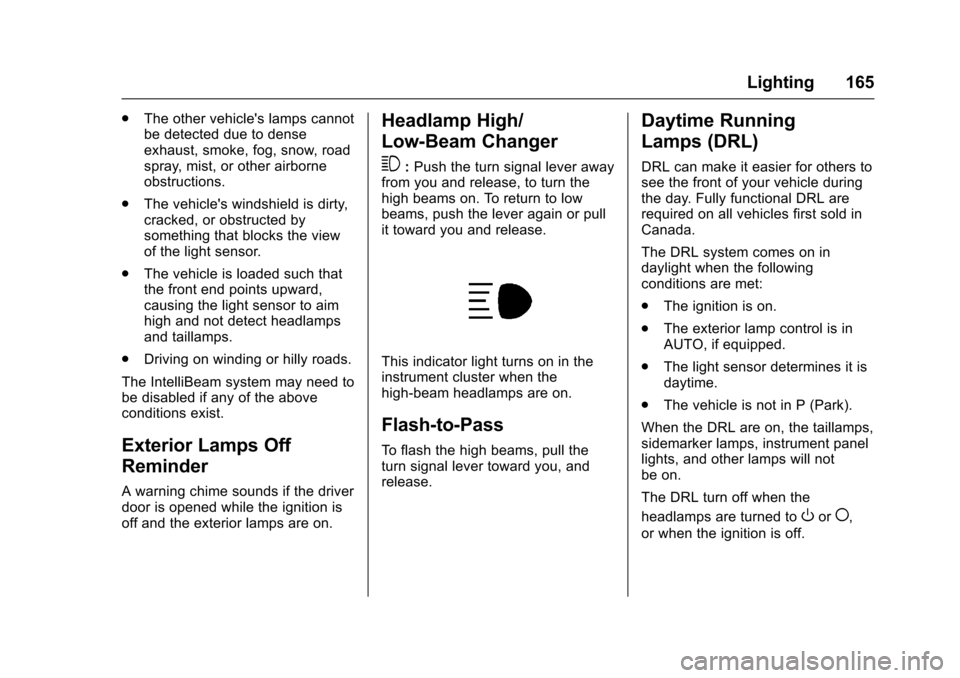
3:Push the turn signal lever awayfrom you and release, to turn thehigh beams on. To return to lowbeams, push the lever again or pullit toward you and release.
This indicator light turns on in theinstrument cluster when thehigh-beam headlamps are on.
Flash-to-Pass
To f l a s h t h e h i g h b e a m s , p u l l t h eturn signal lever toward you, andrelease.
Daytime Running
Lamps (DRL)
DRL can make it easier for others tosee the front of your vehicle duringthe day. Fully functional DRL arerequired on all vehicles first sold inCanada.
The DRL system comes on indaylight when the followingconditions are met:
.The ignition is on.
.The exterior lamp control is inAUTO, if equipped.
.The light sensor determines it isdaytime.
.The vehicle is not in P (Park).
When the DRL are on, the taillamps,sidemarker lamps, instrument panellights, and other lamps will notbe on.
The DRL turn off when the
headlamps are turned toOor(,
or when the ignition is off.
Page 170 of 419
Chevrolet Malibu Owner Manual (GMNA-Localizing-U.S./Canada/Mexico-10122664) - 2017 - crc - 5/23/16
Lighting 169
Lighting Features
Entry Lighting
Some exterior lamps and most ofthe interior lamps turn on briefly atnight or in areas with limited lightingwhen the Remote Keyless Entry
(RKE) transmitterKbutton is
pressed. SeeRemote Keyless Entry(RKE) System Operation032.Afterabout 30 seconds the exterior lampsturn off, then the dome lamps andremaining interior lamps dim to off.Entry lighting can be disabledmanually by changing the ignitionout of the OFF position, or by
pressing the RKE transmitterQ
button.
This feature can be changed. SeeVehicle Personalization0147.
Exit Lighting
Some exterior lamps and interiorlights come on at night, or in areaswith limited lighting, when the driverdoor is opened after the ignition isturned off. The dome lamp comeson after the ignition is changed to
the OFF position. The exteriorlamps and dome lamp remain on forasetamountoftime,thenautomatically turn off.
The exterior lamps turn offimmediately by turning the exteriorlamp control off.
This feature can be changed. SeeVehicle Personalization0147.
Battery Load
Management
The vehicle has Electric PowerManagement (EPM), whichestimates the battery's temperatureand state of charge. It then adjuststhe voltage for best performanceand extended life of the battery.
When the battery's state of chargeis low, the voltage is raised slightlyto quickly bring the charge back up.When the state of charge is high,the voltage is lowered slightly toprevent overcharging. If the vehiclehas a voltage display on the DriverInformation Center (DIC), you may
see the voltage move up or down.This is normal. If there is a problem,an alert will be displayed.
The battery can be discharged atidle if the electrical loads are veryhigh. This is true for all vehicles.This is because the generator(alternator) may not be spinning fastenough at idle to produce all thepower that is needed for very highelectrical loads.
Ahighelectricalloadoccurswhenseveral of the following are on, suchas: headlamps, high beams, foglamps, rear window defogger,climate control fan at high speed,heated seats, engine cooling fans,trailer loads, and loads plugged intoaccessory power outlets.
EPM works to prevent excessivedischarge of the battery. It does thisby balancing the generator's outputand the vehicle's electrical needs.It can increase engine idle speed togenerate more power, wheneverneeded. It can temporarily reducethe power demands of someaccessories.
Page 216 of 419
Chevrolet Malibu Owner Manual (GMNA-Localizing-U.S./Canada/Mexico-10122664) - 2017 - crc - 5/23/16
Driving and Operating 215
Trailer Towing
General TowingInformation . . . . . . . . . . . . . . . . . . 272Driving Characteristics andTo w i n g T i p s . . . . . . . . . . . . . . . . . 2 7 2Trailer Towing . . . . . . . . . . . . . . . . 275To w i n g E q u i p m e n t . . . . . . . . . . . . 2 7 6
Conversions and Add-Ons
Add-On ElectricalEquipment . . . . . . . . . . . . . . . . . . 277
Driving Information
Distracted Driving
Distraction comes in many formsand can take your focus from thetask of driving. Exercise goodjudgment and do not let otheractivities divert your attention awayfrom the road. Many localgovernments have enacted lawsregarding driver distraction. Becomefamiliar with the local laws inyour area.
To a v o i d d i s t r a c t e d d r i v i n g , k e e pyour eyes on the road, keep yourhands on the steering wheel, andfocus your attention on driving.
.Do not use a phone indemanding driving situations.Use a hands-free method toplace or receive necessaryphone calls.
.Watch the road. Do not read,take notes, or look upinformation on phones or otherelectronic devices.
.Designate a front seatpassenger to handle potentialdistractions.
.Become familiar with vehiclefeatures before driving, such asprogramming favorite radiostations and adjusting climatecontrol and seat settings.Program all trip information intoany navigation device prior todriving.
.Wait until the vehicle is parkedto retrieve items that have fallento the floor.
.Stop or park the vehicle to tendto children.
.Keep pets in an appropriatecarrier or restraint.
.Avoid stressful conversationswhile driving, whether with apassenger or on a cell phone.
{Warning
Ta k i n g y o u r e y e s o f f t h e r o a d t o o
long or too often could cause a
crash resulting in injury or death.
Focus your attention on driving.
Page 217 of 419
Chevrolet Malibu Owner Manual (GMNA-Localizing-U.S./Canada/Mexico-10122664) - 2017 - crc - 5/23/16
216 Driving and Operating
Refer to the Infotainment section formore information on using thatsystem, including pairing and usingacellphone.
Defensive Driving
Defensive driving means“alwaysexpect the unexpected.”The firststep in driving defensively is to wearthe safety belt. SeeSafetyBelts064.
.Assume that other road users(pedestrians, bicyclists, andother drivers) are going to becareless and make mistakes.Anticipate what they might doand be ready.
.Allow enough following distancebetween you and the driver infront of you.
.Focus on the task of driving.
Drunk Driving
Death and injury associated withdrinking and driving is a globaltragedy.
{Warning
Drinking and then driving is very
dangerous. Your reflexes,
perceptions, attentiveness, and
judgment can be affected by even
asmallamountofalcohol.You
can have a serious—or even
fatal—collision if you drive after
drinking.
Do not drink and drive or ride with
adriverwhohasbeendrinking.
Ride home in a cab; or if you are
with a group, designate a driver
who will not drink.
Control of a Vehicle
Braking, steering, and acceleratingare important factors in helping tocontrol a vehicle while driving.
Braking
Braking action involves perceptiontime and reaction time. Deciding topush the brake pedal is perceptiontime. Actually doing it isreaction time.
Average driver reaction time isabout three-quarters of a second. Inthat time, a vehicle moving at100 km/h (60 mph) travels 20 m(66 ft), which could be a lot ofdistance in an emergency.
Helpful braking tips to keep in mindinclude:
.Keep enough distance betweenyou and the vehicle in frontof you.
.Avoid needless heavy braking.
.Keep pace with traffic.
If the engine ever stops while thevehicle is being driven, brakenormally but do not pump thebrakes. Doing so could make thepedal harder to push down. If theengine stops, there will be somepower brake assist but it will beused when the brake is applied.Once the power assist is used up, itcan take longer to stop and thebrake pedal will be harder to push.
Page 219 of 419
Chevrolet Malibu Owner Manual (GMNA-Localizing-U.S./Canada/Mexico-10122664) - 2017 - crc - 5/23/16
218 Driving and Operating
3. Turn the steering wheel to gostraight down the roadway.
Loss of Control
Skidding
There are three types of skids thatcorrespond to the vehicle's threecontrol systems:
.Braking Skid—wheels are notrolling.
.Steering or Cornering Skid—too much speed or steering in acurve causes tires to slip andlose cornering force.
.Acceleration Skid—too muchthrottle causes the drivingwheels to spin.
Defensive drivers avoid most skidsby taking reasonable care suited toexisting conditions, and by notoverdriving those conditions. Butskids are always possible.
If the vehicle starts to slide, followthese suggestions:
.Ease your foot off theaccelerator pedal and steer theway you want the vehicle to go.
The vehicle may straighten out.Be ready for a second skid if itoccurs.
.Slow down and adjust yourdriving according to weatherconditions. Stopping distancecan be longer and vehiclecontrol can be affected whentraction is reduced by water,snow, ice, gravel, or othermaterial on the road. Learn torecognize warning clues—suchas enough water, ice, or packedsnow on the road to make amirrored surface—and slowdown when you have any doubt.
.Try to avoid sudden steering,acceleration, or braking,including reducing vehicle speedby shifting to a lower gear. Anysudden changes could causethe tires to slide.
Remember: Antilock brakes helpavoid only the braking skid.
Driving on Wet Roads
Rain and wet roads can reducevehicle traction and affect yourability to stop and accelerate.
Always drive slower in these typesof driving conditions and avoiddriving through large puddles anddeep-standing or flowing water.
{Warning
Wet brakes can cause crashes.
They might not work as well in a
quick stop and could cause
pulling to one side. You could
lose control of the vehicle.
After driving through a large
puddle of water or a car/vehicle
wash, lightly apply the brake
pedal until the brakes work
normally.
Flowing or rushing water creates
strong forces. Driving through
flowing water could cause the
vehicle to be carried away. If this
happens, you and other vehicle
occupants could drown. Do not
ignore police warnings and be
very cautious about trying to drive
through flowing water.