2017 CHEVROLET MALIBU sensor
[x] Cancel search: sensorPage 260 of 419
Chevrolet Malibu Owner Manual (GMNA-Localizing-U.S./Canada/Mexico-10122664) - 2017 - crc - 5/23/16
Driving and Operating 259
Warning (Continued)
or ice, or if the windshield is
damaged. It may also not detect a
vehicle on winding or hilly roads,
or in conditions that can limit
visibility such as fog, rain,
or snow, or if the headlamps or
windshield are not cleaned or in
proper condition. Keep the
windshield, headlamps, and FCA
sensors clean and in good repair.
Collision Alert
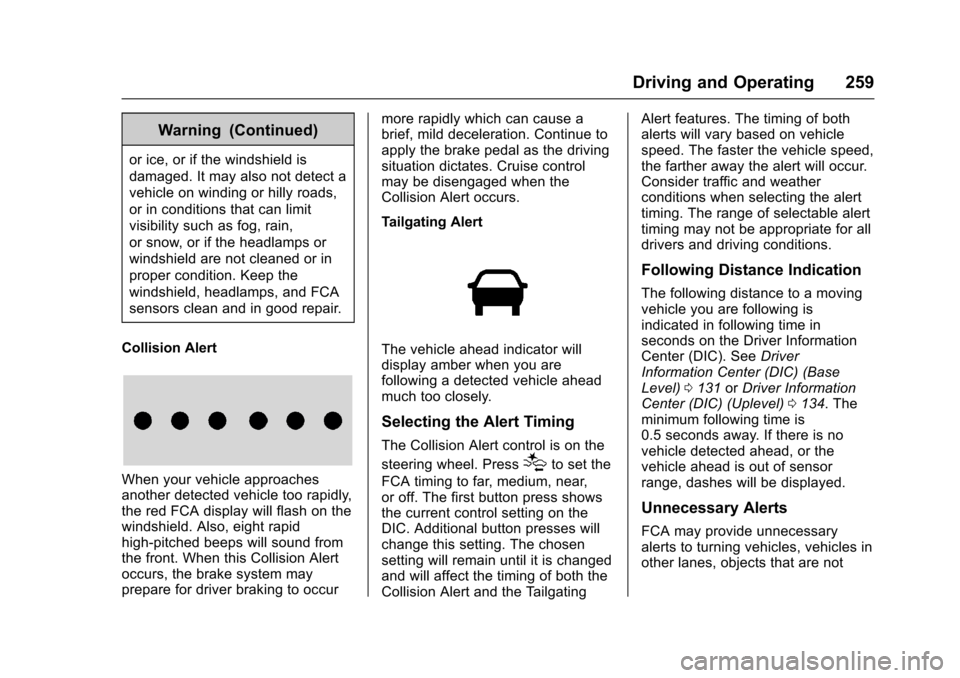
When your vehicle approachesanother detected vehicle too rapidly,the red FCA display will flash on thewindshield. Also, eight rapidhigh-pitched beeps will sound fromthe front. When this Collision Alertoccurs, the brake system mayprepare for driver braking to occur
more rapidly which can cause abrief, mild deceleration. Continue toapply the brake pedal as the drivingsituation dictates. Cruise controlmay be disengaged when theCollision Alert occurs.
Tailgating Alert
The vehicle ahead indicator willdisplay amber when you arefollowing a detected vehicle aheadmuch too closely.
Selecting the Alert Timing
The Collision Alert control is on the
steering wheel. Press[to set the
FCA timing to far, medium, near,or off. The first button press showsthe current control setting on theDIC. Additional button presses willchange this setting. The chosensetting will remain until it is changedand will affect the timing of both theCollision Alert and the Tailgating
Alert features. The timing of bothalerts will vary based on vehiclespeed. The faster the vehicle speed,the farther away the alert will occur.Consider traffic and weatherconditions when selecting the alerttiming. The range of selectable alerttiming may not be appropriate for alldrivers and driving conditions.
Following Distance Indication
The following distance to a movingvehicle you are following isindicated in following time inseconds on the Driver InformationCenter (DIC). SeeDriverInformation Center (DIC) (BaseLevel)0131orDriver InformationCenter (DIC) (Uplevel)0134.Theminimum following time is0.5 seconds away. If there is novehicle detected ahead, or thevehicle ahead is out of sensorrange, dashes will be displayed.
Unnecessary Alerts
FCA may provide unnecessaryalerts to turning vehicles, vehicles inother lanes, objects that are not
Page 261 of 419
Chevrolet Malibu Owner Manual (GMNA-Localizing-U.S./Canada/Mexico-10122664) - 2017 - crc - 5/23/16
260 Driving and Operating
vehicles, or shadows. These alertsare normal operation and thevehicle does not need service.
Cleaning the System
If the FCA system does not seem tooperate properly, cleaning theoutside of the windshield in front ofthe camera sensor may correct theissue
Forward Automatic
Braking (FAB)
If the vehicle has Forward CollisionAlert (FCA), it also has FAB, whichincludes Intelligent BrakeAssist (IBA). When the systemdetects a vehicle ahead in your paththat is traveling in the samedirection that you may be about tocrash into, it can provide a boost tobraking or automatically brake thevehicle. This can help avoid orlessen the severity of crashes whendriving in a forward gear. Dependingon the situation, the vehicle mayautomatically brake moderately orhard. This forward automaticbraking can only occur if a vehicle is
detected. This is shown by the FCAvehicle ahead indicator being lit.SeeForward Collision Alert (FCA)System0258.
The system works when driving in aforward gear between 8 km/h(5 mph) and 80 km/h (50 mph),or on vehicles with Adaptive CruiseControl (ACC), above 4 km/h(2 mph). It can detect vehicles up toapproximately 60 m (197 ft).
{Warning
FA B i s a n e m e r g e n c y c r a s h
preparation feature and is not
designed to avoid crashes. Do
not rely on FAB to brake the
vehicle. FAB will not brake
outside of its operating speed
range and only responds to
detected vehicles.
FA B m a y n o t :
.Detect a vehicle ahead onwinding or hilly roads.
(Continued)
Warning (Continued)
.Detect all vehicles,especially vehicles with atrailer, tractors, muddyvehicles, etc.
.Detect a vehicle whenweather limits visibility, suchas in fog, rain, or snow.
.Detect a vehicle ahead if itis partially blocked bypedestrians or other objects.
Complete attention is always
required while driving, and you
should be ready to take action
and apply the brakes and/or steer
the vehicle to avoid crashes.
FA B m a y s l o w t h e v e h i c l e t o acomplete stop to try to avoid apotential crash. If this happens, FABmay engage the Electric ParkingBrake (EPB) to hold the vehicle at astop. Release the EPB or firmlypress the accelerator pedal.
Page 263 of 419
Chevrolet Malibu Owner Manual (GMNA-Localizing-U.S./Canada/Mexico-10122664) - 2017 - crc - 5/23/16
262 Driving and Operating
of approximately 40 m (131 ft).During nighttime driving, systemperformance is very limited.
{Warning
FPB does not provide an alert or
automatically brake the vehicle,
unless it detects a pedestrian.
FPB may not detect pedestrians,
including children:
.When the pedestrian is notdirectly ahead, fully visible,or standing upright, or whenpart of a group.
.Due to poor visibility,including nighttimeconditions, fog, rain,or snow.
.If the FPB sensor is blockedby dirt, snow, or ice.
.If the headlamps orwindshield are not cleanedor in proper condition.
(Continued)
Warning (Continued)
Be ready to take action and apply
the brakes. For more information,
seeDefensive Driving0216.
Keep the windshield, headlamps,
and FPB sensor clean and in
good repair.
FPB can be set to Off, Alert andBrake, or Alert Only through vehiclepersonalization. See“FrontPedestrian Detection”in“Collision/Detection Systems”underVehiclePersonalization0147.
Detecting the Pedestrian
Ahead
FPB alerts and automatic brakingwill not occur unless the FPBsystem detects a pedestrian. Whenanearbypedestrianisdetecteddirectly in front of the vehicle, thepedestrian ahead indicator willdisplay.
Front Pedestrian Alert
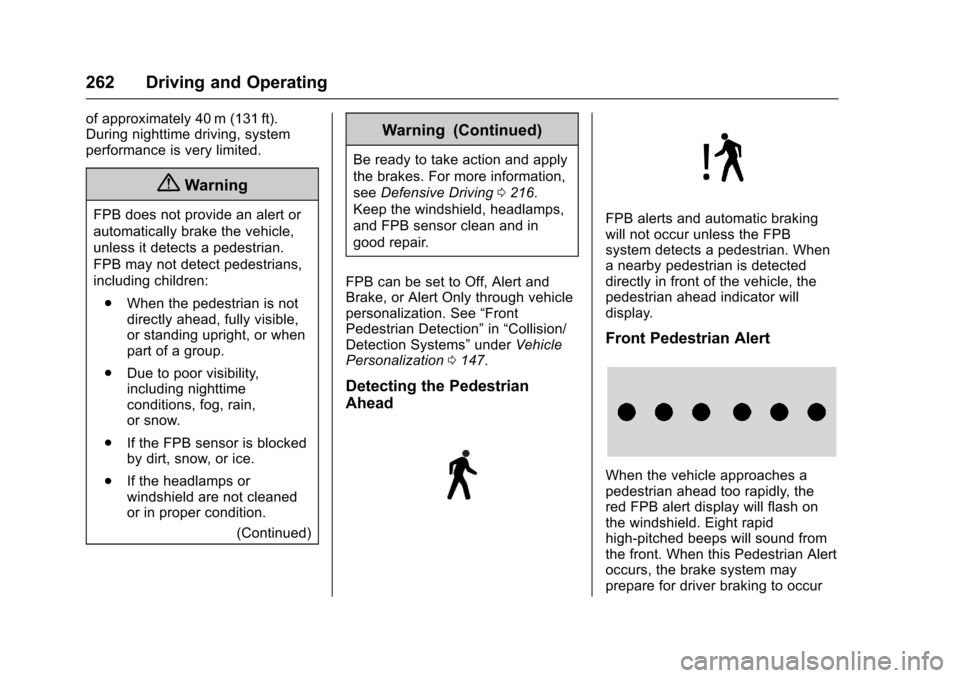
When the vehicle approaches apedestrian ahead too rapidly, thered FPB alert display will flash onthe windshield. Eight rapidhigh-pitched beeps will sound fromthe front. When this Pedestrian Alertoccurs, the brake system mayprepare for driver braking to occur
Page 265 of 419
Chevrolet Malibu Owner Manual (GMNA-Localizing-U.S./Canada/Mexico-10122664) - 2017 - crc - 5/23/16
264 Driving and Operating
the Lane Change Alert (LCA)system, read the entire LCA sectionbefore using this feature.
Lane Change Alert (LCA)
If equipped, the LCA system is alane-changing aid that assistsdrivers with avoiding lane changecrashes that occur with movingvehicles in the side blind zone (orspot) areas or with vehicles rapidlyapproaching these areas frombehind. The LCA warning displaywill light up in the correspondingoutside side mirror and will flash ifthe turn signal is on.
{Warning
LCA does not alert the driver to
vehicles outside of the system
detection zones, pedestrians,
bicyclists, or animals. It may not
provide alerts when changing
lanes under all driving conditions.
Failure to use proper care when
changing lanes may result in
injury, death, or vehicle damage.
(Continued)
Warning (Continued)
Before making a lane change,
always check mirrors, glance over
your shoulder, and use the turn
signals.
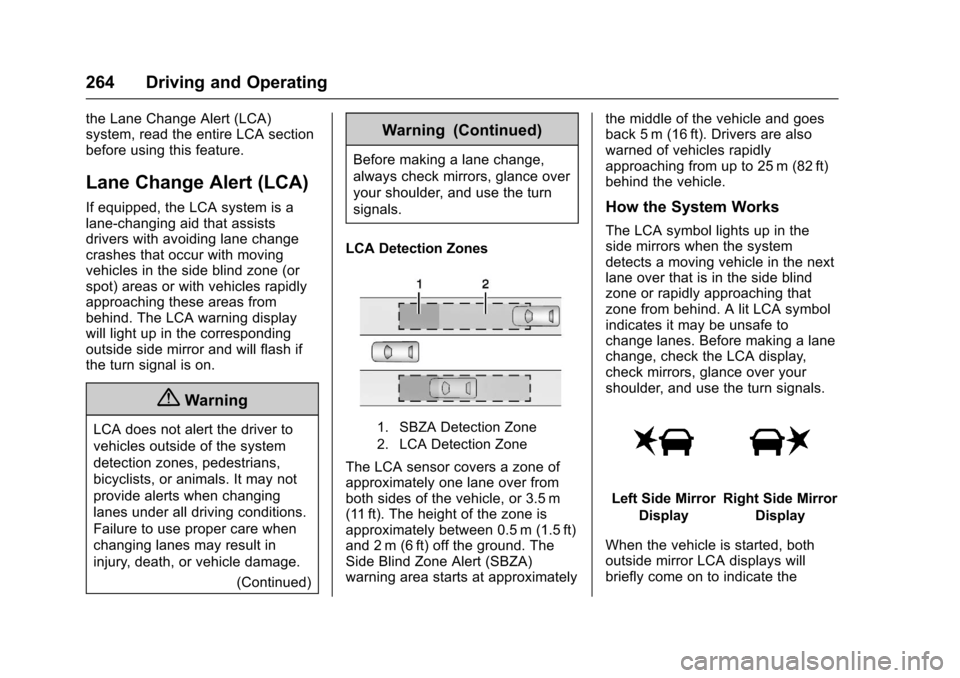
LCA Detection Zones
1. SBZA Detection Zone
2. LCA Detection Zone
The LCA sensor covers a zone ofapproximately one lane over fromboth sides of the vehicle, or 3.5 m(11 ft). The height of the zone isapproximately between 0.5 m (1.5 ft)and 2 m (6 ft) off the ground. TheSide Blind Zone Alert (SBZA)warning area starts at approximately
the middle of the vehicle and goesback 5 m (16 ft). Drivers are alsowarned of vehicles rapidlyapproaching from up to 25 m (82 ft)behind the vehicle.
How the System Works
The LCA symbol lights up in theside mirrors when the systemdetects a moving vehicle in the nextlane over that is in the side blindzone or rapidly approaching thatzone from behind. A lit LCA symbolindicates it may be unsafe tochange lanes. Before making a lanechange, check the LCA display,check mirrors, glance over yourshoulder, and use the turn signals.
Left Side Mirror
Display
Right Side Mirror
Display
When the vehicle is started, bothoutside mirror LCA displays willbriefly come on to indicate the
Page 266 of 419
Chevrolet Malibu Owner Manual (GMNA-Localizing-U.S./Canada/Mexico-10122664) - 2017 - crc - 5/23/16
Driving and Operating 265
system is operating. When thevehicle is in a forward gear, the leftor right side mirror display will lightup if a moving vehicle is detected inthe next lane over in that blind zoneor rapidly approaching that zone.If the turn signal is activated in thesame direction as a detectedvehicle, this display will flash as anextra warning not to change lanes.
LCA can be disabled throughvehicle personalization. See“Collision/Detection Systems”underVehicle Personalization0147.If LCA is disabled by the driver, theLCA mirror displays will not light up.
When the System Does Not
Seem to Work Properly
The LCA system requires somedriving for the system to calibrate tomaximum performance. Thiscalibration may occur more quickly ifthe vehicle is driven on a straighthighway road with traffic androadside objects (e.g., guardrails,barriers). During a trip, the LCAsystem is not operational until thevehicle first reaches a speed of24 km/h (15 mph).
LCA displays may not come onwhen passing a vehicle quickly, forastoppedvehicle,orwhentowingatrailer. The LCA detection zonesthat extend back from the side ofthe vehicle do not move further backwhen a trailer is towed. Use cautionwhile changing lanes when towing atrailer. LCA may alert to objectsattached to the vehicle, such as atrailer, bicycle, or object extendingout to either side of the vehicle.Attached objects may also interferewith the detection of vehicles. Thisis normal system operation; thevehicle does not need service.
LCA may not always alert the driverto vehicles in the next lane over,especially in wet conditions or whendriving on sharp curves. The systemdoes not need to be serviced. Thesystem may light up due toguardrails, signs, trees, shrubs, andother non-moving objects. This isnormal system operation; thevehicle does not need service.
LCA may not operate when the LCAsensors in the left or right corners ofthe rear bumper are covered withmud, dirt, snow, ice, or slush, or in
heavy rainstorms. For cleaninginstructions, see "Washing theVehicle" underExterior Care0358.If the DIC still displays the systemunavailable message after cleaningboth sides of the vehicle toward therear corners of the vehicle, see yourdealer.
If the LCA displays do not light upwhen moving vehicles are in theside blind zone or rapidlyapproaching this zone and thesystem is clean, the system mayneed service. Take the vehicle toyour dealer.
When LCA is disabled for anyreason other than the driver turningit off, the Lane Change Alert Onoption will not be available on thepersonalization menu.
Radio Frequency Information
SeeRadio FrequencyStatement0393.
Page 267 of 419
Chevrolet Malibu Owner Manual (GMNA-Localizing-U.S./Canada/Mexico-10122664) - 2017 - crc - 5/23/16
266 Driving and Operating
Lane Departure
Warning (LDW)
If equipped, LDW may help avoidcrashes due to unintentional lanedepartures. It may provide awarning if the vehicle is crossing adetected lane marking without usingaturnsignalinthelanedeparturedirection. Since this system is partof the Lane Keep Assist (LKA)system, read the entire LKA sectionbefore using this feature.
Lane Keep Assist (LKA)
If equipped, LKA may help avoidcrashes due to unintentional lanedepartures. It may assist by gentlyturning the steering wheel if thevehicle approaches a detected lanemarking without using a turn signalin that direction. It may also provideaLaneDepartureWarning(LDW)system alert as the lane marking iscrossed. The LKA system will notassist or provide an LDW alert if itdetects that you are activelysteering. Override LKA by turningthe steering wheel. LKA uses a
camera to detect lane markingsbetween 60 km/h (37 mph) and180 km/h (112 mph).
{Warning
The LKA system does not
continuously steer the vehicle.
It may not keep the vehicle in the
lane or give a Lane Departure
Warning (LDW) alert, even if a
lane marking is detected.
The LKA and LDW systems
may not:
.Provide an alert or enoughsteering assist to avoid alane departure or crash.
.Detect lane markings underpoor weather or visibilityconditions. This can occur ifthe windshield orheadlamps are blocked bydirt, snow, or ice, if they arenot in proper condition, or ifthe sun shines directly intothe camera.
.Detect road edges.
(Continued)
Warning (Continued)
.Detect lanes on winding orhilly roads.
If LKA only detects lane markings
on one side of the road, it will
only assist or provide an LDW
alert when approaching the lane
on the side where it has detected
alanemarking.EvenwithLKA
and LDW, you must steer the
vehicle. Always keep your
attention on the road and
maintain proper vehicle position
within the lane, or vehicle
damage, injury, or death could
occur. Always keep the
windshield, headlamps, and
camera sensors clean and in
good repair. Do not use LKA in
bad weather conditions.
Page 268 of 419
Chevrolet Malibu Owner Manual (GMNA-Localizing-U.S./Canada/Mexico-10122664) - 2017 - crc - 5/23/16
Driving and Operating 267
{Warning
Using LKA while towing a trailer
or on slippery roads could cause
loss of control of the vehicle and
acrash.Turnthesystemoff.
How the System Works
The LKA camera sensor is on thewindshield ahead of the rearviewmirror.
To t u r n L K A o n a n d o f f , p r e s sA
on the steering wheel.
When on,Ais green if LKA is
available to assist and provide LDWalerts. It may assist by gentlyturning the steering wheel and
displayAas amber if the vehicle
approaches a detected lane markingwithout using a turn signal in thatdirection. It may also provide an
LDW alert by flashingAamber
as the lane marking is crossed.Additionally, there will be threebeeps on the right or left, dependingon the lane departure direction.
The LKA system does notcontinuously steer the vehicle.If LKA does not detect active driversteering, an alert and chime may beprovided. Move the steering wheelto dismiss.
When the System Does Not
Seem to Work Properly
The system performance may beaffected by:
.Close vehicles ahead.
.Sudden lighting changes, suchas when driving through tunnels.
.Banked roads.
.Roads with poor lane markings,such as two-lane roads.
If the LKA system is not functioningproperly when lane markings areclearly visible, cleaning thewindshield may help.
LKA assistance and/or LDW alertsmay occur due to tar marks,shadows, cracks in the road,temporary or construction lanemarkings, or other roadimperfections. This is normal systemoperation; the vehicle does not needservice. Turn LKA off if theseconditions continue.
Page 327 of 419
Chevrolet Malibu Owner Manual (GMNA-Localizing-U.S./Canada/Mexico-10122664) - 2017 - crc - 5/23/16
326 Vehicle Care
How to Check
Use a good quality pocket-type
gauge to check tire pressure.
Proper tire inflation cannot be
determined by looking at the tire.
Check the tire inflation pressure
when the tires are cold, meaning
the vehicle has not been driven
for at least three hours or no
more than 1.6 km (1 mi).
Remove the valve cap from the
tire valve stem. Press the tire
gauge firmly onto the valve to
get a pressure measurement.
If the cold tire inflation pressure
matches the recommended
pressure on the Tire and
Loading Information label, no
further adjustment is necessary.
If the inflation pressure is low,
add air until the recommended
pressure is reached. If the
inflation pressure is high, press
on the metal stem in the center
of the tire valve to release air.
Recheck the tire pressure with
the tire gauge.
Put the valve caps back on the
valve stems to keep out dirt and
moisture and prevent leaks. Use
only valve caps designed for the
vehicle by GM. TPMS sensors
could be damaged and would
not be covered by the vehicle
warranty.
Tire Pressure for
High-Speed Operation
{Warning
Driving at high speeds, 160 km/h
(100 mph) or higher, puts
additional strain on tires.
Sustained high-speed driving
causes excessive heat buildup
and can cause sudden tire failure.
This could cause a crash, and
you or others could be killed.
Some high-speed rated tires
require inflation pressure
adjustment for high-speed
operation. When speed limits and
road conditions allow the vehicle
(Continued)
Warning (Continued)
to be driven at high speeds, make
sure the tires are rated for
high-speed operation, are in
excellent condition, and are set to
the correct cold tire inflation
pressure for the vehicle load.
Vehicles with 245/40R19 size tiresrequire inflation pressure adjustmentwhen driving the vehicle at speedsof 160 km/h (100 mph) or higher.Set the cold tire inflation pressure to20 kPa (3 psi) above therecommended cold tire pressureshown on the Tire and LoadingInformation label.
Return the tires to therecommended cold tire inflationpressure when high-speed drivinghas ended. SeeVehicle Load Limits0222andTire Pressure0325.