2017 CHEVROLET MALIBU sensor
[x] Cancel search: sensorPage 212 of 419
Chevrolet Malibu Owner Manual (GMNA-Localizing-U.S./Canada/Mexico-10122664) - 2017 - crc - 5/23/16
Climate Controls 211
defogger button is on and help toclear fog or frost from the surface ofthe mirror. SeeHeated Mirrors049.
Caution
Do not try to clear frost or other
material from the inside of the
front windshield and rear window
with a razor blade or anything
else that is sharp. This may
damage the rear window
defogger grid and affect the
radio's ability to pick up stations
clearly. The repairs would not be
covered by the vehicle warranty.
Driver and Passenger Heated andVentilated Seats :If equipped,
pressLorMto heat the driver or
passenger seat.
If equipped, press{orCto
ventilate the driver or passengerseat. SeeHeated and VentilatedFront Seats060.
Remote Start Climate ControlOperation :If equipped with remotestart, the climate control systemmay run when the vehicle is startedremotely. The system will use thedefrost setting if it is cold outside orturn on using the coldest settings ifit is hot outside. The rear defog maycome on during remote start basedon cold ambient conditions. Therear defog indicator light does notcome on during a remote start. Thefront heated seats will turn on if it iscold outside. The heated seatindicator lights do not come onduring a remote start.
Sensor
The solar sensor, on top of theinstrument panel near thewindshield, monitors the solar heat.
The climate control system uses thesensor information to adjust thetemperature, fan speed,recirculation, and air delivery modefor best comfort.
Do not cover the sensor; otherwisethe automatic climate control systemmay not work properly.
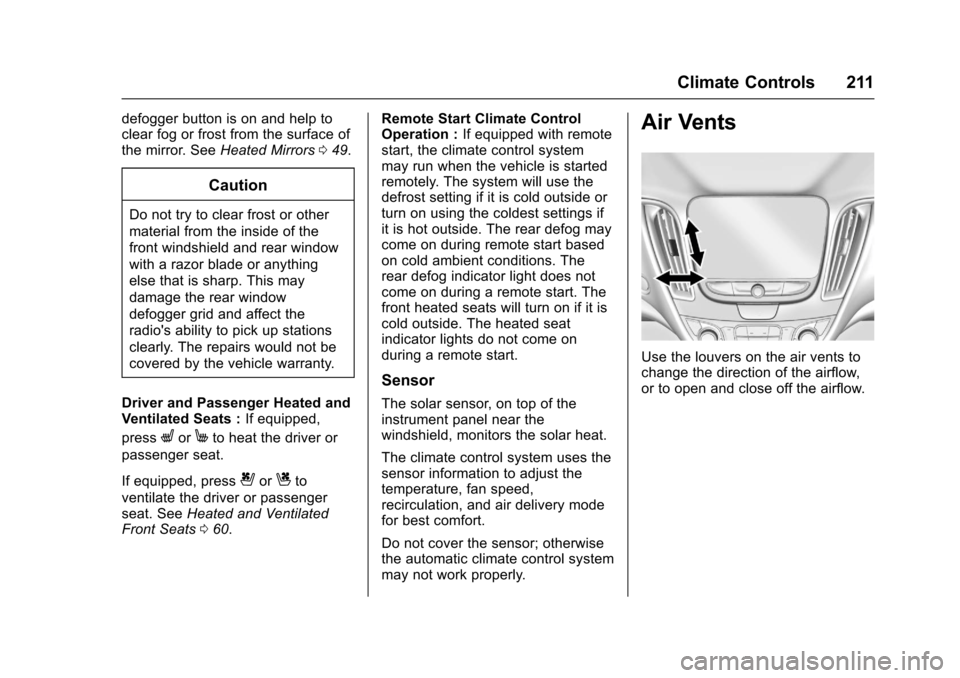
Air Vents
Use the louvers on the air vents tochange the direction of the airflow,or to open and close off the airflow.
Page 246 of 419
Chevrolet Malibu Owner Manual (GMNA-Localizing-U.S./Canada/Mexico-10122664) - 2017 - crc - 5/23/16
Driving and Operating 245
The speedometer reading can bedisplayed in either English or metricunits. SeeDriver Information Center(DIC) (Base Level)0131orDriverInformation Center (DIC) (Uplevel)0134.Theincrementvalueuseddepends on the units displayed.
Passing Another Vehicle WhileUsing Cruise Control
Use the accelerator pedal toincrease the vehicle speed. Whenyou take your foot off the pedal, thevehicle will slow down to theprevious set cruise speed. Whilepressing the accelerator pedal orshortly following the release tooverride cruise control, brieflypressing -SET will result in cruisecontrol set to the current vehiclespeed.
Using Cruise Control on Hills
How well the cruise control workson hills depends upon the vehiclespeed, load, and the steepness ofthe hills. When going up steep hills,you might have to step on theaccelerator pedal to maintain the
vehicle speed. When goingdownhill, you might have to brake orshift to a lower gear to keep yourspeed down. If the brake pedal isapplied, cruise control willdisengage.
Ending Cruise Control
There are four ways to end cruisecontrol:
.Step lightly on the brake pedal.
.Press*.
.Shift the transmission toN(Neutral).
.Press5to turn cruise control
system off completely.
Erasing Speed Memory
The cruise control set speed is
erased from memory if5is pressed
or if the vehicle is turned off.
Adaptive Cruise Control
If equipped with Adaptive CruiseControl (ACC), it allows you toselect the cruise control set speedand following gap. Read this entiresection before using this system.The following gap is the followingtime between your vehicle and avehicle detected directly ahead inyour path moving in the samedirection. If no vehicle is detected inyour path, ACC works like regularcruise control. ACC uses cameraand radar sensors. SeeRadioFrequency Statement0393.
If a vehicle is detected in your path,ACC can apply acceleration orlimited, moderate braking tomaintain the selected following gap.To d i s e n g a g e A C C , a p p l y t h e b r a k e .If ACC is controlling your vehiclespeed when the Traction ControlSystem (TCS) or StabiliTrak systemactivates, the ACC mayautomatically disengage. SeeTr a c t i o n C o n t r o l / E l e c t r o n i c S t a b i l i t yControl0241.Whenroad
Page 247 of 419
Chevrolet Malibu Owner Manual (GMNA-Localizing-U.S./Canada/Mexico-10122664) - 2017 - crc - 5/23/16
246 Driving and Operating
conditions allow ACC to be safelyused, the ACC can be turnedback on.
ACC will not engage if the TCS orStabiliTrak system is disabled.
{Warning
ACC has limited braking ability
and may not have time to slow
the vehicle down enough to avoid
acollisionwithanothervehicle
you are following. This can occur
when vehicles suddenly slow or
stop ahead, or enter your lane.
Also see“Alerting the Driver”in
this section. Complete attention is
always required while driving and
you should be ready to take
action and apply the brakes. See
Defensive Driving0216.
{Warning
ACC will not detect or brake for
children, pedestrians, animals,
or other objects.
Do not use ACC when:
.On winding and hilly roadsor when the sensors areblocked by snow, ice, or dirt.The system may not detectavehicleahead.Keeptheentire front of the vehicleclean.
.Visibility is low, such as infog, rain, or snowconditions. ACCperformance is limited underthese conditions.
.On slippery roads wherefast changes in tire tractioncan cause excessivewheel slip.
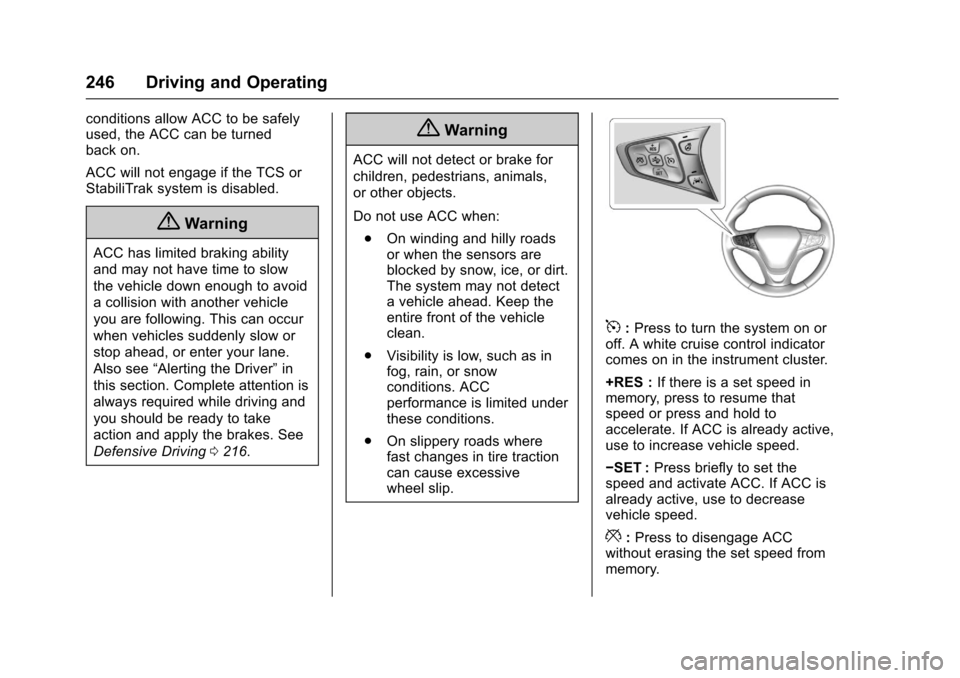
5:Press to turn the system on oroff. A white cruise control indicatorcomes on in the instrument cluster.
+RES :If there is a set speed inmemory, press to resume thatspeed or press and hold toaccelerate. If ACC is already active,use to increase vehicle speed.
✓SET :Press briefly to set thespeed and activate ACC. If ACC isalready active, use to decreasevehicle speed.
*:Press to disengage ACCwithout erasing the set speed frommemory.
Page 250 of 419
Chevrolet Malibu Owner Manual (GMNA-Localizing-U.S./Canada/Mexico-10122664) - 2017 - crc - 5/23/16
Driving and Operating 249
Approaching and Following aVehicle
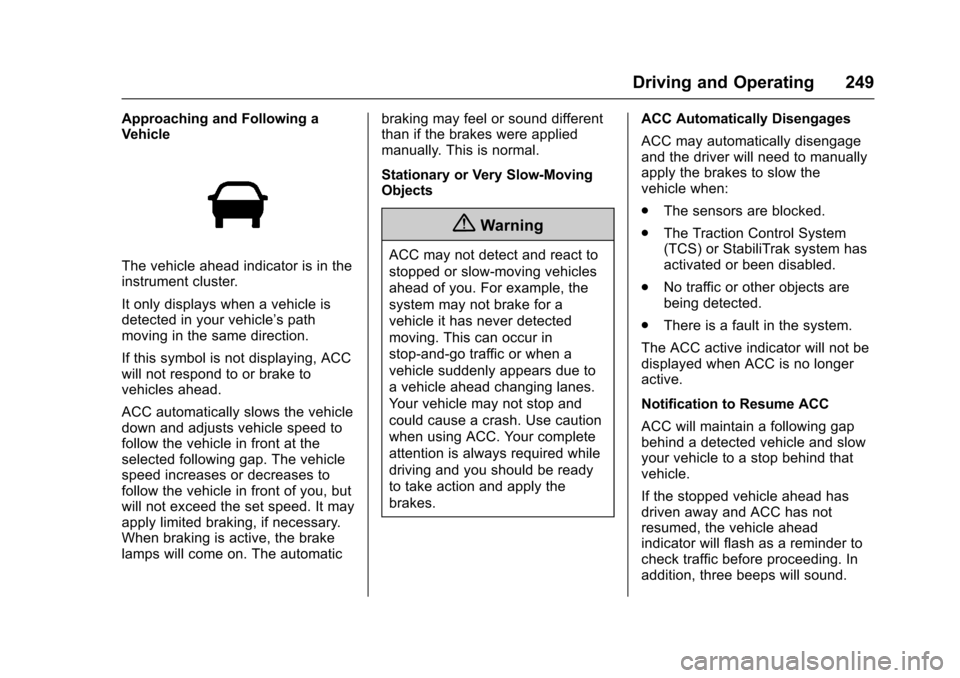
The vehicle ahead indicator is in theinstrument cluster.
It only displays when a vehicle isdetected in your vehicle’spathmoving in the same direction.
If this symbol is not displaying, ACCwill not respond to or brake tovehicles ahead.
ACC automatically slows the vehicledown and adjusts vehicle speed tofollow the vehicle in front at theselected following gap. The vehiclespeed increases or decreases tofollow the vehicle in front of you, butwill not exceed the set speed. It mayapply limited braking, if necessary.When braking is active, the brakelamps will come on. The automatic
braking may feel or sound differentthan if the brakes were appliedmanually. This is normal.
Stationary or Very Slow-MovingObjects
{Warning
ACC may not detect and react to
stopped or slow-moving vehicles
ahead of you. For example, the
system may not brake for a
vehicle it has never detected
moving. This can occur in
stop-and-go traffic or when a
vehicle suddenly appears due to
avehicleaheadchanginglanes.
Yo u r v e h i c l e m a y n o t s t o p a n d
could cause a crash. Use caution
when using ACC. Your complete
attention is always required while
driving and you should be ready
to take action and apply the
brakes.
ACC Automatically Disengages
ACC may automatically disengageand the driver will need to manuallyapply the brakes to slow thevehicle when:
.The sensors are blocked.
.The Traction Control System(TCS) or StabiliTrak system hasactivated or been disabled.
.No traffic or other objects arebeing detected.
.There is a fault in the system.
The ACC active indicator will not bedisplayed when ACC is no longeractive.
Notification to Resume ACC
ACC will maintain a following gapbehind a detected vehicle and slowyour vehicle to a stop behind thatvehicle.
If the stopped vehicle ahead hasdriven away and ACC has notresumed, the vehicle aheadindicator will flash as a reminder tocheck traffic before proceeding. Inaddition, three beeps will sound.
Page 253 of 419
Chevrolet Malibu Owner Manual (GMNA-Localizing-U.S./Canada/Mexico-10122664) - 2017 - crc - 5/23/16
252 Driving and Operating
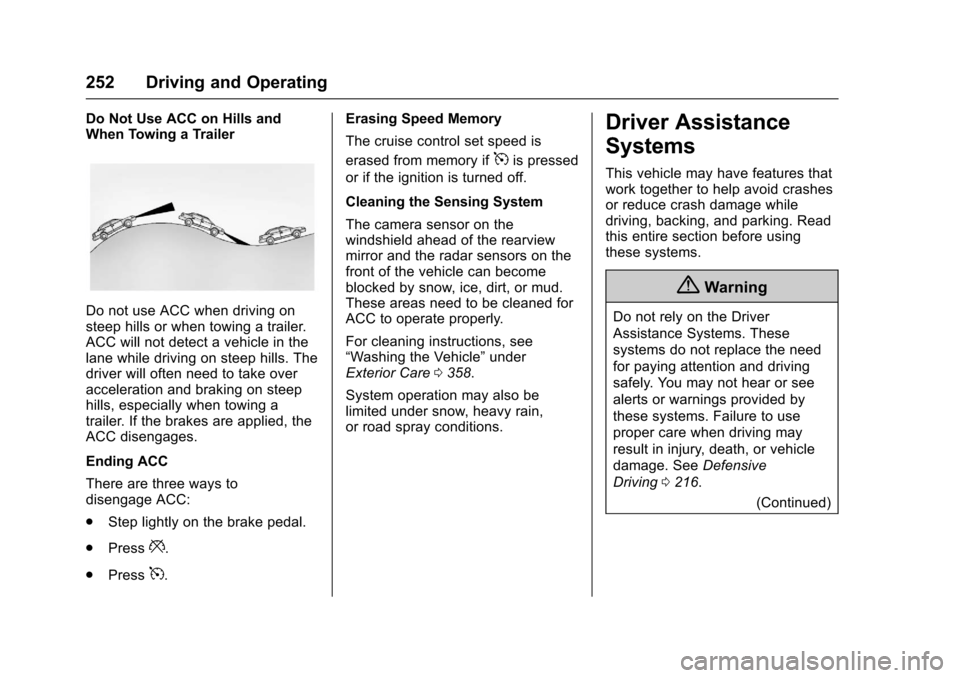
Do Not Use ACC on Hills andWhen Towing a Trailer
Do not use ACC when driving onsteep hills or when towing a trailer.ACC will not detect a vehicle in thelane while driving on steep hills. Thedriver will often need to take overacceleration and braking on steephills, especially when towing atrailer. If the brakes are applied, theACC disengages.
Ending ACC
There are three ways todisengage ACC:
.Step lightly on the brake pedal.
.Press*.
.Press5.
Erasing Speed Memory
The cruise control set speed is
erased from memory if5is pressed
or if the ignition is turned off.
Cleaning the Sensing System
The camera sensor on thewindshield ahead of the rearviewmirror and the radar sensors on thefront of the vehicle can becomeblocked by snow, ice, dirt, or mud.These areas need to be cleaned forACC to operate properly.
For cleaning instructions, see“Washing the Vehicle”underExterior Care0358.
System operation may also belimited under snow, heavy rain,or road spray conditions.
Driver Assistance
Systems
This vehicle may have features thatwork together to help avoid crashesor reduce crash damage whiledriving, backing, and parking. Readthis entire section before usingthese systems.
{Warning
Do not rely on the Driver
Assistance Systems. These
systems do not replace the need
for paying attention and driving
safely. You may not hear or see
alerts or warnings provided by
these systems. Failure to use
proper care when driving may
result in injury, death, or vehicle
damage. SeeDefensive
Driving0216.
(Continued)
Page 254 of 419
Chevrolet Malibu Owner Manual (GMNA-Localizing-U.S./Canada/Mexico-10122664) - 2017 - crc - 5/23/16
Driving and Operating 253
Warning (Continued)
Under many conditions, these
systems will not:
.Detect children,pedestrians, bicyclists,or animals.
.Detect vehicles or objectsoutside the area monitoredby the system.
.Work at all driving speeds.
.Warn you or provide youwith enough time to avoid acrash.
.Work under poor visibility orbad weather conditions.
.Work if the detection sensoris not cleaned or is coveredby ice, snow, mud, or dirt.
(Continued)
Warning (Continued)
.Work if the detection sensor
is covered up, such as with
asticker,magnet,ormetal
plate.
.Work if the area surroundingthe detection sensor isdamaged or not properlyrepaired.
Complete attention is always
required while driving, and you
should be ready to take action
and apply the brakes and/or steer
the vehicle to avoid crashes.
Audible Alert
Some driver assistance featuresalert the driver of obstacles bybeeping. To change the volume ofthe warning chime, see“Comfortand Convenience”underVehiclePersonalization0147.
Assistance Systems for
Parking or Backing
If equipped, the Rear Vision Camera(RVC), Front and Rear ParkingAssist (FRPA), Rear Cross TrafficAlert (RCTA), and AutomaticParking Assist (APA) may help thedriver park or avoid objects. Alwayscheck around the vehicle whenparking or backing.
Rear Vision Camera (RVC)
When the vehicle is shifted intoR(Reverse), the RVC displays animage of the area behind the vehiclein the center stack display. Theprevious screen displays when thevehicle is shifted out of R (Reverse)after a short delay. To return to theprevious screen sooner, press abutton on the infotainment system,shift into P (Park), or reach a vehiclespeed of 8 km/h (5 mph).
Page 255 of 419
Chevrolet Malibu Owner Manual (GMNA-Localizing-U.S./Canada/Mexico-10122664) - 2017 - crc - 5/23/16
254 Driving and Operating
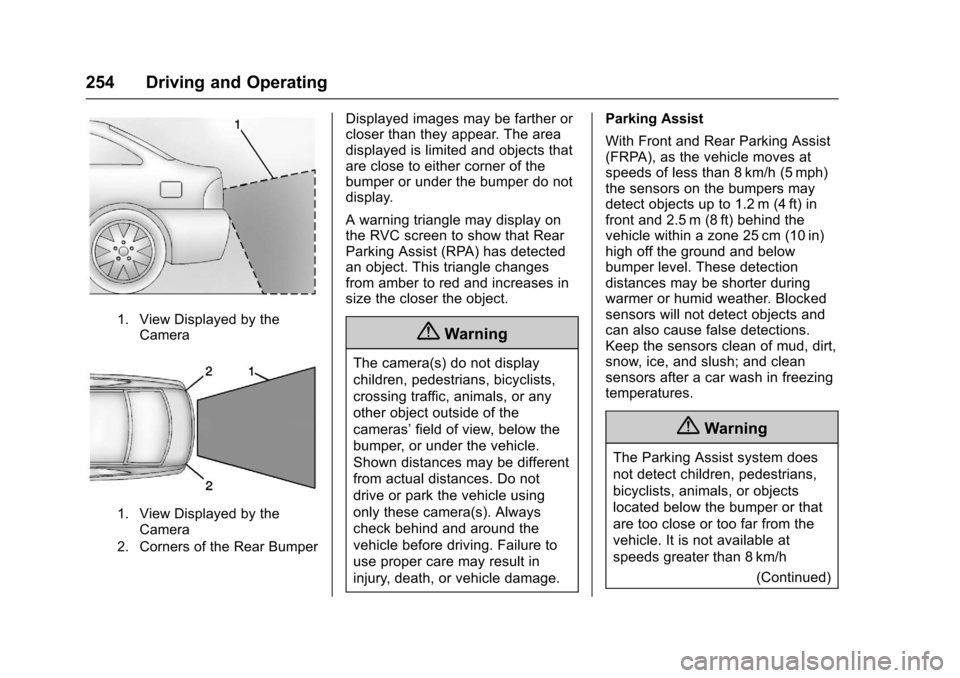
1. View Displayed by theCamera
1. View Displayed by theCamera
2. Corners of the Rear Bumper
Displayed images may be farther orcloser than they appear. The areadisplayed is limited and objects thatare close to either corner of thebumper or under the bumper do notdisplay.
Awarningtrianglemaydisplayonthe RVC screen to show that RearParking Assist (RPA) has detectedan object. This triangle changesfrom amber to red and increases insize the closer the object.
{Warning
The camera(s) do not display
children, pedestrians, bicyclists,
crossing traffic, animals, or any
other object outside of the
cameras’field of view, below the
bumper, or under the vehicle.
Shown distances may be different
from actual distances. Do not
drive or park the vehicle using
only these camera(s). Always
check behind and around the
vehicle before driving. Failure to
use proper care may result in
injury, death, or vehicle damage.
Parking Assist
With Front and Rear Parking Assist(FRPA), as the vehicle moves atspeeds of less than 8 km/h (5 mph)the sensors on the bumpers maydetect objects up to 1.2 m (4 ft) infront and 2.5 m (8 ft) behind thevehicle within a zone 25 cm (10 in)high off the ground and belowbumper level. These detectiondistances may be shorter duringwarmer or humid weather. Blockedsensors will not detect objects andcan also cause false detections.Keep the sensors clean of mud, dirt,snow, ice, and slush; and cleansensors after a car wash in freezingtemperatures.
{Warning
The Parking Assist system does
not detect children, pedestrians,
bicyclists, animals, or objects
located below the bumper or that
are too close or too far from the
vehicle. It is not available at
speeds greater than 8 km/h
(Continued)
Page 259 of 419
Chevrolet Malibu Owner Manual (GMNA-Localizing-U.S./Canada/Mexico-10122664) - 2017 - crc - 5/23/16
258 Driving and Operating
Forward Collision Alert
(FCA) System
If equipped, the FCA system mayhelp to avoid or reduce the harmcaused by front-end crashes. Whenapproaching a vehicle ahead tooquickly, FCA provides a flashing redalert on the windshield and rapidlybeeps. FCA also lights an ambervisual alert if following anothervehicle much too closely.
FCA detects vehicles within adistance of approximately 60 m(197 ft) and operates at speedsabove 8 km/h (5 mph). If the vehiclehas Adaptive Cruise Control (ACC),it can detect vehicles to distances ofapproximately 110 m (360 ft) andoperates at all speeds. SeeAdaptive Cruise Control0245.
{Warning
FCA is a warning system and
does not apply the brakes. When
approaching a slower-moving or
stopped vehicle ahead too rapidly,
or when following a vehicle too
closely, FCA may not provide a
warning with enough time to help
avoid a crash. It also may not
provide any warning at all. FCA
does not warn of pedestrians,
animals, signs, guardrails,
bridges, construction barrels,
or other objects. Be ready to take
action and apply the brakes. See
Defensive Driving0216.
FCA can be disabled with the FCAsteering wheel control.
Detecting the Vehicle Ahead
FCA warnings will not occur unlessthe FCA system detects a vehicleahead. When a vehicle is detected,the vehicle ahead indicator willdisplay green. Vehicles may not bedetected on curves, highway exitramps, or hills, due to poor visibility;or if a vehicle ahead is partiallyblocked by pedestrians or otherobjects. FCA will not detect anothervehicle ahead until it is completelyin the driving lane.
{Warning
FCA does not provide a warning
to help avoid a crash, unless it
detects a vehicle. FCA may not
detect a vehicle ahead if the FCA
sensor is blocked by dirt, snow,
(Continued)