2017 CHEVROLET MALIBU instrument cluster
[x] Cancel search: instrument clusterPage 245 of 419
Chevrolet Malibu Owner Manual (GMNA-Localizing-U.S./Canada/Mexico-10122664) - 2017 - crc - 5/23/16
244 Driving and Operating
*:Press to disengage cruisecontrol without erasing the setspeed from memory.
+RES :If there is a set speed inmemory, press to resume thatspeed or press and hold toaccelerate. If cruise control isalready active, use to increasevehicle speed.
✓SET :Press briefly to set thespeed and activate cruise control.If cruise control is already active,use to decrease vehicle speed.
Setting Cruise Control
If5is on when not in use, -SET or
+RES could get bumped and go into
cruise when not desired. Keep5
off when cruise is not being used.
To s e t a s p e e d :
1. Press5to turn the cruise
system on.
2. Get up to the desired speed.
3. Press and release -SET. Thedesired set speed brieflyappears in the instrumentcluster.
4. Remove your foot from theaccelerator pedal.
The cruise control indicator on theinstrument cluster turns green aftercruise control has been set to thedesired speed. SeeInstrumentCluster (Base Level)011 2orInstrument Cluster (Uplevel)011 4.
Resuming a Set Speed
If cruise control is set at a desiredspeed and then the brakes areapplied, cruise control isdisengaged without erasing the setspeed from memory.
Once the vehicle speed reachesabout 40 km/h (25 mph) or more,briefly press +RES. The vehiclereturns to the previous set speed.
Increasing Speed While UsingCruise Control
If the cruise control system isalready activated:
.Press and hold +RES until thevehicle accelerates to thedesired speed, then release it.
.To i n c r e a s e t h e s p e e d i n s m a l lincrements, briefly press +RES.For each press, the vehicle goesabout 1 km/h (1 mph) faster.
The speedometer reading can bedisplayed in either English or metricunits. SeeDriver Information Center(DIC) (Base Level)0131orDriverInformation Center (DIC) (Uplevel)0134.Theincrementvalueuseddepends on the units displayed.
Reducing Speed While UsingCruise Control
If the cruise control system isalready activated:
.Press and hold -SET until thedesired lower speed is reached,then release it.
.To s l o w d o w n i n s m a l lincrements, briefly press -SET.For each press, the vehicle goesabout 1 km/h (1 mph) slower.
Page 247 of 419
Chevrolet Malibu Owner Manual (GMNA-Localizing-U.S./Canada/Mexico-10122664) - 2017 - crc - 5/23/16
246 Driving and Operating
conditions allow ACC to be safelyused, the ACC can be turnedback on.
ACC will not engage if the TCS orStabiliTrak system is disabled.
{Warning
ACC has limited braking ability
and may not have time to slow
the vehicle down enough to avoid
acollisionwithanothervehicle
you are following. This can occur
when vehicles suddenly slow or
stop ahead, or enter your lane.
Also see“Alerting the Driver”in
this section. Complete attention is
always required while driving and
you should be ready to take
action and apply the brakes. See
Defensive Driving0216.
{Warning
ACC will not detect or brake for
children, pedestrians, animals,
or other objects.
Do not use ACC when:
.On winding and hilly roadsor when the sensors areblocked by snow, ice, or dirt.The system may not detectavehicleahead.Keeptheentire front of the vehicleclean.
.Visibility is low, such as infog, rain, or snowconditions. ACCperformance is limited underthese conditions.
.On slippery roads wherefast changes in tire tractioncan cause excessivewheel slip.
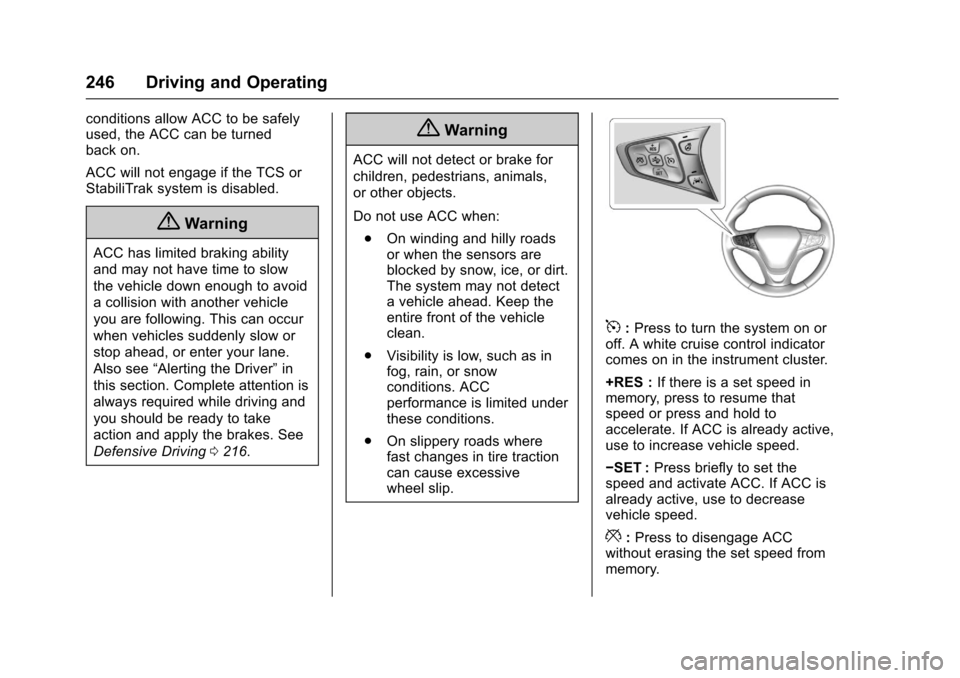
5:Press to turn the system on oroff. A white cruise control indicatorcomes on in the instrument cluster.
+RES :If there is a set speed inmemory, press to resume thatspeed or press and hold toaccelerate. If ACC is already active,use to increase vehicle speed.
✓SET :Press briefly to set thespeed and activate ACC. If ACC isalready active, use to decreasevehicle speed.
*:Press to disengage ACCwithout erasing the set speed frommemory.
Page 248 of 419
Chevrolet Malibu Owner Manual (GMNA-Localizing-U.S./Canada/Mexico-10122664) - 2017 - crc - 5/23/16
Driving and Operating 247
[:Press to select a following gaptime (or distance) setting for ACC ofFar, Medium, or Near.
Setting Adaptive Cruise Control
If ACC is on when not in use,5
could get pressed and ACC couldbecome active when not desired.Keep ACC off when it is notbeing used.
Select the set speed desired forcruise. This is the vehicle speedwhen no vehicle is detected inits path.
ACC will not set at a speed lessthan 25 km/h (16 mph), although itcan be resumed when driving atlower speeds.
To s e t A C C :
1. Press5.
2. Get up to the desired speed.
3. Press and release -SET.
4. Remove your foot from theaccelerator.
After ACC is set, it may immediatelyapply the brakes if a vehicle aheadis detected closer than the selectedfollowing gap.
The ACC indicator displays in theinstrument cluster. When the ACC isactive, the indicator turns green.
Be mindful of speed limits,surrounding traffic speeds, andweather conditions when selectingthe set speed.
Resuming a Set Speed
If the ACC is set at a desired speedand then the brakes are applied, theACC is disengaged without erasingthe set speed from memory.
To b e g i n u s i n g A C C a g a i n , b r i e f l ypress +RES. The vehicle returns tothe previous set speed.
Increasing Speed While ACC is ata Set Speed
If ACC is already activated, do oneof the following:
.Use the accelerator to get to thehigher speed. Press -SET.Release the control and theaccelerator pedal. The vehiclewill now cruise at the higherspeed.
When the accelerator pedal ispressed, ACC will not brakebecause it is overridden.Awarningmessagewillappearon the Driver Information Center(DIC). SeeCruise ControlMessages0139.
.Press and hold +RES until thedesired set speed appears onthe display, then release it.
.To i n c r e a s e v e h i c l e s p e e d i nsmall increments, briefly press+RES. For each press, thevehicle goes 1 km/h or (1 mph)faster.
Page 249 of 419
Chevrolet Malibu Owner Manual (GMNA-Localizing-U.S./Canada/Mexico-10122664) - 2017 - crc - 5/23/16
248 Driving and Operating
When it is determined that there isno vehicle ahead inside the selectedfollowing gap, then the vehiclespeed will increase to the set speed.
Reducing Speed While ACC is at aSet Speed
If ACC is already activated, do oneof the following:
.Use the brake to get to thedesired lower speed. Press -SETand release the acceleratorpedal. The vehicle will nowcruise at the lower speed.
.Press and hold -SET until thedesired lower speed is reached,then release it.
.To d e c r e a s e t h e v e h i c l e s p e e d i nsmaller increments, press -SETdown briefly. For each press, thevehicle goes about 1 km/h or(1 mph) slower.
Selecting the Follow Distance
When a slower moving vehicle isdetected ahead within the selectedfollowing gap, ACC will adjust the
vehicle's speed and attempt tomaintain the follow distance gapselected.
Press[on the steering wheel to
adjust the following gap. Whenpressed, the current gap settingdisplays briefly on the instrumentcluster. Subsequent presses cyclethe gap button through threesettings: Far, Medium, or Near. Thegap setting will be maintained until itis changed.
Since each gap setting correspondsto a following time (Far, Medium,or Near), the following distance willvary based on vehicle speed. Thefaster the vehicle speed, the furtherback your vehicle will follow avehicle detected ahead. Considertraffic and weather conditions whenselecting the following gap. Therange of selectable gaps may not beappropriate for all drivers anddriving conditions.
Changing the gap settingautomatically changes the alerttiming sensitivity (Far, Medium,
or Near) for the Forward CollisionAlert (FCA) feature. SeeForwardCollision Alert (FCA) System0258.
Alerting the Driver
If ACC is engaged, driver actionmay be required when ACC cannotapply sufficient braking because ofapproaching a vehicle too rapidly.
When this condition occurs, eightbeeps will sound from the front.
SeeDefensive Driving0216.
Page 250 of 419
Chevrolet Malibu Owner Manual (GMNA-Localizing-U.S./Canada/Mexico-10122664) - 2017 - crc - 5/23/16
Driving and Operating 249
Approaching and Following aVehicle
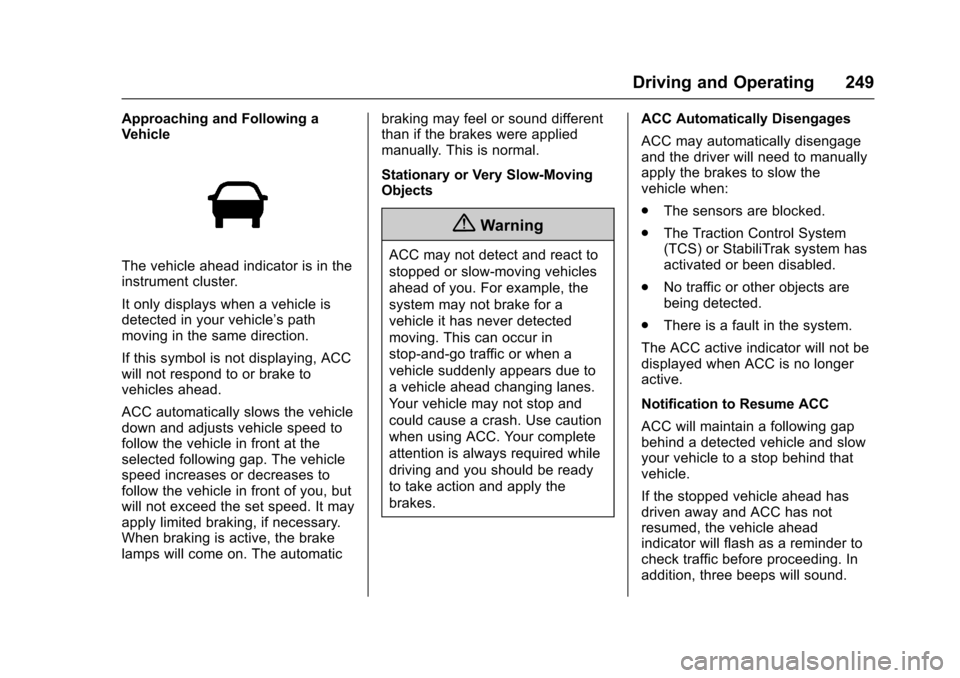
The vehicle ahead indicator is in theinstrument cluster.
It only displays when a vehicle isdetected in your vehicle’spathmoving in the same direction.
If this symbol is not displaying, ACCwill not respond to or brake tovehicles ahead.
ACC automatically slows the vehicledown and adjusts vehicle speed tofollow the vehicle in front at theselected following gap. The vehiclespeed increases or decreases tofollow the vehicle in front of you, butwill not exceed the set speed. It mayapply limited braking, if necessary.When braking is active, the brakelamps will come on. The automatic
braking may feel or sound differentthan if the brakes were appliedmanually. This is normal.
Stationary or Very Slow-MovingObjects
{Warning
ACC may not detect and react to
stopped or slow-moving vehicles
ahead of you. For example, the
system may not brake for a
vehicle it has never detected
moving. This can occur in
stop-and-go traffic or when a
vehicle suddenly appears due to
avehicleaheadchanginglanes.
Yo u r v e h i c l e m a y n o t s t o p a n d
could cause a crash. Use caution
when using ACC. Your complete
attention is always required while
driving and you should be ready
to take action and apply the
brakes.
ACC Automatically Disengages
ACC may automatically disengageand the driver will need to manuallyapply the brakes to slow thevehicle when:
.The sensors are blocked.
.The Traction Control System(TCS) or StabiliTrak system hasactivated or been disabled.
.No traffic or other objects arebeing detected.
.There is a fault in the system.
The ACC active indicator will not bedisplayed when ACC is no longeractive.
Notification to Resume ACC
ACC will maintain a following gapbehind a detected vehicle and slowyour vehicle to a stop behind thatvehicle.
If the stopped vehicle ahead hasdriven away and ACC has notresumed, the vehicle aheadindicator will flash as a reminder tocheck traffic before proceeding. Inaddition, three beeps will sound.
Page 256 of 419
Chevrolet Malibu Owner Manual (GMNA-Localizing-U.S./Canada/Mexico-10122664) - 2017 - crc - 5/23/16
Driving and Operating 255
Warning (Continued)
(5 mph). To prevent injury, death,
or vehicle damage, even with
Parking Assist, always check the
area around the vehicle and
check all mirrors before moving
forward or backing.
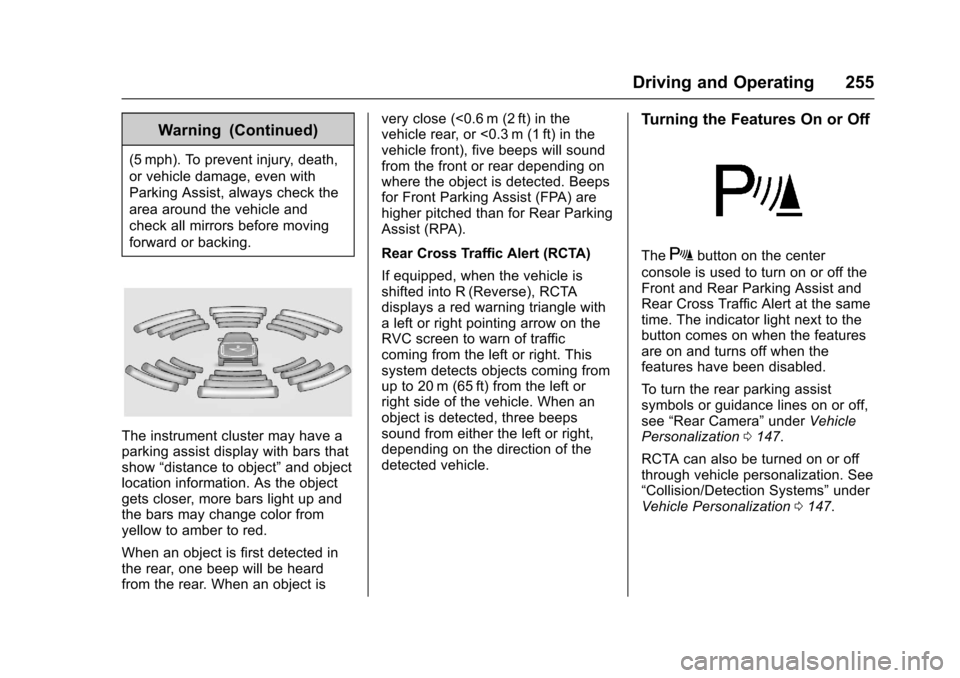
The instrument cluster may have aparking assist display with bars thatshow“distance to object”and objectlocation information. As the objectgets closer, more bars light up andthe bars may change color fromyellow to amber to red.
When an object is first detected inthe rear, one beep will be heardfrom the rear. When an object is
very close (<0.6 m (2 ft) in thevehicle rear, or <0.3 m (1 ft) in thevehicle front), five beeps will soundfrom the front or rear depending onwhere the object is detected. Beepsfor Front Parking Assist (FPA) arehigher pitched than for Rear ParkingAssist (RPA).
Rear Cross Traffic Alert (RCTA)
If equipped, when the vehicle isshifted into R (Reverse), RCTAdisplays a red warning triangle withaleftorrightpointingarrowontheRVC screen to warn of trafficcoming from the left or right. Thissystem detects objects coming fromup to 20 m (65 ft) from the left orright side of the vehicle. When anobject is detected, three beepssound from either the left or right,depending on the direction of thedetected vehicle.
Turning the Features On or Off
TheXbutton on the center
console is used to turn on or off theFront and Rear Parking Assist andRear Cross Traffic Alert at the sametime. The indicator light next to thebutton comes on when the featuresare on and turns off when thefeatures have been disabled.
To t u r n t h e r e a r p a r k i n g a s s i s tsymbols or guidance lines on or off,see“Rear Camera”underVehiclePersonalization0147.
RCTA can also be turned on or offthrough vehicle personalization. See“Collision/Detection Systems”underVehicle Personalization0147.
Page 275 of 419
Chevrolet Malibu Owner Manual (GMNA-Localizing-U.S./Canada/Mexico-10122664) - 2017 - crc - 5/23/16
274 Driving and Operating
Backing Up
Hold the bottom of the steeringwheel with one hand. To move thetrailer to the left, move your hand tothe left. To move the trailer to theright, move your hand to the right.Always back up slowly and,if possible, have someoneguide you.
Making Turns
Caution
Making very sharp turns while
trailering could cause the trailer to
come in contact with the vehicle.
The vehicle could be damaged.
Avoid making very sharp turns
while trailering.
When turning with a trailer, makewider turns than normal so thetrailer will not strike soft shoulders,curbs, road signs, trees, or otherobjects. Use the turn signal well inadvance and avoid jerky or suddenmaneuvers.
Turn Signals When Towing a
Trailer
The turn signal indicators on theinstrument cluster flash wheneversignaling a turn or lane change.Properly hooked up, the trailerlamps also flash, telling otherdrivers the vehicle is turning,changing lanes, or stopping.
When towing a trailer, the arrows onthe instrument cluster flash for turnseven if the bulbs on the trailer areburned out. Check occasionally tobe sure the trailer bulbs are stillworking.
Driving on Grades
Reduce speed and shift to a lowergear before starting down a long orsteep downgrade. If thetransmission is not shifted down, thebrakes might have to be used somuch that they would get hot and nolonger work well.
The vehicle can tow in D (Drive).Use a lower gear if the transmissionshifts too often.
When towing at high altitude onsteep uphill grades, engine coolantboils at a lower temperature than atnormal altitudes. If the engine isturned off immediately after towingat high altitude on steep uphillgrades, the vehicle could showsigns similar to engine overheating.To a v o i d t h i s , l e t t h e e n g i n e r u nwhile parked, preferably on levelground, with the transmission inP(Park) for a few minutes beforeturning the engine off. If theoverheat warning comes on, seeEngine Overheating0297.
Parking on Hills
{Warning
Parking the vehicle on a hill with
the trailer attached can be
dangerous. If something goes
wrong, the rig could start to move.
People can be injured, and both
the vehicle and the trailer can be
damaged. When possible, always
park the rig on a flat surface.
Page 298 of 419
Chevrolet Malibu Owner Manual (GMNA-Localizing-U.S./Canada/Mexico-10122664) - 2017 - crc - 5/23/16
Vehicle Care 297
The coolant surge tank pressurecap can be removed when thecooling system, including the surgetank pressure cap and upperradiator hose, is no longer hot.
1. Turn the pressure cap slowlycounterclockwise. If a hiss isheard, wait for that to stop.Ahissmeansthereisstillsome pressure left.
2. Keep turning the cap andremove it.
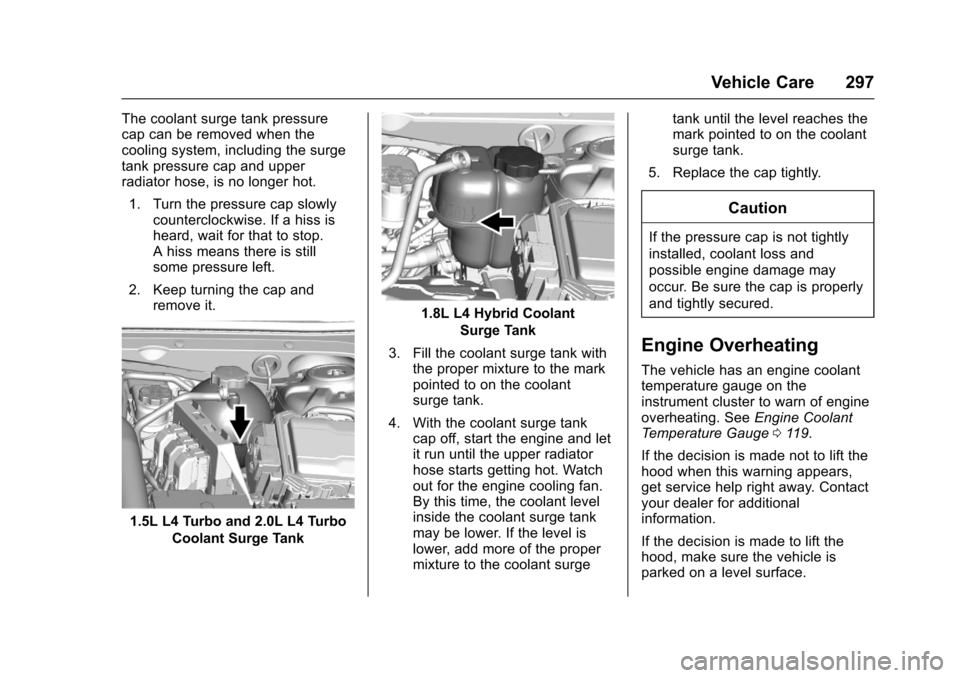
1.5L L4 Turbo and 2.0L L4 Turbo
Coolant Surge Tank
1.8L L4 Hybrid Coolant
Surge Tank
3. Fill the coolant surge tank withthe proper mixture to the markpointed to on the coolantsurge tank.
4. With the coolant surge tankcap off, start the engine and letit run until the upper radiatorhose starts getting hot. Watchout for the engine cooling fan.By this time, the coolant levelinside the coolant surge tankmay be lower. If the level islower, add more of the propermixture to the coolant surge
tank until the level reaches themark pointed to on the coolantsurge tank.
5. Replace the cap tightly.
Caution
If the pressure cap is not tightly
installed, coolant loss and
possible engine damage may
occur. Be sure the cap is properly
and tightly secured.
Engine Overheating
The vehicle has an engine coolanttemperature gauge on theinstrument cluster to warn of engineoverheating. SeeEngine CoolantTe m p e r a t u r e G a u g e011 9.
If the decision is made not to lift thehood when this warning appears,get service help right away. Contactyour dealer for additionalinformation.
If the decision is made to lift thehood, make sure the vehicle isparked on a level surface.