2017 CHEVROLET MALIBU buttons
[x] Cancel search: buttonsPage 38 of 419
Chevrolet Malibu Owner Manual (GMNA-Localizing-U.S./Canada/Mexico-10122664) - 2017 - crc - 5/23/16
Keys, Doors, and Windows 37
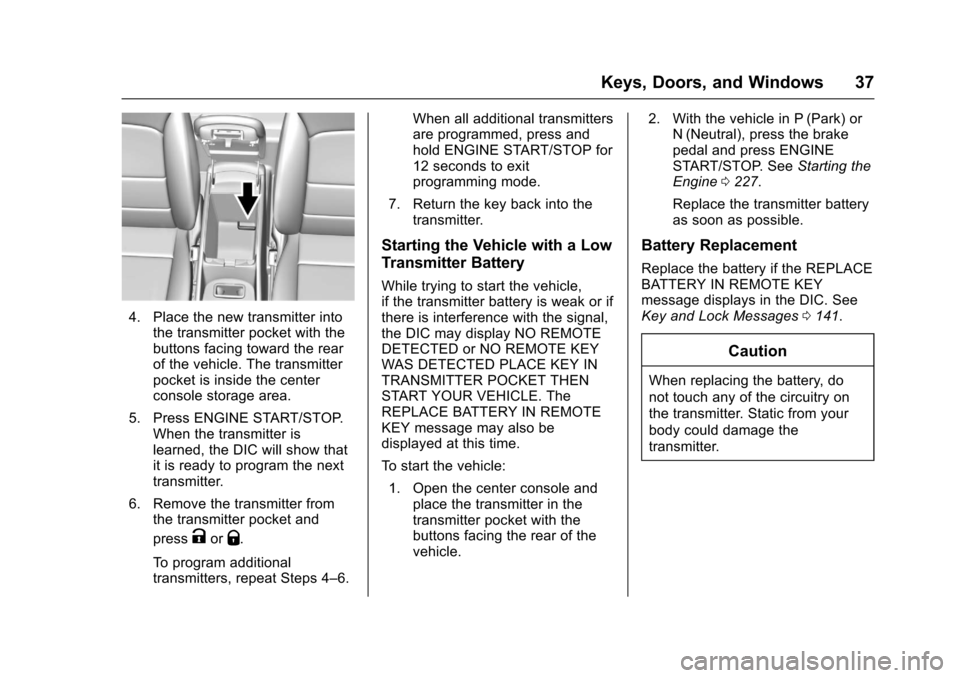
4. Place the new transmitter intothe transmitter pocket with thebuttons facing toward the rearof the vehicle. The transmitterpocket is inside the centerconsole storage area.
5. Press ENGINE START/STOP.When the transmitter islearned, the DIC will show thatit is ready to program the nexttransmitter.
6. Remove the transmitter fromthe transmitter pocket and
pressKorQ.
To p r o g r a m a d d i t i o n a ltransmitters, repeat Steps 4–6.
When all additional transmittersare programmed, press andhold ENGINE START/STOP for12 seconds to exitprogramming mode.
7. Return the key back into thetransmitter.
Starting the Vehicle with a Low
Transmitter Battery
While trying to start the vehicle,if the transmitter battery is weak or ifthere is interference with the signal,the DIC may display NO REMOTEDETECTED or NO REMOTE KEYWAS DETECTED PLACE KEY INTRANSMITTER POCKET THENSTART YOUR VEHICLE. TheREPLACE BATTERY IN REMOTEKEY message may also bedisplayed at this time.
To s t a r t t h e v e h i c l e :
1. Open the center console andplace the transmitter in thetransmitter pocket with thebuttons facing the rear of thevehicle.
2. With the vehicle in P (Park) orN(Neutral), press the brakepedal and press ENGINESTART/STOP. SeeStarting theEngine0227.
Replace the transmitter batteryas soon as possible.
Battery Replacement
Replace the battery if the REPLACEBATTERY IN REMOTE KEYmessage displays in the DIC. SeeKey and Lock Messages0141.
Caution
When replacing the battery, do
not touch any of the circuitry on
the transmitter. Static from your
body could damage the
transmitter.
Page 60 of 419
Chevrolet Malibu Owner Manual (GMNA-Localizing-U.S./Canada/Mexico-10122664) - 2017 - crc - 5/23/16
Seats and Restraints 59
Memory Seats
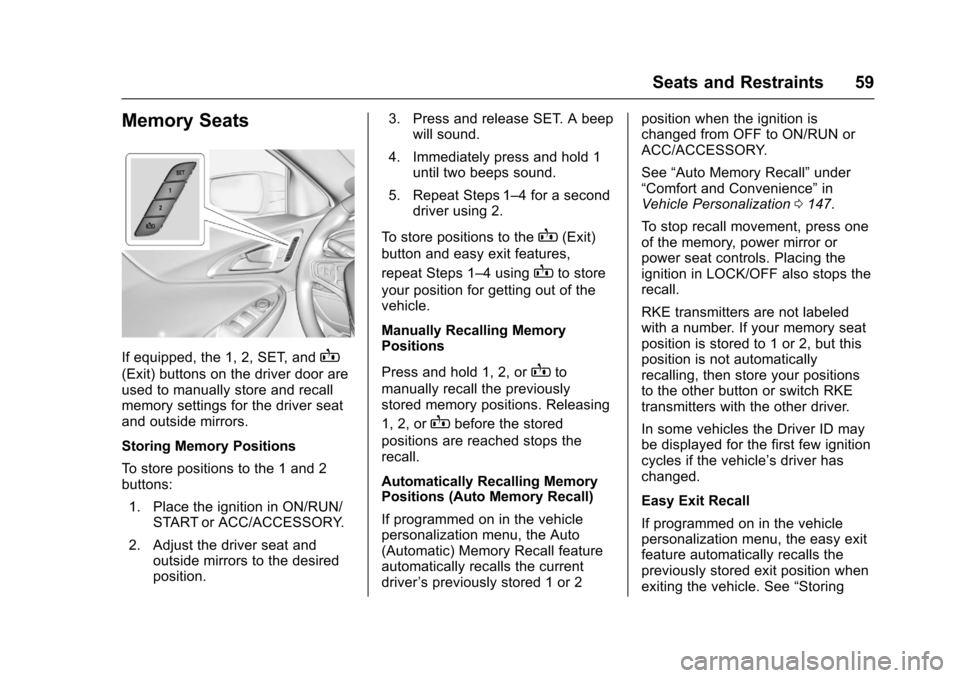
If equipped, the 1, 2, SET, andB
(Exit) buttons on the driver door areused to manually store and recallmemory settings for the driver seatand outside mirrors.
Storing Memory Positions
To s t o r e p o s i t i o n s t o t h e 1 a n d 2buttons:
1. Place the ignition in ON/RUN/START or ACC/ACCESSORY.
2. Adjust the driver seat andoutside mirrors to the desiredposition.
3. Press and release SET. A beepwill sound.
4. Immediately press and hold 1until two beeps sound.
5. Repeat Steps 1–4foraseconddriver using 2.
To s t o r e p o s i t i o n s t o t h eB(Exit)
button and easy exit features,
repeat Steps 1–4usingBto store
your position for getting out of thevehicle.
Manually Recalling MemoryPositions
Press and hold 1, 2, orBto
manually recall the previouslystored memory positions. Releasing
1, 2, orBbefore the stored
positions are reached stops therecall.
Automatically Recalling MemoryPositions (Auto Memory Recall)
If programmed on in the vehiclepersonalization menu, the Auto(Automatic) Memory Recall featureautomatically recalls the currentdriver’spreviouslystored1or2
position when the ignition ischanged from OFF to ON/RUN orACC/ACCESSORY.
See“Auto Memory Recall”under“Comfort and Convenience”inVehicle Personalization0147.
To s t o p r e c a l l m o v e m e n t , p r e s s o n eof the memory, power mirror orpower seat controls. Placing theignition in LOCK/OFF also stops therecall.
RKE transmitters are not labeledwith a number. If your memory seatposition is stored to 1 or 2, but thisposition is not automaticallyrecalling, then store your positionsto the other button or switch RKEtransmitters with the other driver.
In some vehicles the Driver ID maybe displayed for the first few ignitioncycles if the vehicle’sdriverhaschanged.
Easy Exit Recall
If programmed on in the vehiclepersonalization menu, the easy exitfeature automatically recalls thepreviously stored exit position whenexiting the vehicle. See“Storing
Page 62 of 419
Chevrolet Malibu Owner Manual (GMNA-Localizing-U.S./Canada/Mexico-10122664) - 2017 - crc - 5/23/16
Seats and Restraints 61
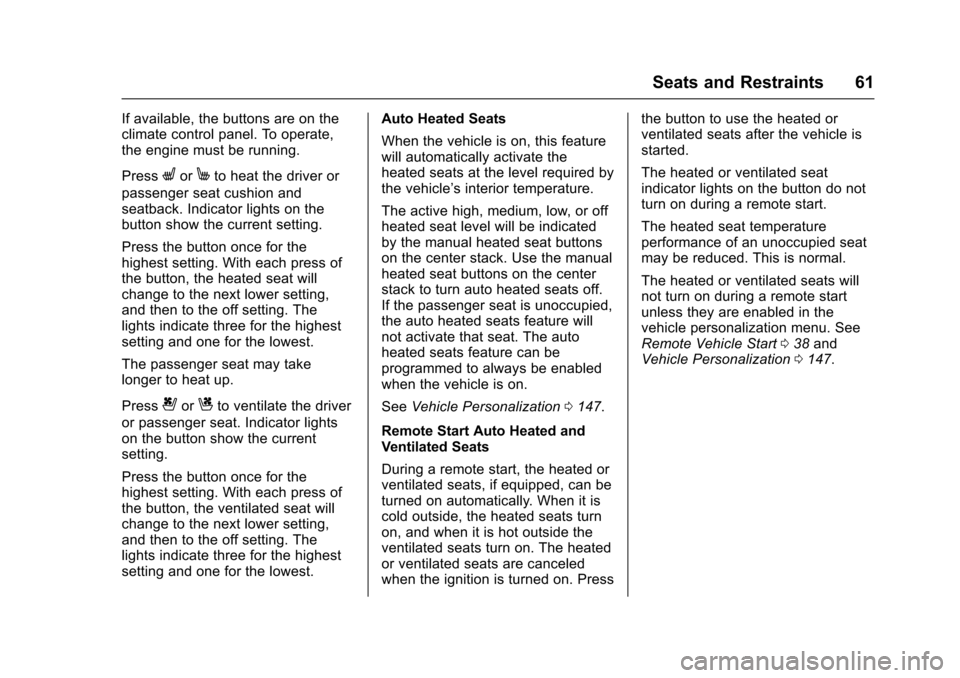
If available, the buttons are on theclimate control panel. To operate,the engine must be running.
PressLorMto heat the driver or
passenger seat cushion andseatback. Indicator lights on thebutton show the current setting.
Press the button once for thehighest setting. With each press ofthe button, the heated seat willchange to the next lower setting,and then to the off setting. Thelights indicate three for the highestsetting and one for the lowest.
The passenger seat may takelonger to heat up.
Press{orCto ventilate the driver
or passenger seat. Indicator lightson the button show the currentsetting.
Press the button once for thehighest setting. With each press ofthe button, the ventilated seat willchange to the next lower setting,and then to the off setting. Thelights indicate three for the highestsetting and one for the lowest.
Auto Heated Seats
When the vehicle is on, this featurewill automatically activate theheated seats at the level required bythe vehicle’sinteriortemperature.
The active high, medium, low, or offheated seat level will be indicatedby the manual heated seat buttonson the center stack. Use the manualheated seat buttons on the centerstack to turn auto heated seats off.If the passenger seat is unoccupied,the auto heated seats feature willnot activate that seat. The autoheated seats feature can beprogrammed to always be enabledwhen the vehicle is on.
SeeVehicle Personalization0147.
Remote Start Auto Heated andVentilated Seats
During a remote start, the heated orventilated seats, if equipped, can beturned on automatically. When it iscold outside, the heated seats turnon, and when it is hot outside theventilated seats turn on. The heatedor ventilated seats are canceledwhen the ignition is turned on. Press
the button to use the heated orventilated seats after the vehicle isstarted.
The heated or ventilated seatindicator lights on the button do notturn on during a remote start.
The heated seat temperatureperformance of an unoccupied seatmay be reduced. This is normal.
The heated or ventilated seats willnot turn on during a remote startunless they are enabled in thevehicle personalization menu. SeeRemote Vehicle Start038andVehicle Personalization0147.
Page 146 of 419
Chevrolet Malibu Owner Manual (GMNA-Localizing-U.S./Canada/Mexico-10122664) - 2017 - crc - 5/23/16
Instruments and Controls 145
stays on when the malfunctionindicator lamp is on, the vehicleshould be taken to your dealer forservice as soon as possible.
Ride Control System
Messages
SERVICE TRACTION
CONTROL
This message displays when thereis a problem with the TractionControl System (TCS). When thismessage is displayed, the systemwill not limit wheel spin. Adjust yourdriving accordingly. See your dealerfor service.
SERVICE STABILITRAK
This message displays if there is aproblem with the StabiliTrak system.If this message appears, try to resetthe system. Stop; turn off the enginefor at least 15 seconds; then startthe engine again. If this messagestill comes on, it means there is aproblem. See your dealer forservice. The vehicle is safe to drive;
however, you do not have thebenefit of StabiliTrak, so reduceyour speed and drive accordingly.
Airbag System Messages
SERVICE AIRBAG
This message displays if there is aproblem with the airbag system. Seeyour dealer for service.
Security Messages
THEFT ATTEMPTED
This message displays if the vehicledetects a tamper condition.
Service Vehicle Messages
SERVICE AC SYSTEM
This message displays if there is aproblem with the air conditioningsystem. Take the vehicle to yourdealer for service.
SERVICE KEYLESS START
SYSTEM
This message is displayed if there isaproblemwiththepushbuttonstartsystem. Take the vehicle to yourdealer for service.
SERVICE VEHICLE SOON
This message displays if there is aproblem with the vehicle. Take thevehicle to your dealer for service.
Steering System
Messages
SERVICE POWER STEERING
This message displays and a chimemay sound when there may be aproblem with the power steeringsystem. If this message displaysand a reduction in steeringperformance or loss of powersteering assistance is noticed, seeyour dealer.
Page 160 of 419
Chevrolet Malibu Owner Manual (GMNA-Localizing-U.S./Canada/Mexico-10122664) - 2017 - crc - 5/23/16
Instruments and Controls 159
Guidance Lines
Select to turn Off or On. SeeAssistance Systems for Parking orBacking0253.
Rear Park Assist Symbols
Select to turn Off or On. SeeAssistance Systems for Parking orBacking0253.
Return to Factory Settings
Select and the following maydisplay:
.Restore Vehicle Settings
.Clear All Private Data
.Restore Radio Settings
Restore Vehicle Settings
This allows selection of restoringvehicle settings.
Select Continue or Cancel.
Clear All Private Data
Select to clear all private informationfrom the vehicle.
Select Continue or Cancel.
Restore Radio Settings
This allows selection to restoreradio settings.
Select Continue or Cancel.
Software Information
Select to view the infotainmentsystem current software information.
Universal Remote
System
SeeRadio FrequencyStatement0393.
Universal Remote System
Programming
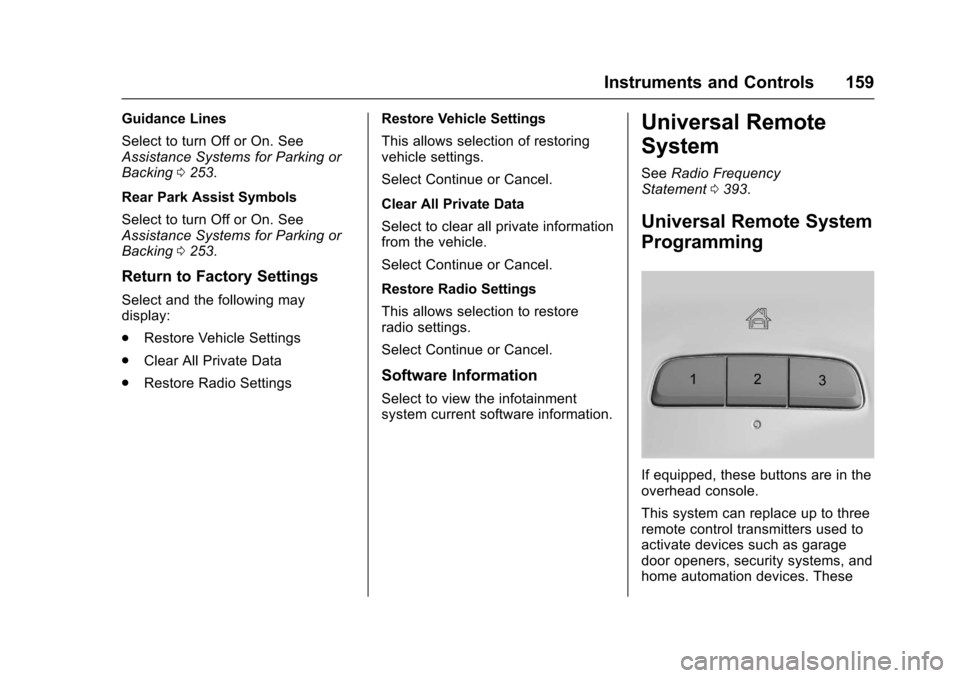
If equipped, these buttons are in theoverhead console.
This system can replace up to threeremote control transmitters used toactivate devices such as garagedoor openers, security systems, andhome automation devices. These
Page 161 of 419
Chevrolet Malibu Owner Manual (GMNA-Localizing-U.S./Canada/Mexico-10122664) - 2017 - crc - 5/23/16
160 Instruments and Controls
instructions refer to a garage dooropener, but can be used for otherdevices.
Do not use the Universal Remotesystem with any garage door openerthat does not have the stop andreverse feature. This includes anygarage door opener modelmanufactured before April 1, 1982.
Read these instructions completelybefore programming the UniversalRemote system. It may help to haveanother person assist with theprogramming process.
Keep the original hand-heldtransmitter for use in other vehiclesas well as for future programming.Erase the programming whenvehicle ownership is terminated.See“Erasing Universal RemoteSystem Buttons”later in thissection.
To p r o g r a m a g a r a g e d o o r o p e n e r ,park outside directly in line with andfacing the garage door openerreceiver. Clear all people andobjects near the garage door.
Make sure the hand-held transmitterhas a new battery for quick andaccurate transmission of theradio-frequency signal.
Programming the Universal
Remote System
For questions or help programmingthe Universal Remote system, call1-800-355-3515 or seewww.homelink.com.
Programming involvestime-sensitive actions, and may timeout causing the procedure to berepeated.
To p r o g r a m u p t o t h r e e d e v i c e s :
1. Hold the end of the hand-heldtransmitter about 3 to 8 cm (1to 3 in) away from theUniversal Remote systembuttons with the indicator lightin view. The hand-heldtransmitter was supplied by themanufacturer of the garagedoor opener receiver.
2. At the same time, press andhold both the hand-heldtransmitter button and one ofthe three Universal Remote
system buttons to be used tooperate the garage door. Donot release either button untilthe indicator light changes fromaslowtoarapidflash.Thenrelease both buttons.
Some garage door openersmay require substitution ofStep 2 with the procedureunder“Radio Signals forCanada and Some GateOperators”later in this section.
3. Press and hold the newlyprogrammed Universal Remotesystem button for five secondswhile watching the indicatorlight and garage dooractivation.
.If the indicator light stays oncontinuously or the garagedoor moves when thebutton is pressed, thenprogramming is complete.There is no need tocomplete Steps 4–6.
.If the indicator light doesnot come on or the garagedoor does not move, asecond button press may
Page 162 of 419
Chevrolet Malibu Owner Manual (GMNA-Localizing-U.S./Canada/Mexico-10122664) - 2017 - crc - 5/23/16
Instruments and Controls 161
be required. For a secondtime, press and hold thenewly programmed buttonfor five seconds. If the lightstays on or the garage doormoves, programming iscomplete.
.If the indicator light blinksrapidly for two seconds,then changes to a solid lightand the garage door doesnot move, continue withprogramming Steps 4–6.
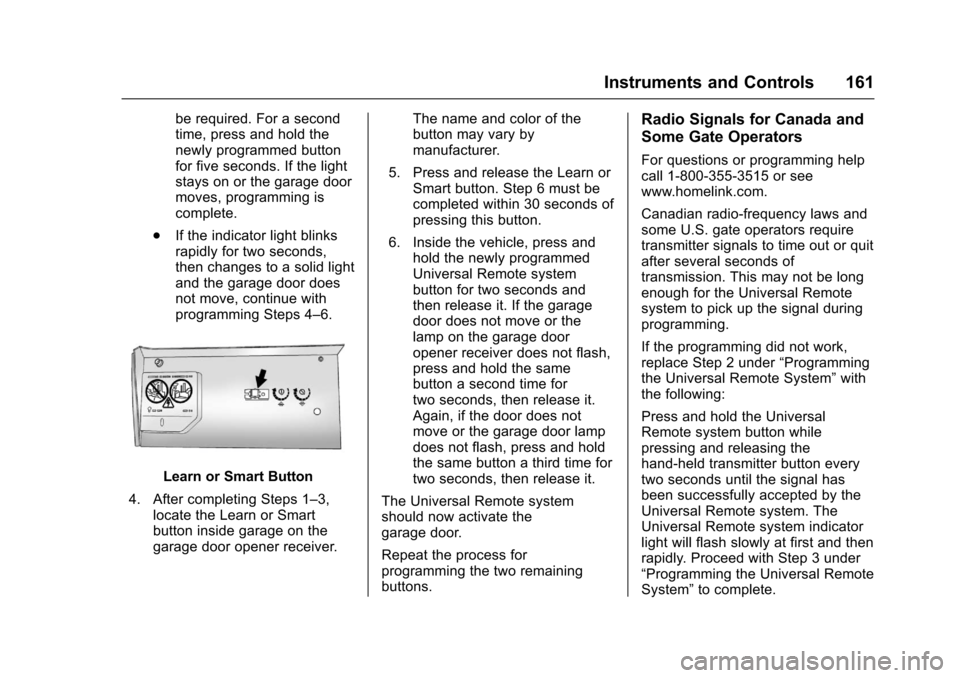
Learn or Smart Button
4. After completing Steps 1–3,locate the Learn or Smartbutton inside garage on thegarage door opener receiver.
The name and color of thebutton may vary bymanufacturer.
5. Press and release the Learn orSmart button. Step 6 must becompleted within 30 seconds ofpressing this button.
6. Inside the vehicle, press andhold the newly programmedUniversal Remote systembutton for two seconds andthen release it. If the garagedoor does not move or thelamp on the garage dooropener receiver does not flash,press and hold the samebutton a second time fortwo seconds, then release it.Again, if the door does notmove or the garage door lampdoes not flash, press and holdthe same button a third time fortwo seconds, then release it.
The Universal Remote systemshould now activate thegarage door.
Repeat the process forprogramming the two remainingbuttons.
Radio Signals for Canada and
Some Gate Operators
For questions or programming helpcall 1-800-355-3515 or seewww.homelink.com.
Canadian radio-frequency laws andsome U.S. gate operators requiretransmitter signals to time out or quitafter several seconds oftransmission. This may not be longenough for the Universal Remotesystem to pick up the signal duringprogramming.
If the programming did not work,replace Step 2 under“Programmingthe Universal Remote System”withthe following:
Press and hold the UniversalRemote system button whilepressing and releasing thehand-held transmitter button everytwo seconds until the signal hasbeen successfully accepted by theUniversal Remote system. TheUniversal Remote system indicatorlight will flash slowly at first and thenrapidly. Proceed with Step 3 under“Programming the Universal RemoteSystem”to complete.
Page 163 of 419
Chevrolet Malibu Owner Manual (GMNA-Localizing-U.S./Canada/Mexico-10122664) - 2017 - crc - 5/23/16
162 Instruments and Controls
Universal Remote System
Operation
Using the Universal Remote
System
Press and hold the appropriateUniversal Remote system button forat least one-half second. Theindicator light will come on while thesignal is being transmitted.
Erasing Universal Remote
System Buttons
Erase all programmed buttons whenvehicle ownership is terminated.
To e r a s e :
1. Press and hold the two outsidebuttons until the indicator lightbegins to flash. This shouldtake about 10 seconds.
2. Release both buttons.
Reprogramming a Single
Universal Remote System
Button
To r e p r o g r a m a n y o f t h e s y s t e mbuttons:
1. Press and hold any one of thebuttons. Do not release thebutton.
2. The indicator light will begin toflash after 20 seconds. Withoutreleasing the button, proceedwith Step 1 under“Programming the UniversalRemote System.”