2017 CHEVROLET EXPRESS CARGO VAN AUX
[x] Cancel search: AUXPage 8 of 346

Chevrolet Express Owner Manual (GMNA-Localizing-U.S./Canada/Mexico-9967827) - 2017 - crc - 5/2/16
In Brief 7
1.Air Vents0163.
2. Driver Information Center (DIC)Buttons (Out of View). SeeDriver Information Center(DIC)0108.
3. Turn Signal Lever. SeeTu r nand Lane-ChangeSignals0128.
Windshield Wiper/Washer089.
4.Horn089.
5.Hazard WarningFlashers0128.
6.Instrument Cluster095.
7. Shift Lever. SeeAutomaticTr a n s m i s s i o n0183.
Manual Mode0186(IfEquipped).
8.Climate ControlSystems0158.
9.Infotainment0132.
10.Power Outlets093.
11 . U S B P o r t ( I f E q u i p p e d ) . S e eAuxiliary Devices0146.
12. Power Outlet 110 VoltAlternating Current. SeePowerOutlets093.
13.Rear Heating System0160(If Equipped).
14. Passenger Airbag On-OffSwitch (If Equipped). SeeAirbag On-Off Switch062.
15.Tr a c t i o n C o n t r o l / E l e c t r o n i cStability Control0190(If Equipped).
16. Tow/Haul Mode Button(If Equipped). SeeTo w / H a u lMode0187.
17.Steering Wheel Controls088(If Equipped).
18.Steering Wheel Adjustment088(Out of View),(If Equipped).
19. Hood Release. SeeHood0217.
20.Cruise Control0192(If Equipped).
Fast Idle System0178(If Equipped).
21.Parking Brake0189.
22. Data Link Connector (DLC)(Out of View). SeeMalfunctionIndicator Lamp (Check EngineLight)0102.
23.Instrument Panel IlluminationControl0129.
Dome Lamp Override. SeeDome Lamps0129.
24.Exterior Lamp Controls0125.
Page 19 of 346
Chevrolet Express Owner Manual (GMNA-Localizing-U.S./Canada/Mexico-9967827) - 2017 - crc - 5/2/16
18 In Brief
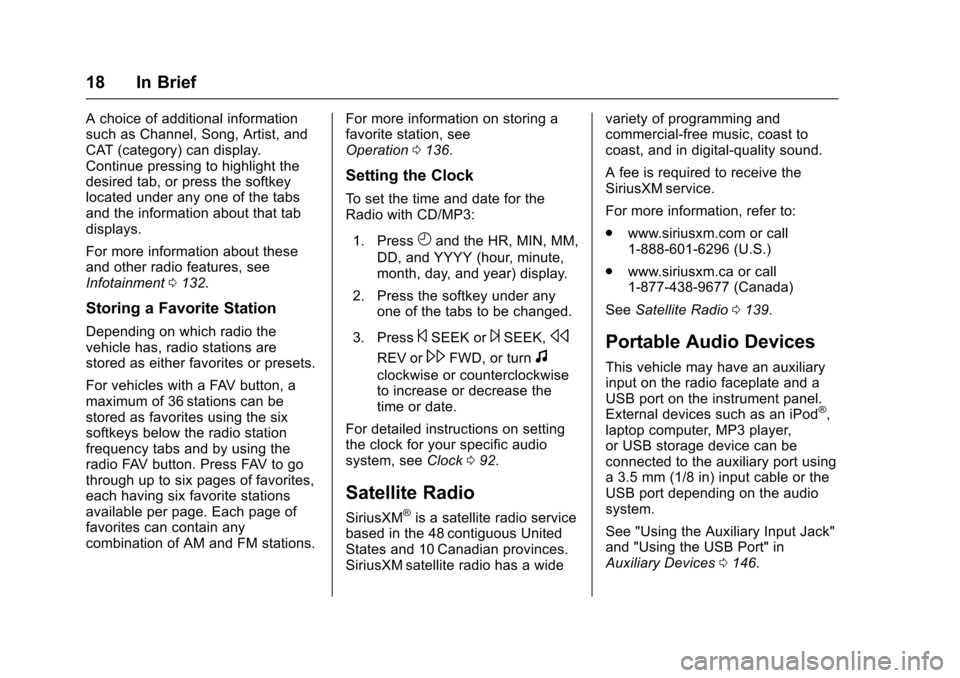
Achoiceofadditionalinformationsuch as Channel, Song, Artist, andCAT (category) can display.Continue pressing to highlight thedesired tab, or press the softkeylocated under any one of the tabsand the information about that tabdisplays.
For more information about theseand other radio features, seeInfotainment0132.
Storing a Favorite Station
Depending on which radio thevehicle has, radio stations arestored as either favorites or presets.
For vehicles with a FAV button, amaximum of 36 stations can bestored as favorites using the sixsoftkeys below the radio stationfrequency tabs and by using theradio FAV button. Press FAV to gothrough up to six pages of favorites,each having six favorite stationsavailable per page. Each page offavorites can contain anycombination of AM and FM stations.
For more information on storing afavorite station, seeOperation0136.
Setting the Clock
To s e t t h e t i m e a n d d a t e f o r t h eRadio with CD/MP3:
1. PressHand the HR, MIN, MM,
DD, and YYYY (hour, minute,month, day, and year) display.
2. Press the softkey under anyone of the tabs to be changed.
3. Press©SEEK or¨SEEK,s
REV or\FWD, or turnf
clockwise or counterclockwiseto increase or decrease thetime or date.
For detailed instructions on settingthe clock for your specific audiosystem, seeClock092.
Satellite Radio
SiriusXM®is a satellite radio servicebased in the 48 contiguous UnitedStates and 10 Canadian provinces.SiriusXM satellite radio has a wide
variety of programming andcommercial-free music, coast tocoast, and in digital-quality sound.
AfeeisrequiredtoreceivetheSiriusXM service.
For more information, refer to:
.www.siriusxm.com or call1-888-601-6296 (U.S.)
.www.siriusxm.ca or call1-877-438-9677 (Canada)
SeeSatellite Radio0139.
Portable Audio Devices
This vehicle may have an auxiliaryinput on the radio faceplate and aUSB port on the instrument panel.External devices such as an iPod®,laptop computer, MP3 player,or USB storage device can beconnected to the auxiliary port usinga3.5mm(1/8in)inputcableortheUSB port depending on the audiosystem.
See "Using the Auxiliary Input Jack"and "Using the USB Port" inAuxiliary Devices0146.
Page 20 of 346
Chevrolet Express Owner Manual (GMNA-Localizing-U.S./Canada/Mexico-9967827) - 2017 - crc - 5/2/16
In Brief 19
Bluetooth®
If equipped with a Bluetooth system,it allows users with aBluetooth-enabled cell phone tomake and receive hands-free callsusing the vehicle’saudiosystemand controls.
The Bluetooth-enabled cell phonemust be paired with the Bluetoothsystem before it can be used in thevehicle. Not all phones will supportall functions. For more information,see www.gm.com/bluetooth andBluetooth0151.
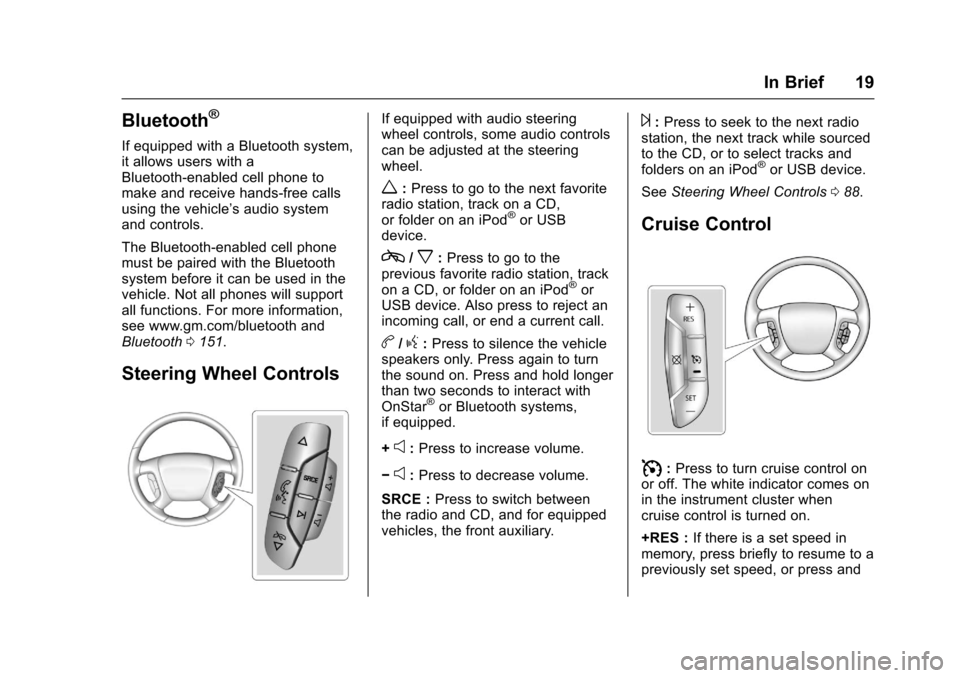
Steering Wheel Controls
If equipped with audio steeringwheel controls, some audio controlscan be adjusted at the steeringwheel.
w:Press to go to the next favoriteradio station, track on a CD,or folder on an iPod®or USBdevice.
c/x:Press to go to theprevious favorite radio station, trackon a CD, or folder on an iPod®orUSB device. Also press to reject anincoming call, or end a current call.
b/g:Press to silence the vehiclespeakers only. Press again to turnthe sound on. Press and hold longerthan two seconds to interact withOnStar®or Bluetooth systems,if equipped.
+e:Press to increase volume.
✓e:Press to decrease volume.
SRCE :Press to switch betweenthe radio and CD, and for equippedvehicles, the front auxiliary.
¨:Press to seek to the next radiostation, the next track while sourcedto the CD, or to select tracks andfolders on an iPod®or USB device.
SeeSteering Wheel Controls088.
Cruise Control
I:Press to turn cruise control onor off. The white indicator comes onin the instrument cluster whencruise control is turned on.
+RES :If there is a set speed inmemory, press briefly to resume to apreviously set speed, or press and
Page 36 of 346
Chevrolet Express Owner Manual (GMNA-Localizing-U.S./Canada/Mexico-9967827) - 2017 - crc - 5/2/16
Keys, Doors, and Windows 35
Exterior Mirrors
Convex Mirrors
{Warning
Aconvexmirrorcanmakethings,
like other vehicles, look farther
away than they really are. If you
cut too sharply into the right lane,
you could hit a vehicle on the
right. Check the inside mirror or
glance over your shoulder before
changing lanes.
The passenger side mirror is convexshaped. A convex mirror's surface iscurved so more can be seen fromthe driver seat.
Manual Mirrors
Adjust the mirrors by pressing themirror up and down and left andright.
The mirrors can be manually foldedin or out.
On the lower portion of each mirroris an auxiliary convex mirror.Aconvexmirror'ssurfaceiscurvedso you can see more from the driverseat. The auxiliary convex mirrorscan be adjusted manually bypressing the mirror.
Trailer-Tow Mirrors
Vehicles with towing mirrors can beadjusted manually for a clear viewof the objects behind you.
On the lower portion of each mirrorthere is an auxiliary convex mirrorthat can be adjusted manually toprovide an extended field of view.
The mirrors can be manually foldedin or out.
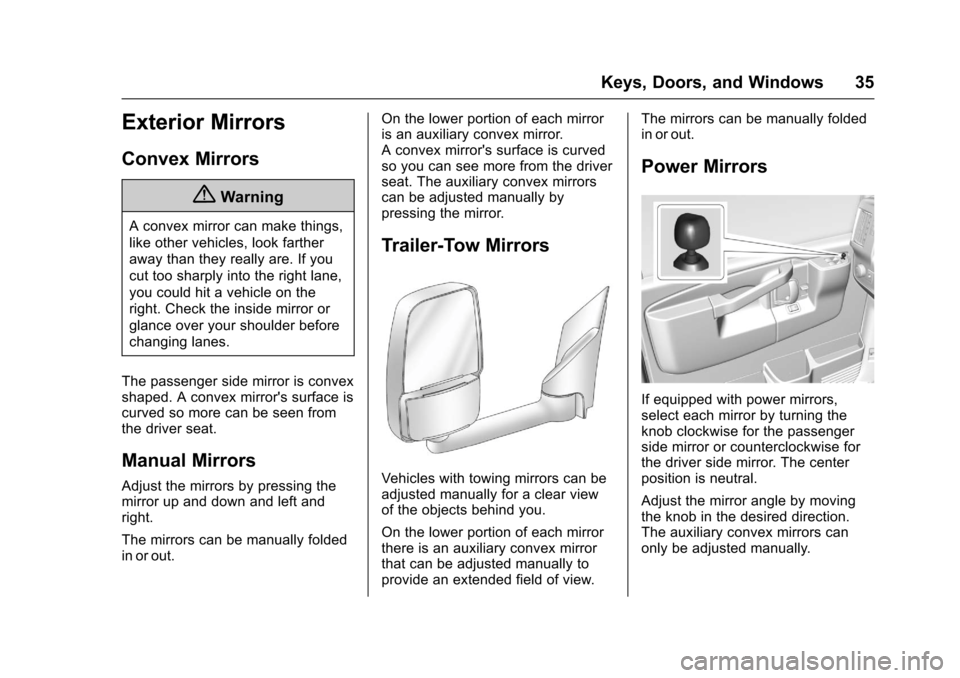
Power Mirrors
If equipped with power mirrors,select each mirror by turning theknob clockwise for the passengerside mirror or counterclockwise forthe driver side mirror. The centerposition is neutral.
Adjust the mirror angle by movingthe knob in the desired direction.The auxiliary convex mirrors canonly be adjusted manually.
Page 90 of 346
Chevrolet Express Owner Manual (GMNA-Localizing-U.S./Canada/Mexico-9967827) - 2017 - crc - 5/2/16
Instruments and Controls 89
2. Press and releaseworc/
xto scroll up or down the list,
then press and holdw,
or press¨to play the
highlighted track.
Navigating Folders on an iPod orUSB Device
1. Press and holdworc/x
while listening to a song untilthe contents of the currentfolder display on the radiodisplay.
2. Press and holdc/xto go
back to the previous folder list.
3. Press and releaseworc/
xto scroll up or down the list.
.To s e l e c t a f o l d e r , p r e s s
and holdw,orpress¨
when the folder ishighlighted.
.To g o b a c k f u r t h e r i n t h efolder list, press and holdc/x.
b/g:Press to silence the vehiclespeakers only. Press again to turnthe sound on.
For vehicles with Bluetooth orOnStar®systems, press and holdfor longer than two seconds tointeract with those systems. SeeBluetooth0151and OnStar,if equipped.
SRCE :Press to switch betweenthe radio and CD, and for equippedvehicles, the front auxiliary.
¨:Press to go to the next radiostation while in AM, FM,or SiriusXM®(If Equipped).
For vehicles with a CD player orUSB port:
Press¨to go to the next track or
chapter while sourced to the CD.
Press¨to select a track or a folder
when navigating folders on an iPodor USB device.
While listening to a CD, press and
hold¨to quickly move forward
through the tracks. Release to stopon the desired track.
+e:Press to increase volume.
✓e:Press to decrease volume.
Horn
Press the horn symbol in the middleof the steering wheel to soundthe horn.
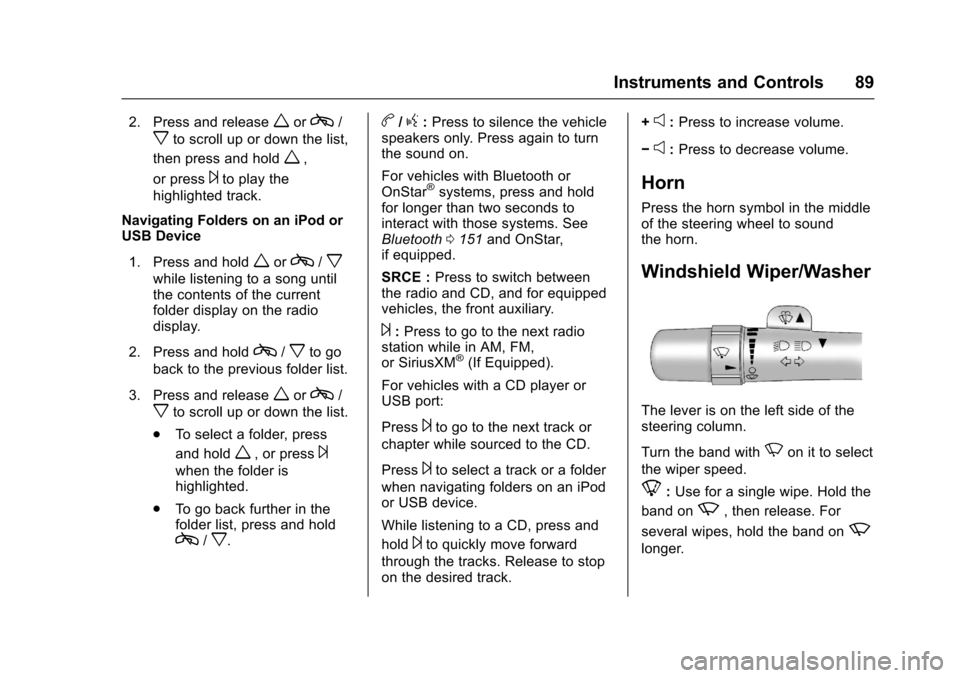
Windshield Wiper/Washer
The lever is on the left side of thesteering column.
Turn the band withNon it to select
the wiper speed.
8:Use for a single wipe. Hold the
band onz,thenrelease.For
several wipes, hold the band onz
longer.
Page 133 of 346
Chevrolet Express Owner Manual (GMNA-Localizing-U.S./Canada/Mexico-9967827) - 2017 - crc - 5/2/16
132 Infotainment System
Infotainment
System
Introduction
Infotainment . . . . . . . . . . . . . . . . . . 132Theft-Deterrent Feature . . . . . . 133Overview (AM-FM Radio) . . . . . 133Overview (Radio withCD/MP3) . . . . . . . . . . . . . . . . . . . . 135Operation . . . . . . . . . . . . . . . . . . . . . 136
Radio
AM-FM Radio . . . . . . . . . . . . . . . . 138Satellite Radio . . . . . . . . . . . . . . . . 139Radio Reception . . . . . . . . . . . . . . 140Multi-Band Antenna . . . . . . . . . . 141
Audio Players
Avoiding Untrusted MediaDevices . . . . . . . . . . . . . . . . . . . . . 141CD Player . . . . . . . . . . . . . . . . . . . . 141Auxiliary Devices . . . . . . . . . . . . . 146
OnStar System
OnStar System . . . . . . . . . . . . . . . 150
Phone
Bluetooth . . . . . . . . . . . . . . . . . . . . . 151
Introduction
Infotainment
Base radio information is included inthis manual. See the infotainmentmanual for information on otheravailable infotainment systems.
Read the following pages tobecome familiar with the BaseRadio features.
{Warning
Ta k i n g y o u r e y e s o f f t h e r o a d f o r
too long or too often while using
any infotainment feature can
cause a crash. You or others
could be injured or killed. Do not
give extended attention to
infotainment tasks while driving.
Limit your glances at the vehicle
displays and focus your attention
on driving. Use voice commands
whenever possible.
The infotainment system has built-infeatures intended to help avoiddistraction by disabling some
functions when driving. Thesefunctions may gray out when theyare unavailable. Many infotainmentfeatures are also available throughthe instrument cluster and steeringwheel controls.
Before driving:
.Become familiar with theoperation, faceplate buttons, andscreen buttons.
.Set up the audio by presettingfavorite stations, setting thetone, and adjusting thespeakers.
.Set up phone numbers inadvance so they can be calledeasily by pressing a singlebutton or by using a single voicecommand if equipped withBluetooth phone capability.
SeeDefensive Driving0165.
To p l a y t h e i n f o t a i n m e n t s y s t e m w i t hthe ignition off, seeRetainedAccessory Power (RAP)0180.
Page 135 of 346

Chevrolet Express Owner Manual (GMNA-Localizing-U.S./Canada/Mexico-9967827) - 2017 - crc - 5/2/16
134 Infotainment System
4. Buttons 1 - 6
.Press to save and selectfavorite stations.
5. EQ
.Press to adjust theequalizer.
6.f
.Press to set the bass,midrange, treble, fade, andbalance.
.Turn to manually selectradio stations.
7. CAT
.Press to display a list ofSXM categories,if equipped.
8. Auxiliary Input Jack (IfEquipped)
.Use to connect externalaudio devices.
9. SRCE
.Press to scroll throughauxiliary devices, AM, FM,or SXM if equipped.
10.\FWD
.Press and hold to fastforward through a track.
11 .sREV
.Press and hold to gobackward fast through atrack.
12.P
.Press to turn theinfotainment system onor off.
.Turn to adjust the volume.
13.¨SEEK
.Seeks or scans to the nextstation.
14.©SEEK
.Seeks or scans to theprevious station.
15.H
.Press to set the clockand date.
Page 136 of 346
Chevrolet Express Owner Manual (GMNA-Localizing-U.S./Canada/Mexico-9967827) - 2017 - crc - 5/2/16
Infotainment System 135
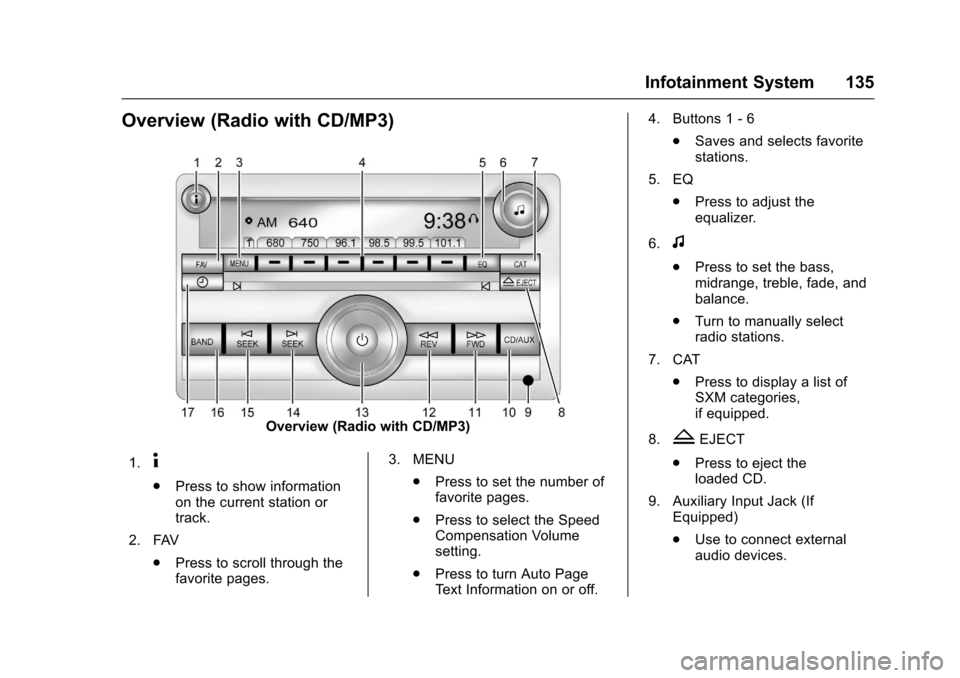
Overview (Radio with CD/MP3)
Overview (Radio with CD/MP3)
1.4
.Press to show informationon the current station ortrack.
2. FAV
.Press to scroll through thefavorite pages.
3. MENU
.Press to set the number offavorite pages.
.Press to select the SpeedCompensation Volumesetting.
.Press to turn Auto PageTe x t I n f o r m a t i o n o n o r o f f .
4. Buttons 1 - 6
.Saves and selects favoritestations.
5. EQ
.Press to adjust theequalizer.
6.f
.Press to set the bass,midrange, treble, fade, andbalance.
.Turn to manually selectradio stations.
7. CAT
.Press to display a list ofSXM categories,if equipped.
8.ZEJECT
.Press to eject theloaded CD.
9. Auxiliary Input Jack (IfEquipped)
.Use to connect externalaudio devices.