2017 AUDI S4 efficiency
[x] Cancel search: efficiencyPage 4 of 386
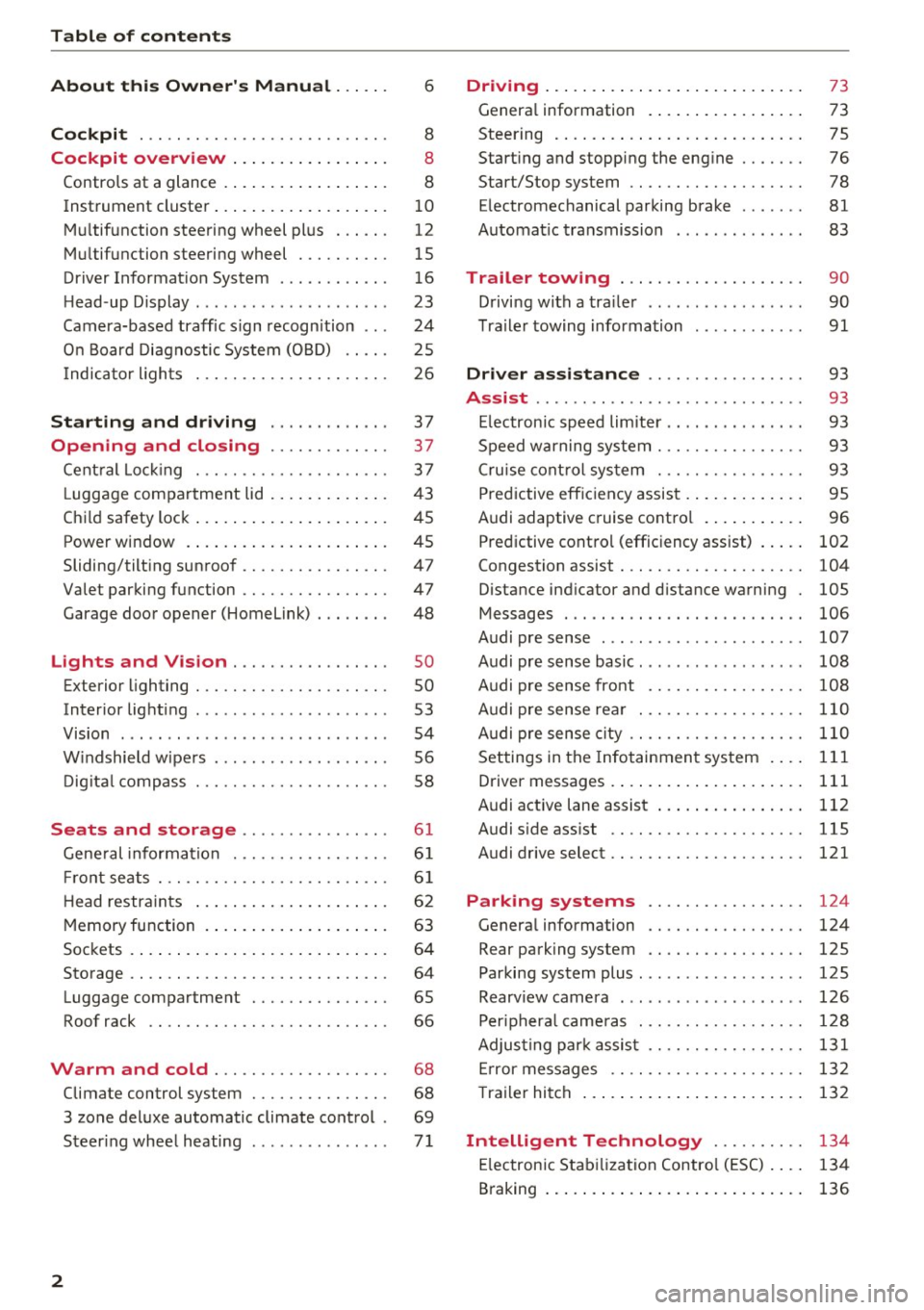
Table of contents
About this Owner's Manual ... .. .
Cockpit ... .. ............... .... .. .
Cockpit overview ................ .
Controls at a glance ... .......... .. .. .
Instrument cluster .. .......... .. .. .. .
Multifunction steering wheel plus ... .. .
Multifunction steering wheel ......... .
Driver Informat ion System ..... .. .... .
H ead-up Display .... .. .. ..... ... .. .. .
Camera-based traff ic sign recognition .. .
O n Board Diagnostic System (OBD) .... .
I ndicator l ights .............. .... .. .
Starting and driving
Opening and closing Cent ral Lock ing .............. .... .. .
L uggage compa rtment lid ... ..... .. .. .
Child safety lock .... .......... .. .. .. .
Power window ... .. .......... .. .. .. .
Sliding/tilting sunroof ......... .... .. .
Valet parking function ............. .. .
Garage door opener (Homelink) . .. .. .. .
L ights and Vision .............. .. .
Exterior lighting . .. . .......... .. .. .. .
Interior lighting ...... ........... ... .
V1s1on ....... .. ................ ... .
Windshield wipers . ... .... .... .. .. .. .
Digital compass . ............. .... .. .
Seats and storage ............ ... .
General information .......... .. .. .. . 6
8
8
8
10
12
15
16
23
24
25
26
37
37
3 7
43
45
45
47
47
48
so so
53
54
56
58
6 1
61
Front seats . . . . . . . . . . . . . . . . . . . . . . . . . 61
H ead restraints . . . . . . . . . . . . . . . . . . . . . 62
Memory function . . . . . . . . . . . . . . . . . . . . 63
Sockets . . . . . . . . . . . . . . . . . . . . . . . . . . . . 64
Storage . . . . . . . . . . . . . . . . . . . . . . . . . . . . 64
Luggage compartment . . . . . . . . . . . . . . . 65
Roof rack . . . . . . . . . . . . . . . . . . . . . . . . . . 66
Warm and cold . . . . . . . . . . . . . . . . . . . 68
Climate control system . . . . . . . . . . . . . . . 68
3 zone deluxe automatic climate control . 69
Steer ing whee l heating . . . . . . . . . . . . . . .
7 1
2
Driving ..... .. .. .. .. ... .......... . .
General information . ... ........... . .
Steering .......... .. .. . .......... . .
Start ing and stopping the eng ine ..... . .
Start/Stop system .. .. ............. . .
E le ctromechanical parking brake ...... .
Automat ic transmission
Trailer towing ... .. ... .. ..... ... . .
Driving with a trailer .. ........ ..... . .
Trailer towing information
Driver assistance .. ............ .. .
Assist ........... ... .............. .
Electronic speed limiter ... .. ... ... .. . . 73
73
75
76
78
81
83
90
90
91
93
93
93
Speed warning system . . . . . . . . . . . . . . . . 93
Cruise control system . . . . . . . . . . . . . . . . 93
Predictive efficiency assist . . . . . . . . . . . . . 95
Audi adaptive cruise control . . . . . . . . . . . 96
Predictive control (efficiency assist) . . . . .
102
Congestion assist . . . . . . . . . . . . . . . . . . . . 104
Distance ind icator and distance warning 105
Messages . . . . . . . . . . . . . . . . . . . . . . . . . . 106
Audi pre sense . . . . . . . . . . . . . . . . . . . . . . 107
Audi pre sense basic. . . . . . . . . . . . . . . . . . 108
Audi pre sense front . . . . . . . . . . . . . . . . . 108
Audi pre sense rear . . . . . . . . . . . . . . . . . . 110
Audi pre sense city . . . . . . . . . . . . . . . . . . . 110
Settings in the Infotainment system . . . . 111
Driver messages . . . . . . . . . . . . . . . . . . . . . 111
Audi active lane assist . . . . . . . . . . . . . . . . 112
Audi sid e ass ist . . . . . . . . . . . . . . . . . . . . . 115
Audi drive select . . . . . . . . . . . . . . . . . . . . . 121
Parking systems . . . . . . . . . . . . . . . . . 124
Genera l information . . . . . . . . . . . . . . . . . 124
Rear parking system . . . . . . . . . . . . . . . . . 125
Parking system plus . . . . . . . . . . . . . . . . . . 125
Rearview camera . . . . . . . . . . . . . . . . . . . . 126
Peripheral cameras . . . . . . . . . . . . . . . . . . 128
Adjusting park assist . . . . . . . . . . . . . . . . . 131
Error messages . . . . . . . . . . . . . . . . . . . . . 132
T railer hitch . . . . . . . . . . . . . . . . . . . . . . . . 132
Intelligent Technology . . . . . . . . . . 134
Electronic Stabilization Control (ESC) . . . . 134
Braking . . . . . . . . . . . . . . . . . . . . . . . . . . . . 136
Page 13 of 386

A WARNING
Do not assume the roads are free of ice based
on the outside temperature display. Be aware
that there may be ice on roads even when the outside temperature is around 41 °F (+5 °C)
and that ice can increase the risk of accidents.
@ Tips
-Depending on vehicle equipment, the in
strument illumination (needles and gauges) may turn on when the lights are off and the
ignition is switched on. The illumination for
the gauges reduces automatically and even
tually turns off as brightness outside in
creases. This function reminds the driver to
turn the low beams on at the appropriate
time.
- You can select the units used for tempera
ture, speed and other measurements in the
Infotainment system c::>
page 229.
-If your vehicle is stationary or if you are driv
ing at very low speeds, the temperature dis
played may be slightly higher than the ac
tual temperature outside due to the heat ra
diating from the engine.
- At temperatures below 41 °F (+5 °C), a
snowflake symbol appears in front of the
temperature display c::>
A.
Coolant temperature indicator
The coolant temperature display@c::> page 10,
fig . 3
or c::> page 10, fig. 4 only functions when
the ignition is switched on. To prevent engine
damage, please observe the following notes
about the temperature ranges.
Cold range
If only the LEDs at the bottom of the gauge turn
on, the engine has not reached operating tem
perature yet . Avoid high engine speeds, full ac
celeration and heavy engine loads.
Normal range
<( ~ The engine has reached its operating tempera-
~ ture once the LEDs up to the center of the gauge N
8 turn on under normal driving conditions. The 0
3
LEDs higher up may turn on if the engine is under
heavy load or the outside temperature is high.
This is no cause for concern as long as the. in
dicator light in the instrument cluster does not
turn on. If the LEDs in the upper area of the dis
play and the. indicator light in the instrument
cluster display turn on, the coolant temperature
is too high
c::> page 31.
(D Note
-Auxiliary headlights and other accessories in
front of the cooling-air intake impair the
cooling effect of the coolant. This increases
the risk of the engine overheating during
high outside temperatures and heavy en
gine load.
- The front spoiler also helps to distribute
cooling air correctly while driving. If the
spoiler is damaged, the cooling effect will
be impaired and the risk of the engine over
heating will increase. See an authorized
Audi dealer or authorized Audi Service Fa
cility for assistance.
(D Tips
Diesel engines: due to the high efficiency of
these engines, the engine may not always reach operating temperature in cold outside
temperatures. This is normal and not a cause
for concern .
Tachometer
The tachometer displays the engine speed in rev
olutions per minute (RPM) .
The beginning of the red zone in the tachometer
indicates the maximum permitted engine speed
for all gears once the engine has been broken in
and when it is warm . Before reaching this zone,
you should shift into the next highest gear, select
the D/S selector lever position, or remove your
foot from the accelerator pedal.
{Q) Note
The needle in the tachometer @c::> page 10,
fig. 3
or c::> page 10, fig. 4 may only be in the
red area of the gauge for a short time or there ..,.
11
Page 31 of 386

<( a, .... N ,....
N .... 0 0
3 a,
_J:L
1:1
Predict iv e e ffici ency assist *
¢ page 95
Predictive e fficiency assist*
¢page95
USA models :
Predictive efficiency assist*
¢page 95
Canada models :
Predictive efficiency assist*
¢page95
P redictive efficiency assist*
¢page 95
Predictive efficiency assist*
¢page95
Predict ive efficiency assist*
¢page95
Start/Stop system*
¢ page 78
Start/Stop system*
¢page 78
Remote control key
E> page 78
Ad B lue*
¢ page300
Automatic transm ission
¢page87
D ynamic stee ring*
¢page 137
Adapt ive cr uise control*
¢page
99,
Congestion assist*
¢ page 106
Congestion assist*
¢page 106
Aud i pre sense*
c>page 111
USA models :
Electromechanical parking brake
c>page30
Canada models :
Electromechanical pa rking brake
¢ page30 Coc
kpit o ve rv iew
Parenta l control
¢ page 45
USA models:
Speed warning system*
¢ page 93
Canad a model s:
Speed warning system*
¢ page 93
Active lane assist* ¢ page 113
Audi s ide ass ist*
¢ page 120
Camera-based traffic sign recogni
tion* ¢ page 25
Head light assistant*
¢ page 51
High beams
¢ page 51,
Head light assistant*
¢ page 51
BRAKE/((D) Brake system
If this indicator l ight tur ns on, t here is a malfunc
t ion in the brake system .
1111 (USA models ) /. (Canada models )
Brakes: stop vehicle and check brake flu id leve l
Stop the vehicle and check the b rake fl uid leve l.
See an authorized Audi dealer or authorized A udi
Se rvice Facility for assistance if necessary.
1111 (USA model s) /. (Canada model s)
Brakes: malfunction! Stop vehicle safely
If t he indicator ligh t turns on and this message
appea rs, the re is a ma lfunction in the brake
booster .
If the~ (USA models)/ ri] (Canada mode ls)
ABS indicator ligh t and the
J.id [SC indicator light
turn on toge ther with the
1111 (USA models)/
• (Canada models) brake system indicator light
and the message appea rs, then the ABS, ESC and
braking d istribution a re failing
c> ,&. . ..,.
29
Page 85 of 386

slow your vehicle down as if you had made a
full braking maneuver. ESC and the associat
ed components (ABS, ASR, EDL) cannot over
come the laws of physics . In corners and
when road or weather conditions are bad , a
full brake application can cause the vehicle to skid or the rear end to swerve, which increas
es the risk of an accident.
Hill hold assist
Hill hold assist makes it easier to start on hills .
The system is activated when the brake pedal is pressed for a
few seco nds. The vehicle must be in
an uphill direction of travel.
After releasing the brake pedal , the brake power
is held for a
brief moment to prevent the vehicle
from rolling back when starting. During this
time , you can easily begin to
move your vehicle.
& WARNING
- If you did not begin moving immediately af
ter releasing the brake pedal, the vehicle
could begin to roll backward under certain
conditions . Press the brake pedal or set the
parking brake immediately .
-If the engine stalls, press the brake pedal or
set the parking brake immediately.
- To prevent the vehicle from rolling back un
intentionally when starting in stop-and-go
traffic, keep the brake pedal pressed for a
few seconds before you start driving.
- Switch the ignition off when you leave the
vehicle, even for a short period of time. Also
set the
parking brake to prevent the vehicle
from rolling unintentionally . This applies
particularly when children remain in the
ve
hicle, because there is the risk of an acci
dent .
Automatic transmission
Introduction
The automati c transmission is controlled elec
tronically . The transmission shifts up or down au
tomatically depending on which drive program is
selected .
Driving
When a moderate driving style is used, the
transmission selects the most economical driving
mode. The transmission shifts up at a lower RPM
and shifts down at a higher RPM to improve fuel
efficiency.
The transmission switches to a sporty mode after
a kick-down or when the driver uses a
sporty
driving style
characteri zed by quick accelerator
pedal movements, heavy acceleration, frequent
changes in speed and t raveling at the maximum
speed .
If desired, the driver can also select the gears
manually (tiptronic mode) ¢ page 86.
Selecting selector lever positions
Fig. 83 Selecto r lever
The current selector l ev e r pos ition is shown next
to the selector lever¢
fig. 83 . The current selec
tor lever position is also shown in the instrument
cluster d isplay .
.,. You may need to release the selector lever lock
depending on which selector lever position is
selected and which one you would like to se
lect .
.,. To do this, press the locking button (Don the
selector lever¢
fig. 83.
.,. To engage the nearest se lector lever position,
move the selector lever forward/back until you
feel the first pressure point. The selector lever
will return to its original position.
.,. To skip
over one selector lever position, move
the selecto r lever past the pressure point into
the desired position . The selector lever will re
turn to its original position.
For example, you can skip
over the N position if
you would like to go directly from D into R. ..,.
83
Page 97 of 386

<( a, .... N ,....
N .... 0 0
3 a,
Switching off
Appl ies to: ve hicles with cr uise control system
Temporary deactivation
.. Press t he b rake peda l, o r
.. Press t he leve r in d irection @(not loc ked into
pla ce)
c:> page 93 , fig. 88.
Switching off completely
.. Press the lever into position @(clicked into
place) , or
.. Switch the ign ition off .
The speed you sto red w ill be mai nta ined if the
cru ise control has been switched off temporarily .
To res ume the store d speed, releas e the b rake
pedal and pu ll the leve r into position @.
Sw itchi ng the ign ition off will erase the stored
speed .
A WARNING
You should only resume the stored speed if it
is not too high for exis ting traffic co nd itions,
ot herwise you can in crease the risk of an acci
dent.
Predictive efficiency
assist
Description
A ppl ies to: ve hicles with pre dictive eff iciency assis t
General information
The predictive eff ici ency assist helps the driver to
d rive with an ticipation and therefore helps to
save fue l. The sy stem a ccesses p redic tive trip da
t a (in cluding speed lim its, in cli ne s a nd the radius
of cur ves) from the n avigat ion sys tem* . Informa
tion from the camera-based traff ic sign recogn i
tion* is also app lied to recognize traffic signs
c:> page24.
The mess ages disp layed depend on the navi ga
tion data * being up-to-date and the co rrect iden
tification by the traffic sign recognition *.
When adaptive cruise contro l* is sw itche d off,
the predi ctive efficiency ass ist only p rovides not i
fications without controlled intervent ions . When
Assist
adaptive cruise cont ro l* is sw itched on, the sys
tem responds to upcom ing situations a utomat i
ca lly.
Vehicles with adaptive cruise control*
Refer to pred ictive contro l c:> page 10 2.
Indicator in the instrument cluster display
Pred ictive messages appear in the inst rument
cluster d isp lay to show the dr ive r the a pprop ria te
t im e to coast when a sit uat io n ahead requ ires
yo u t o d rive at a lower speed.
The messages are o nly show n if the cruise co ntro l
system* o r adaptive cruise cont rol* is sw itched
off .
An additional indicator appears i n the Head-up
display* .
Symbol Meaning
Remove your foot from the acceler-
~
ator pedal to s low down because
there is a situa tion ahead that re-
quires a lower speed.
Keep yo ur foot on the accelerator
~
peda l because the situation requir-
ing a lower speed has not been
reached yet .
If you see
Driver ass ist in the instrument cluster
display, the following symbo ls wi ll indicate which
s ituation the system is cu rren tly reacti ng to .
Symbol Meaning
MPH
USA models:
Speed limit
km/h
Canada models:
S peed limit
_JiL
, : r
Intersect ion
01
Traffic c ircle
If there a re mul tiple s ituations, then these si tua-
t ions w ill appea r in order in the display. .,.
95
Page 104 of 386

Assist
-Your settings are automatically stored and
assigned to the remote control key being
used.
Setting the driving program
A pp lies to: ve hicles w ith Audi adaptive cruise co ntro l
Depending on the selected driving program and
distance, driving behavior when accelerating will
vary from dynamic to comfortable.
Setting the driving program on vehicles
without drive select*
1>-In the Infotainment system, select: I MENU !>
Vehicle > left control button > Driv er assist >
Audi adaptive cruise control > Driving pro
gram > comfort, standard or dynamic .
Setting the driving mode on vehicles with
drive select*
Refer tor=;;, page 122 .
(D Tips
Your sett ings are automatically stored and as
signed to the remote control key being used.
Request for driver intervention
App lies to: ve hicles w ith Aud i ad aptive cruise co ntro l
Fig . 99 Instrument cluster: request for driver interve ntion
The request for driver intervent ion instructs you
to take over if the adaptive cruise contro l bra king
function is not able to mainta in a sufficient dis
tance to the vehicle driving ahead
c::> fig. 99.
l) Thi s is not ava ilab le in som e coun tri es .
102
Predictive control
(efficiency assist)
Description
App lies to: vehicles wit h Audi adap tive c ruise control and p re
dic tive efficiency ass ist
Fig. 100 In stru men t cl uster: p redict ive contro l
General information
The predict ive control 1> uses the map informa
tion from the navigation system in order to react
proactively when driving. Information from the
camera -based traffic sign recognition* is also ap
plied to recognize traffic signs
c::> page 24. When
coming up to areas with speed limits or changes
in the course of the road (such as curves, inter
sections or traffic c ircles), the system brakes au
tomatically and then accelerates back up to the
set speed .
When adaptive cruise control is switched off, the
system only provides notifications without con
trolled interventions
c::> page 95.
The driver can override the predictive contro l at
any time by pressing the accelerator or brake
pedal. If the system changes the veh icle speed to
adapt to speed limits, you can change the speed
using the lever
c::>page 99 , fig . 95.
Always switch off the predictive control in
the following situations:
-When increased attention is needed from the
driver .
- In poor weather conditions such as snow or
heavy rain .
- When driving on roads in poor cond ition.
Page 106 of 386

Assist Switching predictive control on and off
Applies to: ve hicles w ith Aud i adapt ive cruise co ntro l and pre
di ctive eff iciency assist
• Select in the Infotainment system: I MENU I but
ton
> Vehicle > left control button > Driver as
sist
> Audi adaptive cruise control.
Set speed limit
When th is function is sw itched on, the system re
sponds to the speed limits. This can also be done
with at tolerance, if desired . In this scenar io, you
may fall below or exceed the set speed in
favor of
increased efficiency.
Adaptation to route ahead
When this function is sw itched on, the adapta
tion to the route ahead (such as a reduction in
speed at curves) activates.
Congestion assist
Description
A pp lies to: ve hicles with Aud i adapt ive cruise co ntrol
Congestion assist supports the driver when driv
ing in traffic jams or in heavy traffic.
Fig. 101 Turn signal lever: congestion ass ist button
Fig . 102 Inst rument cluster: congestion assist
104
In a speed range under 40 mph (65 km/h), con
gestion assist can he lp to keep the vehicle within
a lane calculated by the system. Within the limits
of the system, the system controls the steering
automat ica lly when adaptive cruise contro l is
switched on. Since congest ion assist is only a n
ass ist system, the driver must always keep his or
her hands on the steering wheel and be ready to
stee r. The driver can override the control at any
time by actively steering.
The system is designed for driving on express
ways and highways .
Switching congestion assist on and off
• Press the <=) fig . 101 button to switch the sys
tem on and off.
• To turn the system off completely, select in the
Infotainment system:
I MENU I button> Vehicle
> left control button > Driver assist > Conges
tion assist .
If congestion assist was deactivated through the
Infotainment system, you can continue operating
the active lane assist using the
Q fig. 101 button
Q page 113. The congestion assist functions are
no longer available.
Requirements for using congestion assist:
-Congestion assist must be switched o n in the
Infota inment system.
- Adaptive cru ise control must be switched on
and active ¢
page 98.
Always switch off congestion assist in the
following situations:
-When increased attention is needed from the
driver .
- In poor weather conditions such as snow or
heavy ra in.
- When driving on roads in poor cond ition.
- In construction zones.
- In city driving.
Congestion assist availability:
When you are in the Driver assist view in the in
strument cluster display, the indicator light turns
on
iii and the message Congestion assist availa
ble
appears if a traffic jam situation was detect-
ed. You can open up the
Driver assist display .,.
Page 108 of 386

Assist
Messages
Applies to: vehicles with Audi adaptive cruise control
II ACC with Conge stion assist: unavailable. See
owner 's manual
Th e system c annot guarantee that it w ill detec t
ve hicl es co rre ctly and it h as swit ched
off. T he ra
dar senso rs have s hifted o r are faul ty . D rive to an
authorized Audi dealer or authorized Audi Se rvice
Facility immediately to have t he mal function cor
rected.
II ACC with Congestion assist: currently un
available. Sensor v ision restricted due to sur
roundings. See owner 's manual
T hi s message appears if the radar sensor view is
obs truc ted, for example by leaves, snow, heavy
spray or dirt. C lean the sensors ~
page 97,
fig . 90.
IIJ ACC with Congestion assist : currently un
available. Gradient too steep
T he road exceeds the maximu m possib le grade
for safe ope ra tion. The systems c annot be swi tch
e d on.
IIJ ACC with Congestion assist: only available in
D, Sor M
Select the D/S o r M selector lever position .
Bl ACC with Congestion assist: currently un·
a vailable . Parking brake applied
The systems sw itch off if yo u set the pa rk in g
brake. The systems a re availab le again after you
release the pa rking brake .
IIJ ACC with Congestion assist : currently un
available. Stabilization control (ESC ) input
This message appea rs if the Ele ct ro nic St abiliza
tion Cont rol (ESC) is ta king a ction to s tabilize the
ve hicl e. The sys tems sw itch
o ff in this s cenar io.
IIJ ACC with Congestion assist: manual control!
This message appea rs if the veh icle rolls bac k
when starting on a slight incl ine , even thoug h the
sys tems are ac tive . P ress the b rake pedal to pre
ve nt the vehicle from rolling o r sta rting to move.
106
ilJ ACC with Congestion a ssist: currently un
available. Downhill assist activated
Y ou canno t activ ate the sys te m when hill hold as
s ist is active.
tei ACC with Congestion assist: manual control!
This message appears if the driver does not take
over steering after multiple driver i ntervention
r equests and the system sw itches
o ff . The veh icle
brakes un til it is sta tionary .
tei Congestion assist: unava ilable . See owner's
manual
The system can no longer ensu re that the vehicle
will stay in t he lane and switches
off. Have your
vehicle checked by an authorized Audi dealer o r
aut horize d Aud i Serv ice Facility if the ma lf u nc
t ion is continuous .
II Congestion assist: Please take over steering!
This message app ears as soon as t he system
stops detect ing steering act iv ity when the system
li mits a re reached . Always keep your hands o n
t h e steer ing whee l so you can be ready to steer at
any t ime.
@ Conge stion assist: currently unavailable.
Please fasten seat belt
The system swi tches off when the drive r's safety
b elt is unfas tene d.
II ACC: efficiency as sist not available in thi s
country
The adaptation to speed lim its and rou tes ahead
i s not available in this co unt ry .
ii ACC: efficiency assist currently unavailable .
See owner's manual
The adaptation to speed lim its and routes ahead
switches off at speed limits under 20 mph
(30 km/h).
The message can also appear if the adaptation to speed limits and routes ahead has a temporary
failure. Have your vehicle checked by an a uthor
i zed Audi dealer or author ized Audi Se rvice Facili
ty if the malfunction is cont inuous.
Distance warning: malfunction! Please contact
Service
...