2017 AUDI A3 SEDAN distance
[x] Cancel search: distancePage 4 of 400
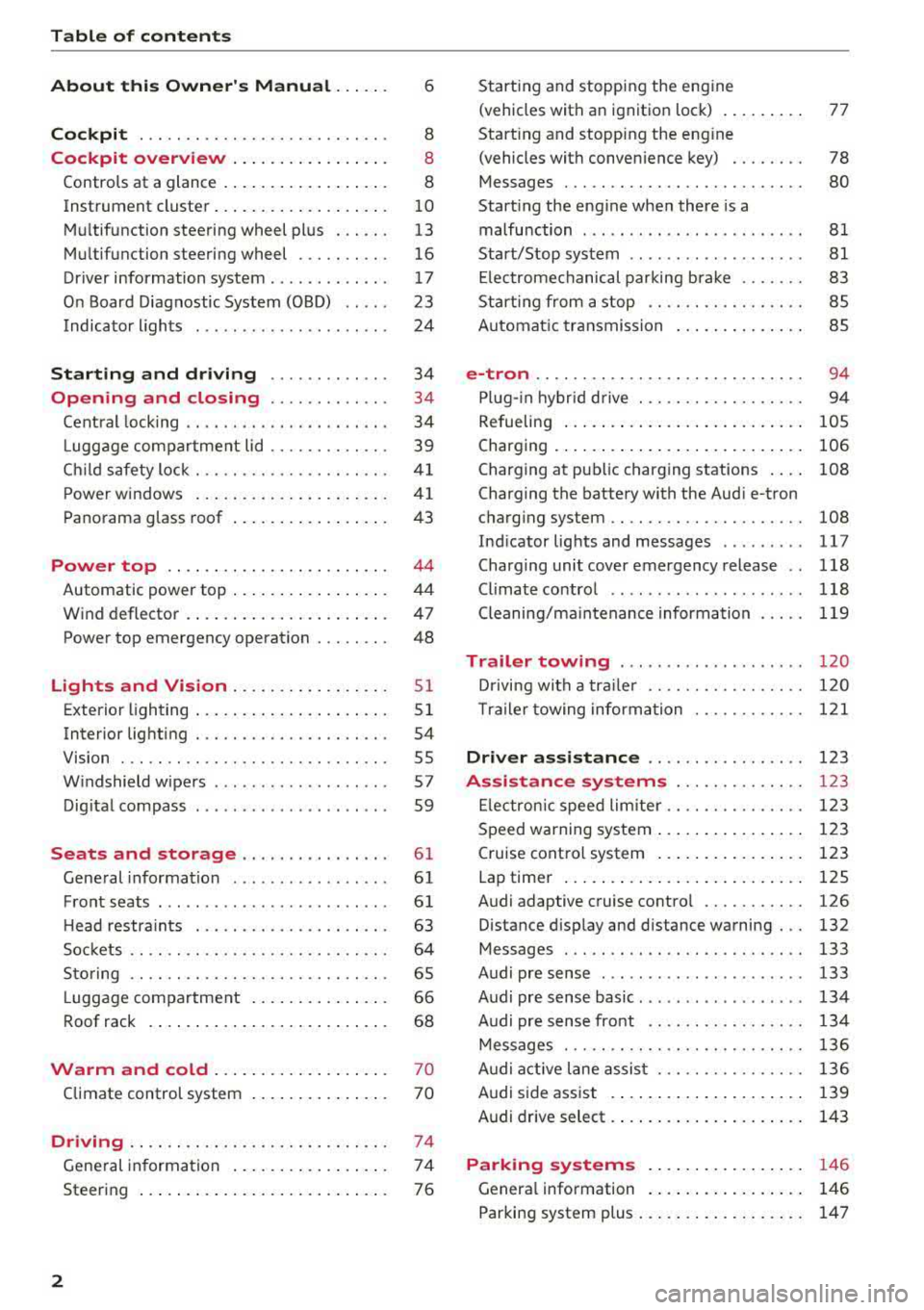
Table of content s
About this Owne r's Manual . .. .. .
6
Cockpi t ... .. ............... .... .. . 8
Cockpit overview . . . . . . . . . . . . . . . . . 8
Controls at a glance . . . . . . . . . . . . . . . . . . 8
Instrument cluster . . . . . . . . . . . . . . . . . . . 10
Mu ltifunction steering wheel plus . . . . . . 13
Mu ltifunction steering wheel . . . . . . . . . . 16
Driver information system . . . . . . . . . . . . . 17
On Board Diagnostic System (OBD) . . . . . 23
Indicato r lights . . . . . . . . . . . . . . . . . . . . . 24
Start ing and dr iving . . . . . . . . . . . . . 34
Opening and closing . . . . . . . . . . . . . 34
Central lock ing . . . . . . . . . . . . . . . . . . . . . . 34
L uggage compartment lid . . . . . . . . . . . . . 39
Ch ild safety lock . . . . . . . . . . . . . . . . . . . . . 41
Power w indows . . . . . . . . . . . . . . . . . . . . . 41
Panorama glass roof . . . . . . . . . . . . . . . . . 43
Power top . . . . . . . . . . . . . . . . . . . . . . . . 44
Automatic power top . . . . . . . . . . . . . . . . . 4 4
Wind deflector . . . . . . . . . . . . . . . . . . . . . . 47
Power top emergency operation . . . . . . . . 48
Lights and Vision .. ..... ... .. .. .. .
Exterior lighting ... .. ...... ... .. .. .. .
Interior lighting ... ........... .... .. .
V1s1on ... .. .. ... ............ .... .. .
W indshield wipers ............... ... .
Dig ital compass ........... ...... ... . 51
5 1
54
55
57
59
Seats and storage . . . . . . . . . . . . . . . . 61
General information . . . . . . . . . . . . . . . . . 61
Front seats . . . . . . . . . . . . . . . . . . . . . . . . . 61
H ead restra ints . . . . . . . . . . . . . . . . . . . . . 63
So ckets . . . . . . . . . . . . . . . . . . . . . . . . . . . . 64
S to ring . . . . . . . . . . . . . . . . . . . . . . . . . . . . 65
L uggage compar tment . . . . . . . . . . . . . . . 66
R oof rack . . . . . . . . . . . . . . . . . . . . . . . . . . 68
Warm and cold . . . . . . . . . . . . . . . . . . . 70
Climate control system . . . . . . . . . . . . . . . 70
Driving . . . . . . . . . . . . . . . . . . . . . . . . . . . . 74
General in formation . . . . . . . . . . . . . . . . . 74
Steering . . . . . . . . . . . . . . . . . . . . . . . . . . . 76
2
Starting and stopping the eng ine
(vehicles with an ignition lock) . . . . . . . . . 77
Start ing and stopping the eng ine
(vehicles with conven ience key) . . . . . . . . 78
Messages . . . . . . . . . . . . . . . . . . . . . . . . . . 80
Start ing the engine whe n there is a
malfunction . . . . . . . . . . . . . . . . . . . . . . . . 81
Start/Stop system . . . . . . . . . . . . . . . . . . . 81
El ectromechanical parking brake . . . . . . . 83
Start ing from a stop . . . . . . . . . . . . . . . . . 8S
Automa tic transmission . . . . . . . . . . . . . . 8S
e-tron ...... .. .. .. .. .. ........... .. 94
P lu g- in hybrid drive . . . . . . . . . . . . . . . . . . 94
Re fueling . . . . . . . . . . . . . . . . . . . . . . . . . . lOS
Charging . . . . . . . . . . . . . . . . . . . . . . . . . . . 106
Charging at pub lic charging stations . . . . 108
Charging the battery with the Aud i e-tron
charg ing system . . . . . . . . . . . . . . . . . . . . . 108
Ind icator lights and messages ......... 117
Charg ing unit cover emergency release . . 118
Climate contro l . . . . . . . . . . . . . . . . . . . . . 118
Cleaning/ma intenance information 119
Trailer towing . . . . . . . . . . . . . . . . . . . . 120
D rivi ng with a tra ile r .. ... ........... .
T ra ile r t owing information .......... . .
D . . nver assi
stance .. ... ... .... ... . .
Assis tance systems ............ . .
El ectron ic speed limite r ............. . .
Speed warning system ... .. .. .... ... . . 120
1 2 1
123
123
1 23
123
Cruise control system . . . . . . . . . . . . . . . . 123
Lap timer . . . . . . . . . . . . . . . . . . . . . . . . . . 125
Audi adaptive cruise contro l . . . . . . . . . . . 126
Distance disp lay and distance warning . . . 132
Messages . . . . . . . . . . . . . . . . . . . . . . . . . . 133
Audi pre sense . . . . . . . . . . . . . . . . . . . . . . 133
Audi pre sense basic . . . . . . . . . . . . . . . . . . 134
Audi pre sense front . . . . . . . . . . . . . . . . . 134
Messages . . . . . . . . . . . . . . . . . . . . . . . . . . 136
Audi active lane assist . . . . . . . . . . . . . . . . 136
Audi s ide ass ist . . . . . . . . . . . . . . . . . . . . . 139
Audi drive select . . . . . . . . . . . . . . . . . . . . . 143
Parking systems . . . . . . . . . . . . . . . . . 146
Genera l information . . . . . . . . . . . . . . . . . 146
Parking system plus . . . . . . . . . . . . . . . . . . 147
Page 14 of 400

Cockpit overv iew
driving conditions. The engine oil temperature
may be higher if there is heavy engine load and
h igh temperatures outside . Th is is not a ca use for
concern as long as
the .¢ page 29 or El
¢ page 32 indicator lights do not turn on.
Boost ind icator
Ap plies to: ve hicles w ith Audi virtual cockpit
The boost indicator is only shown in the expand
ed view or in the sport view*
c:::> page 15 .
The current engine load (meaning the current
boost pressure) is indicated by a bar .
Tachometer
The tachometer displays the engine speed in rev
olutions per minute (RPM) .
The beginning of the red zone in the tachometer
indicates the maximum pe rm iss ible engine speed
for all gears once the engine has been broken in and when it is wa rmed up to ope rating tempera
ture. Before reaching the red zone, yo u should
shift in to the next higher gear, choose the Do r S
selector leve r posit ion, or remove your foot from
the accelerator peda l.
Applies to: vehicles with plug- in hybrid drive
D epending on t he vehi cle eq uipment, there are
d ifferent disp lay formats
a vai lable¢ page 97.
CD Note
The needle in the tachometer @
¢ page 10,
fig. 4
o r c:::> page 10, fig. 3 may only be in the
red area of the ga uge fo r a short time o r there
is a risk of engi ne damage . The location where
the red zone beg ins varies depending on the
eng ine.
@ For the sake of the environment
Upshifting early helps you to save fuel and re
duces operating noise.
Fuel level
The
display ®¢ page 10, fig. 4 or¢ page 10,
fig. 3
only functions when the ign ition is switch
ed on . When the display has reached the reserve
12
mark, a red LED appears and the t'D ind icator
li ght turns on
c:::> page 32. The LED blinks red
when the fuel level is very low.
Fo r the tank capacity i n your veh icle, refer to the
Technical Data
c:::> page 375.
CD Note
Neve r drive until the tank is comp letely emp
ty. The irreg ular supply of fuel t hat res ults
from that can cause engine misfires . Un com
b usted fue l wi ll then enter the exhaust sys
tem . This can cause overheating and damage
to the catalyt ic converter.
Odometer
F ig . 5 Instrument cluster: odometer
Trip odometer and odometer
The trip odometer shows the dis tance driven
since it was last reset. It can be used to measure
sho rt d ista nces.
The trip odometer ca n be reset to zero by p ress
ing the reset b utton ©
c:::> page 10, fig . 4 or
c:::> page 10, fig. 3.
The odometer shows the total distance that the
vehicle has been driven.
Malfunction indicator
If there is a malfunction in the instrument clus
ter,
DEF will appear in the trip odome ter disp lay.
Have the malfu nction corrected as soon as possi
ble.
Outside temperature display
If your vehicle is stationary or if you are driv ing at
very low speeds, t he temperature d isplayed may
.,.
Page 21 of 400

CXl CXl .... N ,.__
N .... 0 N > 00
Opening the vehicle functions
"'Open the first Vehicle tab (trip computer) using
the
l<1 t> I button on the multifunction steering
whee l.
"' Press the l11ID I button on the multifunction steer
ing wheel and select
Vehicle functions or Effi
c iency program in the menu.
The following displays are available, depending
on vehicle equipment:
- T rip computer
O fl o page 19
- E fficiency program ii opage 19
-Digital speedometer
- Ass ist
o page 123
- Lap timer opage 125
-Reduced display
Trip computer
In the trip computer, you can call up the follow
ing displays one after the other by turning the
l eft th umbwhee l on the mu ltifunction steering
wheel.
- Date
o page 241
-Remaining range
- Plug- in hybrid drive*: Tachometer
o page 97,
Range o page 99, Energy flow display
o page 102
-Short-term memory 0
-Average consumpt ion
- Long-term memory
fl
-Engine oil temperature*
The short -term memory collects driving informa
tion from the time the ignition is switched on un
til it is switched off . If you continue driving with
in two hours after switching the ignition off, the
new values are included when calculat ing the cur
rent tr ip informat ion.
Unlike the short-term memory, the long-term
memory is not erased automat ica lly. You can se
lect the time period for evaluat ing trip informa
tion yourself .
Efficiency program ii
Applies to: vehicles with efficiency program
The efficiency program can help you to use less
fuel.
It evaluates driving information in reference
Cockpit overview
to fuel consumption and shows other equipment
influencing consumption. Economy tips provide
advice for efficient driving.
T he eff iciency program receives distance and con
sumption data from the short -term memory. If
the data in the efficiency program is deleted, the
val ues in the short-term memory are a lso reset.
T he following additional displays may be availa
ble in the eff ic iency p rogram , depending on vehi
cle equipment :
-Other equipment : other equipm ent that is cur
rently affecting fu el consumption is listed in
the efficiency program . The display shows up to
three other equipment items. The equipment
using the most power is listed first. If more
than three items using power are sw itched on,
the equipment that is currently using the most
power is displayed . A chart also shows you the
current total of all other consume rs .
- Economy tips : in certain s ituations, economy
tips appear automatically for a short time in
the efficiency program.
If you follow these
economy tips, you can reduce your vehicle's fuel
consumption. To turn an economy message off
immed iate ly after it appears, p ress any button
on the multifunction steer ing whee l.
(D Tips
The date, time of day and time and date for
mat can be set in the Infotainment system
~ page 241.
Radio
Requirement: radio mode must be started
o page 217 and the radio/media tab must be
displayed.
.. Press either the i][]button o r the left contro l
button
o page 14, depending on vehicle equip
ment.
Depending on vehicle equipment, the following
functions may be available in the driver informa
t ion system.
- Selecting the frequency band: select and con-
firm a frequency band.
..,_
19
Page 24 of 400

Cockpit overview
App lies to: vehicles w ith Audi virtual cockpit
-Di splaying navigation during active route
guidance :
select and confirm Map* / Arrow
view *
-Starting route guidance to the stored home
addres s:
if necess ary, firs t selec t an d con firm
Can cel route guidance an d then Favorite s >
Home address.
-Canceling active route guidance : sele ct: r ight
contro l bu tton
> Cancel route guidance.
Additional settings
Applies to: vehicles with Audi virtual cockpit
-Se lect : rig ht contro l bu tto n > desired entry .
Depending on t he vehicle eq uipment and the
fu nction selected, the following add itional set
tings may be possible:
- Map display Qpage 211
- Map colors ¢ page 211
-Map orientation ¢ pa ge 2 11
- Automatic zoom ¢ page 21 2
Navigation view with route guidance
started
Applies to: vehicles w ith navigation system and Audi virtual
cockpit
F ig. 16 D iagram: standard ma p w he n ro ute guida nce is ac
tive (Aud i v ir tu al cockp it)
Re qui rement: a destination must be ente red
¢
page 200, r ou te g uidance must be started a nd
the navigat ion tab mus t be d isp layed.
Depending on the veh icle equ ipment and these
lected view ¢
page 15, th e follow ing i nformat io n
w ill be disp laye d in t he dr ive r informa tion sys
tem :
CD Map conte nt (such as points of i nterest or
traffic info rmat io n)
@ Current vehicle position
(@)
22
@A bar g raph ap pea rs whe n there is an upcom
i ng tu rn . The fewer bars are s hown, t he shorte r
the d istance is unt il the turn . If there is not an
u pcoming t urn, the distance to the destination/
stopover and the calcu lated arriva l t ime is dis
played in t he right speedometer .
@ Name of the street w here you are c urrently
driv ing
Street view with route guidance started
Applies to : vehicles with navigat ion system and analog instru
ment cluster
Fig. 17 Example: lane c han ge i n the instrument cluste r
Fig. 18 Example: turning m an euver in th e in st rume nt cl us·
ter
Requirement: a dest inat io n m ust be entered
¢ page 200, route guidance m ust be started and
the nav igation tab m ust be displayed .
Depend ing on veh icle equipment, the following
i nformat ion may be shown in the driver informa
tion system .
CD Distance to the ne xt ma neuver
@ Distance to the destination o r stopover
@ Cal cula ted a rr iv al ti me
@ Name of the current expressway, highway o r
street. If the
O symbol is displayed in front IJI,
Page 25 of 400

a, a, ..... N
" N .... 0 N > 00
of the street name, you should turn onto the
street shown .
® Direction arrow for the upcoming maneuver
@ La ne recommendat ion
(J) A bar graph appears when a direction arrow
is displayed. The fewer bars are shown, the
shorter the distance is until the turn .
The fo llowing functions are also available when
route guidance is active:
- Repeating the last navigation prompt: press
the~ button.
-Changing the voice guidance volume : turn the
right thumbwheel up or down during voice
guidance.
A WARNING
The route calc ulated by the navigation system
is a recommendation for reaching your desti
nation. Obey traffic lights, stopping restric
tions, one-way streets, lane change restr ic
tions, etc.
{!) Tips
-Also refer to the chapter ¢ page 8, Controls
at a glance
- An exclamation point" !" in front of the
street name indicates that the informat ion
about this street or this section of the route
i s not complete in the navigation data con
tained in the MMI. Obey traffic laws in one
way streets and pedestrian zones.
On Board Diagnostic
System (OBD)
Malfunction indicator lamp (MIL)
The malfunction indicator lamp (MIL) ¢4 in the
in strument cluster is part of the On Board Diag
n ostic System (080 II).
The indicator light turns on when the ign ition is
switched on and turns off once the engine is
started and is running in idle at a stab le speed.
This indicates that the MIL is functioning correct
l y .
Cockpit overview
If the light does not turn off after starting the
engine
or turns on while driving, this may indi
cate there is a malfunction in the engine.
If the
indicator turns on, the cata lytic converter may be
damaged .
Drive
with reduced engine performance (avoid
high speeds for extended periods of time and/or
fast acceleration) and have the malfunction cor
rected . See an authorized Audi dealer or author
ized Audi Service Facility.
The electronic speed limiter may be fau lty if the
indicator light turns on. For additional informa
tion, see
Q page 23 .
The MIL may also turn on if the fuel filler cap is
not closed correctly
Q page 314.
On-Board Diagnostics
Fig. 19 Locat ion of Data Link Co nnector (D LC)
On-Boa rd Diagnostics monitors the components
of your emission control system . Each monitored
component in your engine system has been as
signed a code. In case of a malfunction, the com ponent will be identified and the fault stored as a
code in the control module memory .
The MIL light may also illuminate if there is a
leak in the on-board fuel vapor recovery system.
If the light illuminates after a refuelling, stop
the vehicle and make sure the fuel filler cap is properly closed
¢ page 314.
In order to make an accurate diagnosis, the stor
ed data can only be displayed using special diag
nostic equipment (generic scan tool for 080) .
In order to connect the special diagnostic equip
ment, push the plug into the Data Link
Connector .,.
23
Page 44 of 400

Opening and closin g
® Central switch* for opening or closing a ll side
windows at the same time
A WARNING
- Always remove the ignition key when you
leave your vehicle, even for a short period of
time. This applies particularly when children remain in the vehicle. Otherwise the chil
dren could start the engine or operate e lec
trical equipment such as power windows,
wh ich increases the r isk of injury. The power
windows continue to function until the dr iv
er's door or front passenger's door has been
opened .
- Pay ca refu l attent ion when closing the win
dows. Pinching cou ld cause serious injuries .
- When locking the vehicle from outside, the
vehicle must be unoccupied since the win
dows can no longer be opened in an emer
gency.
(D Tips
After turning the igni tion off you can still
open and close the windows for approximate ·
ly 10 seconds . The power w indows do not
switch off until the driver's door or front pas
senger's door has been opened.
Convenience opening/closing
App lies to: ve hicles w ith conve nien ce opening/clos ing
-
All of the windows and the panorama glass roof*
can be opened/closed at the same time.
For power top conven ience opening/closing, note
the information
in c:> page 45 .
Convenience opening feature
.,. Press and hold the open butto n[@] on the re
mote control key until all w indows and the pan
o rama g lass roof* have reached the desired po
sition . Or
.,. Hold the key in the driver's door lock unti l all
windows and the panorama glass roof * have
reached the desired pos ition.
42
Convenience closing fe ature
.,. Press the ~ button on the remote cont rol key
until a ll windows and the panorama g lass roof*
are closed
c:> A_ . Or
.,. Applies to: vehicles with convenience key: touch
the sensor on one of the front door handles and
cont inue touching it unti l all of the windows
and the panorama glass roof* are closed. Do
not place your hand in the door handle when
doing this .
.,. Hold the key in the dr ive r's door lock in the lock
position u ntil all w indows and the panorama
glass roof * are closed
c:> A_ .
The function can be sw itched on/off in the Info
ta inment system
c:> poge 38.
A WARNING
- Never close the w indows or panorama glass
roof* ca relessly or in an uncontrolled man
ner, because this increases the risk of injury.
- For secur ity reasons, the windows and the
pano rama g lass roo f* can only be opened
and closed with the remote control key at a
maximum distance of approximately 6.5
feet (2 m) away from the vehicle. Always
pay attention when using
the [@] button to
close the windows and the panorama g lass
roof* so that no one is pinched. The closing
process w ill stop immediately when
the@
button is re leased.
Correcting power window malfunctions
You con reactivate the one -touch up/down func
tion if it malfunctions .
.,. Pull the power window switch until the window
is completely raised .
.,. Release the switch and pull it up aga in fo r at
least one second .
Page 57 of 400

a, a, ..... N
" N ..... 0 N > 00
Instrument illumination
You can adjust the background brightness of the
instruments and display illumination .
Fig. 56 Instrumerit illumination
• Press the knob to release it.
• Turn the knob toward"-" or"+" to reduce or in
crease the brightness.
• Press the knob again to return it to its original
position.
(D Tips
Depending on vehicle equipment, the instru
ment illuminat ion (needles and gauges) may
turn on when the lights are off and the igni
tion is sw itched on. The illumination for the
gauges reduces automat ically and eventually
turns off as brightness outs ide inc reases. This
function remind s the d river to turn the low
beams on at the appropr iate time.
Vision
Adjusting the exterior mirrors
F ig . 57 Dr iver's door: knob for t he exter ior m irrors (exam
ple)
Turn the knob to the desired pos it ion:
Lights and V ision
0 -all adjustment functions are deactivated.
Q/ P -adj usts the left/right exte rior m irror.
Move the knob in the des ired direct ion.
C@ -H eats* the mir ror glass depend ing on the
outside temperature .
8 -Folds the exterior mirrors*. To fold the mir
rors out, turn the knob to one of the other posi
t ions. In the Infota inment system, you can select
if the mirrors fo ld in automatically when you lock
the
vehi cle ~ page 38.
Front passenge r's e xterior mirror tilt
function*
To help you see the curb when backing into a parking space, the surface of the m irro r tilts
s li ghtly. For this to happen, the knob must be in
the position for the front passenger's exterio r
mirror.
You can adjus t the tilted mirro r sur face by turn
ing the knob in the desired d irect ion. When you
move out o f reverse and into another gear, the
new mirror position is stored and assigned to the
key you are using .
T he m irror goes back into its or iginal pos ition
once you drive forwa rd faster than 9 mph
(15 km/h) or turn the ignition off.
A WARNING ~
Cu rved mirror surfaces (for example convex)
enlarge the field of vision. However, they make objects in the mirror appear smaller
and farther away. Your may est imate incor
rect ly when you use these mirrors to gauge
your distance from the veh icles beh ind you
when chang ing lanes, which increases the risk
of an accident .
(D Note
-Applies to vehicles with power folding exte
rior mirrors : if the m irro r hous ing was
moved by outs ide forces (such as an impact
w hen maneuve ring), you must use the pow-
er folding function to fold the mirro r all the
way out. The mirrors will make a loud noise
when they latch into place. The mirror hous-
ing must not be moved back into p lace by
II>-
55
Page 78 of 400

Driving
other damage to the vehicle or other property .
-Have your vehicle maintained properly and
in accordance with the service recommenda
tions in your Warranty
& Maintenance book
let . Lack of proper maintenance as well as
improper use of the vehicle will impair the
function of the emission control system and
could lead to damage.
- Do not alter or remove any component of
the Emission Control System unless ap
proved by the manufacturer .
- Do not alter or remove any device, such as
heat shields, switches, ignition wires,
valves, which are designed to protect your
vehicle's Emission Control System and other
important vehicle components.
(I) Tips
The consumption estimates as published by
ENVIRONMENTAL PROTECTION AGENCY
(EPA) and Transport Canada may not corre
spond to your actual consumption on the
road, which will vary depending upon vehicle
load and speed, road and weather conditions,
trip length, etc .
Steering
Adjusting the steering wheel position
The steering wheel position is fully adjustable up
and down and forward and back .
Fig. 88 Steering column: steering col umn adjustment lever
.,. Tilt the lever c:::;, fig. 88 downward c:::;, ,& .
.,. Bring the steering wheel into the desired posi
tion.
76
.,. Push the lever against the steering column un
til it is secure.
A WARNING
Incorrect use of the steering wheel adjust ment and an incorrect seating position can
cause serious injuries.
- Only adjust the steering column when the
vehicle is stationary so that you do not lose control of the vehicle .
-
-Adjust the driver's seat or steering wheel so
that there is at least 10 inches (25 cm) dis
tance between your chest and the steering
wheel
c:::;, page 248, fig. 222 . If you do not
maintain this distance, the airbag system
will not be able to provide its full protec
tion .
c:::;,page248, fig. 222.
- If your physical characte ristics prevent you
from s itting at least 10 inches (25 cm) or
more away from the steering whee l, see if
an authorized Audi dealer or authorized
Audi Service Facility can provide adapters
that will help.
- If your face is level with the steering whee l,
the airbag does not provide as much protec
tion during a collision. Always make sure
that the steer ing wheel is level with your
chest.
- Always hold the steering wheel with your
hands in the 9 o'clock and 3 o'clock posi
tions to reduce the risk of injury if the airbag
deploys.
- Never hold the steering wheel in the 12
o'clock position or with both hands on the
rim or the center of the steering wheel.
Holding the steer ing wheel incorrect ly sig
nificant ly increases the r isk of injury to the
hands, arms and head if the airbag deploys.