2017 AUDI A3 SEDAN ac setting
[x] Cancel search: ac settingPage 138 of 400

Assistance systems
by this. Have an authorized Audi dealer or au
thorized Audi Service Facility check their func
tion.
(D Tips
- You can cancel the braking with increasing
force that is initiated by the system by brak
ing yourself, by accelerating noticeably or
by swerving.
- Certain pre sense front functions switch off
when ESC is switched off (sport mode) or
when driving in reverse.
- If you restrict or switch off the ESC, the pre
sense also switches itself off ¢
page 152.
Settings in the Infotainment system
Applies to: vehicles with Audi pre sense front/Audi adaptive
cruise control
~ Select in the Infotainment system: I MENU I but
ton
> Vehicle > left control button > Driver as
sistance
> Audi pre sense.
System -
the pre sense functions can be switched
on/off.
If the system is switched off, it switches on again
automatically once the ignition is switched on
again.
Prewarning -the early warning can be switched
off permanently or the pre sense front warning
point can be set
(Early/Medium/Late).
Messages
Applies to: vehicles with Audi pre sense
IIJ Audi pre sense: malfunction! Please contact
Service
This message appears when the pre sense func
tion is affected. For example, this could be
caused by a faulty sensor. If the message stays
on, drive immediately to an authorized Audi deal
er or authorized Audi Service Facility to have the
malfunction corrected.
IIJ Audi pre sense currently restricted. Restrict
ed sensor vision due to surroundings.
This message appears if the sensor view is ob
structed, for example by leaves, snow, heavy
136
spray or dirt. Clean the sensor if necessary
¢page 127, fig. 129.
II] Audi pre sense: currently restricted
This message appears if the ESC is restricted or
switched off, for example .
II] Audi pre sense: currently restricted. See
owner's manual
This message appears when there is a temporary
failure in a subsystem, such as the ESC. If this
message appears repeatedly, drive to an author
ized Audi dealer or authorized Audi Service Facili
ty to have the malfunction corrected .
fl] Audi pre sense: emergency braking system
off
This message appears if the pre sense functions
are switched off through the Infotainment sys
tem or if the system is not ready.
Audi active lane assist
Description
Applies to: vehicles with Audi active lane assist
Active lane assist (lane departure warning) de
tects lane marker lines within the limits of the
system using a camera in the windshield. If you
are approaching a detected lane marker line and
it appears likely that you will leave the lane, the
system will warn you with corrective steering.
You can override this steering at any time. If you pass over a line, the steering wheel will vibrate
lightly. In order for this warning vibration to oc
cur, it must first be switched on in the Infotain
ment system. Active lane assist is ready for oper
ation when the lane marker line is detected on at
least one side of the vehicle.
The system is designed for driving on express
ways and highways and therefore only activates
at speeds above approximately 40 mph (65 km/
h).
Applies to: vehicles with Audi side assist
If you activate a turn signal when active lane as
sist is ready and it classifies a lane change as crit
ical because of vehicles traveling alongside you or
approaching you, there will be noticeable
.,.
Page 141 of 400

a, a, ... N
" N ..... 0 N > 00
This message appears if you are not steering by
yourself . Active lane assist is activated, but is not
ready to give warning
Setting the vibration warning
Ap plies to: ve hicles with Audi active lane assist
You con adjust individual Audi active lone assist
settings in the Infotainment system .
.,. Select in the Infotainment system: !MENUI but
ton
> Vehicle > left control button > Driver a s
sistance > Audi active lane assist.
Vibration warning
You can switch the additional vibration warning
in the steering wheel on or off.
_& WARNING ,..__
With the vibration warning switched off,
there will also be no visual warning in the in
strument cluster display when crossing a lane
marker line.
(D Tips
Your settings are automatically sto red and as
signed to the remote contro l key being used.
Audi side assist
Description
Applies to: vehicles with Audi side assist
Fig. 144 Sensor detect ion ran ge
Assistance systems
Fig. 145 Disp lay on t he exterio r m irr or
ffl 0 0
> (X)
"'
Sid e assist (lane change ass ist) helps you mon itor
your blind spot and traffic behind yo ur vehicle .
Within the limits of the system, it warns you
about vehicles that are com ing closer or that are
traveling with you within sensor range
(D
¢ fig. 144. If a lane change is classified as criti
cal, the display @in the exterior mirror turns on
¢ fig . 145.
The display in the left exterior mirror provides as
s istance when making a lane change to the left,
while the display in the right exterio r mir ror pro
vides assistan ce when making a lane change to
the righ t.
Information stage
As long as you do not activate the tu rn signal,
side assist
informs yo u about vehicles that are
detected and classified as critical. The display in
the mirror turns on, but is dim .
The display remains dim in the information stage
so that your view toward the front is not distur
bed.
Warning stage
If the display in a mirror blinks brightly when you
activate a turn signal, side assist is
warning you
about detected vehicles that it has classified as
critical. If this happens, check traff ic by glancing
in the exterior m irrors and over your shoulder
¢ & in General information on page 141 .
Applies to: vehicles with Audi act ive lane ass ist
The display in the mirror can also blink if you
have not activated a turn signal: if you are ap
proaching a detected lane marker line and it ap
pears you will be leaving the lane, side assist w ill
liJl,,
139
Page 143 of 400

CXl CXl .... N r--N .... 0 N > 00
A WARNING 1=
- Always pay attention to traffic and to the
area around your vehicle. Side assist cannot
replace a dr iver's attention. The dr iver alone
is always responsible for lane changes and
similar driving maneuvers.
- In some situat ions, the system may not
function or its funct io n may be limited. For
example:
- If vehicles are approaching or being left
behind very quickly. The display may not
turn on in time.
- In poor weather conditions such as heavy
rain, snow or heavy mist.
- On very wide lanes, in tight curves, or if
there is a rise in the road surface. Vehicles
in the adjacent lane may not be detected
because they are outside of the sensor
range.
(D Note
The sensors can be displaced by impacts or
damage to the bumper, wheel housing and
underbody. Th is can impa ir the system. Have
an authorized Audi dealer or authorized Audi
Serv ice Facility check their function .
(Di Tips
If the window glass in the driver's door or
front passenger's door has been tinted, the
disp lay in the exterior mirror may be incor
rect.
Switching on/off
A ppl ies to: ve hicles with Audi side assis t
The system can be switched on/off in the Info
tainment system.
-
If the system is activated, the displays in the ex
terior mirrors will turn on briefly when the ign i
tion is sw itched on .
.,. Select in the Infotainment system: !MENUI but
ton
> Vehicle > left control button > Driver as
sistance
> Audi side assist . Off switches the
system off.
Assistance systems
Setting the display brightness
Applies to : vehicles wi th Audi side ass ist
The display brightness can be adjusted in the In
fotainment system .
.. Select in the Infotainment system: I MENU! but
ton
> Veh icle > left control button > Driver as
sistance
> Audi side assist .
The display brightness adjusts automatically to
the brightness of the surroundings, both in the
information and in the warning stage. In very
dark or very bright surround ings, the automatic
adjustment will set the display to the minimum
or max imum level. In such cases, you may notice
no change when adjusting the brightness, or the
change may only be noticeab le once the sur
roundings change.
Adjust the br ightness to a level where the display
in the information stage will not disrupt yo ur
view ahead. If you change the brightness, the dis
play in the exterior mirror will briefly show the
brightness level in the information stage. The
brightness of the warning stage is linked to the
brightness in the information stage and is adjust
ed along with the information stage.
Q') Tips
- Side ass ist is not act ive while you are mak
ing the adjustment.
- Your settings are automatically stored and
assigned to the remote control key being
used.
141
Page 145 of 400

@ Tips
-You can cance l the automatic brake activa
tion w ith increasing bra king fo rce if you ap
ply the brakes y ourse lf or accelerate cons id
erab ly.
- In some sit uations, rea r cross-traffic assist
may warn yo u even if there is no cross traffic
i n a cr itical a rea , for examp le w hen back ing
i nto a parki ng space or ma neuver ing.
- The rea r cross-traffic ass ist also switches off
whe n you switch off the ESC.
- The rea r cross traffic assist switches on and
off thro ugh the pa rking aid
qpage 146.
- The system is not available when towin g a
trailer.
Messages
A ppl ies to: ve hicles with Audi side assist
If t he side assist switches off automatically, a
message appea rs in the ins trumen t clus ter dis
pl ay.
@j Aud i side assist: System fault!
The system can not guarantee that it wi ll detect
ve hicles co rrectly and it has switched off. The
sensors have been moved o r are faulty. Have t he
system checked by an authorized Audi dea ler or
author ized Audi Service Facility soon .
@j Audi side assist: currently unavailable. No
sensor vision
@j Audi side assist: currently unavailable. Sen
sor vision restricted due to surroundings . See
owner 's manual
The radar senso r vis io n i s im paire d. Do not cove r
the area i n front of t he senso rs with bike wheels,
stickers, dirt o r othe r objects. C lean the area in
fron t of t he senso rs, if necessary
q page 140,
fig. 147.
@j Audi side assist: currently unavailable
S ide assis t cann ot be swi tched o n at thi s time be
c a use t here is a mal func tion (fo r ex amp le, the
~ ba ttery ch arge level may be too low) .
....
~ @j Audi side assist: unavailable in towing mode
....
~ @j Audi side assist: unavailable in towing mode
00
Assistance systems
Sid e ass ist swi tches off automatically a fter a
s h ort time when a factory -insta lled tra ile r h itch
i s connected to the e lectrica l connecto r on the
t railer . T here is no gua rantee the system will
switch off when using a retrofitted trailer h itch.
Do not use side assist when tow ing a trailer .
Ill Rear parking aid : obstacle detection restrict
ed
T he rea r cross -tra ffic ass is t is not available. Ei
t h er th e ESC is sw itched off, or the rada r senso rs
may be cove red by a bike rack, st icke rs, leaves,
snow o r other objects. Switch the ESC on, or
clean the area in front of the senso rs if necessa ry
q page 140, fig . 147. If t his message continues
to be displayed , dr ive immed ia tely to a n author
iz ed Audi dea ler or author ized Audi S ervic e Facili
ty to ha ve the m alfunc tion re paire d.
Audi drive select
Introduction
Applies to : vehicles wit h Audi drive se lec t
Audi dr ive select makes it poss ible to experience
diffe rent types of vehicle settings in one vehicle.
T he dr iver can select from three modes,
Comfort ,
Auto
and Dynamic , using t he r:;~, bu tton in the
c en te r c onsole o r by usin g the Info ta in m ent sys
te m. T hi s a llow s yo u t o swi tch between a sporty
and a com fo rt ab le driv ing mode, fo r ex am ple. In
t h e
Individual* mode , the settin gs ca n be adjus t
ed to yo ur persona l preferences . T his makes it
p oss ible to com bine settings such as a spo rty en
gine setting with light steer ing.
Description
App lies to : vehicles wi th Audi drive se lect
The veh icle set up i n eac h mode depends on the
vehicle's features. However, the eng ine a nd
stee ring are always affec ted .
Engine and automatic transmission
Depend ing on the mode, the engine an d auto
matic transm ission* respond more q uickly o r in a
more ba la nced manner to acce lerato r pedal
movements . In the sporty dynam ic mode, th e
t ransm iss io n shifts at higher spe ed ranges .
..,.
143
Page 146 of 400
Assistance systems
Suspension control (Audi magnetic ride)*
Suspension cont rol uses senso rs to recor d info r
mat io n regarding steering moveme nts, br aking
an d accelerat ion operat ions by the drive r, road
surface, d riving speed, and load. With Audi drive
select you can adjust the s uspension contro l to
sporty (dynamic), comfortable (comfort) or bal
anced (auto) .
Steering
The stee ring adapts in te rms of stee ring assis
tance. The re are differe nt modes
c::> page 144.
Indirect steering that moves easily as in com fort
mode is especially su ited to long drives on a high
way . The dynamic mode p rovides sporty, d irect
s teer ing .
For ve hicles w ith progressive steering * the steer
ing performance is more agi le.
Audi adaptive light*
The illumination on curves in ada ptive lig ht is
a d apted to the selected mode.
Audi adaptive cruise control*
The behavior when a ccele ra ting can be adjus ted
fr om com fort able to sporty, depe nding on the
d rive select mode . Ad aptive cru ise cont rol a lso
res ponds to the driving behavior of the veh icle
ahead in a mo re conse rvative o r spo rty manner .
(D Tips
- In so me mode ls, t he maxim um vehicle
speed can on ly be reache d in the auto an d
d ynam ic modes .
- T he S selec to r l eve r posit ion autom atically
e n gages if t he dynam ic mode is selecte d.
Adjusting the Individual mode
· Selecting the driving mode
Applies to: vehicles wit h Audi drive select
You con choose between comfort, auto , dynamic
and individual* .
> a) m
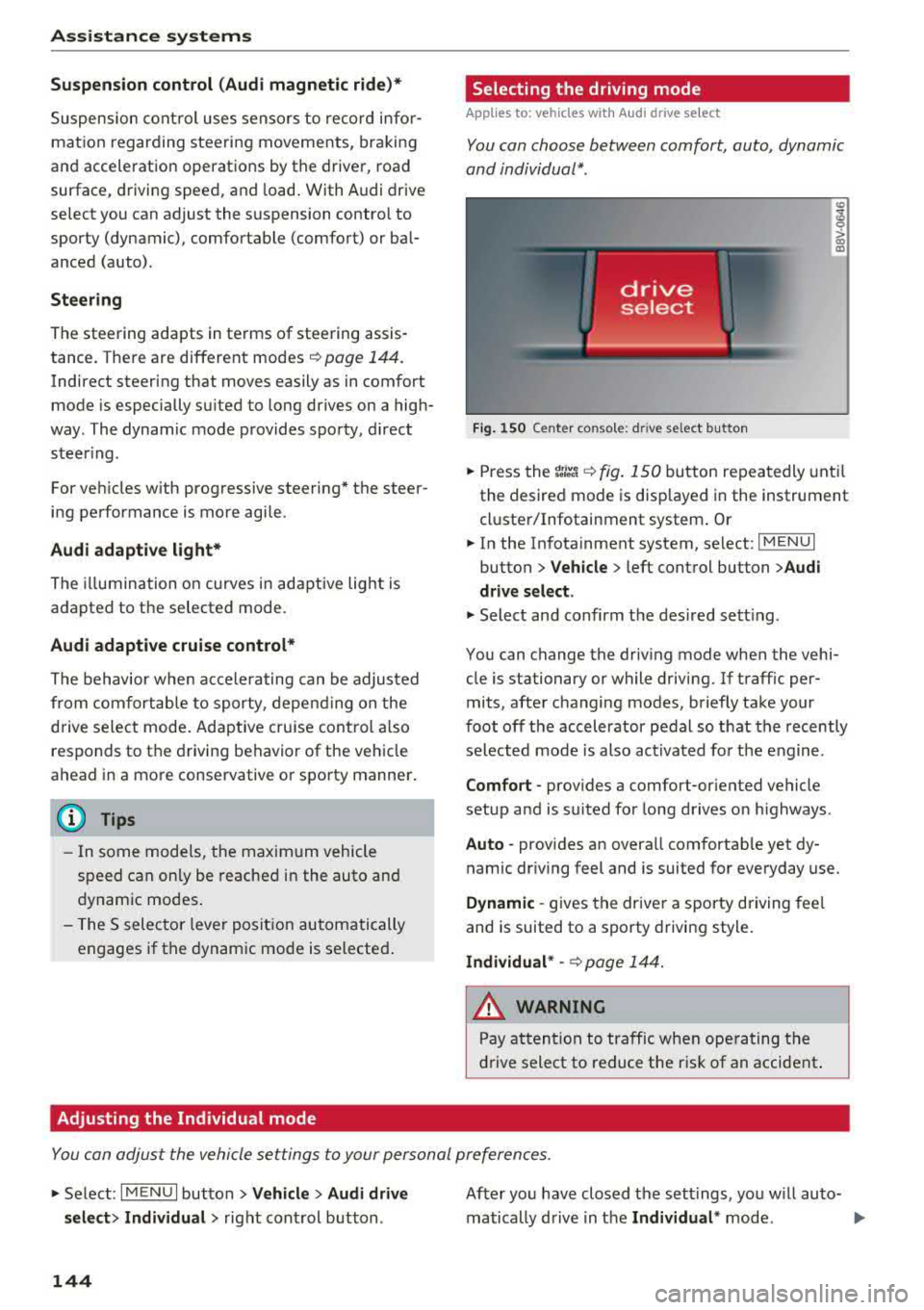
Fig. 150 Ce nte r co nsole: d rive se lect b utt on
.,. Press the tJi~a c::> fig . 150 button repea tedly unt il
the desired mode is disp layed in the instrument
cl uste r/Infotainment system . Or
.,. In the In fota inment system, se lect: I MEN U I
button > Vehicle > left cont rol button > Audi
drive select .
.,. Select and confirm t he des ired se tting.
You can c hange the driv ing mode whe n the vehi
cle is stationary or while driving. If traff ic per
mits, afte r changing modes, briefly take your
foot off t he acc elerator pedal so t hat the recently
se lected mo de is also act ivated fo r th e e ngine .
Comfort -prov ides a comfort-or iented vehicle
setup a nd is s uited fo r long drives o n highways .
Auto -provides an overa ll comfortab le yet dy
namic dr iv ing feel and is suited for everyday use.
Dynamic -gives the drive r a sporty driving fee l
and is suited to a spo rty driving style.
Individual * -c::> page 1 44.
_& WARNING ~
Pay att entio n to traffi c when ope rating t he
dr ive select to redu ce the r is k of an accident .
Yo u con adjust the vehicle settings to y our personal preferences .
.. Se lect: IM ENU I button> Vehicle > Audi drive
select > Individual >
right cont rol but ton .
144
After yo u have closed t he sett ings, yo u w ill auto
matically drive i n t he
Individual * mod e.
Page 147 of 400

CXl CXl .... N ,.__
N .... 0 N > 00
The systems you can adjust depend on the equip
ment and engine in yo ur vehicle. The following
table gives an overview of the character istics.
Systems Comfort
Engine /transmission
comforta ble
Steering comfortab le
Engine sound * subtle
Audi adaptive cruise control * comfortable
Suspension control * comfortable
Applies to: S models
quattro ba la nce d
a) Sub tle in th e se lector le ver pos it io n D an d s po rty in S.
(D Tips
You r Individual * mode setting s are automa ti
c a lly store d and as signed to the re mote con
t rol key be ing used .
Assistance systems
Auto Dynamic
balance d sporty
ba lanced sporty
subtle/sportyal sporty
ba lanced sporty
ba lanced sporty
ba lanced sporty
145
Page 152 of 400

Parking sy stem s
extension of the vehicle's outline by approxi
mately 16 ft (5 meters) to the rear.
~ While driv ing in reverse gear, adjust the steer
ing wheel ang le to fit the parking space using
the orange orientation lines for ass istance
c> .&. in General information on page 148, c> (D
in General information on page 149. ® repre
sents the rear bumper . Stop the veh icle, at the
latest, when the red or ientat ion line
@ bo rders
an object.
Adjusting the parking aid
Applies to: vehicles with parking system plus/rearview cam
era
The functions are adjusted in the Infotainment
system.
~ Select in the Infotainment system: IM ENU I but
ton
> Vehicle > left contro l button > Driv er a s
sistan ce > Parking aid . Or
~ When the parki ng aid is act ive, se lect in the I n-
fot ainment system : rig ht cont ro l bu tton* .
End system * -stop the parking aid
Acti vate automatically -switch automatic act iva
tion on/off
Front volume * -vo lume for the front area
Rear volume -volume for the rear area
Entertainment f ader -the volume of the aud io/
video source is lowe red w hen t he pa rking system
is tu rned on .
The newly selected level is demonstrated br iefly
by the sound generator.
(D Tips
- Seve ral menus can be accessed w ith the
right contro l button only when the park ing
a id is act ive.
- The settings for volume and automatic act i
vation are automatically stored and as
signed to the remote co ntrol key being
used.
150
Error messages
Applies to: vehicles with parking system plus/rea rv iew cam
era
Ill Rear park assi st : malfun ction! Ob stacles
cannot be detect ed
Ill Front park a ssist : malfunct ion! Ob st a cles
cannot be detected
Ill Park assist: mal function! Obstacles cannot
b e detect ed
When one of these messages appears, there is a
system malfunction. The LED in the
P'#! button al
so blinks when sw itching it on. The relevant mes
sage on ly appea rs again when you manually acti
vate the park ing aid with the button .
[ill Rear parking aid : obstacle detection restr ict
ed
The rear c ross-traffic assist* c> page 142, Rear
cross-traffic assist
is not available. Either the ESC
i s sw itched off, or the radar sensors may be cov
ered by a bike rack, stickers, leaves, snow or oth
er objects. Switch the ESC on, or clean the area in
front of the sensors if necessary c> page 140,
fig . 147 . If this message cont inues to be d is
played, drive immed iate ly to an authori zed A udi
dealer or au thor ized A udi Servi ce Fac il ity to have
t h e mal funct ion repaired .
Parking system plus*
If a senso r or speaker is faulty, the J¼ symbo l
will appear i n front of/behind the vehicle in the
I nfotai nment system d isplay. If a rear sensor is
faulty, only obs tacles th at are in areas @and @
a re shown
c> page 147, fig . 151. If a front sensor
is fa ulty, only obstacles that are in areas © and
@ are shown.
Page 162 of 400

Multi Media Interface
Open ing th e main menu
.. Press the IM ENU I bu tton @ ¢page 158,
fig . 160.
The MMI menus (such as Radio ) are
displayed ¢ fig. 163. Then you can select and
confirm a function using the control knob .
Opening a menu directly
.. Press the applicable b utton to directly open the
men us ® ¢ page 158, fig. 160 in the direction
of the desired menu (such as
I RADIO I ) . Then
you can select and confirm a f unction using the
contro l knob.
Opening the selection menu /options menu
with the control buttons
F ig . 164 Cont rol butto ns on the MM! control pane l
Selection menu: through the selectio n menu,
you can open addit ional functions within a men u
item (such as
Radio ).
Req uirement: the select ion menu symbol mus t
be disp layed in the Infota inment system display
¢ fig. 164 .
Opening /clos ing th e select ion menu : press the
left contro l button
¢ fig . 164 . Then you can se
lect a nd confi rm a funct ion usi ng the cont rol
knob.
160
Opti ons menu : using the options menu, you can
select and confirm context-dependent functions
as well as settings w ith in a menu item (such as
R ad io ).
Requirement: the options menu symbo l G must
be displayed in the Infotainment system display
¢ fig. 164 . Then you can select and confirm a
funct ion using the control knob.
Opening /clo sing the options menu : press the
right control button
¢ fig . 164. Then you can se
l ect and confirm a function using the control
knob.
Information about paths
This guide shows you at a glance the paths for
opening a desired menu and its settings and
functions .
Example of a path
.. Select: I RADIO I button > le ft control b utton >
FM.
Following the path
.. Press the I RADIO ! button .
.. Press the lef t con trol b utton .
.. Tur n the control knob to the FM menu item to
select it .
.. Press the contro l knob to confirm the selected
FM menu item .
.. The se lected and confirmed function is execut
ed. In this example, the
FM frequency band is
set .