2017 AUDI A3 SEDAN cruise control
[x] Cancel search: cruise controlPage 130 of 400

Assistance systems
In curves
Applies to: vehicles with Audi adaptive cruise contro l/Audi pre
sense front
Fig . 130 Example: dr iv ing into a curve
When driving into a curve r:!;> fig. 130 and out of a
curve, the system may react to a vehicle in the
ne ighbor ing lane and apply the brakes. You can
prevent that by pressing the accelerator pedal briefly .
Stationary vehicles
Applies to: vehicles with Audi adaptive cruise control
))))
Fig. 131 Example: veh icle changing lanes and stationary
veh icle
Adaptive cruise control
The adaptive cruise control system only reacts to
ve hicl es that being moving or to vehicles that the
system has already detected as moving. For ex
ample, it can reac t when a vehicle that has al
ready been detected
@turns or changes lanes,
but adaptive cruise control does not react to a
stationary vehicle @. Press the brake pedal to
slow the vehicle down.
128
Switch ing on /off
Applies to: vehicles with Audi adaptive cruise control
Fig. 132 Ope rating leve r: sw itching on and o ff
Fig. 133 Instrument cl uste r: ad apt ive c ruise contro l
ACC: you can set any speed between 20 and 95
mph (30 and 150 km/h) .
Indicator lights and messages in the instrument
cluster disp lay inform you about the current sit
uation and setting .
Switching adaptive cruise control on
.,. Pull the lever toward you into position@
¢ fig. 132. ACC: standby appears in the instru
ment cluster display.
Storing the speed and activating regulation
.,. To store the current speed and activate the reg
ulation, p ress the
ISE TI button ¢ fig. 132 r:!;> .&,.
The stored speed is shown in the tachometer
LED line @and appears briefly in the informa
tion line ®
Q fig. 133.
.,. To activate the regulation while stationary, you
must press the brake pedal.
Switching adaptive cruise control off
.,. Push the lever away from you into position @
until it clicks into place . The message ACC: off
appears .
Page 131 of 400

a, a, ..... N
" N ..... 0 N > 00
The stored speed in the LED line is erased.
@ Indicator lights
It -Adaptive cruise control is switched on. No
vehicles are detected ahead. The stored speed is
maintained .
B-A vehicle driving ahead was detected. The
adaptive cruise control system regulates the
speed and distance to the vehicle ahead and
brakes/accelerates automatically.
r51 -Adaptive cruise control is switched on. Ave
hicle was detected ahead. Your vehicle remains
stopped and will not start driv ing automat ically.
•-The automatic braking is not enough to
maintain a sufficient distance to a veh icle driving
ahead. You must intervene
c::> page 132, Driver
intervention request.
@ Instrument cluster display
I f adaptive cruise control is not shown in the in
strument cluster display, yo u can call it up using
the mu ltifunction steering wheel buttons
c::> page 13.
Based on the g raphics in the disp lay, you can de
termine if the system is maintaining a distance to
a vehicle ahead and what that distance to th is ve
hicle is:
No vehicle -no vehicle was detected driving
ahead.
Silver vehicle -a veh icle was detec ted dr iv in g
ahead .
Red vehicle -request for driver intervention
<=:>page 132 .
The five distance bars on the gauge © represent
the set d istance (refer to
c::> page 131 for infor
mat ion on how to change the distance) .
If you
fal l below the selected distance, the distance
bars become red from the bottom upward.
A WARNING
If you press the !SETI button when driving at
speeds below 20 mph (30 km/h), the vehicle
accelerates automatically up to 20 mph (30
Assistance systems
km/h), which is the minimum speed that can
be set.
(D Tips
-If you switch the ignition or the adaptive
cruise control system off, the set speed is
erased for safety reasons .
-The e lectronic stabilization control (ESC)
and the anti-slip -regulation (ASR) are auto
matically switched on when the adaptive
cruise control is switched on.
Changing the speed
Applies to: vehicles with Audi adaptive cruise control
0
f
J
0
Fig. 134 Operat ing lever: changing the speed
.. To increase or decrease the speed in incre
ments,
tap the lever in the 0 10 direction .
.. To increase or decrease the speed quickly, hold
the lever toward 010 until the red LED @
c::> page 128, fig. 133 reaches the desired
speed.
You can also preselect the speed when adaptive cruise control is not active by moving the lever in
the desired direction
0 10 . Act ivate the previ
ously selected speed by pulling the lever into po
s ition
@ c::> page 128, fig . 132.
After each change, the new stored speed appears
briefly in the status line
c::> page 128, fig. 133 ®·
When adaptive cru ise control is active, the ill or
• indicator light turns on, and when adaptive
cruise control is not active, the
ill ind icator light
turns on. In the Audi virtual cockpit*, the
II indi
cator light t urns on instead.
129
Page 132 of 400

Assistance systems
Driving in stop-and-go traffic
Applies to: vehicles with Audi adaptive cruise contro l
Fig. 135 In str um ent cluster : sa fe sta rt mo nitor
The adaptive cruise control system assists you in
stop -and -go traffic . If a vehicle that is detected
ahead stops, your vehicle will brake and stay at a
stop , within the limits of the system.
.,. To resume driving with adaptive cruise control,
tap the accelerator pedal or
... Pull the lever toward you into position @
9 page 130, fig. 136.
Starting to drive with adaptive cruise
control
1 )
As lo ng as the message ACC: automatic go is dis
p layed and the object detected ahead starts to
move, your veh icle will continue driving
9 ,1.. You
can activate
ACC: automatic go again for a short
time by pulling the lever to position @.
The
ACC : automatic go sta rt mode ends when
the brake pedal is pressed.
For safety reasons, your vehicle will only start to
drive automatical ly if
- the driver's safety belt is fastened ,
- all doors and the hood are closed ,
-your vehicle is not stationary for more than
three minutes.
Safe start monitor
If an obstacle is detected when you sta rt driving,
you will be alerted to the danger by
the. indi
cator light and the image in the instrument clus
ter disp lay
9 fig. 135 9 &. . An audio signal will
also sound . Your vehicle will drive more s low ly
l) Thi s is not a vailable in som e coun trie s.
130
when starting . This may also happen in some sit
uations when there is no apparent obstacle.
- Press the brake pedal to slow yo ur vehicle
down.
&_ WARNING
If the message ACC : automatic go 1
l appears,
your vehicle w ill start driving even if there is
an obstacle between your vehicle and the ve
hicle driving ahead. This increases the risk of
an accident.
(D Tips
If adaptive cruise control is active and your
vehicle does not start driving even though the
message
AACC: automatic go1l appears, you
can start driving by tapp ing the accelerator
pedal.
Interrupting cruise control
Applies to: vehicles with Audi adaptive cruise control
Fig. 136 Operating leve r
Requirement: adaptive cruise control must be
switched on.
Overriding cruise control
... To accelerate manua lly, pull the lever toward
you into posit ion @ and hold it there, or press
the accelerator pedal. The message
ACC: over
ride
appears.
.,. To resume cruise control, release the lever or
take your foot off the accelerator pedal.
.,.
Page 133 of 400

a, a, ..... N
" N ..... 0 N > 00
Inte rr upting crui se control while driving
• Move the lever into posit ion @. The message
AC C: standb y appears. Or
• press the brake pedal.
• To resume the stored speed, move the lever in
to position
@ .
In te rrupting crui se contr ol when stopped
• Push the lever away from you into position @.
The message
A CC: sta ndb y appears.
• To resume cruise control, press the brake pedal
and pull the lever toward you into position @.
A WARNING
It is dangerous to activate cruise control and
resume the stored speed when the current
road, traffic or weather conditions do not per
m it this . This inc reases the risk of an acc ident.
Setting the distance
Applies to: vehicles with Audi adaptive cruise contro l
,
0
Fig. 137 Operat ing lever : setting the d istance
• Tap the switch to display the current set dis
tance
¢fig. 137 .
• To increase or reduce the distance in incre
ments, tap the switch upward/downward
again. The d istance between the two vehicles
wi ll change in the instr ument cluster d isp lay.
When approach ing a vehicle driving ahead, the
adapt ive cruise control system brakes to match
that vehicle's speed and then adjusts to the set
d istance.
If the vehicle dr iv ing ahead ac celerates,
then the adaptive cruise control wi ll also acceler
ate up to the speed that you have set.
The higher the speed, the greate r the d ista nce
¢ &, .T he Di stan ce 3 setting is recommended.
A ss is ta nce syst ems
That is equal to the general recommendation of
"ha lf the speed shown on the speedometer".
T he distances provided a re specified values. De
pend ing on the driv ing s ituation and how the ve
hicle ahead is d riving, the actua l distance may be
more or less than these target distances.
If you change the time gaps, the newly set value
appea rs briefly in the instrument cl uster d isplay,
f or example
II for Di stan ce 3 . This only occurs if
the adaptive cruise contro l is not current ly shown
i n the display ¢
page 128, fig. 133.
Dista nce 1 : this setting corresponds to a distance
of 92 feet (28 meters) when traveling at 62 mph
(100 km/h), or a time distance of 1 second.
Di stance 2 : this setting corresponds to a dist ance
of 118 feet (36 mete rs) when traveling at 62
mph (100 km/h), or a time distance of 1.3 sec
onds .
Distance 3: this setting corresponds to a distance
of 164 feet (SO mete rs) when traveling at 62
mph (100 km/h), or a time distance of 1.8 sec
onds .
Distance 4 : this setting corresponds to a dist ance
of 219 feet (67 mete rs) when traveling at 62
mph (100 km/h), or a time distance of 2.4 sec
onds .
Distance 5 : this setting corresponds to a distance
of 328 feet (100 meters) when traveling at 62
mph (100 km/h), or a time distance of 3.6 sec
onds .
A WARNING
-
When setting the distance, the driver is re -
sponsible for adhering to any applicable legal
regulations.
(D Tips
Your settings are automatically stored and as
signed to the remote control key being used.
131
Page 134 of 400

Ass is tance sy stems
Setting the driving program
Applies to: ve hicles w ith Audi adaptive cruise co ntro l
Depending on the se lected dr iv ing program and
d istance, driving behav ior when accelerating w il l
vary from dynamic to com fortable.
Setting the driv ing pro gram on vehicles
without dri ve s ele ct *
• Se lect in the Infotainment system : I MENU I but
ton
> Vehi cle > left contro l bu tton > Driver a s
s is ta nc e
> Audi adapt iv e cr uise contr ol > Dr iv
i ng p rogram
> Com fort , Standard or Dynami c.
Setting the driv ing mode on vehicles w ith
d riv e se le ct*
Refer to ~ page 144.
@ Tips
Your sett ings are automa tically stored and as
signed to the remote control key being used.
Driver intervention request
A pp lies to: ve hicles with Audi adaptive cruis e co ntrol
F ig . 138 Instrument cluster: request for drive r interven
t io n
The request for driver intervention instructs you
to take over if the adaptive cruise control braking
function is not able to maintain a sufficient dis
tance to the vehicle driving
ahead ¢ fig. 138.
132
Distance display and
distance warning
App lies to : vehicles wit h Audi ada ptive c ru ise con trol
This function measures the time between the ve
hicle driving ahead and shows this in the instru
ment cluster display.
Fig . 139 Instrument cluster: dista nce indicato r/warning
D es cript ion
At speeds above approximately 40 mph (65 km/
h), this function measures the distance to the ve
hicle ahead as time.
• Switch the adaptive cruise control display on in
the instrument cluster
display ~ page 13.
The . indicator light t urns on if you fall below
the set distance.
Sett ing the w arnin g thre shold
You can set, change or delete the warning
threshold in the Infotainment system.
• In the Infotainment system, select: I MENU I
button > Vehicle > left control button > Driver
assis ta nc e > Di st a nc e wa rning.
,& WARNING
-Read and fo llow the warnings on q .&. in
General information on page 127.
- The driver is always responsible fo r adher ing
to the regulat ions app licab le in tha t coun
try.
(D Tips
You may fa ll below he warning threshold
briefly when passing o r when qu ickly ap
proaching a slow vehicle. There is no warn ing
in this scenar io. A warning is g iven only if you
Page 135 of 400

CXl CXl .... N ,.__
N .... 0 N > 00
fall below t he warn ing t hreshold for an ex
tende d pe riod of time .
Messages
Applies to: veh icles with Audi adaptive cruise control
ll'J ACC: unavailable
The system ca nnot guaran tee that it will detec t
ve hicl es co rrectly a nd it h as sw it c he d off . T he
sensor was moved or is fau lty . Dr ive to an au tho r
i z ed A udi dealer or au thori zed A udi Service Fac ili
ty immediately to have the malfunction cor rect
ed .
Ill ACC : currently unavailable . No sensor vision
II ACC: currently unavailable. Sensor vision re
stricted due to surroundings . See owner's man
ual
This message appears if the sensor view is ob
structed, for example by leaves, snow, heavy
sp ray o r d i rt. C lean the sensor
r:::;, page 12 7,
fig. 12 9.
II ACC : currently unavailable . Gradi ent too
steep
The road exceeds the maximum possib le ang le
for safe adaptive cruise control operation . The
adapt ive cr uise control cannot be sw itched on .
II ACC: only available in D, Sor M
Select the D/S or M se lector lever posi tion.
Ill ACC : parking brake applied
The adaptive cruise co ntro l system switches off
automatically if the parking brake is set. T he
adapt ive cr uise control is ava ilable aga in a fter re
l easi ng the par king brake .
ll'J ACC: currently unavailable. Stabilization
c ontrol input
T his message appea rs if the Electronic Stabiliza
tion Control (ESC) is tak ing action to stabili ze the
ve hicle. In this case, adapt ive cruise control
sw itches off automatically.
II) ACC off: manual control!
This message appea rs if the veh icle rolls back
when sta rting on a slight in cline , even though
Assistance systems
ACC is ac tive . Press t he b rake pedal to preven t
t h e vehi cle from rolling o r starting to move.
Distance warning: malfunction! Please contact
Service
T he system canno t gua rantee that it will detect
vehicles cor rect ly and it has switc hed off. The ra
dar sensor was move d or is faulty. Drive to an a u
thorized Aud i de aler o r au thori zed Audi Service
F acility immed iate ly to have the ma lfunction co r
rected.
Distance warning: currently unavailable. Sensor
view restricted due to surroundings.
T h is message appears if the senso r view is ob
str ucted, for examp le by leaves, snow, heavy
s pra y or dirt. Cle an t he
sensor <> page 12 7,
fig. 129 .
Distance warning: currently unavailable. See
owner's manual
This message appears if the system has a tempo rary fa ilure.
If this occurs m ultiple t imes, drive to
an a uth orized Aud i dea le r or a uth orized Audi
Se rvice Facility i mmed ia te ly to h ave the ma lfu nc
t ion co rre cte d.
Fasten seat belt
The system is not complete ly ava ilable if the dr iv
er 's seat belt is unfastened.
Stat. obj. ahead
T h is m ess age appears if yo u wo uld like to switch
t h e sys tem on and t here is a s ta ti onary objec t di
rectly in front o f yo ur vehicle.
Door open
The system is not available whe n the vehicle is
stationary and the driver's door is open.
Audi pre sense
Introduction
Appl ies to : vehicles wit h Aud i pre sense
Within t he limits of the system, the pre sense
f unct ions can initiate measures in pa rtic ularly
dange rous situations to protect the vehicle pas-
sengers and other road users.
..,.
133
Page 138 of 400

Assistance systems
by this. Have an authorized Audi dealer or au
thorized Audi Service Facility check their func
tion.
(D Tips
- You can cancel the braking with increasing
force that is initiated by the system by brak
ing yourself, by accelerating noticeably or
by swerving.
- Certain pre sense front functions switch off
when ESC is switched off (sport mode) or
when driving in reverse.
- If you restrict or switch off the ESC, the pre
sense also switches itself off ¢
page 152.
Settings in the Infotainment system
Applies to: vehicles with Audi pre sense front/Audi adaptive
cruise control
~ Select in the Infotainment system: I MENU I but
ton
> Vehicle > left control button > Driver as
sistance
> Audi pre sense.
System -
the pre sense functions can be switched
on/off.
If the system is switched off, it switches on again
automatically once the ignition is switched on
again.
Prewarning -the early warning can be switched
off permanently or the pre sense front warning
point can be set
(Early/Medium/Late).
Messages
Applies to: vehicles with Audi pre sense
IIJ Audi pre sense: malfunction! Please contact
Service
This message appears when the pre sense func
tion is affected. For example, this could be
caused by a faulty sensor. If the message stays
on, drive immediately to an authorized Audi deal
er or authorized Audi Service Facility to have the
malfunction corrected.
IIJ Audi pre sense currently restricted. Restrict
ed sensor vision due to surroundings.
This message appears if the sensor view is ob
structed, for example by leaves, snow, heavy
136
spray or dirt. Clean the sensor if necessary
¢page 127, fig. 129.
II] Audi pre sense: currently restricted
This message appears if the ESC is restricted or
switched off, for example .
II] Audi pre sense: currently restricted. See
owner's manual
This message appears when there is a temporary
failure in a subsystem, such as the ESC. If this
message appears repeatedly, drive to an author
ized Audi dealer or authorized Audi Service Facili
ty to have the malfunction corrected .
fl] Audi pre sense: emergency braking system
off
This message appears if the pre sense functions
are switched off through the Infotainment sys
tem or if the system is not ready.
Audi active lane assist
Description
Applies to: vehicles with Audi active lane assist
Active lane assist (lane departure warning) de
tects lane marker lines within the limits of the
system using a camera in the windshield. If you
are approaching a detected lane marker line and
it appears likely that you will leave the lane, the
system will warn you with corrective steering.
You can override this steering at any time. If you pass over a line, the steering wheel will vibrate
lightly. In order for this warning vibration to oc
cur, it must first be switched on in the Infotain
ment system. Active lane assist is ready for oper
ation when the lane marker line is detected on at
least one side of the vehicle.
The system is designed for driving on express
ways and highways and therefore only activates
at speeds above approximately 40 mph (65 km/
h).
Applies to: vehicles with Audi side assist
If you activate a turn signal when active lane as
sist is ready and it classifies a lane change as crit
ical because of vehicles traveling alongside you or
approaching you, there will be noticeable
.,.
Page 146 of 400
Assistance systems
Suspension control (Audi magnetic ride)*
Suspension cont rol uses senso rs to recor d info r
mat io n regarding steering moveme nts, br aking
an d accelerat ion operat ions by the drive r, road
surface, d riving speed, and load. With Audi drive
select you can adjust the s uspension contro l to
sporty (dynamic), comfortable (comfort) or bal
anced (auto) .
Steering
The stee ring adapts in te rms of stee ring assis
tance. The re are differe nt modes
c::> page 144.
Indirect steering that moves easily as in com fort
mode is especially su ited to long drives on a high
way . The dynamic mode p rovides sporty, d irect
s teer ing .
For ve hicles w ith progressive steering * the steer
ing performance is more agi le.
Audi adaptive light*
The illumination on curves in ada ptive lig ht is
a d apted to the selected mode.
Audi adaptive cruise control*
The behavior when a ccele ra ting can be adjus ted
fr om com fort able to sporty, depe nding on the
d rive select mode . Ad aptive cru ise cont rol a lso
res ponds to the driving behavior of the veh icle
ahead in a mo re conse rvative o r spo rty manner .
(D Tips
- In so me mode ls, t he maxim um vehicle
speed can on ly be reache d in the auto an d
d ynam ic modes .
- T he S selec to r l eve r posit ion autom atically
e n gages if t he dynam ic mode is selecte d.
Adjusting the Individual mode
· Selecting the driving mode
Applies to: vehicles wit h Audi drive select
You con choose between comfort, auto , dynamic
and individual* .
> a) m
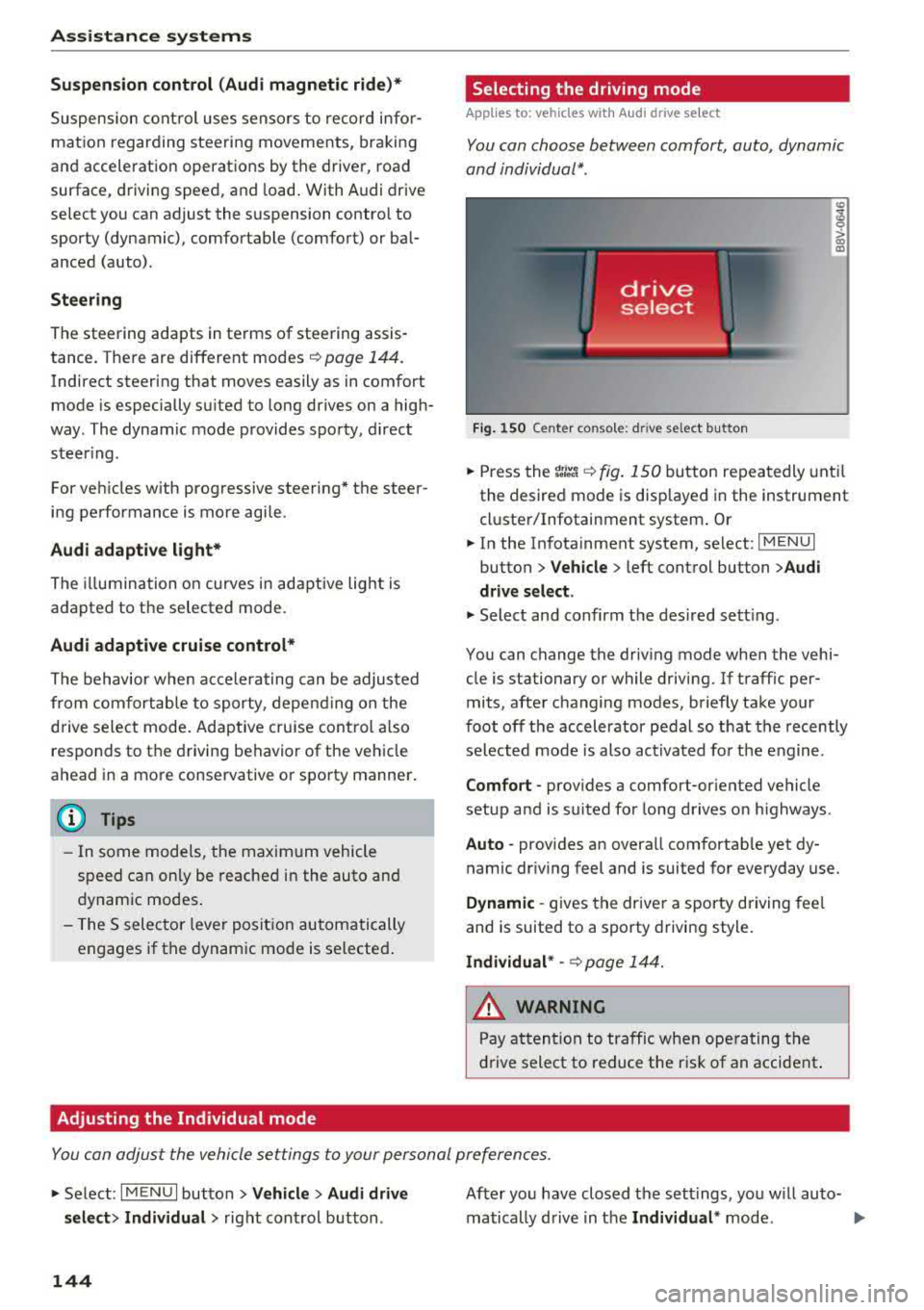
Fig. 150 Ce nte r co nsole: d rive se lect b utt on
.,. Press the tJi~a c::> fig . 150 button repea tedly unt il
the desired mode is disp layed in the instrument
cl uste r/Infotainment system . Or
.,. In the In fota inment system, se lect: I MEN U I
button > Vehicle > left cont rol button > Audi
drive select .
.,. Select and confirm t he des ired se tting.
You can c hange the driv ing mode whe n the vehi
cle is stationary or while driving. If traff ic per
mits, afte r changing modes, briefly take your
foot off t he acc elerator pedal so t hat the recently
se lected mo de is also act ivated fo r th e e ngine .
Comfort -prov ides a comfort-or iented vehicle
setup a nd is s uited fo r long drives o n highways .
Auto -provides an overa ll comfortab le yet dy
namic dr iv ing feel and is suited for everyday use.
Dynamic -gives the drive r a sporty driving fee l
and is suited to a spo rty driving style.
Individual * -c::> page 1 44.
_& WARNING ~
Pay att entio n to traffi c when ope rating t he
dr ive select to redu ce the r is k of an accident .
Yo u con adjust the vehicle settings to y our personal preferences .
.. Se lect: IM ENU I button> Vehicle > Audi drive
select > Individual >
right cont rol but ton .
144
After yo u have closed t he sett ings, yo u w ill auto
matically drive i n t he
Individual * mod e.