Page 31 of 688
311-2. Opening, closing and locking the doors
1
Before driving
VENZA_OM_OM73030U_(U) Unlocking and locking the doors
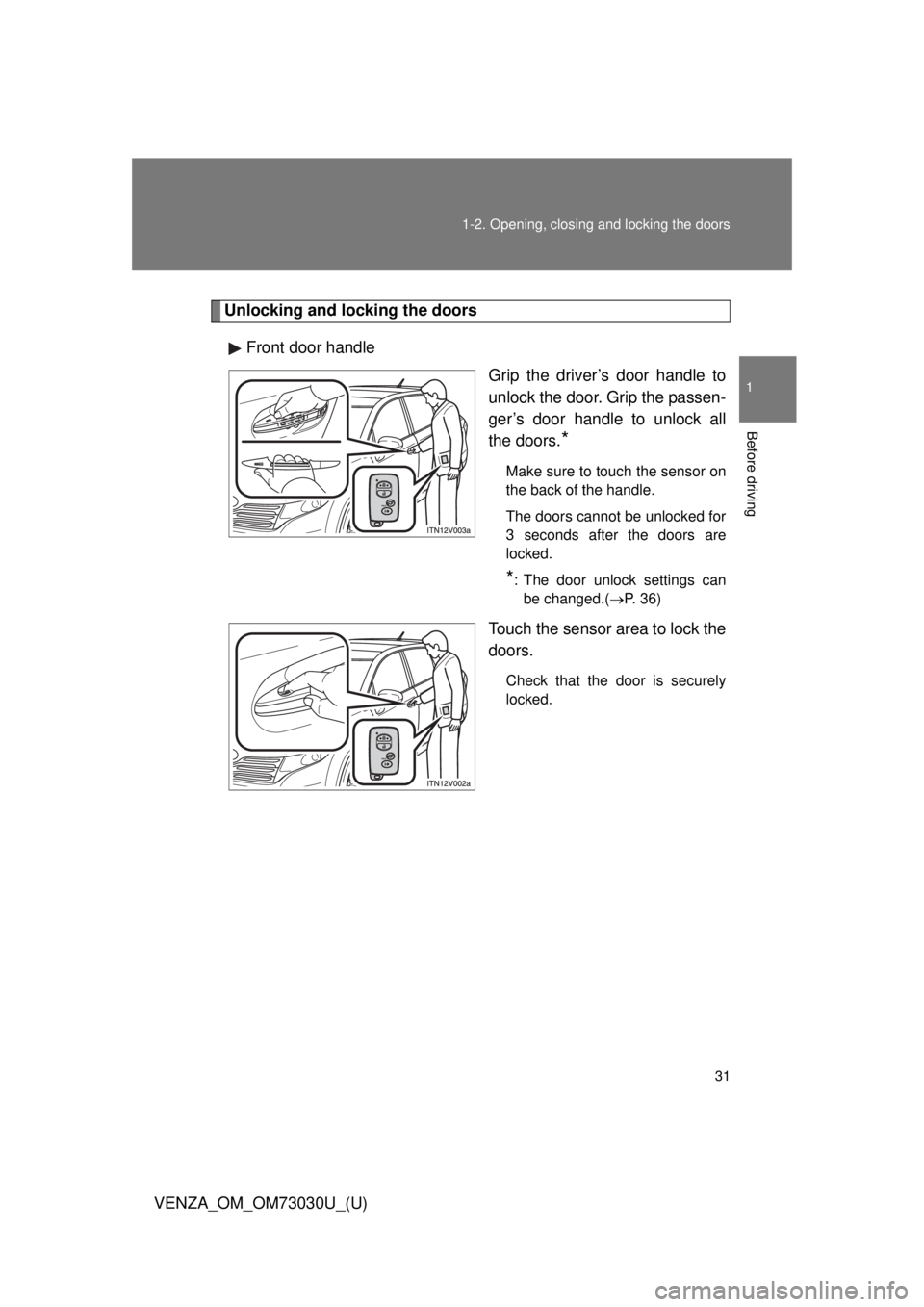
Front door handle
Grip the driver’s door handle to
unlock the door. Grip the passen-
ger’s door handle to unlock all
the doors.
* Make sure to touch the sensor on
the back of the handle.
The doors cannot be unlocked for
3 seconds after the doors are
locked.
* : The door unlock settings can
be changed.( P. 36)
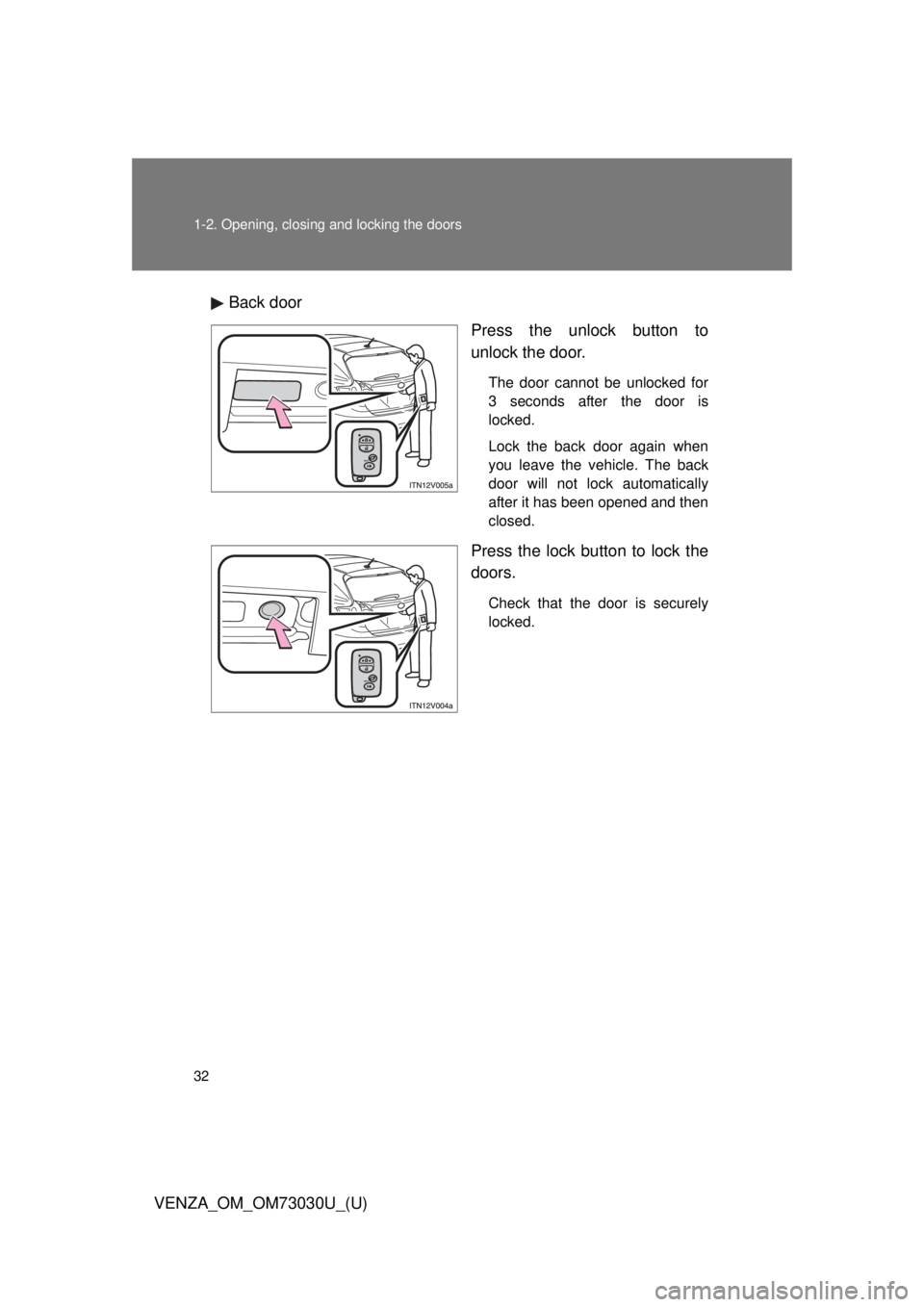
Touch the sensor area to lock the
doors. Check that the door is securely
locked.
Page 32 of 688
321-2. Opening, closing and locking the doors
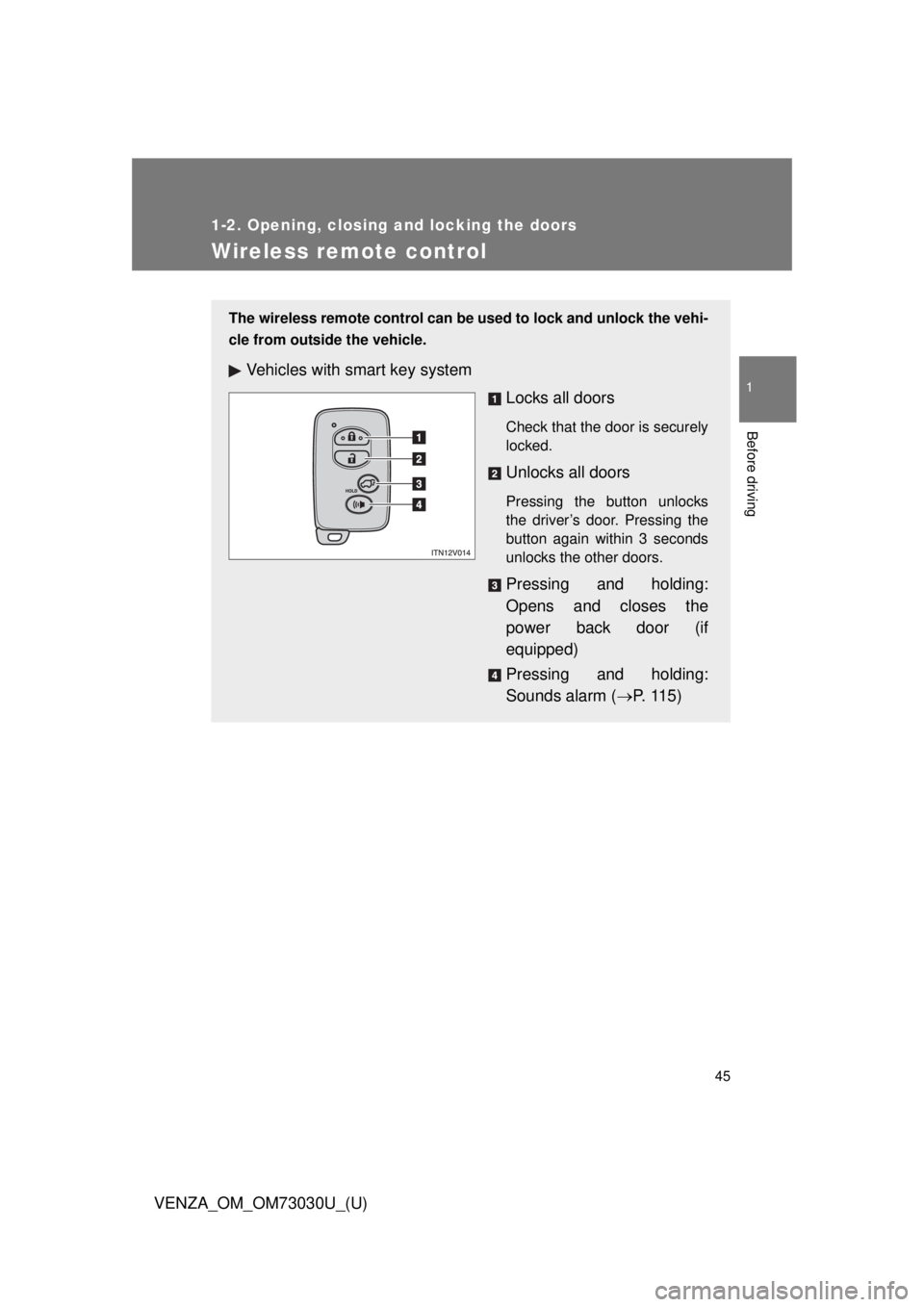
VENZA_OM_OM73030U_(U) Back door
Press the unlock button to
unlock the door. The door cannot be unlocked for
3 seconds after the door is
locked.
Lock the back door again when
you leave the vehicle. The back
door will not lock automatically
after it has been opened and then
closed.
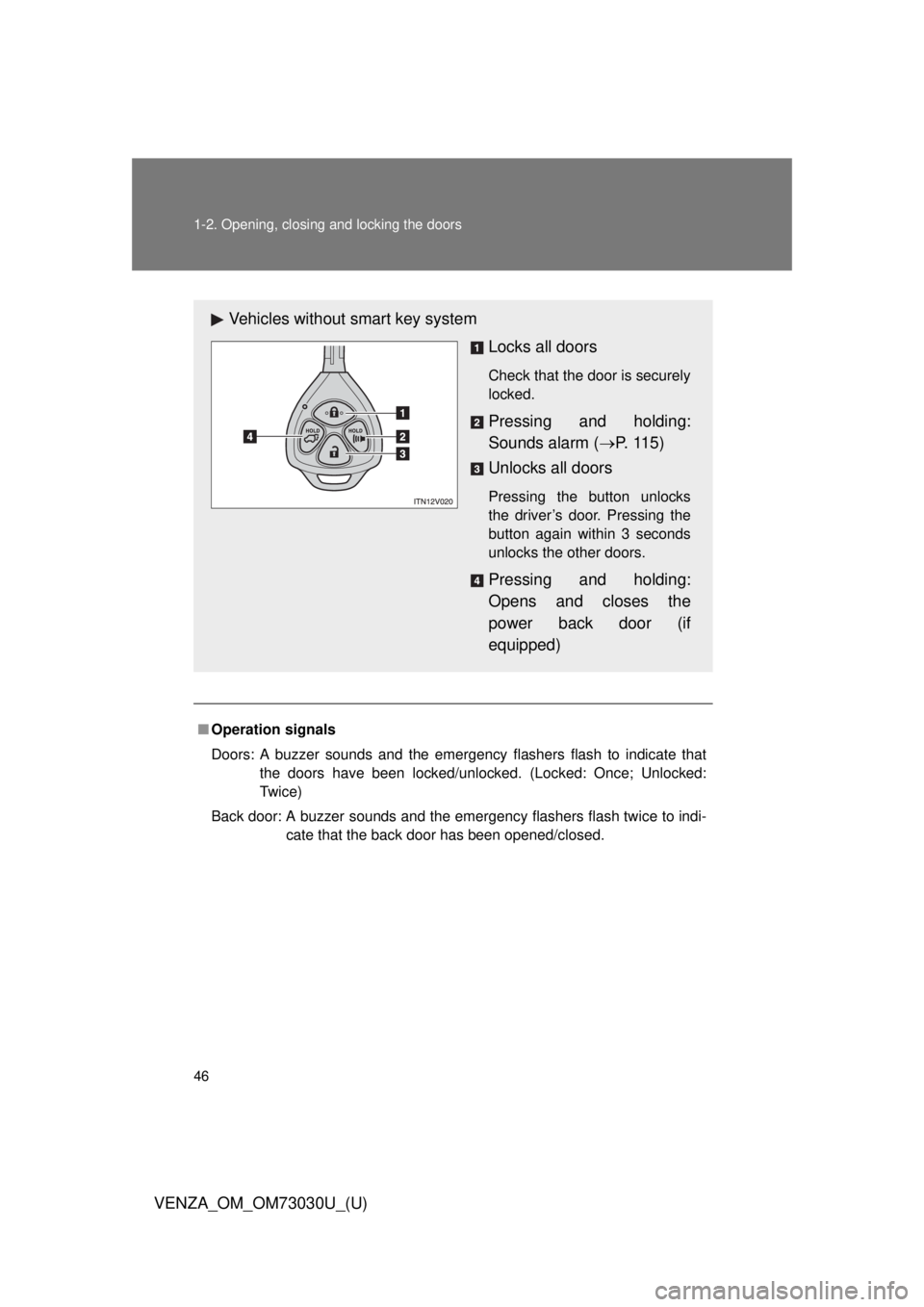
Press the lock button to lock the
doors. Check that the door is securely
locked.
Page 40 of 688

401-2. Opening, closing and locking the doors
VENZA_OM_OM73030U_(U) ■ When the vehicle is not driven for extended periods
To prevent theft of the vehicle, do not leave the electronic key within 6 ft. (2
m) of the vehicle.
■ Security feature
If a door is not opened within approximately 60 seconds after the vehicle is
unlocked, the security feature automatically locks the vehicle again.
■ Alarms and warning indicators
A combination of exterior and interior alarms as well as warnings displayed
on the multi-information display are used to prevent theft of the vehicle and
unforeseeable accidents resulting from erroneous operation. Perform the
appropriate correction procedure de scribed in the following table.
Alarm Situation Correction procedure
Exterior alarm
sounds once for
10 seconds An attempt was made to
lock the doors using the
entry function while the
electronic key was still
inside the passenger com-
partment Retrieve the elec-
tronic key from the
passenger compart-
ment and lock the
doors again
Exterior alarm
sounds once for
10 seconds An attempt was made to
exit the vehicle and lock
the doors without first turn-
ing the “ENGINE START
STOP” switch OFF Turn the “ENGINE
START STOP” switch
OFF and lock the
doors again
Exterior alarm
sounds once for
10 seconds An attempt was made to
lock the vehicle while a
door is open Close all of the doors
and lock the doors
again
Page 45 of 688
45 1
1-2. Opening, closing and locking the doors
Before driving
VENZA_OM_OM73030U_(U) Wireless remote control The wireless remote control can be used to lock and unlock the vehi-
cle from outside the vehicle.
Vehicles with smart key system
Locks all doors Check that the door is securely
locked.
Unlocks all doors Pressing the button unlocks
the driver’s door. Pressing the
button again within 3 seconds
unlocks the other doors.
Pressing and holding:
Opens and closes the
power back door (if
equipped)
Pressing and holding:
Sounds alarm ( P. 1 1 5 )
Page 46 of 688
461-2. Opening, closing and locking the doors
VENZA_OM_OM73030U_(U) ■ Operation signals
Doors: A buzzer sounds and the emergency flashers flash to indicate that
the doors have been locked/unlocked. (Locked: Once; Unlocked:
Tw i c e )
Back door: A buzzer sounds and the emergency flashers flash twice to indi-
cate that the back door has been opened/closed.Vehicles without smart key system
Locks all doors Check that the door is securely
locked.
Pressing and holding:
Sounds alarm ( P. 1 1 5 )
Unlocks all doors Pressing the button unlocks
the driver’s door. Pressing the
button again within 3 seconds
unlocks the other doors.
Pressing and holding:
Opens and closes the
power back door (if
equipped)
Page 47 of 688

471-2. Opening, closing and locking the doors
1
Before driving
VENZA_OM_OM73030U_(U) ■ Door lock buzzer
If a door or back door is not fully closed, a buzzer sounds continuously for 10
seconds if an attempt to lock the door is made. Fully close the door to stop
the buzzer, and lock the vehicle once more.
■ Security feature
P. 4 0
■ Alarm
Using the wireless remote control to lock the door will set the alarm system.
( P. 112)
■ Key battery depletion
Vehicles with smart key system
P. 3 7
Vehicles without smart key system
The standard battery life is 1 to 2 years. (The battery becomes depleted
even if the key is not used.) If the wireless remote control function does
not operate, the battery may be depleted. Replace the battery when nec-
essary. ( P. 524)
■ If the wireless remote control does not operate properly
Vehicles with smart key system
Locking and unlocking the doors: Use the mechanical key. ( P. 595)
Vehicles without smart key system
Locking and unlocking the doors: Use the key. ( P. 50)
Page 62 of 688
621-2. Opening, closing and locking the doors
VENZA_OM_OM73030U_(U) CAUTION■ Operating the back door
Observe the following precautions.
Failure to do so may cause parts of the body to be caught, resulting in death
or serious injury.
● Remove any heavy loads, such as snow and ice, from the back door
before opening it. Failure to do so may cause the back door to suddenly
shut again after it is opened.
● When opening or closing the back door, thoroughly check to make sure
the surrounding area is safe.
● If anyone is in the vicinity, make sure they are safe and let them know that
the back door is about to open or close.
● Use caution when opening or closing the back door in windy weather as it
may move abruptly in strong wind.
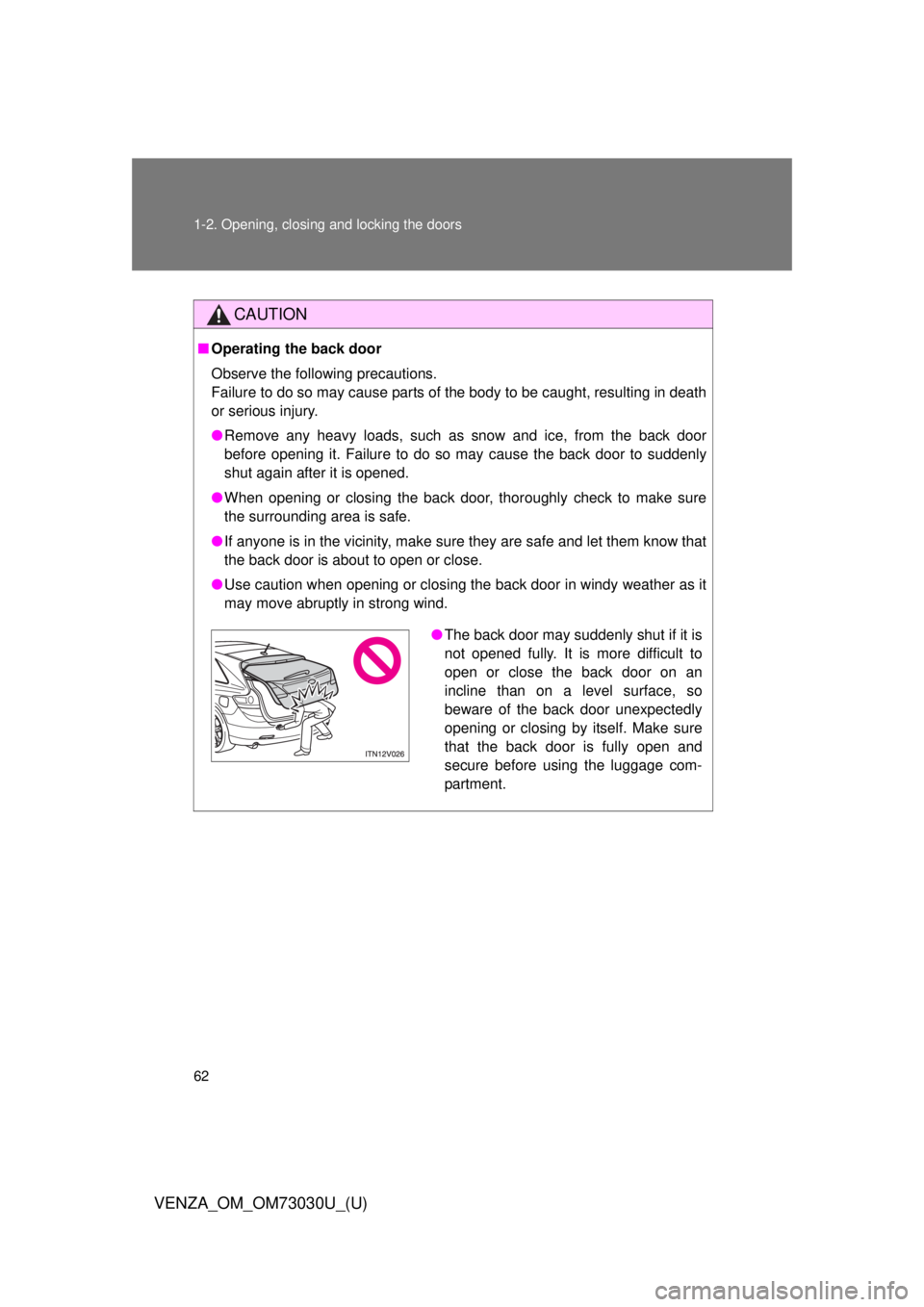
● The back door may suddenly shut if it is
not opened fully. It is more difficult to
open or close the back door on an
incline than on a level surface, so
beware of the back door unexpectedly
opening or closing by itself. Make sure
that the back door is fully open and
secure before using the luggage com-
partment.
Page 64 of 688
641-2. Opening, closing and locking the doors
VENZA_OM_OM73030U_(U) CAUTION■ Power back door (if equipped)
Observe the following precautions when operating the power back door.
Failure to do so may cause death or serious injury.
● Check the safety of the surrounding area to make sure there are no obsta-
cles or anything that could cause any of your belongings to get caught.
● If anyone is in the vicinity, make sure they are safe and let them know that
the back door is about to open or close.
● On an incline, the back door may suddenly shut after it opens. Make sure
the back door is fully open and secure.
● In the following situations, the power back door may detect an abnormality
and automatic operation may be stopped. In this case, the back door has
to be operated manually. Take extra care when on an incline, as the back
door may open or close abruptly.
• When the back door contacts an obstacle
• Vehicles with smart key system:
When the battery voltage suddenly drops, such as when the “ENGINE
START STOP” switch is turned to IGNITION ON mode or the engine is
started during automatic operation
Vehicles without smart key system:
When the battery voltage suddenly drops, such as when the engine
switch is turned to the “ON” position or the engine is started during
automatic operation
● If a bicycle carrier or similar heavy object is attached to the back door, the
power back door may not operate, causing itself to malfunction, or the
back door may suddenly shut again after being opened, causing some-
one’s hands, head or neck to be caught and injured. When installing an
accessory part to the back door, using a genuine Toyota part is recom-
mended.