2016 TOYOTA RAV4 warning light
[x] Cancel search: warning lightPage 641 of 741

6408-2. Steps to take in an emergency
RAV4_OM_OM42A41U_(U)
Once⎯
An attempt was made to start
the engine with the shift lever in
an incorrect position.
→Shift the shift lever to P
and start the engine.
⎯⎯
Power was turned off due to the
automatic power off function.
→Next time when starting
the engine, increase the
engine speed slightly and
maintain that level for
approximately 5 minutes
to recharge the battery.
Once⎯
The electronic key has a low
battery.
→Replace the electronic key
battery. ( →P. 585)
Once⎯
The driver’s door was opened
and closed with the engine
switch turned off and then the
engine switch was put in
ACCESSORY mode twice with-
out the engine being started.
→Press the engine switch
while depressing the brake
pedal.
During an engine starting pro-
cedure in the event that the
electronic key was not function-
ing properly ( →P. 659), the
engine switch was touched with
the electronic key.
→ Press the engine switch
within 10 seconds of the
buzzer sounding.
Interior
buzzerExterior buzzerWarning messageDetails/Actions
(Flashes)
(Flashes)
Page 653 of 741

6528-2. Steps to take in an emergency
RAV4_OM_OM42A41U_(U)
■The compact spare tire (if equipped)
●The compact spare tire is identified by the label “TEMPORARY USE
ONLY” on the tire sidewall.
Use the compact spare tire temporarily, and only in an emergency.
●Make sure to check the tire inflation pressure of the compact spare tire.
(→ P. 677)
■When using the compact spare tire (if equipped)
As the compact spare tire is not equipped with a tire pressure warning
valve and transmitter, low inflation pressure of the spare tire will not be
indicated by the tire pressure warning system. Also, if you replace the
compact spare tire after the tire pressure warning light comes on, the light
remains on.
■When the compact spare tire is equipped (if equipped)
The vehicle becomes lower when driving with the compact spare tire
compared to when driving with standard tires.
■If you have a flat front tire on a road covered with snow or ice (vehi-
cles with compact spare tire)
Install the compact spare tire on one of the rear wheels of the vehicle.
Perform the following steps and fit tire chains to the front tires:
Replace a rear tire with the compact spare tire.
Replace the flat front tire with the tire removed from the rear of the vehi-
cle.
Fit tire chains to the front tires.
■The band used to secure the jack
After detaching the hook on the jack
securing band from lock hole , twist
the band and attach the hook to lock
hole .
1
2
3
1
2
Page 663 of 741

6628-2. Steps to take in an emergency
RAV4_OM_OM42A41U_(U)■
When recharging or replacing the ba ttery (vehicles with smart key sys-
tem)
● In some cases, it may not be possible to unlock the doors using the smart
key system when the battery is discharged. Use the wireless remote control
or the mechanical key to lock or unlock the doors.
● The engine may not start on the first attempt after the battery has recharged
but will start normally after the second attempt. This is not a malfunction.
● The engine switch mode is memorized by the vehicle. When the battery is
reconnected, the system will return to the mode it was in before the battery
was discharged. Before disconnecting the battery, turn the engine switch off.
If you are unsure what mode the engine switch was in before the battery dis-
charged, be especially careful when reconnecting the battery.
■ When the battery is removed or discharged
●The power back door (if equipped) must be initialized. ( →P. 123)
● The moon roof (if equipped) must be initialized. ( →P. 162)
● Toyota parking assist monitor (if equipped) must be initialized. (Refer to
“NAVIGATION AND MULTIMEDIA SYSTEM OWNER’S MANUAL”)
● Panoramic view monitor (if equipped) must be initialized. (Refer to “NAVI-
GATION AND MULTIMEDIA SYSTEM OWNER’S MANUAL”)
WARNING
■Avoiding battery fires or explosions
Observe the following precautions to prevent accidentally igniting the flam-
mable gas that may be emitted from the battery:
● Make sure each jumper cable is connected to the correct terminal and that
it is not unintentionally in contact with any other than the intended terminal.
● Do not allow the other end of the jumper cable connected to the “+” termi-
nal to come into contact with any other parts or metal surfaces in the area,
such as brackets or unpainted metal.
● Do not allow the + and - clamps of the jumper cables to come into contact
with each other.
● Do not smoke, use matches, cigarette lighters or allow open flame near
the battery.
Page 665 of 741

664
RAV4_OM_OM42A41U_(U)
8-2. Steps to take in an emergency
If your vehicle overheats
●Vehicles with the multi-information display (with monochrome dis-
play): The high engine coolant temperature warning light ( →P. 617)
comes on or a loss of engine powe r is experienced. (For example,
the vehicle speed does not increase.)
Vehicles with the multi-informat ion display (with color display):
• The needle of the engine coolant temperature gauge ( →P. 8 6 )
enters the red zone or a loss of engine power is experienced.
(For example, the vehicle speed does not increase.)
• The warning message indicating overheat is shown on the multi-
information display. ( →P. 630)
● Steam comes out from under the hood.
Stop the vehicle in a safe place and turn off the air conditioning sys-
tem, and then stop the engine.
If you see steam:
Carefully lift the hood after the steam subsides.
If you do not see steam:
Carefully lift the hood.
After the engine has cooled down su fficiently, inspect the hoses and
radiator core (radiator) for any leaks.
Radiator
Cooling fans
If a large amount of coolant
leaks, immediately contact your
Toyota dealer.
The following may indicate that your vehicle is overheating.
Correction procedures
1
2
3
1
2
Page 698 of 741

RAV4_OM_OM42A41U_(U)
6979-2. Customization
9
Vehicle specifications
■Instrument cluster (with color display) *1 (→ P. 7 8 )
*1: If equipped
*2: The default setting varies according to countries.
■
LDA (Lane Departure Alert with steering control)* ( → P. 252)
*: If equipped
FunctionDefault
settingCustomized setting
Language*2EnglishFrenchOO—Spanish
Units*2miles (MPG US)
km (km/L)
OO—km (L/100 km)
miles (MPG
Imperial)
Eco Driving Indicator LightOnOff—O—
Pop-up displayOnOff—O—
Accent colorLight blue
Blue
OO—Orange
Ye l l o w
123
FunctionDefault settingCustomized setting
Steering AssistOnOff—O—
Alert sensitivityStandardHigh—O—
Vehicle sway warningOnOff—O—
Vehicle sway warning sensitiv-
ityStandardLow—O—High
123
Page 706 of 741

705
RAV4_OM_OM42A41U_(U)
9-3. Initialization
9
Vehicle specifications
Items to initialize
The following items must be initialized for normal system opera-
tion after such cases as the battery being reconnected, or main-
tenance being performed on the vehicle:
ItemWhen to initializeReference
Power back door
(if equipped)• After reconnecting or changing the battery
• After changing a fuse
P. 123
Moon roof (If equipped)
• After reconnecting or changing the battery
• After changing a fuse
P. 162
Maintenance required
reminder light
(U.S.A. only)• After the mainte-
nance is performedP. 543
Tire pressure warning
system (If equipped)• When changing the
tire sizeP. 5 6 8
Toyota parking assist
monitor (if equipped)
• After reconnecting or changing the battery
• After changing a fuseRefer to “NAVIGATION AND MULTIMEDIA
SYSTEM OWNER’S MANUAL”
Panoramic view
monitor (if equipped)
Page 725 of 741

724What to do if... (Troubleshooting)
RAV4_OM_OM42A41U_(U)
●Is the window lock switch pressed?
The power window except for the one at the driver’s seat cannot be oper-
ated if the window lock switch is pressed. (→P. 156)
●The auto power off function will be operated if the vehicle is left in ACCES-
SORY or IGNITION ON mode (the engine is not running) for a period of
time. ( →P. 200)
●The seat belt reminder light is flashing
Are the driver and the front passenger wearing the seat belts? ( →P. 616)
●The brake system warning light is on
Is the parking brake released? (→P. 211)
Depending on the situation, other types of warning buzzer may also sound.
( →P. 615, 626)
●Is the message displayed on the multi-information display?
Check the message on the multi-information display. ( →P. 637)
●When a warning light turns on or a warning message is displayed, refer to
P. 615, 626.
The windows do not open or close by operating the power
window switches
The engine switch is turned off automatically
(vehicles with smart key system)
A warning buzzer sounds during driving
A warning buzzer sounds when leaving the vehicle
(vehicles with smart key system)
A warning light turns on or a warning message is displayed
Page 727 of 741
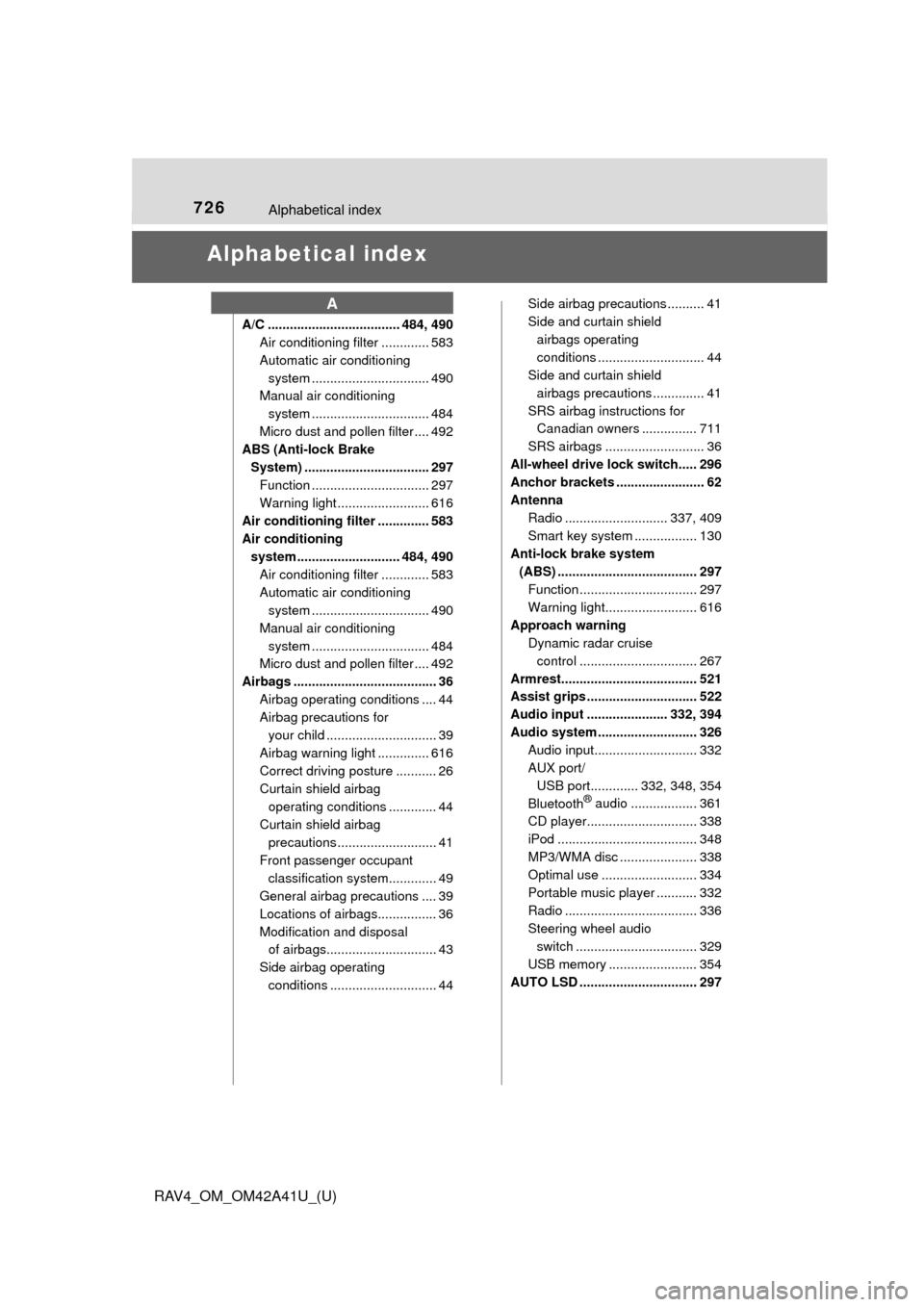
726Alphabetical index
RAV4_OM_OM42A41U_(U)
Alphabetical index
A/C .................................... 484, 490Air conditioning filter ............. 583
Automatic air conditioning
system ......... ....................... 490
Manual air conditioning
system ......... ....................... 484
Micro dust and pollen filter .... 492
ABS (Anti-lock Brake
System) .................................. 297 Function ................................ 297
Warning light ......................... 616
Air conditioning filter .............. 583
Air conditioning system ............................ 484, 490
Air conditioning filter ............. 583
Automatic air conditioning system ......... ....................... 490
Manual air conditioning system ......... ....................... 484
Micro dust and pollen filter .... 492
Airbags ....................................... 36 Airbag operating conditions .... 44
Airbag precautions for your child .............................. 39
Airbag warning light .............. 616
Correct driving posture ........... 26
Curtain shield airbag operating conditions ............. 44
Curtain shield airbag precautions ........................... 41
Front passenger occupant classification syst em............. 49
General airbag precautions .... 39
Locations of airbags................ 36
Modification and disposal of airbags.............................. 43
Side airbag operating conditions ............................. 44 Side airbag precautions .......... 41
Side and curtain shield
airbags operating
conditions ............................. 44
Side and curtain shield
airbags precautions .............. 41
SRS airbag instructions for Canadian owners ............... 711
SRS airbags ........................... 36
All-wheel drive lock switch..... 296
Anchor brackets ........................ 62
Antenna Radio ............................ 337, 409
Smart key system ................. 130
Anti-lock brake system (ABS) ...................................... 297 Function ................................ 297
Warning light......................... 616
Approach warning Dynamic radar cruise
control ................................ 267
Armrest..................................... 521
Assist grips .............................. 522
Audio input ...................... 332, 394
Audio system ........................... 326 Audio input............................ 332
AUX port/USB port............. 332, 348, 354
Bluetooth
® audio .................. 361
CD player.............................. 338
iPod ...................................... 348
MP3/WMA disc ..................... 338
Optimal use .......................... 334
Portable music player ........... 332
Radio .................................... 336
Steering wheel audio
switch ................................. 329
USB memory ........................ 354
AUTO LSD ................................ 297
A