Page 389 of 741
388
RAV4_OM_OM42A41U_(U)
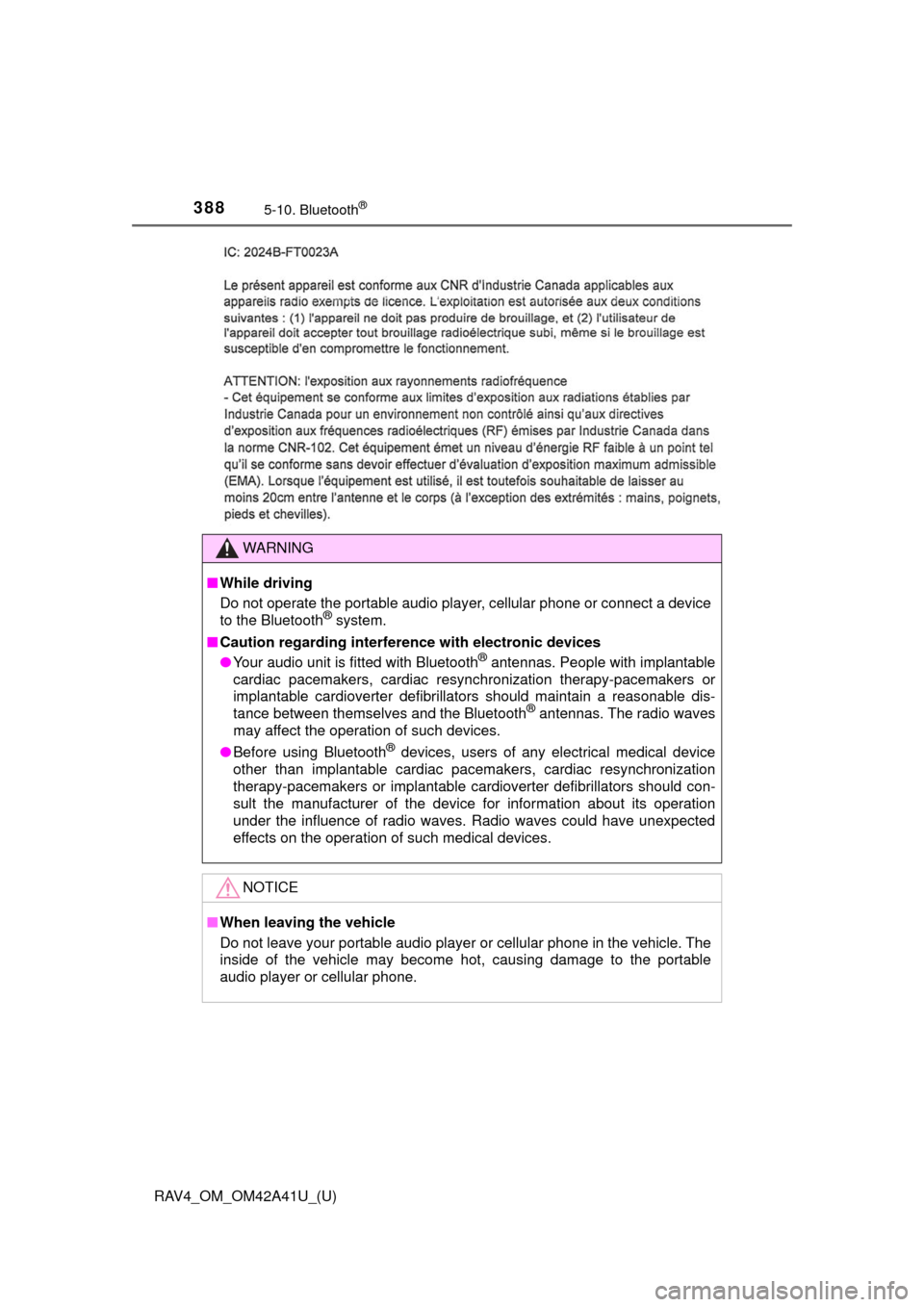
5-10. Bluetooth®
WARNING
■While driving
Do not operate the portable audio play er, cellular phone or connect a device
to the Bluetooth
® system.
■ Caution regarding interfer ence with electronic devices
● Your audio unit is fitted with Bluetooth
® antennas. People with implantable
cardiac pacemakers, cardiac resynchronization therapy-pacemakers or
implantable cardioverter defibrillators should maintain a reasonable dis-
tance between themselves and the Bluetooth
® antennas. The radio waves
may affect the operation of such devices.
● Before using Bluetooth
® devices, users of any electrical medical device
other than implantable cardiac pacemakers, cardiac resynchronization
therapy-pacemakers or implantable cardioverter defibrillators should con\
-
sult the manufacturer of the device for information about its operation
under the influence of radio waves. Radio waves could have unexpected
effects on the operation of such medical devices.
NOTICE
■ When leaving the vehicle
Do not leave your portable audio player or cellular phone in the vehicle. The
inside of the vehicle may become hot, causing damage to the portable
audio player or cellular phone.
Page 390 of 741
389
RAV4_OM_OM42A41U_(U)
5-11. Using the audio system (Entune Audio)
5
Audio system
Audio system (Entune Audio)
Setup (→P. 397, 398, 401)
Audio system and Bluetooth
® settings can be adjusted.
Audio system ( →P. 404, 408, 410, 417, 422, 427, 440)
Radio, CD, iPod, USB, AUX and Bluetooth
® audio can be played.
Bluetooth
® hands-free system (→ P. 442)
The driver can make or receive telephone calls without taking their
hands off the steering wheel.
■ Operating conditions
Vehicles without smart key system
The engine switch is in the “ACC” or “ON” position.
Vehicles with smart key system
The engine switch is in ACCESSORY or IGNITION ON mode.
■ Using cellular phones
Interference may be heard through the audio system’ speakers if a cellular
phone is being used inside or close to the vehicle while the audio system is
operating. However, this does not indicate a malfunction.
Audio system (Entune Audio) functions
1
2
3
Page 391 of 741

390
RAV4_OM_OM42A41U_(U)
5-11. Using the audio system (Entune Audio)
WARNING
■Laser product
This product is a class 1 laser product.
Do not open the cover of the player or attempt to repair the unit yourself.
Refer servicing to qualified personnel.
● Laser products
• Do not take this unit apart or attempt to make any changes yourself.
This is an intricate unit that uses a laser pickup to retrieve information
from the surface of compact discs. The laser is carefully shielded so
that its rays remain inside the cabinet. Therefore, never try to disassem-
ble the player or alter any of its parts since you may be exposed to laser
rays and dangerous voltages.
• This product utilizes a laser. Use of controls or adjustments or performance of procedures other than
those specified herein may result in hazardous radiation exposure.
THE USE OF OPTICAL INSTRUMENTS WITH THIS PRODUCT WILL
INCREASE EYE HAZARD.
NOTICE
■To prevent battery discharge
Do not leave the audio system on longer than necessary when the engine is
not running.
■ To avoid damaging the audio system
Take care not to spill drinks or other fluids on the audio system.
Page 392 of 741
391
RAV4_OM_OM42A41U_(U)
5-12. Basic Operations
5
Audio system
Audio system operations (Entune Audio)∗
“AUDIO” button
Display the “Select Audio Source” screen or audio top screen.
(→ P. 404)
“CAR” button
Press this button to access th e vehicle information system.
( → P. 98)
button
Press this button to access the Bluetooth
® hands-free system.
( → P. 442)
“SETUP” button
Press this button to customize the function settings. ( →P. 397)
∗: If equipped
Operations such as listening to audio, using the hands-free
phone, confirming vehicle inform ation and changing audio sys-
tem settings are started by using the following buttons.
Audio system operation buttons
1
2
3
4
Page 394 of 741

393
RAV4_OM_OM42A41U_(U)
5-12. Basic Operations
5
Audio system
Steering wheel audio switches
Vo l u m e s w i t c h• Increases/decreases volume
• Press and hold: Continuously increases/decreases volume
Cursor switch (“ ∧” and “ ∨”)
• AM/FM Radio
Press: Preset station/chan- nel up/down
Press and hold: Seek up/down continuously
•CD/
Bluetooth® audio/iPod/USB memory
Press: Track/file up/down
Press and hold: Fast forward/rewind
“MODE/HOLD” switch • Changes audio source
• Press and hold this switch to mute or pause the current operation To cancel the mute or pause, press and hold.
Some audio features can be c ontrolled using the switches on
the steering wheel.
Operation may differ depending on the type of audio system or
navigation system. For details, refer to the manual provided with
the audio system or navigation system.
Operating the audio system using the steering wheel switches
1
2
3
WARNING
■ To reduce the risk of an accident
Exercise care when operating the audio switches on the steering wheel.
Page 395 of 741
394
RAV4_OM_OM42A41U_(U)
5-12. Basic Operations
AUX port/USB port
■iPod
Open the cover and connect an
iPod using an iPod cable.
Turn on the power of the iPod if
it is not turned on.
■
USB memory
Open the cover and connect the USB memory device.
Turn on the power of the USB memory device if it is not turned on.
■
Portable audio player
Open the cover and connect the portable audio player.
Turn on the power of the portable audio player if it is not turned on.
Connect an iPod, USB memory device or portable audio player
to the AUX port/USB port as indicated below. Select “iPod”,
“USB” or “AUX” on the audio source selection screen and the
device can be operated via audio system.
Connecting using the AUX port/USB port
WARNING
■ While driving
Do not connect a device or operate the device controls.
Page 396 of 741
395
RAV4_OM_OM42A41U_(U)
5-12. Basic Operations
5
Audio system
Basic audio operations
Press this knob to turn the audio system on and off, and turn it to
adjust the volume.
Press this button to eject a disc
Insert a disc into the disc slot
Press to pause or resume playing music.
Turn this knob to select radio station bands, tracks and files. Also
the knob can be used to select items in the list display.
Press the button to seek up or down for a radio station, or to access
a desired track or file. : Select to pause music.
: Select to resume playing music.
Basic audio operations and functi ons common to each mode are
explained in this section.
Operating the audio system
1
2
3
4
5
6
7
Page 397 of 741
396
RAV4_OM_OM42A41U_(U)
5-12. Basic Operations
Select to change on/off.
Select to change on/off.
■Using cellular phones
Interference may be heard through the audio system’s speakers if a cellular
phone is being used inside or close to the vehicle while the audio system is
operating.
Random playback
Repeat play


