Page 203 of 620

2034-5. Using the driving support systems
4
Driving
COROLLA_TMMMS_TMMC_U (OM12J84U)
nCruise control can be set when
Vehicles with an automatic transmission
l The shift lever is in the D or range 3.
l Vehicle speed is above approximately 25 mph (40 km/h).
Vehicles with a continuously variable transmission (without paddle shift
switches)
l The shift lever is in the D or S.
l Vehicle speed is above approximately 25 mph (40 km/h).
Vehicles with a continuously variable transmission (with paddle shift
switches)
l The shift lever is in the D or range 4 or higher of M has been selected.
l Range 4 or higher has been selected by using the paddle shift.
l Vehicle speed is above approximately 25 mph (40 km/h).
Vehicles with a manual transmission
Vehicle speed is above approximately 25 mph (40 km/h).
n Accelerating after setting the vehicle speed
lThe vehicle can be accelerated normally. After acceleration, the set speed
resumes.
l Even without canceling the cruise control, the set speed can be increased
by first accelerating the vehicle to the desired speed and then pushing the
lever down to set the new speed.
n Automatic cruise co ntrol cancelation
Cruise control will stop maintaining the vehicle speed in any of the following
situations.
l Actual vehicle speed falls more than approximately 10 mph (16 km/h) below
the preset vehicle speed.
At this time, the memorized set speed is not retained.
l Actual vehicle speed is below approximately 25 mph (40 km/h).
l VSC is activated.
n If the cruise control indicator light comes on in yellow (vehicles with a
drive monitor display)
Press the “ON-OFF” button once to deactivate the system, and then press
the button again to reactivate the system.
If the cruise control speed cannot be set or if the cruise control cancels imme-
diately after being activated, there may be a malfunction in the cruise control
system. Have the vehicle inspected by your Toyota dealer.
Page 237 of 620
237
5
Audio system
COROLLA_TMMMS_TMMC_U (OM12J84U)
5-3. Using the radio
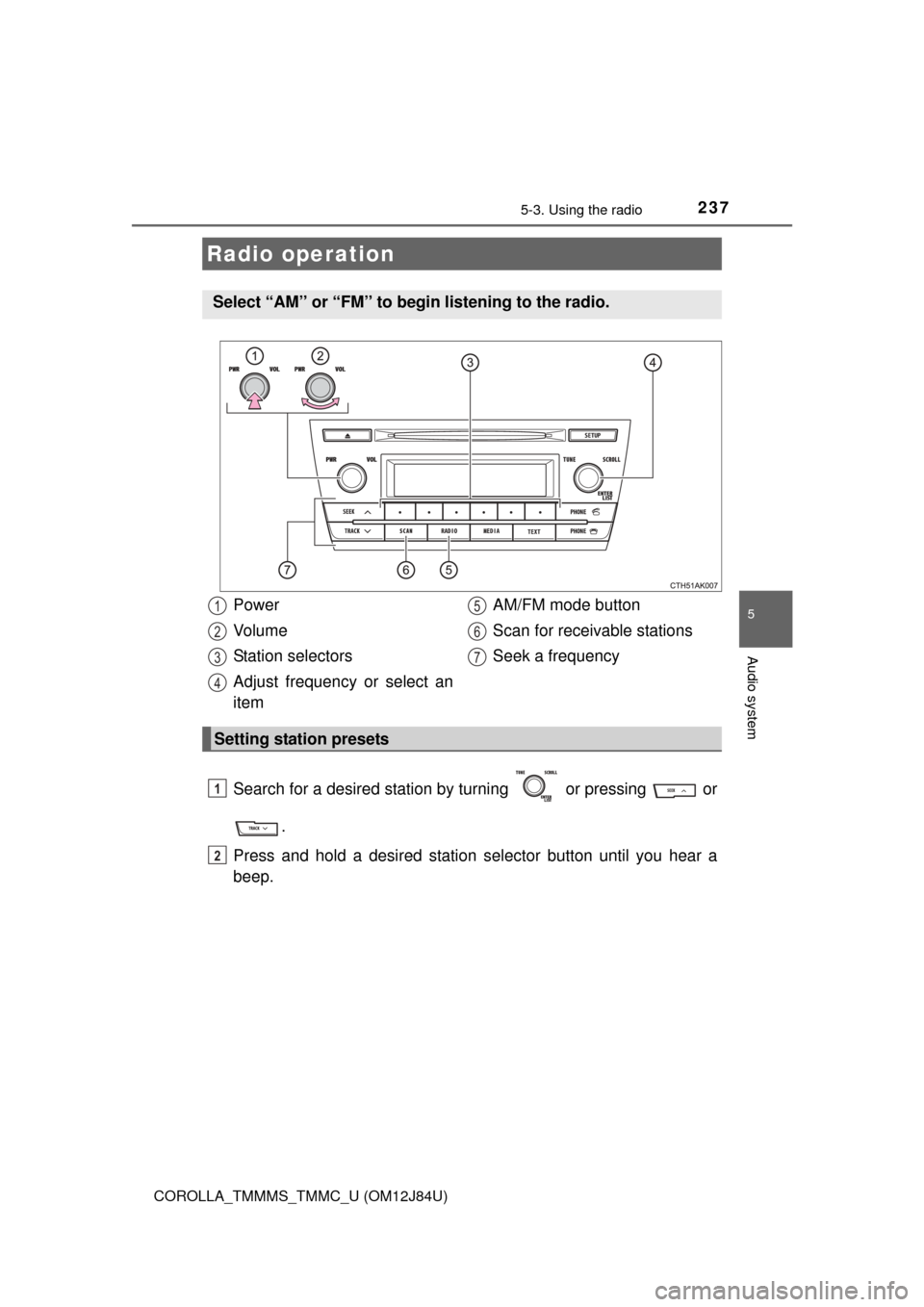
Search for a desired station by turning or pressing or
.
Press and hold a desired station se lector button until you hear a
beep.
Radio operation
Select “AM” or “FM” to be gin listening to the radio.
Power
Vo l u m e
Station selectors
Adjust frequency or select an
item AM/FM mode button
Scan for receivable stations
Seek a frequency
Setting station presets
1
2
3
4
5
6
7
1
2
Page 238 of 620
2385-3. Using the radio
COROLLA_TMMMS_TMMC_U (OM12J84U)n
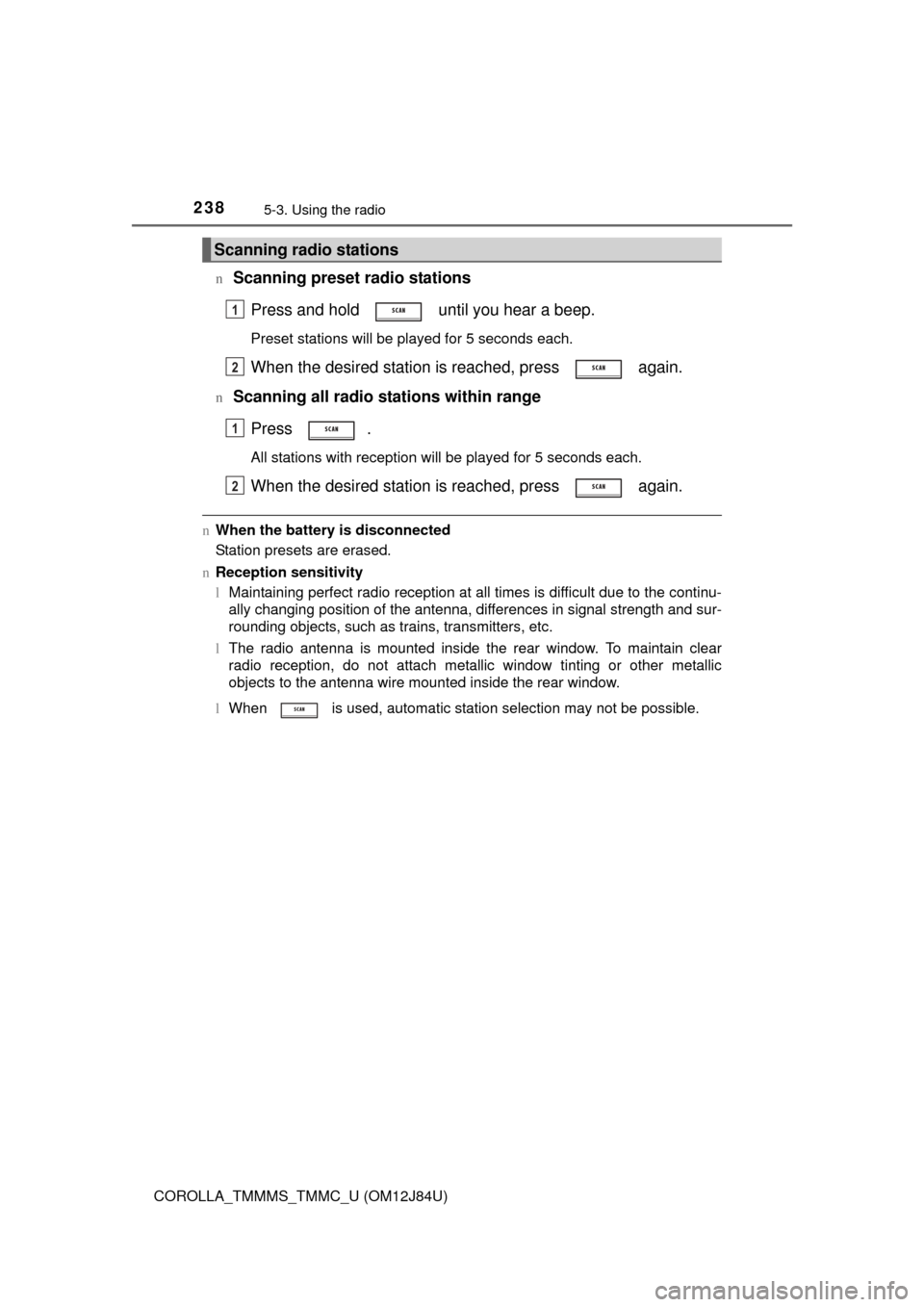
Scanning preset radio stations
Press and hold until you hear a beep.
Preset stations will be played for 5 seconds each.
When the desired station is reached, press again.
nScanning all radio stations within rangePress .
All stations with reception will be played for 5 seconds each.
When the desired station is reached, press again.
nWhen the battery is disconnected
Station presets are erased.
n Reception sensitivity
lMaintaining perfect radio reception at all times is difficult due to the continu-
ally changing position of the antenna, differences in signal strength and sur-
rounding objects, such as trains, transmitters, etc.
l The radio antenna is mounted inside the rear window. To maintain clear
radio reception, do not attach metallic window tinting or other metallic
objects to the antenna wire mounted inside the rear window.
l When is used, automatic station selection may not be possible.
Scanning radio stations
1
2
1
2
Page 252 of 620

2525-5. Using an external device
COROLLA_TMMMS_TMMC_U (OM12J84U)n
iPod functions
lWhen an iPod is connected and the audio source is changed to iPod mode,
the iPod will resume play from the same point in which it was last used.
l Depending on the iPod that is connected to the system, certain functions
may not be available. If a function is unavailable due to a malfunction (as
opposed to a system specification), disconnecting the device and recon-
necting it once again may resolve the problem.
l While connected to the system, the iPod cannot be operated with its own
controls. It is necessary to use the controls of the vehicle’s audio system
instead.
l When the battery level of an iPod is very low, the iPod may not operate. If
so, charge the iPod before use.
l Supported models ( P. 254)
n iPod problems
To resolve most problems encountered when using your iPod, disconnect
your iPod from the vehicle iPod connection and reset it.
For instructions on how to reset your iPod, refer to your iPod Owner’s Man-
ual.
n Display
P. 243
Page 283 of 620
2835-9. Bluetooth® Phone
5
Audio system
COROLLA_TMMMS_TMMC_U (OM12J84U)
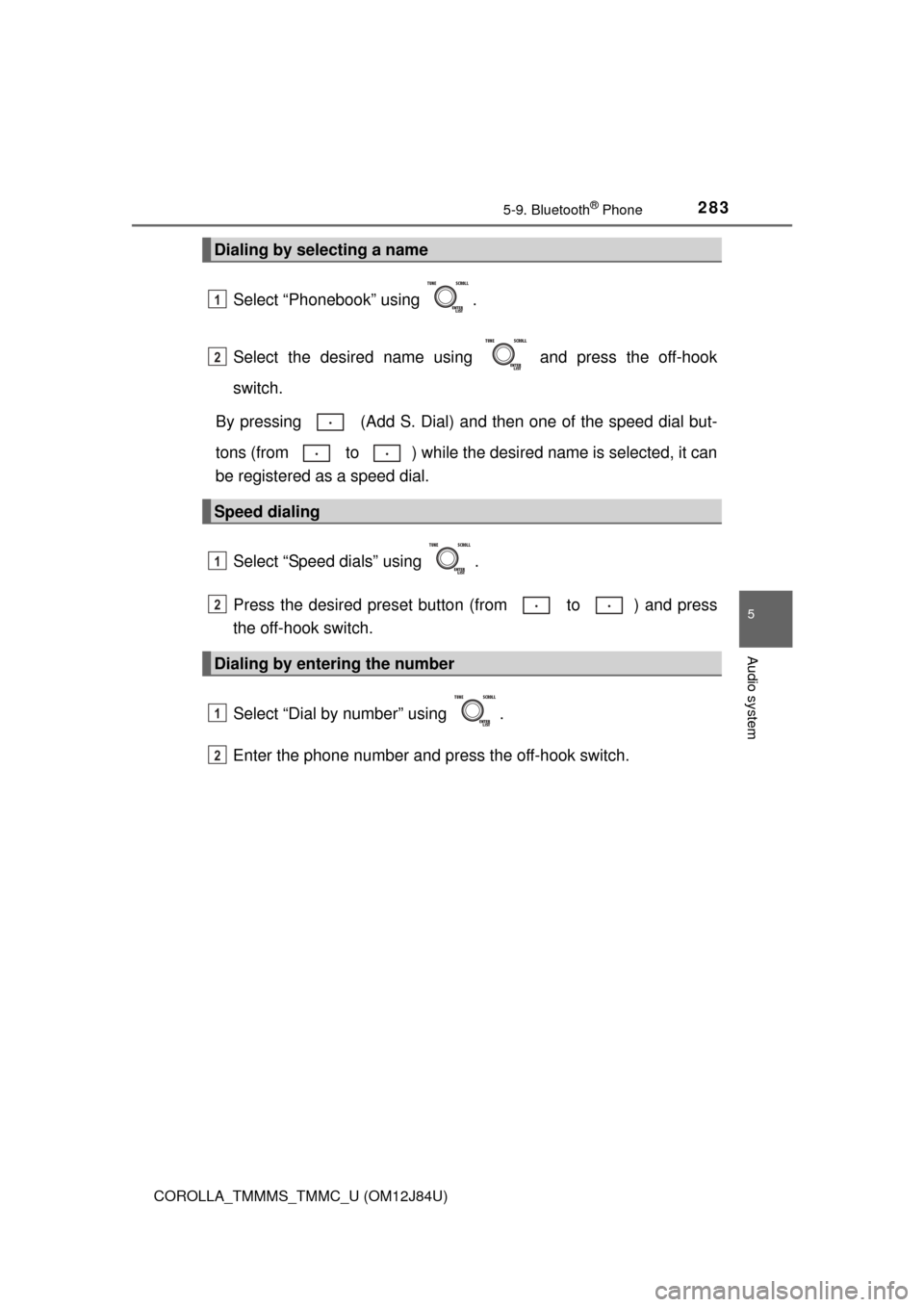
Select “Phonebook” using .
Select the desired name using and press the off-hook
switch.
By pressing (Add S. Dial) and then one of the speed dial but-
tons (from to ) while the desired name is selected, it can
be registered as a speed dial.
Select “Speed dials” using .
Press the desired preset butto n (from to ) and press
the off-hook switch.
Select “Dial by number” using .
Enter the phone number and press the off-hook switch.
Dialing by selecting a name
Speed dialing
Dialing by entering the number
1
2
1
2
1
2
Page 292 of 620

2925-11. Basic Operations (Multimedia system)
COROLLA_TMMMS_TMMC_U (OM12J84U)
Vo l u m e s w i t c h• Increases/decreases volume
• Press and hold: Continuously increases/decreases volume
Back switch • Returns to the previous screen
Cursor switch • Selects (radio stations/radio presets/tracks/files/songs)
• Moves cursor
• Press and hold: Seek up/down (radio stations)
• Fast up/down (tracks/files)
Enter switch • Displays the preset/list screen
• Selects items
“MODE/HOLD” switch • Changes audio source
• Press and hold this switch to mute or pause the current operation To cancel the mute or pause, press and hold.
Steering wheel audio switches
Some audio features can be c ontrolled using the switches on
the steering wheel.
Operation may differ depending on the type of multimedia sys-
tem or navigation system. For de tails, refer to the manual pro-
vided with the multimedia system or navigation system.
Operating the multimedia system using the steering wheel
switches
1
12
3
4
5
CAUTION
n To reduce the risk of an accident
Exercise care when operating the audio switches on the steering wheel.
Page 299 of 620
2995-12. Setup (Multimedia system)
5
Audio system
COROLLA_TMMMS_TMMC_U (OM12J84U)
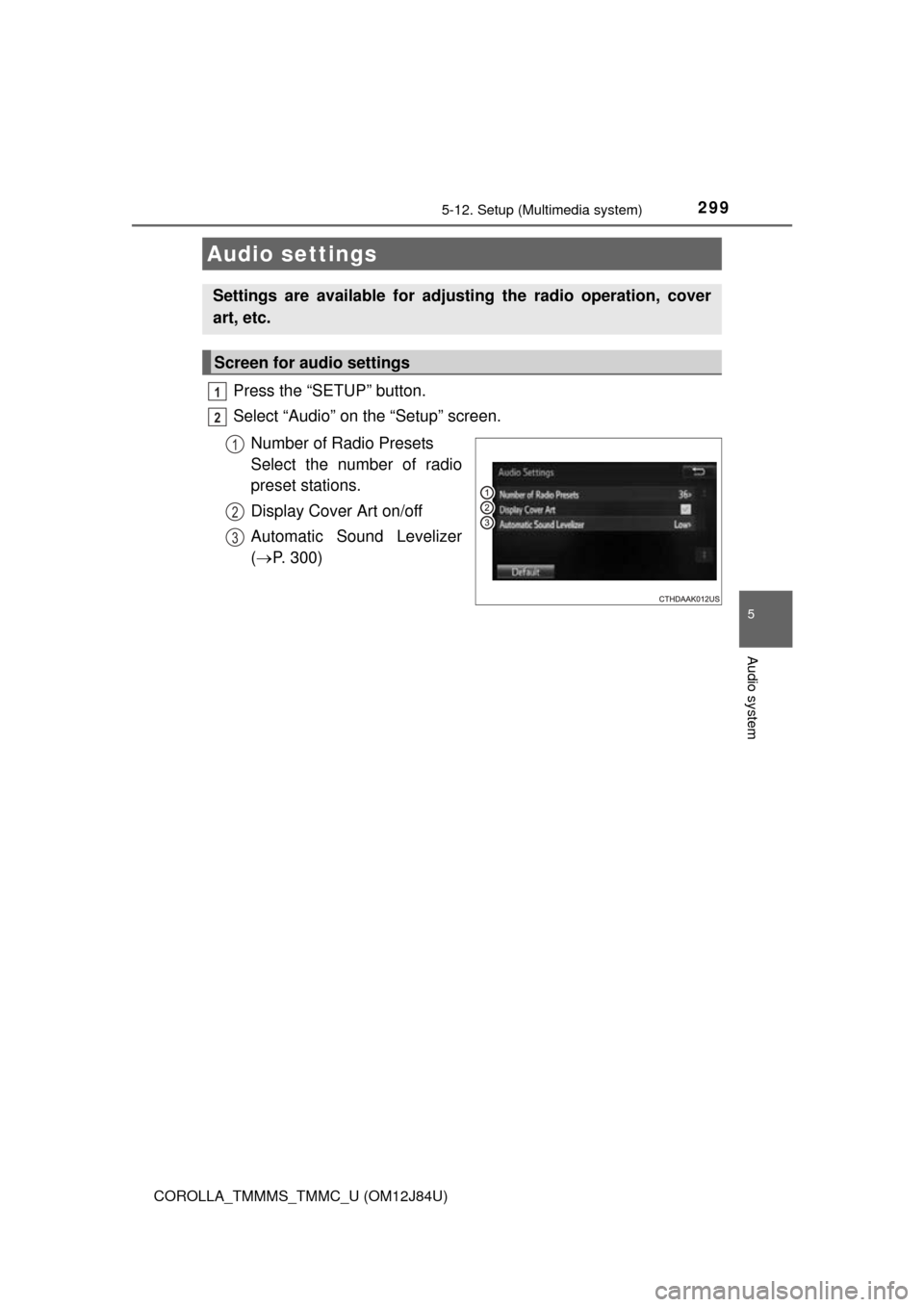
Press the “SETUP” button.
Select “Audio” on the “Setup” screen.Number of Radio Presets
Select the number of radio
preset stations.
Display Cover Art on/off
Automatic Sound Levelizer
( P. 300)
Audio settings
Settings are available for adjusting the radio operation, cover
art, etc.
Screen for audio settings
1
2
1
2
3
Page 307 of 620
307
5
Audio system
COROLLA_TMMMS_TMMC_U (OM12J84U)
5-14.Using the radio (Multimedia system)
Pressing the “AUDIO” button displays the audio control screen from
any screens of the selected source.
Audio source selection screen
appears
Preset stations
Select to display RBDS text
messages*
Scanning for receivable station
Select to display a list of receiv-
able stations
Setting the sound ( P. 306)
*:FM only
Tune in to the desired station using one of the following methods.
nSeek tuning
Press the “ ” or “ ” button on “SEEK/TRACK”.
The radio will begin seeking up or down for a station of the nearest
frequency and will stop when a station is found.
nManual tuning
Turn the “TUNE/SCROLL” knob.
nPreset stations
Select the desired preset station.
Radio operation
Select “AM” or “FM” on the audio source selection screen to
begin listening to the radio.
Audio control screen
1
2
3
4
5
6
Selecting a station