2016 TOYOTA CAMRY HYBRID Check hybrid system
[x] Cancel search: Check hybrid systemPage 150 of 572

1504-1. Before driving
CAMRY_HV_U (OM33C35U)
WARNING
Observe the following precautions.
Failure to do so may result in death or serious injury.
nWhen starting the vehicle
Always keep your foot on the brake pedal while stopped with the “READY”
indicator is illuminated. This prevents the vehicle from creeping.
n When driving the vehicle
lDo not drive if you are unfamiliar with the location of the brake and ac\
cel-
erator pedals to avoid depressing the wrong pedal.
• Accidentally depressing the accelerator pedal instead of the brake
pedal will result in sudden acceleration that may lead to an accident.
• When backing up, you may twist your body around, leading to a diffi- culty in operating the pedals. Make sure to operate the pedals properly.
• Make sure to keep a correct driving posture even when moving the vehicle only slightly. This allows you to depress the brake and accelera-
tor pedals properly.
• Depress the brake pedal using your right foot. Depressing the brake pedal using your left foot may delay response in an emergency, result-
ing in an accident.
l The driver should pay extra attention to pedestrians when the vehicle is
powered only by the electric motor (traction motor). As there is no engine
noise, the pedestrians may misjudge the vehicle’s movement.
l Do not drive the vehicle over or stop the vehicle near flammable materials.
The exhaust system and exhaust gases can be extremely hot. These hot
parts may cause a fire if there is any flammable material nearby.
l During normal driving, do not turn off the hybrid system. Turning the hybrid
system off while driving will not cause loss of steering or braking control,
however, power assist to the steering will be lost. This will make it more
difficult to steer smoothly, so you should pull over and stop the vehicle as
soon as it is safe to do so.
In the event of an emergency, such as if it becomes impossible to stop the
vehicle in the normal way: P. 441
l Use engine braking (downshift) to maintain a safe speed when driving
down a steep hill.
Using the brakes continuously may cause the brakes to overheat and lose
effectiveness. ( P. 168)
l Do not adjust the display, the positions of the steering wheel, the seat, or
the inside or outside rear view mirrors while driving.
Doing so may result in a loss of vehicle control.
l Always check that all passengers’ arms, heads or other parts of their body
are not outside the vehicle.
Page 161 of 572
161
4
Driving
CAMRY_HV_U (OM33C35U)
4-2. Driving procedures
Check that the parking brake is set.
Check that the shift lever is in P.
Firmly depress the brake pedal.
Messages indicating how to start the hybrid system and how to turn to
ACCESSORY mode will be displayed alternately on the multi-information
display.
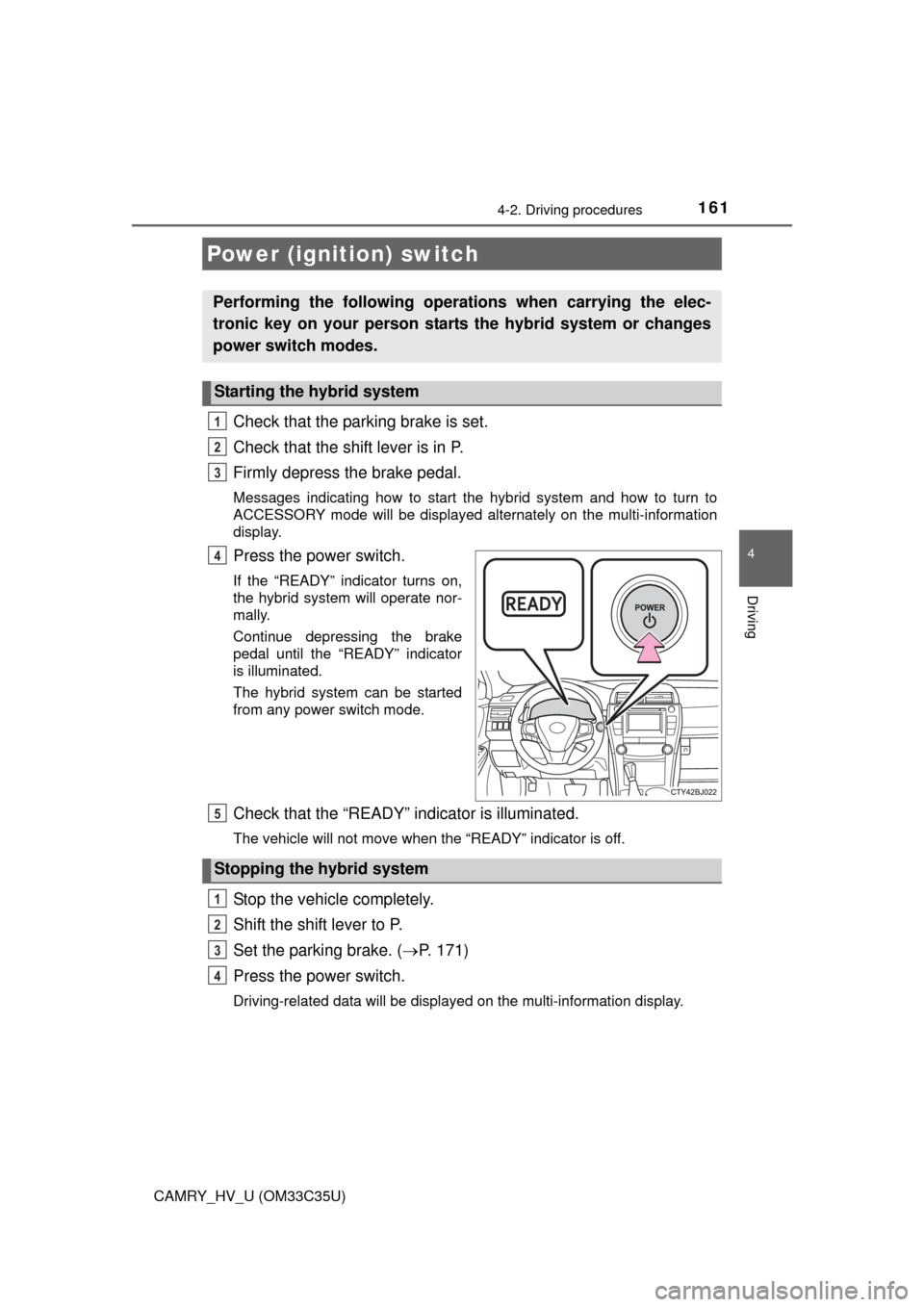
Press the power switch.
If the “READY” indicator turns on,
the hybrid system will operate nor-
mally.
Continue depressing the brake
pedal until the “READY” indicator
is illuminated.
The hybrid system can be started
from any power switch mode.
Check that the “READY” indicator is illuminated.
The vehicle will not move when the “READY” indicator is off.
Stop the vehicle completely.
Shift the shift lever to P.
Set the parking brake. (P. 171)
Press the power switch.
Driving-related data will be displayed on the multi-information display.
Power (ignition) switch
Performing the following operati ons when carrying the elec-
tronic key on your person starts the hybrid system or changes
power switch modes.
Starting the hybrid system
1
2
3
4
Stopping the hybrid system
5
1
2
3
4
Page 162 of 572
1624-2. Driving procedures
CAMRY_HV_U (OM33C35U)
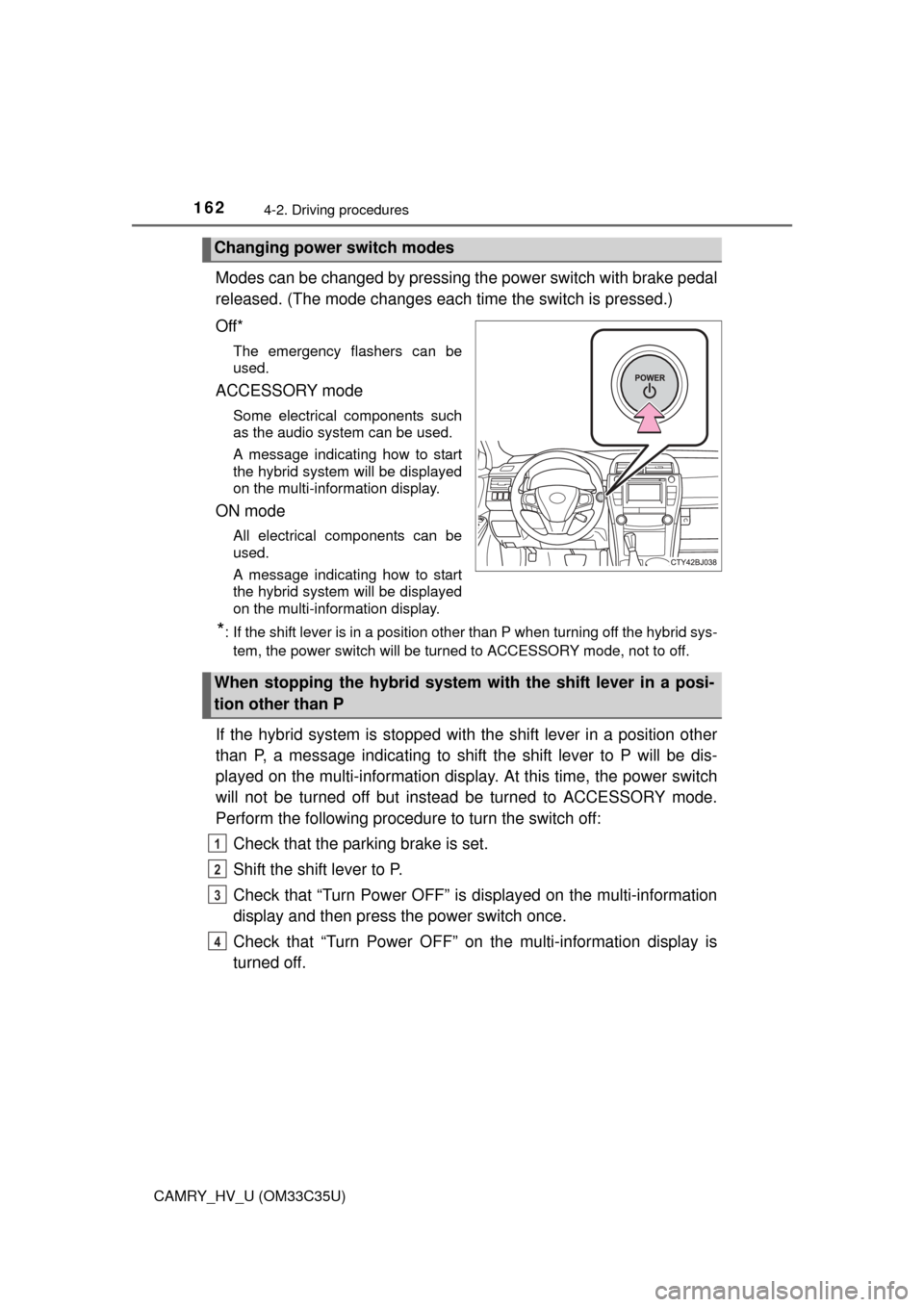
Modes can be changed by pressing the power switch with brake pedal
released. (The mode c hanges each time the switch is pressed.)
Off*
The emergency flashers can be
used.
ACCESSORY mode
Some electrical components such
as the audio system can be used.
A message indicating how to start
the hybrid system will be displayed
on the multi-information display.
ON mode
All electrical components can be
used.
A message indicating how to start
the hybrid system will be displayed
on the multi-information display.
*: If the shift lever is in a position other than P when turning off the hybrid sys- tem, the power switch will be turned to ACCESSORY mode, not to off.
If the hybrid system is stopped with the shift lever in a position other
than P, a message indicating to shift the shift lever to P will be dis-
played on the multi-information disp lay. At this time, the power switch
will not be turned off but instead be turned to ACCESSORY mode.
Perform the following procedure to turn the switch off:
Check that the parking brake is set.
Shift the shift lever to P.
Check that “Turn Power OFF” is displayed on the multi-information
display and then press the power switch once.
Check that “Turn Power OFF” on the multi-information display is
turned off.
Changing power switch modes
When stopping the hybrid system with the shift lever in a posi-
tion other than P
1
2
3
4
Page 163 of 572
1634-2. Driving procedures
4
Driving
CAMRY_HV_U (OM33C35U)
nAuto power off function
If the vehicle is left in ACCESSORY mode for more than 20 minutes or ON
mode (the hybrid system is not operating) for more than an hour with the shift
lever in P, the power switch will automatically turn off. However, this function
cannot entirely prevent 12-volt battery discharge. Do not leave the vehicle
with the power switch in ACCESSORY or ON mode for long periods of time
when the hybrid system is not operating.
n Sounds and vibrations specific to a hybrid vehicle
P. 7 2
n Electronic key battery depletion
P. 108
n When the ambient temperature is low, such as during winter driving con-
ditions
When starting the hybrid system, the flashing time of the “READY” indicator
may be long. Leave the vehicle as it is until the “READY” indicator is steady
on, as steady means the vehicle is able to move.
n Conditions affecting operation
P. 124
n Notes for the entry function
P. 125
n If the hybrid system does not start
lThe immobilizer system may not have been deactivated. ( P. 78)
Contact your Toyota dealer.
l Check that the shift lever is securely set in P. The hybrid system may not
start if the shift lever is displaced out of P.
n Steering lock
After turning the power switch off and opening and closing the doors, the
steering wheel will be locked due to the steering lock function. Operating the
power switch again automatically cancels the steering lock.
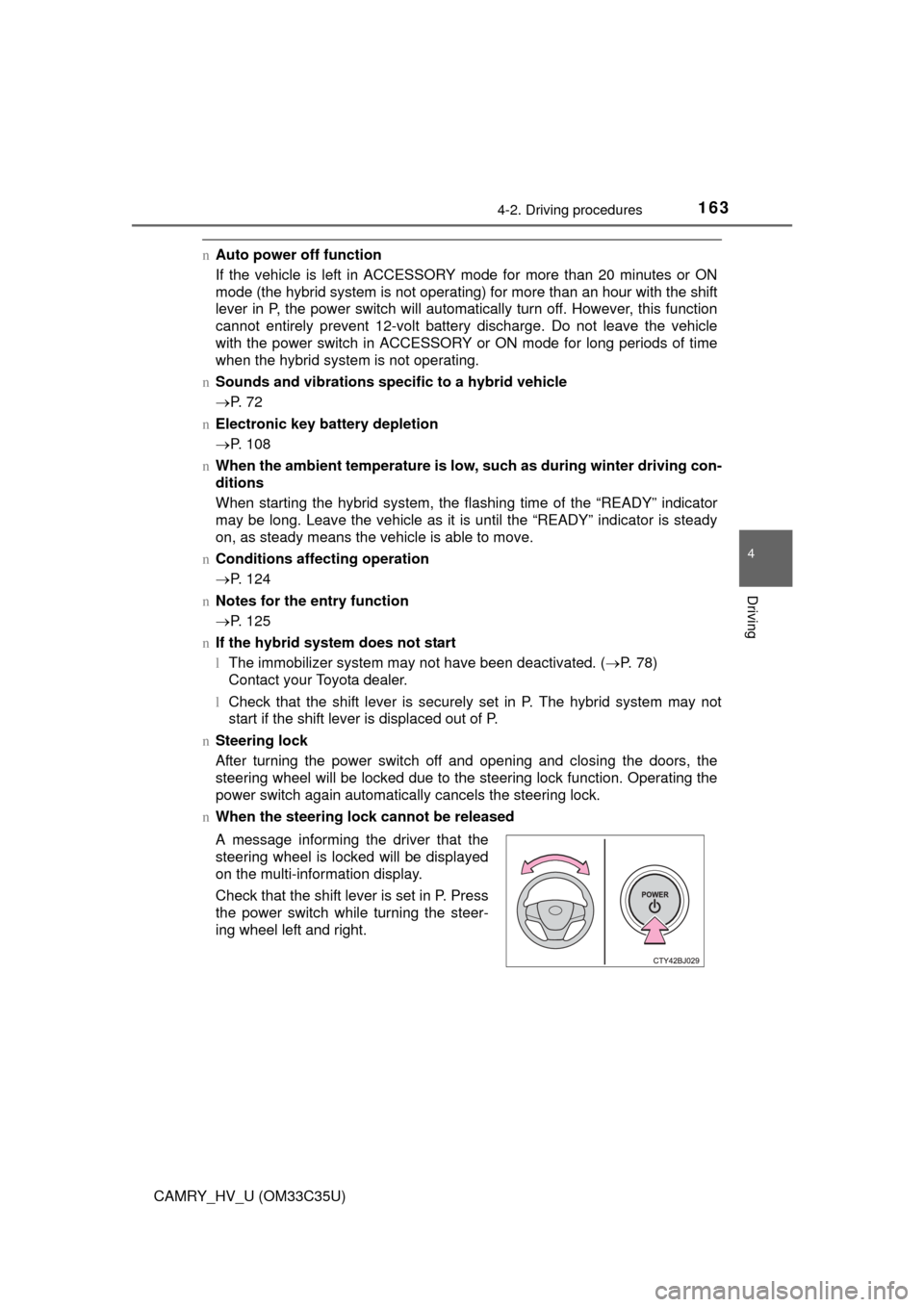
n When the steering lock cannot be released
A message informing the driver that the
steering wheel is locked will be displayed
on the multi-information display.
Check that the shift lever is set in P. Press
the power switch while turning the steer-
ing wheel left and right.
Page 165 of 572

1654-2. Driving procedures
4
Driving
CAMRY_HV_U (OM33C35U)
WARNING
nWhen starting the hybrid system
Always start the hybrid system while sitting in the driver’s seat. Do not
depress the accelerator pedal while starting the hybrid system under any
circumstances.
Doing so may cause an accident resulting in death or serious injury.
n Caution while driving
If hybrid system failure occurs while the vehicle is moving, do not lock or
open the doors until the vehicle reaches a safe and complete stop. Activa-
tion of the steering lock in this circumstance may lead to an accident, result-
ing in death or serious injury.
n Stopping the hybrid syst em in an emergency
If you want to stop the hybrid system in an emergency while driving the
vehicle, press and hold the power switch for more than 2 seconds, or press
it briefly 3 times or more in succession. ( P. 441)
However, do not touch the power switch while driving except in an emer-
gency. Turning the hybrid system off while driving will not cause loss of
steering or braking control, however, power assist to the steering will be
lost. This will make it more difficult to steer smoothly, so you should pull over
and stop the vehicle as soon as it is safe to do so.
NOTICE
n To prevent 12-volt battery discharge
lDo not leave the power switch in ACCESSORY or ON mode for long peri-
ods of time without the hybrid system on.
l Do not stop the hybrid system when the shift lever is in a position other
than P. If the hybrid system is stopped in another shift lever position, the
power switch will not be turned off but instead be turned to ACCESSORY
mode. If the vehicle is left in ACCESSORY mode, 12-volt battery dis-
charge may occur.
n When starting the hybrid system
lDo not depress the accelerator pedal unnecessarily.
l If the hybrid system becomes difficult to start, have your vehicle checked
by your Toyota dealer immediately.
n Symptoms indicating a malf unction with the power switch
If the power switch seems to be operating somewhat differently than usual,
such as the switch sticking slightly, there may be a malfunction. Contact
your Toyota dealer immediately.
Page 390 of 572

3907-2. Maintenance
CAMRY_HV_U (OM33C35U)
WARNING
nIf the hybrid system is operating
Turn the hybrid system off and ensure that there is adequate ventilation
before performing maintenance checks.
Page 397 of 572
3977-3. Do-it-yourself maintenance
7
Maintenance and care
CAMRY_HV_U (OM33C35U)
With the engine at operating temperature and turned off, check the oil
level on the dipstick.
nChecking the engine oilPark the vehicle on level ground. After warming up the engine
and turning it off the hybrid system, wait more than 5 minutes for
the oil to drain back into the bottom of the engine.
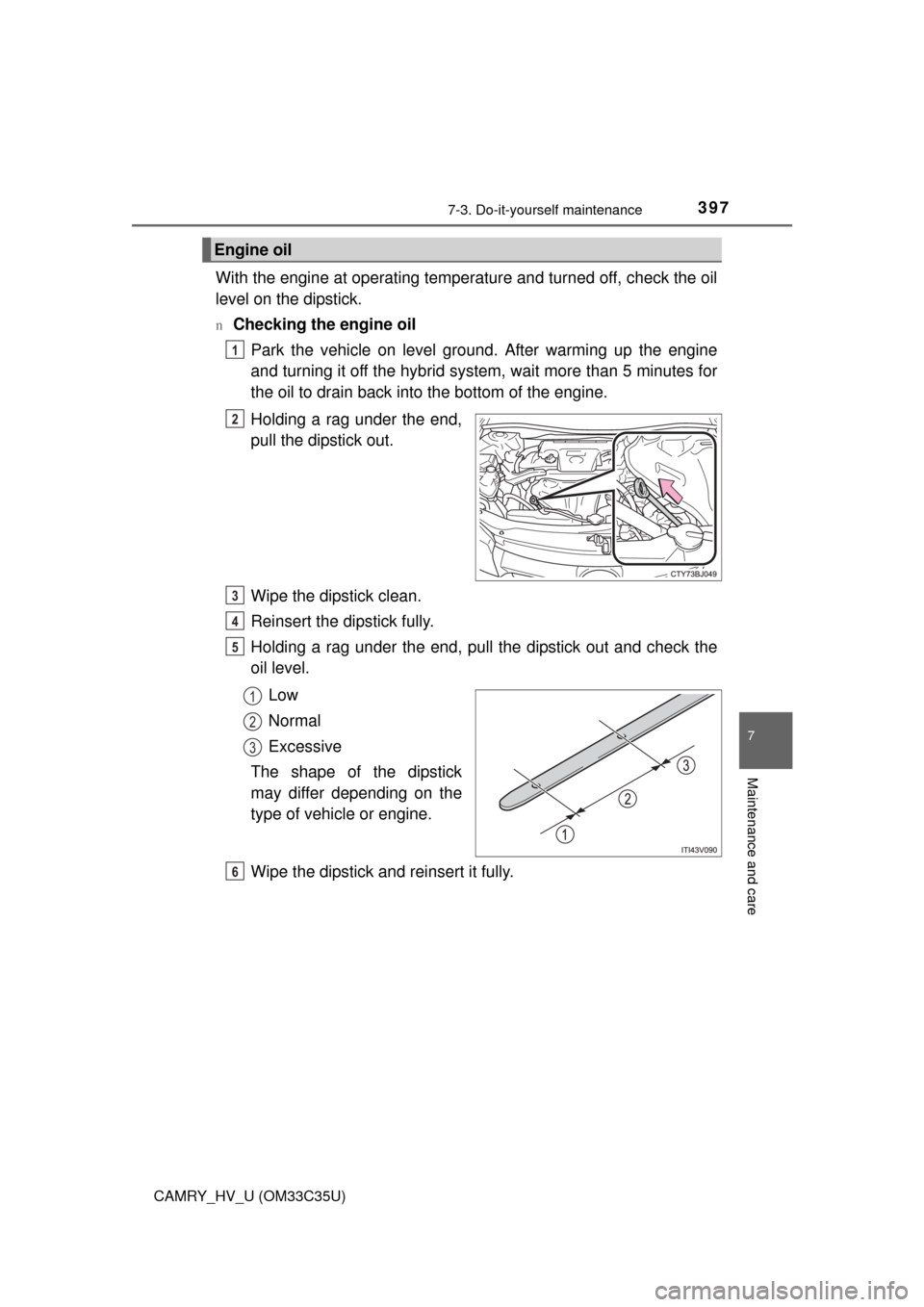
Holding a rag under the end,
pull the dipstick out.
Wipe the dipstick clean.
Reinsert the dipstick fully.
Holding a rag under the end, pull the dipstick out and check the
oil level.
Low
Normal
Excessive
The shape of the dipstick
may differ depending on the
type of vehicle or engine.
Wipe the dipstick and reinsert it fully.
Engine oil
1
2
3
4
5
1
2
3
6
Page 401 of 572
4017-3. Do-it-yourself maintenance
7
Maintenance and care
CAMRY_HV_U (OM33C35U)n
If the coolant level drops within a short time of replenishing
Visually check the radiators, hoses, engine/power control unit coolant reser-
voir caps, drain cock and water pump.
If you cannot find a leak, have your Toyota dealer test the cap and check for
leaks in the cooling system.
Check the radiator and condenser an d clear away any foreign objects.
If either of the above parts is ex tremely dirty or you are not sure of
their condition, have yo ur vehicle inspected by your Toyota dealer.
WARNING
nWhen the hybrid system is hot
Do not remove the engine/power control unit coolant reservoir caps.
The cooling system may be under pressure and may spray hot coolant if the
cap is removed, causing serious injuries, such as burns.
NOTICE
nWhen adding coolant
Coolant is neither plain water nor straight antifreeze. The correct mixture of
water and antifreeze must be used to provide proper lubrication, corrosion
protection and cooling. Be sure to read the antifreeze or coolant label.
n If you spill coolant
Be sure to wash it off with water to prevent it from damaging parts or paint.
Radiator and condenser
WARNING
nWhen the hybrid system is hot
Do not touch the radiator or condenser as they may be hot and cause seri\
-
ous injuries, such as burns.