2016 TOYOTA AVALON approximate 60
[x] Cancel search: approximate 60Page 136 of 492

1363-5. Opening, closing the windows and moon roof
AVALON (U)_(01999-07001)
■The power windows can be operated when
The engine switch is in IGNITION ON mode.
■ Operating the power windows after turning the engine off
The power windows can be operated for approximately 45 seconds even
after the engine switch is turned to ACCESSORY mode or turned off. They
cannot, however, be operated once either front door is opened.
■ Jam protection function
If an object becomes caught between the window and the window frame, win-
dow travel is stopped and the window is opened slightly.
■ When the power window does not close normally
If the jam protection function is operating abnormally and a window cannot be
closed, perform the following operations using the power window switch on
the relevant door.
● After stopping the vehicle, the window can be closed by holding the power
window switch in the one-touch closing position while the engine switch is
turned to IGNITION ON mode.
● If the window still cannot be closed even by carrying out the operation as
explained above, initialize the function by performing the following proce-
dure.
Hold the power window switch in the one-touch closing position. Continue
holding the switch for a further 6 seconds after the window has closed.
Hold the power window switch in the one-touch opening position. Con-
tinue holding the switch for a further 2 seconds after the window has
opened completely.
Hold the power window switch in the one-touch closing position once
again. Continue holding the switch for a further 2 seconds after the win-
dow has closed.
If you release the switch while the window is moving, start again from the
beginning.
If the window continues to close but then re-open slightly even after perform-
ing the above procedure correctly, have the vehicle inspected by your Toyota
dealer.
■ When the battery is disconnected
The window lock switch is disabled. If necessary, press the window lock
switch after reconnecting the battery.
1
2
3
Page 139 of 492

1393-5. Opening, closing the windows and moon roof
3
Operation of each component
AVALON (U)_(01999-07001)
■The moon roof can be operated when
The engine switch is in IGNITION ON mode.
■ Operating the moon roof af ter turning the engine off
The moon roof can be operated for approximately 45 seconds after the
engine switch is turned to ACCESSORY mode or turned off. It cannot, how-
ever, be operated once either front door is opened.
■ Jam protection function
If an object is detected between the moon roof and the frame while the moon
roof is closing or tilting down, travel is stopped and the moon roof opens
slightly.
■ Sunshade
The sunshade can be opened and closed manually. However, the sunshade
will open automatically when the moon roof is opened.
Page 140 of 492

1403-5. Opening, closing the windows and moon roof
AVALON (U)_(01999-07001)■
When the moon roof do es not close normally
Perform the following procedure:
● If the moon roof closes but then re-opens slightly
Stop the vehicle.
Press and hold the “CLOSE” switch.
*1
The moon roof will close, reopen and pause for approximately 10 sec-
onds.
*2 Then it will close again, tilt up and pause for approximately 1 sec-
ond. Finally, it will tilt down, open and close.
Check to make sure that the moon roof is completely closed and then
release the switch.
● If the moon roof tilts down but then tilts back up
Stop the vehicle.
Press and hold the “UP” switch
*1 until the moon roof moves into the tilt
up position and stops.
Release the “UP” switch once and then press and hold the “UP” switch
again.
*1
The moon roof will pause for approximately 10 seconds in the tilt up posi-
tion.
*2 Then it will adjust slightly and pause for approximately 1 second.
Finally, it will tilt down, open and close.
Check to make sure that the moon roof is completely closed and then
release the switch.
*1: If the switch is released at the incorrect time, the procedure will have to
be performed again from the beginning.
*2: If the switch is released after the above mentioned 10 second pause,automatic operation will be disabled. In that case, press and hold the
“CLOSE” or “UP” switch, and the m oon roof will tilt up and pause for
approximately 1 second. Then it will tilt down, open and close. Check to
make sure that the moon roof is completely closed and then release the
switch.
If the moon roof does not fully close even after performing the above proce-
dure correctly, have the vehicle inspected by your Toyota dealer.
1
2
3
1
2
3
4
Page 176 of 492

1764-3. Operating the lights and wipers
AVALON (U)_(01999-07001)
■High beam automatic turning on or off conditions
●When all of the following conditions are fulfilled, the high beam will be auto-
matically turned on (after approximately 1 second):
• Vehicle speed is above approximately 25 mph (40 km/h).
• The area ahead of the vehicle is dark.
• There are no vehicles ahead with headlights or tail lights turned on.
• There are few streetlights on the road ahead.
● If any of the following conditions are fulfilled, the high beam will be automat-
ically turned off:
• Vehicle speed drops below approximately 19 mph (30 km/h).
• The area ahead of the vehicle is not dark.
• Vehicles ahead have headlights or tail lights turned on.
• There are many streetlights on the road ahead.
■ Camera sensor detection information
●The high beam may not be automatically turned off in the following situa-
tions:
• When oncoming vehicles suddenly appear from a curve
• When the vehicle is cut in front of by another vehicle
• When vehicles ahead are hidden from sight due to repeated curves, road
dividers or roadside trees
• When vehicles ahead appear from the faraway lane on wide road
• When vehicles ahead have no lights
● The high beam may be turned off if a vehicle ahead that is using fog lights
without using the headlights is detected.
● House lights, street lights, traffic signals, and illuminated billboards or signs
may cause the high beam to switch to the low beams, or the low beams to
remain on.
● The following factors may affect the amount of time taken to turn the high
beam on or off:
• The brightness of headlights, fog lights, and tail lights of vehicles ahead
• The movement and direction of vehicles ahead
• When a vehicle ahead only has operational lights on one side
• When a vehicle ahead is a two-wheeled vehicle
• The condition of the road (gradient, curve, condition of the road surface
etc.)
• The number of passengers and amount of luggage
● The high beam may be turned on or off when the driver does not expect it.
● Bicycles or similar objects may not be detected.
Page 201 of 492

2014-5. Using the driving support systems
4
Driving
AVALON (U)_(01999-07001)
■Operational conditions
For vehicles sold in regions where the pedestrian detection function and
pre-collision braking function are available
*4
The pre-collision system is enabled and the system determines that the pos-
sibility of a frontal collision with a vehicle or pedestrian is high.
Each function is operational at the following speeds:
●Pre-collision warning:
• Vehicle speed is approximately 7 mph (10 km/h) or more. (For detecting a
pedestrian, vehicle speed is between approximately 7 and 50 mph [10
and 80 km/h].)
• The relative speed between your vehicle and the vehicle or pedestrian ahead is approximately 7 mph (10 km/h) or more.
● Pre-collision brake assist:
• Vehicle speed is approximately 19 mph (30 km/h) or more. (For detecting
a pedestrian, vehicle speed is between approximately 19 and 50 mph [30
and 80 km/h].)
• The relative speed between your vehicle and the vehicle or pedestrian
ahead is approximately 19 mph (30 km/h) or more.
● Pre-collision braking:
• Vehicle speed is approximately 7 mph (10 km/h) or more. (For detecting a
pedestrian, vehicle speed is between approximately 7 and 50 mph [10
and 80 km/h].)
• The relative speed between your vehicle and the vehicle or pedestrian ahead is approximately 7 mph (10 km/h) or more.
The system may not operate in the following situations:
● If a battery terminal has been disconnected and reconnected and then the
vehicle has not been driven for a certain amount of time
● If the shift lever is in R
● If VSC is disabled (only the pre-collision warning function will be opera-
tional)
● If the PCS warning light is flashing or illuminated
For vehicles sold in regions where the pedestrian detection function is not
available and the pre-collision braking function is available
*4
The pre-collision system is enabled and the system determines that the pos-
sibility of a frontal collision with a vehicle is high.
Each function is operational at the following speeds:
●Pre-collision warning:
• Vehicle speed is approximately 10 mph (15 km/h) or more.
• The relative speed between your vehicle and the vehicle or pedestrian
ahead is approximately 7 mph (10 km/h) or more.
● Pre-collision brake assist:
• Vehicle speed is approximately 19 mph (30 km/h) or more.
• The relative speed between your vehicle and the vehicle or pedestrian
ahead is approximately 19 mph (30 km/h) or more.
Page 202 of 492

2024-5. Using the driving support systems
AVALON (U)_(01999-07001)●
Pre-collision braking:
• Vehicle speed is approximately 10 mph (15 km/h) or more.
• The relative speed between your vehicle and the vehicle or pedestrian
ahead is approximately 7 mph (10 km/h) or more.
The system may not operate in the following situations:
● If a battery terminal has been disconnected and reconnected and then the
vehicle has not been driven for a certain amount of time
● If the shift lever is in R
● If VSC is disabled (only the pre-collision warning function will be opera-
tional)
● If the PCS warning light is flashing or illuminated
For vehicles sold in regions where the pedestrian detection function and
pre-collision braking function are not available
*4
The pre-collision system is enabled and the system determines that the pos-
sibility of a frontal collision with a vehicle is high.
Each function is operational at the following speeds:
●Pre-collision warning:
• Vehicle speed is approximately 10 mph (15 km/h) or more.
• The relative speed between your vehicle and the vehicle or pedestrian
ahead is approximately 7 mph (10 km/h) or more.
● Pre-collision brake assist:
• Vehicle speed is approximately 19 mph (30 km/h) or more.
• The relative speed between your vehicle and the vehicle or pedestrian
ahead is approximately 19 mph (30 km/h) or more.
The system may not operate in the following situations:
● If a battery terminal has been disconnected and reconnected and then the
vehicle has not been driven for a certain amount of time
● If the shift lever is in R
● If VSC is disabled (only the pre-collision warning function will be opera-
tional)
● If the PCS warning light is flashing or illuminated
*4: Depending on the region in which the vehicle was sold, the pedestrian
detection function and pre-collision braking function may not be available.
Page 203 of 492
2034-5. Using the driving support systems
4
Driving
AVALON (U)_(01999-07001)■
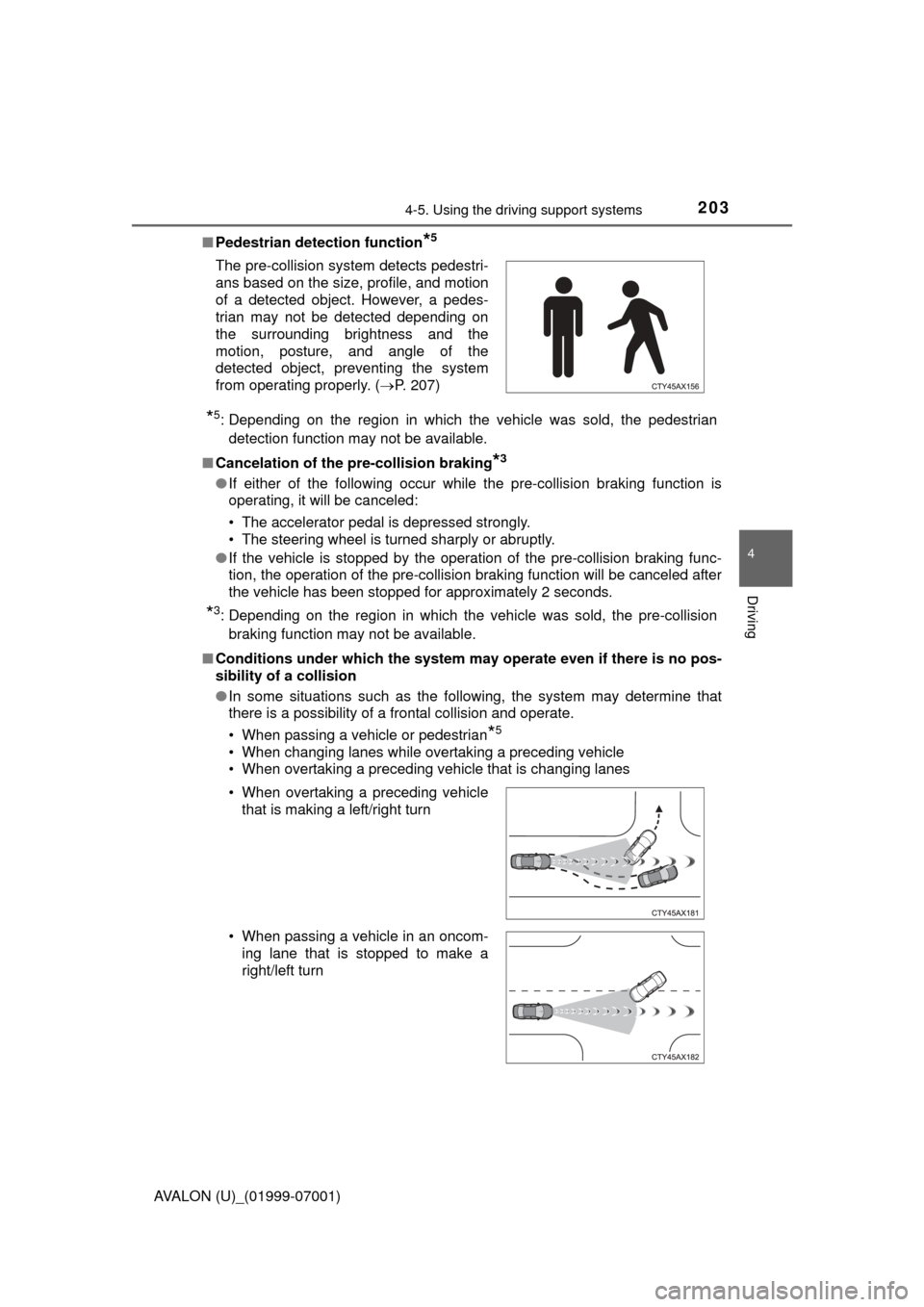
Pedestrian detection function
*5
*5: Depending on the region in which the vehicle was sold, the pedestrian
detection function may not be available.
■ Cancelation of the pre-collision braking
*3
●If either of the following occur while the pre-collision braking function is
operating, it will be canceled:
• The accelerator pedal is depressed strongly.
• The steering wheel is turned sharply or abruptly.
● If the vehicle is stopped by the operation of the pre-collision braking func-
tion, the operation of the pre-collision braking function will be canceled after
the vehicle has been stopped for approximately 2 seconds.
*3: Depending on the region in which the vehicle was sold, the pre-collision
braking function may not be available.
■ Conditions under which the system ma y operate even if there is no pos-
sibility of a collision
● In some situations such as the following, the system may determine that
there is a possibility of a frontal collision and operate.
• When passing a vehicle or pedestrian
*5
• When changing lanes while overtaking a preceding vehicle
• When overtaking a preceding vehicle that is changing lanes
The pre-collision system detects pedestri-
ans based on the size, profile, and motion
of a detected object. However, a pedes-
trian may not be detected depending on
the surrounding brightness and the
motion, posture, and angle of the
detected object, preventing the system
from operating properly. (
P. 207)
• When overtaking a preceding vehicle that is making a left/right turn
• When passing a vehicle in an oncom- ing lane that is stopped to make a
right/left turn
Page 207 of 492

2074-5. Using the driving support systems
4
Driving
AVALON (U)_(01999-07001)●
In some situations such as the following, sufficient braking force may not be
obtained, preventing the system from performing properly:
• If the braking functions cannot operate to their full extent, such as when
the brake parts are extremely cold, extremely hot, or wet
• If the vehicle is not properly maintained (brakes or tires are excessively worn, improper tire inflation pressure, etc.)
• When the vehicle is being driven on a gravel road or other slippery sur-
face
● Some pedestrians such as the following may not be detected by the radar
sensor and camera sensor, preventing the system from operating prop-
erly
*5:
• Pedestrians shorter than approximately 3.2 ft. (1 m) or taller than approx- imately 6.5 ft. (2 m)
• Pedestrians wearing oversized clothing (a rain coat, long skirt, etc.), mak-
ing their silhouette obscure
• Pedestrians who are carrying large baggage, holding an umbrella, etc., hiding part of their body
• Pedestrians who are bending forward or squatting
• Pedestrians who are pushing a stroller, wheelchair, bicycle or other vehi-
cle
• Groups of pedestrians which are close together
• Pedestrians who are wearing white and look extremely bright
• Pedestrians in the dark, such as at night or while in a tunnel
• Pedestrians whose clothing appears to be nearly the same color or brightness as their surroundings
• Pedestrians near walls, fences, guardrails, or large objects
• Pedestrians who are on a metal object (manhole cover, steel plate, etc.) on the road
• Pedestrians who are walking fast
• Pedestrians who are changing speed abruptly
• Pedestrians running out from behind a vehicle or a large object
• Pedestrians who are extremely close to the side of the vehicle (outside rear view mirror, etc.)
*5: Depending on the region in which the vehicle was sold, the pedestrian
detection function may not be available.