2016 SUBARU WRX roof
[x] Cancel search: roofPage 127 of 594
Keys and doors/Moonroof
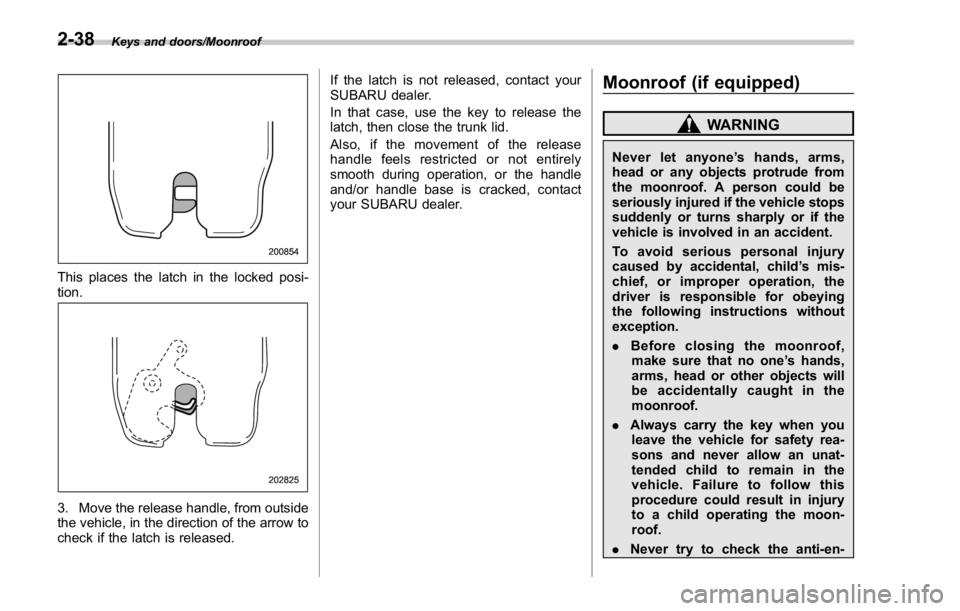
This places the latch in the locked posi-
tion.
3. Move the release handle, from outside
the vehicle, in the direction of the arrow to
check if the latch is released. If the latch is not released, contact your
SUBARU dealer.
In that case, use the key to release the
latch, then close the trunk lid.
Also, if the movement of the release
handle feels restricted or not entirely
smooth during operation, or the handle
and/or handle base is cracked, contact
your SUBARU dealer.
Moonroof (if equipped) WARNINGNever let anyone ’ shands,arms,
head or any objects protrude from
the moonroof. A person could be
seriously injured if the vehicle stops
suddenly or turns sharply or if the
vehicle is involved in an accident.
To avoid serious personal injury
caused by accidental, child ’ s mis-
chief, or improper operation, the
driver is responsible for obeying
the following instructions without
exception.
. Before closing the moonroof,
make sure that no one ’ s hands,
arms, head or other objects will
be accidentally caught in the
moonroof.
. Always carry the key when you
leave the vehicle for safety rea-
sons and never allow an unat-
tended child to remain in the
vehicle. Failure to follow this
procedure could result in injury
to a child operating the moon-
roof.
. Never try to check the anti-en-2-38
Page 128 of 594

trapment function by deliberately
placing part of your body in the
moonroof.
CAUTION. Do not sit on the edge of the open
moonroof.
. Do not operate the moonroof if
falling snow or extremely cold
conditions have caused it to
freeze shut.
. The anti-entrapment function
does not operate when the moon-
roof is being tilted down. Be sure
to confirm that it is safe to do so
before tilting the moonroof down.
. If the moonroof does not close,
we recommend that you have the
system checked by a SUBARU
dealer.
The moonroof has both tilting and sliding
functions.
The moonroof operates only when the
ignition switch is in the “ ON ” position. & Moonroof switches ! Tilting moonroof
1) Raise
2) Lower
The tilting function is activated only when
the moonroof is fully closed.
To raise:
Press and hold the rear side of the “ UP/
DOWN ” switch for a short time. The
moonroof raises completely.
To lower:
Press and hold the front side of the “ UP/
DOWN ” switch until the preferred position
has reached.
Release the switch after the moonroof has
been raised or has been lowered com- pletely. Pressing the switch continuously
may cause damage to the moonroof.
NOTE One-touch operation does not take
place when the moonroof is lowered.
Press the switch continuously to lower
the moonroof.
! Sliding moonroof
1) Open
2) Close
Tilt down the moonroof completely before
performing the sliding operation.
To open:
Press the rear side of the “ OPEN/CLOSE ”
switch. The sun shade will also be opened
together with the moonroof. The moonroof
will stop once at a midway position. Press Keys and doors/Moonroof
– CONTINUED –2-39
Page 129 of 594
Keys and doors/Moonroof
the rear side of the switch again to open
the moonroof completely.
To close:
Press the front side of the “ OPEN/CLOSE ”
switch.
To stop the moonroof at a selected mid-
way position while opening or closing it,
momentarily push the switch to the
“ OPEN ” side or “ CLOSE ” side.
After washing the vehicle or after it rains,
wipe away water on the roof prior to
opening the moonroof to prevent drops
of water from falling into the passenger
compartment.
NOTE Driving with the moonroof fully open
can cause an annoying sound to be
generated at high speeds. If this oc-
curs, use the moonroof at the midway
stop position when the moonroof is
opened.
! Anti-entrapment function
When the moonroof senses a substantial
enough object trapped between its glass
and the vehicle ’ s roof during closure, it
automatically moves back to the fully open
position and stops there. The anti-entrap-
ment function may also be activated by a
strong shock on the moonroof even when there is nothing trapped.
CAUTIONNever attempt to test this function
using fingers, hands or other parts
of your body.
NOTE For the sake of safety, it is recom-
mended that you avoid driving with the
moonroof fully opened.
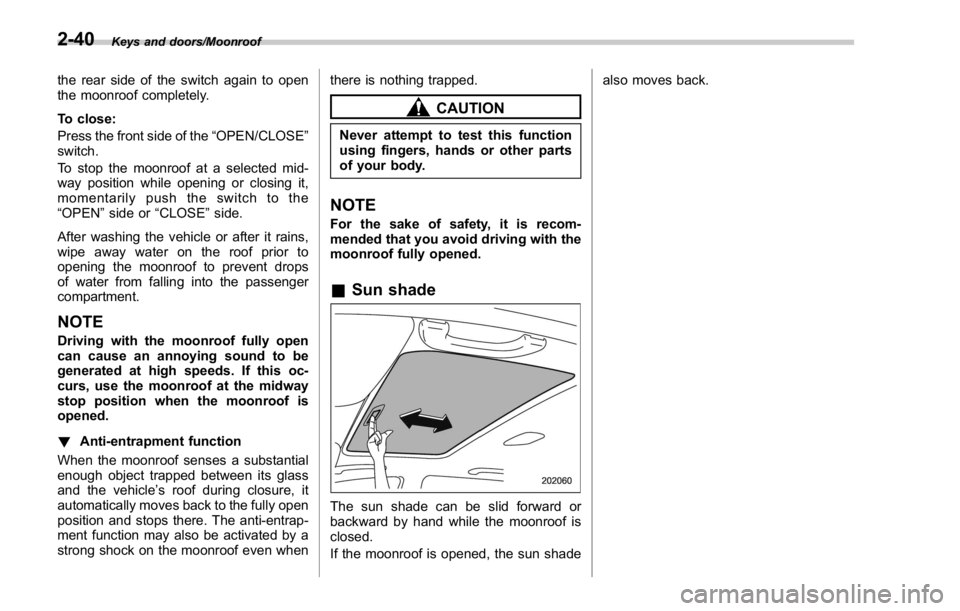
& Sun shade
The sun shade can be slid forward or
backward by hand while the moonroof is
closed.
If the moonroof is opened, the sun shade also moves back.
2-40
Page 133 of 594

Instruments and controls/Ignition switch (models without push – button start system)
Ignition switch (models with-
out push-button start sys-
tem) WARNING. Never turn the ignition switch to
“ LOCK ” while the vehicle is
being driven or towed because
that will lock the steering wheel,
preventing steering control. And
when the engine is turned off, it
takes a much greater effort than
usual to steer.
. Before leaving the vehicle, al-
ways remove the key from the
ignition switch for safety and
never allow an unattended child
to remain in the vehicle. Failure
to follow this procedure could
result in injury to a child or
others. Children could operate
the power windows, the moon-
roof or other controls or even
make the vehicle move.
CAUTION
Do not attach a large key holder or
key case to either key. If it banged against your knees or hands while
you are driving, it could turn the
ignition switch from the “ ON ” posi-
tion to the “ ACC ” or “ LOCK ” posi-
tion, thereby stopping the engine.
Also, if the key is attached to a
keyholder or to a large bunch of
other keys, centrifugal force may act
on it as the vehicle moves, resulting
in unwanted turning of the ignition
switch.
The ignition switch has four positions:
LOCK, ACC, ON and START.
NOTE . Keep the ignition switch in the
“ LOCK ” position when the engine is
not running. . Using electrical accessories for a
long time with the ignition switch in the
“ ON ” or “ ACC ” position can cause the
battery to go dead.
. If the ignition switch will not move
from the “ LOCK ” position to the “ ACC ”
position, turn the steering wheel
slightly to the left and right as you turn
the ignition switch.
& LOCK The key can only be inserted or removed
in this position. The ignition switch will lock
the steering wheel when you remove the
key.
If turning the key is difficult, turn the
steering wheel slightly to the right and left
as you turn the key.3-4
Page 256 of 594

Antenna system .................................................. 5-2Roof antenna ...................................................... 5-2
FM reception ....................................................... 5-2
Installation of accessories .................................. 5-3
Audio set ............................................................. 5-3Audio set ............................................................ 5-4
Basic information before use ............................. 5-5Initial screen ....................................................... 5-5
Loading and unloading a disc .............................. 5-5
Connecting and disconnecting a USB memory/
portable device ................................................. 5-6
Touch screen gestures ........................................ 5-7
Touch screen operation ....................................... 5-7
Entering letters and numbers/list screen
operation .......................................................... 5-8
Screen adjustment .............................................. 5-9
Other settings ..................................................... 5-10
Basic operation .................................................. 5-12Some basics ...................................................... 5-12
Audio/visual remote controls ............................ 5-18Steering switches ............................................... 5-18
Tips for operating the audio/visual system ...... 5-21Operating information. ........................................ 5-21
Useful information .............................................. 5-28
SiriusXM Data Service* ....................................... 5-28
STARLINK .......................................................... 5-30
Radio operation .................................................. 5-33
AM/FM radio ....................................................... 5-33
SiriusXM Satellite Radio ..................................... 5-45 Media operation ................................................. 5-50CD .................................................................... 5-50
USB memory ..................................................... 5-53
iPod .................................................................. 5-56
Bluetooth audio ................................................. 5-60
aha TM
by HARMAN ............................................ 5-64
AUX .................................................................. 5-73
Pandora ®
........................................................... 5-76
Bluetooth ®
settings ........................................... 5-81Registering/connecting Bluetooth ®
device .......... 5-81
Setting Bluetooth details .................................... 5-84
Phone operation (Hands-free system for
cellular phones) .............................................. 5-87Quick reference ................................................. 5-87
Some basics ...................................................... 5-88
Calling on the Bluetooth phone .......................... 5-91
Receiving on the Bluetooth phone ...................... 5-98
Talking on the Bluetooth phone .......................... 5-99
Setup ................................................................ 5-101 Phone settings ................................................ 5-101
What to do if.... ................................................. 5-103Troubleshooting ............................................... 5-103
Voice command system operation ................. 5-107
Voice command system ................................... 5-107
Command list ................................................... 5-110
Appendix .......................................................... 5-114
Certification ..................................................... 5-114
Certification for the Hands-free system ............. 5-115
Certification for Mexico models ........................ 5-115Audio
5
Page 257 of 594

Audio/Antenna system
Antenna system & Roof antenna
The shark-fin type roof antenna is installed
in the center at the rear of the roof. & FM reception Although FM is normally static free,
reception can be affected by the surround-
ing area, atmospheric conditions, station
strength and transmitter distance. Build-
ings or other obstructions may cause
momentary static, flutter or station inter-
ference. If reception continues to be
unsatisfactory, switch to a stronger station.5-2
Page 276 of 594

Tips for operating the audio/
visual system & Operating information CAUTION. To avoid damage to the audio/
visual system:
– Be careful not to spill bev-
erages over the audio/visual
system.
– Do not put anything other than
an appropriate disc into the
disc slot.
NOTE The use of a cellular phone inside or
near the vehicle may cause a noise
from the speakers of the audio/visual
system which you are listening to.
However, this does not indicate a
malfunction.
! Radio
Usually, a problem with radio reception
does not mean there is a problem with the
radio — it is just the normal result of
conditions outside the vehicle.
For example, nearby buildings and terrain can interfere with FM reception. Power
lines or phone wires can interfere with AM
signals. And of course, radio signals have
a limited range. The farther the vehicle is
from a station, the weaker its signal will
be. In addition, reception conditions
change constantly as the vehicle moves.
Here, some common reception problems
that probably do not indicate a problem
with the radio are described.
! FM
Fading and drifting stations: Generally, the
effective range of FM is about 25 miles (40
km). Once outside this range, you may
notice fading and drifting, which increase
with the distance from the radio transmit-
ter. They are often accompanied by
distortion.
Static and fluttering: These occur when
signals are blocked by buildings, trees or
other large objects. Increasing the bass
level may reduce static and fluttering.
Station swapping: If the FM signal being
listened to is interrupted or weakened, and
there is another strong station nearby on
the FM band, the radio may tune in the
second station until the original signal can
be picked up again. ! AM
Fading: AM broadcasts are reflected by
the upper atmosphere — especially at
night. These reflected signals can inter-
fere with those received directly from the
radio station, causing the radio station to
sound alternately strong and weak.
Station interference: When a reflected
signal and a signal received directly from
a radio station are very nearly the same
frequency, they can interfere with each
other, making it difficult to hear the broad-
cast.
Static: AM is easily affected by external
sources of electrical noise, such as high
tension power lines, lightening or electrical
motors. This results in static.
! SiriusXM
. Cargo loaded on the roof luggage
carrier, especially metal objects, may
adversely affect the reception of SiriusXM
Satellite Radio.
. Alternation or modifications carried out
without appropriate authorization may in-
validate the user ’ s right to operate the
equipment.Audio/Tips for operating the audio/visual system
– CONTINUED –5-21
Page 345 of 594

Audio/Phone operation (Hands – free system for cellular phones)
Type A
Type B ! Voice command system
Press this switch to operate the voice
command system.
& 1
Talk switch
. The voice command system and its list
of commands can be operated. Refer to
“ Voice command system operation ” F 5-
108.
NOTE . The other party ’ s voice will be heard
from the front speakers. The audio/
visual system will be muted during
phone calls or when hands-free voice
commands are used.
. Talk alternately with the other party
on the phone. If both parties speak at
the same time, the other party may not hear what has been said. (This is not a
malfunction.)
. Keep call volume down. Otherwise,
the other party ’ s voice may be audible
outside the vehicle and voice echo may
increase. When talking on the phone,
speak clearly towards the microphone.
. The other party may not hear you
clearly when:
– Drivingonanunpavedroad.
(Making excessive traffic noise.)
– Driving at high speeds.
– The roof or windows are open.
– The air conditioning vents are
pointed towards the microphone.
– The sound of the air conditioning
fan is loud.
– Thereisanegativeeffecton
sound quality due to the phone
and/or network being used.
! About the contacts in the contact
list
. The following data is stored for every
registered phone. When another phone is
connected, the following registered data
cannot be read:
– Contact data
NOTE
When a phone ’ s registration is deleted,
the above-mentioned data is also de-5-90