2016 SKODA OCTAVIA Bolero
[x] Cancel search: BoleroPage 4 of 324

Table of Contents
Liability for defects and ŠKODA Warranty for
new cars5
Printed Owner's Manual
7
Online Owner's Manual
8
Notes
9
Structure of the Owner's Manual and further
information
10
Abbreviations
Safety
Passive Safety
12
General information
12
Correct and safe seated position
12
Seat belts
15
Using seat belts
15
Inertia reel and belt pretensioners
17
Airbag system
18
Description of the airbag system
18
Airbag deactivation
21
Transporting children safely
22
Child seat
22
Fastening elements
25
Using the system
cockpit
29
Overview
28
Instruments and warning lights
30
Instrument cluster
30
Warning lights
32Information system41Driver information system41
Operation of the information system
43
Driving data (Multifunction display)
44
MAXI DOT display
46
Service interval display
48
SmartGate
48
Unlocking and opening
51
Unlocking and locking
51
Anti-theft alarm system
55
Manually operated tailgate
56
Electric boot lid
57
Window operation
59
Panoramic tilt / slide sunroof
61
Lights and visibility
64
Light
64
Interior lighting
69
Viisibility
70
Windscreen wipers and washers
72
Rear view mirror
73
Seats and head restraints
76
Front seats
76
Rear seats
79
Headrests
80
Seat heaters
81
Useful features
82
Interior fittings
82
Electrical sockets
90
Ashtray and cigarette lighter
91
Tablet holder
92
Transport of cargo
93
Luggage compartment and transporting
objects
93
Variable loading floor in the luggage
compartment (Estate)
100Net partition102Transport on the roof rack103
Heating and ventilation
104
Heating, manual air conditioning system,
Climatronic
104
Auxiliary heating (auxiliary heating and
ventilation)
108
Infotainment
Introductory information
112
Important information
112
Infotainment overview
113
Infotainment operation
116
Infotainment operation
116
Voice control
119
Software update
122
Infotainment settings - Columbus, Amundsen,
Bolero
122
Infotainment system settings
122
Radio menu settings
125
Media menu settings
126
Image menu settings
126
Video DVD menu settings
126
Telephone menu settings
126
SmartLink menu settings
128
Navigation menu settings
128
Infotainment settings - Swing
130
Infotainment system settings
130
Radio menu settings
131
Media menu settings
132
Telephone menu settings
132
Radio
133
Operation
1332Table of Contents
Page 108 of 324

Adjust fan speed (the setting is indicated by the number of illuminated
control lamps shown in the knob)
Adjust the temperature for the left side (or for both sides) 1)
▶ Reduce the temperature /
Increase the temperature
Adjust the temperature for the right side (or for both sides) 2)
▶ Reduce the temperature /
Increase the temperature
Depending on equipment fitted:
▶ Auxiliary heating and ventilation on / switch off » page 109
▶ Switch off Climatronic
Interior temperature sensor
Switch recirculation on/off » page 107
Intense air flow to the windscreen on / off (when switching on, the air
flow to the windows and
is also switched on)
Switch on/off the rear window heater » page 71
Switch on/off the windscreen heating » page 71
Setting Climatronic in Infotainment (also operate with some functions)
Synchronize the temperature inside the entire vehicle according to the
temperature setting on the driver's side
Switching automatic mode on » page 107
Switch the cooling system on/off
When the function is switched on, a warning light lights up within or below the
button.
Setting temperature
The temperature can be set on the Climatronic control unit or in Infotain-
ment » page 106 . In the range between 16 ° C to 29.5 ° C, an automatic tem-
perature control takes place.
At a temperature setting below 16 ° C, lights up in the temperature display,
the Climatronic functions with maximum cooling performance .
At a temperature setting over 29.5 ° C, lights up in the temperature display,
the Climatronic functions with maximum heating output.
CAUTION
Do not cover the interior temperature sensor H » Fig. 129 - the function of the
Climatronic could be affected.DEFGHNoteIn order to ensure adequate thermal comfort, there may be an increase in en-
gine idle speed during operation of the Climatronic in some circumstances.
Operate Climatronic in Infotainment
Fig. 130
Infotainment Columbus, Amund-
sen, Bolero:Climatronic main
menu
Fig. 131
Infotainment Swing: Climatronic
main menu
Read and observe on page 105 first.
›
To display the main menupress the button
on the Climatronic control
unit.
Function surfaces and screen display » Fig. 130 and. » Fig. 131ADisplays the current operation mode (or set the operation mode) of
the ClimatronicBSet the desired temperature, front - left sideCSet the desired temperature, front - right sideDSetting the power in operation 1)
Applies to left-hand drive vehicles.
2)
Applies to right-hand drive vehicles.
106Using the system
Page 116 of 324

Description - Infotainment BoleroFig. 140
Infotainment Bolero
Left control dial for switching Infotainment on and off; volume adjustment
Control dial for calls and confirmations
- Radio menu » page 133
- Media menu » page 136
- Telephone menu » page 149
- Voice control » page 119
- Infotainment settings » page 122
- Sound settings » page 122
- Vehicle system settings » page 187
- Overview of Infotainment menus » page 118
Touchscreen » page 115
123456789Description - Infotainment SwingFig. 141
Infotainment Swing
Left control dial for switching Infotainment on and off; volume adjustment
Control dial for calls and confirmations
- Radio menu » page 133
- Media menu » page 136
Depending on equipment fitted:
▶
-Telephone menu » page 149
▶ - Muting
- Infotainment settings » page 130
- Sound settings » page 130
- Vehicle system settings » page 187
Touchscreen » page 115
SD card slot » page 140
12345678114Infotainment
Page 117 of 324

External moduleFig. 142
External Module: Infotainment Columbus with SIM card slot / In-
fotainment Columbus without a SIM card slot
Fig. 143
External Module: Infotainment Bolero / Infotainment Amundsen
The external module is located in the storage compartment on the front pas-
senger side.
SD1 card slot
SD2 card slot
- CD / DVD eject button
CD / DVD slot
SIM card slot
12345Touch screen
Applies to Infotainment Columbus, Amundsen, Bolero.
Infotainment is equipped with a touch screen which can be operated with a
light touch or swipe of a finger.
The brightness level of the screen can be set » page 123.
CAUTION
■
It is not possible to operate the screen with your fingernails or while wearing
gloves.■
To protect the screen, you can use a suitable screen protector for touch pads
that does not affect its functionality.
■
Dirt can be removed from the screen by using a soft cloth and, if necessary,
methylated spirits.
Touch screen
Applies to Infotainment Swing.
Infotainment is equipped with a touch screen that can be operated by light
finger pressure on the screen surface.
The brightness level of the screen can be set » page 130.
CAUTION
■
The screen can only be operated by a slight touch of a finger. If there is too
much pressure there is a risk of damage to the screen!■
To protect the screen, you can use a suitable screen protector for touch pads
that does not affect its functionality.
■
Dirt can be removed from the screen by using a soft cloth and, if necessary,
methylated spirits.
115Introductory information
Page 118 of 324

Infotainment operation
Infotainment operation
Operation principles and screen areas
Fig. 144
Infotainment Columbus, Amundsen, Bolero: Screen areas/ screen
display
Fig. 145
Infotainment Swing: Screen areas / screen display
Screen display description » Fig. 144 and » Fig. 145 .
Status line with time and outdoor temperature data and other information
Information and the operation of the current menu
Function surfaces of the current menu
Identification of the current menu
Return to the higher-level menu
Sliding regulator
ABCDEFMenu item with “Checkbox”
▶ - Function is switched on
▶ - Function is switched off
/
Open a sub menu of the menu item with the “pop-up window”
Function surfaces
The screen areas which confirm a function or a menu are called “ function sur-
faces ”.
▶ White text - the surface is active and thus selectable
▶ Grey text - the surface is inactive and therefore not selectable
▶ Green frame - currently selected surface
Selecting menu/menu item/function ▶ By moving your finger across the screen in the desired direction (applies to
Infotainment Columbus, Amundsen, Bolero).
▶ By tapping on the function surface or
» Fig. 145 (Applies to Infotainment
Swing).
▶ By turning the knob .
Confirm menu/menu item/function
▶ By tapping on the function surface.
▶ By pressing the knob .
Returning to higher-level menu ▶ By tapping on the function surface .
▶ By tapping on the screen outside of the “pop-up window”.
▶ By pressing the corresponding button next to the screen (e.g. in the menu
Media , by pressing the
button).
Select the menu item / function value ▶ - Selected menu item / function value
▶ - Deselected menu item / function value
Set value ▶ By pressing the function surface with one of the following symbols
.
▶ By touching or moving your finger over the scale.
▶ Turning the knob .
Note
Depending on the equipment fitted, Infotainment can be operated using the
buttons on the multifunction steering wheel. Further information » page 43.GH116Infotainment
Page 120 of 324

Restart of Infotainment
If Infotainment does not respond (if it “freezes”) This can be restarted by hold-
ing
for longer than 10 s.
Adjusting the volume
Every change in volume is displayed on the screen.
›
To increase the volume , turn the controller clockwise.
›
To
reduce volume , turn the controller anticlockwise.
›
To
mute , turn the controller to the left to 0.
›
or:
press the button (applies to Infotainment Swing).
The following symbol appears on the screen when the sound is muted .
If, at the time of muting, sound is played from the source in the Media menu,
then the playback is interrupted (pause) 1)
.
CAUTION
■ High volumes can cause sound resonance in the vehicle.■When changing or connecting an audio source, this may cause sudden
changes in volume. Reduce the volume before changing or connecting an au-
dio source.
Infotainment menus
Applies to Infotainment Columbus, Amundsen, Bolero.
Fig. 148
Overview of Infotainment menu
›
To display the overview of the Infotainment menu press the button .
Overview of Infotainment menu
» Fig. 148
Radio menu » page 133
Media menu » page 136
Images menu » page 144
Sound settings » page 122
Infotainment settings
Vehicle system settings » page 187
List of traffic messages (TMC) » page 185 (Applies to Infotainment Colum-
bus, Amundsen)
Navigation menu » page 169 (Applies to Infotainment Columbus, Amund-
sen)
Telephone menu » page 149
Media Command menu » page 147 (Applies to Infotainment Amundsen)
SmartLink menu » page 165
When connecting a supported external device instead of the symbol
the actual connection is shown instead of a symbol ▶ -Android Auto
» page 166
▶ -
Apple CarPlay
» page 167
▶ -
MirrorLink®
» page 167
Configuration wizard
Fig. 149
Infotainment Columbus, Amund-
sen, Bolero: Configuration wizard
1)
Does not apply for AUX.
118Infotainment
Page 121 of 324

Fig. 150
Infotainment Swing: Configura-
tion wizard
The configuration wizard is automatically displayed if there are at least two
non-selected menu items after turning on Infotainment, or if a new personali-
sation user account is selected.
Deactivate the automatic display of the Configuration wizard by tapping the
function surface
Don´t show again
.
›
To manually display in Infotainment Columbus, Amundsen, Bolero, press the
button , then tap on the function surface
→
Configuration wizard
.
›
For manual display in Infotainment Swing, press the button, then tap the
function surface
Configuration wizard
.
The Configuration wizard allows you to set the following menu items in se-
quence.
Identification of personalisation user account
Time and date format (valid for Infotainment Columbus, Amundsen, Bo-
lero)
Time format (applies to Infotainment Swing)
Date format (applies to Infotainment Swing)
Storing the radio stations with the currently strongest reception signal
in the first memory group of each individual broadcast area
Pairing and connecting a phone to Infotainment
Home address (applies to Infotainment Columbus, Amundsen)
The selected menu item provided is with the symbol
.
Menu items which can be set by tapping on the respective function surface in
the
A
» Fig. 149 » Fig. 150 area.
Operating using an application in the external device
Applies to Infotainment Columbus, Amundsen.
Some Infotainment functions can be operated using an application in the sup-
ported external device.›
Activate data transfer in Infotainment. To do this, press and then
Tap →
Mobile device data transfer
→
Activate data transfer for ŠKODA Apps
.
›
Release Infotainment operation using the application. To do this, press
and then
Tap →
Mobile device data transfer
→
Use apps to operate::
→
con-firm
/
Allow
.
›
Connect Infotainment to an external device via WLAN » page 163.
›
In the external device, install an application for Infotainment operation (e.g.
Start ŠKODA Media Command).
Note
The description of Infotainment operation ŠKODA Media Command is part of
the application.
Voice control
Introduction to the subject
Applies to Infotainment Columbus, Amundsen, Bolero.
The navigation, telephone, radio and media menu can be operated by voice
commands.
The voice control system can be used either by the driver or by the front pas-
senger.
Function requirements for voice control Infotainment is switched on.
There will be no telephone call using a phone connected to Infotainment.
The parking aid is not active.
Requirements for optimum voice command recognition
▶ Speak at your normal volume without intonation and long pauses.
▶ Avoid bad pronunciation.
▶ Close the doors and windows in order to avoid disturbing environmental in-
fluences on the function of the voice commands.
119Infotainment operation
Page 123 of 324
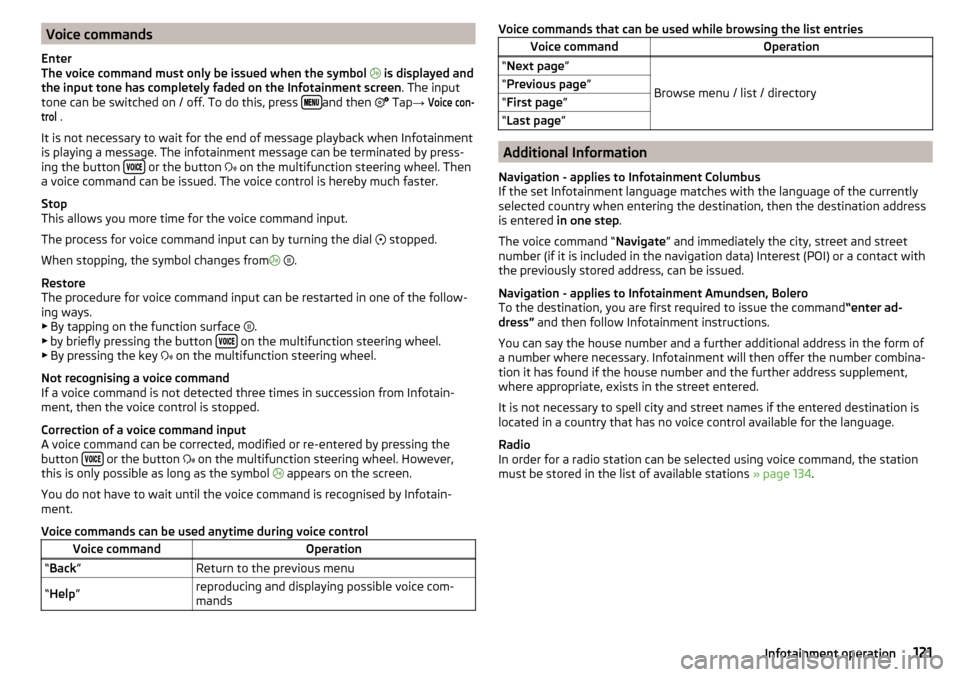
Voice commands
Enter
The voice command must only be issued when the symbol
is displayed and
the input tone has completely faded on the Infotainment screen . The input
tone can be switched on / off. To do this, press
and then
Tap →
Voice con-trol
.
It is not necessary to wait for the end of message playback when Infotainment
is playing a message. The infotainment message can be terminated by press-
ing the button
or the button
on the multifunction steering wheel. Then
a voice command can be issued. The voice control is hereby much faster.
Stop
This allows you more time for the voice command input.
The process for voice command input can by turning the dial stopped.
When stopping, the symbol changes from
.
Restore
The procedure for voice command input can be restarted in one of the follow-
ing ways.
▶ By tapping on the function surface .
▶ by briefly pressing the button
on the multifunction steering wheel.
▶ By pressing the key on the multifunction steering wheel.
Not recognising a voice command
If a voice command is not detected three times in succession from Infotain-
ment, then the voice control is stopped.
Correction of a voice command input
A voice command can be corrected, modified or re-entered by pressing the
button
or the button
on the multifunction steering wheel. However,
this is only possible as long as the symbol appears on the screen.
You do not have to wait until the voice command is recognised by Infotain-
ment.
Voice commands can be used anytime during voice control
Voice commandOperation“ Back ”Return to the previous menu“Help ”reproducing and displaying possible voice com-
mandsVoice commands that can be used while browsing the list entriesVoice commandOperation“ Next page ”
Browse menu / list / directory
“Previous page ”“First page ”“Last page ”
Additional Information
Navigation - applies to Infotainment Columbus
If the set Infotainment language matches with the language of the currently
selected country when entering the destination, then the destination address
is entered in one step .
The voice command “ Navigate” and immediately the city, street and street
number (if it is included in the navigation data) Interest (POI) or a contact with
the previously stored address, can be issued.
Navigation - applies to Infotainment Amundsen, Bolero
To the destination, you are first required to issue the command “enter ad-
dress” and then follow Infotainment instructions.
You can say the house number and a further additional address in the form of
a number where necessary. Infotainment will then offer the number combina-
tion it has found if the house number and the further address supplement,
where appropriate, exists in the street entered.
It is not necessary to spell city and street names if the entered destination is
located in a country that has no voice control available for the language.
Radio
In order for a radio station can be selected using voice command, the station
must be stored in the list of available stations » page 134.
121Infotainment operation