Page 205 of 448

2. If the disc is stained, clean the surface with a soft cloth,wiping from center to edge.
3. Do not apply paper or tape to the disc; avoid scratch- ing the disc.
4. Do not use solvents such as benzene, thinner, cleaners, or anti-static sprays.
5. Store the disc in its case after playing.
6. Do not expose the disc to direct sunlight.
7. Do not store the disc where temperatures may become too high.
NOTE: If you experience difficulty in playing a particular
disc, it may be damaged (e.g, scratched, reflective coating
removed, a hair, moisture or dew on the disc) oversized,
or have protection encoding. Try a known good disc
before considering disc player service.RADIO OPERATION AND MOBILE PHONES
Under certain conditions, the mobile phone being on in
your vehicle can cause erratic or noisy performance from
your radio. This condition may be lessened or eliminated
by relocating the mobile phone. This condition is not
harmful to the radio. If your radio performance does not
satisfactorily “clear” by the repositioning of the phone, it
is recommended that the radio volume be turned down
or off during mobile phone operation when not using
Uconnect (if equipped).
4
UNDERSTANDING YOUR INSTRUMENT PANEL 203
Page 212 of 448
UCONNECT 5.0 VOICE RECOGNITION QUICK
TIPS
Introducing Uconnect
Start using Uconnect Voice Recognition with these help-
ful quick tips. It provides the key Voice Commands and
tips you need to know to control your Uconnect 5.0
system.
Key Features:
•5.0” Full Color Touchscreen Display
• Bluetooth With Integrated Voice Control
• GPS Navigation (If Equipped)
Get Started
1. Visit UconnectPhone.com to check mobile device and
feature compatibility and to find phone pairing in-
structions.
Uconnect 5.0
210 UNDERSTANDING YOUR INSTRUMENT PANEL
Page 213 of 448
2. Reduce background noise. Wind and passenger con-versations are examples of noise that may impact
recognition.
3. Speak clearly at a normal pace and volume while facing straight ahead. The microphone is positioned in
the dome lamp and aimed at the driver.
4. Each time you give a Voice Command, you must first push either the VR or PHONE button, wait until after
the beep, then say your Voice Command.
5. You can interrupt the help message or system prompts by pushing the VR or PHONE button and saying a
Voice Command from current category.
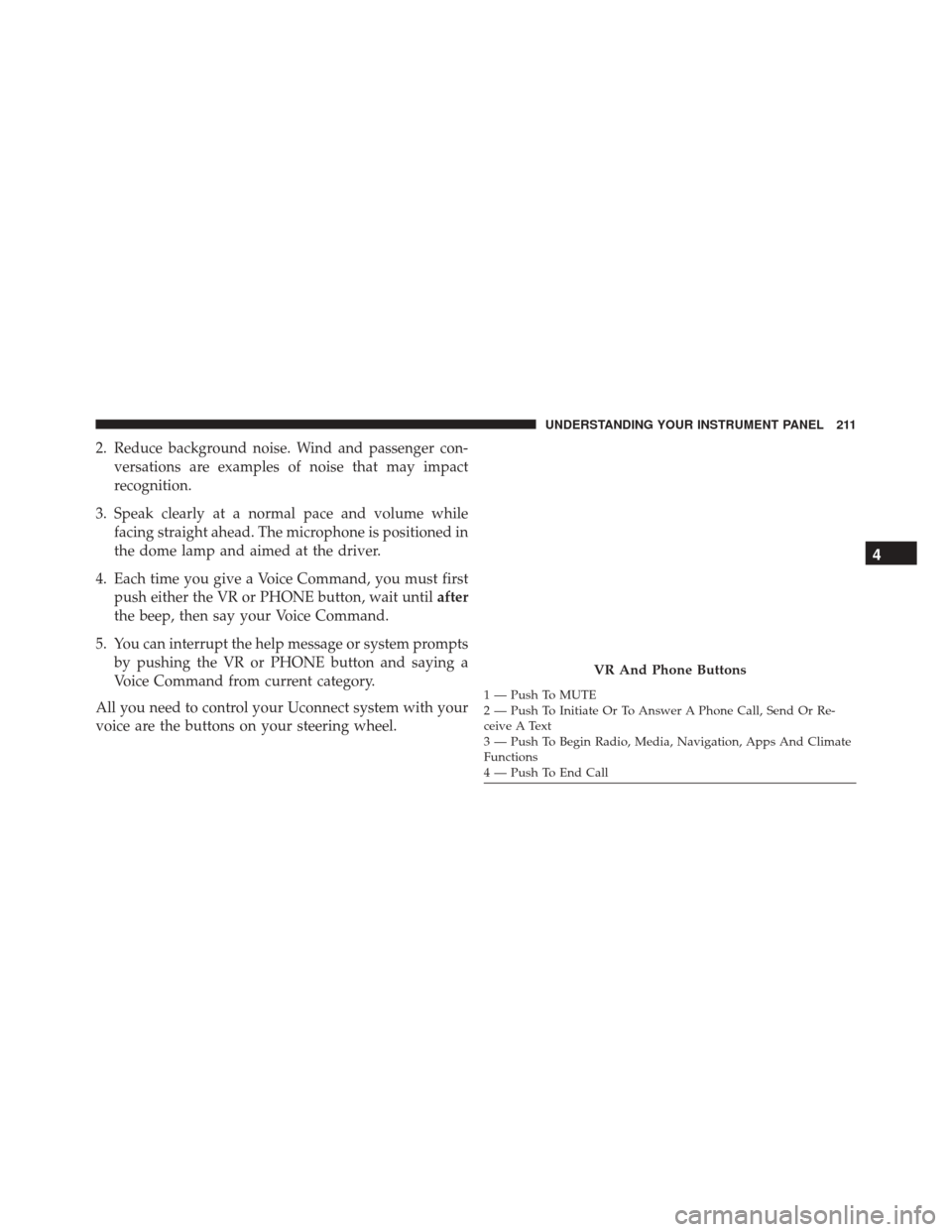
All you need to control your Uconnect system with your
voice are the buttons on your steering wheel.
VR And Phone Buttons
1 — Push To MUTE
2 — Push To Initiate Or To Answer A Phone Call, Send Or Re-
ceive A Text
3 — Push To Begin Radio, Media, Navigation, Apps And Climate
Functions
4 — Push To End Call
4
UNDERSTANDING YOUR INSTRUMENT PANEL 211
Page 217 of 448
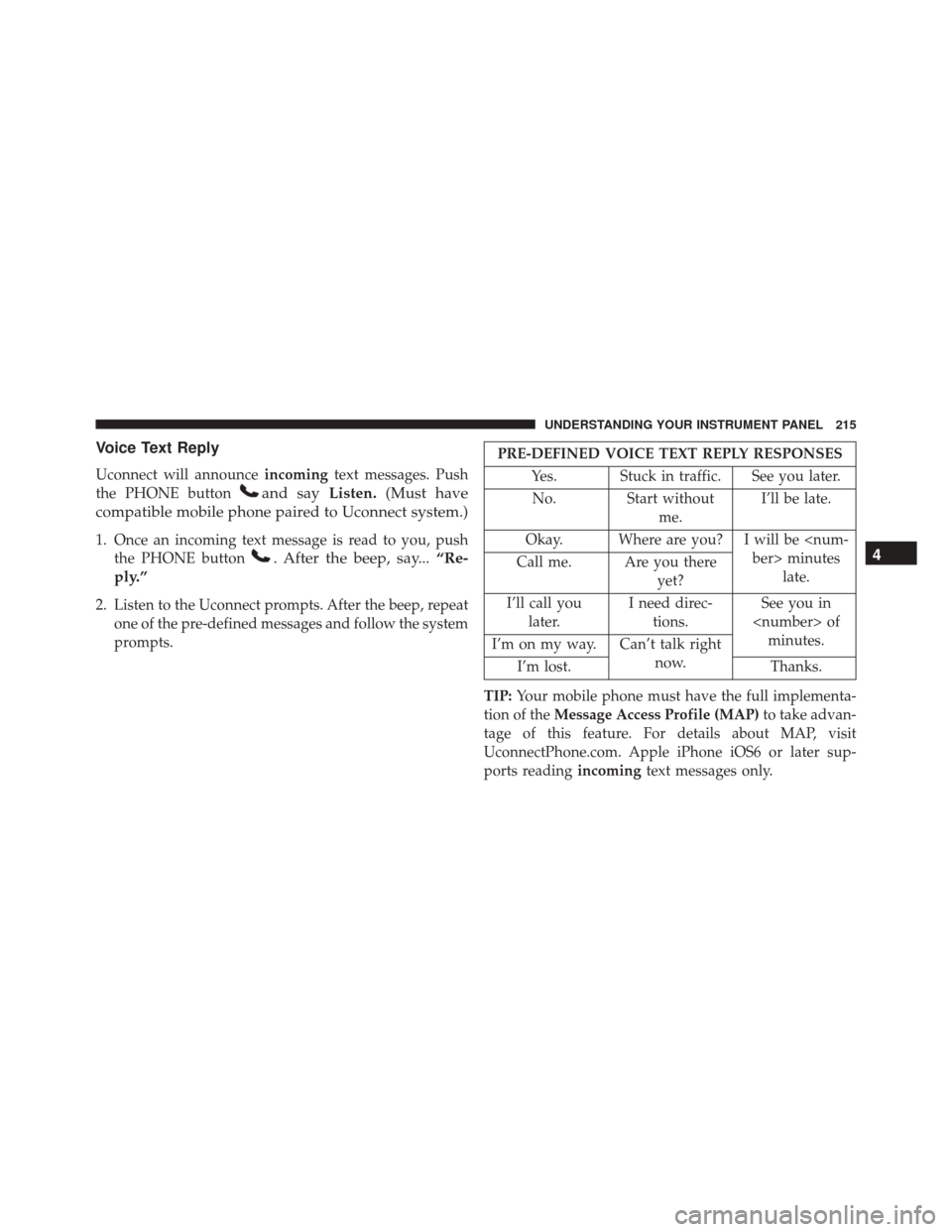
Voice Text Reply
Uconnect will announceincomingtext messages. Push
the PHONE button
and say Listen.(Must have
compatible mobile phone paired to Uconnect system.)
1. Once an incoming text message is read to you, push the PHONE button
. After the beep, say... “Re-
ply.”
2. Listen to the Uconnect prompts. After the beep, repeat one of the pre-defined messages and follow the system
prompts.
PRE-DEFINED VOICE TEXT REPLY RESPONSES
Yes. Stuck in traffic. See you later.No. Start without me.I’ll be late.
Okay. Where are you? I will be minuteslate.
Call me. Are you there
yet?
I’ll call you later. I need direc-
tions. See you in
of minutes.
I’m on my way. Can’t talk right
now.
I’m lost. Thanks.
TIP: Your mobile phone must have the full implementa-
tion of the Message Access Profile (MAP) to take advan-
tage of this feature. For details about MAP, visit
UconnectPhone.com. Apple iPhone iOS6 or later sup-
ports reading incomingtext messages only.
4
UNDERSTANDING YOUR INSTRUMENT PANEL 215
Page 422 of 448

facilities, factory-trained technicians, special tools, and
the latest information to ensure the vehicle is fixed
correctly and in a timely manner.
This is why you should always talk to an authorized
dealer service manager first. Most matters can be re-
solved with this process.
•If for some reason you are still not satisfied, talk to the
general manager or owner of the authorized dealer.
They want to know if you need assistance.
• If an authorized dealer is unable to resolve the con-
cern, you may contact the manufacturer’s customer
center.
Any communication to the manufacturer’s customer cen-
ter should include the following information:
• Owner’s name and address
• Owner’s telephone number (home and office) •
Authorized dealer name
• Vehicle Identification Number (VIN)
• Vehicle delivery date and mileage
FCA USA LLC Customer Center
P.O. Box 21–8004
Auburn Hills, MI 48321–8004
Phone: (866) 726-4636
FCA Canada Inc. Customer Center
P.O. Box 1621
Windsor, Ontario N9A 4H6
Phone: (800) 465-2001 English / (800) 387-9983 French
420 IF YOU NEED CONSUMER ASSISTANCE
Page 426 of 448

You can also obtain other information about motor
vehicle safety from http://www.safercar.gov.
In Canada
If you believe that your vehicle has a safety defect, you
should contact the Customer Service Department imme-
diately. Canadian customers who wish to report a safety
defect to the Canadian government should contact Trans-
port Canada, Motor Vehicle Defect Investigations and
Recalls at 1-800-333-0510 or go to http://www.tc.gc.ca/
roadsafety/
PUBLICATION ORDER FORMS
To order the following manuals, you may use either the
website or the phone numbers listed below. Visa, Mas-
tercard, American Express, and Discover orders are ac-
cepted. If you prefer mailing your payment, please call
for an order form.NOTE:
A street address is required when ordering
manuals (no P.O. Boxes).
Service Manuals
These comprehensive Service Manuals provide the infor-
mation that students and professional technicians need in
diagnosing/troubleshooting, problem solving, maintain-
ing, servicing, and repairing FCA US LLC vehicles. A
complete working knowledge of the vehicle, system,
and/or components is written in straightforward lan-
guage with illustrations, diagrams, and charts.
Diagnostic Procedure Manuals
Diagnostic Procedure Manuals are filled with diagrams,
charts and detailed illustrations. These practical manuals
make it easy for students and technicians to find and fix
problems on computer-controlled vehicle systems and
features. They show exactly how to find and correct
424 IF YOU NEED CONSUMER ASSISTANCE
Page 434 of 448

Car Washes............................ .381
Cellular Phone .......................... .203
Certification Label ........................ .289
Chains, Tire ............................ .274
Chart, Tire Sizing ........................ .252
Check Engine Light (Malfunction Indicator Light) . .355
Checking Your Vehicle For Safety ...............64
Checks, Safety ............................64
Child Restraint ............................54
Child Restraints Booster Seats ...........................59
Child Restraints .........................54
Infants And Child Restraints ................57
Older Children And Child Restraints ..........57
Cigar Lighter ........................... .121
Clean Air Gasoline ....................... .283
Climate Control ......................... .204
Manual ............................. .204
Cold Weather Operation ....................221 Compact Disc (CD) Maintenance
..............202
Compact Spare Tire ....................... .269
Console, Overhead ........................116
Contract, Service ......................... .422
Coolant Pressure Cap (Radiator Cap) ...........374
Cooling System .......................... .370
Adding Coolant (Antifreeze) ...............372
Coolant Capacity ...................... .405
Coolant Level ..................... .371, 375
Disposal Of Used Coolant .................374
Drain, Flush, And Refill ...................371
Inspection ........................... .375
Points To Remember .....................375
Pressure Cap ......................... .374
Radiator Cap ......................... .374
Selection Of Coolant (Antifreeze) ......371, 405, 406
Corrosion Protection ...................... .380
Cruise Light ......................... .159, 160
Cupholders ......................... .122, 386
432 INDEX
Page 447 of 448

INSTALLATION OF RADIO TRANSMITTING
EQUIPMENT
Special design considerations are incorporated into this
vehicle’s electronic system to provide immunity to radio
frequency signals. Mobile two-way radios and telephone
equipment must be installed properly by trained person-
nel. The following must be observed during installation.
The positive power connection should be made directly
to the battery and fused as close to the battery as possible.
The negative power connection should be made to body
sheet metal adjacent to the negative battery connection.
This connection should not be fused.
Antennas for two-way radios should be mounted on the
roof or the rear area of the vehicle. Care should be used
in mounting antennas with magnet bases. Magnets may
affect the accuracy or operation of the compass on
vehicles so equipped.The antenna cable should be as short as practical and
routed away from the vehicle wiring when possible. Use
only fully shielded coaxial cable.
Carefully match the antenna and cable to the radio to
ensure a low Standing Wave Ratio (SWR).
Mobile radio equipment with output power greater than
normal may require special precautions.
All installations should be checked for possible interfer-
ence between the communications equipment and the
vehicle’s electronic systems.