Page 43 of 398
41
308_en_Chap01_instruments-de-bord_ed02-2015
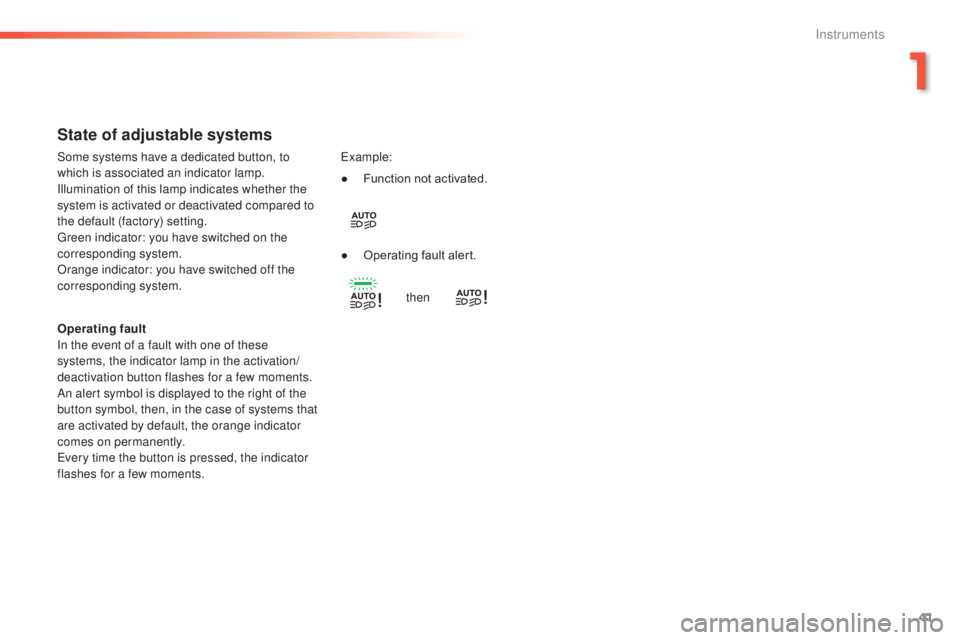
State of adjustable systems
Operating fault
In the event of a fault with one of these
systems, the indicator lamp in the activation/
deactivation button flashes for a few moments.
An alert symbol is displayed to the right of the
button symbol, then, in the case of systems that
are activated by default, the orange indicator
comes on permanently.
eve
ry time the button is pressed, the indicator
flashes for a few moments.
exa
mple:
Some systems have a dedicated button, to
which is associated an indicator lamp.
Illumination of this lamp indicates whether the
system is activated or deactivated compared to
the default (factory) setting.
gre
en indicator: you have switched on the
corresponding system.
Orange indicator: you have switched off the
corresponding system. ●
Fu
nction not activated.
●
Op
erating fault alert.
then
1
Instruments
Page 45 of 398
43
308_en_Chap01_instruments-de-bord_ed02-2015
ButtonCorresponding function Comments
System Settings Choice of units:
-
te
mperature (°Celsius or °Fahrenheit)
-
di
stance and fuel consumption (l/100 km, mpg or km/l).
Time/Date Setting the date and time.
Languages Choice of language used: French,
eng
lish, Italian, Spanish,
ger
man, Dutch, Portuguese,
Polish,
tur
kish, Russian.
Screen settings Adjustment of the display settings (scrolling of text, animations...).
Calculator
Calendar
1
Instruments
Page 47 of 398
45
308_en_Chap01_instruments-de-bord_ed02-2015
For more information on the
Multimedia menu, refer to the "Audio
and telematics" section.
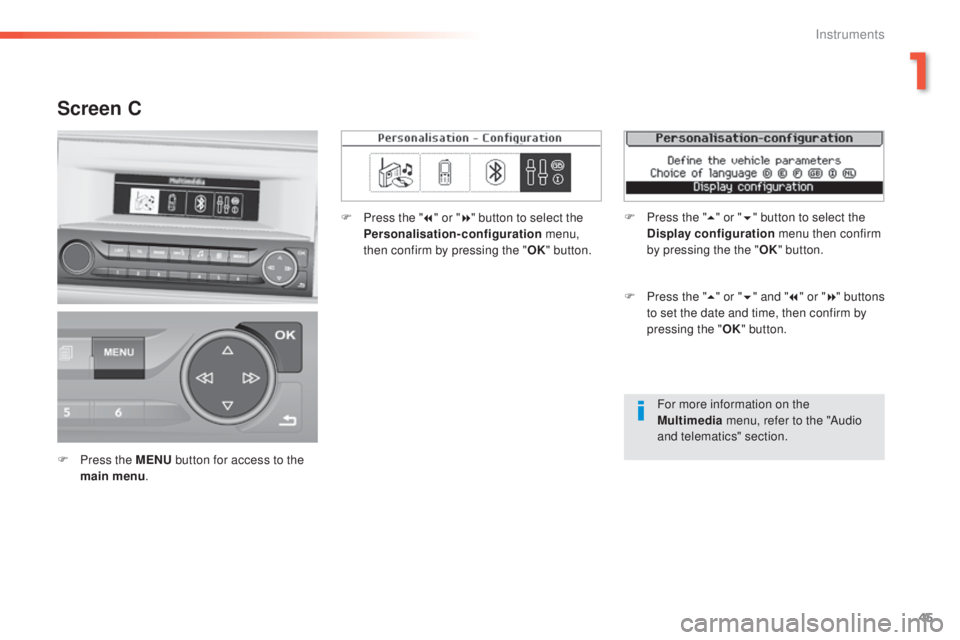
Screen C
F Press the MENU b utton for access to the
main menu . F
Pr
ess the "
7" or " 8" button to select the
Personalisation-configuration menu,
then confirm by pressing the " OK" button.
F
Pr
ess the "
5" or " 6" and " 7" or " 8" buttons
to set the date and time, then confirm by
pressing the " OK" button.
F
Pr
ess the "
5" or " 6" button to select the
Display configuration menu then confirm
by pressing the the " OK" button.
1
Instruments
Page 48 of 398
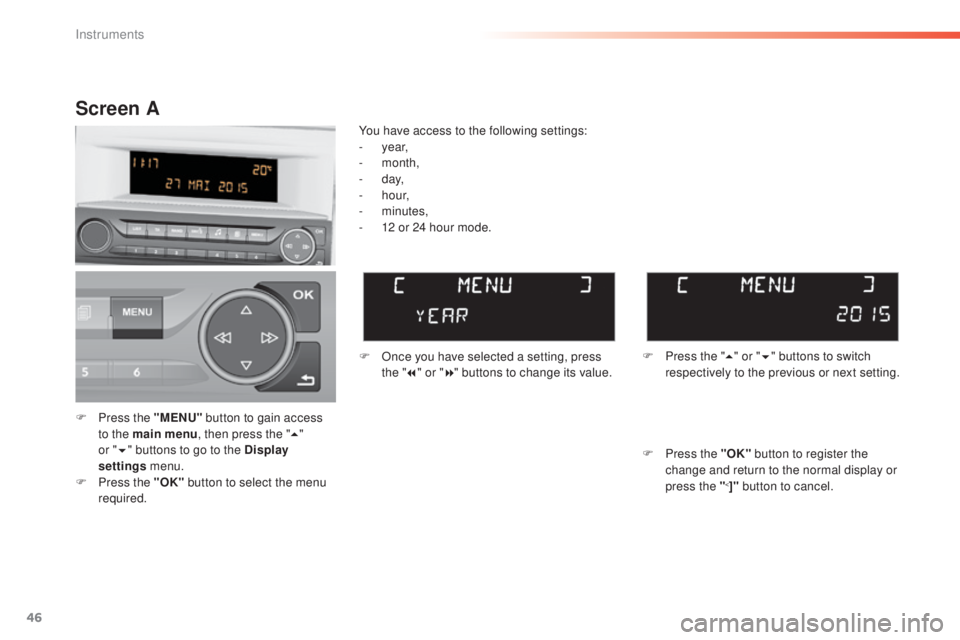
46
F Press the "MENU" b utton to gain access
to the main menu , then press the "5"
or
" 6 " b
uttons to go to the Display
settings menu.
F
Pr
ess the "OK" button to select the menu
required. F
On
ce you have selected a setting, press
the " 7" or " 8" buttons to change its value.
You have access to the following settings:
- ye
ar,
-
m
onth,
-
d
ay,
-
h
o u r,
-
m
inutes,
-
12 o
r 24 hour mode.
Screen A
F Press the " 5" o r "6 " buttons to switch
respectively to the previous or next setting.
F
Pr
ess the "OK" button to register the
change and return to the normal display or
press the "
<]" button to cancel.
Instruments
Page 49 of 398
47
308_en_Chap01_instruments-de-bord_ed02-2015
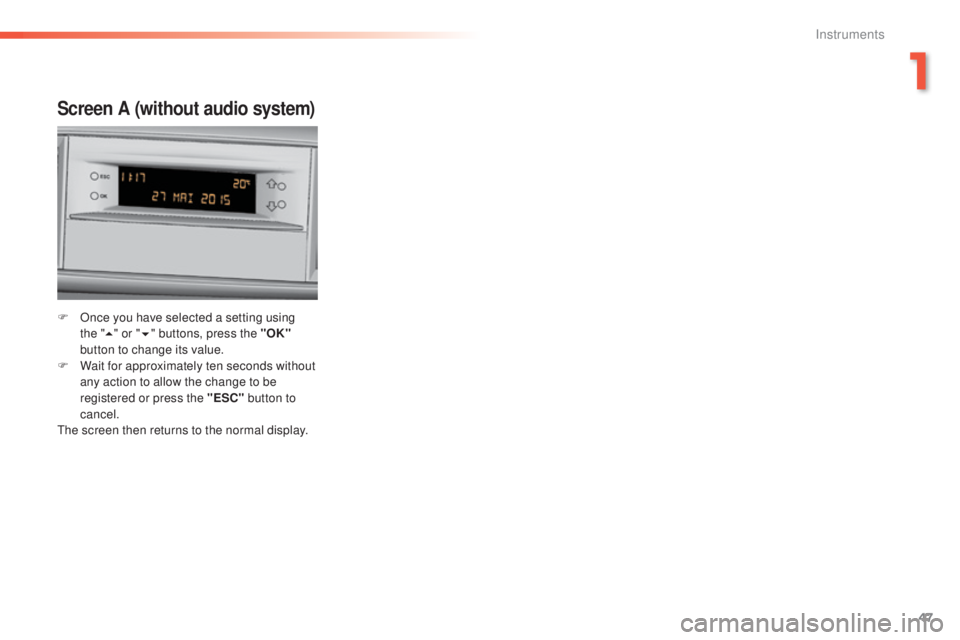
Screen A (without audio system)
F Once you have selected a setting using
the "5 " o
r "6 " buttons, press the "OK"
button to change its value.
F
Wa
it for approximately ten seconds without
any action to allow the change to be
registered or press the "ESC" button to
cancel.
the s
creen then returns to the normal display.
1
Instruments
Page 85 of 398
83
308_en_Chap03_ergonomie-et-confort_ed02-2015
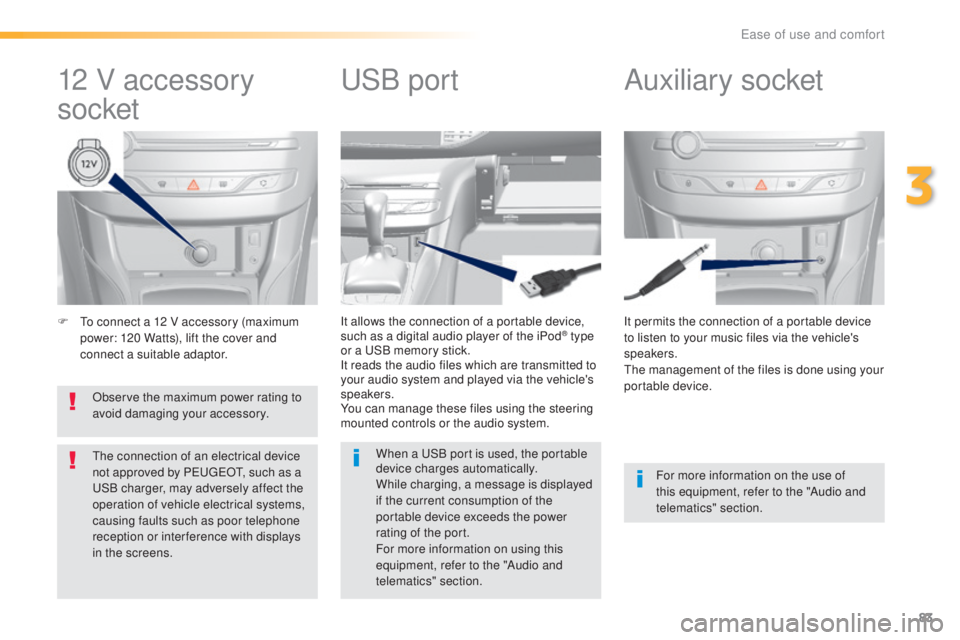
F to connect a 12 V accessory (maximum
p ower: 120 Watts), lift the cover and
connect a suitable adaptor. It permits the connection of a portable device
to listen to your music files via the vehicle's
speakers.
the m
anagement of the files is done using your
portable device.
It allows the connection of a portable device,
such as a digital audio player of the iPod® type
or a uSB m
emory stick.
It reads the audio files which are transmitted to
your audio system and played via the vehicle's
speakers.
You can manage these files using the steering
mounted controls or the audio system.
12 V accessory
socket Auxiliary socketuSB po
rt
For more information on the use of
this equipment, refer to the "Audio and
telematics" section.
When a
uSB p
ort is used, the portable
device charges automatically.
While charging, a message is displayed
if the current consumption of the
portable device exceeds the power
rating of the port.
For more information on using this
equipment, refer to the "Audio and
telematics" section.
Observe the maximum power rating to
avoid damaging your accessory.
the c
onnection of an electrical device
not approved by Peu
geOt, su
ch as a uSB c
harger, may adversely affect the
operation of vehicle electrical systems,
causing faults such as poor telephone
reception or inter ference with displays
in the screens.
3
ease of use and comfort
Page 96 of 398
94
308_en_Chap03_ergonomie-et-confort_ed02-2015
Manual air conditioning (touch screen)
Temperature adjustment
F Press one of these buttons to reduce or
inc
rease the value.
the a
ir conditioning system operates with the
engine running.
Air flow adjustment
Press one of these buttons to
increase or decrease the speed of
the air booster fan.
the a
ir flow symbol (a fan) fills progressively
according to the quantity of air wanted.
By reducing the air flow to minimum, you are
stopping ventilation.
Avoid driving too long without ventilation
(risk of misting and deterioration of air
quality).
Press the button for the "
Air
conditioning " menu to display the
system controls page.
ease of use and comfort
Page 98 of 398
96
308_en_Chap03_ergonomie-et-confort_ed02-2015
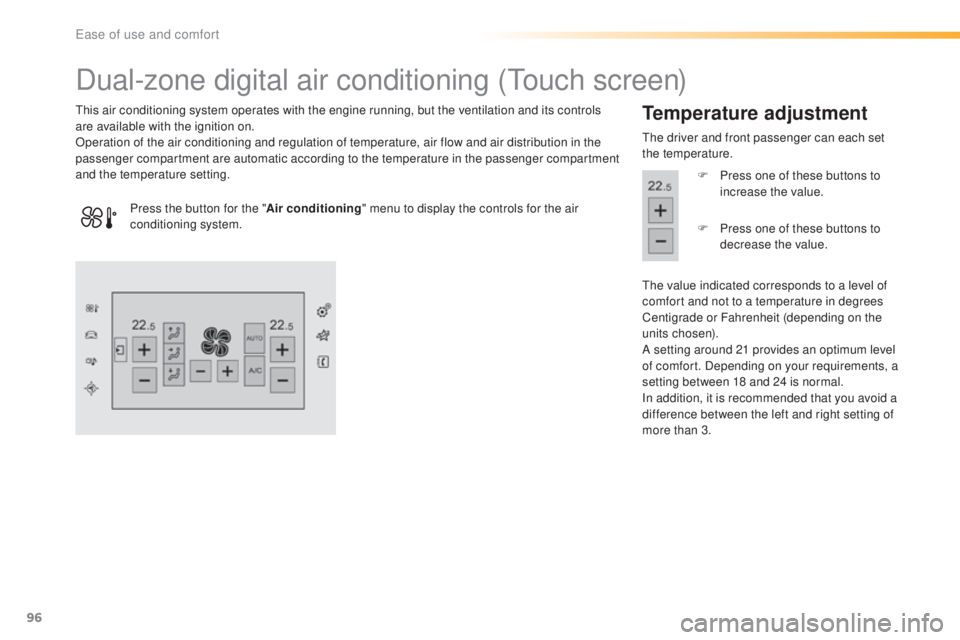
Dual-zone digital air conditioning (touch screen)
this air conditioning system operates with the engine running, but the ventilation and its controls
a re available with the ignition on.
Operation of the air conditioning and regulation of temperature, air flow and air distribution in the
passenger compartment are automatic according to the temperature in the passenger compartment
and the temperature setting.Temperature adjustment
the driver and front passenger can each set
t he temperature.
F
Pr
ess one of these buttons to
increase the value.
the v
alue indicated corresponds to a level of
comfort and not to a temperature in degrees
Centigrade or Fahrenheit (depending on the
units chosen).
A setting around 21 provides an optimum level
of comfort. Depending on your requirements, a
setting between 18 and 24 is normal.
In addition, it is recommended that you avoid a
difference between the left and right setting of
more than 3.
Press the button for the "
Air conditioning" menu to display the controls for the air
conditioning system. F
Pr
ess one of these buttons to
decrease the value.
ease of use and comfort