2016 NISSAN NV PASSENGER VAN maintenance reset
[x] Cancel search: maintenance resetPage 103 of 380
AUDIBLE REMINDERS
Brake pad wear warning
The disc brake pads have audible wear warnings.
When a disc brake pad requires replacement, it
makes a high pitched scraping sound when the
vehicle is in motion, whether or not the brake
pedal is depressed. Have the brakes checked as
soon as possible if the warning sound is heard.
Key reminder chime
A chime sounds if the driver’s door is opened
while the key is left in the ignition switch. Remove
the key and take it with you when leaving the
vehicle.
Light reminder chime
With the ignition switch placed in the OFF posi-
tion, a chime sounds when the driver’s door is
opened if the headlights or parking lights are on.
Turn the headlight control switch off before leav-
ing the vehicle.
Parking brake reminder chime
A chime sounds if the parking brake is set and the
vehicle is driven.The vehicle information display is located be-
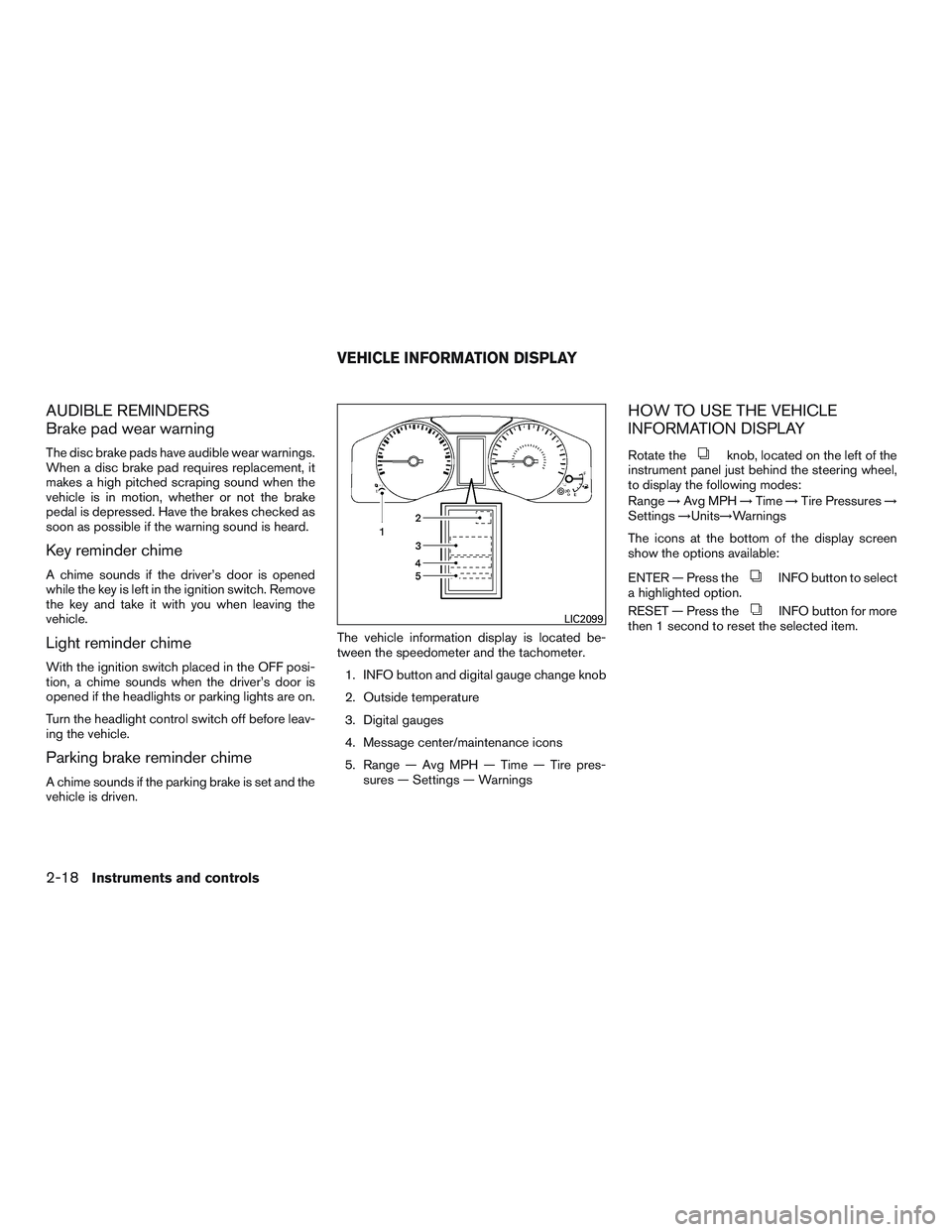
tween the speedometer and the tachometer.
1. INFO button and digital gauge change knob
2. Outside temperature
3. Digital gauges
4. Message center/maintenance icons
5. Range — Avg MPH — Time — Tire pres- sures — Settings — Warnings
HOW TO USE THE VEHICLE
INFORMATION DISPLAY
Rotate theknob, located on the left of the
instrument panel just behind the steering wheel,
to display the following modes:
Range →Avg MPH →Time →Tire Pressures →
Settings →Units→Warnings
The icons at the bottom of the display screen
show the options available:
ENTER — Press the
INFO button to select
a highlighted option.
RESET — Press the
INFO button for more
then 1 second to reset the selected item.LIC2099
VEHICLE INFORMATION DISPLAY
2-18Instruments and controls
Page 105 of 380
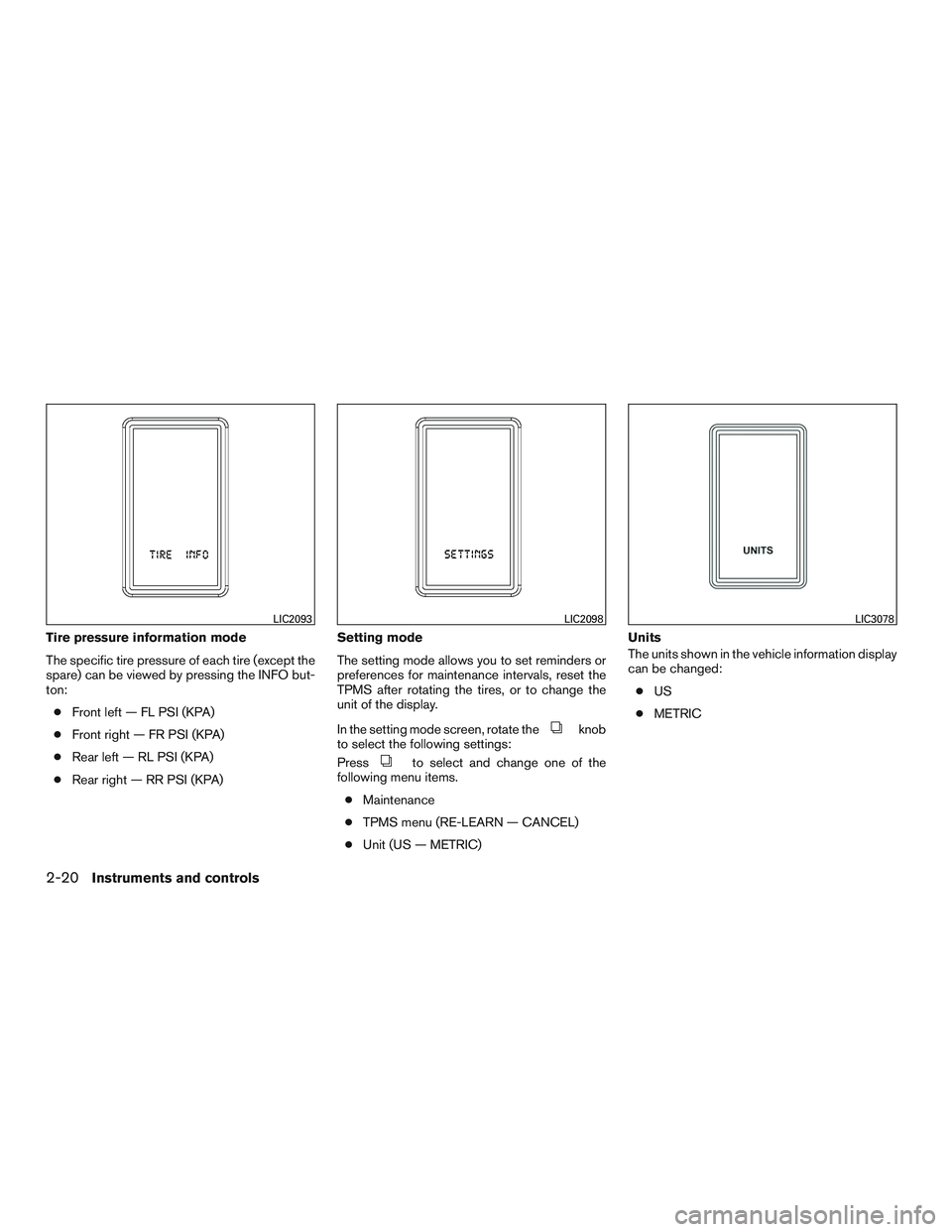
Tire pressure information mode
The specific tire pressure of each tire (except the
spare) can be viewed by pressing the INFO but-
ton:● Front left — FL PSI (KPA)
● Front right — FR PSI (KPA)
● Rear left — RL PSI (KPA)
● Rear right — RR PSI (KPA) Setting mode
The setting mode allows you to set reminders or
preferences for maintenance intervals, reset the
TPMS after rotating the tires, or to change the
unit of the display.
In the setting mode screen, rotate the
knob
to select the following settings:
Press
to select and change one of the
following menu items.
● Maintenance
● TPMS menu (RE-LEARN — CANCEL)
● Unit (US — METRIC) Units
The units shown in the vehicle information display
can be changed:
● US
● METRIC
LIC2093LIC2098LIC3078
2-20Instruments and controls
Page 106 of 380
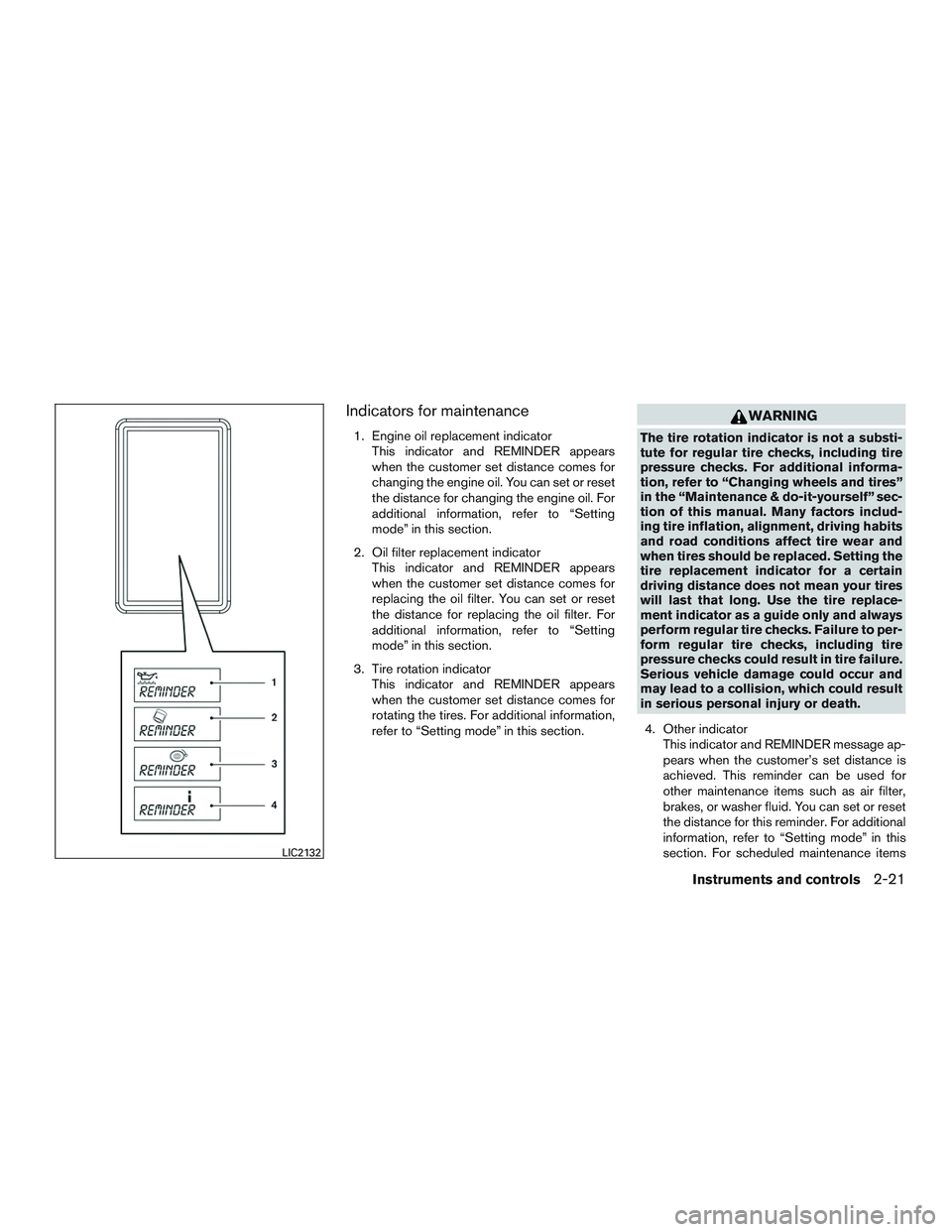
Indicators for maintenance
1. Engine oil replacement indicatorThis indicator and REMINDER appears
when the customer set distance comes for
changing the engine oil. You can set or reset
the distance for changing the engine oil. For
additional information, refer to “Setting
mode” in this section.
2. Oil filter replacement indicator This indicator and REMINDER appears
when the customer set distance comes for
replacing the oil filter. You can set or reset
the distance for replacing the oil filter. For
additional information, refer to “Setting
mode” in this section.
3. Tire rotation indicator This indicator and REMINDER appears
when the customer set distance comes for
rotating the tires. For additional information,
refer to “Setting mode” in this section.
WARNING
The tire rotation indicator is not a substi-
tute for regular tire checks, including tire
pressure checks. For additional informa-
tion, refer to “Changing wheels and tires”
in the “Maintenance & do-it-yourself” sec-
tion of this manual. Many factors includ-
ing tire inflation, alignment, driving habits
and road conditions affect tire wear and
when tires should be replaced. Setting the
tire replacement indicator for a certain
driving distance does not mean your tires
will last that long. Use the tire replace-
ment indicator as a guide only and always
perform regular tire checks. Failure to per-
form regular tire checks, including tire
pressure checks could result in tire failure.
Serious vehicle damage could occur and
may lead to a collision, which could result
in serious personal injury or death.
4. Other indicator This indicator and REMINDER message ap-
pears when the customer’s set distance is
achieved. This reminder can be used for
other maintenance items such as air filter,
brakes, or washer fluid. You can set or reset
the distance for this reminder. For additional
information, refer to “Setting mode” in this
section. For scheduled maintenance items
LIC2132
Instruments and controls2-21
Page 107 of 380
and intervals, refer to your “NISSAN Service
and Maintenance Guide.”
Reset TPMS
From the setting mode screen rotate theknob to select TPMS MENU. You may select
RE-LEARN or CANCEL. For additional informa-
tion, refer to “TPMS sensor reset” in the “Mainte-
nance and do-it-yourself” of this manual regard-
ing the reset procedure.
Vehicle information display warnings
and indicators
PARK BRAKE warning
This warning illuminates in the message area of
the vehicle information display when the parking
brake is set and the vehicle is driven.
LOW FUEL warning
This warning illuminates in the message area of
the vehicle information display when the fuel level
in the fuel tank is getting low. Refuel as soon as it
is convenient, preferably before the fuel gauge
reaches E (Empty) .There will be a small re-
serve of fuel in the tank when the fuel
gauge needle reaches E (Empty) .
CHECK TIRE pressure warning
This warning appears and alternates between
CHECK TIRE, tire location(s) and pressures(s) , when the low tire pressure warning light in the
meter illuminates and low tire pressure is de-
tected. The warning appears each time the igni-
tion switch is placed in the ON position as long as
the low tire pressure warning light remains illumi-
nated
Example:
CHECK TIRE
→RL 38 PSI →RR 39 PSI →
CHECK TIRE
If this warning appears, stop the vehicle and
adjust the tire pressure to the recommended
COLD tire pressure shown on the Tire and Load-
ing Information label. For additional information,
refer to “Low tire pressure warning light” in this
section and “Tire Pressure Monitoring System
(TPMS)” in the “Starting and driving” section of
this manual.
TPMS ERROR warning
This warning appears in the message area of the
vehicle information display if the TPMS is not
functioning properly. Have the system checked
by a NISSAN dealer.
LOW OIL P warning
This warning appears in the message area of the
vehicle information display if low oil pressure is
detected. This gauge is not designed to indicate
low oil level. The low oil pressure warning is
not designed to indicate a low oil level. Usethe dipstick to check the oil level. For additional
information, refer to “Engine oil” in the “Mainte-
nance and do-it-yourself” section of this manual.
LO VOLTAGE warning
This warning appears in the message area of the
vehicle information display if the system detects
that the charging system is not functioning prop-
erly. Have the system checked by a NISSAN
dealer. For additional information, refer to “Volt-
meter” in this section.
LOOSE FUEL CAP warning
This warning appears in the message area of the
vehicle information display when the fuel-filler
cap is not tightened correctly after the vehicle has
been refueled. For additional information, refer to
“Fuel-filler cap” in the “Pre-driving checks and
adjustments” section of this manual.
A/T TEMP warning
This light comes on when the automatic transmis-
sion oil temperature is too high. If the message
displays in the message area of the vehicle infor-
mation display during normal driving, pull off the
road in a safe area, stop the engine
immediately
and call a NISSAN dealer.
2-22Instruments and controls
Page 336 of 380
Wheel nut tightening torque:131 ft-lb (177 N·m)
The wheel nuts must be kept tight-
ened to specifications at all times. It
is recommended that wheel nuts be
tightened to specification at each
tire rotation interval.
Because the tire pressures are different
between the front and rear tires, the Tire
Pressure Monitoring System (TPMS)
must be reset after tire rotation. For addi-
tional information, refer to “TPMS sensor
reset” in this section.
WARNING
● After rotating the tires, check and
adjust the tire pressure.
● Retighten the wheel nuts when
the vehicle has been driven for
600 miles (1,000 km) (also in
cases of a flat tire, etc.) .
● Do not include the spare tire in
the tire rotation. ●
For additional information re-
garding tires, refer to “Important
Tire Safety Information” (US) or
“Tire Safety Information”
(Canada) in the Warranty Infor-
mation Booklet.
TPMS sensor reset
After rotating the tires, the TPMS sensor position
needs to be relearned. Contact the closest
NISSAN dealer or follow the steps below.
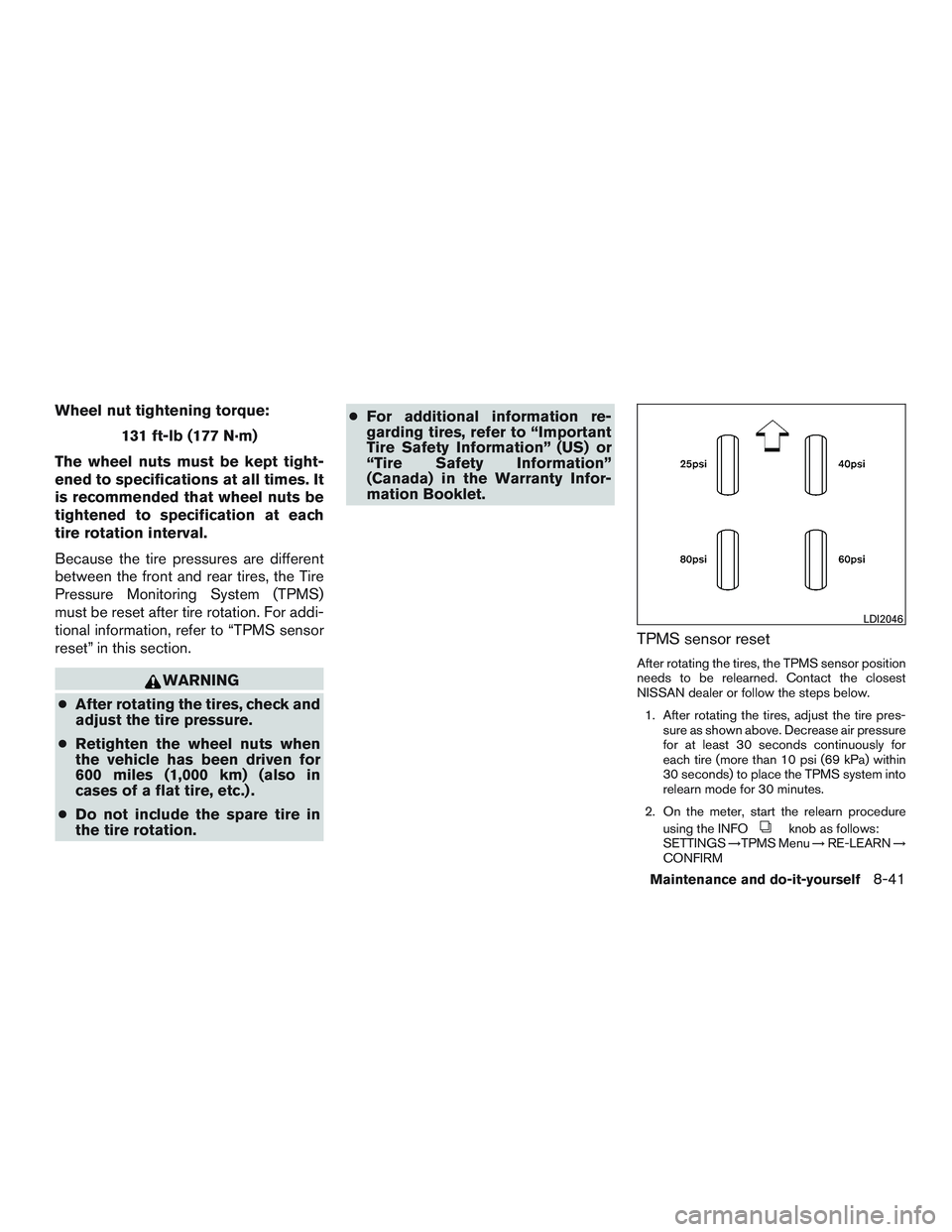
1. After rotating the tires, adjust the tire pres- sure as shown above. Decrease air pressure
for at least 30 seconds continuously for
each tire (more than 10 psi (69 kPa) within
30 seconds) to place the TPMS system into
relearn mode for 30 minutes.
2. On the meter, start the relearn procedure using the INFO
knob as follows:
SETTINGS →TPMS Menu →RE-LEARN →
CONFIRM
LDI2046
Maintenance and do-it-yourself8-41
Page 337 of 380
The TPMS warning lightflashes con-
tinuously when the system is relearning the
tire positions.
3. When the relearn procedure is successfully completed:
– The TPMS light
illuminates for
3 seconds
– A chime sounds three times
4. Adjust the tire pressures to the cold tire pressure specification shown on the tire and
loading information label. For additional in-
formation, refer to “Checking tire pressure”
in this section and “Tire and loading informa-
tion label” in the “Technical and consumer
information” section of this manual.
– If the tires pressures are correct, the TPMS light turns off.
– If the tires are not inflated to the correct cold tire pressure, the TPMS warning
light illuminates. Recheck the tire pres-
sures and adjust as necessary.
If the relearn procedure does not work,
check the following and retry the process:
● If the relearn procedure is stopped before
completion, the new tire positions are not
learned. Redo the complete relearn proce-
dure to reset the tire positions. ●
You must select “RESET TPMS →RE-
LEARN” from the “SETTINGS” menu to
complete the relearn procedure. Redo the
complete relearn procedure to reset the tire
positions. Select the TPMS resetting menu,
then continue the remaining registration pro-
cedure.
● Adjust the tire pressures to the relearn pres-
sures before selecting the TPMS resetting
menu on the display. Redo the complete
relearn procedure to reset the tire positions.
● If the tire pressure cannot be reduced at
least 10 psi (69 kPa) to adjust them to the
relearn pressures, inflate the tires to at least
10 psi (69 kPa) above the specified pres-
sures. Redo the complete relearn procedure
starting with step 1.
● Devices which emit electronic interference
should be turned off before starting the re-
learn procedure. The interference may pre-
vent the system from learning the new tire
positions. Turn off or remove sources of
electrical interference. If necessary, move
the vehicle to another location, then redo the
complete relearn procedure to reset the tire
positions. ●
If you have retried the procedure several
times and the relearn procedure is not suc-
cessfully completed, contact a NISSAN
dealer.
● Use an air pump that is capable of inflating
the tires to the required pressure specifica-
tions. The air pump must be capable of in-
flating a tire at least 10 psi (69 kPa) in
30 seconds.
● If the reset TPMS function is unintentionally
selected, place the ignition switch in the
OFF position then to the ON position to end
the relearn procedure.
● If the vehicle is not recognizing the new tire
pressure levels, move the vehicle forward
40 in (1 m) . Place the ignition switch in the
OFF position then to the ON position. Redo
the relearn procedure beginning at step 1.
Make sure that the tire pressures are in-
creased or decreased at least 10 psi
(69 kPa) .
● When vehicle is in the relearn mode, the
TPMS will not warn of low tire pressures or
detect malfunctions.
● If tire pressure is not set to the correct pres-
sure, restart the procedure again.
8-42Maintenance and do-it-yourself
Page 339 of 380
●If the wheels are changed for any rea-
son, always replace with wheels which
have the same off-set dimension.
Wheels of a different off-set could
cause premature tire wear, degrade ve-
hicle handling characteristics, affect the
VDC system and/or interference with
the brake discs. Such interference can
lead to decreased braking efficiency
and/or early brake pad wear. For addi-
tional information on wheel off-set di-
mensions, refer to “Wheels and tires” in
the “Technical and consumer informa-
tion” section of this manual.
● Since the spare tire is not equipped with
the TPMS, when a spare tire is mounted
or a wheel is replaced, tire pressure will
not be indicated, the TPMS will not
function and the low tire pressure warn-
ing light will flash for approximately
1 minute. The light will remain on after
1 minute. Contact a NISSAN dealer as
soon as possible for tire replacement
and/or system resetting.
● Replacing tires with those not originally
specified by NISSAN could affect the
proper operation of the TPMS.
● The TPMS sensor may be damaged if it
is not handled correctly. Be careful
when handling the TPMS sensor. ●
When replacing the TPMS sensor, the
ID registration may be required. Contact
a NISSAN dealer for ID registration.
● Do not use a valve stem cap that is not
specified by NISSAN. The valve stem
cap may become stuck.
● Be sure that the valve stem caps are
correctly fitted. Otherwise the valve may
be clogged up with dirt and cause a
malfunction or loss of pressure.
● Do not install a damaged or deformed
wheel or tire even if it has been re-
paired. Such wheels or tires could have
structural damage and could fail with-
out warning.
● The use of retread tires is not
recommended.
● For additional information regarding
tires, refer to “Important Tire Safety In-
formation” (US) or “Tire Safety Informa-
tion” (Canada) in the Warranty Informa-
tion Booklet.
Wheel balance
Unbalanced wheels may affect vehicle handling
and tire life. Even with regular use, wheels can get
out of balance. Therefore, they should be bal-
anced as required. Wheel balance service should be per-
formed with the wheels off the vehicle.
Spin balancing the wheels on the vehicle
could lead to mechanical damage.
● For additional information regarding
tires, refer to “Important Tire Safety
Information” (US) or “Tire Safety Infor-
mation” (Canada) in the Warranty In-
formation Booklet.
Care of wheels
● Wash the wheels when washing the vehicle
to maintain their appearance.
● Clean the inner side of the wheels when the
wheel is changed or the underside of the
vehicle is washed.
● Do not use abrasive cleaners when washing
the wheels.
● Inspect wheel rims regularly for dents or
corrosion. Such damage may cause loss of
pressure or poor seal at the tire bead.
● NISSAN recommends waxing the road
wheels to protect against road salt in areas
where it is used during winter.
8-44Maintenance and do-it-yourself
Page 370 of 380
Due to legal requirements in some states and
Canadian Provinces, your vehicle may be re-
quired to be in what is called the “ready condi-
tion” for an Inspection/Maintenance (I/M) test of
the emission control system.
The vehicle is set to the “ready condition” when it
is driven through certain driving patterns. Usually,
the ready condition can be obtained by ordinary
usage of the vehicle.
If a powertrain system component is repaired or
the battery is disconnected, the vehicle may be
reset to a “not ready” condition. Before taking the
I/M test, check the vehicle’s
inspection/maintenance test readiness condi-
tion. Place the ignition switch in the ON position
without starting the engine. If the Malfunction
Indicator Light (MIL) comes on steady for 20 sec-
onds and then blinks for 10 seconds , the I/M test
condition is “not ready”. If the MIL does not blink
after 20 seconds, the I/M test condition is
“ready”. Contact a NISSAN dealer to set the
“ready condition” or to prepare the vehicle for
testing.This vehicle is equipped with an Event Data Re-
corder (EDR) . The main purpose of an EDR is to
record, in certain crash or near crash-like situa-
tions, such as an air bag deployment or hitting a
road obstacle, data that will assist in understand-
ing how a vehicle’s systems performed. The EDR
is designed to record data related to vehicle
dynamics and safety systems for a short period of
time, typically 30 seconds or less. The EDR in this
vehicle is designed to record such data as:
● How various systems in your vehicle were
operating;
● Whether or not the driver and passenger
safety belts were buckled/fastened;
● How far (if at all) the driver was depressing
the accelerator and/or brake pedal; and,
● How fast the vehicle was traveling.
● Sounds are not recorded.
These data can help provide a better understand-
ing of the circumstances in which crashes and
injuries occur. NOTE: EDR data are recorded by
your vehicle only if a nontrivial crash situation
occurs; no data are recorded by the EDR under
normal driving conditions and no personal data
(e.g. name, gender, age and crash location) are
recorded. However, other parties, such as law
enforcement, could combine the EDR data with the type of personally identifying data routinely
acquired during a crash investigation.
To read data recorded by an EDR, special equip-
ment is required and access to the vehicle or the
EDR is needed. In addition to the vehicle manu-
facturer and NISSAN dealer, other parties, such
as law enforcement, that have the special equip-
ment, can read the information if they have ac-
cess to the vehicle or the EDR. EDR data will only
be accessed with the consent of the vehicle
owner or lessee or as otherwise required or per-
mitted by law.
READINESS FOR INSPECTION/
MAINTENANCE (I/M) TEST
EVENT DATA RECORDERS (EDR)
Technical and consumer information9-31