2016 NISSAN NOTE ECO mode
[x] Cancel search: ECO modePage 386 of 3641
![NISSAN NOTE 2016 Service Repair Manual BCS
SHIPPING MODE CANCEL OPERATION
BCS-125
< BASIC INSPECTION > [WITHOUT INTELLIGENT KEY SYSTEM]
C
D
E
F
G H
I
J
K L
B A
O P
N
SHIPPING MODE CANCEL OPERATION
Work ProcedureINFOID:0000000012432399
1.SH](/manual-img/5/57363/w960_57363-385.png "NISSAN NOTE 2016 Service Repair Manual BCS
SHIPPING MODE CANCEL OPERATION
BCS-125
< BASIC INSPECTION > [WITHOUT INTELLIGENT KEY SYSTEM]
C
D
E
F
G H
I
J
K L
B A
O P
N
SHIPPING MODE CANCEL OPERATION
Work ProcedureINFOID:0000000012432399
1.SH")
BCS
SHIPPING MODE CANCEL OPERATION
BCS-125
< BASIC INSPECTION > [WITHOUT INTELLIGENT KEY SYSTEM]
C
D
E
F
G H
I
J
K L
B A
O P
N
SHIPPING MODE CANCEL OPERATION
Work ProcedureINFOID:0000000012432399
1.SHIPPING MODE CANCEL OPERATION
1. Turn ignition switch OFF.
2. Press in (turn on) the extended storage switch. Refer to PG-65, "
How To Check".
3. Turn ignition switch ON.
4. Turn ignition switch OFF and wait at least 2 seconds.
>> GO TO 2.
2.SHIPPING MODE CANCEL CHECK
1. Turn ignition switch ON.
2. Check that extended storage warning message is not displayed in combination meter or display.
>> WORK END
Revision: August 2015 2016 Versa Note
cardiagn.com
Page 387 of 3641
![NISSAN NOTE 2016 Service Repair Manual BCS-126
< BASIC INSPECTION >[WITHOUT INTELLIGENT KEY SYSTEM]
TRANSIT MODE CANCEL OPERATION
TRANSIT MODE CANCEL OPERATION
Work ProcedureINFOID:0000000012432400
1.TRANSIT MODE CANCEL OPERATION
1. Turn i](/manual-img/5/57363/w960_57363-386.png "NISSAN NOTE 2016 Service Repair Manual BCS-126
< BASIC INSPECTION >[WITHOUT INTELLIGENT KEY SYSTEM]
TRANSIT MODE CANCEL OPERATION
TRANSIT MODE CANCEL OPERATION
Work ProcedureINFOID:0000000012432400
1.TRANSIT MODE CANCEL OPERATION
1. Turn i")
BCS-126
< BASIC INSPECTION >[WITHOUT INTELLIGENT KEY SYSTEM]
TRANSIT MODE CANCEL OPERATION
TRANSIT MODE CANCEL OPERATION
Work ProcedureINFOID:0000000012432400
1.TRANSIT MODE CANCEL OPERATION
1. Turn ignition switch OFF.
2. Do the following at the same time for 2 seconds:
- Move front wiper switch to HI position (all the way down)
- Move turn signal switch to left position (all the way down)
>> GO TO 2.
2.TRANSIT MODE CANCEL CHECK
1. Turn front wiper switch and turn signal switch OFF.
2. Turn ignition switch ON.
3. Check that turn signal indicators in combination meter do not turn ON.
>> Work End.
Revision: August 2015 2016 Versa Note
cardiagn.com
Page 481 of 3641
![NISSAN NOTE 2016 Service Repair Manual DIAGNOSIS SYSTEM [ABS ACTUATOR AND ELECTRIC UNIT (CONTROL
UNIT)]
BRC-33
< SYSTEM DESCRIPTION > [VDC/TCS/ABS]
C
D
E
G H
I
J
K L
M A
B
BRC
N
O P
× : Applicable
–: Not applicable
ACTIVE TEST MODE
CAU](/manual-img/5/57363/w960_57363-480.png "NISSAN NOTE 2016 Service Repair Manual DIAGNOSIS SYSTEM [ABS ACTUATOR AND ELECTRIC UNIT (CONTROL
UNIT)]
BRC-33
< SYSTEM DESCRIPTION > [VDC/TCS/ABS]
C
D
E
G H
I
J
K L
M A
B
BRC
N
O P
× : Applicable
–: Not applicable
ACTIVE TEST MODE
CAU")
DIAGNOSIS SYSTEM [ABS ACTUATOR AND ELECTRIC UNIT (CONTROL
UNIT)]
BRC-33
< SYSTEM DESCRIPTION > [VDC/TCS/ABS]
C
D
E
G H
I
J
K L
M A
B
BRC
N
O P
× : Applicable
–: Not applicable
ACTIVE TEST MODE
CAUTION:
• Do not perform active test while driving vehicle.
• Make sure to completely bleed air from brake system.
• The active test cannot be performed with the ABS warning lamp, VDC OFF indicator lamp, SLIP indi-
cator lamp or brake warning lamp on.
• ABS warning lamp, VDC OFF indi cator lamp, SLIP indicator lamp and brake warning lamp turn on
during active test.
NOTE:
• When active test is performed while depressing the pedal, the pedal depression amount will change. This is normal.
• “TEST IS STOPPED” is displayed 10 seconds after operation start.
• After “TEST IS STOPPED” is displayed, to perform test again, touch BACK.
Test Item
ABS SOLENOID VALVE• Select “Up”, “Keep” and “Down”. Then use screen monitor to check that solenoid valve operates as shown in
the table below.
SV1
(On/Off) ––
×Suction valve 1(On/Off) status is displayed.
SV2
(On/Off) ––
×Suction valve 2 (On/Off) status is displayed.
ACCEL POS SIG
(%) ×
– ×Throttle valve open/close status judged by CAN com-
munication signal is displayed.
SIDE G-SENSOR
(m/s
2) ×
– ×Transverse acceleration detected by side G-sensor is
displayed.
STR ANGLE SIG
(deg) ×
– ×Steering angle detected by steering angle sensor is
displayed.
PRESS SENSOR
(bar) ×
– ×Brake pressure detected by pressure sensor is dis-
played.
EBD SIGNAL
(On/Off) ––
×EBD operation (On/Off) status is displayed.
ABS SIGNAL
(On/Off) ––
×ABS operation (On/Off) status is displayed.
TCS SIGNAL
(On/Off) ––
×TCS operation (On/Off) status is displayed.
VDC SIGNAL
(On/Off) ––
×VDC operation (On/Off) status is displayed.
EBD FAIL SIG
(On/Off) ––
×EBD fail signal (On/Off) status is displayed.
ABS FAIL SIG
(On/Off) ––
×ABS fail signal (On/Off) status is displayed.
TCS FAIL SIG
(On/Off) ––
×TCS fail signal (On/Off) status is displayed.
VDC FAIL SIG
(On/Off) ––
×VDC fail signal (On/Off) status is displayed.
CRANKING SIG
(On/Off) ––
×The input state of the key SW START position signal
is displayed.
FLUID LEV SW
(On/Off) ×
– ×Brake fluid level switch (On/Off) status is displayed.
Item
(Unit) Data monitor item selection
Remarks
ECU INPUT
SIGNALS MAIN
SIGNALS SELECTION
FROM MENU
Revision: August 2015 2016 Versa Note
cardiagn.com
Page 500 of 3641
![NISSAN NOTE 2016 Service Repair Manual BRC-52
< BASIC INSPECTION >[VDC/TCS/ABS]
DIAGNOSIS AND REPAIR WORK FLOW
BASIC INSPECTION
DIAGNOSIS AND REPAIR WORK FLOW
Work FlowINFOID:0000000012430848
DETAILED FLOW
1.INTERVIEW THE CUSTOMER
Clarify](/manual-img/5/57363/w960_57363-499.png "NISSAN NOTE 2016 Service Repair Manual BRC-52
< BASIC INSPECTION >[VDC/TCS/ABS]
DIAGNOSIS AND REPAIR WORK FLOW
BASIC INSPECTION
DIAGNOSIS AND REPAIR WORK FLOW
Work FlowINFOID:0000000012430848
DETAILED FLOW
1.INTERVIEW THE CUSTOMER
Clarify")
BRC-52
< BASIC INSPECTION >[VDC/TCS/ABS]
DIAGNOSIS AND REPAIR WORK FLOW
BASIC INSPECTION
DIAGNOSIS AND REPAIR WORK FLOW
Work FlowINFOID:0000000012430848
DETAILED FLOW
1.INTERVIEW THE CUSTOMER
Clarify customer concerns before inspection. First of all, perform an interview utilizing BRC-53, "
Diagnostic
Work Sheet" and reproduce the symptom as well as fully understand it. Ask customer about his/her concerns
carefully. Check symptoms by driving vehicle with customer, if necessary.
CAUTION:
Customers are not professional. Never guess easily like “maybe the customer means that...,” or “ maybe the customer mentions this symptom”.
>> GO TO 2.
2.CHECK SYMPTOM
Reproduce the symptom that is indicated by the customer, based on the information from the customer
obtained in the interview. Also check that the sy mptom is not caused by fail-safe mode. Refer to BRC-39,
"Fail-safe".
CAUTION:
When the symptom is caused by normal operation, fully inspect each portion and obtain the under-
standing of customer that the sympt om is not caused by a malfunction.
>> GO TO 3.
3.PERFORM THE SELF-DIAGNOSIS
With CONSULT
1. Turn the ignition switch OFF → ON.
CAUTION:
Be sure to wait of 10 seconds after turning ignition switch OFF or ON.
2. Perform “Self Diagnostic Result” of “ABS”.
Is DTC detected?
YES >> Record or print Self Diagnostic Results and Freeze Frame Data (FFD). GO TO 4.
NO >> GO TO 6.
4.RECHECK THE SYMPTOM
With CONSULT
1. Erase “Self Diagnostic Result” of “ABS”.
2. Turn the ignition switch OFF → ON → OFF.
CAUTION:
Be sure to wait of 10 seconds after turning ignition switch OFF or ON.
3. Perform DTC confirmation procedures for the malfunctioning system. NOTE:
If some DTCs are detected at the some time, determine the order for performing the diagnosis based on
BRC-42, "
DTC Inspection Priority Chart".
Is DTC detected?
YES >> GO TO 5.
NO >> Check harness and connectors based on the information obtained in the interview. Refer to GI-42,
"Intermittent Incident".
5.REPAIR OR REPLACE MALFUNCTIONING COMPONENT
1. Repair or replace malfunctioning components.
2. Reconnect component or connector after repairing or replacing.
3. When DTC is detected, erase “Self Diagnostic Result” of “ABS”. CAUTION:
Revision: August 2015 2016 Versa Note
cardiagn.com
Page 501 of 3641
![NISSAN NOTE 2016 Service Repair Manual DIAGNOSIS AND REPAIR WORK FLOWBRC-53
< BASIC INSPECTION > [VDC/TCS/ABS]
C
D
E
G H
I
J
K L
M A
B
BRC
N
O P
• Turn the ignition switch OFF → ON → OFF after erasing Self Diagnostic Result.
• B](/manual-img/5/57363/w960_57363-500.png "NISSAN NOTE 2016 Service Repair Manual DIAGNOSIS AND REPAIR WORK FLOWBRC-53
< BASIC INSPECTION > [VDC/TCS/ABS]
C
D
E
G H
I
J
K L
M A
B
BRC
N
O P
• Turn the ignition switch OFF → ON → OFF after erasing Self Diagnostic Result.
• B")
DIAGNOSIS AND REPAIR WORK FLOWBRC-53
< BASIC INSPECTION > [VDC/TCS/ABS]
C
D
E
G H
I
J
K L
M A
B
BRC
N
O P
• Turn the ignition switch OFF → ON → OFF after erasing Self Diagnostic Result.
• Be sure to wait of 10 seconds after turning ignition switch OFF or ON.
>> GO TO 7.
6.IDENTIFY MALFUNCTIONING SY STEM BY SYMPTOM DIAGNOSIS
Identify malfunctioning system based on sym ptom diagnosis and perform inspection.
Can the malfunctioning system be identified?
YES >> GO TO 7.
NO >> Check harness and connectors based on the information obtained in the interview. Refer to GI-42,
"Intermittent Incident".
7.FINAL CHECK
With CONSULT
1. Select “DATA MONITOR” of “ABS”
2. Check the reference values. Refer to BRC-36, "
Reference Value".
3. Recheck the symptom and check that the sympt om is not reproduced on the same conditions.
Is the symptom reproduced?
YES >> GO TO 3.
NO >> Inspection End.
Diagnostic Work SheetINFOID:0000000012430849
DESCRIPTION
• In general, customers have their own criteria for a pr oblem. Therefore, it is important to understand the
symptom and status well enough by asking the customer about his/her concerns carefully. To systemize all
the information for the diagnosis, prepare the in terview sheet referring to the interview points.
• In some cases, multiple conditions that appear simultaneously may cause a DTC to be detected.
INTERVIEW SHEET SAMPLE
Interview sheet
Customer
name MR/MSRegistration
number
Initial year
registration
Vehicle type VIN
Storage date Engine/trac-
tion MotorMileage
km (Mile)
Symptom †
Does not operate ( ) function
† Warning lamp turns ON.
† or † or † †
† Other ( )
† Noise (Location: ) † Vibration (Location: )
† Other ( )
First occurrence † Recently † Other ( )
Frequency of occurrence † Always † Under a certain conditions of † Sometimes ( time(s)/day)
Climate con-
ditions †
Irrelevant
Weather † Fine † Cloud † Rain †Snow † Others ( )
Temperature † Hot †Warm † Cool † Cold † Temperature [Approx. °C ( °F)]
Relative humidity † High † Moderate † Low
Road conditions † Ordinary road † Highway † Mountainous road (uphill or downhill) †Rough road
Revision: August 2015 2016 Versa Note
cardiagn.com
Page 669 of 3641
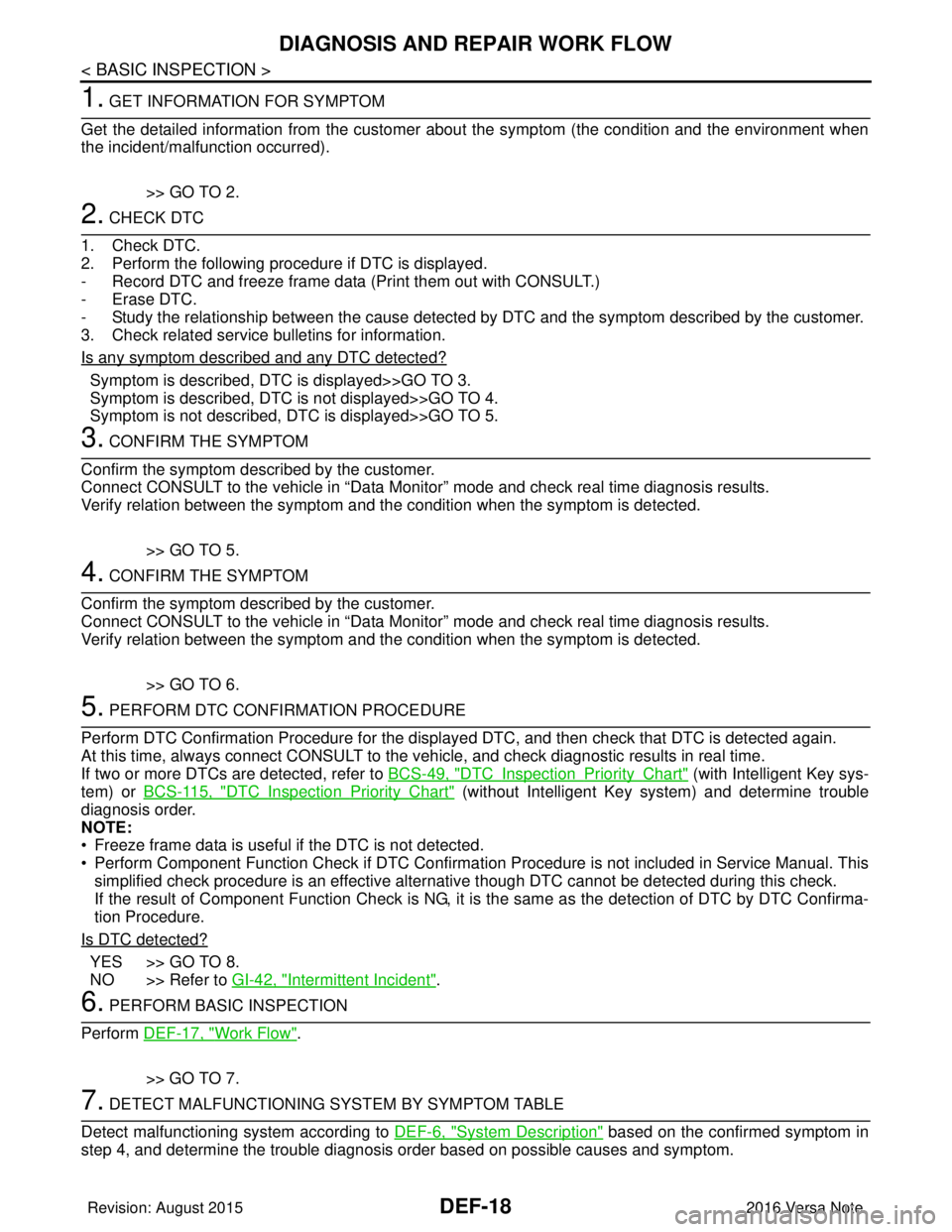
DEF-18
< BASIC INSPECTION >
DIAGNOSIS AND REPAIR WORK FLOW
1. GET INFORMATION FOR SYMPTOM
Get the detailed information from the customer about the symptom (the condition and the environment when
the incident/malfunction occurred).
>> GO TO 2.
2. CHECK DTC
1. Check DTC.
2. Perform the following procedure if DTC is displayed.
- Record DTC and freeze frame data (P rint them out with CONSULT.)
- Erase DTC.
- Study the relationship between the cause detected by DTC and the symptom described by the customer.
3. Check related service bulletins for information.
Is any symptom described and any DTC detected?
Symptom is described, DTC is displayed>>GO TO 3.
Symptom is described, DTC is not displayed>>GO TO 4.
Symptom is not described, DTC is displayed>>GO TO 5.
3. CONFIRM THE SYMPTOM
Confirm the symptom described by the customer.
Connect CONSULT to the vehicle in “Data Monitor” mode and check real time diagnosis results.
Verify relation between the symptom and the condition when the symptom is detected.
>> GO TO 5.
4. CONFIRM THE SYMPTOM
Confirm the symptom described by the customer.
Connect CONSULT to the vehicle in “Data Monitor” mode and check real time diagnosis results.
Verify relation between the symptom and the condition when the symptom is detected.
>> GO TO 6.
5. PERFORM DTC CONFIRMATION PROCEDURE
Perform DTC Confirmation Procedure for the display ed DTC, and then check that DTC is detected again.
At this time, always connect CONSULT to the vehicle, and check diagnostic results in real time.
If two or more DTCs are detected, refer to BCS-49, "
DTCInspectionPriorityChart" (with Intelligent Key sys-
tem) or BCS-115, "
DTCInspectionPriorityChart" (without Intelligent Key system) and determine trouble
diagnosis order.
NOTE:
• Freeze frame data is useful if the DTC is not detected.
• Perform Component Function Check if DTC Confirmation Procedure is not included in Service Manual. This simplified check procedure is an effective alternat ive though DTC cannot be detected during this check.
If the result of Component Function Check is NG, it is the same as the detection of DTC by DTC Confirma-
tion Procedure.
Is DTC detected?
YES >> GO TO 8.
NO >> Refer to GI-42, "
Intermittent Incident".
6. PERFORM BASIC INSPECTION
Perform DEF-17, "
Work Flow".
>> GO TO 7.
7. DETECT MALFUNCTIONING SYSTEM BY SYMPTOM TABLE
Detect malfunctioning system according to DEF-6, "
System Description" based on the confirmed symptom in
step 4, and determine the trouble diagnosis order based on possible causes and symptom.
Revision: August 2015 2016 Versa Note
cardiagn.com
Page 709 of 3641
![NISSAN NOTE 2016 Service Repair Manual DLK-20
< SYSTEM DESCRIPTION >[WITH INTELLIGENT KEY SYSTEM]
SYSTEM (POWER DOOR LOCK SYSTEM)
SYSTEM (POWER DOOR LOCK SYSTEM)
System DiagramINFOID:0000000012429981
System DescriptionINFOID:00000000124299](/manual-img/5/57363/w960_57363-708.png "NISSAN NOTE 2016 Service Repair Manual DLK-20
< SYSTEM DESCRIPTION >[WITH INTELLIGENT KEY SYSTEM]
SYSTEM (POWER DOOR LOCK SYSTEM)
SYSTEM (POWER DOOR LOCK SYSTEM)
System DiagramINFOID:0000000012429981
System DescriptionINFOID:00000000124299")
DLK-20
< SYSTEM DESCRIPTION >[WITH INTELLIGENT KEY SYSTEM]
SYSTEM (POWER DOOR LOCK SYSTEM)
SYSTEM (POWER DOOR LOCK SYSTEM)
System DiagramINFOID:0000000012429981
System DescriptionINFOID:0000000012429982
DOOR LOCK FUNCTION
• The door lock and unlock switch LH is built into the main power window and door lock/unlock switch.
• The door lock and unlock switch RH is built into
the power window and door lock/unlock switch RH.
• Interlocked with the locking operation of door lock and unlock switch, door lock actuators of all doors are
locked.
• Interlocked with the unlocking operation of door lock and unlock switch, door lock actuators of all doors are
unlocked.
Door Key Cylinder
• With the door key inserted in the door key cylinder on driver side, turning it to “LOCK”, will lock door lock actuator of all doors.
• With the door key inserted in the door key cylinder on driver side, turning it to “UNLOCK” onc\
e unlocks the driver side door lock actuator; turning it to “UNLOCK” again within 60 seconds after the first unlock operation
unlocks all of the other doors. - (SELECTIVE UNLOCK OPERATION)
Selective unlock operation mode can be changed using “A UTO LOCK SET” in “Work support”. Refer to BCS-
18, "DOOR LOCK : CONSULT Function (BCM - DOOR LOCK)".
AUTOMATIC DOOR LOCKS (LOCK OPERATION)
The automatic door locks function is the function that locks all doors linked with the vehicle speed or shift posi-
tion.
Vehicle Speed Sensing Auto Door Lock*1
All doors are locked when the vehicle speed reaches 24 km/h (15 MPH) or more.
BCM outputs the lock signal to all door lock actuators when it detects that the ignition switch is turned ON, all
doors are closed and the vehicle speed received from the combination meter via CAN communication
becomes 24 km/h (15 MPH) or more.
If a door is opened and closed at any time during one ignition cycle (OFF → ON), even after initial auto door
lock operation has taken place, the BCM will relock al l doors when the vehicle speed reaches 24 km/h (15
MPH) or more again.
ALKIA2288GB
Input SingleFunction Actuator
Door lock/unlock switch Door lock/unlock signal Door lock function
• Each door lock actuator
Door key cylinder switch
Each door switch
Door open/close signal
Key reminder function
Combination meter Warning buzzer signal
Vehicle speed signal
Automatic door lock/unlock
function
Revision: August 2015
2016 Versa Note
cardiagn.com
Page 713 of 3641
![NISSAN NOTE 2016 Service Repair Manual DLK-24
< SYSTEM DESCRIPTION >[WITH INTELLIGENT KEY SYSTEM]
SYSTEM (INTELLIGENT KEY SYSTEM)
*: Even with a registered Intelligent Key remaining inside the vehicle, door locks can be unlocked from outsi](/manual-img/5/57363/w960_57363-712.png "NISSAN NOTE 2016 Service Repair Manual DLK-24
< SYSTEM DESCRIPTION >[WITH INTELLIGENT KEY SYSTEM]
SYSTEM (INTELLIGENT KEY SYSTEM)
*: Even with a registered Intelligent Key remaining inside the vehicle, door locks can be unlocked from outsi")
DLK-24
< SYSTEM DESCRIPTION >[WITH INTELLIGENT KEY SYSTEM]
SYSTEM (INTELLIGENT KEY SYSTEM)
*: Even with a registered Intelligent Key remaining inside the vehicle, door locks can be unlocked from outside of the vehicle
with a spare
Intelligent Key as long as key IDs are different.
Door lock function can be changed using “LOCK/UNLOCK BY I-KEY” in “Work support”. Refer to BCS-22,
"INTELLIGENT KEY : CONSULT Function (BCM - INTELLIGENT KEY)".
OUTSIDE KEY ANTENNA DETECTION AREA
The outside key antenna detection area of door lock/unlock function
is in the range of approximately 80 cm (31.50 in) surrounding the
driver, passenger door handles (1). However, this operating range
depends on the ambient conditions.
HAZARD AND BUZZER REMINDER FUNCTION
For the operation check, BCM blinks hazard warning lamps (lock: 2 times, unlock: 1 time) and sounds Intelli-
gent Key warning buzzer (lock: 1 time, unlock: 1 time) when door lock or unlock operates by operation of each
door request switch.
How to Change Hazard and Buzzer Reminder Mode
Refer to BCS-22, "INTELLIGENT KEY : CONSULT Func tion (BCM - INTELLIGENT KEY)".
AUTO DOOR LOCK FUNCTION
After door is unlocked by door request switch operation and if 30 seconds or more passes without performing
the following operation, all doors are automatically locked: However, operation check function does not acti-
vate.
Auto door lock mode can be changed by the “AUTO LOCK SET” in “Work support”. Refer to BCS-22, "
INTEL-
LIGENT KEY : CONSULT Function (BCM - INTELLIGENT KEY)".
LIST OF OPERATION RELATED PARTS
Parts marked with × are the parts related to operation.
Each request switch operation Operation condition
Lock • All doors are closed.
• Ignition switch is in the LOCK or OFF position.
• Panic alarm is not activated.
• Intelligent Key is outside the vehicle.
• Intelligent Key is within outside key antenna detection area.
• P position warning is not activated.
Unlock • All doors are closed.
• Ignition switch is in the LOCK or OFF position.
• Panic alarm is not activated.
• Intelligent Key is outside the vehicle.
• Intelligent Key is within outside key antenna detection area. *
JMKIA4881ZZ
Operating condition
• Door switch is ON
. (door is open)
• BCM receives lock signal.
• Push switch is pressed.
Revision: August 2015 2016 Versa Note
cardiagn.com