2016 MITSUBISHI OUTLANDER All
[x] Cancel search: AllPage 200 of 464
Rear-view camera (if so equipped) 5-124 Features and controls
5
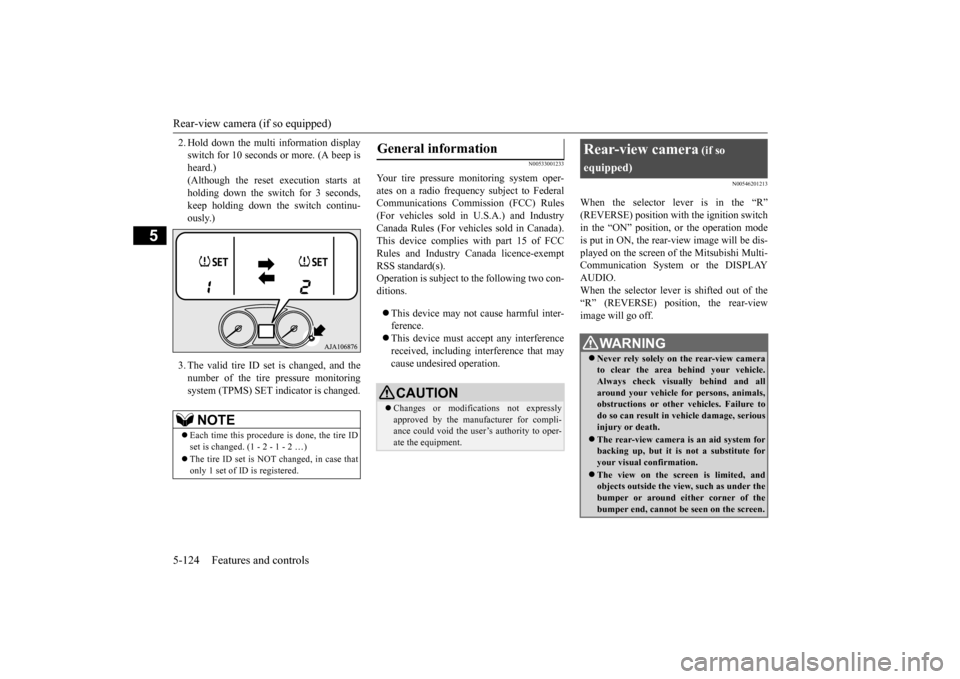
2. Hold down the multi information display switch for 10 seconds or more. (A beep isheard.) (Although the reset execution starts at holding down the switch for 3 seconds,keep holding down the switch continu- ously.) 3. The valid tire ID set is changed, and the number of the tire
pressure monitoring
system (TPMS) SET i
ndicator is changed.
N00533001233
Your tire pressure monitoring system oper- ates on a radio frequency subject to Federal Communications Comm
ission (FCC) Rules
(For vehicles sold in U.S.A.) and Industry Canada Rules (For vehicles sold in Canada). This device complies with part 15 of FCCRules and Industry Ca
nada licence-exempt
RSS standard(s). Operation is subject to the following two con- ditions. This device may not
cause harmful inter-
ference. This device must ac
cept any interference
received, including interference that may cause undesired operation.
N00546201213
When the selector lever is in the “R”(REVERSE) position with the ignition switchin the “ON” position,
or the operation mode
is put in ON, the rear-view image will be dis- played on the screen of the Mitsubishi Multi-Communication System or the DISPLAY AUDIO. When the selector lever is shifted out of the “R” (REVERSE) position, the rear-view image will go off.
NOTE
Each time this procedure is done, the tire ID set is changed. (1 - 2 - 1 - 2 …) The tire ID set is NOT changed, in case that only 1 set of ID is registered.
General information
CAUTION Changes or modifica
tions not expressly
approved by the manufacturer for compli- ance could void the user’s authority to oper-ate the equipment.
Rear-view camera
(if so
equipped)
WA R N I N G Never rely solely on the rear-view camera to clear the area behind your vehicle. Always check visua
lly behind and all
around your vehicle fo
r persons, animals,
obstructions or other vehicles. Failure to do so can result in
vehicle damage, serious
injury or death. The rear-view camera is an aid system for backing up, but it is not a substitute for your visual confirmation. The view on the scre
en is limited, and
objects outside the view, such as under the bumper or around either corner of thebumper end, cannot be seen on the screen.
BK0223400US.book 124 ページ 2015年2月13日 金曜日 午後12時15分
Page 201 of 464
Rear-view camera (if so equipped)
Features and controls 5-125
5
The rear-view camera (A) is in the liftgate, at the left side of
the liftgate handle.
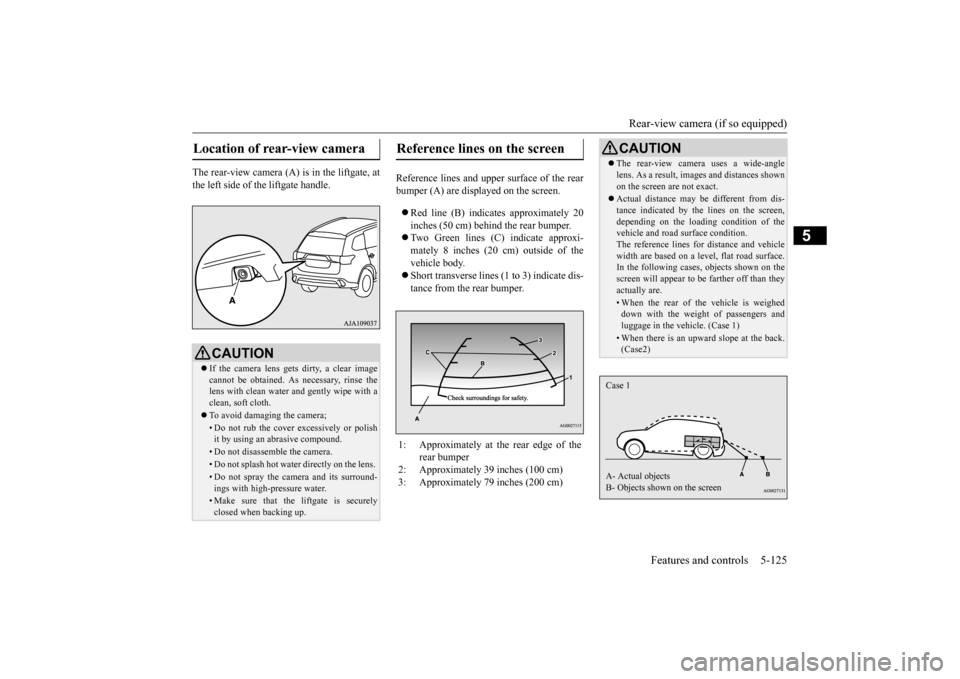
Reference lines and uppe
r surface of the rear
bumper (A) are displayed on the screen. Red line (B) indicates approximately 20 inches (50 cm) behind the rear bumper. Two Green lines (C) indicate approxi- mately 8 inches (20 cm) outside of the vehicle body. Short transverse lines (1
to 3) indicate dis-
tance from the rear bumper.
Location of rear-view camera
CAUTION If the camera lens gets
dirty, a clear image
cannot be obtained. As
necessary, rinse the
lens with clean water a
nd gently wipe with a
clean, soft cloth. To avoid damaging the camera;• Do not rub the cover excessively or polish it by using an abrasive compound. • Do not disassemble the camera.• Do not splash hot wate
r directly on the lens.
• Do not spray the camera and its surround- ings with high-
pressure water.
• Make sure that the liftgate is securely closed when backing up.
Reference lines on the screen
1: Approximately at the rear edge of the
rear bumper
2: Approximately 39 inches (100 cm) 3: Approximately 79 inches (200 cm)
CAUTION The rear-view camera uses a wide-angle lens. As a result, images and distances shownon the screen are not exact. Actual distance may be different from dis- tance indicated by the
lines on the screen,
depending on the loadi
ng condition of the
vehicle and road surface condition. The reference lines for distance and vehiclewidth are based on a level, flat road surface. In the following cases, objects shown on the screen will appear to
be farther off than they
actually are.• When the rear of th
e vehicle is weighed
down with the weight of passengers and luggage in the vehicle. (Case 1)• When there is an upward slope at the back.(Case2)
Case 1 A- Actual objects B- Objects shown on the screen
BK0223400US.book 125 ページ 2015年2月13日 金曜日 午後12時15分
Page 202 of 464
Instrument cluster 5-126 Features and controls
5
N00519001402
CAUTION The reference lines for
distance and vehicle
width are intended to i
ndicate the distance to
a flat object such as a level, flat road surface. They may not indicate correct distance depending on the shape of an obstacle.For example, when there is an object behind the vehicle that has u
pper sections projecting
in the direction of the
vehicle, the reference
lines on the screen will
indicate that point A
is the farthest point an
d point B is the closest
point to the vehicle. In
reality, point A and B
are actually the same distance from the vehi- cle, and point C is fa
rther off than point A
and B.Case 2 A- Actual objects B- Objects shown on the screen
NOTE
Mirror image is displayed on the screen. Monitor brightness is adjusted automatically by sensors. On vehicles equipped
with Mitsubishi Multi-
Communication System,
it is possible to
change the display language of the screen.For details, please refer to the separated owner’s manual for “Mitsubishi Multi-Com- munication System”. Under certain circumst
ances, it may become
difficult to see an image on the screen, evenwhen the system is functioning correctly. • In a dark area, such as at night. • When water drops or
condensation are on
the lens. • When sun light or he
adlights shine directly
into the lens.
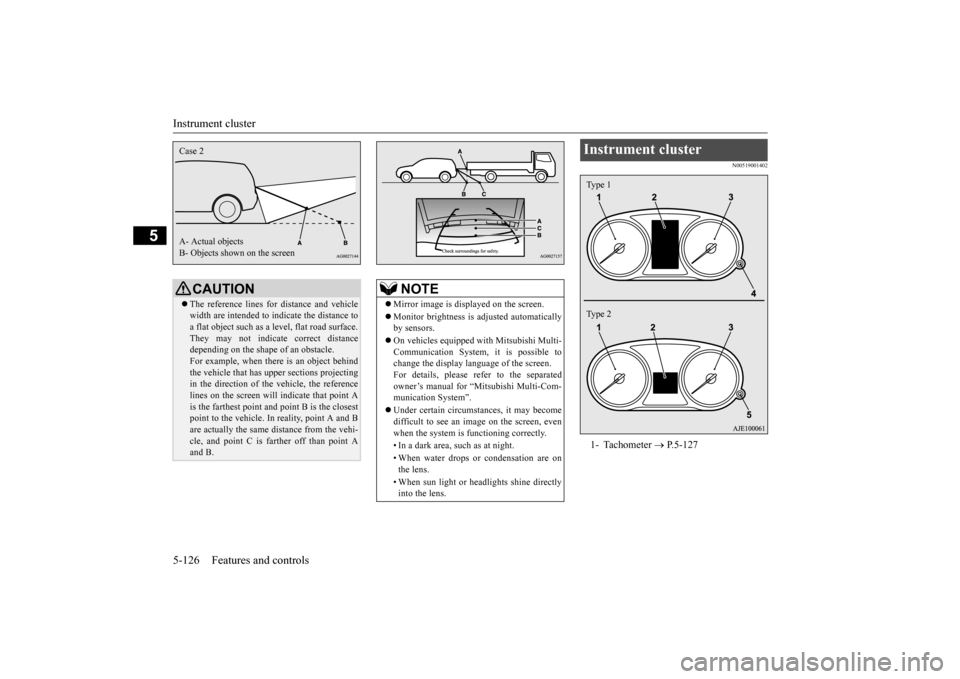
Instrument cluster 1- Tachometer
P.5-127
Type 1 Type 2
BK0223400US.book 126 ページ 2015年2月13日 金曜日 午後12時15分
Page 203 of 464
Instrument cluster
Features and controls 5-127
5
N00519101272
The speedometer shows the vehicle speed in miles per hour (mph) or kilometers per hour(km/h).
N00519201303
The tachometer shows e
ngine revolutions per
minute. This allows the driver to determine the most efficient sele
ctor position and engine
speed combinations.This gauge also assists in evaluating engine performance.
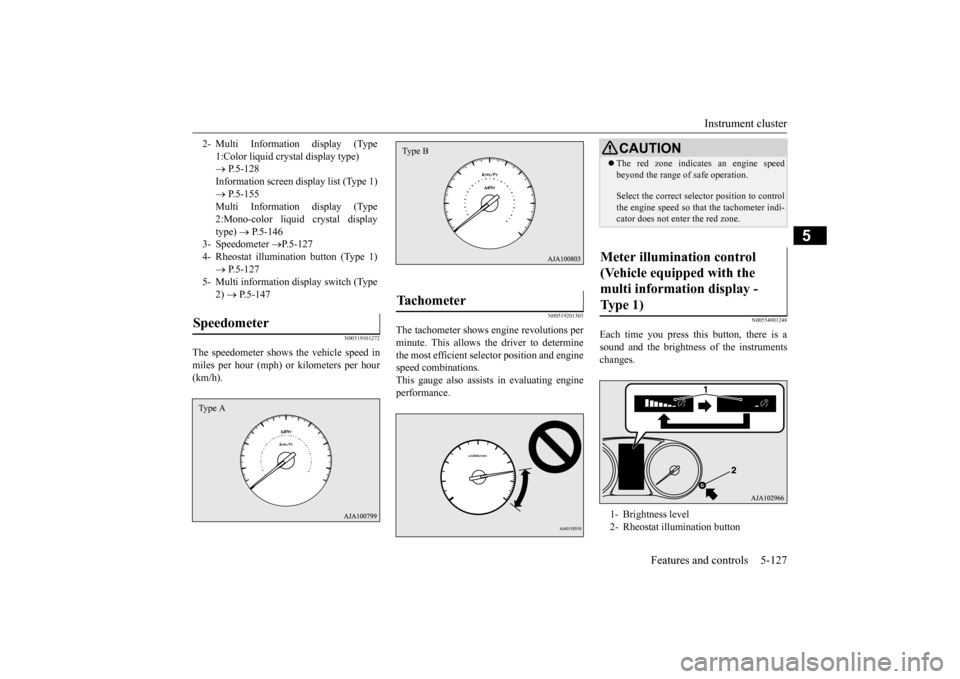
N00554901248
Each time you press this button, there is asound and the brightness
of the instruments
changes.
2- Multi Information display (Type
1:Color liquid crystal display type) P.5-128 Information screen display list (Type 1) P.5-155 Multi Information display (Type2:Mono-color liquid crystal display type)
P.5-146
3- Speedometer
P.5-127
4- Rheostat illumina
tion button (Type 1)
P.5-127
5- Multi information display switch (Type
2) P.5-147
Speedometer Type A
Tachometer Type B
CAUTIONThe red zone indicates an engine speed beyond the range of safe operation. Select the correct select
or position to control
the engine speed so that
the tachometer indi-
cator does not enter the red zone.
Meter illumination control (Vehicle equipped with the multi information display - Type 1) 1- Brightness level 2- Rheostat illumination button
BK0223400US.book 127 ページ 2015年2月13日 金曜日 午後12時15分
Page 204 of 464
Multi Information display - Type 1 5-128 Features and controls
5
N00555001347
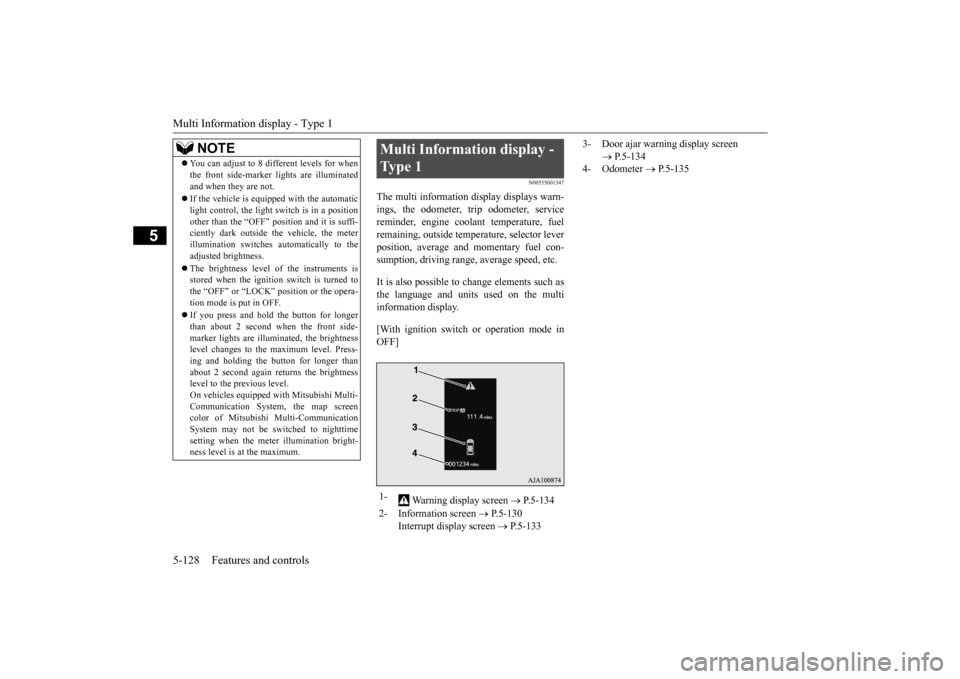
The multi information display displays warn- ings, the odometer, tr
ip odometer, service
reminder, engine cool
ant temperature, fuel
remaining, outside temper
ature, selector lever
position, average and momentary fuel con- sumption, driving range, average speed, etc. It is also possible to change elements such as the language and units used on the multi information display. [With ignition switch
or operation mode in
OFF]
NOTE
You can adjust to 8 different levels for when the front side-marker
lights are illuminated
and when they are not. If the vehicle is equipped with the automatic light control, the light
switch is in a position
other than the “OFF” pos
ition and it is suffi-
ciently dark outside the vehicle, the meter illumination switches automatically to theadjusted brightness. The brightness level
of the instruments is
stored when the ignition switch is turned to the “OFF” or “LOCK”
position or the opera-
tion mode is put in OFF. If you press and hold the button for longer than about 2 second when the front side-marker lights are illum
inated, the brightness
level changes to the
maximum level. Press-
ing and holding the button for longer thanabout 2 second again returns the brightness level to the previous level. On vehicles e
quipped with Mitsubishi Multi-
Communication System
, the map screen
color of Mitsubishi Multi-Communication System may not be sw
itched to nighttime
setting when the mete
r illumination bright-
ness level is at the maximum.
Multi Information display - Type 1 1-
Warning display screen
P.5-134
2- Information screen
P.5-130
Interrupt display screen
P.5-133
3- Door ajar warning display screen
P.5-134
4- Odometer
P.5-135
BK0223400US.book 128 ページ 2015年2月13日 金曜日 午後12時15分
Page 209 of 464
Multi Information display - Type 1
Features and controls 5-133
5
N00556301217
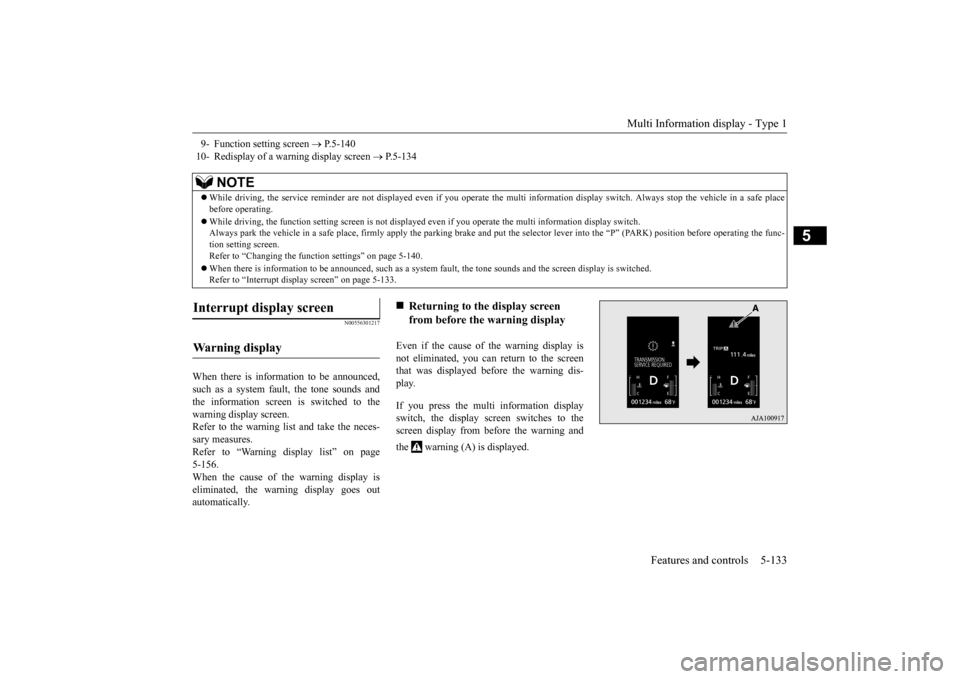
When there is information to be announced, such as a system fault, the tone sounds and the information screen is switched to the warning display screen.Refer to the warning list and take the neces- sary measures. Refer to “Warning display list” on page5-156. When the cause of the warning display is eliminated, the warning display goes outautomatically.
Even if the cause of the warning display is not eliminated, you can return to the screenthat was displayed be
fore the warning dis-
play. If you press the multi information display switch, the display screen switches to thescreen display from before the warning and the warning (A) is displayed.
9- Function setting screen
P.5-140
10- Redisplay of a warning display screen
P.5-134
NOTE
While driving, the service reminder are not
displayed even if you operate the multi in
formation display swit
ch. Always stop the
vehicle in a safe place
before operating. While driving, the function sett
ing screen is not displayed even if you ope
rate the multi information display switch.
Always park the vehicle in a sa
fe place, firmly apply the park
ing brake and put the selector le
ver into the “P” (PARK) position
before operating the func-
tion setting screen.Refer to “Changing the func
tion settings” on page 5-140.
When there is information to be announced, such as a system
fault, the tone sounds and the
screen display is switched.
Refer to “Interrupt disp
lay screen” on page 5-133.
Interrupt display screen Wa r n i n g d is p la y
Returning to the display screen from before the warning display
BK0223400US.book 133 ページ 2015年2月13日 金曜日 午後12時15分
Page 210 of 464

Multi Information display - Type 1 5-134 Features and controls
5
N00579600021
When the warning is displayed, if you lightly press the multi information display switch a few times, the warning display screen you switched from is redisplayed.
N00579700022
The operation status of
each system is dis-
played on the information screen.For further details, refer to the appropriate page in the warning display list. Refer to “Other interrupt displays” on page5-167.
N00555201222
This is displayed when you press the multi information display switch and return from the warning display screen to the previousscreen. This mark is also displa
yed if there is another
warning other than the one displayed.When the cause of the warning display is eliminated, the warning goes out automat- ically.
N00529700014
If any of the doors or the liftgate is not com- pletely closed, this displays the open door or liftgate. If the speed increases to about 5 mph (8 km/h) or higher with a door ajar, a tone will sound 4 times to inform you that a door isajar.
N00578200020
Shows the engine coolant temperature. If the coolant becomes hot, “ ” will blink. Pay careful attention to
the engine coolant
temperature display while you are driving.
NOTE
Warning display screens with a “ ” or “ ” mark displayed in the upper right of the screen can be switched
. If you want to switch
the display, press the multi information dis-play switch as follows. “ ”: Press lightly. “ ”: Press for about 2 seconds or more.
Redisplay of a warning display screen Other interrupt displays
warning display screen
NOTE
When the warning is displayed, the warn- ing display screen can
be redisplayed on the
information screen.Refer to “Information sc
reen (with the igni-
tion switch in “OFF” or “LOCK” position or the operation mode in OFF)” on page 5-130.Refer to “Information sc
reen (with the igni-
tion switch or the oper
ation mode in ON)” on
page 5-132.
Door ajar warning display screen
CAUTION Always make sure that
the warning display
goes out before beginning to drive.
Engine coolant temperature display
BK0223400US.book 134 ページ 2015年2月13日 金曜日 午後12時15分
Page 213 of 464

Multi Information display - Type 1
Features and controls 5-137
5
When the display is reset, the time until the next periodic inspection
is displayed and the
warning display is no longer displayed when the ignition switch is switched from the “OFF” or “LOCK” position to the “ON”position or the operation mode is changed from OFF to ON. 1. When you lightly press the multi informa- tion display switch, the informationscreen switches to the service reminder display screen. 2. Press and hold the mu
lti information dis-
play switch (for about 2 seconds or more) to display “ ” and make
it flash. (If there
is no operation for ab
out 10 seconds with
this indicator flashing,
the display returns
to the previous screen.)
3. With this indicator flashing, if you lightly press the multi information displayswitch, the screen sw
itches from “---” to
“CLEAR”. After that, the time until the next periodic inspection is shown.
N00578400022
When the ignition switch is turned to the “ON” position or the operation mode is put in ON, the system check screen is displayed forabout 4 seconds. If there is no fault, the infor- mation screen is displayed. If there is a fault, the screen changes to warn-ing display. Refer to “Warning display list” on page 5-156.
CAUTION The customer is responsible for making sure that regular inspections
and maintenance and
periodic inspections
and maintenance are
performed.Inspections and mainte
nance must be per-
formed to prevent accidents and malfunc- tions.NOTE
The “---” display cannot
be reset while the
ignition switch or th
e operation mode is in
ON.
When “---” is displaye
d, after a certain dis-
tance and a certain pe
riod of time, the dis-
play is reset and the time until the nextperiodic inspecti
on is displayed.
If you accidentally rese
t the display, consult
an authorized Mitsubishi Motors dealer for assistance.
System check screen
NOTE
The system check screen display varies depending on your equipment.NOTE
BK0223400US.book 137 ページ 2015年2月13日 金曜日 午後12時15分