2016 MERCEDES-BENZ GLE-Class front cooling cup
[x] Cancel search: front cooling cupPage 5 of 450

1, 2, 3 ...
4ETS (Electronic Traction System)see ETS/4ETS (Electronic Trac-
tion System)
4MATIC (permanent four-wheel
drive) .................................................. 235
12 V socket
see Sockets
115 V socket ...................................... 343
360° camera
Cleaning ........................................ .366
Display in the multimedia system .. 222
Function/notes .............................2 21
A
ABS (Anti-lock Braking System)
Display message ............................ 281
Function/notes ................................ 66
Important safety notes .................... 66
Warning lamp ................................. 319
Accident
Automatic measures after an acci-
dent ................................................. 59
Activating/deactivating cooling
with air dehumidification ................. 132
Active Blind Spot Assist
Activating/deactivating (on-
board computer) ............................ 272
Display message ............................ 305
Function/information .................... 230
Trailer towing ................................. 233
Active Curve System
Display message ............................ 303
Function/notes ............................. 207
Active Driving Assistance package .. 230
Active Lane Keeping Assist
Activating/deactivating (on-
board computer) ............................ 272
Display message ............................ 305
Function/information .................... 233
Trailer towing ................................. 235
Active Parking Assist
Display message ............................ 306
Exiting a parking space .................. 216
Function/notes ............................. 213
Important safety notes .................. 213 Parking .......................................... 215
ADAPTIVE BRAKE ................................. 74
Adaptive Brake Assist
Function/notes ................................ 70
Adaptive Damping System
Function/notes ............................. 209
Adaptive damping system
see ADS (Adaptive Damping System)
Adaptive Highbeam Assist
Display message ............................ 295
Function/notes ............................. 117
Switching on/off ........................... 118
Additives (engine oil) ........................ 438
ADS (Adaptive Damping System)
Function/notes ............................. 206
Air bags
Deployment ..................................... 56
Display message ............................ 290
Front air bag (driver, front
passenger) ....................................... 50
Important safety notes .................... 49
Introduction ..................................... 49
Knee bag .......................................... 51
Occupant Classification System
(OCS) ............................................... 52
P
ASSENGER AIR BAG indicator
lamps ............................................... 45
Side impact air bag .......................... 51
Window curtain air bag .................... 51
Air filter (display message) .............. 298
AIR FLOW ........................................... 134
Air vents
Glove box ....................................... 142
Important safety notes .................. 141
Rear ............................................... 142
Setting ........................................... 141
Setting the center air vents ........... 142
Setting the side air vents ............... 142
Air-conditioning system
see Climate control
AIRMATIC package
ADS (Adaptive Damping System) ... 206
Function/notes ............................. 205
Alarm
ATA (Anti-Theft Alarm system) ......... 77
Switching off (ATA) .......................... 77
Switching the function on/off
(ATA) ................................................ 77
Index3
Page 143 of 450
Setting the departure time
You can set the departure time using the on-
board computer or via the online access to the
vehicle. The activation of the "Pre-entry climate
control at departure time" function can be linked
to this departure time. Your vehicle will then be
cooled or heated until the desired temperature
is reached in time for the set departure time.
"Pre-entry climate control at departure time" will
be activated a maximum of 55 minutes before
departure. If the departure is delayed, the vehi-
cle will be heated or cooled for another five
minutes.
XTo set the departure time:set the departure
time using the on-board computer
(
Ypage 274). Set the departure time via the
online access to the vehicle (Ypage 178).
XTo activate or deactivate "Pre-entry cli-
mate control at departure time": activate
or deactivate "Pre-entry climate control at
departure time" using the on-board com-
puter. Activate or deactivate "Pre-entry cli-
mate control at departure time" via the online
access to the vehicle (
Ypage 178).
The "Pre-entry climate control at departure
time" function switches off automatically when
the vehicle is started. The following functions
remain active:
RSeat heating
RSeat ventilation
RIonization
To deactivate "Pre-entry climate control at
departure time": the activated "Pre-entry cli-
mate control at departure time" can be deacti-
vated using the button (
Ypage 141).
Activating/deactivating "Immediate
pre-entry climate control" via the but-
ton
You can activate "Immediate pre-entry climate
control" even if the vehicle interior is already at
the desired temperature. This means, for exam-
ple, that the vehicle interior continues to be
cooled or heated if the journey is interrupted for
up to 50 minutes and the interior temperature is
kept constant.
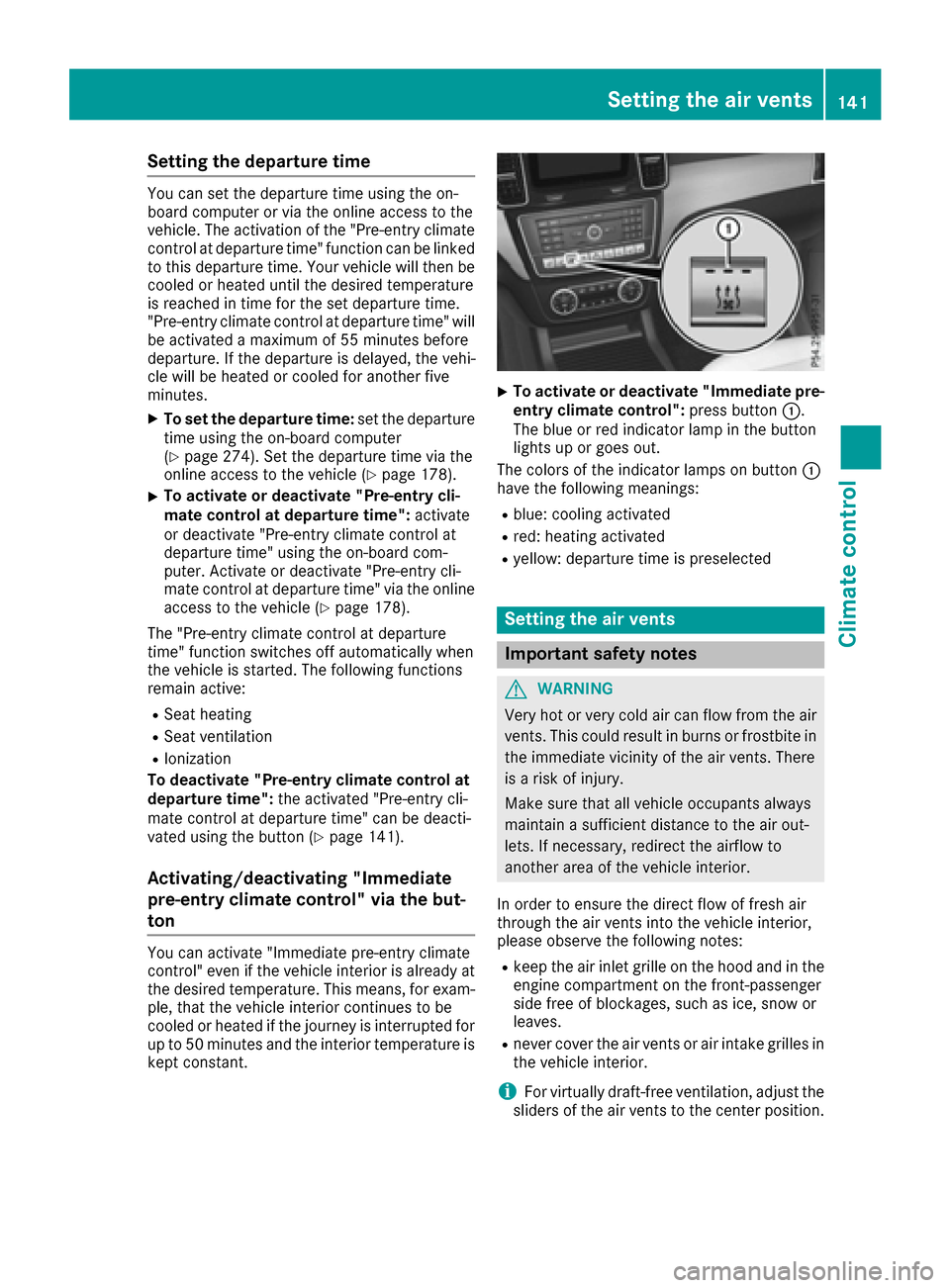
XTo activate or deactivate "Immediate pre-
entry climate control": press button:.
The blue or red indicator lamp in the button
lights up or goes out.
The colors of the indicator lamps on button :
have the following meanings:
Rblue: cooling activated
Rred: heating activated
Ryellow: departure time is preselected
Setting the air vents
Important safety notes
GWARNING
Very hot or very cold air can flow from the air
vents. This could result in burns or frostbite in
the immediate vicinity of the air vents. There
is a risk of injury.
Make sure that all vehicle occupants always
maintain a sufficient distance to the air out-
lets. If necessary, redirect the airflow to
another area of the vehicle interior.
In order to ensure the direct flow of fresh air
through the air vents into the vehicle interior,
please observe the following notes:
Rkeep the air inlet grille on the hood and in the
engine compartment on the front-passenger
side free of blockages, such as ice, snow or
leaves.
Rnever cover the air vents or air intake grilles in
the vehicle interior.
iFor virtually draft-free ventilation, adjust the
sliders of the air vents to the center position.
Setting the air vents141
Climate control
Z
Page 342 of 450
Temperature-controlled cup holder in
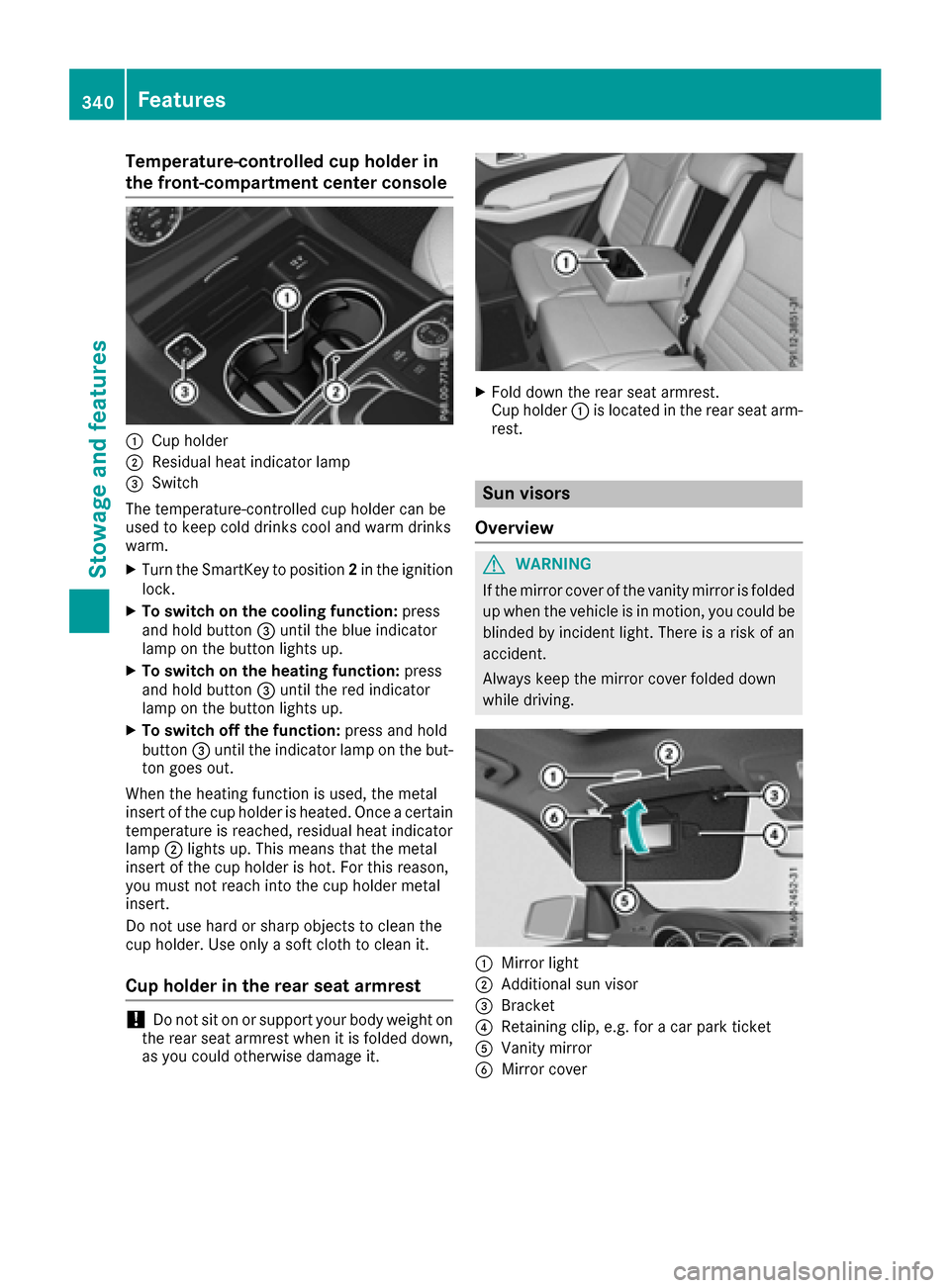
the front-compartment center console
:Cup holder
;Residual heat indicator lamp
=Switch
The temperature-controlled cup holder can be
used to keep cold drinks cool and warm drinks
warm.
XTurn the SmartKey to position 2in the ignition
lock.
XTo switch on the cooling function: press
and hold button =until the blue indicator
lamp on the button lights up.
XTo switch on the heating function: press
and hold button =until the red indicator
lamp on the button lights up.
XTo switch off the function: press and hold
button =until the indicator lamp on the but-
ton goes out.
When the heating function is used, the metal
insert of the cup holder is heated. Once a certain
temperature is reached, residual heat indicator
lamp ;lights up. This means that the metal
insert of the cup holder is hot. For this reason,
you must not reach into the cup holder metal
insert.
Do not use hard or sharp objects to clean the
cup holder. Use only a soft cloth to clean it.
Cup holder in the rear seat armrest
!Do not sit on or support your body weight on
the rear seat armrest when it is folded down,
as you could otherwise damage it.
XFold down the rear seat armrest.
Cup holder :is located in the rear seat arm-
rest.
Sun visors
Overview
GWARNING
If the mirror cover of the vanity mirror is folded
up when the vehicle is in motion, you could be
blinded by incident light. There is a risk of an
accident.
Always keep the mirror cover folded down
while driving.
:Mirror light
;Additional sun visor
=Bracket
?Retaining clip, e.g. for a car park ticket
AVanity mirror
BMirror cover
340Features
Stowag ean d features