2016 MERCEDES-BENZ CLA engine
[x] Cancel search: enginePage 193 of 374
The damping is tuned individually to each
wheel and depends on: R
your driving style, e.g. sporty R
the road surface condition, e.g. bumps R
your individual selection of Sport or Com-
fort mode.
The suspension setting is adjusted using the
corresponding button in the center console.
i The mode can also be set using the AMG
DYNAMIC SELECT controller ( Y
page 156).
Each time you start the engine with the igni-
tion key or the Start/Stop button, Comfort
mode is activated. For further information
about starting the engine, see ( Y
page 149).
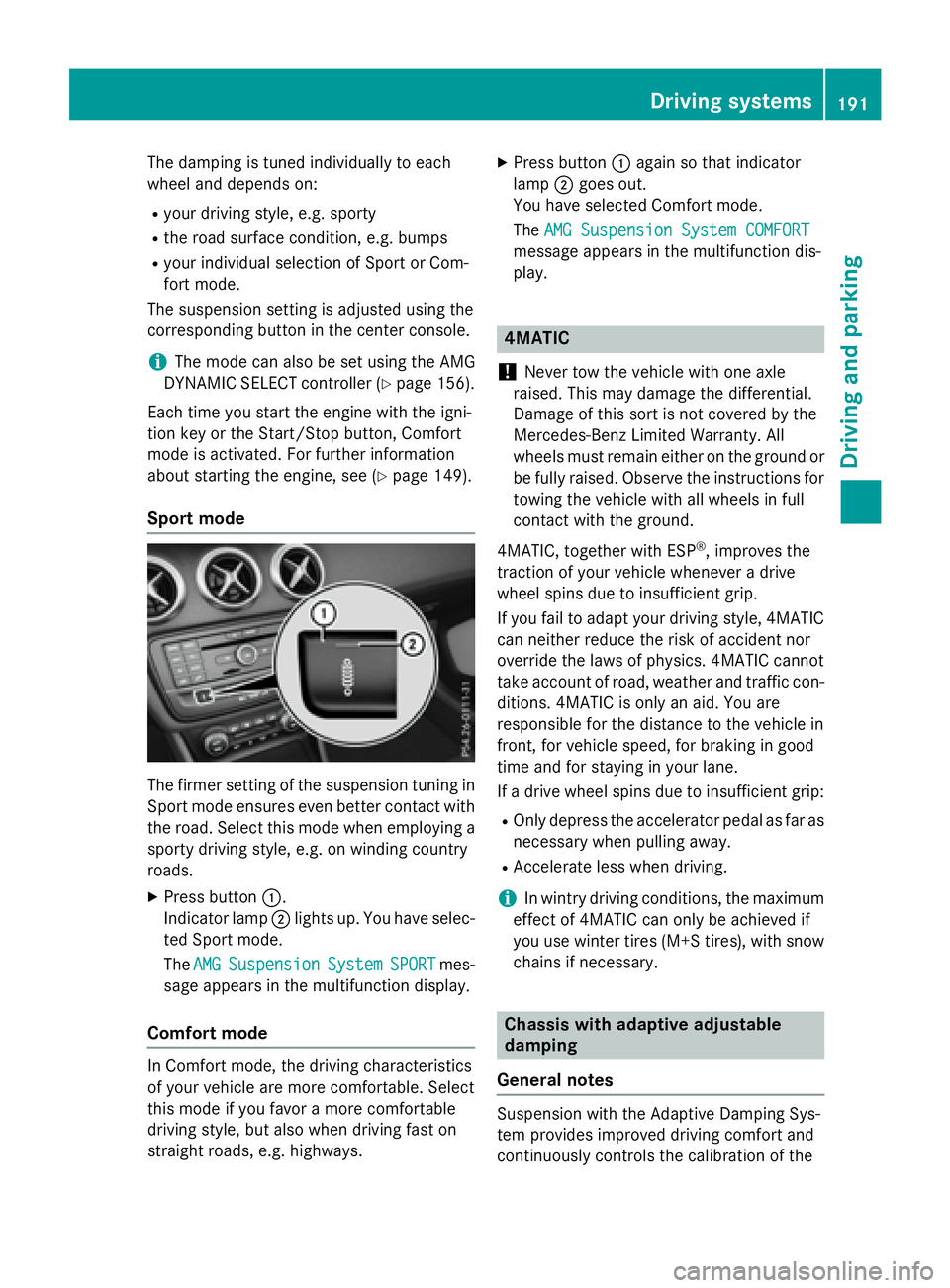
Sport mode
The firmer setting of the suspension tuning in
Sport mode ensures even better contact with
the road. Select this mode when employing a
sporty driving style, e.g. on winding country
roads. X
Press button C .
Indicator lamp D lights up. You have selec-
ted Sport mode.
The AMG Suspension System SPORT mes-
sage appears in the multifunction display.
Comfort mode
In Comfort mode, the driving characteristics
of your vehicle are more comfortable. Select
this mode if you favor a more comfortable
driving style, but also when driving fast on
straight roads, e.g. highways. X
Press button C again so that indicator
lamp D goes out.
You have selected Comfort mode.
The AMG Suspension System COMFORT
message appears in the multifunction dis-
play.
4MATIC
! Never tow the vehicle with one axle
raised. This may damage the differential.
Damage of this sort is not covered by the
Mercedes-Benz Limited Warranty. All
wheels must remain either on the ground or
be fully raised. Observe the instructions for
towing the vehicle with all wheels in full
contact with the ground.
4MATIC, together with ESP ®
, improves the
traction of your vehicle whenever a drive
wheel spins due to insufficient grip.
If you fail to adapt your driving style, 4MATIC
can neither reduce the risk of accident nor
override the laws of physics. 4MATIC cannot
take account of road, weather and traffic con-
ditions. 4MATIC is only an aid. You are
responsible for the distance to the vehicle in
front, for vehicle speed, for braking in good
time and for staying in your lane.
If a drive wheel spins due to insufficient grip: R
Only depress the accelerator pedal as far as
necessary when pulling away. R
Accelerate less when driving.
i In wintry driving conditions, the maximum
effect of 4MATIC can only be achieved if
you use winter tires (M +S tires), with snow
chains if necessary.
Chassis with adaptive adjustable
damping
General notes
Suspension with the Adaptive Damping Sys-
tem provides improved driving comfort and
continuously controls the calibration of the Driving systems 191
Driving and parking Z
Page 199 of 374
Active Parking Assist is switched on automat-
ically when driving forwards. The system is
operational at speeds of up to approximately
22 mph (35 km/h). While in operation, the
system independently locates and measures
parking spaces on both sides of the vehicle.
Active Parking Assist will only detect parking
spaces: R
that are parallel or at right-angles to the
direction of travel R
that are parallel to the direction of travel
and at least 59 in (1.5 m) wideR
that are parallel to the direction of travel
and at least 39.5 in (1.0 m) lo nger than your
vehicle R
that are at right angles to the direction of
travel and at least 39.5 in (1.0 m) wide r
than your vehicle
i Note that Active Parking Assist cannot
measure the length of a parking space if it
is at right angles to the direction of travel.
You will need to judge whether your vehicle
will fit into the parking space.
When driving at speeds below 19 mph
(30 km/h), you will see parking symbol D as
a status indicator in the instrument cluster.
When a parking space has been detected, an
arrow towards the right or the left also
appears. By default, Active Parking Assist
onl y d isplays parking spaces on the front-
p assenger side. Parking spaces on the driv-
er's side are displayed as soon as the turn
signal on the driver's side is activated. When
parking on the driver's side, this must remain
activated until you confirm the use of Active
Parking Assist by pressing the v button on
the multifunction steering wheel. The system
automatically determines whether the park-
ing space is parallel or at right-angles to the
direction of travel.
A parking space is displayed while you are
driving past it, and until you are approx-
imately 50 ft (15 m) away from it. Parking
G WARNING
If you leave the vehicle when it is only being
braked by Active Parking Assist it could roll
away if: R
there is a malfunction in the system or in
the voltage supply. R
the electrical system in the engine com-
partment, the battery or the fuses have
been tampered with. R
the battery is disconnected. R
the accelerator pedal has been depressed,
e.g. by a vehicle occupant.
There is a risk of an accident.
Before leaving the vehicle, always secure it
against rolling away.
i When PARKTRONIC detects obstacles,
Active Parking Assist brakes automatically
during the parking process. You are respon-
sible for braking in good time. X
Stop the vehicle when the parking space
symbol shows the desired parking space in
the instrument cluster. X
Shift the transmission to position R .
The Start Park Assist? Yes: OK No:
8 message appears in the multifunction
display. X
To cancel the procedure: press the 8
button on the multifunction steering wheel
or pull away.
or X
To park using Active Parking Assist:
press the v button on the multifunction
steering wheel.
The Park Assist Active Accelerate
and Brake Observe Surroundings mes-
sage appears in the multifunction display. X
Let go of the multifunction steering wheel. X
Back up the vehicle, being ready to brake at
all times. When backing up, drive at a speed
below approximately 6 mph (10 km/h). Driving system s 197
Dr ivi ng an d parking Z
Page 201 of 374
X
Start the engine. X
Release the electric parking brake. X
Switch on the turn signal in the direction
you will drive out of the parking space. X
Shift the transmission to position D or R .
The Start Park Assist? Yes: OK No:
message appears in the multifunction dis-
play 8 .X
To cancel the procedure: press the 8
button on the multifunction steering wheel
or pull away.
or X
To exit a parking space using Active
Parking Assist: press the v button on
the multifunction steering wheel.
The Park Assist Active Accelerate
and Brake Observe Surroundings mes-
sage appears in the multifunction display. X
Let go of the multifunction steering wheel. X
Pull away, being ready to brake at all times.
Do not exceed a maximum speed of
approximately 6 mph (10 km/h) when exit-
ing a parking space. Otherwise Active Park-
ing Assist will be canceled. X
Depending on the message or as required,
shift the transmission to position D or R .
Active Parking Assist immediately steers in
the other direction. The Park Assist
Active Accelerate and Brake
Observe Surroundings message appears
in the multifunction display.
i You will achieve the best results by wait-
ing for the steering procedure to complete
before pulling away.
If you back up after activation, the steering
wheel is moved to the straight-ahead posi-
tion. X
Drive forwards and back up as prompted by
the PARKTRONIC warning displays, several
times if necessary.
Once you have exited the parking space com-
pletely, the steering wheel is moved to the
straight-ahead position. You hear a tone and
the Park Assist Finished message
appears in the multifunction display. You will then have to steer and merge into traffic on
your own. PARKTRONIC is still available. You
can take over the steering, before the vehicle
has exited the parking space completely. This
is useful, for example when you recognize
that it is already possible to pull out of the
parking space.
Canceling Active Parking Assist X
Stop the movement of the multifunction
steering wheel or steer yourself.
Active Parking Assist will be canceled at
once. The Park Assist Canceled mes-
sage appears in the multifunction display.
or X
Press the PARKTRONIC button
( Y
page 194).
PARKTRONIC is switched off and Active
Parking Assist is immediately canceled.
The Park Assist Canceled message
appears in the multifunction display.
Active Parking Assist is canceled automati-
cally if: R
the electric parking brake is engaged R
transmission position P is selectedR
parking using Active Parking Assist is no
longer possible R
you are driving faster than 6 mph (10 km/h) R
a wheel spins, ESP ®
intervenes or fails. The
Page 206 of 374
The functionality of ATTENTION ASSIST is
restricted and warnings may be delayed or
not occur at all: R
if the length of the journey is less than
approximately 30 minutes R
if the road condition is poor, e.g. if the sur-
face is uneven or if there are potholes R
if there is a strong side wind R
if you have adopted a sporty driving style
with high cornering speeds or high rates of
acceleration R
if you are predominantly driving slower
than 37 mph (60 km/h) or faster than
125 mph (200 km/h) R
if the time has been set incorrectly R
in active driving situations, such as when
you change lanes or change your speed
ATTENTION ASSIST is reset when you con-
tinue your journey and starts assessing your
tiredness again if: R
you switch off the engine R
you take off your seat belt and open the
driver's door, e.g. for a change of drivers or
to take a break
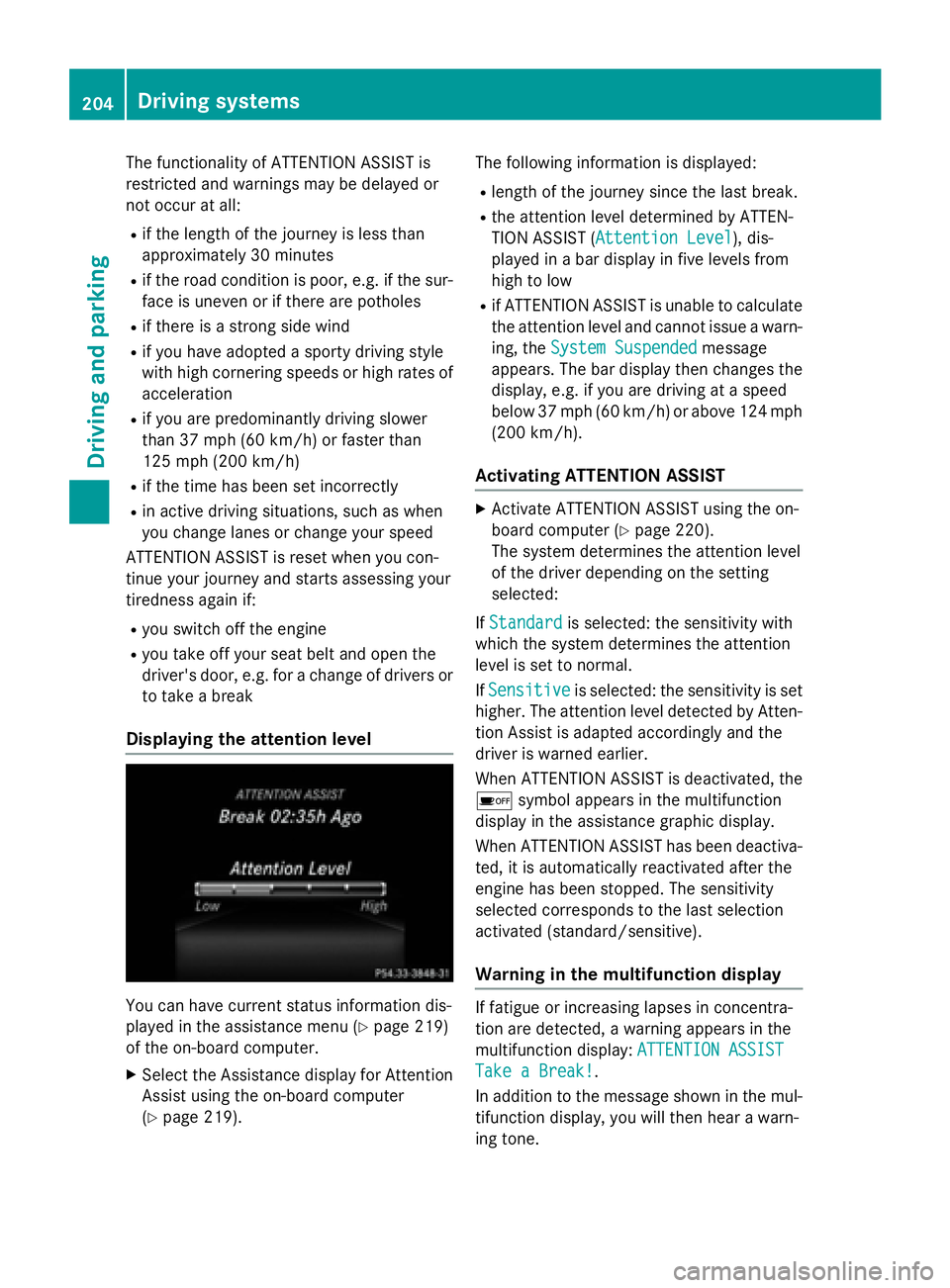
Displaying the attention level
You can have current status information dis-
played in the assistance menu ( Y
page 219)
of the on-board computer. X
Select the Assistance display for Attention
Assist using the on-board computer
( Y
page 219). The following information is displayed: R
length of the journey since the last break. R
the attention level determined by ATTEN-
TION ASSIST ( Attention Level
), dis-
played in a bar display in five levels from
high to low R
if ATTENTION ASSIST is unable to calculate
the attention level and cannot issue a warn-
ing, the System Suspended
message
appears. The bar display then changes the
display, e.g. if you are driving at a speed
below 37 mph (60 km/h) or above 124 mph
(200 km/ h) .
Activating ATTENTION ASSIST X
Activat e ATTENTION ASSIST usin g th e on -
boar d computer ( Y
page 220).
The system determine s th e attention level
of th e driver depending on th e set ting
selected:
If Standard is selected: th e sensitivit y wit h
whic h th e system determine s th e attention
level is set to normal.
If Sensitive is selected: th e sensitivit y is set
higher. The attention level detecte d by Atten-
tion Assis t is adapted accordingly and th e
driver is warned earlier .
When ATTENTI ON ASSIST is deactivated, th e
Page 213 of 374

Tachometer
! Do not drive in the overrevving range, as
this could damage the engine.
The red band in the tachometer indicates the
engine's overrevving range.
The engine is limited within a range to protect
the engine when the red band is reached.
Outside temperature display You should pay special attention to road con-
ditions when temperatures are around freez-
ing point.
Bear in mind that the outside temperature
display indicates the temperature measured
and does not record the road temperature.
The outside temperature display is in the mul-
tifunction display ( Y
page 213).
There is a short delay before a change in out-
side temperature appears in the multifunc-
tion display.
Coolant temperature display
G WARNING
Opening the hood when the engine is over-
heated or when there is a fire in the engine
compartment could expose you to hot gases
or other service products. There is a risk of
injury.
Let an overheated engine cool down before
opening the hood. If there is a fire in the
engine compartment, keep the hood closed
and contact the fire department.
! A display message is shown if the coolant
temperature is too high.
If the coolant temperature is over 248 ‡
(120 †), do not continue driving. The
engine will otherwise be damaged.
The coolant temperature gage is in the instru-
ment cluster on the right-hand side
( Y
page 31). Under normal operating conditions and with
the specified coolant level, the coolant tem-
perature may rise to 248 ‡ (120 †).
Operating the on-board computer
Overview
C
Multifunction display D
Right control panel
Page 222 of 374
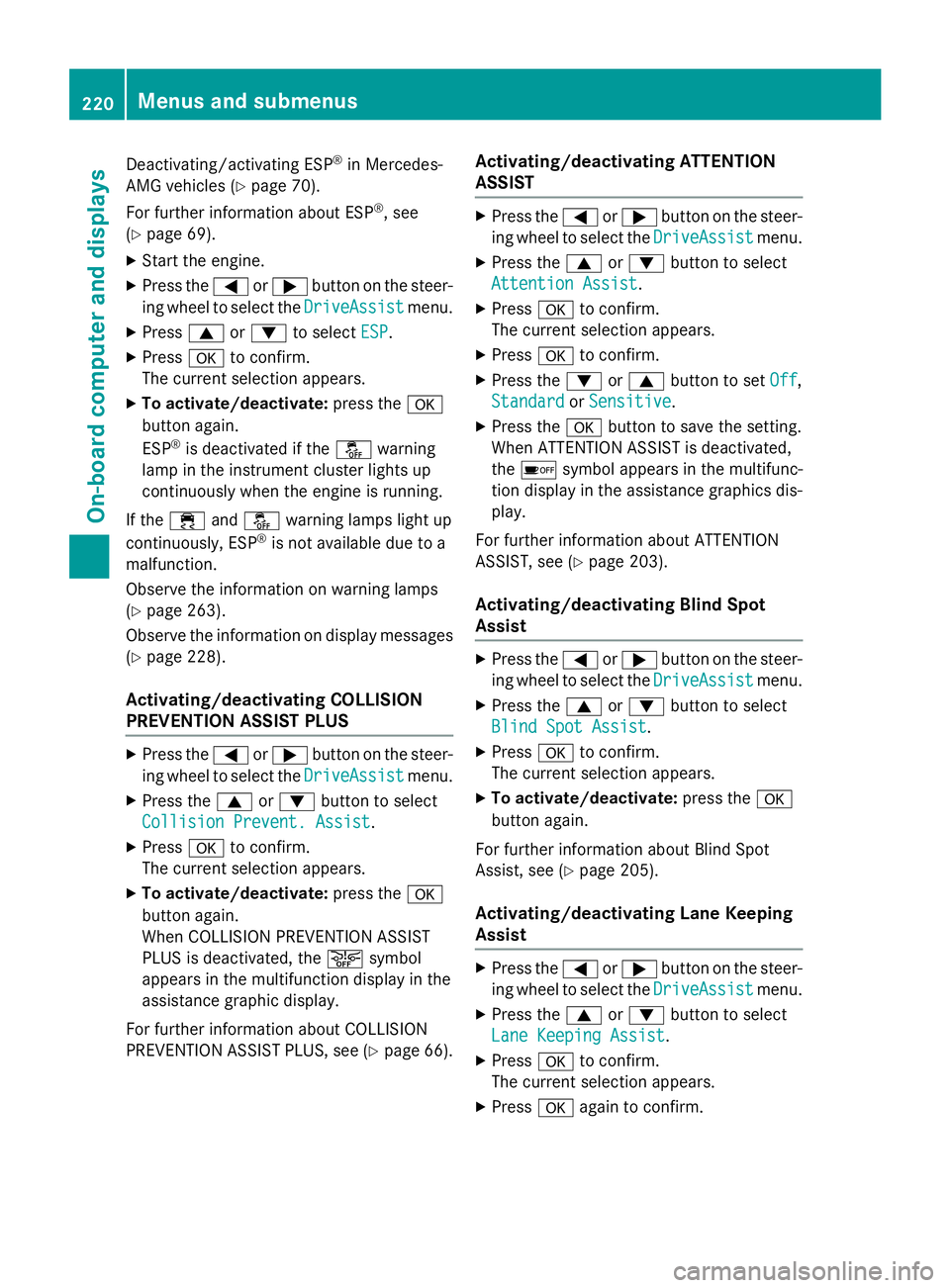
Deactivating/activating ESP ®
in Mercedes-
AMG vehicles ( Y
page 70).
For further information about ESP ®
, see
( Y
page 69). X
Start the engine. X
Press the Y or e button on the steer-
ing wheel to select the DriveAssist
menu.X
Press c or d to select ESP .X
Press v to confirm.
The current selection appears. X
To activate/deactivate: press the v
button again.
ESP ®
is deactivated if the
Page 227 of 374
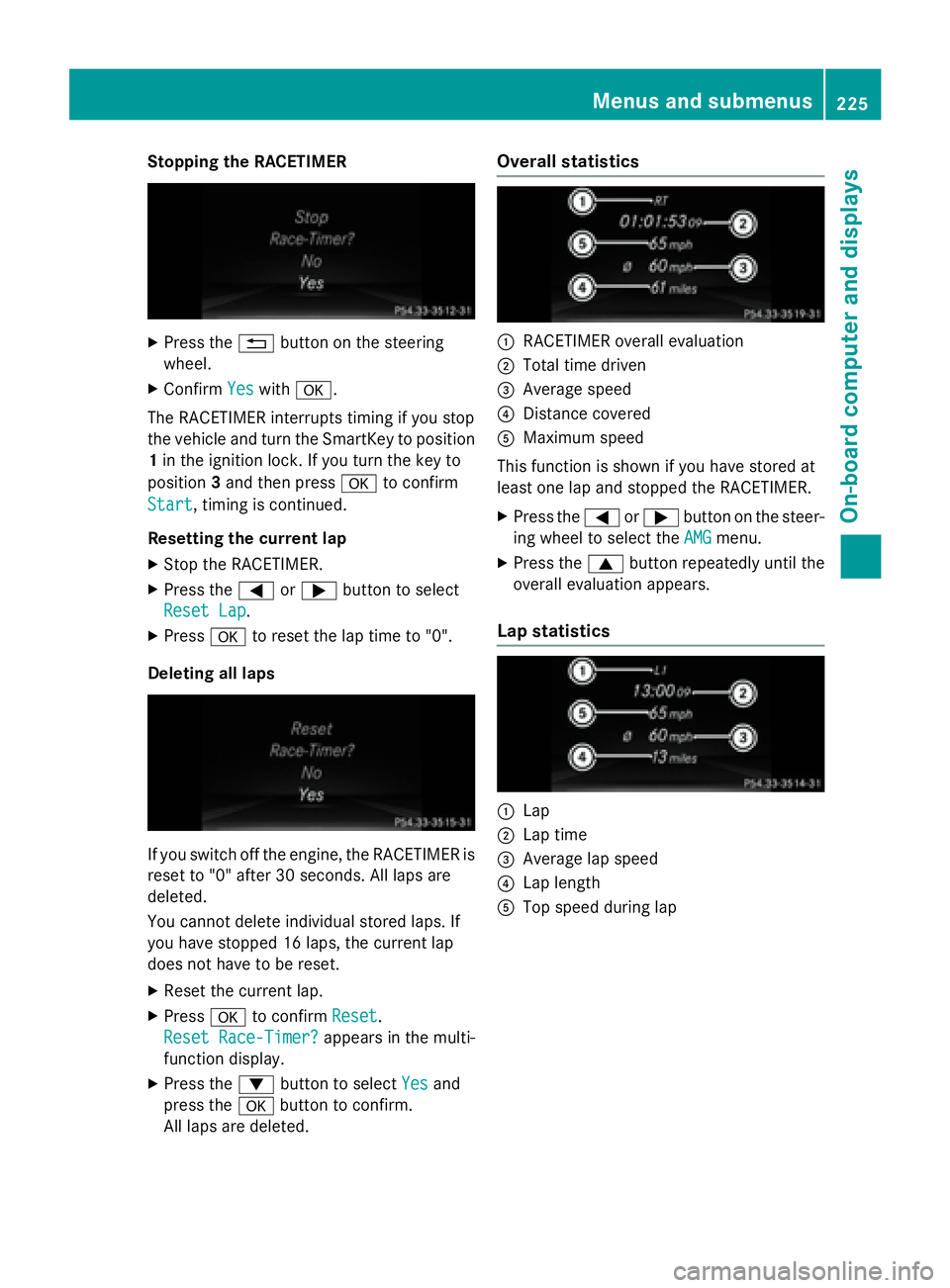
Stopping the RACETIMER X
Press the 8 button on the steering
wheel. X
Confirm Yes with v .
The RACETIMER interrupts timing if you stop
the vehicle and turn the SmartKey to position
1 in the ignition lock. If you turn the key to
position 3 and then press v to confirm
Start , timing is continued.
Resetting the current lap X
Stop the RACETIMER. X
Press the Y or e button to select
Reset Lap
.X
Press v to reset the lap time to "0".
Deleting all laps
If you switch off the engine, the RACETIMER is
reset to "0" after 30 seconds. All laps are
deleted.
You cannot delete individual stored laps. If
you have stopped 16 laps, the current lap
does not have to be reset. X
Reset the current lap. X
Press v to confirm Reset .
Reset Race-Timer?
appears in the multi-
function display. X
Press the d button to select Yes and
press the v button to confirm.
All laps are deleted. Overall statistics
C
RACETIMER overall evaluation D
Total time driven
Page 235 of 374
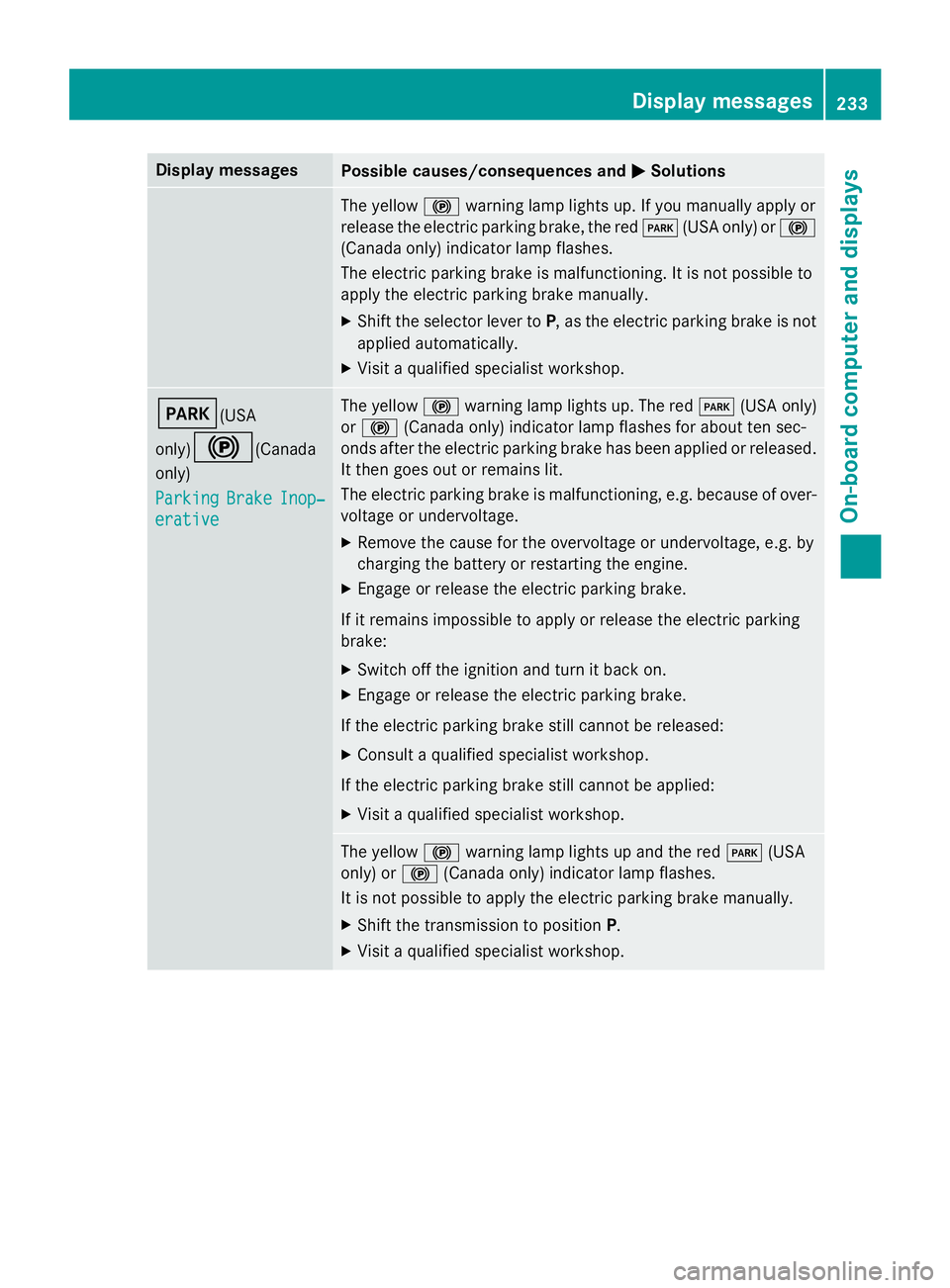
Display messages
Possible causes/consequences and P Solutions
The yello w $ warnin g lamp lights up. If you manually apply or
release th e electric parkin g brake, th e red I (US A only) or $
(Canada only) indicato r lamp flashes .
The electric parkin g brak e is malfunctioning. It is no t possibl e to
apply th e electric parkin g brak e manually.X
Shift th e selector lever to P , as th e electric parkin g brak e is no t
applied automatically. X
Visit a qualified specialist workshop .
I (USA
only)
$ (Canada
only)
Parkin g Brake Inop‐
erativ e The yello w $ warnin g lamp lights up. The red I (US A only)
or $ (Canada only) indicato r lamp flashes fo r about te n sec -
onds after th e electric parkin g brak e has been applied or released.
It then goe s out or remain s lit .
The electric parkin g brak e is malfunctioning, e.g. because of over-
voltag e or undervoltage. X
Remove th e caus e fo r th e overvoltage or undervoltage, e.g. by
chargin g th e battery or restarting th e engine.X
Engage or release th e electric parkin g brake.
If it remain s impossible to apply or release th e electric parkin g
brake: X
Switc h of f th e ignition and tur n it bac k on .X
Engage or release th e electric parkin g brake.
If th e electric parkin g brak e still canno t be released:X
Consult a qualified specialist workshop .
If th e electric parkin g brak e still canno t be applied:X
Visit a qualified specialist workshop .
The yello w $ warnin g lamp lights up and th e red I (US A
only) or $ (Canada only) indicato r lamp flashes .
It is no t possibl e to apply th e electric parkin g brak e manually.X
Shift th e transmissio n to position P .X
Visit a qualified specialist workshop .Display messages 23 3
On-board computer and displays Z