2016 LINCOLN MKC transmission
[x] Cancel search: transmissionPage 6 of 432

Auxiliary Power Points
Auxiliary Power Points.................................155
Storage Compartments
Center Console..............................................157
Overhead Console........................................157
Ticket Holders
................................................157
Starting and Stopping the Engine
General Information......................................158
Keyless Starting
.............................................158
Starting a Gasoline Engine.........................159
Engine Block Heater....................................162
Fuel and Refueling
Safety Precautions
........................................163
Fuel Quality
.....................................................164
Fuel Filler Funnel Location.........................165
Running Out of Fuel.....................................165
Refueling.........................................................166
Fuel Consumption.........................................168
Emission Control System
............................169 Transmission
Automatic Transmission
...............................172
All-Wheel Drive
Using All-Wheel Drive
..................................178
Brakes
General Information
......................................183
Hints on Driving With Anti-Lock Brakes..........................................................183
Electric Parking Brake..................................184
Hill Start Assist...............................................186
Traction Control
Principle of Operation..................................188
Using Traction Control.................................188
Stability Control
Principle of Operation
..................................190
Using Stability Control..................................191
Parking Aids
Principle of Operation
..................................192 Rear Parking Aid............................................193
Front Parking Aid...........................................193
Active Park Assist..........................................194
Rear View Camera........................................199
Cruise Control
Principle of Operation.................................203
Using Cruise Control...................................203
Using Adaptive Cruise Control.................204
Driving Aids
Driver Alert......................................................213
Lane Keeping System..................................214
Blind Spot Information System..................219
Cross Traffic Alert..........................................221
Steering..........................................................225
Collision Warning System..........................226
Drive Control.................................................229
Load Carrying
Rear Under Floor Storage...........................231
Luggage Covers
............................................231
Roof Racks and Load Carriers...................231
3
MKC (TME), enUSA, First Printing Table of Contents
Page 7 of 432

Load Limit.......................................................232
Towing
Towing a Trailer.............................................240
Trailer Sway Control.....................................241
Recommended Towing Weights...............241
Essential Towing Checks............................244
Transporting the Vehicle.............................247
Towing the Vehicle on Four Wheels........247
Driving Hints
Breaking-In.....................................................249
Economical Driving......................................249
Driving Through Water
...............................250
Floor Mats......................................................250
Roadside Emergencies
Roadside Assistance
...................................252
Hazard Warning Flashers
...........................253
Fuel Shutoff...................................................253
Jump Starting the Vehicle
..........................254
Post-Crash Alert System............................256 Customer Assistance
Getting the Services You Need................258
In California (U.S. Only)...............................259
The Better Business Bureau (BBB) Auto
Line Program (U.S. Only)
........................260
Utilizing the Mediation/Arbitration Program (Canada Only)............................................261
Getting Assistance Outside the U.S. and Canada........................................................261
Ordering Additional Owner's Literature....................................................263
Reporting Safety Defects (U.S. Only)......263
Reporting Safety Defects (Canada Only)............................................................264
Fuses
Fuse Specification Chart............................265
Changing a Fuse...........................................281
Maintenance
General Information.....................................282
Opening and Closing the Hood...............282
Under Hood Overview -
2.0L
EcoBoost™..................................................284 Under Hood Overview -
2.3L
EcoBoost™..................................................286
Engine Oil Dipstick......................................288
Engine Oil Check.........................................288
Oil Change Indicator Reset.......................289
Engine Coolant Check................................289
Automatic Transmission Fluid Check......293
Brake Fluid Check........................................293
Washer Fluid Check....................................293
Fuel Filter
........................................................294
Changing the 12V Battery..........................294
Checking the Wiper Blades.......................296
Changing the Wiper Blades......................296
Adjusting the Headlamps...........................297
Removing a Headlamp
...............................298
Changing a Bulb
...........................................299
Bulb Specification Chart
.............................300
Changing the Engine Air Filter.................302
Vehicle Care
General Information
.....................................304
Cleaning Products
........................................304
Cleaning the Exterior
..................................304
4
MKC (TME), enUSA, First Printing Table of Contents
Page 8 of 432

Waxing............................................................305
Cleaning the Engine....................................306
Cleaning the Windows and Wiper
Blades.........................................................306
Cleaning the Interior....................................307
Cleaning the Instrument Panel and Instrument Cluster Lens.........................309
Cleaning Leather Seats...............................310
Repairing Minor Paint Damage..................310
Cleaning the Alloy Wheels.........................310
Vehicle Storage...............................................311
Wheels and Tires
General Information......................................313
Tire Care
..........................................................315
Using Snow Chains......................................329
Tire Pressure Monitoring System.............330
Changing a Road Wheel.............................334
Technical Specifications
.............................340
Capacities and Specifications
Engine Specifications..................................342
Motorcraft Parts............................................343 Vehicle Identification Number...................344
Vehicle Certification Label.........................344
Transmission Code Designation
..............345
Capacities and Specifications -
2.0L
EcoBoost™..................................................346
Capacities and Specifications -
2.3L
EcoBoost™...................................................351
Audio System
General Information.....................................358
Audio Unit......................................................359
Media Hub.......................................................361
Accessories
Accessories...................................................362
Extended Service Plan (ESP)
Extended Service Plan (ESP).....................364
Scheduled Maintenance
General Maintenance Information
...........367
Normal Scheduled Maintenance...............371
Special Operating Conditions Scheduled Maintenance..............................................375 Scheduled Maintenance Record..............379
Appendices
End User License Agreement...................399
5
MKC (TME), enUSA, First Printing Table of Contents
Page 41 of 432

Deactivating and Activating the Belt-Minder
Feature
WARNING
While the system allows you to
deactivate it, this system is designed
to improve your chances of being safely
belted and surviving an accident. We
recommend you leave the system activated
for yourself and others who may use the
vehicle. Note:
The driver and front passenger
warnings switch on and off independently.
When you perform this procedure for one
seating position, do not buckle the other
position as this will terminate the process.
Read Steps 1 - 4 thoroughly before
proceeding with the programming
procedure.
Before following the procedure, make sure
that:
• The parking brake is set.
• The transmission is in park (P) or neutral
(N). •
The ignition is off.
• The driver and front passenger safety
belts are unbuckled.
1. Switch the ignition on. Do not start the vehicle.
2. Wait until the safety belt warning light turns off (about one minute). After Step
2, wait an additional 5 seconds before
proceeding with Step 3. Once you start
Step 3, you must complete the procedure
within 30 seconds.
3. For the seating position you are switching
off, buckle then unbuckle the safety belt
three times at a moderate speed, ending
in the unbuckled state. After Step 3, the
safety belt warning light turns on.
4. While the safety belt warning light is on, buckle and then unbuckle the safety belt.
After Step 4, the safety belt warning light
flashes for confirmation.
• This will switch the feature off for that
seating position if it is currently on.
• This will switch the feature on for that
seating position if it is currently off. CHILD RESTRAINT AND SAFETY
BELT MAINTENANCE
Inspect the vehicle safety belts and child
safety seat systems periodically to make sure
they work properly and are not damaged.
Inspect the vehicle and child seat safety belts
to make sure there are no nicks, tears or
cuts. Replace if necessary. All vehicle safety
belt assemblies, including retractors, buckles,
front safety belt buckle assemblies, buckle
support assemblies (slide bar-if equipped),
shoulder belt height adjusters (if equipped),
shoulder belt guide on seat back (if
equipped), child safety seat LATCH and
tether anchors, and attaching hardware,
should be inspected after a crash. Read the
child restraint manufacturer's instructions for
additional inspection and maintenance
information specific to the child restraint.
38
MKC (TME), enUSA, First Printing Safety Belts
Page 58 of 432
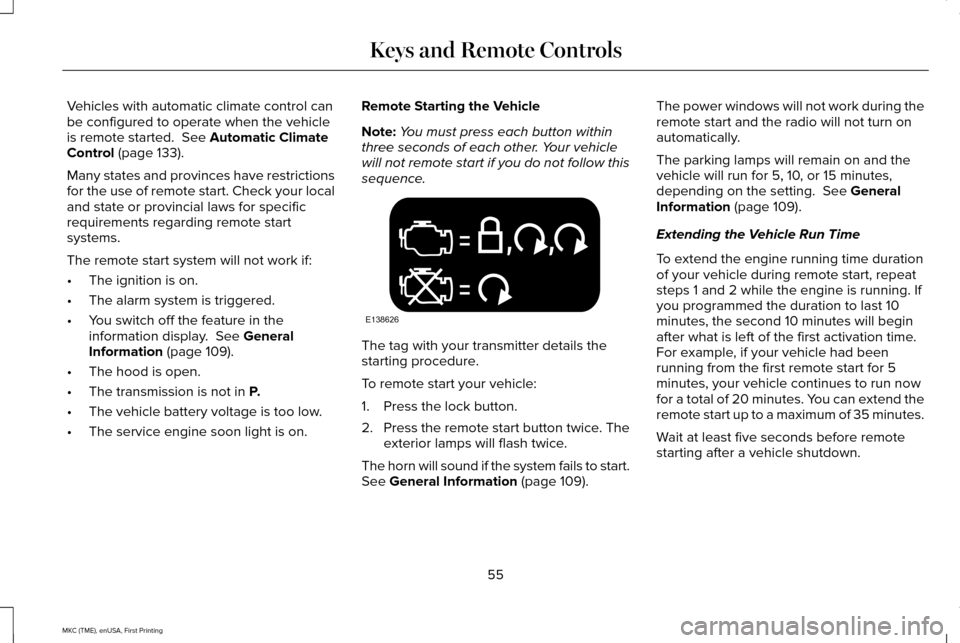
Vehicles with automatic climate control can
be configured to operate when the vehicle
is remote started. See Automatic Climate
Control (page 133).
Many states and provinces have restrictions
for the use of remote start. Check your local
and state or provincial laws for specific
requirements regarding remote start
systems.
The remote start system will not work if:
• The ignition is on.
• The alarm system is triggered.
• You switch off the feature in the
information display.
See General
Information (page 109).
• The hood is open.
• The transmission is not in
P.
• The vehicle battery voltage is too low.
• The service engine soon light is on. Remote Starting the Vehicle
Note:
You must press each button within
three seconds of each other. Your vehicle
will not remote start if you do not follow this
sequence. The tag with your transmitter details the
starting procedure.
To remote start your vehicle:
1. Press the lock button.
2.
Press the remote start button twice. The
exterior lamps will flash twice.
The horn will sound if the system fails to start.
See
General Information (page 109). The power windows will not work during the
remote start and the radio will not turn on
automatically.
The parking lamps will remain on and the
vehicle will run for 5, 10, or 15 minutes,
depending on the setting.
See General
Information (page 109).
Extending the Vehicle Run Time
To extend the engine running time duration
of your vehicle during remote start, repeat
steps 1 and 2 while the engine is running. If
you programmed the duration to last 10
minutes, the second 10 minutes will begin
after what is left of the first activation time.
For example, if your vehicle had been
running from the first remote start for 5
minutes, your vehicle continues to run now
for a total of 20 minutes. You can extend the
remote start up to a maximum of 35 minutes.
Wait at least five seconds before remote
starting after a vehicle shutdown.
55
MKC (TME), enUSA, First Printing Keys and Remote ControlsE138626
Page 73 of 432

Press the button to unlatch the liftgate. Once
unlatched, pull on the outside handle to open
the liftgate.
With the Remote Control
Press the button twice within three
seconds. Pull on the outside
handle to open.
Closing the Liftgate A handle is located inside the liftgate to help
with closing. POWER LIFTGATE (If Equipped) WARNINGS
It is extremely dangerous to ride in a
cargo area, inside or outside of a
vehicle. In a crash, people riding in these
areas are more likely to be seriously injured
or killed. Do not allow people to ride in any
area of your vehicle that is not equipped with
seats and safety belts. Make sure everyone
in your vehicle is in a seat and properly using
a safety belt. Failure to follow this warning
could result in serious personal injury or
death. Make sure to close and latch the
liftgate to prevent drawing exhaust
fumes into your vehicle. This will also prevent
passengers and cargo from falling out. If you
must drive with the liftgate open, keep the
vents or windows open so outside air comes
into your vehicle. Failure to follow this
warning could result in serious personal
injury. WARNINGS
Keep keys out of reach of children. Do
not allow children to operate or play
near an open or moving power liftgate. You
should supervise the operation of the power
liftgate at all times. Note:
Make sure that you close the liftgate
before operating or moving your vehicle,
especially in an enclosure, like a garage or
a parking structure. This could damage the
liftgate and its components.
Note: Do not hang anything, for example a
bike rack, from the glass or liftgate. This
could damage the liftgate and its
components.
The liftgate only operates with the
transmission in park (P).
70
MKC (TME), enUSA, First Printing LocksE138630 E155976
Page 74 of 432

Three warning tones sound as the liftgate
begins to power close. One short chime
indicates a problem with the open or close
request, caused by:
•
The ignition is on and the transmission
is not in park (P).
• The battery voltage is below the
minimum operating voltage.
• The vehicle speed is at or above 3 mph
(5 km/h).
If the liftgate starts to close after it has fully
opened, this indicates there may be
excessive weight on the liftgate or a possible
gas strut failure. A repetitive chime sounds
and the liftgate closes under control. Remove
any excessive weight from the liftgate. If the
liftgate continues to close after opening,
have the system checked by an authorized
dealer.
Opening and Closing the Liftgate WARNING
Make sure all persons are clear of the
power liftgate area before using the
power liftgate control. Note:
Be careful when opening or closing
the liftgate in a garage or other enclosed
area to avoid damaging the liftgate.
Note: Do not leave the liftgate open while
driving. This could damage the liftgate and
its components.
From the Instrument Panel Press the button on the instrument
panel.
With the Remote Control Press the button twice within three
seconds.
With the Outside Control Button
Opening the Liftgate
1. Unlock the liftgate with the remote control or power door unlock control. If
an intelligent access key is within
3 ft
(1 m) of the liftgate, the liftgate unlocks
when you press the liftgate release
button. 2.
Press the button in the top of the liftgate
pull-cup handle.
Note: Allow the power system to open the
liftgate. Manually pushing or pulling the
liftgate may activate the system’ s obstacle
detection feature and stop the power
operation or reverse its direction. Manually
interfering with the liftgate motion may also
replicate a gas strut failure.
Closing the Liftgate WARNING
Keep clear of the liftgate when
activating the rear switch.
71
MKC (TME), enUSA, First Printing LocksE138633 E138630 E138632
Page 93 of 432

HEADLAMP EXIT DELAY
After you switch the ignition off, you can
switch the headlamps on by pulling the
direction indicator lever toward you. You will
hear a short tone. The headlamps will switch
off automatically after three minutes with any
door open or 30 seconds after the last door
has been closed. You can cancel this feature
by pulling the direction indicator toward you
again or switching the ignition on.
DAYTIME RUNNING LAMPS (If
Equipped) WARNING
The daytime running lamps system
does not activate the rear lamps and
may not provide adequate lighting during
low visibility driving conditions. Also, the
autolamps switch position may not activate
the headlamps in all low visibility conditions,
such as daytime fog. Make sure the
headlamps are switched to auto or on, as
appropriate, during all low visibility
conditions. Failure to do so may result in a
crash. Type 1 - Conventional (Non-
Configurable)
The daytime running lamps turn on when:
1. The ignition is switched to the on
position.
2. The transmission is not in park (P) for vehicles with automatic transmissions or
the parking brake is released for vehicles
with manual transmissions. 3. The lighting control is in the off, parking
lamp or autolamps positions.
4. The headlamps are off.
Type 2 - Configurable
Switch the daytime running lamps on or off
using the information display controls.
See
Information Displays (page 109).
The daytime running lamps turn on when:
1. They are switched on in the information display. See Information Displays (page
109
).
2. The ignition is switched to the on position.
3. The transmission is not in park (P) for vehicles with automatic transmissions or
the parking brake is released for vehicles
with manual transmissions.
4. The lighting control is in the autolamps position.
5. The headlamps are off.
The other lighting control switch positions
do not activate the daytime running lamps,
and you can use them to temporarily override
autolamp control.
90
MKC (TME), enUSA, First Printing Lighting