Page 417 of 660
417
RX450h_U_OM0E013U
5
Interior features
5-3. Using the interior lights
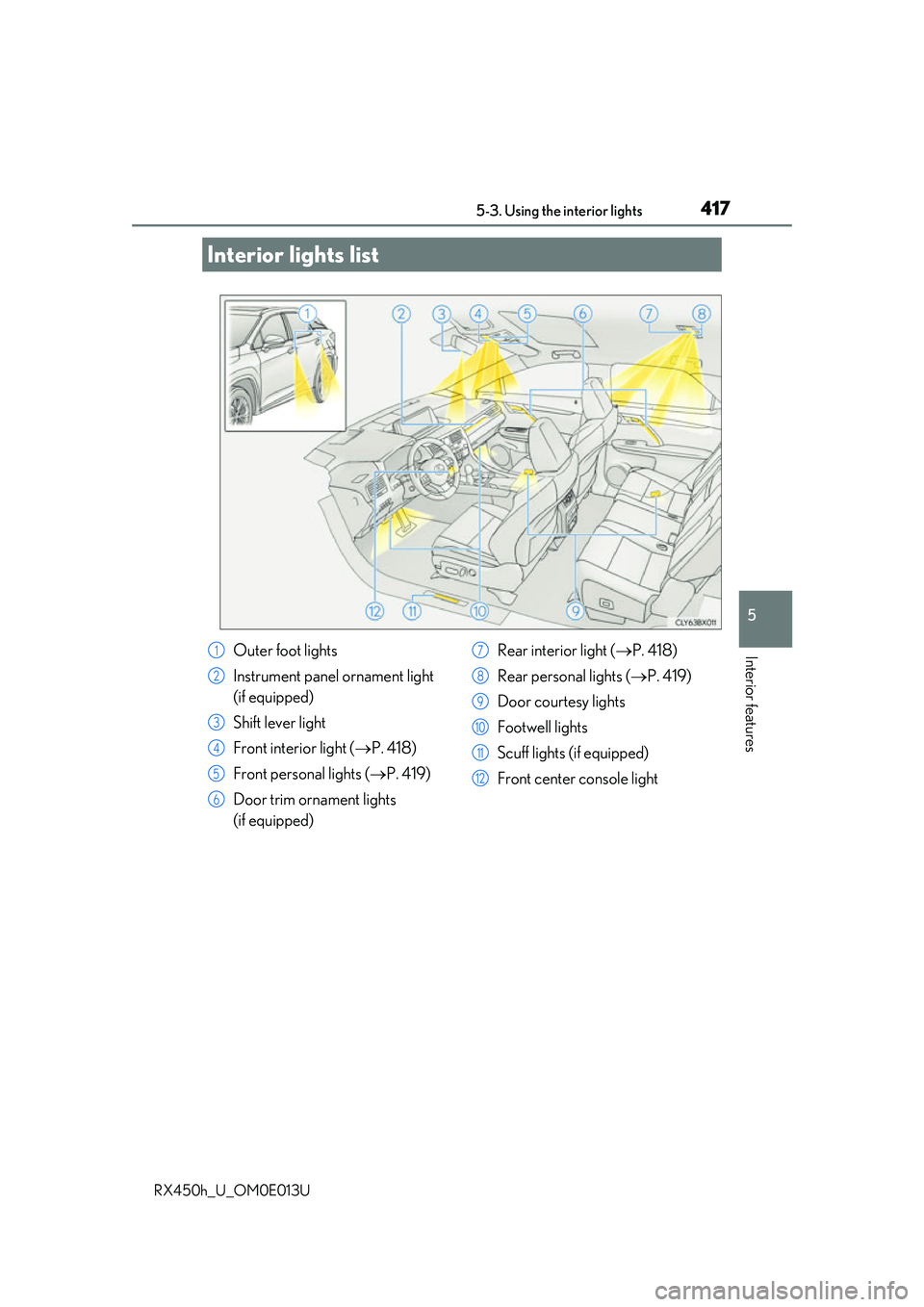
Interior lights list
Outer foot lights
Instrument panel ornament light
(if equipped)
Shift lever light
Front interior light (P. 418)
Front personal lights ( P. 419)
Door trim ornament lights
(if equipped) Rear interior light (
P. 418)
Rear personal lights ( P. 419)
Door courtesy lights
Footwell lights
Scuff lights (if equipped)
Front center console light1
2
3
4
5
6
7
8
9
10
11
12
Page 418 of 660
4185-3. Using the interior lights
RX450h_U_OM0E013U
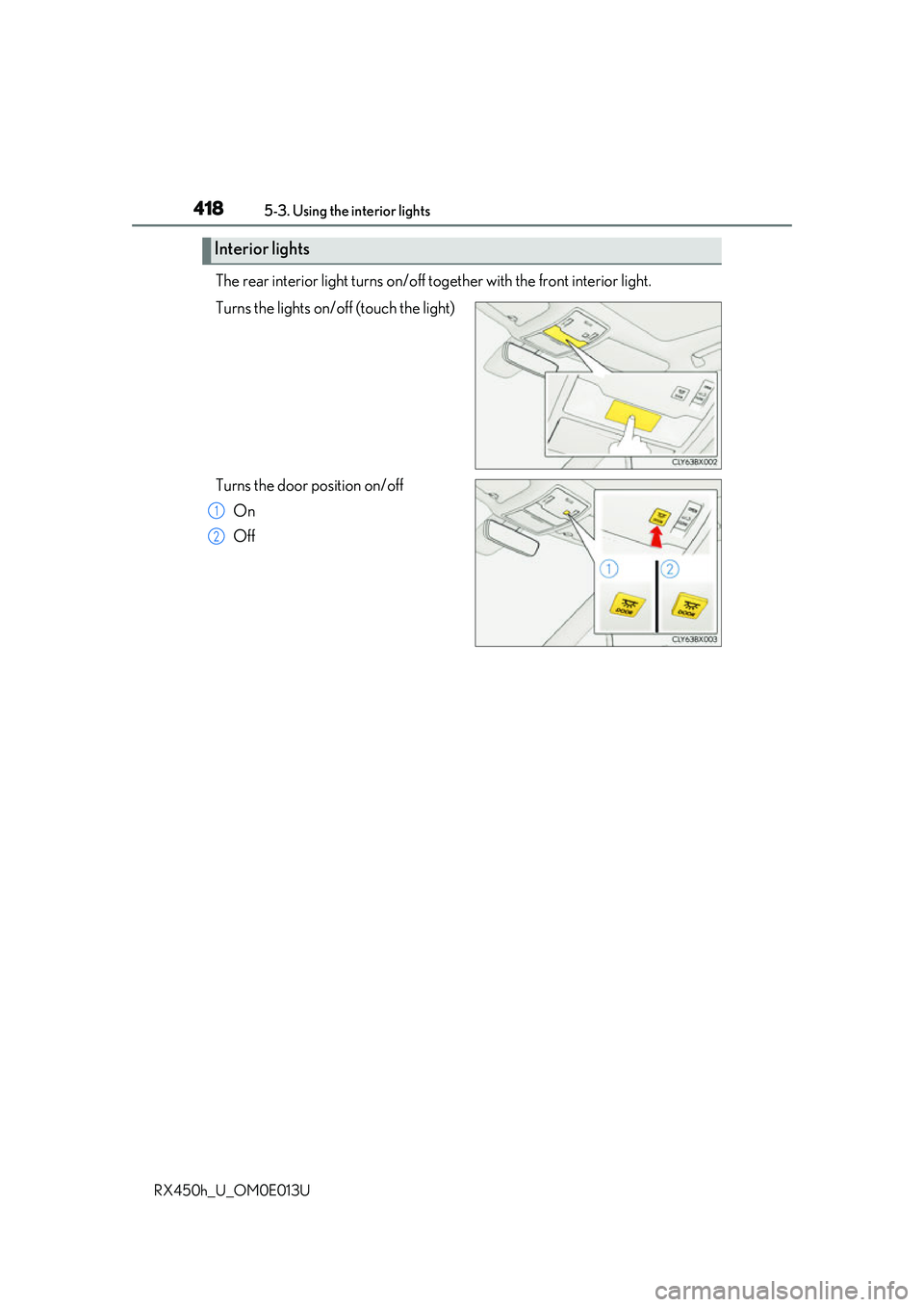
The rear interior light turns on/off to gether with the front interior light.
Turns the lights on/off (touch the light)
Turns the door position on/off On
Off
Interior lights
1
2
Page 419 of 660
4195-3. Using the interior lights
5
Interior features
RX450h_U_OM0E013U
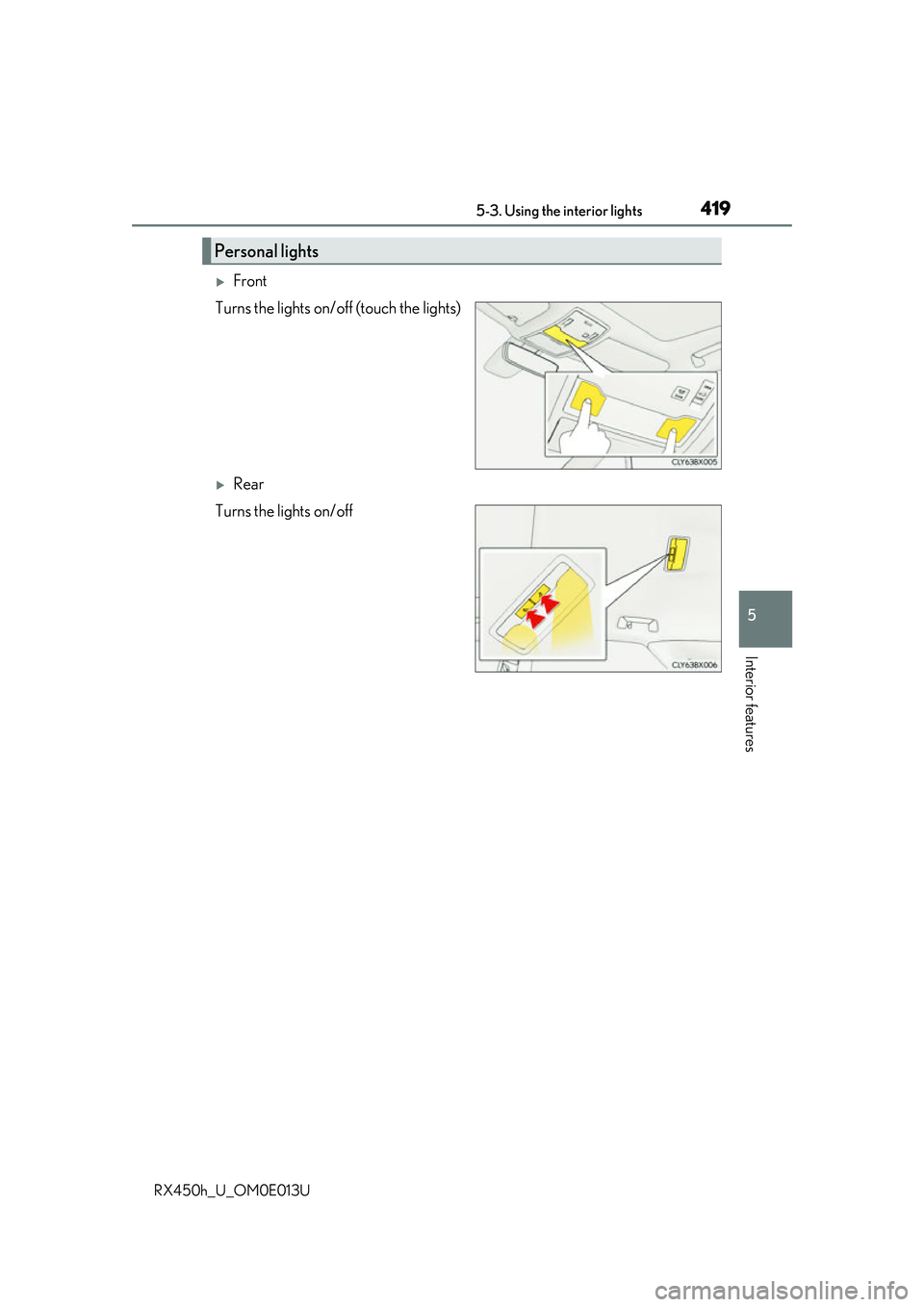
Front
Turns the lights on/off (touch the lights)
Rear
Turns the lights on/off
Personal lights
Page 423 of 660
4235-4. Using the storage features
5
Interior features
RX450h_U_OM0E013U
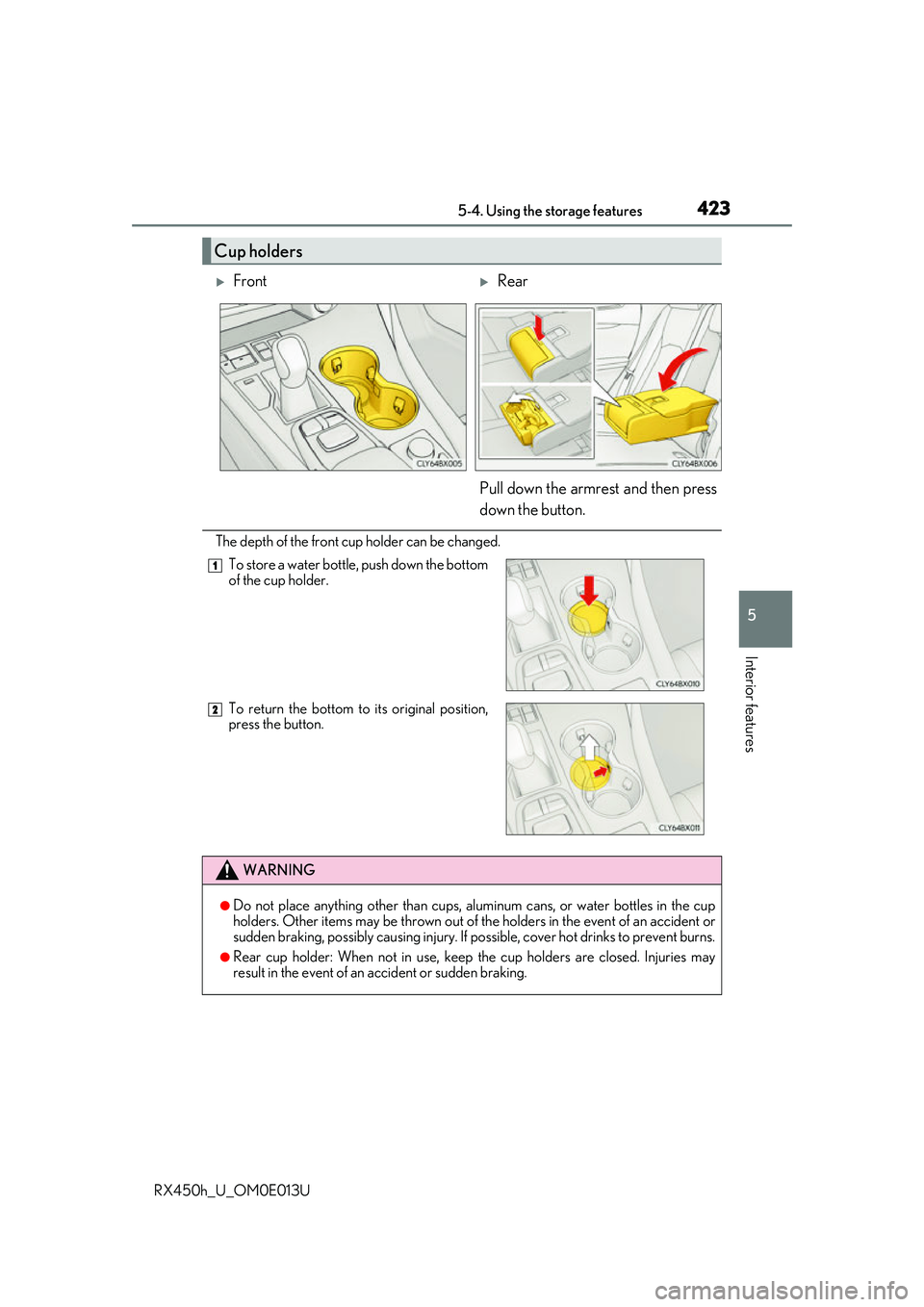
The depth of the front cup holder can be changed.
Cup holders
FrontRear
Pull down the armrest and then press
down the button.
To store a water bottle, push down the bottom
of the cup holder.
To return the bottom to its original position,
press the button.
WARNING
●Do not place anything other than cups, aluminum cans, or water bottles in the cup
holders. Other items may be thrown out of the holders in the event of an accident or
sudden braking, possibly causing injury. If possible, cover hot drinks to prevent burns.
●Rear cup holder: When not in use, keep the cup holders are closed. Injuries may
result in the event of an accident or sudden braking.
1
2
Page 424 of 660
4245-4. Using the storage features
RX450h_U_OM0E013U
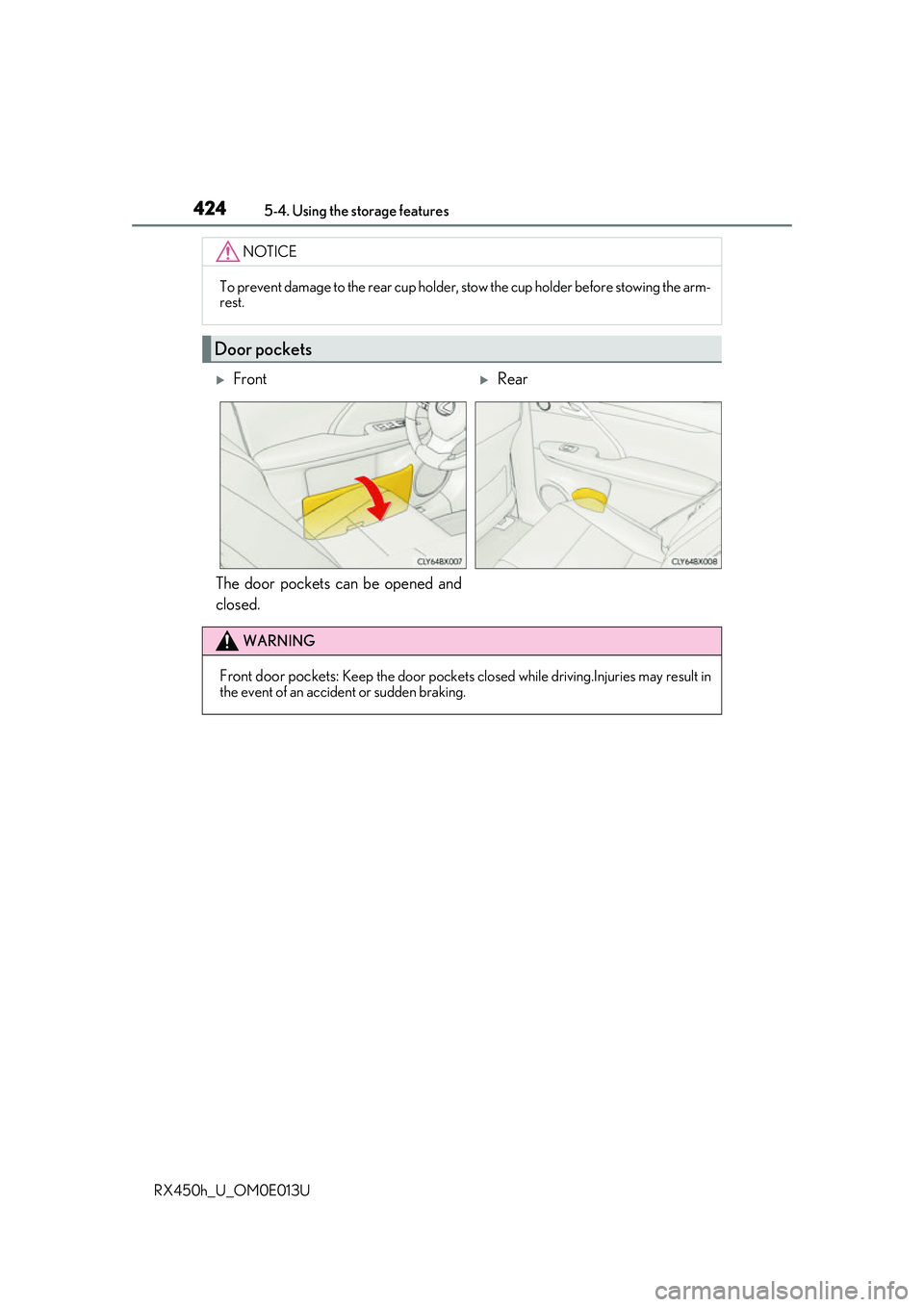
The door pockets can be opened and
closed.
NOTICE
To prevent damage to the rear cup holder, stow the cup holder before stowing the arm-
rest.
Door pockets
FrontRear
WARNING
Front door pockets: Keep the door pockets closed whil e driving.Injuries may result in
the event of an accident or sudden braking.
Page 427 of 660
4275-4. Using the storage features
5
Interior features
RX450h_U_OM0E013U
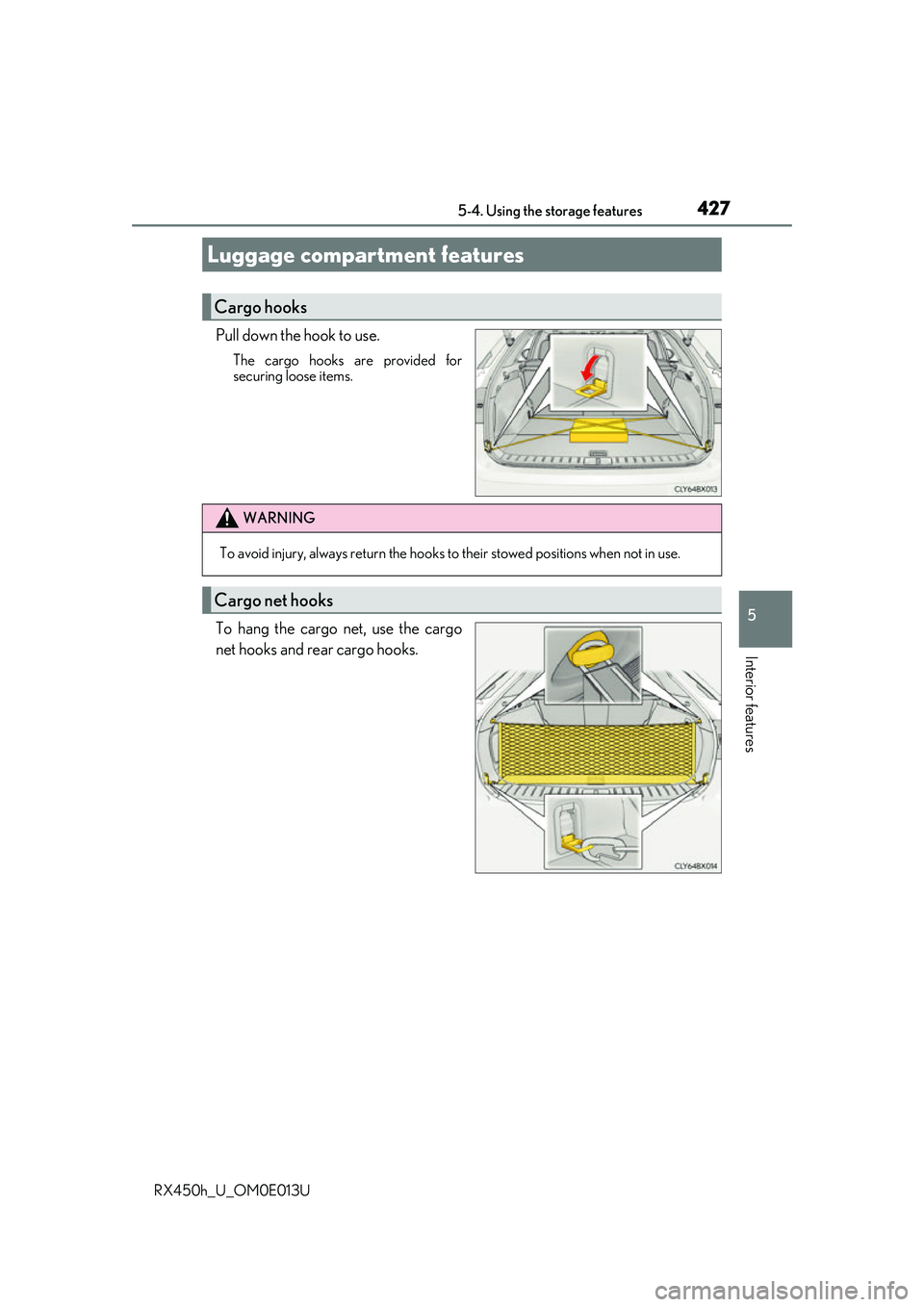
Pull down the hook to use.
The cargo hooks are provided for
securing loose items.
To hang the cargo net, use the cargo
net hooks and rear cargo hooks.
Luggage compartment features
Cargo hooks
WARNING
To avoid injury, always return the hooks to their stowed positions when not in use.
Cargo net hooks
Page 440 of 660
4405-5. Using the other interior features
RX450h_U_OM0E013U
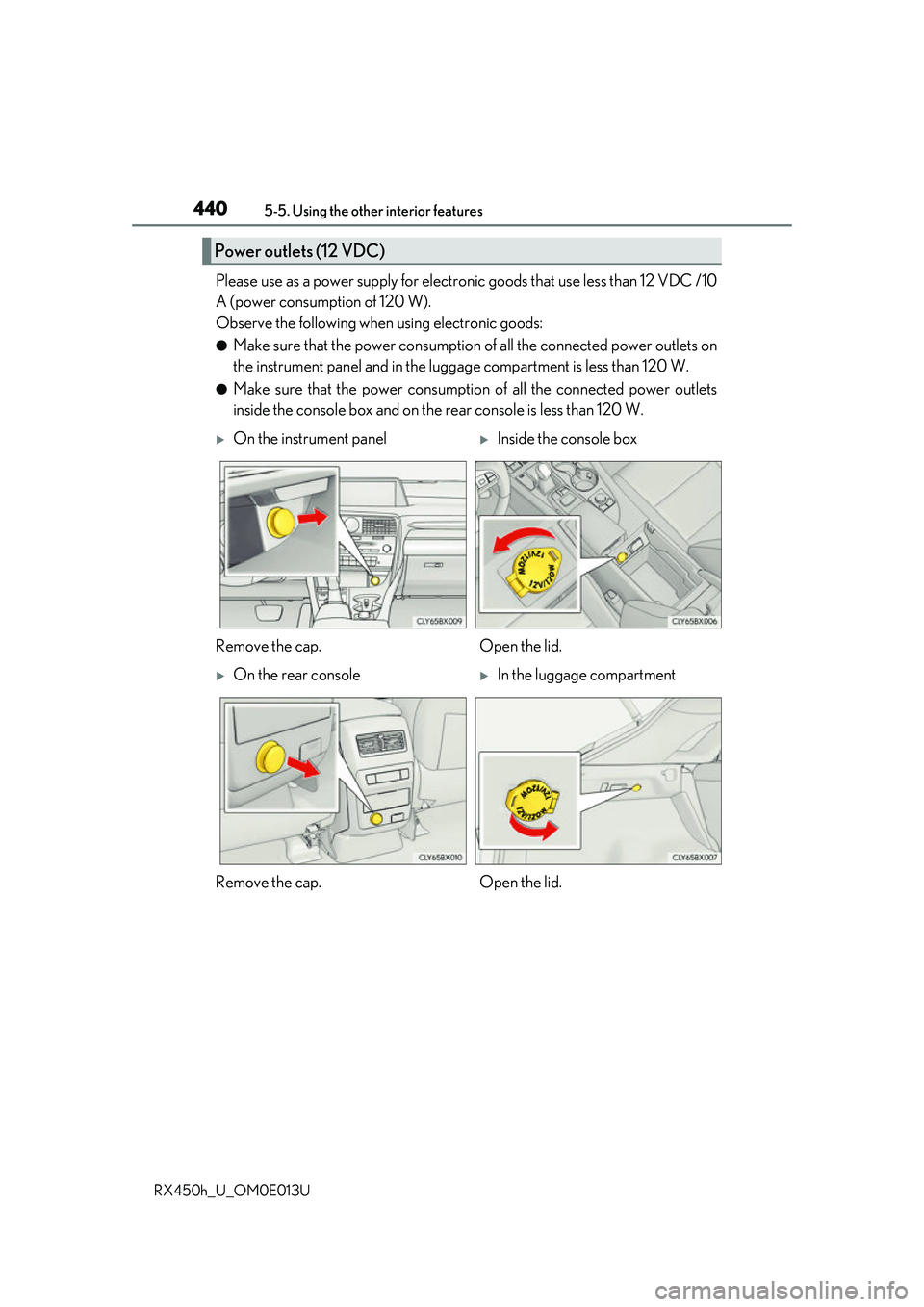
Please use as a power supply for electronic goods that use less than 12 VDC /10
A (power consumption of 120 W).
Observe the following when using electronic goods:
●Make sure that the power consumption of all the connected power outlets on
the instrument panel and in the lugg age compartment is less than 120 W.
●Make sure that the power consumptio n of all the connected power outlets
inside the console box and on the rear console is less than 120 W.
Power outlets (12 VDC)
On the instrument panelInside the console box
Remove the cap. Open the lid.
On the rear consoleIn the luggage compartment
Remove the cap. Open the lid.
Page 443 of 660
4435-5. Using the other interior features
5
Interior features
RX450h_U_OM0E013U
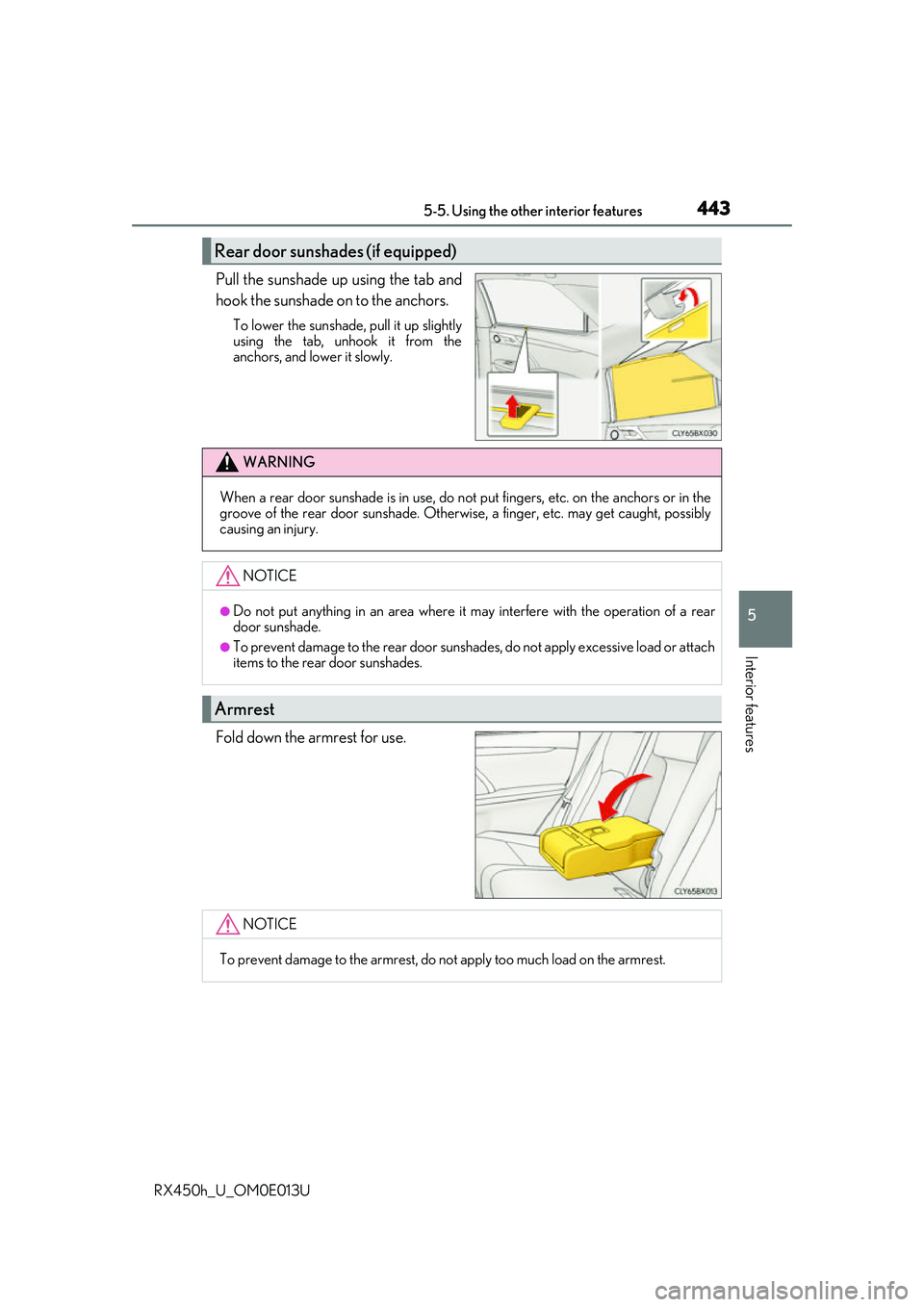
Pull the sunshade up using the tab and
hook the sunshade on to the anchors.
To lower the sunshade, pull it up slightly
using the tab, unhook it from the
anchors, and lower it slowly.
Fold down the armrest for use.
Rear door sunshades (if equipped)
WARNING
When a rear door sunshade is in use, do not put fingers, etc. on the anchors or in the
groove of the rear door suns hade. Otherwise, a finger, etc. may get caught, possibly
causing an injury.
NOTICE
●Do not put anything in an area where it may interfere with the operation of a rear
door sunshade.
●To prevent damage to the rear door sunshades, do not apply excessive load or attach
items to the rear door sunshades.
Armrest
NOTICE
To prevent damage to the armrest, do not apply too much load on the armrest.