Page 201 of 501
Features of your vehicle
114
4
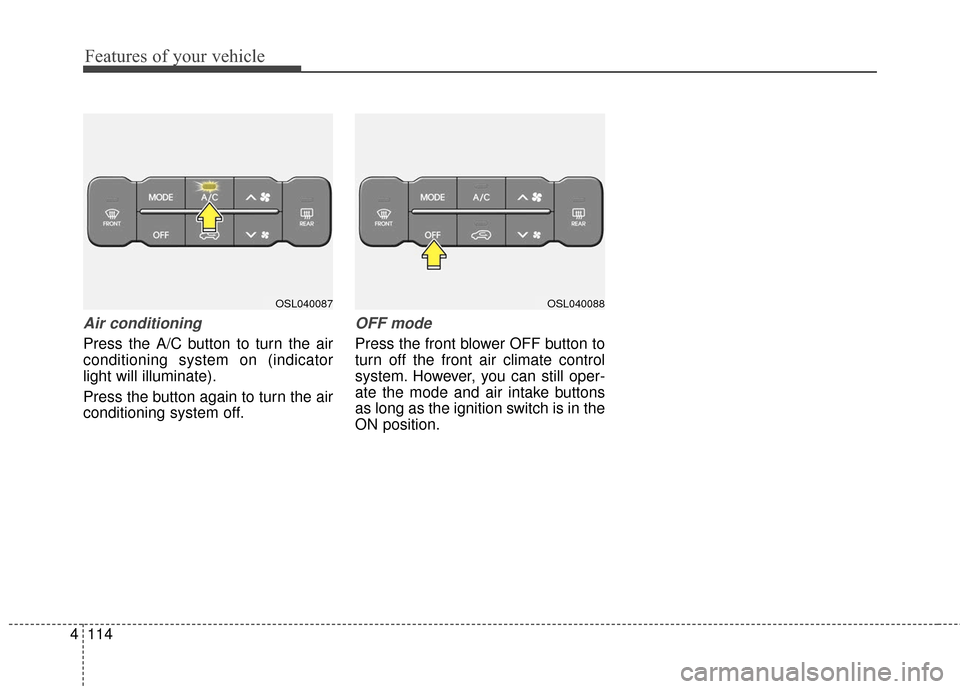
Air conditioning
Press the A/C button to turn the air
conditioning system on (indicator
light will illuminate).
Press the button again to turn the air
conditioning system off.
OFF mode
Press the front blower OFF button to
turn off the front air climate control
system. However, you can still oper-
ate the mode and air intake buttons
as long as the ignition switch is in the
ON position.
OSL040087OSL040088
Page 218 of 501
4131
Features of your vehicle
❈The actual feature may differ from the
illustration.
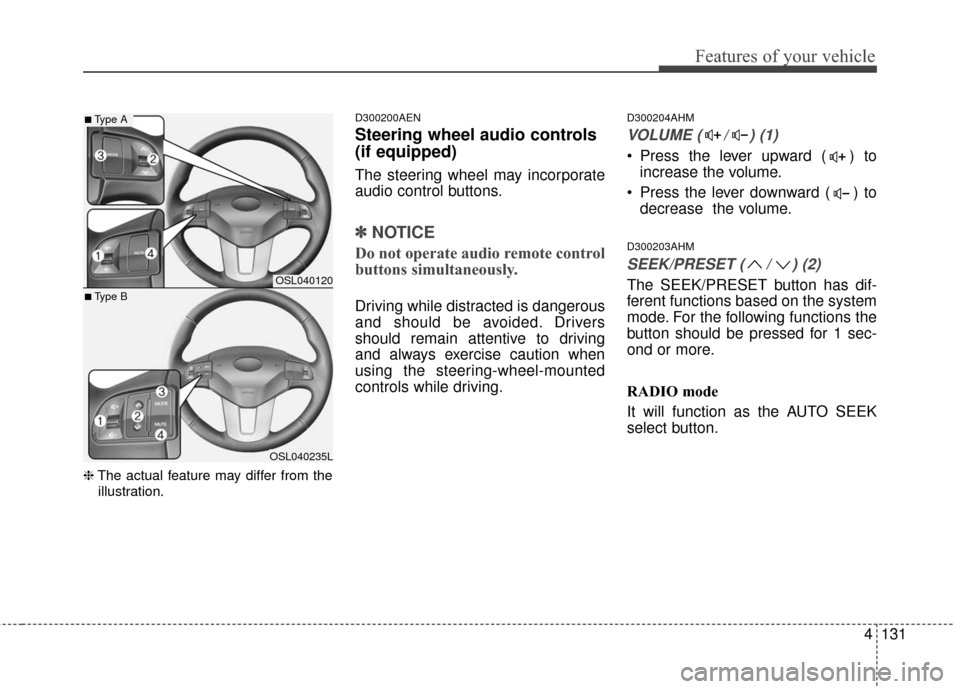
D300200AEN
Steering wheel audio controls
(if equipped)
The steering wheel may incorporate
audio control buttons.
✽ ✽ NOTICE
Do not operate audio remote control
buttons simultaneously.
Driving while distracted is dangerous
and should be avoided. Drivers
should remain attentive to driving
and always exercise caution when
using the steering-wheel-mounted
controls while driving.
D300204AHM
VOLUME ( / ) (1)
Press the lever upward ( ) to
increase the volume.
Press the lever downward ( ) to decrease the volume.
D300203AHM
SEEK/PRESET ( / ) (2)
The SEEK/PRESET button has dif-
ferent functions based on the system
mode. For the following functions the
button should be pressed for 1 sec-
ond or more.
RADIO mode
It will function as the AUTO SEEK
select button.OSL040120
OSL040235L
■Type A
■Type B
Page 219 of 501
Features of your vehicle
132
4
CD/USB/iPod®mode
It will function as the FF/REW button.
If the SEEK/PRESET button is
pressed for less than 1 second, it will
work as follows in each mode.
RADIO mode
It will function as the PRESET STA-
TION buttons.
CD/USB/iPod
®mode
It will function as TRACK UP/DOWN
button.
D300202AEN
MODE (3)
Press the button to change audio
source.
FM(1~2)
➟AM➟SAT(1~3)➟CD➟USB
AUX(iPod)
➟FM...
D300205AHM
MUTE (4)
Press the button to mute the sound.
Press the button to turn off the microphone during a telephone
call.
Detailed information for audio control
buttons is described in the following
pages in this section.
D300600AHM-EE
Aux, USB and iPod®* port
(if equipped)
If your vehicle has an aux and/or
USB(universal serial bus) port or
iPod
®port, you can use an aux port
to connect audio devices and an
USB port to plug in an USB and also
an iPod
®port to plug in an iPod®.
OSL044121