Page 141 of 524
471
Features of your vehicle
This warning light remains on after
blinking for approximately 60 seconds
or repeats blinking and off at the
intervals of approximately 3 seconds:
When there is a malfunction withthe TPMS.
In this case, have your vehicle
inspected by an authorized Kia
dealer as soon as possible.
For more details, refer to “Tire
Pressure Monitoring System
(TPMS)” in chapter 6.
The TPMS cannot alert you tosevere and sudden tire damage
caused by external factors.
If you notice any vehicle instability, immediately take your foot off the
accelerator pedal, apply the brakes
gradually with light force, and slow-
ly move to a safe position off the
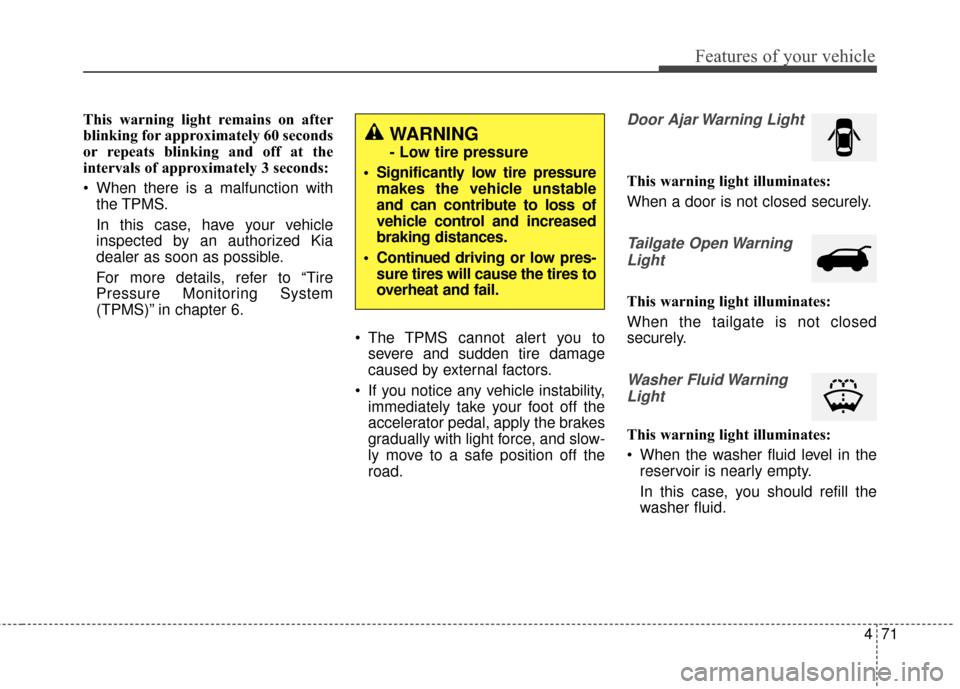
road.Door Ajar Warning Light
This warning light illuminates:
When a door is not closed securely.
Tailgate Open Warning
Light
This warning light illuminates:
When the tailgate is not closed
securely.
Washer Fluid WarningLight
This warning light illuminates:
When the washer fluid level in the reservoir is nearly empty.
In this case, you should refill the
washer fluid.
WARNING
- Low tire pressure
Significantly low tire pressure makes the vehicle unstable
and can contribute to loss of
vehicle control and increased
braking distances.
Continued driving or low pres- sure tires will cause the tires to
overheat and fail.
Page 162 of 524
Features of your vehicle
92
4
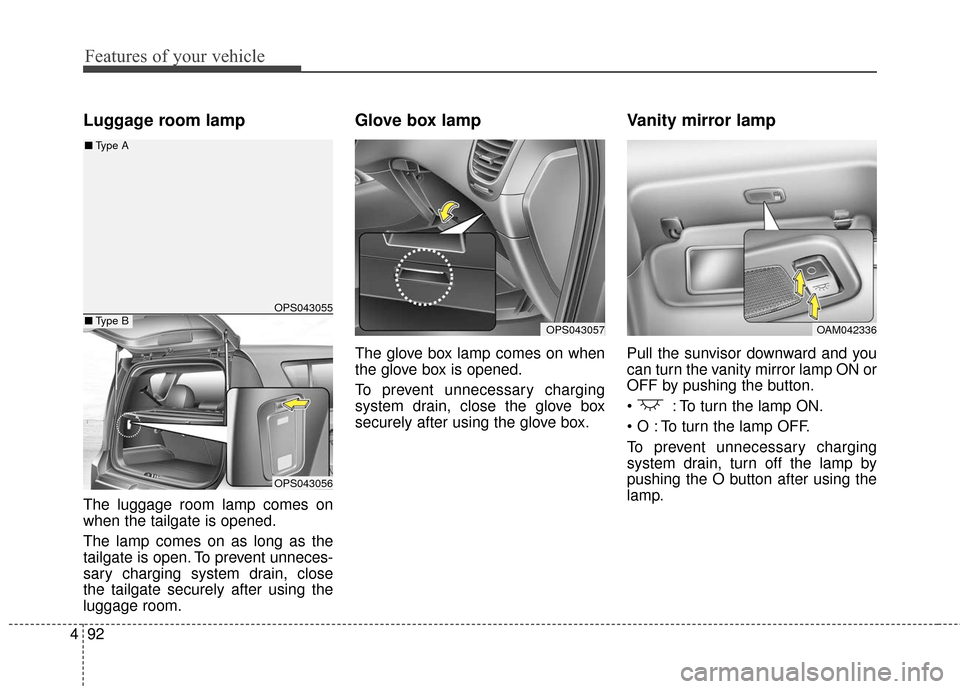
Luggage room lamp
The luggage room lamp comes on
when the tailgate is opened.
The lamp comes on as long as the
tailgate is open. To prevent unneces-
sary charging system drain, close
the tailgate securely after using the
luggage room.
Glove box lamp
The glove box lamp comes on when
the glove box is opened.
To prevent unnecessary charging
system drain, close the glove box
securely after using the glove box.
Vanity mirror lamp
Pull the sunvisor downward and you
can turn the vanity mirror lamp ON or
OFF by pushing the button.
: To turn the lamp ON.
To turn the lamp OFF.
To prevent unnecessary charging
system drain, turn off the lamp by
pushing the O button after using the
lamp.
OPS043057OAM042336
OPS043055
OPS043056
■ Type B
■Type A
Page 185 of 524
4115
Features of your vehicle
These compartments can be used to
store small items.
To avoid possible theft, do notleave valuables in the storage
compartment.
Always keep the storage compart- ment covers closed while driving.
Do not attempt to place so many
items in the storage compartment
that the storage compartment
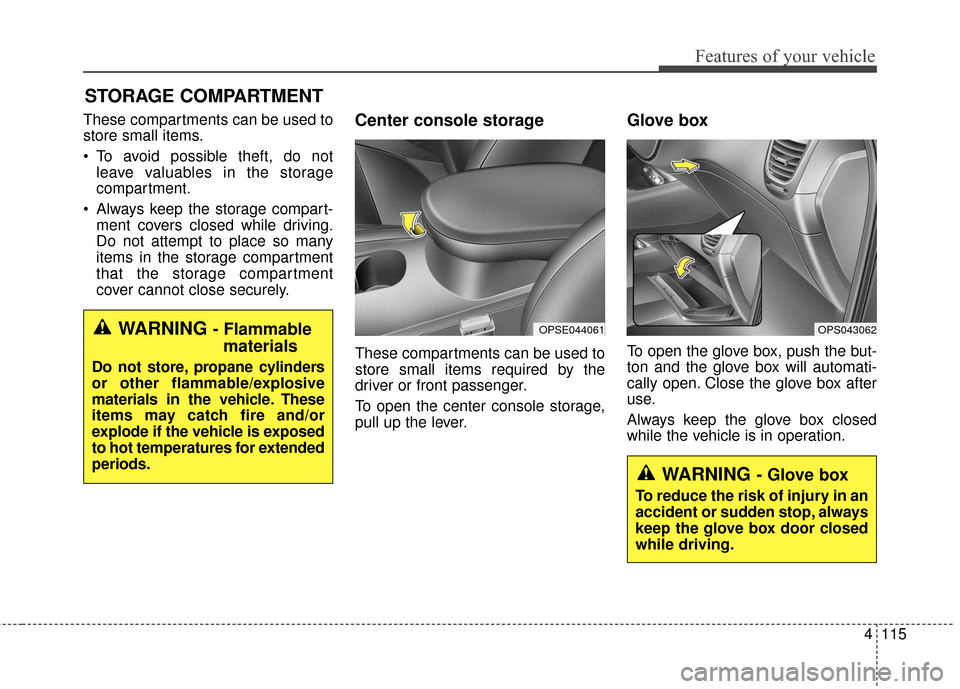
cover cannot close securely.Center console storage
These compartments can be used to
store small items required by the
driver or front passenger.
To open the center console storage,
pull up the lever.
Glove box
To open the glove box, push the but-
ton and the glove box will automati-
cally open. Close the glove box after
use.
Always keep the glove box closed
while the vehicle is in operation.
STORAGE COMPARTMENT
OPS043062WARNING - Flammablematerials
Do not store, propane cylinders
or other flammable/explosive
materials in the vehicle. These
items may catch fire and/or
explode if the vehicle is exposed
to hot temperatures for extended
periods.
OPSE044061
WARNING - Glove box
To reduce the risk of injury in an
accident or sudden stop, always
keep the glove box door closed
while driving.
Page 192 of 524
Features of your vehicle
122
4
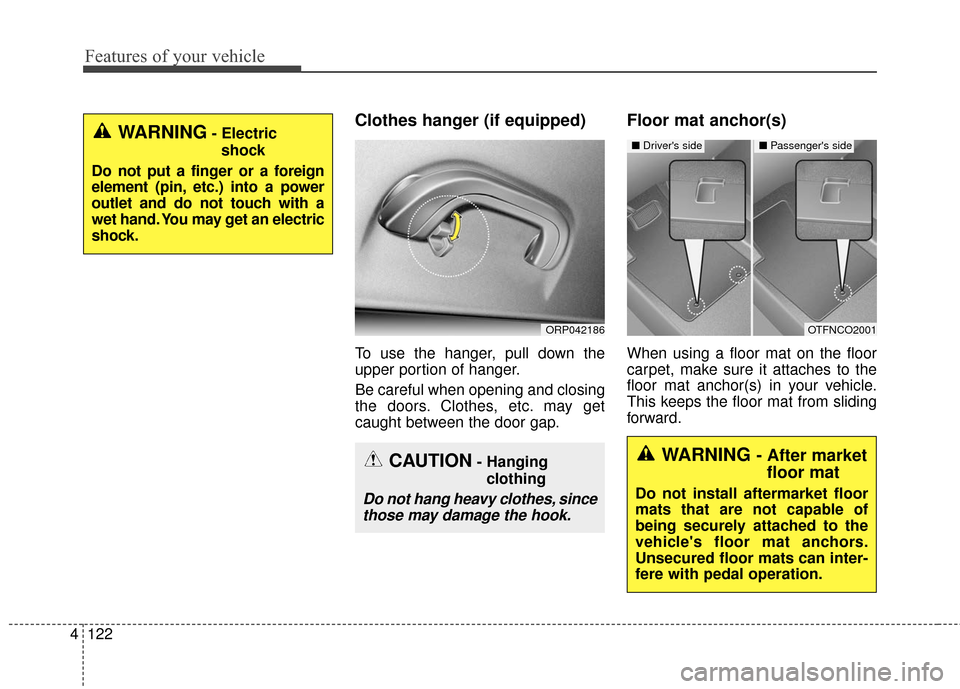
Clothes hanger (if equipped)
To use the hanger, pull down the
upper portion of hanger.
Be careful when opening and closing
the doors. Clothes, etc. may get
caught between the door gap.
Floor mat anchor(s)
When using a floor mat on the floor
carpet, make sure it attaches to the
floor mat anchor(s) in your vehicle.
This keeps the floor mat from sliding
forward.
ORP042186
WARNING- Electric
shock
Do not put a finger or a foreign
element (pin, etc.) into a power
outlet and do not touch with a
wet hand. You may get an electric
shock.
CAUTION- Hanging clothing
Do not hang heavy clothes, sincethose may damage the hook.
OTFNCO2001
■ Driver's side■ Passenger's side
WARNING - After market
floor mat
Do not install aftermarket floor
mats that are not capable of
being securely attached to the
vehicle's floor mat anchors.
Unsecured floor mats can inter-
fere with pedal operation.
Page 193 of 524
4123
Features of your vehicle
The following must be observed
when installing ANY floormat to the
vehicle.
Ensure that the floormats aresecurely attached to the vehicle's
floormat anchor(s) before driving
the vehicle.
Do not use ANY floormat that can- not be firmly attached to the vehi-
cle's floormat anchors.
Do not stack floormats on top of one another (e.g. all-weather rub-
ber mat on top of a carpeted floor-
mat). Only a single floormat should
be installed in each position.
IMPORTANT - Your vehicle was
manufactured with driver's side floor-
mat anchors that are designed to
securely hold the floormat in place.
To avoid any interference with pedal
operation, Kia recommends that only
the Kia floormat designed for use in
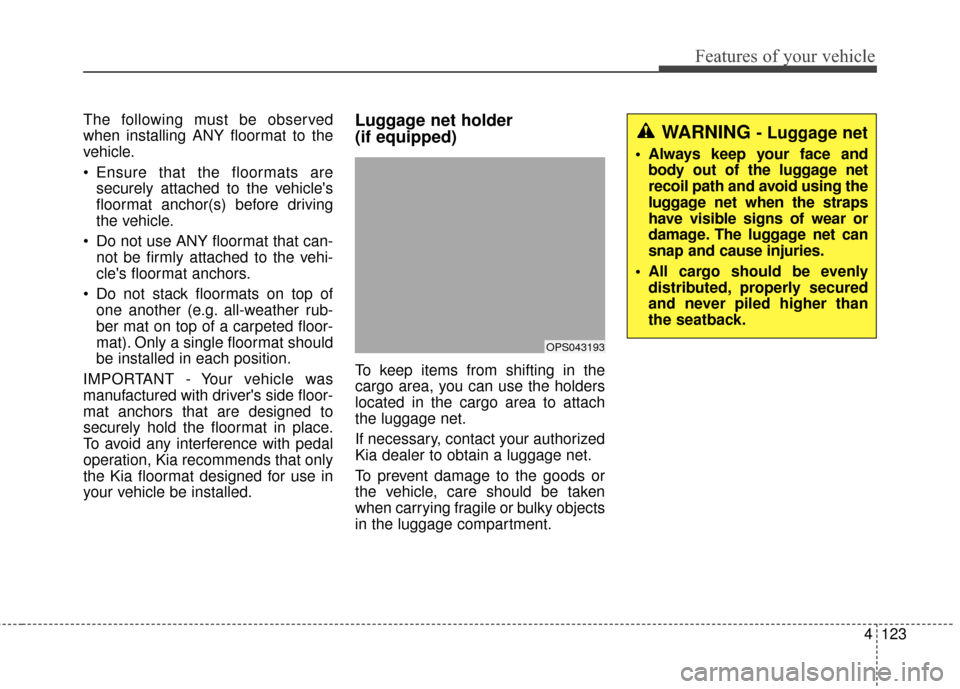
your vehicle be installed.Luggage net holder
(if equipped)
To keep items from shifting in the
cargo area, you can use the holders
located in the cargo area to attach
the luggage net.
If necessary, contact your authorized
Kia dealer to obtain a luggage net.
To prevent damage to the goods or
the vehicle, care should be taken
when carrying fragile or bulky objects
in the luggage compartment.
OPS043193
WARNING - Luggage net
Always keep your face and body out of the luggage net
recoil path and avoid using the
luggage net when the straps
have visible signs of wear or
damage. The luggage net can
snap and cause injuries.
All cargo should be evenly distributed, properly secured
and never piled higher than
the seatback.
Page 195 of 524
4125
Features of your vehicle
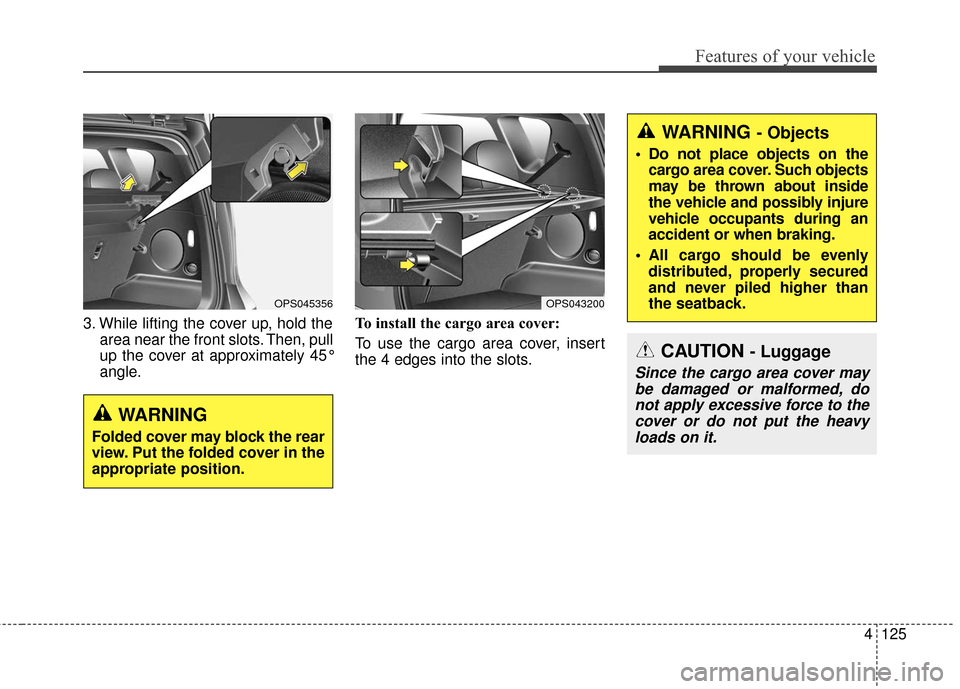
3. While lifting the cover up, hold thearea near the front slots. Then, pull
up the cover at approximately 45°
angle. To install the cargo area cover:
To use the cargo area cover, insert
the 4 edges into the slots.
WARNING - Objects
Do not place objects on the
cargo area cover. Such objects
may be thrown about inside
the vehicle and possibly injure
vehicle occupants during an
accident or when braking.
All cargo should be evenly distributed, properly secured
and never piled higher than
the seatback.
CAUTION - Luggage
Since the cargo area cover maybe damaged or malformed, donot apply excessive force to thecover or do not put the heavyloads on it.
OPS043200OPS045356
WARNING
Folded cover may block the rear
view. Put the folded cover in the
appropriate position.
Page 233 of 524
4163
Features of your vehicle
Pairing key / key
on the Steering Remote
Controller
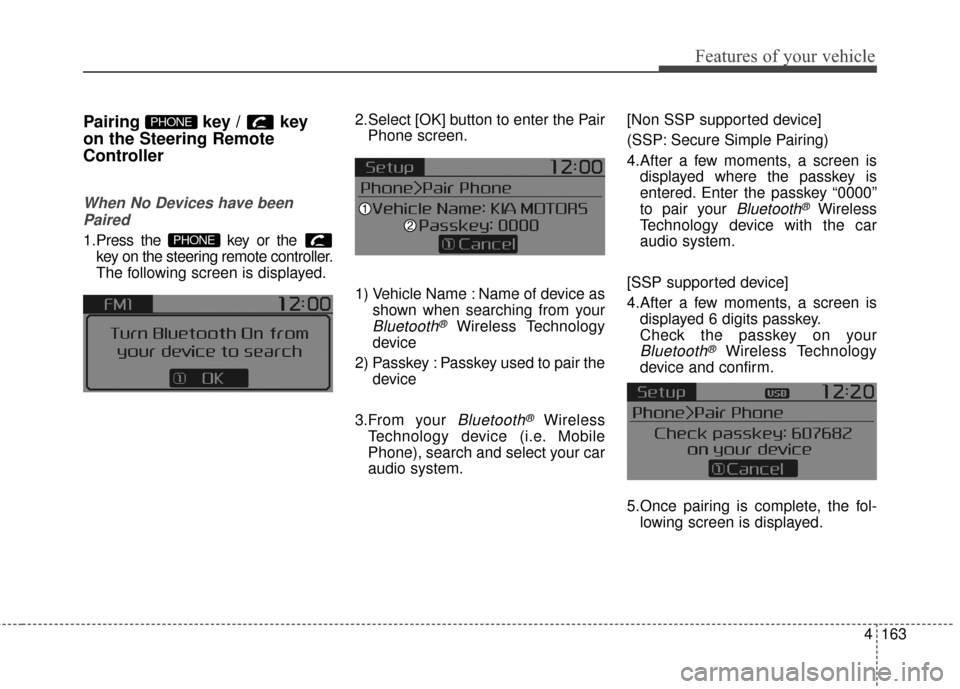
When No Devices have beenPaired
1.Press the key or the key on the steering remote controller.
The following screen is displayed. 2.Select [OK] button to enter the Pair
Phone screen.
1) Vehicle Name : Name of device as shown when searching from your
Bluetooth®Wireless Technology
device
2) Passkey : Passkey used to pair the device
3.From your
Bluetooth®Wireless
Technology device (i.e. Mobile
Phone), search and select your car
audio system. [Non SSP supported device]
(SSP: Secure Simple Pairing)
4.After a few moments, a screen is
displayed where the passkey is
entered. Enter the passkey “0000”
to pair your
Bluetooth®Wireless
Technology device with the car
audio system.
[SSP supported device]
4.After a few moments, a screen is displayed 6 digits passkey.
Check the passkey on your
Bluetooth®Wireless Technology
device and confirm.
5.Once pairing is complete, the fol- lowing screen is displayed.
PHONE
PHONE
Page 248 of 524
Features of your vehicle
178
4
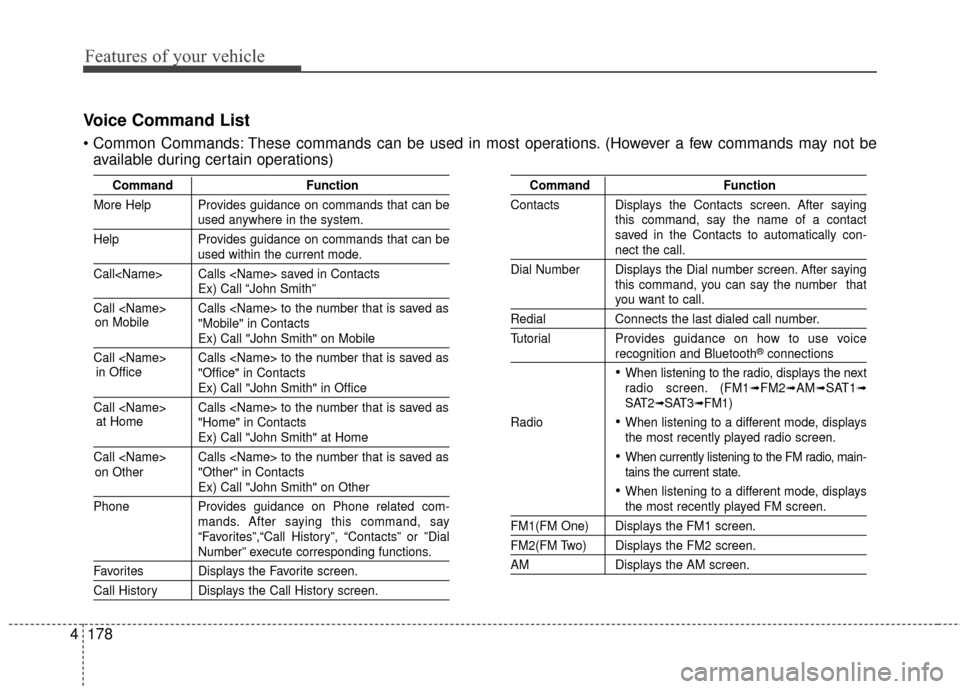
Voice Command List
These commands can be used in most operations. (However a few commands may not be
available during certain operations)
Command Function
More Help Provides guidance on commands that can be
used anywhere in the system.
Help Provides guidance on commands that can be
used within the current mode.
Call Calls saved in Contacts
Ex) Call “John Smith”
Call Calls to the number that is saved as "Mobile" in Contacts
Ex) Call "John Smith" on Mobile
Call Calls to the number that is saved as "Office" in Contacts
Ex) Call "John Smith" in Office
Call Calls to the number that is saved as "Home" in Contacts
Ex) Call "John Smith" at Home
Call Calls to the number that is saved as "Other" in Contacts
Ex) Call "John Smith" on Other
Phone Provides guidance on Phone related com- mands. After saying this command, say
“Favorites”,“Call History”, “Contacts” or ”Dial
Number” execute corresponding functions.
Favorites Displays the Favorite screen.
Call History Displays the Call History screen.
Command Function
Contacts Displays the Contacts screen. After saying this command, say the name of a contact
saved in the Contacts to automatically con-
nect the call.
Dial Number Displays the Dial number screen. After saying this command, you can say the number that
you want to call.
RedialConnects the last dialed call number.
Tutorial Provides guidance on how to use voice
recognition and Bluetooth®connections
When listening to the radio, displays the next
radio screen. (FM1➟FM2➟AM➟SAT1➟SAT2➟SAT3➟FM1)
Radio
When listening to a different mode, displays
the most recently played radio screen.
When currently listening to the FM radio, main-
tains the current state.
When listening to a different mode, displaysthe most recently played FM screen.
FM1(FM One) Displays the FM1 screen.
FM2(FM Two) Displays the FM2 screen.
AM Displays the AM screen.
on Mobile
in Officeat Home
on Other