Page 453 of 644
541
Driving your vehicle
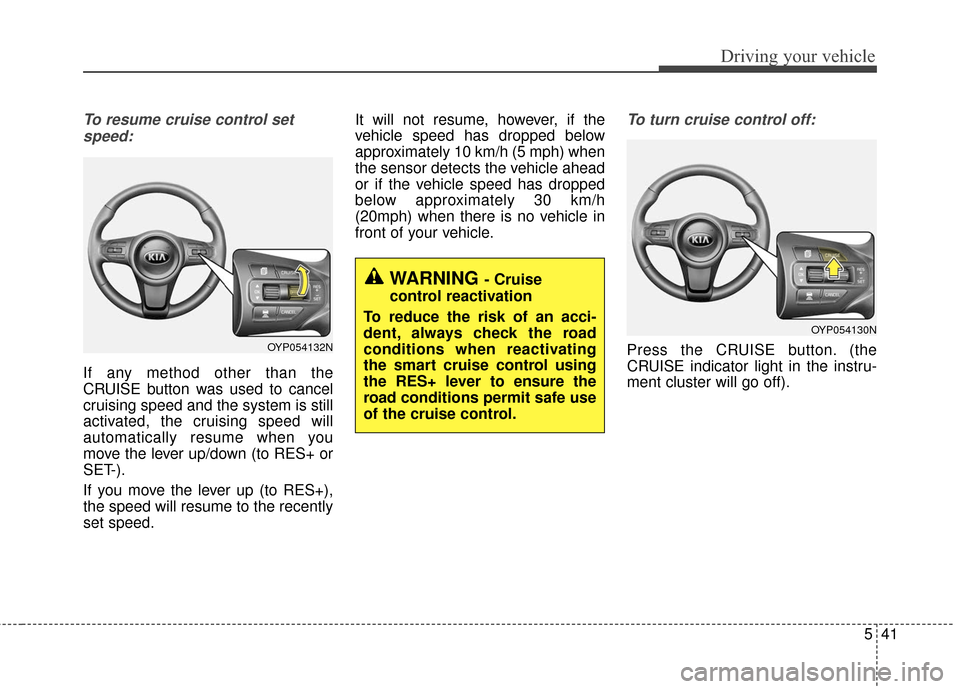
To resume cruise control setspeed:
If any method other than the
CRUISE button was used to cancel
cruising speed and the system is still
activated, the cruising speed will
automatically resume when you
move the lever up/down (to RES+ or
SET-).
If you move the lever up (to RES+),
the speed will resume to the recently
set speed. It will not resume, however, if the
vehicle speed has dropped below
approximately 10 km/h (5 mph) when
the sensor detects the vehicle ahead
or if the vehicle speed has dropped
below approximately 30 km/h
(20mph) when there is no vehicle in
front of your vehicle.
To turn cruise control off:
Press the CRUISE button. (the
CRUISE indicator light in the instru-
ment cluster will go off).OYP054132N
OYP054130N
WARNING - Cruise
control reactivation
To reduce the risk of an acci-
dent, always check the road
conditions when reactivating
the smart cruise control using
the RES+ lever to ensure the
road conditions permit safe use
of the cruise control.
Page 457 of 644
545
Driving your vehicle
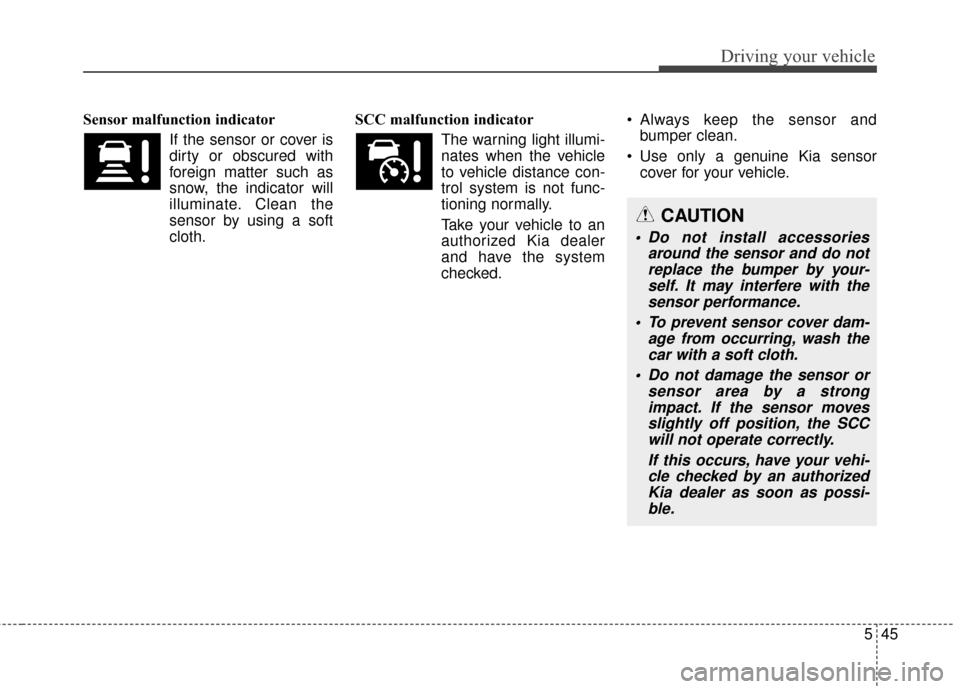
Sensor malfunction indicatorIf the sensor or cover is
dirty or obscured with
foreign matter such as
snow, the indicator will
illuminate. Clean the
sensor by using a soft
cloth. SCC malfunction indicator
The warning light illumi-
nates when the vehicle
to vehicle distance con-
trol system is not func-
tioning normally.
Take your vehicle to an authorized Kia dealer
and have the system
checked. Always keep the sensor and
bumper clean.
Use only a genuine Kia sensor cover for your vehicle.
CAUTION
Do not install accessories around the sensor and do notreplace the bumper by your-self. It may interfere with thesensor performance.
To prevent sensor cover dam- age from occurring, wash thecar with a soft cloth.
Do not damage the sensor or sensor area by a strongimpact. If the sensor movesslightly off position, the SCCwill not operate correctly.
If this occurs, have your vehi-cle checked by an authorizedKia dealer as soon as possi-ble.
Page 469 of 644
557
Driving your vehicle
BSD (Blind Spot Detection) /
LCA (Lane Change Assist)
Operating conditions
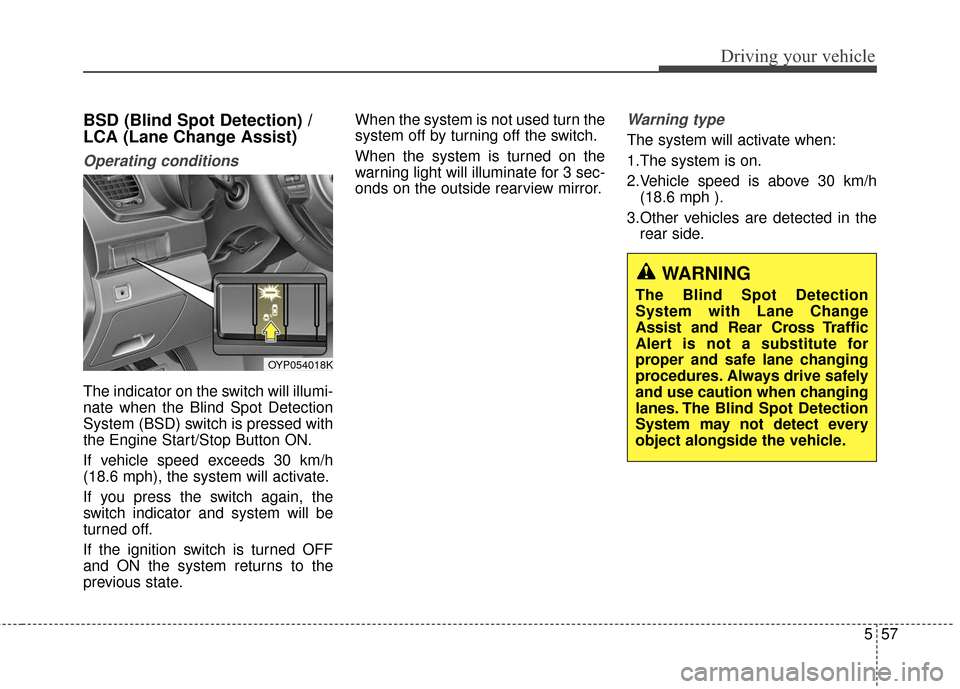
The indicator on the switch will illumi-
nate when the Blind Spot Detection
System (BSD) switch is pressed with
the Engine Start/Stop Button ON.
If vehicle speed exceeds 30 km/h
(18.6 mph), the system will activate.
If you press the switch again, the
switch indicator and system will be
turned off.
If the ignition switch is turned OFF
and ON the system returns to the
previous state.When the system is not used turn the
system off by turning off the switch.
When the system is turned on the
warning light will illuminate for 3 sec-
onds on the outside rearview mirror.
Warning type
The system will activate when:
1.The system is on.
2.Vehicle speed is above 30 km/h
(18.6 mph ).
3.Other vehicles are detected in the rear side.
WARNING
The Blind Spot Detection
System with Lane Change
Assist and Rear Cross Traffic
Alert is not a substitute for
proper and safe lane changing
procedures. Always drive safely
and use caution when changing
lanes. The Blind Spot Detection
System may not detect every
object alongside the vehicle.
OYP054018K
Page 470 of 644
Driving your vehicle
58
5
If a vehicle is detected within the
boundary of the system, a warning
light will illuminate on the outside
rearview mirror.
If the detected vehicle is not in
detecting range, the warning will turn
off according to driving conditions. The second stage alarm will activate
when:
1.The first stage alert is on
2.The turn signal is on to change a
lane
When the second stage alert is acti-
vated, a warning light will blink on the
outside rearview mirror and a alarm
will sound.
If you move the turn signal switch to
the original position, the second
stage alert will be deactivated.
Detecting sensor
The sensors are located inside of the
rear bumper.
Always keep the rear bumper clean
for the system to work properly.
OYP054023KOYP054024K
OYP054025K
1st stage2nd stage
Page 471 of 644
559
Driving your vehicle
Warning message
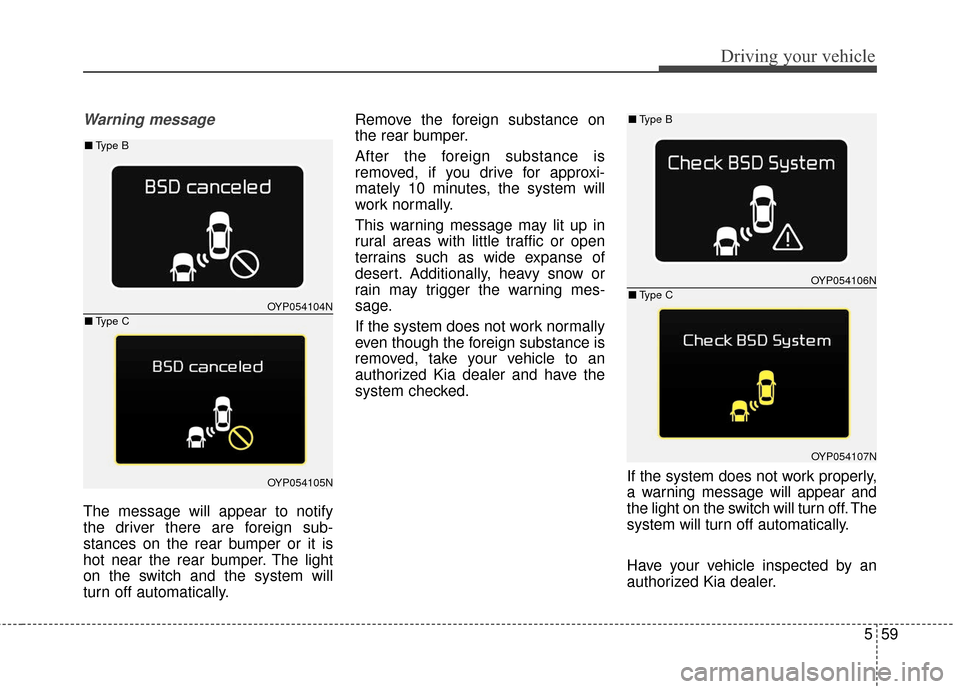
The message will appear to notify
the driver there are foreign sub-
stances on the rear bumper or it is
hot near the rear bumper. The light
on the switch and the system will
turn off automatically.Remove the foreign substance on
the rear bumper.
After the foreign substance is
removed, if you drive for approxi-
mately 10 minutes, the system will
work normally.
This warning message may lit up in
rural areas with little traffic or open
terrains such as wide expanse of
desert. Additionally, heavy snow or
rain may trigger the warning mes-
sage.
If the system does not work normally
even though the foreign substance is
removed, take your vehicle to an
authorized Kia dealer and have the
system checked.
If the system does not work properly,
a warning message will appear and
the light on the switch will turn off. The
system will turn off automatically.
Have your vehicle inspected by an
authorized Kia dealer.
OYP054104N
OYP054105N
OYP054106N
OYP054107N
■Type B
■Type C
■Type B
■Type C
Page 473 of 644
561
Driving your vehicle
Warning type
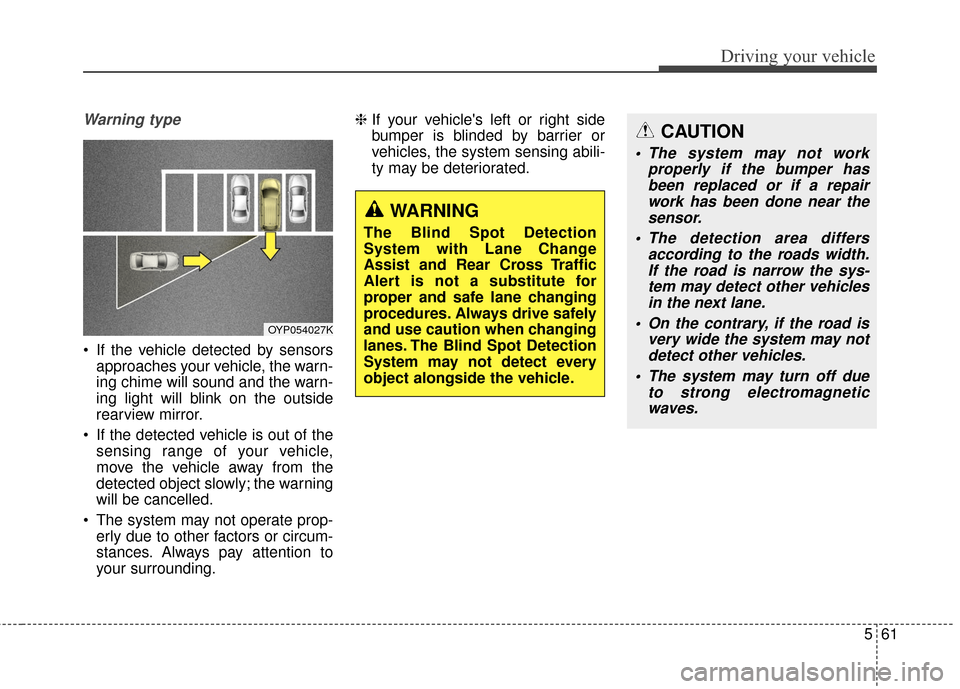
If the vehicle detected by sensorsapproaches your vehicle, the warn-
ing chime will sound and the warn-
ing light will blink on the outside
rearview mirror.
If the detected vehicle is out of the sensing range of your vehicle,
move the vehicle away from the
detected object slowly; the warning
will be cancelled.
The system may not operate prop- erly due to other factors or circum-
stances. Always pay attention to
your surrounding. ❈
If your vehicle's left or right side
bumper is blinded by barrier or
vehicles, the system sensing abili-
ty may be deteriorated.
OYP054027K
WARNING
The Blind Spot Detection
System with Lane Change
Assist and Rear Cross Traffic
Alert is not a substitute for
proper and safe lane changing
procedures. Always drive safely
and use caution when changing
lanes. The Blind Spot Detection
System may not detect every
object alongside the vehicle.
CAUTION
The system may not work
properly if the bumper hasbeen replaced or if a repairwork has been done near thesensor.
The detection area differs according to the roads width.If the road is narrow the sys-tem may detect other vehiclesin the next lane.
On the contrary, if the road is very wide the system may notdetect other vehicles.
The system may turn off due to strong electromagneticwaves.
Page 476 of 644
Driving your vehicle
64
5
LANE DEPARTURE WARNING SYSTEM (LDWS) (IF EQUIPPED)
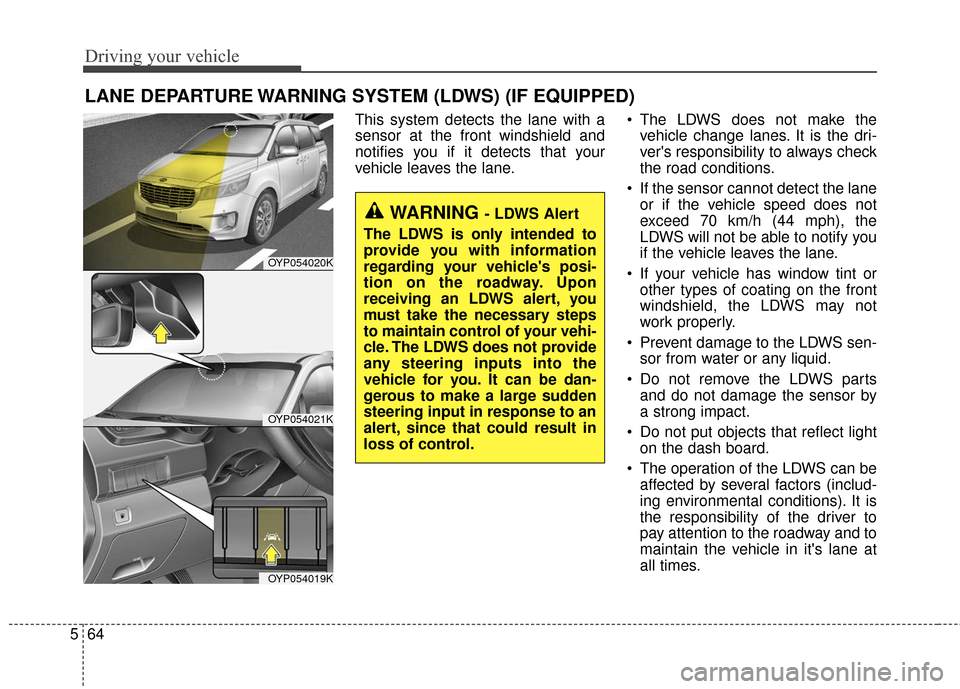
This system detects the lane with a
sensor at the front windshield and
notifies you if it detects that your
vehicle leaves the lane. The LDWS does not make the
vehicle change lanes. It is the dri-
ver's responsibility to always check
the road conditions.
If the sensor cannot detect the lane or if the vehicle speed does not
exceed 70 km/h (44 mph), the
LDWS will not be able to notify you
if the vehicle leaves the lane.
If your vehicle has window tint or other types of coating on the front
windshield, the LDWS may not
work properly.
Prevent damage to the LDWS sen- sor from water or any liquid.
Do not remove the LDWS parts and do not damage the sensor by
a strong impact.
Do not put objects that reflect light on the dash board.
The operation of the LDWS can be affected by several factors (includ-
ing environmental conditions). It is
the responsibility of the driver to
pay attention to the roadway and to
maintain the vehicle in it's lane at
all times.
OYP054020K
OYP054021K
OYP054019K
WARNING - LDWS Alert
The LDWS is only intended to
provide you with information
regarding your vehicle's posi-
tion on the roadway. Upon
receiving an LDWS alert, you
must take the necessary steps
to maintain control of your vehi-
cle. The LDWS does not provide
any steering inputs into the
vehicle for you. It can be dan-
gerous to make a large sudden
steering input in response to an
alert, since that could result in
loss of control.
Page 478 of 644

Driving your vehicle
66
5
Warning indicator
When the LDWS is not working prop-
erly, the warning light will illuminate
and the warning message will come
on for a few second. After the mes-
sage disappears, the master warning
light will illuminate. Take your vehicle to an authorized
Kia dealer and have the system
checked.
The LDWS does not operate
when:
The driver turns on the turn signal
or the hazard warning flasher to
change lane.
Driving on the lane line.
✽ ✽ NOTICE
To change lanes, operate the turn
signal switch then change the lane.
The LDWS may not warn you
even if the vehicle leaves the
lane, or may warn you even if
the vehicle does not leave the
lane when;
The lane can't be visible due to
snow, rain, stain, a puddle or other
environmental conditions.
The brightness of the outside changes suddenly such as tunnel
enter/exit.
The headlights are off at night or in a tunnel.
The color of the lane marking from the road is difficult to distinguish.
Driving on a steep grade or a curve.
Light such as street light, sunlight or oncoming vehicle light reflects
from water on the road.
The lens or windshield is stained with foreign matter.
The sensor cannot detect the lane because of fog, heavy rain or
heavy snow.
OYP054114N
OYP054119K
■Warning message
■Master warning light
WARNING - LDWS
Limitations
The Lane Departure Warning
System is a supplemental sys-
tem. Do not solely rely on the
system but always pay attention
and drive safely.