Page 377 of 688
•For example: If approaching the left side of the lane,
the steering wheel will turn to the right.•When the LaneSense system senses the lane has been
approached and is in a lane departure situation, the
left thick lane line flashes from white to gray, the left
thin line remains solid white and the LaneSense indi-
cator changes from solid yellow to flashing yellow. At
this time, torque is applied to the steering wheel in the
opposite direction of the lane boundary.
Lane Sensed (Solid White Thick Line, Solid White Thin
Line/Solid Yellow Indicator)
7
STARTING AND OPERATING 375
Page 378 of 688
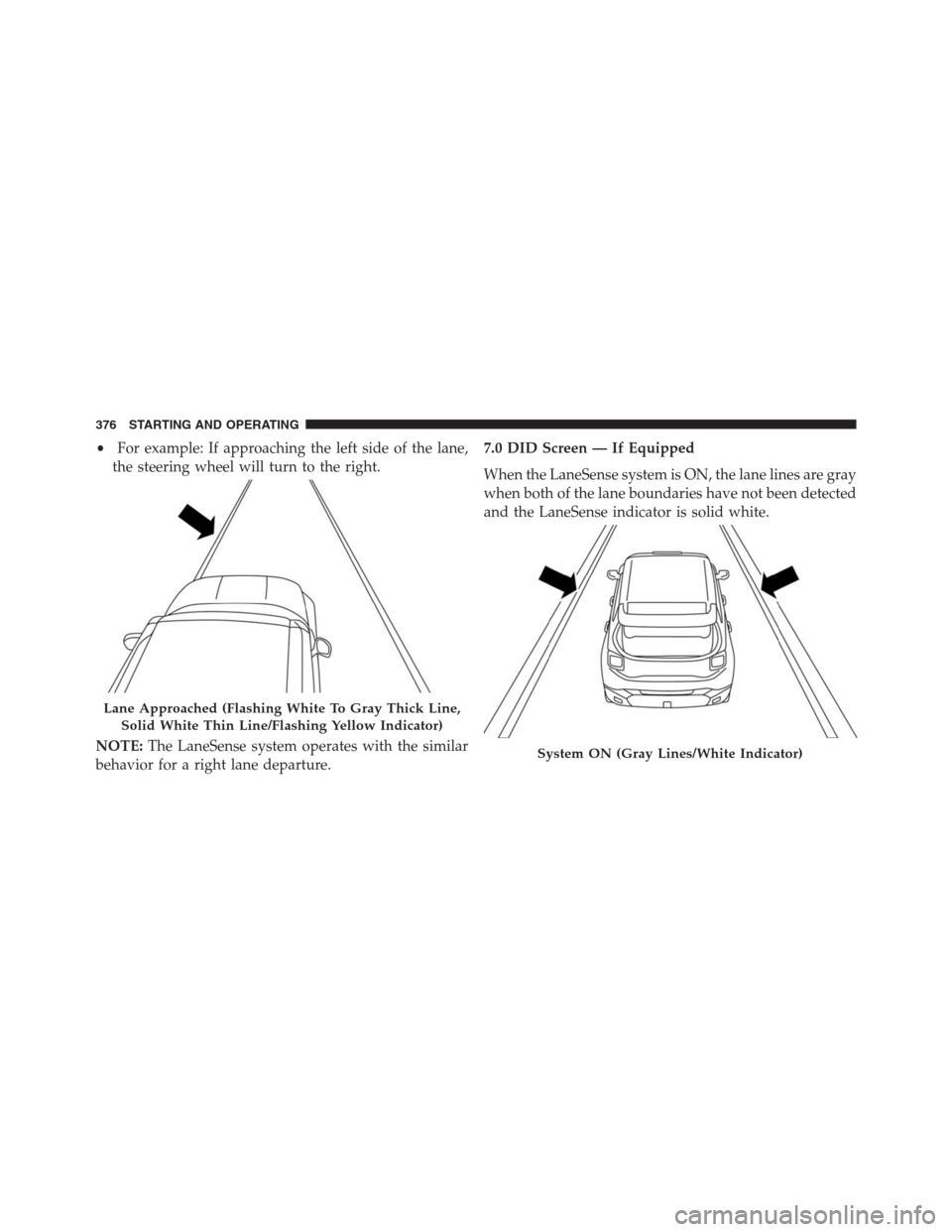
•For example: If approaching the left side of the lane,
the steering wheel will turn to the right.
NOTE:The LaneSense system operates with the similar
behavior for a right lane departure.7.0 DID Screen — If Equipped
When the LaneSense system is ON, the lane lines are gray
when both of the lane boundaries have not been detected
and the LaneSense indicator is solid white.
Lane Approached (Flashing White To Gray Thick Line,
Solid White Thin Line/Flashing Yellow Indicator)
System ON (Gray Lines/White Indicator)
376 STARTING AND OPERATING
Page 380 of 688
Left Lane Departure — Both Lanes Detected
•When the LaneSense system is ON, the lane lines turn
from gray to white to indicate that both of the lane
markings have been detected. The LaneSense indicator
is solid green when both lane markings have been
detected and the system is “armed” to provide visual
warnings in the DID and a torque warning in the
steering wheel if an unintentional lane departure oc-
curs.
•When the LaneSense system senses a lane drift situa-
tion, the left thick lane line and left thin line turn solid
yellow. The LaneSense indicator changes from solid
green to solid yellow. At this time torque is applied to
the steering wheel in the opposite direction of the lane
boundary.
Lanes Sensed (White Lines/Green Indicator)
378 STARTING AND OPERATING
Page 381 of 688
•For example: If approaching the left side of the lane
the steering wheel will turn to the right.•When the LaneSense system senses the lane has been
approached and is in a lane departure situation, the
left thick lane line flashes yellow (on/off) and the left
thin line remains solid yellow. The LaneSense indicator
changes from solid yellow to flashing yellow. At this
time torque is applied to the steering wheel in the
opposite direction of the lane boundary.
Lane Sensed (Solid Yellow Thick Line, Solid Yellow
Thin Line/Solid Yellow Indicator)
7
STARTING AND OPERATING 379
Page 382 of 688
•For example: If approaching the left side of the lane
the steering wheel will turn to the right.
NOTE:The LaneSense system operates with the similar
behavior for a right lane departure.Changing LaneSense Status
The LaneSense system has settings to adjust the intensity
of the torque warning and the warning zone sensitivity
(early/late) that you can configure through the Uconnect
system screen. Refer to “Uconnect Settings” in “Multime-
dia” for further information.
NOTE:
•When enabled the system operates above 37 mph
(60 km/h) and below 112 mph (180 km/h).
•Use of the turn signal suppresses the warnings.
•The system will not apply torque to the steering wheel
whenever a safety system engages. (anti-lock brakes,
traction control system, electronic stability control,
forward collision warning, etc.).
Lane Approached (Flashing Yellow Thick Line, Solid
Yellow Thin Line/Flashing Yellow Indicator)
380 STARTING AND OPERATING
Page 389 of 688

When the vehicle is shifted out of REVERSE (with camera
delay turned OFF), the rear camera mode is exited and
the navigation or audio screen appears again.
When the vehicle is shifted out of REVERSE (with camera
delay turned ON), the camera image will continue to be
displayed for up to 10 seconds after shifting out ofREVERSE unless the vehicle speed exceeds 8 mph
(13 km/h), the vehicle is shifted into PARK or the ignition
is switched to the STOP/OFF position.
A touchscreen button to disable the camera is available
when the vehicle is not in REVERSE. Display of the
camera image after shifting out of REVERSE can be
disabled via Uconnect Settings.
When enabled, active guide lines are overlaid on the
image to illustrate the width of the vehicle and its
projected backup path based on the steering wheel
position.
When enabled, fixed guide lines are overlaid on the
image to illustrate the width of the vehicle.
Different colored zones indicate the distance to the rear of
the vehicle.
Parking Camera
7
STARTING AND OPERATING 387
Page 417 of 688

Traction Downhill
Shift the transmission into a low gear and the 4WD
System to 4WD LOW range or Select Hill Descent
Control if equipped (refer to�Electronic Brake Control
System�in this section for further information). Let the
vehicle go slowly down the hill with all four wheels
turning against engine compression drag. This will per-
mit you to control the vehicle speed and direction.
When descending mountains or hills, repeated braking
can cause brake fade with loss of braking control. Avoid
repeated heavy braking by downshifting the transmis-
sion whenever possible.
After Driving Off-Road
Off-road operation puts more stress on your vehicle than
does most on-road driving. After going off-road, it is
always a good idea to check for damage. That way you
can get any problems taken care of right away and have
your vehicle ready when you need it.•Completely inspect the underbody of your vehicle.
Check tires, body structure, steering, suspension, and
exhaust system for damage.
•Inspect the radiator for mud and debris and clean as
required.
•Check threaded fasteners for looseness, particularly on
the chassis, drivetrain components, steering, and sus-
pension. Retighten them, if required, and torque to the
values specified in the Service Manual.
•Check for accumulations of plants or brush. These
things could be a fire hazard. They might hide damage
to fuel lines, brake hoses, axle pinion seals, and
propeller shafts.
•After extended operation in mud, sand, water, or
similar dirty conditions, have the radiator, fan, brake
rotors, wheels, brake linings, and axle yokes inspected
and cleaned as soon as possible.
7
STARTING AND OPERATING 415
Page 418 of 688

WARNING!
Abrasive material in any part of the brakes may cause
excessive wear or unpredictable braking. You might
not have full braking power when you need it to
prevent a collision. If you have been operating your
vehicle in dirty conditions, get your brakes checked
and cleaned as necessary.
•If you experience unusual vibration after driving in
mud, slush or similar conditions, check the wheels for
impacted material. Impacted material can cause a
wheel imbalance and freeing the wheels of it will
correct the situation.
POWER STEERING
The electric power steering system will give you good
vehicle response and increased ease of maneuverability in
tight spaces. The system will vary its assist to provide lightefforts while parking and good feel while driving. If the
electric steering system experiences a fault that reduces
assist or prevents the vehicle from providing assist, you
will still have the ability to steer the vehicle manually.
WARNING!
Continued operation with reduced assist could pose
a safety risk to yourself and others. Service should be
obtained as soon as possible.
If the “SERVICE POWER STEERING�OR
�POWER STEERING ASSIST OFF - SERVICE
SYSTEM” message and a steering wheel icon are
displayed on the EVIC/DID screen, it indicates
that the vehicle needs to be taken to the dealer for service.
It is likely the vehicle has lost power steering assistance.
Refer to “Electronic Vehicle Information (EVIC) or�Driver
Information Display (DID)” in “Getting To Know Your
Instrument Cluster” for further information.
416 STARTING AND OPERATING