Page 91 of 688
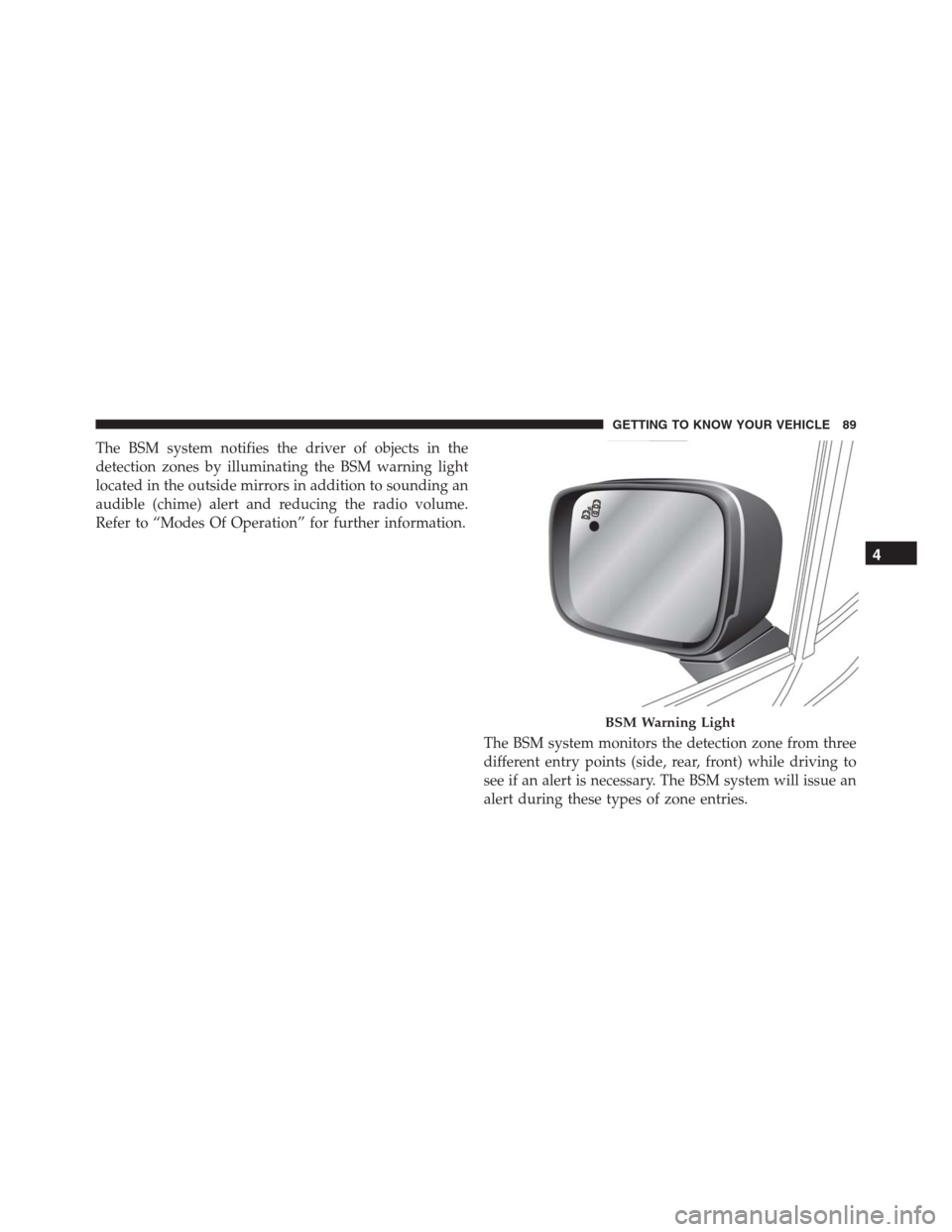
The BSM system notifies the driver of objects in the
detection zones by illuminating the BSM warning light
located in the outside mirrors in addition to sounding an
audible (chime) alert and reducing the radio volume.
Refer to “Modes Of Operation” for further information.
The BSM system monitors the detection zone from three
different entry points (side, rear, front) while driving to
see if an alert is necessary. The BSM system will issue an
alert during these types of zone entries.
BSM Warning Light
4
GETTING TO KNOW YOUR VEHICLE 89
Page 93 of 688
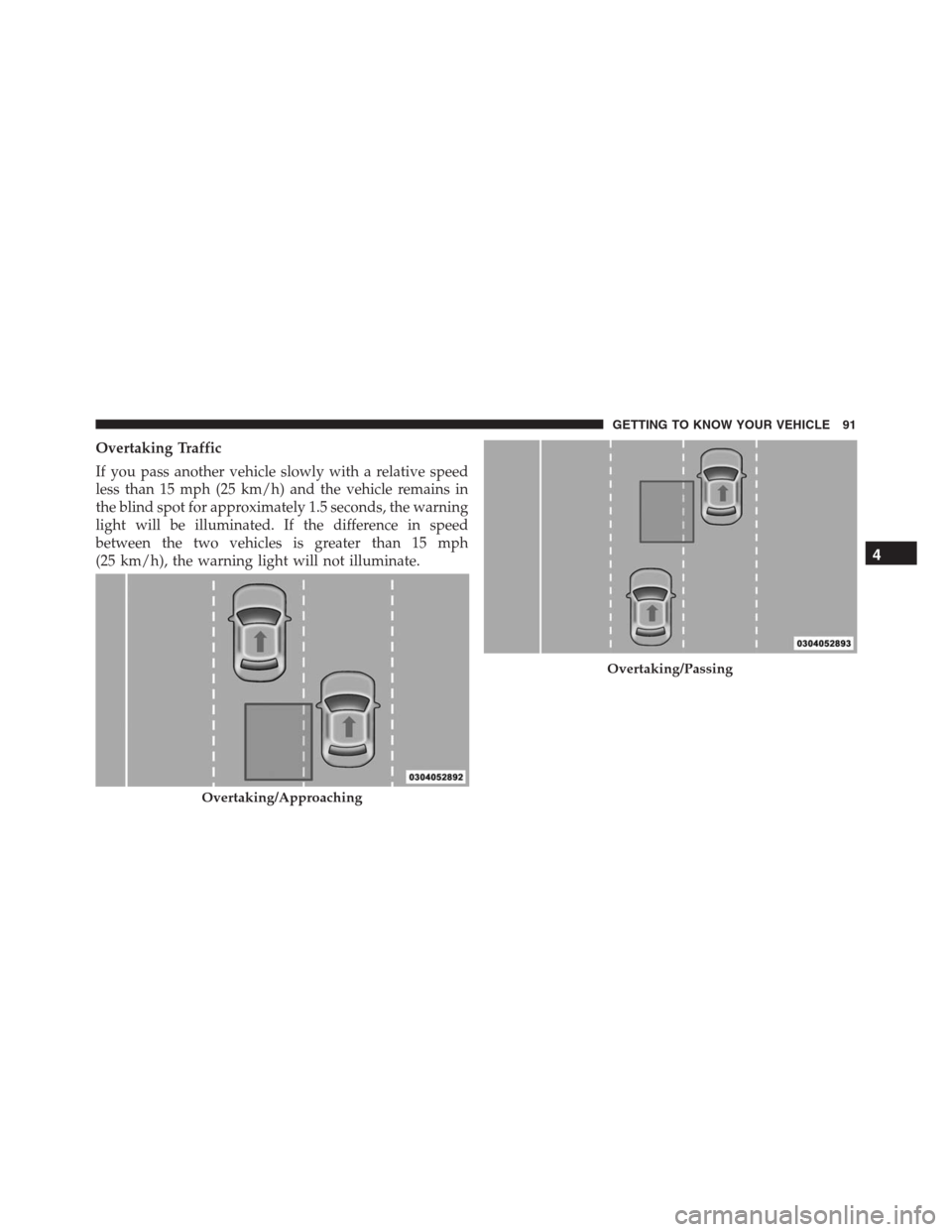
Overtaking Traffic
If you pass another vehicle slowly with a relative speed
less than 15 mph (25 km/h) and the vehicle remains in
the blind spot for approximately 1.5 seconds, the warning
light will be illuminated. If the difference in speed
between the two vehicles is greater than 15 mph
(25 km/h), the warning light will not illuminate.
Overtaking/Approaching
Overtaking/Passing
4
GETTING TO KNOW YOUR VEHICLE 91
Page 96 of 688

NOTE:In a parking lot situation, oncoming vehicles can
be obscured by vehicles parked on either side. If the
sensors are blocked by other structures or vehicles, the
system will not be able to alert the driver.
When RCP is on and the vehicle is in REVERSE, the
driver is alerted using both the visual and audible
alarms, including reducing the radio volume.
WARNING!
RCP is not a Back Up Aid system. It is intended to be
used to help a driver detect an oncoming vehicle in a
parking lot situation. Drivers must be careful when
backing up, even when using RCP. Always check
carefully behind your vehicle, look behind you, and
be sure to check for pedestrians, animals, other
vehicles, obstructions, and blind spots before back-
ing up. Failure to do so can result in serious injury or
death.
Mode Of Operation
Three selectable modes of operation are available in the
Uconnect System. Refer to “Uconnect Settings” in “Mul-
timedia” for further information.
Blind Spot Alert Lights Only
When operating in Blind Spot Alert mode, the BSM
system will provide a visual alert in the appropriate side
view mirror based on a detected object. However, when
the system is operating in Rear Cross Path (RCP) mode,
the system will respond with both visual and audible
alerts when a detected object is present. Whenever an
audible alert is requested, the radio is muted.
Blind Spot Alert Lights/Chime
When operating in Blind Spot Alert Lights/Chime mode,
the BSM system will provide a visual alert in the appro-
priate side view mirror based on a detected object. If the
turn signal is then activated, and it corresponds to an
94 GETTING TO KNOW YOUR VEHICLE
Page 97 of 688

alert present on that side of the vehicle, an audible chime
will also be sounded. Whenever a turn signal and de-
tected object are present on the same side at the same
time, both the visual and audible alerts will be issued. In
addition to the audible alert, the radio (if on) will also be
muted.
NOTE:Whenever an audible alert is requested by the
BSM system, the radio is also muted.
When the system is in RCP, the system will respond with
both visual and audible alerts when a detected object is
present. Whenever an audible alert is requested, the radio
is also muted. Turn/hazard signal status is ignored; the
RCP state always requests the chime.
Blind Spot Alert Off
When the BSM system is turned off, there will be no
visual or audible alerts from either the BSM or RCP
systems.NOTE:The BSM system will store the current operating
mode when the vehicle is shut off. Each time the vehicle
is started the previously stored mode will be recalled and
used.
Blind Spot Monitoring Fault Warnings
Sensor Blinded
In the case of a sensor blinded:
•BSM Mirror Warning Lights are turned on continu-
ously.
•A instrument cluster message will display“Blind Spot
Monitoring Unavailable - Wipe Rear Bumper Cor-
ners.”
NOTE:The rear bumper must be clean and free of any
obstructing debris.4
GETTING TO KNOW YOUR VEHICLE 95
Page 98 of 688

System Not Available
In the case of the system being temporary unavailable:
•BSM Mirror Warning Lights are turned on continu-
ously.
•A instrument cluster message will display“Blind Spot
Monitoring Temporary Unavailable.”
In the case of the system being completely unavailable:
•A chime will turn on.
•A instrument cluster message will display“Blind Spot
Monitoring Unavailable - Service Required.”
NOTE:Vehicle must be taken to the nearest authorized
dealer for service.General Information
This vehicle has systems that operate on radio frequency
that comply with Part 15 of the Federal Communications
Commission (FCC) rules and with Industry Canada
Standards RSS- GEN/210/220/310.
Operation is subject to the following two conditions:
1. The device may not cause harmful interference.
2. The device must accept any interference received,
including interference that may cause undesired op-
eration of the device.
Changes or modifications to any of these systems by
other than an authorized service facility could void
authorization to use this equipment.
96 GETTING TO KNOW YOUR VEHICLE
Page 99 of 688
EXTERIOR LIGHTS
Headlights
The headlight switch is located on the left side of the
instrument panel. The headlight switch controls the
operation of the headlights, side marker lights, daytime
running lights, fog lights and the dimming of the instru-
ment cluster and interior lighting.
Turning on the headlights will illuminate the instrument
cluster and the controls located on the instrument panel.
Headlight Switch
4
GETTING TO KNOW YOUR VEHICLE 97
Page 100 of 688

Automatic Lighting — If Equipped
Light Sensor
The light sensor is equipped with an infrared LED,
located on the windshield. It detects changes in light
intensity outside the vehicle, based on the sensitivity of
light set by using the Menu on the display or on the
Uconnect system.
The higher the sensitivity, the lesser the amount of
external light required for controlling the lighting.
Automatic Headlights
Turn the headlight switch to the AUTO position.
When the automatic headlights are enabled, the head-
light time delay is active. After the ignition switch is
placed in the STOP/OFF position, the headlights will
automatically turn off after the time is set by Uconnect
Settings.The timing of the headlights is adjustable between 0, 30,
60 and 90 seconds. Refer to “Uconnect Settings” in
“Multimedia” for further information.
NOTE:The engine must be running before the headlights
will come on in the automatic mode.
Daytime Running Lights (DRL) — If Equipped
The Daytime Running Lights (DRLs) will turn on when
the engine is started and remain on unless the headlights
are turned on or the engine is shut off.
The DRLs will be disabled during turn signal operation
and resume operation when the turn signal operation has
ended.
98 GETTING TO KNOW YOUR VEHICLE
Page 101 of 688

Front Fog Lights — If Equipped
The front fog light switch is built into the headlight
switch.
To activate the front fog lights, turn on the parking
lights or the low beam headlights and push the
fog light button on the headlight switch. To turn off the
front fog lights, push the fog light button on the headlight
switch a second time or turn off the headlight switch.
An indicator light in the instrument cluster illuminates
when the fog lights are turned on.
NOTE:The fog lights will operate with the low beam
headlights or parking lights on. Selecting the high beam
headlights will turn off the fog lights.
Parking Lights
Rotate the headlight switch to the parking position to
turn on the parking lights. The parking light indicator in
the cluster will illuminate.
Headlight Delay
This feature provides the safety of headlight illumination
for up to 90 seconds when leaving your vehicle in an
unlit area.
The time delay of the headlights is programmable be-
tween 0, 30, 60 and 90 seconds. Refer to “Uconnect
Settings” in “Multimedia” for further information.4
GETTING TO KNOW YOUR VEHICLE 99