Page 102 of 688

Headlight Delay Activation
To activate the delay feature, place the ignition in the
STOP/OFF position while the headlights are still on.
Then, turn off the headlights within two minutes. The
delay interval begins when the headlight switch is turned
off from the “Lowbeam” position.
If the headlight switch is in�Auto�position and head-
lights were on before Key OFF, the delay interval begins
automatically.
Headlight Delay Disable
The feature is disabled by turning on the headlights, the
parking lights or by placing the ignition in the MAR/
RUN position.If you shut off the lights before the ignition is turned on,
they will turn off in the normal manner.
NOTE:The lights must be turned off within two minutes
of placing the ignition in the STOP/OFF position to
activate this feature.
Flash-To-Pass
You can signal another vehicle with your headlights by
lightly pulling the multifunction lever toward you. This
will cause the headlights to turn on at high beam and
remain on until the lever is released.
100 GETTING TO KNOW YOUR VEHICLE
Page 103 of 688
High Beams
To turn on the high beam headlights, push the turn signal
lever forward (toward the front of the vehicle) and an
indicator will illuminate in the cluster. To turn off the
high beams, pull the turn signal lever rearward (toward
the rear of the vehicle).NOTE:The headlights must be on for the high beams to
activate.
Turn Signals
Move the multifunction lever up or down and the arrows
on each side of the instrument cluster flash to show
proper operation of the front and rear turn signal lights.
NOTE:When the Daytime Running Lights are on and a
turn signal is activated, the Daytime Running Lamp will
turn off on the side of the vehicle in which the turn signal
is flashing. The Daytime Running Lamp will turn back on
when the turn signal is turned off.
High Beam And Turn Signal Controls
4
GETTING TO KNOW YOUR VEHICLE 101
Page 104 of 688
INTERIOR LIGHTS
Front Lights
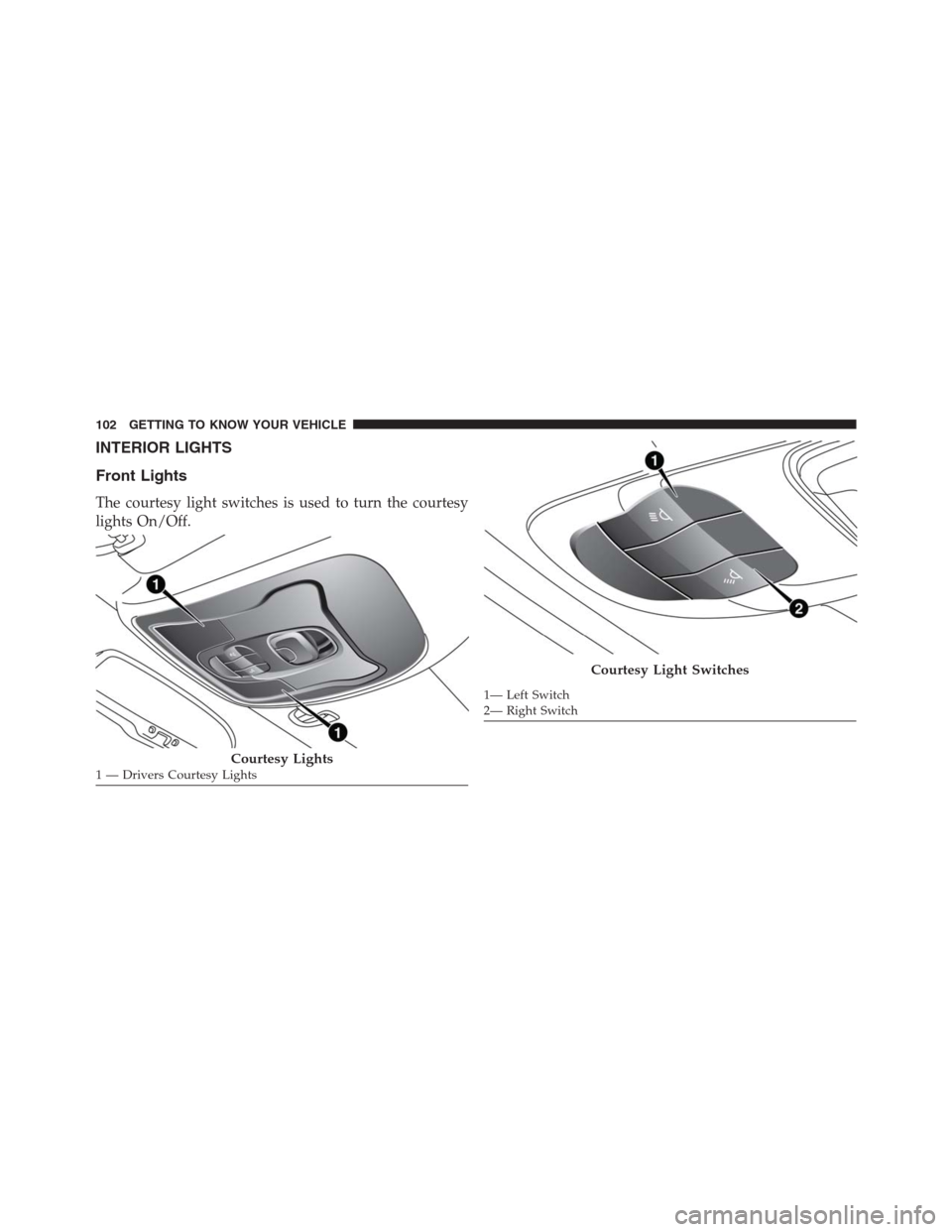
The courtesy light switches is used to turn the courtesy
lights On/Off.
Courtesy Lights1 — Drivers Courtesy Lights
Courtesy Light Switches
1— Left Switch
2— Right Switch 102 GETTING TO KNOW YOUR VEHICLE
Page 105 of 688
To operate the courtesy lights, push either the drivers or
passenger light switch.
NOTE:
•Before exiting the vehicle, make sure that the interior
lights are turned off. This will prevent the battery from
discharging once the doors are closed.
•If a light is left on it will automatically be turned off
after approximately 15 minutes after the ignition is in
the STOP/OFF position.Rear Lights
Push the button on the rear dome light once to turn the
light On, the light will remain On at all times. Push the
button a second time to turn the light Off, the lights will
remain Off at all times.
Rear Dome Light
4
GETTING TO KNOW YOUR VEHICLE 103
Page 106 of 688
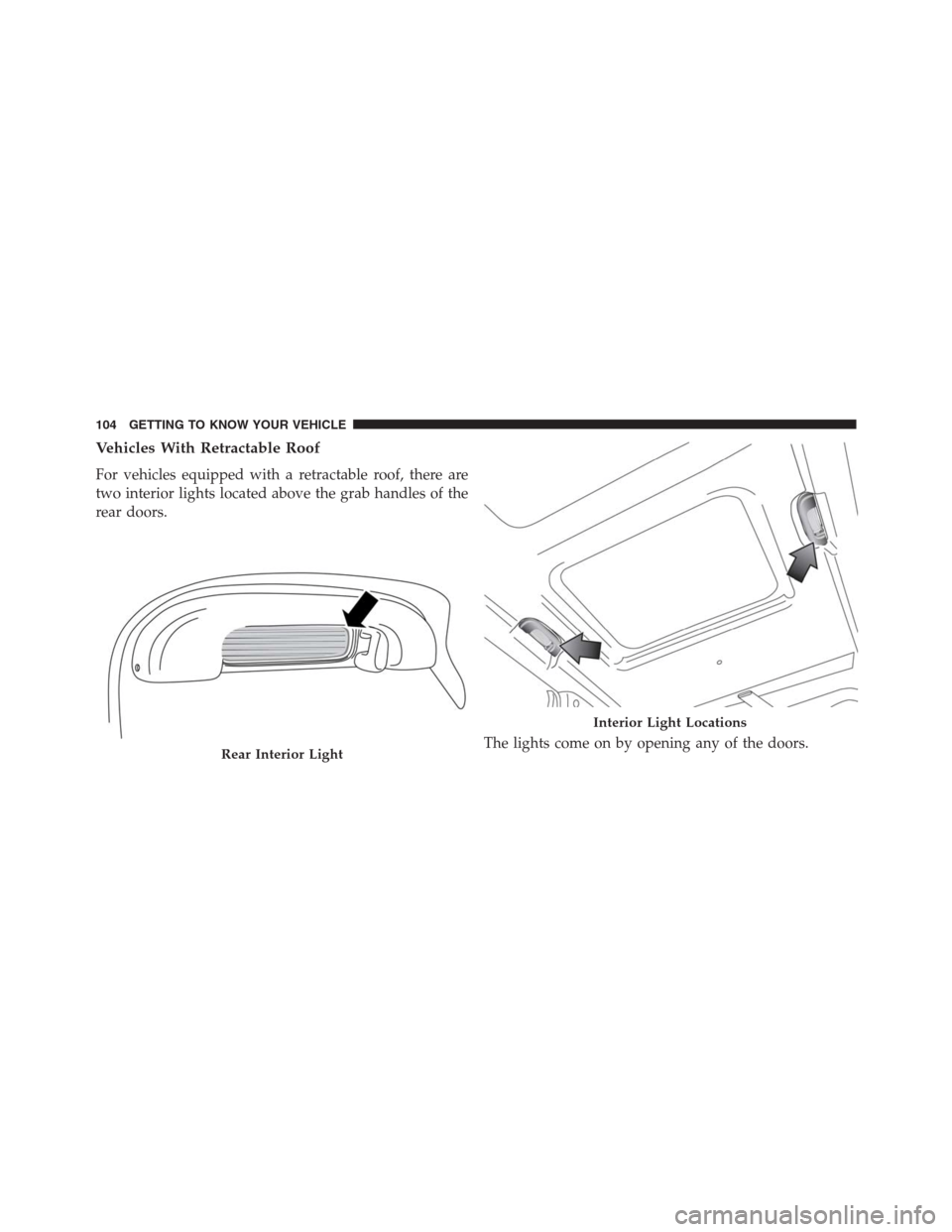
Vehicles With Retractable Roof
For vehicles equipped with a retractable roof, there are
two interior lights located above the grab handles of the
rear doors.
The lights come on by opening any of the doors.
Rear Interior Light
Interior Light Locations
104 GETTING TO KNOW YOUR VEHICLE
Page 107 of 688

Dome Light Timing
The Dome Light will automatically illuminate when the
doors are unlocked, the doors are opened or after the
doors are closed.
Timing Entering The Vehicle
The dome lights illuminate in the following ways:
•When the doors are unlocked, the dome light will
illuminate for approximately 27 seconds.
•When one of the doors is opened, the dome light will
illuminate for approximately three minutes.
•When the doors are closed, the dome light will auto-
matically shut off after approximately 10 seconds.
The timing stops once the ignition is placed in the
MAR/RUN or AVV/START position.The dome light will turn off under any of the following
conditions:
•The dome light is disabled when the ignition is placed
in the MAR/RUN or AVV/START position.
•The dome lights will turn off automatically when the
doors are locked.
•The dome lights will automatically turn off after
approximately fifteen minutes of inactivity to preserve
the battery.
Timing Exiting The Vehicle
The dome light will illuminate under the following
conditions when the ignition is turned to the STOP/OFF
position and the key is removed:
•The dome light will illuminate for 27 seconds after the
key is removed from the ignition.
4
GETTING TO KNOW YOUR VEHICLE 105
Page 108 of 688
•The opening of one of the doors (approximately three
minutes).
•After closing a door (approximately 27 seconds).
The dome light timing is disabled when the doors are
locked.
Cargo Area Lights
Two interior lights are located in the cargo area on the
side trim panels.
These lights automatically turn on/off when the liftgate
is opened and closed, regardless of the position of the
ignition.
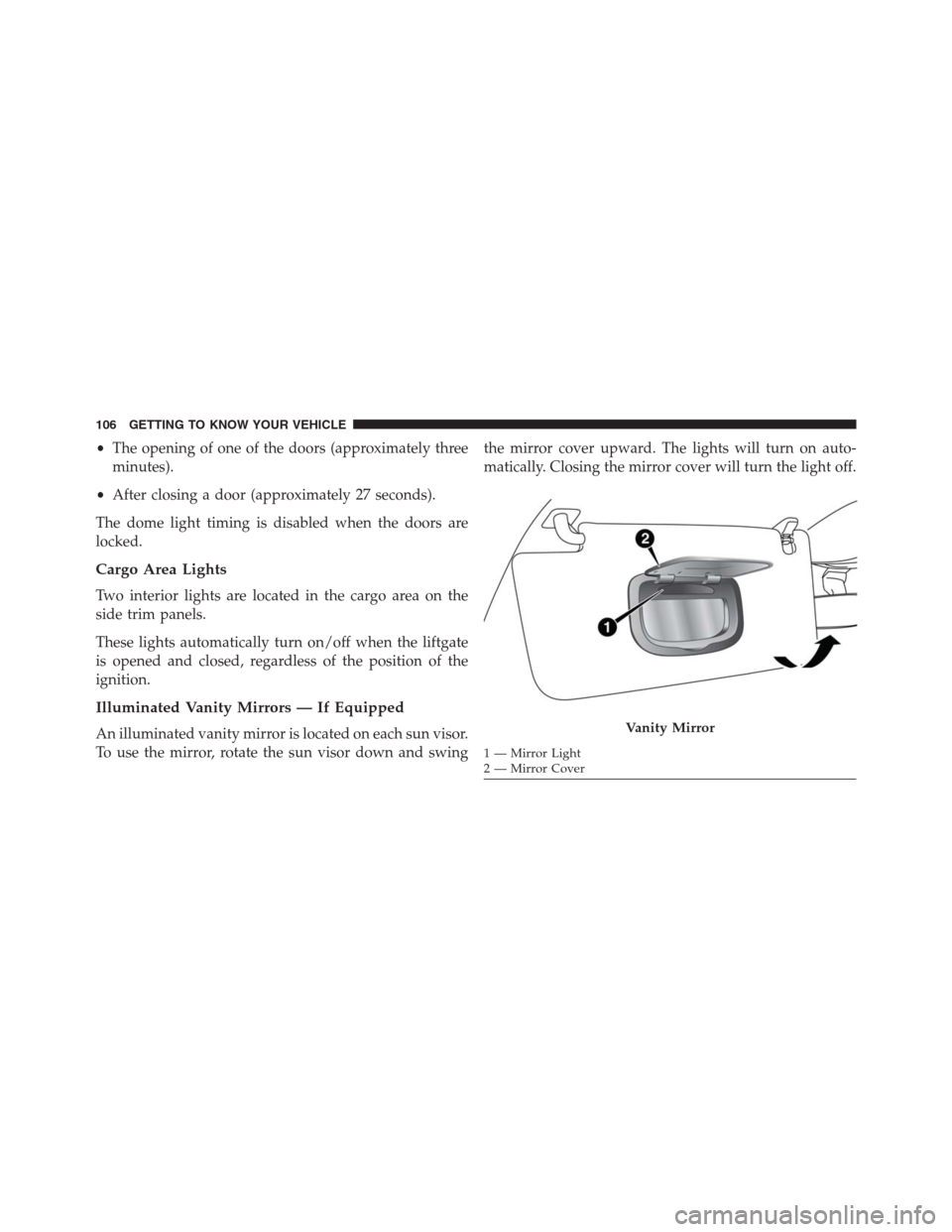
Illuminated Vanity Mirrors — If Equipped
An illuminated vanity mirror is located on each sun visor.
To use the mirror, rotate the sun visor down and swingthe mirror cover upward. The lights will turn on auto-
matically. Closing the mirror cover will turn the light off.Vanity Mirror
1 — Mirror Light
2 — Mirror Cover 106 GETTING TO KNOW YOUR VEHICLE
Page 109 of 688
Interior Lights Dimmer Switch
Rotate the ambient dimmer control upward or down-
ward to increase or decrease the brightness of the ambi-
ent light located in the overhead console, door handle
lights, lower instrument panel lights, door map pocket
lights, and cubby bin lights.
With the parking lights or headlights on, rotate the
instrument panel dimmer control upward or downward
to increase or decrease the brightness of the instrument
panel. At the top detent of the instrument panel dimmer,
all the interior lights will also illuminate. At the bottom
most setting of the thumb wheel will turn all the interior
lights to their lowest dimmable setting.
Headlight Switch
1 — Ambient Light Control
2 — Instrument Panel Dimmer
4
GETTING TO KNOW YOUR VEHICLE 107