Page 153 of 642
3-55
Convenient features of your vehicle
The power liftgate can be oper-ated when the engine is not run-
ning. However, the power liftgate
operation consumes a large
amount of electic power.
To prevent the battery from
being discharged, do not oper-
ate it excessively (e.g. more than
5 times repeatedly).
To prevent the battery from being discharged, do not leave
the power liftgate in the open
position for a long lime.
Do not modify or repair any part of the power liftgate by yourself.
This must be done by an author-
ized HYUNDAI dealer.
(Continued)(Continued)
When jacking up the vehicle to
change a tire or repair the vehi-
cle, do not operate the power
liftgate. This could cause the
power liftgate to operate
improperly.
In cold and wet climates, the power liftgate may not work
properly due to freezing condi-tions.
NOTICE
3
Operating the power liftgate
more than 5 times continuously
could cause damage to the oper-
ating motor. In this case, the
power liftgate system enters into
thermal protection mode to pre-
vent the motor from overheating.
In thermal protection mode the
power liftgate will not operate. If
any of the power liftgate buttons
are pressed to try to open the
liftgate, the chime will sound 3
times but the liftgate will remain
closed.
Allow the power liftgate system
to cool for about 1 minute before
operating the system again.
CAUTION
Page 155 of 642
3-57
Convenient features of your vehicle
How to reset the power liftgate
If the battery has been discharged or
disconnected, or if the power liftgate
fuse has been replaced or removed,
reset the power liftgate by performing
the following procedure:
1. Put the shift lever in park (P).
2. Press the power liftgate inner but-ton and the power liftgate outer
handle button simultaneously for
more than 3 seconds. The chimewill sound.
3. Close the liftgate manually.
If the power liftgate does not work
properly after the above procedure,
have the system checked by an
authorized HYUNDAI dealer.
When operating the power liftgate,
the gear shift lever must be in the
(P) park position in order to oper-
ate normally.
Power liftgate opening height user setting
Follow the instructions below to set
the fully open height of the power lift-gate:
1. Position the liftgate manually to the height you prefer.
2. Press the power liftgate inner but- ton for more than 3 seconds.
3. Close the liftgate manually after hearing the buzzer sound.
The liftgate will open to the manually
adjusted height that was set.
NOTICE
3
OTL045041
Exhaust fumes
If you drive with the liftgate
open, you will draw dangerous
exhaust fumes into your vehicle
which can cause serious injury
or death to vehicle occupants. If
you must drive with the liftgate
open, keep the air vents and all
windows open so that addition-al outside air comes into the
vehicle.
WARNING
Page 159 of 642
3-61
Convenient features of your vehicle
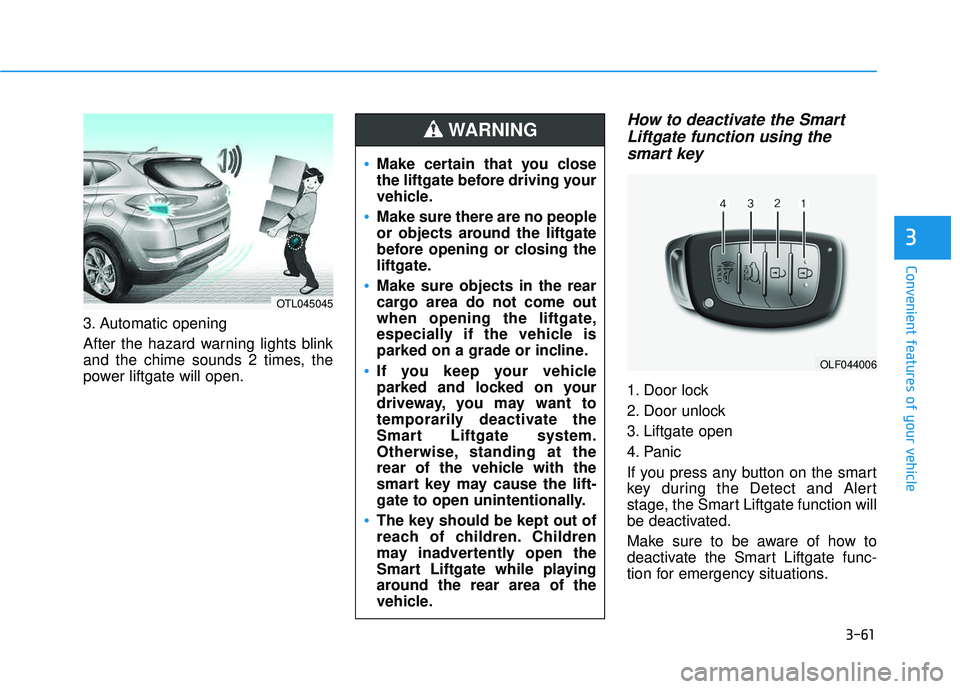
3. Automatic opening
After the hazard warning lights blink
and the chime sounds 2 times, the
power liftgate will open.
How to deactivate the SmartLiftgate function using thesmart key
1. Door lock
2. Door unlock
3. Liftgate open
4. Panic
If you press any button on the smart
key during the Detect and Alert
stage, the Smart Liftgate function will
be deactivated.
Make sure to be aware of how to
deactivate the Smart Liftgate func-
tion for emergency situations.
3
OLF044006
Make certain that you close
the liftgate before driving your
vehicle.
Make sure there are no people
or objects around the liftgate
before opening or closing the
liftgate.
Make sure objects in the rear
cargo area do not come out
when opening the liftgate,
especially if the vehicle is
parked on a grade or incline.
If you keep your vehicle
parked and locked on your
driveway, you may want to
temporarily deactivate the
Smart Liftgate system.
Otherwise, standing at the
rear of the vehicle with the
smart key may cause the lift-
gate to open unintentionally.
The key should be kept out of
reach of children. Children
may inadvertently open the
Smart Liftgate while playing
around the rear area of the
vehicle.
WARNING
OTL045045
Page 160 of 642
3-62
If you press the door unlock but-ton (2), the Smart Liftgate func-
tion will be deactivated tem-
porarily. But, if you do not open
any door for 30 seconds, the
Smart Liftgate function will be
activated again.
If you press the liftgate open button (3) for more than 1 sec-
ond, the liftgate opens.
The Smart Liftgate function will still be activated if you press the
door lock button (1) or liftgate
open button (3) on the smart key
as long as the Smart Liftgate is
not already in the Detect and
Alert stage.
In case you have deactivated the Smart Liftgate function by
pressing the smart key button
and opened a door, the Smart
Liftgate function can be activat-
ed again by closing and locking
all doors.
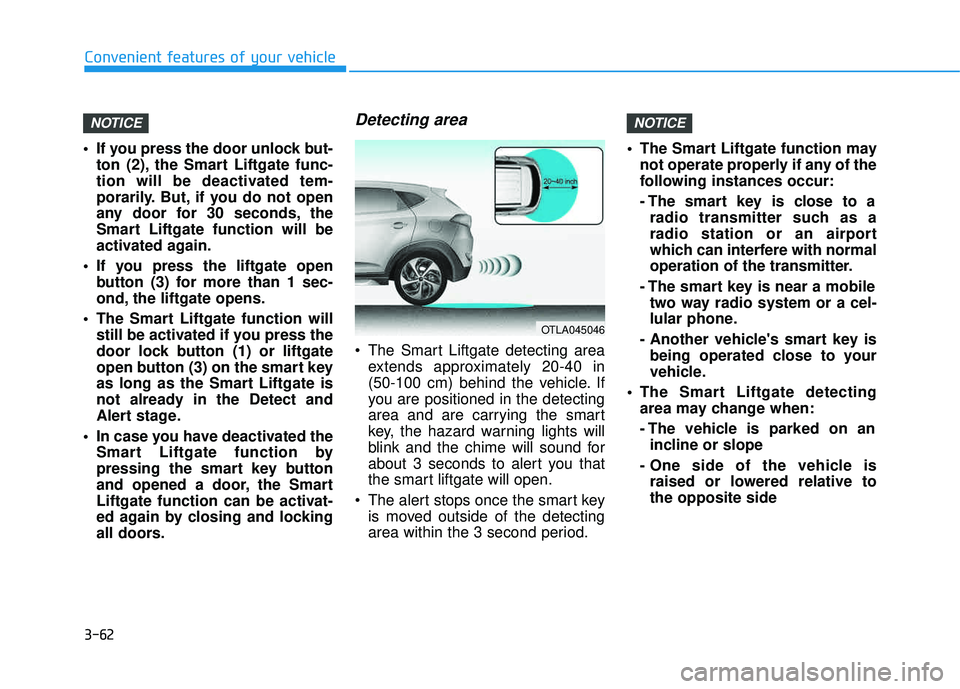
Detecting area
The Smart Liftgate detecting areaextends approximately 20-40 in
(50-100 cm) behind the vehicle. If
you are positioned in the detecting
area and are carrying the smart
key, the hazard warning lights will
blink and the chime will sound for
about 3 seconds to alert you that
the smart liftgate will open.
The alert stops once the smart key is moved outside of the detecting
area within the 3 second period. The Smart Liftgate function may
not operate properly if any of the
following instances occur:
- The smart key is close to aradio transmitter such as a
radio station or an airport
which can interfere with normal
operation of the transmitter.
- The smart key is near a mobile two way radio system or a cel-
lular phone.
- Another vehicle's smart key is being operated close to your
vehicle.
The Smart Liftgate detecting area may change when:
- The vehicle is parked on anincline or slope
- One side of the vehicle is raised or lowered relative to the opposite side
NOTICENOTICE
Convenient features of your vehicle
OTLA045046
Page 162 of 642
3-64
Convenient features of your vehicle
Instrument Cluster Control
Adjusting instrument clusterillumination
When the vehicle’s parking lights or headlights are on, press the illumina-
tion control button to adjust the
brightness of the instrument panelillumination. When pressing the illumination con-
trol button, the interior switch illumi-nation intensity is also adjusted. The brightness of the instrument
panel illumination is displayed.
If the brightness reaches the maxi- mum or minimum level, a chimewill sound.
LCD Display Control
The LCD display modes can be
changed by using the control buttons
on the steering wheel.
(1) : MODE button for changing modes
(2) ▲, ▼ : MOVE switch for chang-
ing items
(3) OK : SELECT/RESET button for setting or resetting the selected item
For more information on LCD
Modes, refer to "LCD Display" in
the next pages of this chapter.OTLA045070
OTLE045112
OTL045150L
OTL045151L
■ Type A
■Type A
■Type B
■ Type B
Page 163 of 642
3-65
Convenient features of your vehicle
3
Gauges
Speedometer
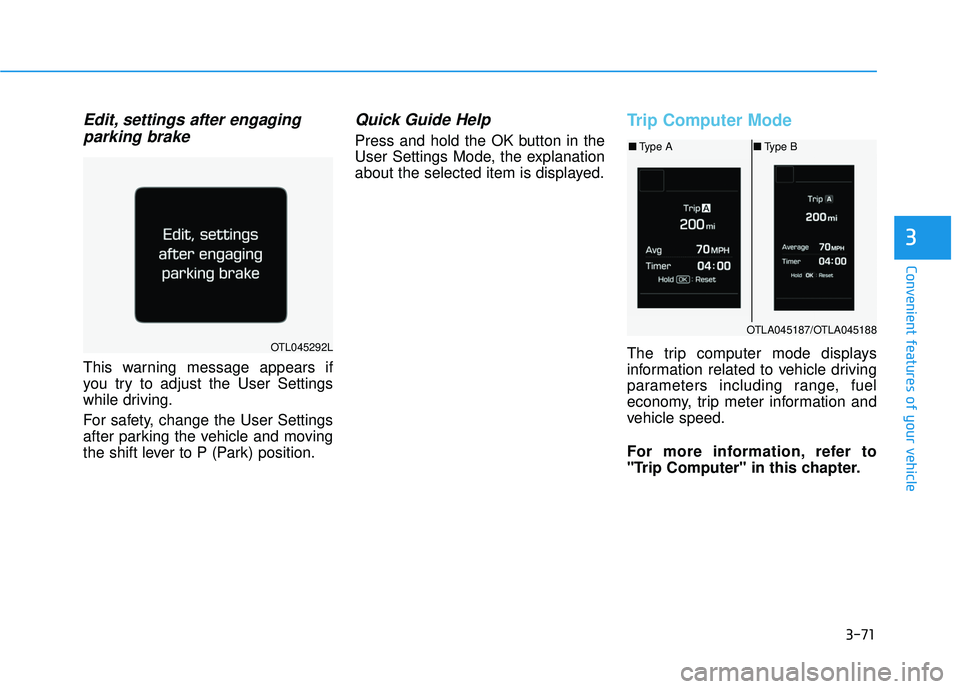
The speedometer indicates the
speed of the vehicle and is calibratedin miles per hour (mph) and/or kilo-meters per hour (km/h).
Tachometer
The tachometer indicates the
approximate number of engine revo-
lutions per minute (rpm). Use the tachometer to select the cor-
rect shift points and to prevent lug-
ging and/or over-revving the engine. Do not operate the engine within
the tachometer’s RED ZONE. This
may cause severe engine damage.
Engine Coolant TemperatureGauge
This gauge indicates the tempera-ture of the engine coolant when the
ignition switch or Engine Start/Stop
button is ON.
NOTICE
OTLE045103
OTLE045107
OTL045107
Page 166 of 642
3-68
Convenient features of your vehicle
The outside temperature on the dis-
play may not change immediately
like a general thermometer to pre-
vent the driver from being inattentive.
To change the temperature unit from °F to °C or °C to °F:
- Go to User Settings Mode ➝Other
Features ➝Temperature Unit.
- Press the AUTO button for 3 sec- onds while pressing the OFF button.
(Automatic climate control system)
Both the temperature unit on the
cluster LCD display and climate con-
trol screen will change.Automatic transmission shift indicator / Ecoshift dual clutchtransmission shift indicator (If equipped)
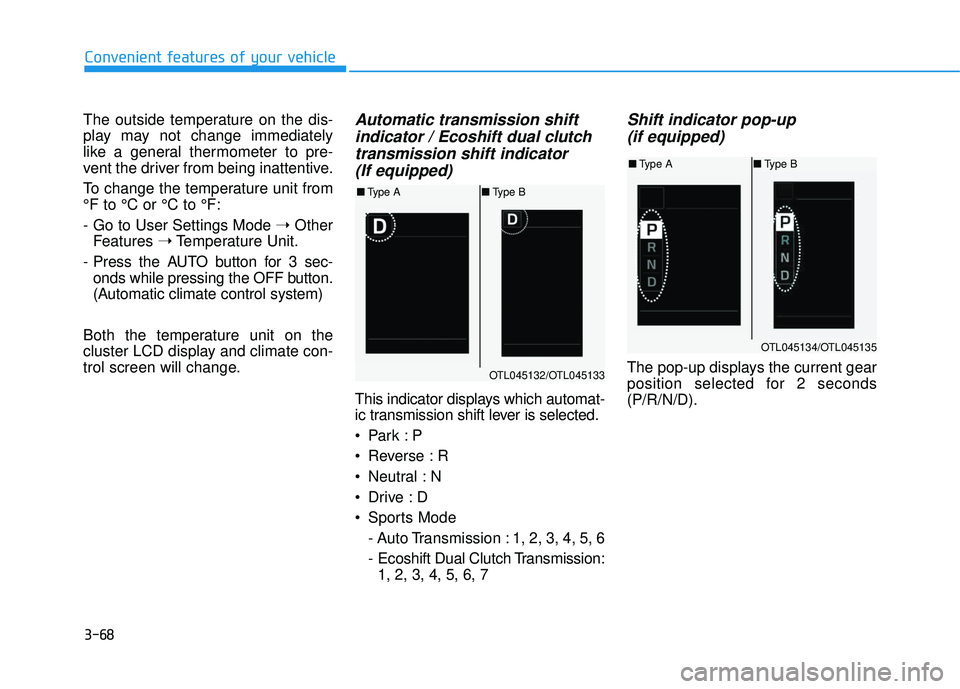
This indicator displays which automat-
ic transmission shift lever is selected.
Reverse : R
Neutral : N
Sports Mode
- Auto Transmission : 1, 2, 3, 4, 5, 6
- Ecoshift Dual Clutch Transmission:1, 2, 3, 4, 5, 6, 7
Shift indicator pop-up
(if equipped)
The pop-up displays the current gear
position selected for 2 seconds(P/R/N/D).OTL045132/OTL045133
■ Type A ■Type B
OTL045134/OTL045135
■Type A ■Type B
Page 169 of 642
3-71
Convenient features of your vehicle
3
Edit, settings after engagingparking brake
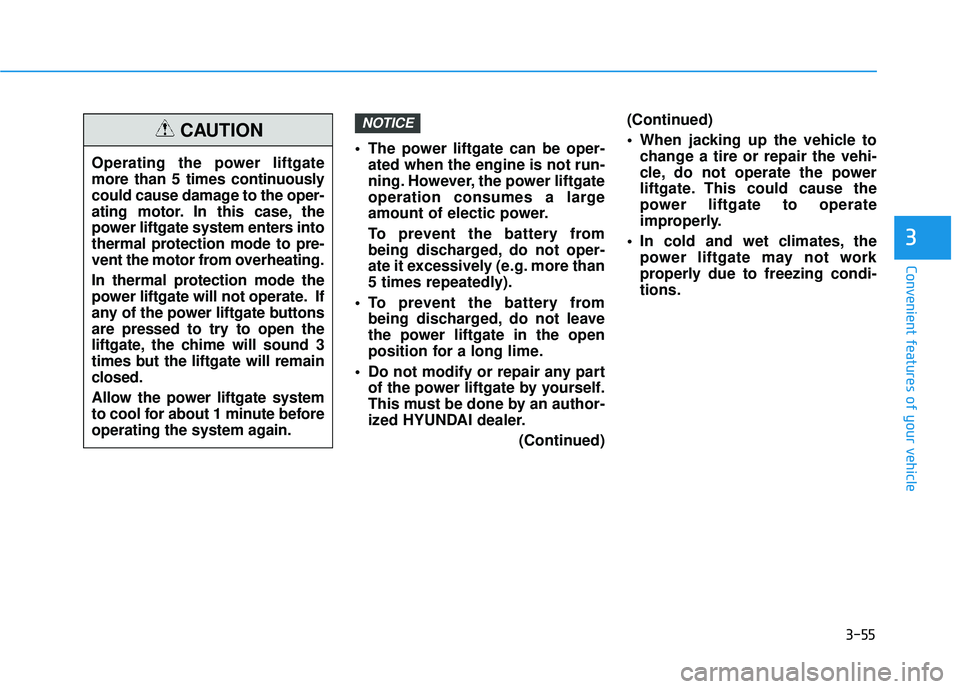
This warning message appears if
you try to adjust the User Settings
while driving.
For safety, change the User Settings
after parking the vehicle and moving
the shift lever to P (Park) position.
Quick Guide Help
Press and hold the OK button in the
User Settings Mode, the explanation
about the selected item is displayed.
Trip Computer Mode
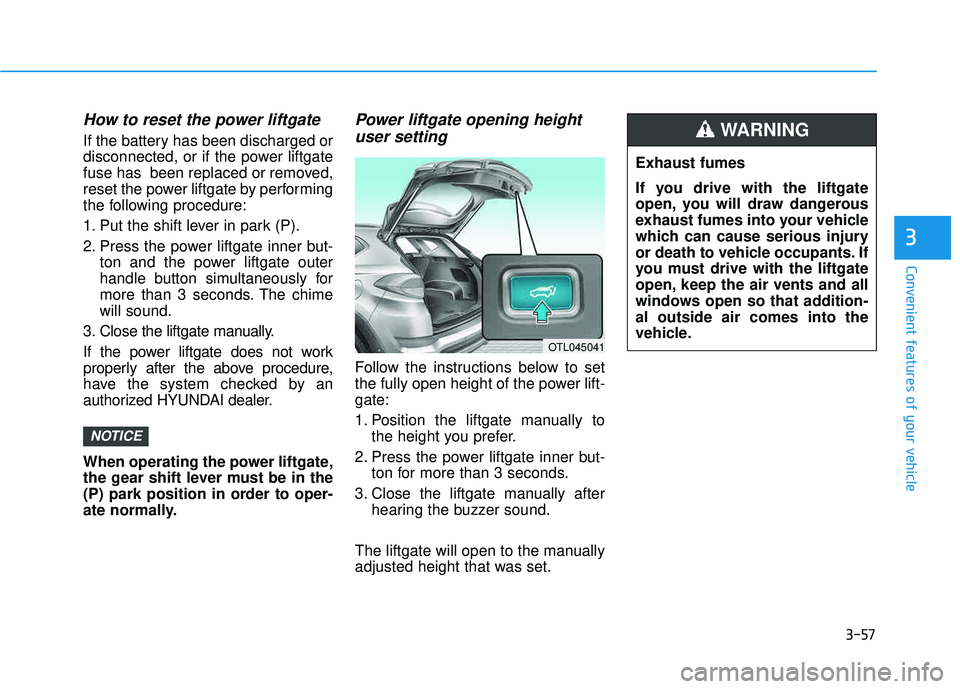
The trip computer mode displays
information related to vehicle driving
parameters including range, fuel
economy, trip meter information and
vehicle speed.
For more information, refer to
"Trip Computer" in this chapter.OTL045292L
OTLA045187/OTLA045188
■ Type A ■Type B