Page 213 of 642
3-115
Convenient features of your vehicle
3
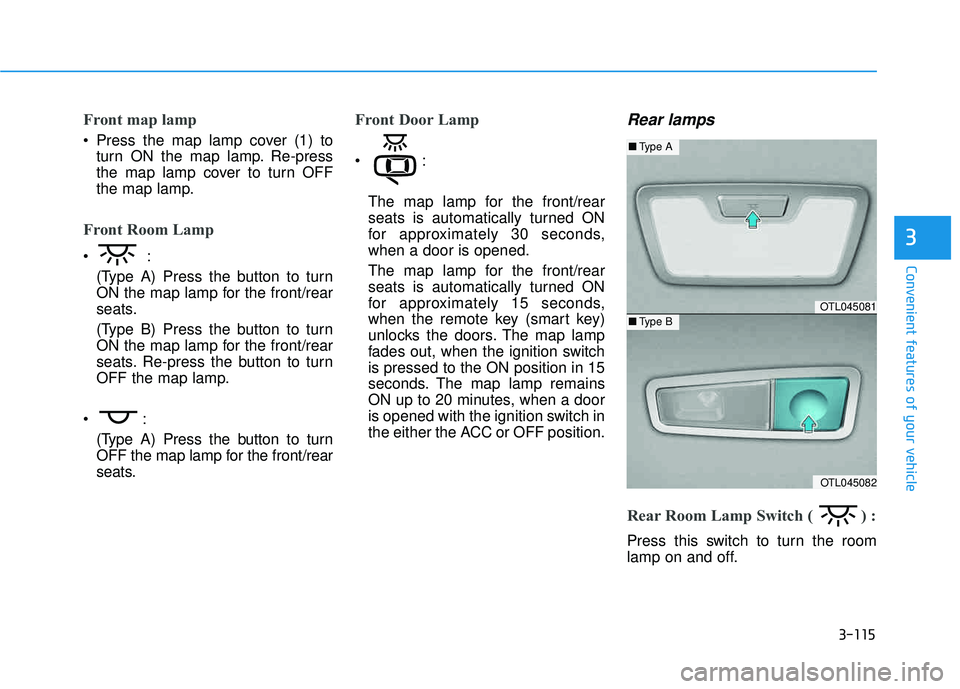
Front map lamp
Press the map lamp cover (1) toturn ON the map lamp. Re-press
the map lamp cover to turn OFF
the map lamp.
Front Room Lamp
(Type A) Press the button to turn
ON the map lamp for the front/rear
seats.
(Type B) Press the button to turn
ON the map lamp for the front/rear
seats. Re-press the button to turn
OFF the map lamp.
(Type A) Press the button to turn
OFF the map lamp for the front/rear
seats.
Front Door Lamp
The map lamp for the front/rear
seats is automatically turned ON
for approximately 30 seconds,when a door is opened.
The map lamp for the front/rear
seats is automatically turned ON
for approximately 15 seconds,
when the remote key (smart key)
unlocks the doors. The map lamp
fades out, when the ignition switchis pressed to the ON position in 15
seconds. The map lamp remains
ON up to 20 minutes, when a door
is opened with the ignition switch in
the either the ACC or OFF position.
Rear lamps
Rear Room Lamp Switch ( ) :
Press this switch to turn the room
lamp on and off.
OTL045081
OTL045082
■Type A
■Type B
Page 215 of 642
3-117
Convenient features of your vehicle
3
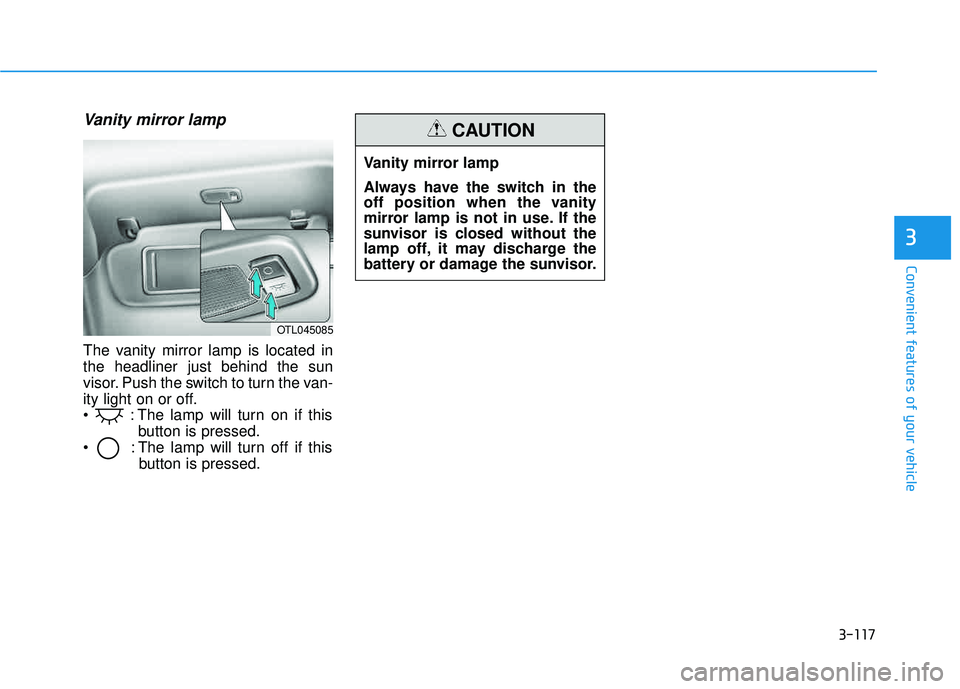
Vanity mirror lamp
The vanity mirror lamp is located in the headliner just behind the sun
visor. Push the switch to turn the van-
ity light on or off.
: The lamp will turn on if thisbutton is pressed.
: The lamp will turn off if this button is pressed.
OTL045085
Vanity mirror lamp
Always have the switch in the
off position when the vanity
mirror lamp is not in use. If the
sunvisor is closed without the
lamp off, it may discharge the
battery or damage the sunvisor.
CAUTION
Page 221 of 642
3-123
Convenient features of your vehicle
3
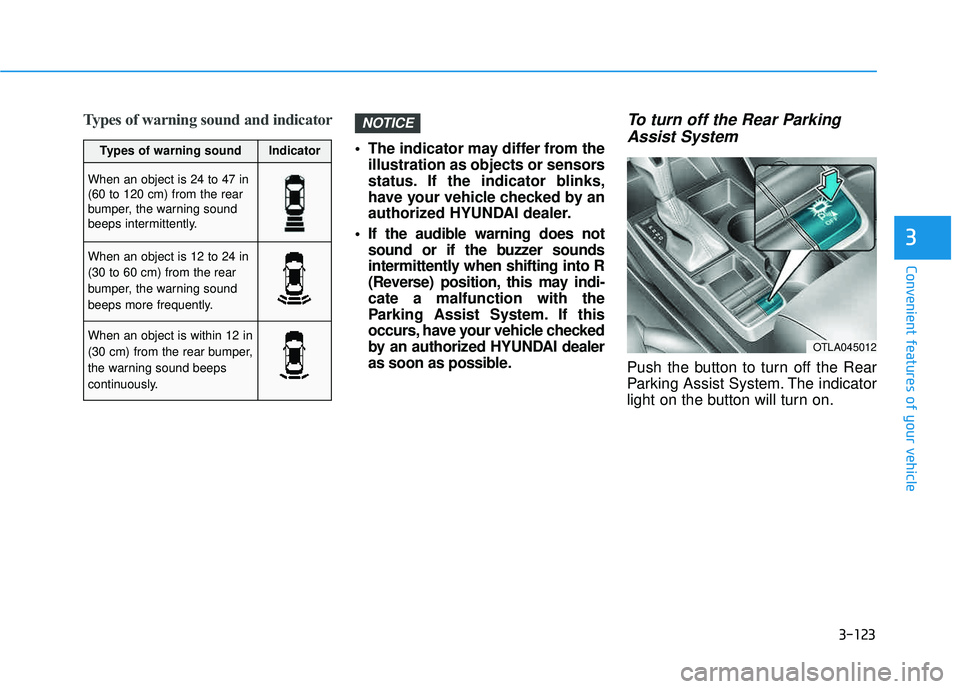
Types of warning sound and indicator
The indicator may differ from theillustration as objects or sensors
status. If the indicator blinks,
have your vehicle checked by an
authorized HYUNDAI dealer.
If the audible warning does not sound or if the buzzer sounds
intermittently when shifting into R
(Reverse) position, this may indi-cate a malfunction with the
Parking Assist System. If this
occurs, have your vehicle checked
by an authorized HYUNDAI dealer
as soon as possible.
To turn off the Rear Parking
Assist System
Push the button to turn off the Rear
Parking Assist System. The indicator
light on the button will turn on.
NOTICE
OTLA045012
Types of warning soundIndicator
When an object is 24 to 47 in (60 to 120 cm) from the rear
bumper, the warning sound
beeps intermittently.
When an object is 12 to 24 in (30 to 60 cm) from the rear
bumper, the warning sound
beeps more frequently.
When an object is within 12 in
(30 cm) from the rear bumper,
the warning sound beeps
continuously.
Page 224 of 642
3-126
Convenient features of your vehicle
DDEEFFRR OO SSTT EERR
The rear window defroster is com-
prised of conductors bonded tothe inside surface of the rear win-
dow. Never use sharp instruments
or window cleaners that contain
abrasives to clean the window.
Damage to the rear window
defroster may result.
If you want to defrost and defog
the front windshield, refer to the
"Windshield Defrosting and
Defogging" section in this chapter.
Rear Window Defroster
The defroster heats the window to
remove frost, fog and thin ice from
the interior and exterior of the rear
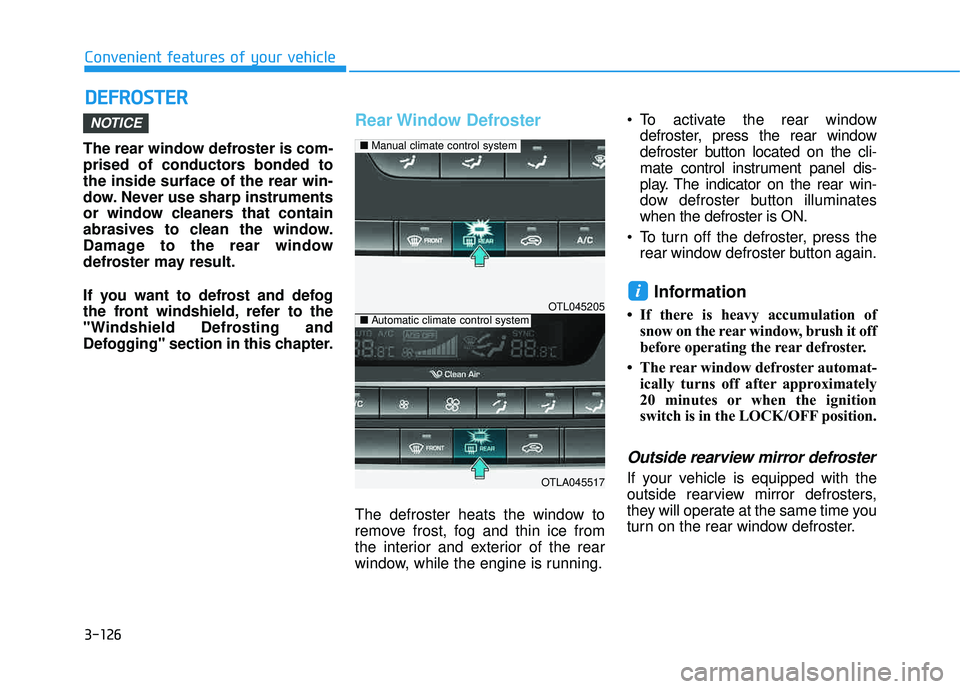
window, while the engine is running. To activate the rear window
defroster, press the rear window
defroster button located on the cli-
mate control instrument panel dis-
play. The indicator on the rear win-
dow defroster button illuminateswhen the defroster is ON.
To turn off the defroster, press the rear window defroster button again.
Information
If there is heavy accumulation ofsnow on the rear window, brush it off
before operating the rear defroster.
The rear window defroster automat- ically turns off after approximately
20 minutes or when the ignition
switch is in the LOCK/OFF position.
Outside rearview mirror defroster
If your vehicle is equipped with the
outside rearview mirror defrosters,
they will operate at the same time you
turn on the rear window defroster.
i
NOTICE
OTL045205
OTLA045517
■Manual climate control system
■Automatic climate control system
Page 225 of 642
3-127
Convenient features of your vehicle
3
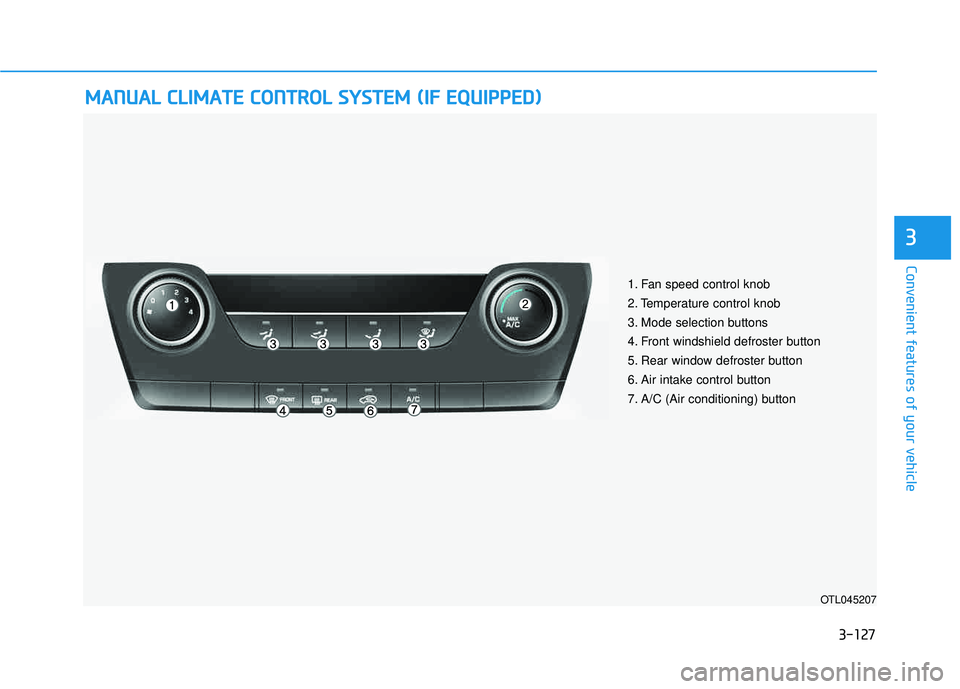
MMAANN UU AALL CC LLIIMM AATTEE CC OO NNTTRR OO LL SS YY SSTT EEMM (( IIFF EE QQ UUIIPP PPEEDD ))
OTL045207
1. Fan speed control knob
2. Temperature control knob
3. Mode selection buttons
4. Front windshield defroster button
5. Rear window defroster button
6. Air intake control button
7. A/C (Air conditioning) button
Page 227 of 642
3-129
Convenient features of your vehicle
3
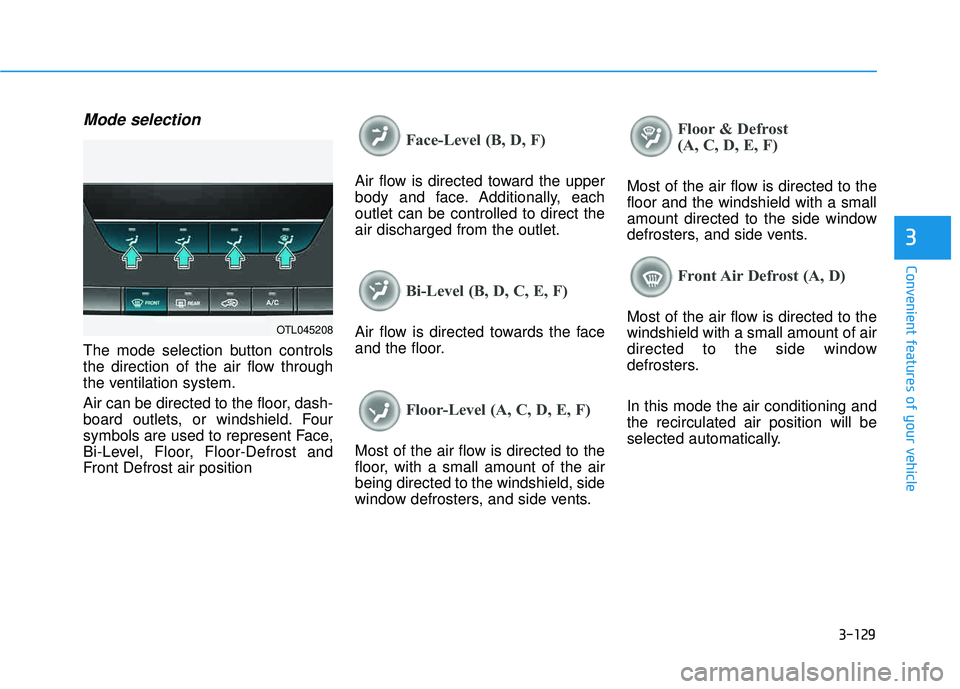
Mode selection
The mode selection button controls
the direction of the air flow through
the ventilation system.
Air can be directed to the floor, dash-
board outlets, or windshield. Four
symbols are used to represent Face,
Bi-Level, Floor, Floor-Defrost and
Front Defrost air position
Face-Level (B, D, F)
Air flow is directed toward the upper
body and face. Additionally, eachoutlet can be controlled to direct theair discharged from the outlet.
Bi-Level (B, D, C, E, F)
Air flow is directed towards the face
and the floor.
Floor-Level (A, C, D, E, F)
Most of the air flow is directed to the
floor, with a small amount of the airbeing directed to the windshield, side
window defrosters, and side vents.
Floor & Defrost
(A, C, D, E, F)
Most of the air flow is directed to the floor and the windshield with a small
amount directed to the side window
defrosters, and side vents.
Front Air Defrost (A, D)
Most of the air flow is directed to the windshield with a small amount of air
directed to the side window
defrosters. In this mode the air conditioning and the recirculated air position will be
selected automatically.OTL045208
Page 229 of 642
3-131
Convenient features of your vehicle
3
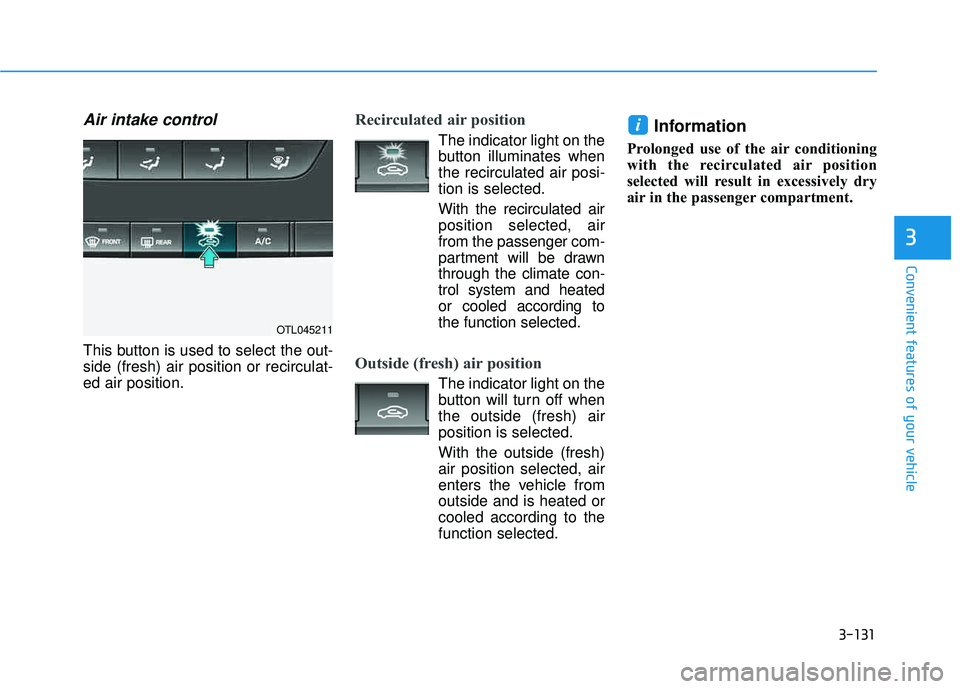
Air intake control
This button is used to select the out- side (fresh) air position or recirculat-ed air position.
Recirculated air position
The indicator light on the
button illuminates whenthe recirculated air posi-tion is selected.
With the recirculated air position selected, airfrom the passenger com-
partment will be drawnthrough the climate con-trol system and heatedor cooled according to
the function selected.
Outside (fresh) air position
The indicator light on the
button will turn off whenthe outside (fresh) airposition is selected.
With the outside (fresh)air position selected, air
enters the vehicle fromoutside and is heated orcooled according to thefunction selected.
Information
Prolonged use of the air conditioning
with the recirculated air position
selected will result in excessively dry
air in the passenger compartment.
i
OTL045211
Page 230 of 642
3-132
Convenient features of your vehicle
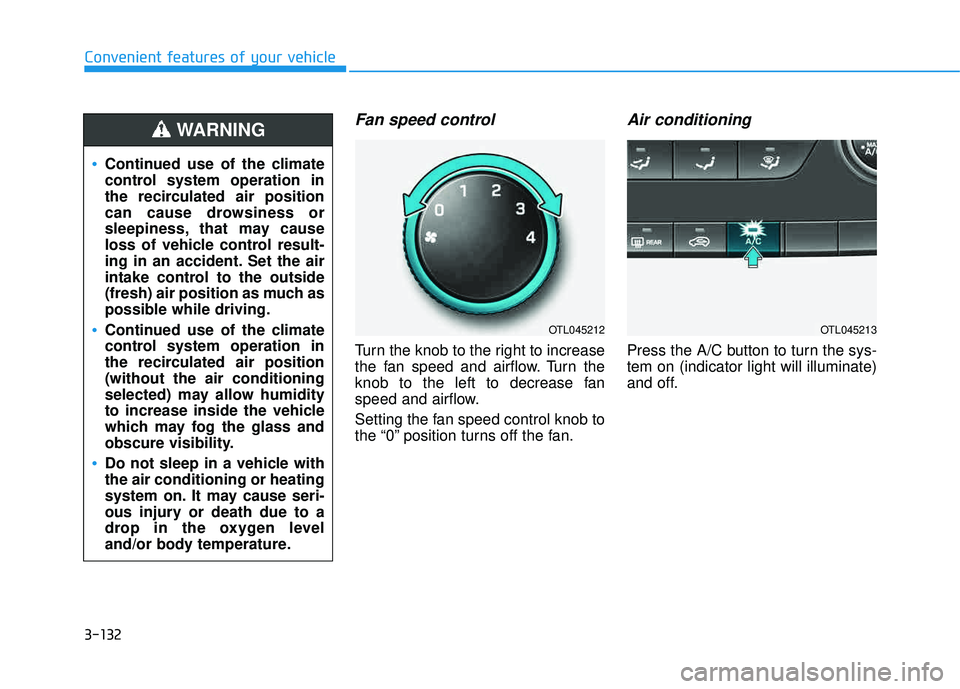
Fan speed control
Turn the knob to the right to increase
the fan speed and airflow. Turn the
knob to the left to decrease fan
speed and airflow.
Setting the fan speed control knob to
the “0” position turns off the fan.
Air conditioning
Press the A/C button to turn the sys-tem on (indicator light will illuminate)
and off.
OTL045212OTL045213
Continued use of the climate
control system operation in
the recirculated air position
can cause drowsiness or
sleepiness, that may cause
loss of vehicle control result-
ing in an accident. Set the air
intake control to the outside
(fresh) air position as much as
possible while driving.
Continued use of the climate
control system operation in
the recirculated air position(without the air conditioning
selected) may allow humidity
to increase inside the vehicle
which may fog the glass and
obscure visibility.
Do not sleep in a vehicle with the air conditioning or heating
system on. It may cause seri-
ous injury or death due to a
drop in the oxygen level
and/or body temperature.
WARNING