Page 158 of 642
3-60
1. Setting
To activate the Smart Liftgate, go to User Settings Mode and select
Smart Liftgate on the LCD display. ❈For more details, refer to "LCD
Display" in this chapter.
2. Detect and Alert
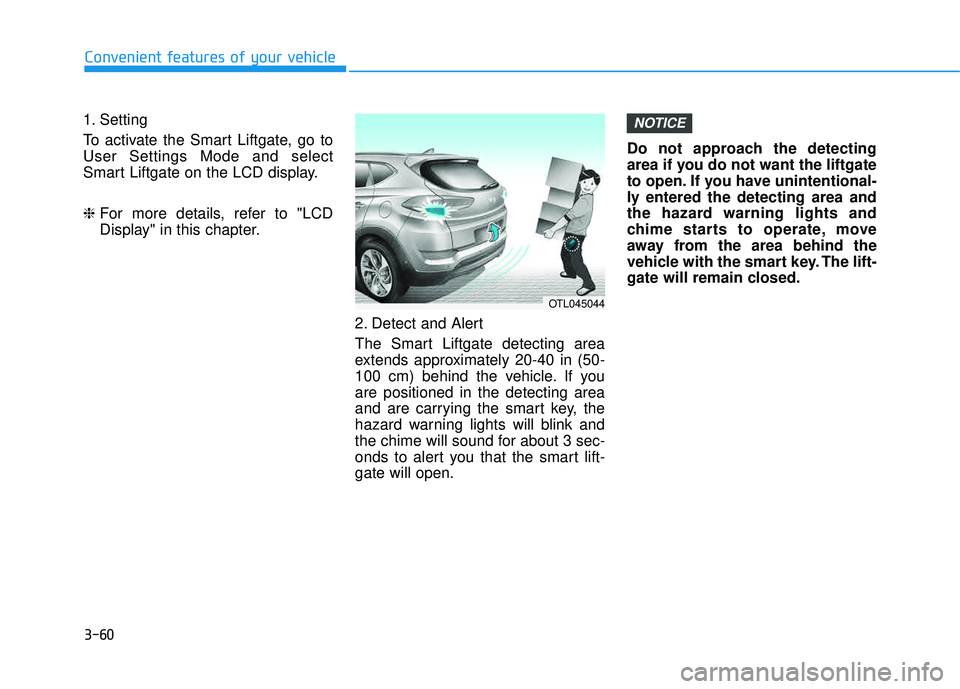
The Smart Liftgate detecting area
extends approximately 20-40 in (50-
100 cm) behind the vehicle. If youare positioned in the detecting area
and are carrying the smart key, the
hazard warning lights will blink and
the chime will sound for about 3 sec-
onds to alert you that the smart lift-gate will open. Do not approach the detecting
area if you do not want the liftgate
to open. If you have unintentional-
ly entered the detecting area and
the hazard warning lights and
chime starts to operate, move
away from the area behind the
vehicle with the smart key. The lift-
gate will remain closed.NOTICE
Convenient features of your vehicle
OTL045044
Page 159 of 642
3-61
Convenient features of your vehicle
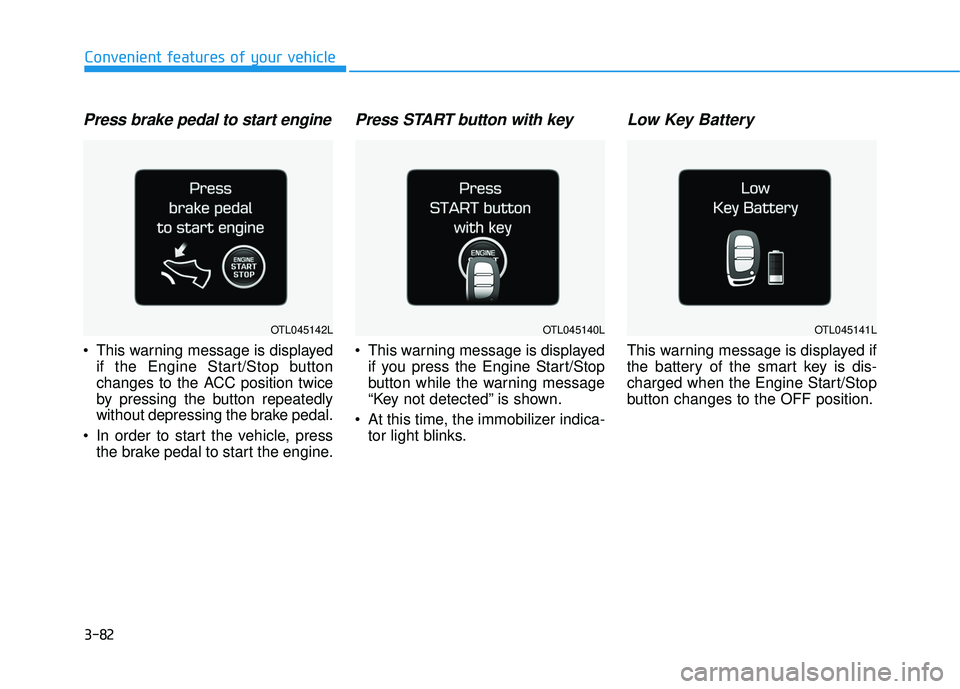
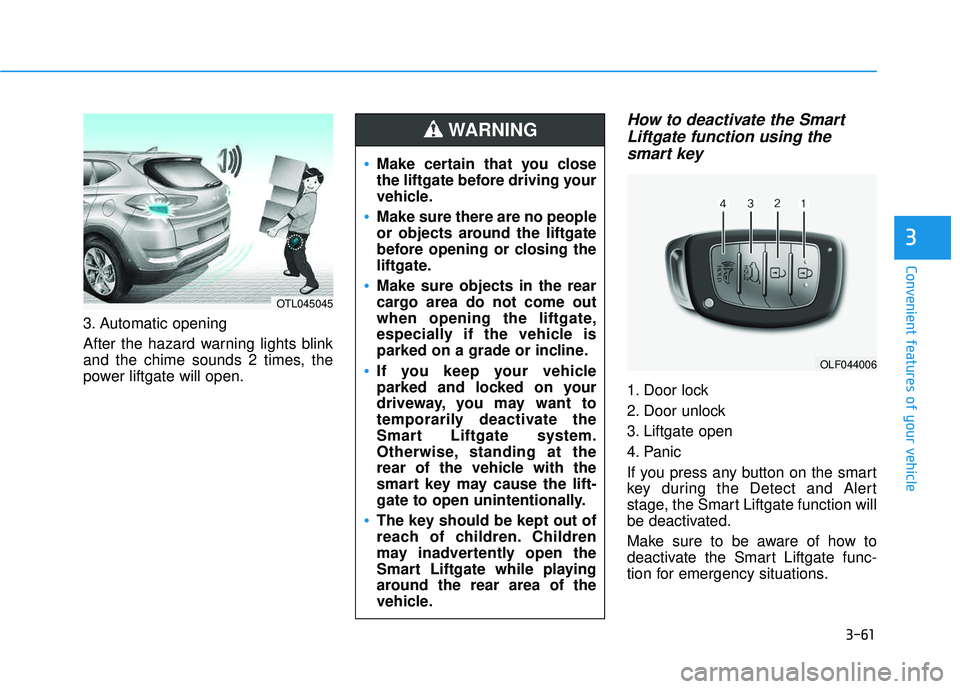
3. Automatic opening
After the hazard warning lights blink
and the chime sounds 2 times, the
power liftgate will open.
How to deactivate the SmartLiftgate function using thesmart key
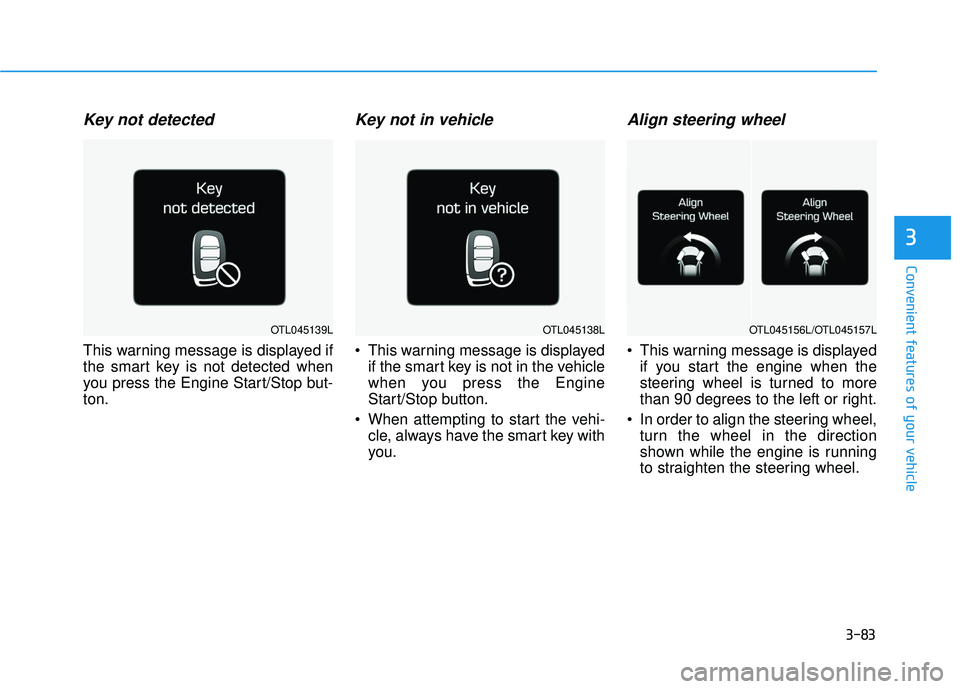
1. Door lock
2. Door unlock
3. Liftgate open
4. Panic
If you press any button on the smart
key during the Detect and Alert
stage, the Smart Liftgate function will
be deactivated.
Make sure to be aware of how to
deactivate the Smart Liftgate func-
tion for emergency situations.
3
OLF044006
Make certain that you close
the liftgate before driving your
vehicle.
Make sure there are no people
or objects around the liftgate
before opening or closing the
liftgate.
Make sure objects in the rear
cargo area do not come out
when opening the liftgate,
especially if the vehicle is
parked on a grade or incline.
If you keep your vehicle
parked and locked on your
driveway, you may want to
temporarily deactivate the
Smart Liftgate system.
Otherwise, standing at the
rear of the vehicle with the
smart key may cause the lift-
gate to open unintentionally.
The key should be kept out of
reach of children. Children
may inadvertently open the
Smart Liftgate while playing
around the rear area of the
vehicle.
WARNING
OTL045045
Page 160 of 642
3-62
If you press the door unlock but-ton (2), the Smart Liftgate func-
tion will be deactivated tem-
porarily. But, if you do not open
any door for 30 seconds, the
Smart Liftgate function will be
activated again.
If you press the liftgate open button (3) for more than 1 sec-
ond, the liftgate opens.
The Smart Liftgate function will still be activated if you press the
door lock button (1) or liftgate
open button (3) on the smart key
as long as the Smart Liftgate is
not already in the Detect and
Alert stage.
In case you have deactivated the Smart Liftgate function by
pressing the smart key button
and opened a door, the Smart
Liftgate function can be activat-
ed again by closing and locking
all doors.
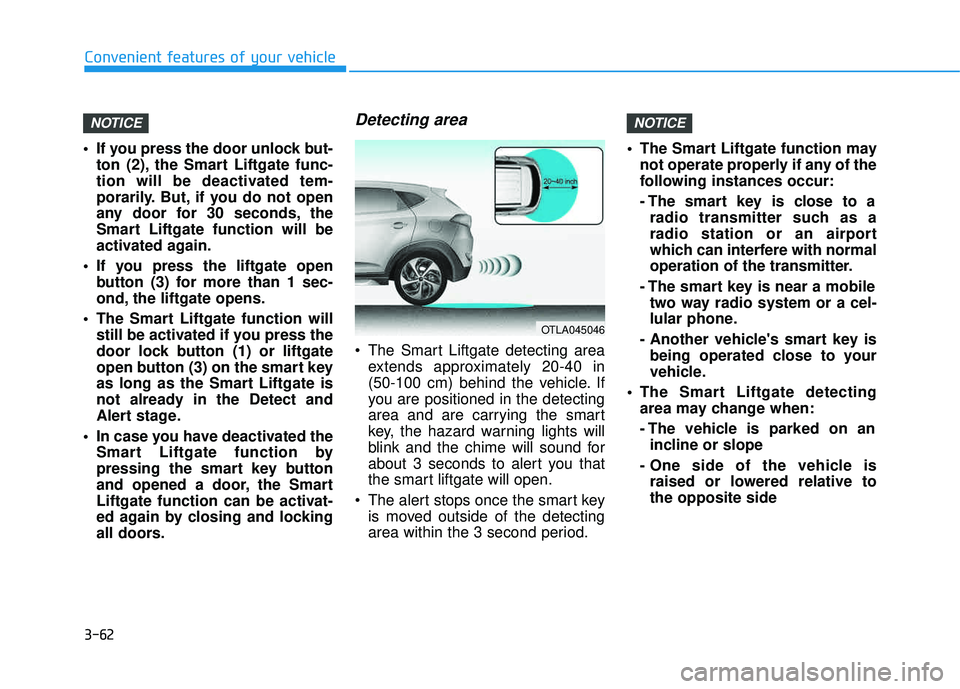
Detecting area
The Smart Liftgate detecting areaextends approximately 20-40 in
(50-100 cm) behind the vehicle. If
you are positioned in the detecting
area and are carrying the smart
key, the hazard warning lights will
blink and the chime will sound for
about 3 seconds to alert you that
the smart liftgate will open.
The alert stops once the smart key is moved outside of the detecting
area within the 3 second period. The Smart Liftgate function may
not operate properly if any of the
following instances occur:
- The smart key is close to aradio transmitter such as a
radio station or an airport
which can interfere with normal
operation of the transmitter.
- The smart key is near a mobile two way radio system or a cel-
lular phone.
- Another vehicle's smart key is being operated close to your
vehicle.
The Smart Liftgate detecting area may change when:
- The vehicle is parked on anincline or slope
- One side of the vehicle is raised or lowered relative to the opposite side
NOTICENOTICE
Convenient features of your vehicle
OTLA045046
Page 174 of 642
3-76
Convenient features of your vehicle
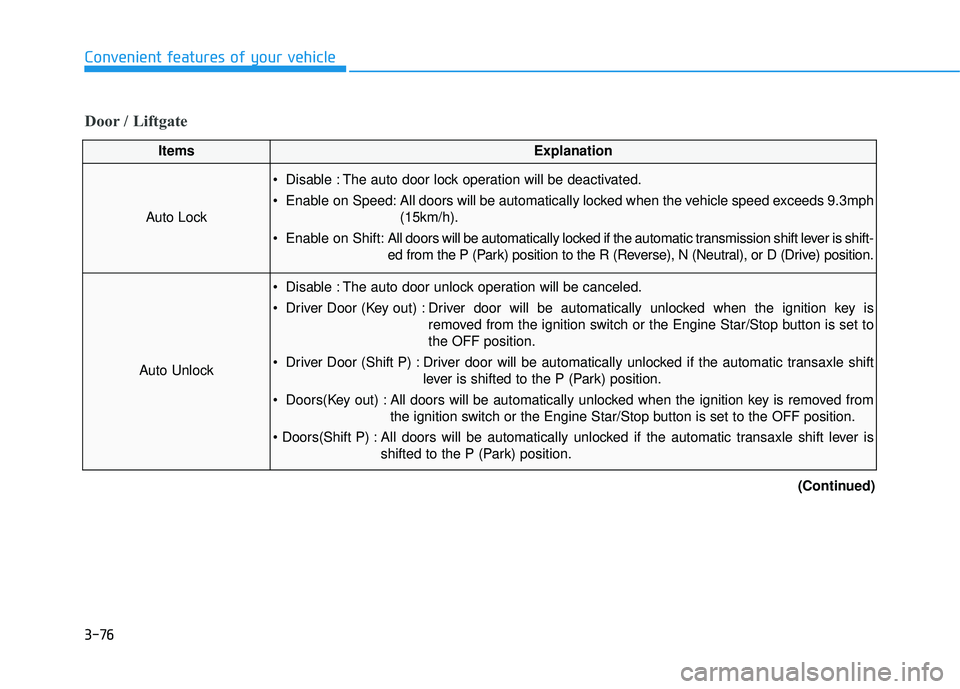
Door / Liftgate
ItemsExplanation
Auto Lock
Disable : The auto door lock operation will be deactivated.
Enable on Speed: All doors will be automatically locked when the vehicle speed exceeds 9.3mph(15km/h).
Enable on Shift: All doors will be automatically locked if the automatic transmission shift lever is shift-
ed from the P (Park) position to the R (Reverse), N (Neutral), or D (Drive) position.
Auto Unlock
Disable : The auto door unlock operation will be canceled.
Driver Door (Key out) : Driver door will be automatically unlocked when the ignition key is
removed from the ignition switch or the Engine Star/Stop button is set to the OFF position.
Driver Door (Shift P) : Driver door will be automatically unlocked if the automatic transaxle shift lever is shifted to the P (Park) position.
Doors(Key out) : All doors will be automatically unlocked when the ignition key is removed from the ignition switch or the Engine Star/Stop button is set to the OFF position.
All doors will be automatically unlocked if the automatic transaxle shift lever is shifted to the P (Park) position.
(Continued)
Page 180 of 642
3-82
Convenient features of your vehicle
Press brake pedal to start engine
This warning message is displayedif the Engine Start/Stop button
changes to the ACC position twice
by pressing the button repeatedly
without depressing the brake pedal.
In order to start the vehicle, press the brake pedal to start the engine.
Press START button with key
This warning message is displayedif you press the Engine Start/Stop
button while the warning message
“Key not detected” is shown.
At this time, the immobilizer indica- tor light blinks.
Low Key Battery
This warning message is displayed if
the battery of the smart key is dis-
charged when the Engine Start/Stop
button changes to the OFF position.
OTL045142LOTL045140LOTL045141L
Page 181 of 642
3-83
Convenient features of your vehicle
3
Key not detected
This warning message is displayed if
the smart key is not detected when
you press the Engine Start/Stop but-ton.
Key not in vehicle
This warning message is displayedif the smart key is not in the vehicle
when you press the Engine
Start/Stop button.
When attempting to start the vehi- cle, always have the smart key with
you.
Align steering wheel
This warning message is displayedif you start the engine when the
steering wheel is turned to more
than 90 degrees to the left or right.
In order to align the steering wheel, turn the wheel in the direction
shown while the engine is running
to straighten the steering wheel.
OTL045138LOTL045139LOTL045156L/OTL045157L
Page 190 of 642
3-92
Convenient features of your vehicle
Average Fuel Economy (2)
The average fuel economy is calcu-lated by the total driving distance and fuel consumption since the last
average fuel economy reset.
- Fuel economy range:0.0 ~ 99.9 MPG or L/100km or km/L
The average fuel economy can be reset both manually and automati-
cally.
Manual reset
To clear the average fuel economy
manually, press the OK button on the
steering wheel for more than 1 sec-
ond when the average fuel economy
is displayed.
For more information on the OK
button, refer to the "LCD Display
Control" in this chapter.
Automatic reset
To reset the average fuel economy
automatically whenever refueling,select the "After refueling" mode in
User Setting menu of the LCD display(Refer to "LCD Display" ).
Under "After refueling" mode, the
average fuel economy will be cleared
to zero (---) when the vehicle speed
exceeds 1 km/h after refueling morethan 1.6 gallons (6 liters).
Information
The vehicle must be driven for a min-
imum of 0.19 mile [0.3 km] since the
last ignition key cycle before the aver-
age fuel economy will be recalculated.
Instant Fuel Economy (3)
This mode displays the instanta-
neous fuel economy while driving
when the vehicle speed is greaterthan 6.2 mph [10 kph].
- Fuel economy range: 0 ~ 50 MPG or 0 ~ 30 L/100km
i
Page 200 of 642
3-102
Convenient features of your vehicle
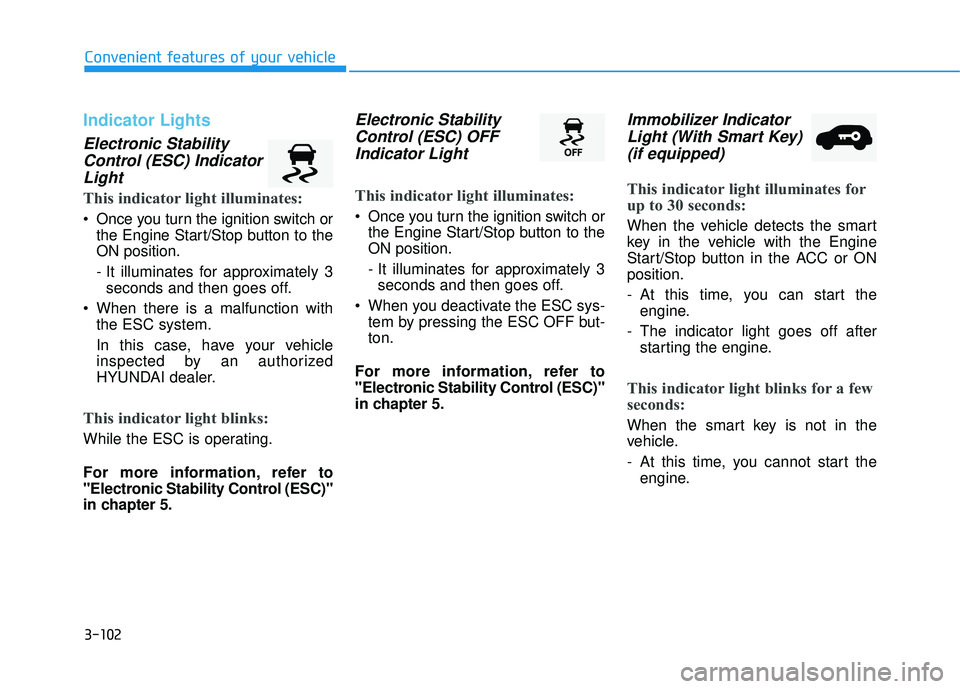
Indicator Lights
Electronic StabilityControl (ESC) IndicatorLight
This indicator light illuminates:
Once you turn the ignition switch or the Engine Start/Stop button to the ON position.
- It illuminates for approximately 3seconds and then goes off.
When there is a malfunction with the ESC system.
In this case, have your vehicle
inspected by an authorized
HYUNDAI dealer.
This indicator light blinks:
While the ESC is operating.
For more information, refer to
"Electronic Stability Control (ESC)"
in chapter 5.
Electronic Stability
Control (ESC) OFFIndicator Light
This indicator light illuminates:
Once you turn the ignition switch or the Engine Start/Stop button to the ON position.
- It illuminates for approximately 3seconds and then goes off.
When you deactivate the ESC sys- tem by pressing the ESC OFF but- ton.
For more information, refer to
"Electronic Stability Control (ESC)"
in chapter 5.
Immobilizer Indicator Light (With Smart Key)(if equipped)
This indicator light illuminates for
up to 30 seconds:
When the vehicle detects the smart
key in the vehicle with the Engine
Start/Stop button in the ACC or ONposition.
- At this time, you can start the engine.
- The indicator light goes off after starting the engine.
This indicator light blinks for a few
seconds:
When the smart key is not in the
vehicle.
- At this time, you cannot start theengine.