2016 HYUNDAI TUCSON key
[x] Cancel search: keyPage 113 of 642
3-15
Convenient features of your vehicle
3
Smart key
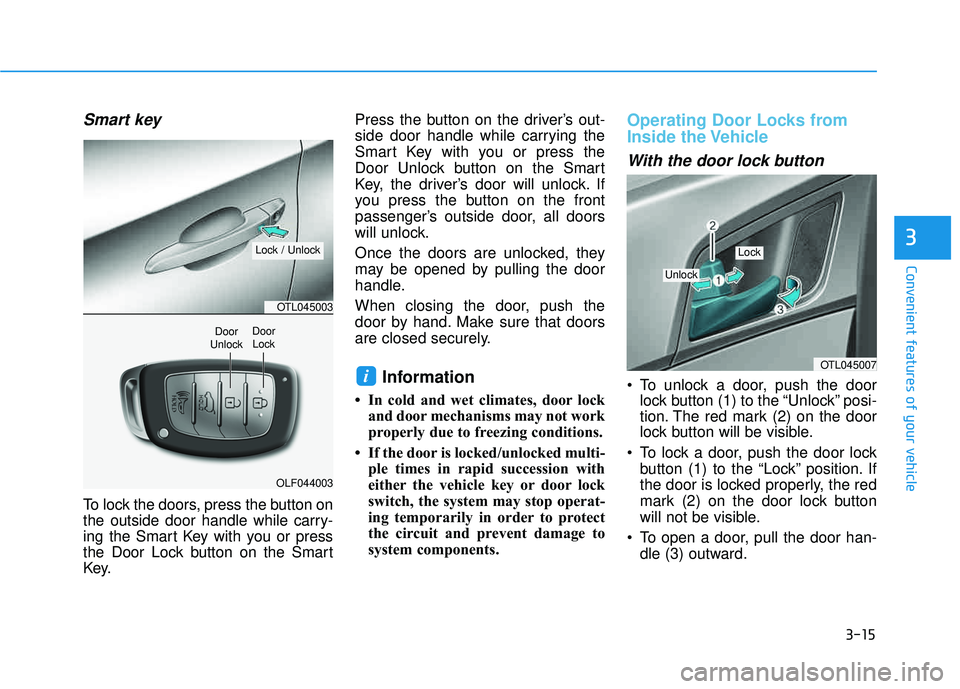
To lock the doors, press the button on
the outside door handle while carry-
ing the Smart Key with you or press
the Door Lock button on the Smart
Key.Press the button on the driver’s out-
side door handle while carrying the
Smart Key with you or press the
Door Unlock button on the Smart
Key, the driver’s door will unlock. If
you press the button on the front
passenger’s outside door, all doors
will unlock.
Once the doors are unlocked, they
may be opened by pulling the door
handle.
When closing the door, push the
door by hand. Make sure that doors
are closed securely.
Information
In cold and wet climates, door lock
and door mechanisms may not work
properly due to freezing conditions.
If the door is locked/unlocked multi- ple times in rapid succession with
either the vehicle key or door lock
switch, the system may stop operat-
ing temporarily in order to protect
the circuit and prevent damage to
system components.
Operating Door Locks from
Inside the Vehicle
With the door lock button
To unlock a door, push the doorlock button (1) to the “Unlock” posi-
tion. The red mark (2) on the door
lock button will be visible.
To lock a door, push the door lock button (1) to the “Lock” position. If
the door is locked properly, the red
mark (2) on the door lock button
will not be visible.
To open a door, pull the door han- dle (3) outward.iOTL045007
Unlock
Lock
OTL045003
OLF044003
Door
UnlockDoor Lock
Lock / Unlock
Page 114 of 642
3-16
Convenient features of your vehicle
If the inner door handle of the driv-er door or front passenger door is
pulled when the door lock button is
in the lock position, the button is
unlocked and the door will open.
The front doors cannot be locked if the key is in the ignition switch and
any front door is open.
The doors cannot be locked if the smart key is in the vehicle and anydoor is open.
Information
If a power door lock ever fails to func-
tion while you are in the vehicle try
one or more of the following tech-
niques to exit:
Operate the door unlock featurerepeatedly (both electronic and
manual) while simultaneously
pulling on the door handle.
Operate the other door locks and handles, front and rear.
Lower a front window and use the mechanical key to unlock the door
from outside.
With the central door lock
switch
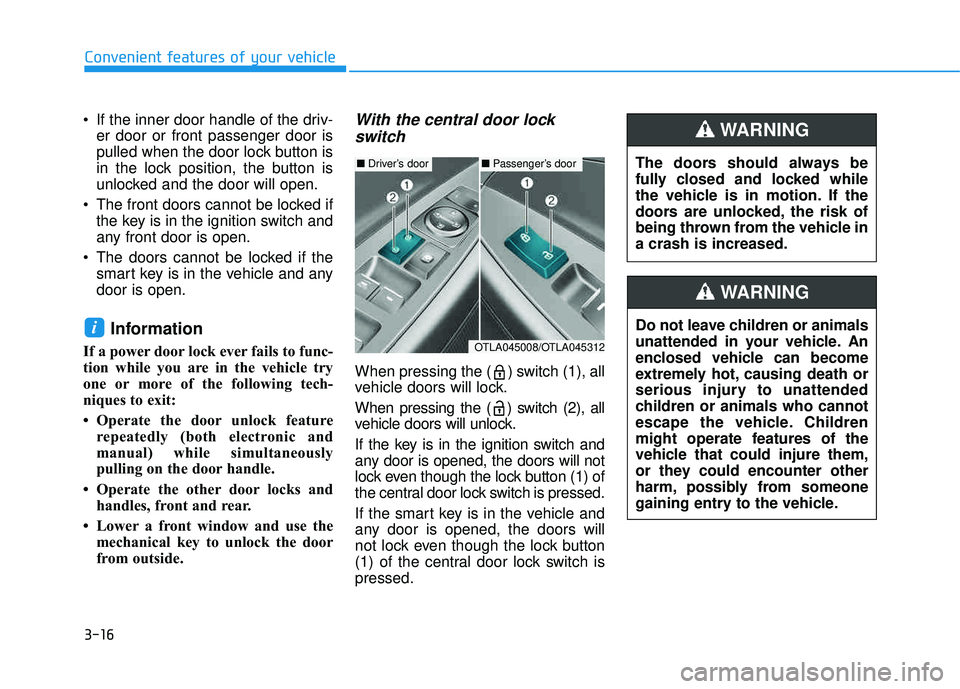
When pressing the ( ) switch (1), all
vehicle doors will lock.
When pressing the ( ) switch (2), all
vehicle doors will unlock.
If the key is in the ignition switch and
any door is opened, the doors will not
lock even though the lock button (1) of
the central door lock switch is pressed.
If the smart key is in the vehicle and
any door is opened, the doors will
not lock even though the lock button
(1) of the central door lock switch ispressed.
i
The doors should always be
fully closed and locked while
the vehicle is in motion. If the
doors are unlocked, the risk of
being thrown from the vehicle ina crash is increased.
WARNING
Do not leave children or animals
unattended in your vehicle. An
enclosed vehicle can become
extremely hot, causing death or
serious injury to unattended
children or animals who cannot
escape the vehicle. Children
might operate features of the
vehicle that could injure them,
or they could encounter other
harm, possibly from someone
gaining entry to the vehicle.
WARNING
■ Driver’s door■ Passenger’s door
OTLA045008/OTLA045312
Page 115 of 642

3-17
Convenient features of your vehicle
3
Auto Door Lock/Unlock Features
Impact sensing door unlocksystem
All doors will be automatically
unlocked when an impact causes the
air bags to deploy.
Speed sensing door lock system
All doors will be automatically locked
when vehicle speed exceeds 9 mph(15 km/h). All of the doors will be automatically
unlocked after the engine is turned off.
Shift lever auto door lock
All doors will be automatically locked
when shifting the shift lever out of P
(Park) with the engine running.
You can activate or deactivate the
Auto Door Lock/Unlock features fromthe User Settings Mode on the LCD
display.
For more information, refer to the
"LCD Display" section in this
chapter.
Always secure your vehicle.
Leaving your vehicle unlocked increases the potential risk to
you or others from someone
hiding in your vehicle.
To secure your vehicle, while
depressing the brake, move the
shift lever to the P (Park) posi-
tion, engage the parking brake,
and place the ignition switch in
the LOCK/OFF position, close
all windows, lock all doors, and
always take the key with you.WARNING
Opening a door when something
is approaching may cause dam-
age or injury. Be careful when
opening doors and watch for
vehicles, motorcycles, bicycles
or pedestrians approaching the
vehicle in the path of the door.
CAUTION
Page 117 of 642

3-19
Convenient features of your vehicle
This system helps to protect your
vehicle and valuables. The horn will
sound and the hazard warning lights
will blink continuously if any of the
following occurs:
- A door is opened without using theremote key or smart key.
- The liftgate is opened without using the remote key or smart key.
- The engine hood is opened.
The alarm continues for 30 seconds,
then the system resets. To turn off
the alarm, unlock the doors with the
remote key or smart key.
The Theft Alarm System automatical-
ly sets 30 seconds after you lock the
doors and the liftgate. For the system
to activate, you must lock the doors
and the liftgate from outside the vehi-
cle with the remote key or smart key
or by pressing the button on the out-
side of the door handle with the smart
key in your possession.
The hazard warning lights will blink and the chime will sound once to
indicate the system is armed. Once the security system is set,
opening any door, the liftgate, or the
hood without using the remote key or
smart key will cause the alarm to
activate.
The Theft Alarm System will not set if
the hood, the liftgate, or any door is
not fully closed. If the system will not
set, check the hood, the liftgate, orthe doors are fully closed. Do not attempt to alter this system or
add other devices to it.Information
Do not lock the doors until all pas-
sengers have left the vehicle. If the
remaining passenger leaves the
vehicle when the system is armed,
the alarm will be activated.
If the vehicle is not disarmed with the remote key or smart key, open the
doors by using the mechanical key
and place the ignition switch in the
ON position (for remote key) or start
the engine (for smart key) by direct-
ly pressing the ignition switch with
the smart key.
If the system is disarmed by unlock- ing the vehicle, but neither a door or
the liftgate is opened within 30 sec-
onds, the doors will relock and the
system will rearm automatically.
i
TTHH EEFFTT --AA LLAA RRMM SS YY SSTT EEMM
3
Page 140 of 642
3-42
Convenient features of your vehicle
The ignition switch must be in the ON
position before you can open or
close the sunroof.
Information
In cold and wet climates, the sunroof
may not work properly due to freezing
conditions.To prevent damage to the sunroof
and the motor, do not continue to
press the sunroof control lever
after the sunroof is in the fully
open, closed or tilt position(s).
Sunshade
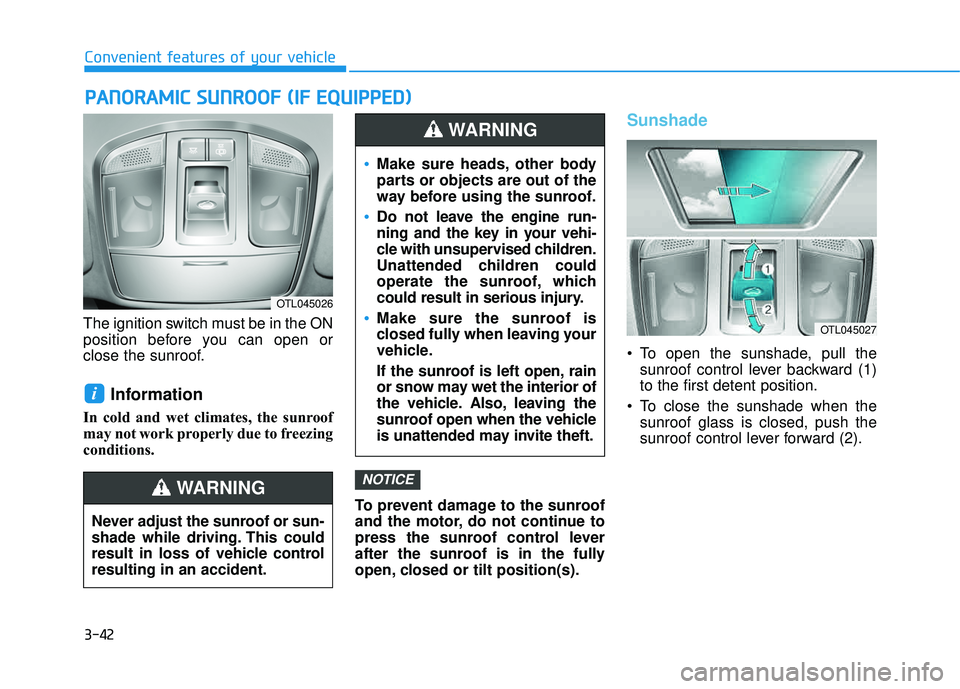
To open the sunshade, pull thesunroof control lever backward (1) to the first detent position.
To close the sunshade when the sunroof glass is closed, push the
sunroof control lever forward (2).
NOTICE
i
PPAA NN OO RRAA MM IICC SS UU NNRROO OOFF (( IIFF EE QQ UUIIPP PP EEDD ))
OTL045026
Never adjust the sunroof or sun-
shade while driving. This could
result in loss of vehicle controlresulting in an accident.
WARNING
OTL045027
Make sure heads, other body
parts or objects are out of the
way before using the sunroof.
Do not leave the engine run-
ning and the key in your vehi-
cle with unsupervised children.
Unattended children could
operate the sunroof, which
could result in serious injury.
Make sure the sunroof is
closed fully when leaving your
vehicle.
If the sunroof is left open, rain
or snow may wet the interior of
the vehicle. Also, leaving the
sunroof open when the vehicle
is unattended may invite theft.
WARNING
Page 149 of 642
3-51
Convenient features of your vehicle
Non-Powered liftgate
Opening the liftgate
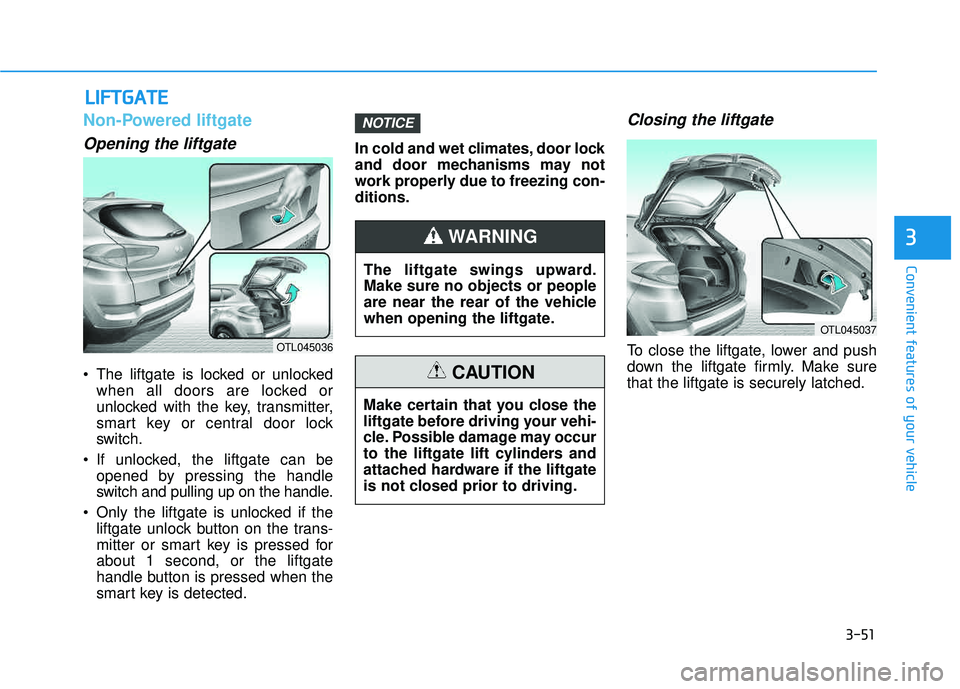
The liftgate is locked or unlockedwhen all doors are locked or
unlocked with the key, transmitter,
smart key or central door lock
switch.
If unlocked, the liftgate can be opened by pressing the handle
switch and pulling up on the handle.
Only the liftgate is unlocked if the liftgate unlock button on the trans-
mitter or smart key is pressed forabout 1 second, or the liftgate
handle button is pressed when the
smart key is detected. In cold and wet climates, door lock
and door mechanisms may not
work properly due to freezing con-ditions.
Closing the liftgate
To close the liftgate, lower and push
down the liftgate firmly. Make surethat the liftgate is securely latched.
NOTICE
LL
IIFF TT GG AATTEE
3
OTL045036
The liftgate swings upward. Make sure no objects or people
are near the rear of the vehicle
when opening the liftgate.
WARNING
Make certain that you close the
liftgate before driving your vehi-
cle. Possible damage may occur
to the liftgate lift cylinders and
attached hardware if the liftgate
is not closed prior to driving.
CAUTION
OTL045037
Page 152 of 642
3-54
Opening the liftgate
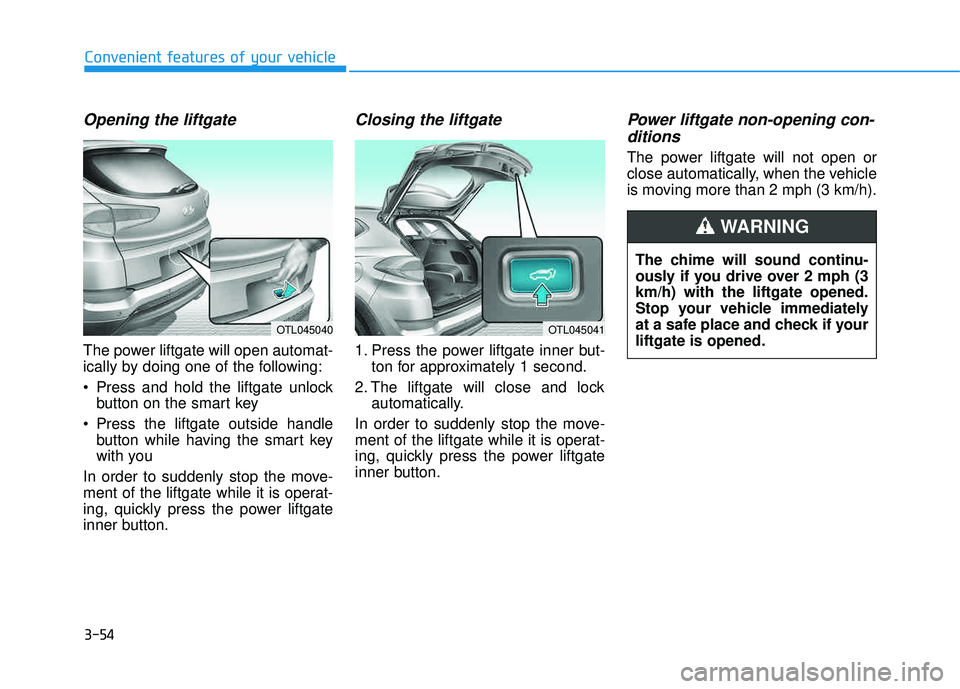
The power liftgate will open automat-
ically by doing one of the following:
Press and hold the liftgate unlockbutton on the smart key
Press the liftgate outside handle button while having the smart key
with you
In order to suddenly stop the move-
ment of the liftgate while it is operat-
ing, quickly press the power liftgate
inner button.
Closing the liftgate
1. Press the power liftgate inner but- ton for approximately 1 second.
2. The liftgate will close and lock automatically.
In order to suddenly stop the move-
ment of the liftgate while it is operat-
ing, quickly press the power liftgate
inner button.
Power liftgate non-opening con- ditions
The power liftgate will not open or
close automatically, when the vehicle
is moving more than 2 mph (3 km/h).
Convenient features of your vehicle
OTL045040OTL045041
The chime will sound continu-
ously if you drive over 2 mph (3km/h) with the liftgate opened.
Stop your vehicle immediately
at a safe place and check if yourliftgate is opened.
WARNING
Page 157 of 642
3-59
Convenient features of your vehicle
Smart Liftgate (if equipped)
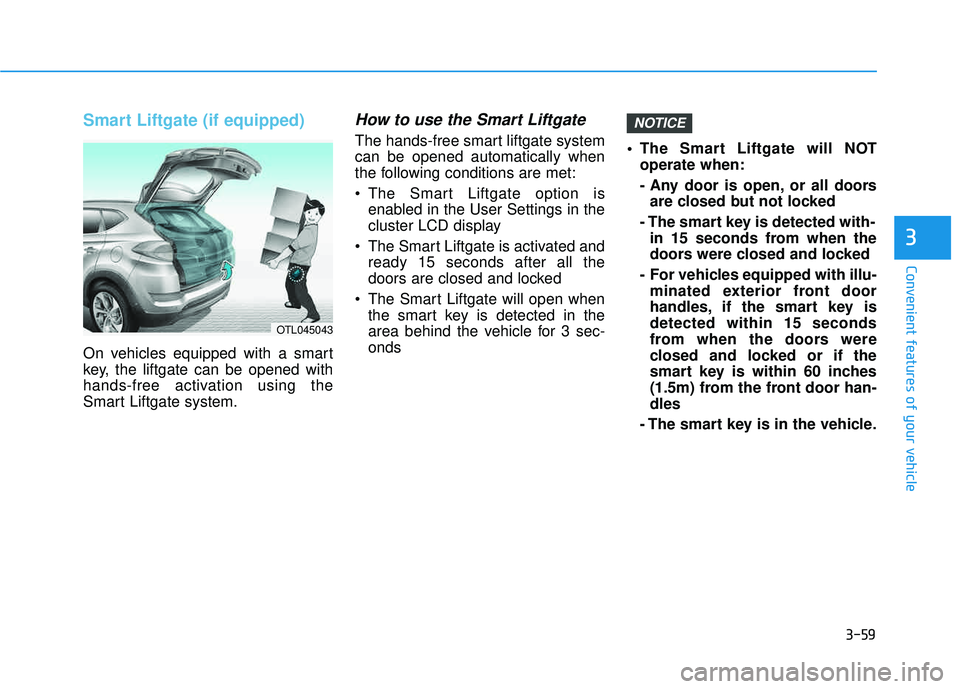
On vehicles equipped with a smart
key, the liftgate can be opened with
hands-free activation using the
Smart Liftgate system.
How to use the Smart Liftgate
The hands-free smart liftgate systemcan be opened automatically when
the following conditions are met:
The Smart Liftgate option isenabled in the User Settings in the
cluster LCD display
The Smart Liftgate is activated and ready 15 seconds after all the
doors are closed and locked
The Smart Liftgate will open when the smart key is detected in the
area behind the vehicle for 3 sec-onds The Smart Liftgate will NOT
operate when:
- Any door is open, or all doorsare closed but not locked
- The smart key is detected with- in 15 seconds from when the
doors were closed and locked
- For vehicles equipped with illu- minated exterior front door
handles, if the smart key isdetected within 15 seconds
from when the doors were
closed and locked or if the
smart key is within 60 inches
(1.5m) from the front door han-dles
- The smart key is in the vehicle.
NOTICE
3
OTL045043