2016 HYUNDAI IX35 phone
[x] Cancel search: phonePage 251 of 550
![HYUNDAI IX35 2016 Owners Manual Features of your vehicle166
4Auto DownloadWhen connecting a mobile phone, it is
possible to automatically download new
phone book and Call Histories.
Select [Auto Download] Set /
through TUNE knobAud](/manual-img/35/56235/w960_56235-250.png "HYUNDAI IX35 2016 Owners Manual Features of your vehicle166
4Auto DownloadWhen connecting a mobile phone, it is
possible to automatically download new
phone book and Call Histories.
Select [Auto Download] Set /
through TUNE knobAud")
Features of your vehicle166
4Auto DownloadWhen connecting a mobile phone, it is
possible to automatically download new
phone book and Call Histories.
Select [Auto Download] Set /
through TUNE knobAudio StreamingSongs (files) saved in your
Bluetooth
®
Wireless Technology enabled mobile
phone can be played through the audio
system.
Select [Audio Streaming] Set /through TUNE knob
Outgoing VolumeThis is used to set the volume of your
voice as heard by the other party whilst
on a
Bluetooth
®
Wireless Technology
enabled handsfree call.
Select [Outgoing Volume] Set volume
through TUNE knob
❈ Whilst on a call, the volume can be
changed by using the key.
Bluetooth
®Wireless Technology
System Off
This feature is used when you do not
wish to use the
Bluetooth
®
Wireless
Technology system.
Select [Bluetooth System Off] Set
through TUNE knob
❈ If a phone is already connected, dis-
connect the currently connected
phone and turn the
Bluetooth
®
Wireless Technology system off.
SEEK
TRACK
Off
On
Off
On
CAUTION
The Bluetooth
®Wireless Technology
audio streaming feature may not be supported in some mobile phones.
EL(FL) UK 4B AUDIO.QXP 3/13/2015 4:19 PM Page 166
Page 252 of 550
4 167
Features of your vehicle
Using the
Bluetooth
®Wireless
Technology System
To use
Bluetooth
®Wireless Technology
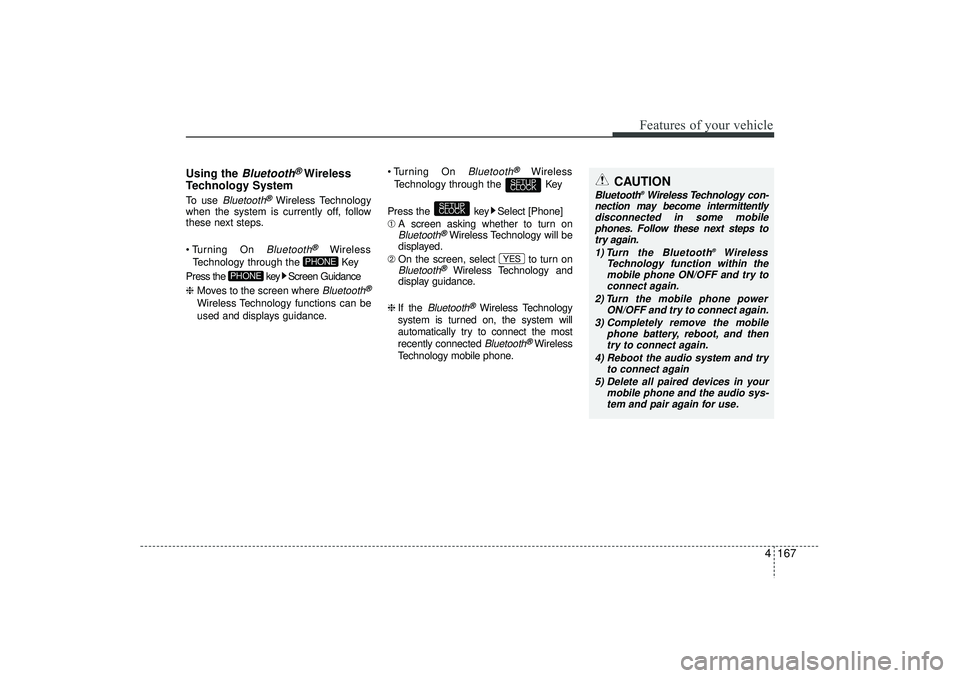
when the system is currently off, follow
these next steps.
Turning On Bluetooth
®
Wireless
Technology through the Key
Press the key Screen Guidance
❈ Moves to the screen where Bluetooth
®
Wireless Technology functions can be
used and displays guidance. Turning On
Bluetooth
®
Wireless
Technology through the Key
Press the key Select [Phone]
➀ A screen asking whether to turn on
Bluetooth
®Wireless Technology will be
displayed.
➁ On the screen, select to turn on
Bluetooth
®
Wireless Technology and
display guidance.
❈ If the
Bluetooth
®Wireless Technology
system is turned on, the system will
automatically try to connect the most
recently connected Bluetooth
®Wireless
Technology mobile phone.
YES
SETUP
CLOCK
SETUP
CLOCK
PHONE
PHONE
CAUTION
Bluetooth
®Wireless Technology con-
nection may become intermittently disconnected in some mobilephones. Follow these next steps totry again.
1) Turn the Bluetooth
®
Wireless
Technology function within the mobile phone ON/OFF and try to connect again.
2) Turn the mobile phone power ON/OFF and try to connect again.
3) Completely remove the mobile phone battery, reboot, and thentry to connect again.
4) Reboot the audio system and try to connect again
5) Delete all paired devices in your mobile phone and the audio sys-tem and pair again for use.
EL(FL) UK 4B AUDIO.QXP 3/13/2015 4:19 PM Page 167
Page 263 of 550
Features of your vehicle178
4Bluetooth
®Wireless
Technology AUDIO
(if equipped)
What is
Bluetooth
®Wireless
Technology?
Bluetooth
®Wireless Technology allows
devices to be connected in a short dis-
tance, including hands-free devices,
stereo headsets, wireless remote con-
trollers, etc. For more information, visit
the
Bluetooth
®
Wireless Technology
website at
www
.Bluetooth.com
Before using
Bluetooth
®
Wireless
Technology audio features
Bluetooth
®Wireless Technology audio
may not be supported depending on
the compatibility of your
Bluetooth
®
Wireless Technology mobile phone.
In order to use
Bluetooth
®
Wireless
Technology audio, you must first pair
and connect the
Bluetooth
®Wireless
Technology mobile phone. The
Bluetooth
®
word mark and logos
are registered trademarks owned by
Bluetooth
®
SIG, Inc. and any use of
such marks is under license. Other
trademarks and trade names are those
of their respective owners. A
Bluetooth
®
enabled cell phone is required to useBluetooth
®Wireless Technology
Bluetooth
®Wireless Technology audio
can be used only when the [Audio
Streaming] of Phone is turned On.
❈ Setting
Bluetooth
®Wireless Technology
Audio Streaming : Press the
key Select [Phone] through the tune
knob Select [Audio Streaming] through
the TUNE knob Set /
Starting
Bluetooth
®Wireless
Technology Audio
Press the key to change the
mode in order of CD ➟ USB ➟ AUX ➟
My Music ➟ BT Audio.
If BT Audio is selected,
Bluetooth
®
Wireless Technology audio will start
playing.
❈ Audio may not automatically start play-
ing in some mobile phones.Using the
Bluetooth
®
Wireless
Technology
audio features
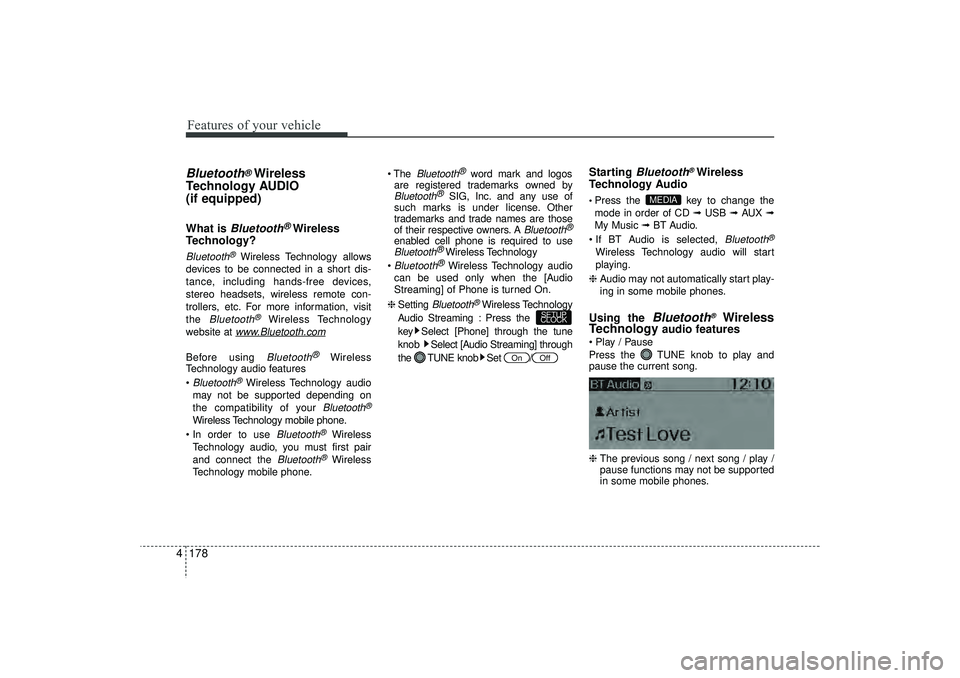
Play / Pause
Press the TUNE knob to play and
pause the current song.
❈ The previous song / next song / play /
pause functions may not be supported
in some mobile phones.
MEDIA
Off
On
SETUP
CLOCK
EL(FL) UK 4B AUDIO.QXP 3/13/2015 4:19 PM Page 178
Page 264 of 550
4 179
Features of your vehicle
PHONE (if equipped)Before using the
Bluetooth
®Wireless
Technology
phone features
In order to use
Bluetooth
®
Wireless
Technology
phone, you must first pair
and connect the
Bluetooth
®
Wireless
Technology
mobile phone.
If the mobile phone is not paired or con- nected, it is not possible to enter Phone
mode. Once a phone is paired or con-
nected, the guidance screen will be dis-
played.
If Priority is set upon vehicle ignition (IGN/ACC ON), the
Bluetooth
®Wireless
Technology
phone will be automatically
connected. Even if you are outside, the
Bluetooth
®Wireless Technology
phone will
be automatically connected once you are
in the vicinity of the vehicle. If you do not
want automatic
Bluetooth
®
Wireless
Technology
phone connection, set the
Bluetooth
®Wireless Technology
power to
OFF.
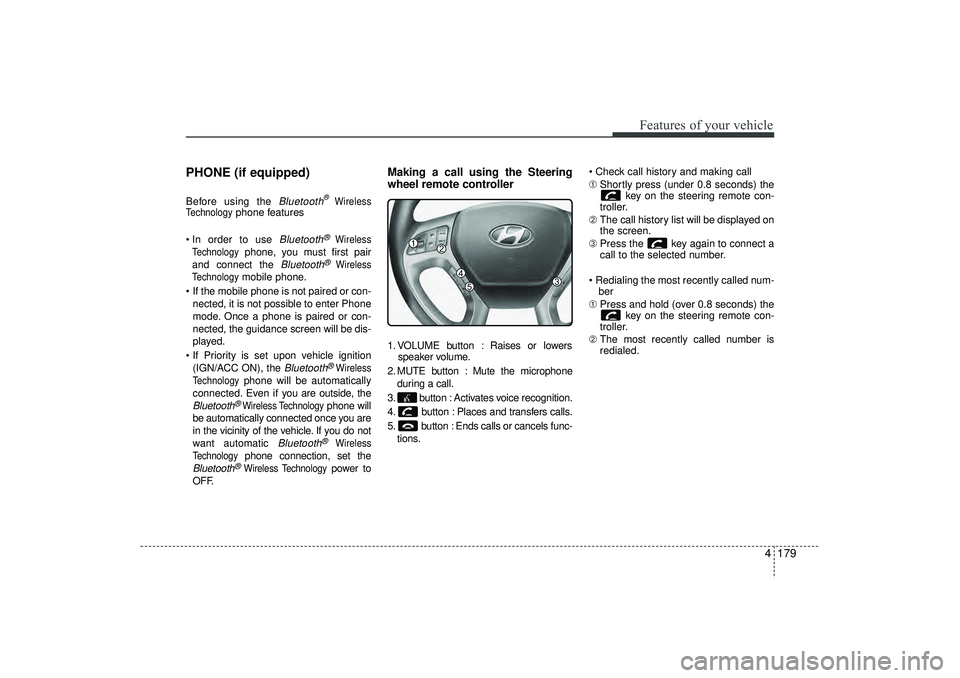
Making a call using the Steering
wheel remote controller1. VOLUME button : Raises or lowers speaker volume.
2. MUTE button : Mute the microphone during a call.
3. button : Activates voice recognition.
4. button : Places and transfers calls.
5. button : Ends calls or cancels func- tions. Check call history and making call
➀
Shortly press (under 0.8 seconds) the
key on the steering remote con-
troller.
➁ The call history list will be displayed on
the screen.
\b Press the key again to connect a
call to the selected number.
Redialing the most recently called num- ber
➀ Press and hold (over 0.8 seconds) the
key on the steering remote con-
troller.
➁ The most recently called number is
redialed.
EL(FL) UK 4B AUDIO.QXP 3/13/2015 4:19 PM Page 179
Page 265 of 550
![HYUNDAI IX35 2016 Owners Manual Features of your vehicle180
4Phone MENU Press the key to display three
menus (Call History, Phone Book, Phone
Setup).Call historyPress the key Set [ History]
through the TUNE knob or key.
The call](/manual-img/35/56235/w960_56235-264.png "HYUNDAI IX35 2016 Owners Manual Features of your vehicle180
4Phone MENU Press the key to display three
menus (Call History, Phone Book, Phone
Setup).Call historyPress the key Set [ History]
through the TUNE knob or key.
The call")
Features of your vehicle180
4Phone MENU Press the key to display three
menus (Call History, Phone Book, Phone
Setup).Call historyPress the key Set [ History]
through the TUNE knob or key.
The call history is displayed and can be
used to select a number and make a call.
If call history does not exist, a screen
asking whether to download call history
is displayed. (The download feature may
not be supported in some mobile
phones)
Phone BookPress the key Set [ P. Book]
through the TUNE knob or key.
The phone book is displayed and can be
used to select a number and make a call.
❈ If more than one number is saved to
one contact, then a screen showing
the mobile phone number, Home and
office number is displayed. Select the
desired number to make the call.
❈ If phone book do not exist, a screen
asking whether to download phone
book is displayed. (The download fea-
ture may not be supported in some
mobile phones)
Phone SetupPress the key Set [ Setup]
through the TUNE knob or key.
The
Bluetooth
®
Wireless Technology
mobile phone setup screen is displayed.
For more information, refer to “Phone
Setup”.
3
PHONE
2
RDM
PHONE
1
RPT
PHONEPHONE
EL(FL) UK 4B AUDIO.QXP 3/13/2015 4:19 PM Page 180
Page 266 of 550
4 181
Features of your vehicle
✽
✽NOTICE -
USING THE
Bluetooth
®Wireless Technology
MOBILE PHONE
• Do not use a mobile phone or perform Bluetooth® Wireless Technology set-
tings (e.g. pairing a phone) whilst
driving.
• Some Bluetooth
®Wireless Technology
-enabled phones may not be recog-
nized by the system or fully compati-
ble with the system.
• Before using Bluetooth
®
Wireless
Technology related features of the
audio system, refer your phone’s
User’s Manual for phone-side
Bluetooth
®Wireless Technology oper-
ations.
• The phone must be paired to the audio system to use Bluetooth
®Wireless
Technology related features.
• You will not be able to use the hands- free feature when your phone (in the
car) is outside of the mobile service
area (e.g. in a tunnel, in a under-
ground, in a mountainous area, etc.). (Continued)(Continued)
• If the mobile phone signal is poor or
the vehicles interior noise is too loud,
it may be difficult to hear the other
person’s voice during a call.
• Do not place the phone near or inside metallic objects, otherwise communi-
cations with Bluetooth
®
Wireless
Technology system or mobile service
stations can be disturbed.
• Whilst a phone is connected through Bluetooth
®Wireless Technology your
phone may discharge quicker than
usual for additional Bluetooth
®
Wireless Technology-related opera-
tions.
• Some mobile phones or other devices may cause interference noise or mal-
function to audio system. In this case,
store the device in a different location
may resolve the condition.
• Phone contact names should be saved in English or they may not be dis-
played correctly. (Continued)(Continued)
• If Priority is set upon vehicle igni-
tion(IGN/ACC ON), the Bluetooth
®
Wireless Technology phone will be
automatically connected.
Even if you are outside, the Bluetooth
®
Wireless Technology phone will be
automatically connected once you are
in the vicinity of the vehicle.
If you do not want automatic
Bluetooth
®Wireless Technology con-
nection, turn the Bluetooth
®Wireless
Technology feature off.
• The hands-free call volume and quali- ty may differ depending on the mobile
phone type.
• Bluetooth
®Wireless Technology fea-
tures can be used only when the
mobile phone has been paired and
connected with the device. For more
information on pairing and connect-
ing Bluetooth
®Wireless Technology
enabled mobile phones, refer to the
“Phone Setup” section. (Continued)
EL(FL) UK 4B AUDIO.QXP 3/13/2015 4:19 PM Page 181
Page 267 of 550
Features of your vehicle182
4(Continued)
• When a Bluetooth
®
Wireless
Technology mobile phone is connect-
ed, a ( ) icon will appear at the top of
the screen. If a ( ) icon is not dis-
played, this indicates that a Bluetooth
®
Wireless Technology enabled device
has not been connected. You must con-
nect the device before use. For more
information on Bluetooth
®Wireless
Technology mobile phones, refer to
the “Phone Setup” section.
• Pairing and connecting a Bluetooth
®
Wireless Technology enabled mobile
phone will work only when the
Bluetooth
®
Wireless Technology
option within your mobile phone has
been turned on. (Methods of turning
on the Bluetooth®Wireless Technology
enabled feature may differ depending
on the mobile phone.) (Continued)(Continued)
• In some mobile phones, starting the
ignition whilst talking through
Bluetooth
®
Wireless Technology
enabled handsfree call will result in
the call becoming disconnected.
(Switch the call back to your mobile
phone when starting the ignition.)
• Some features may not be supported in some Bluetooth
®
Wireless
Technology mobile phone and devices.
• Bluetooth
®
Wireless Technology
enabled operation may be unstable
depending on the communication
state.
• Placing the audio system within an electromagnetic environment may
result in noise interference.
EL(FL) UK 4B AUDIO.QXP 3/13/2015 4:19 PM Page 182
Page 268 of 550
4 183
Features of your vehicle
✽
✽NOTICE -
USING VOICE COM-
MAND
• The voice recognition feature of this
product supports recognition of the
commands listed within this user’s
manual.
• Whilst using voice recognition, oper- ating the steering remote control or
the device will terminate voice recog-
nition and allow you to manually
operate desired functions.
• Position the microphone above the head of the driver’s seat. For superior
performance, maintain good posture
when saying voice commands. (Continued)(Continued)
• Voice recognition may not function
properly due to outside noise. The fol-
lowing conditions can affect the per-
formance of Voice Recognition:
- When the windows and sunroof areopen
- When the heating/cooling system is on
- When passing a tunnel
- When driving on rugged and uneven roads
• After downloading Bluetooth
®
Wireless Technology phone book, the
system requires some times to convert
the phone book into voice informa-
tion. During this time, voice recogni-
tion may not operate properly.
• Upon inputting your phone book, spe- cial symbols and numbers cannot be
recognized by voice. For example, “#
John Doe%&” will be recognized as
“John Doe”.
EL(FL) UK 4B AUDIO.QXP 3/13/2015 4:19 PM Page 183