Page 75 of 661
74
Safe Driving
Exhaust Gas Hazard
Carbon Monoxide Gas
The engine exhaust from this vehicle contains carbon monoxide, a colorless,
odorless, and highly toxic gas. As long as you properly maintain your vehicle, carbon
monoxide gas will not get into the interior.
■Have the exhaust system in spected for leaks whenever
• The exhaust system is m aking an unusual noise.
• The exhaust system may have been damaged.
• The vehicle is raised for an oil change.
When you operate a vehicle with the tailgat e open, airflow can pull exhaust gas into
the interior and create a hazardous conditio n. If you must drive with the tailgate
open, open all the windows and set the climate control system as shown below.
1. Select the fresh air mode.
2. Select the mode.
3. Set the fan speed to high.
4. Set the temperature control to a comfortable setting.
Adjust the climate control system in the same manner if you sit in your parked
vehicle with the engine running.
1 Carbon Monoxide Gas
An enclosed area such as a garage can quickly fill up
with carbon monoxide gas.
Do not run the engine with the garage door closed.
Even when the garage door is open, drive out of the
garage immediately afte r starting the engine.
3WARNING
Carbon monoxide gas is toxic.
Breathing it can cause unconsciousness and
even kill you.
Avoid any enclosed areas or activities that
expose you to carbon monoxide.
16 PILOT-31TG76000.book 74 ページ 2015年6月15日 月曜日 午前11時30分
Page 76 of 661
75
Safe Driving
Safety Labels
Label Locations
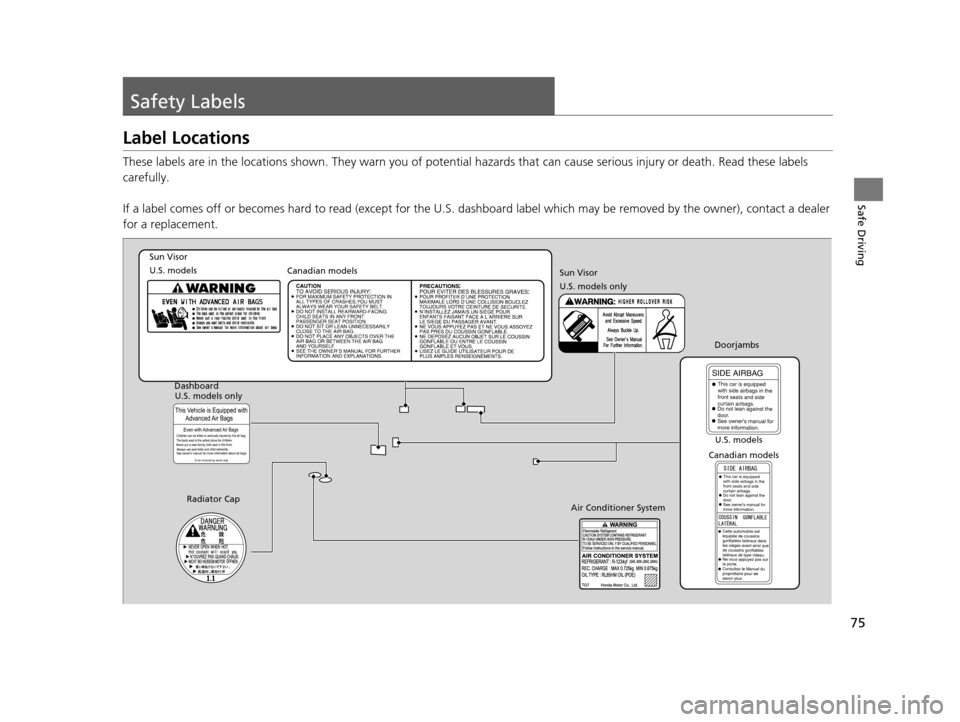
These labels are in the locations shown. They warn you of potential hazards that can cause serious injury or death. Read these labels
carefully.
If a label comes off or becomes hard to read (except for the U. S. dashboard label which may be removed by the owner), contact a dealer
for a replacement.
Sun Visor
U.S. models Canadian models
Radiator Cap U.S. models
U.S. models only
Dashboard
Canadian modelsDoorjambs
Air Conditioner System
Sun Visor
U.S. models only
16 PILOT-31TG76000.book 75 ページ 2015年6月15日 月曜日 午前11時30分
Page 84 of 661
83
uuIndicators u
Continued
Instrument Panel
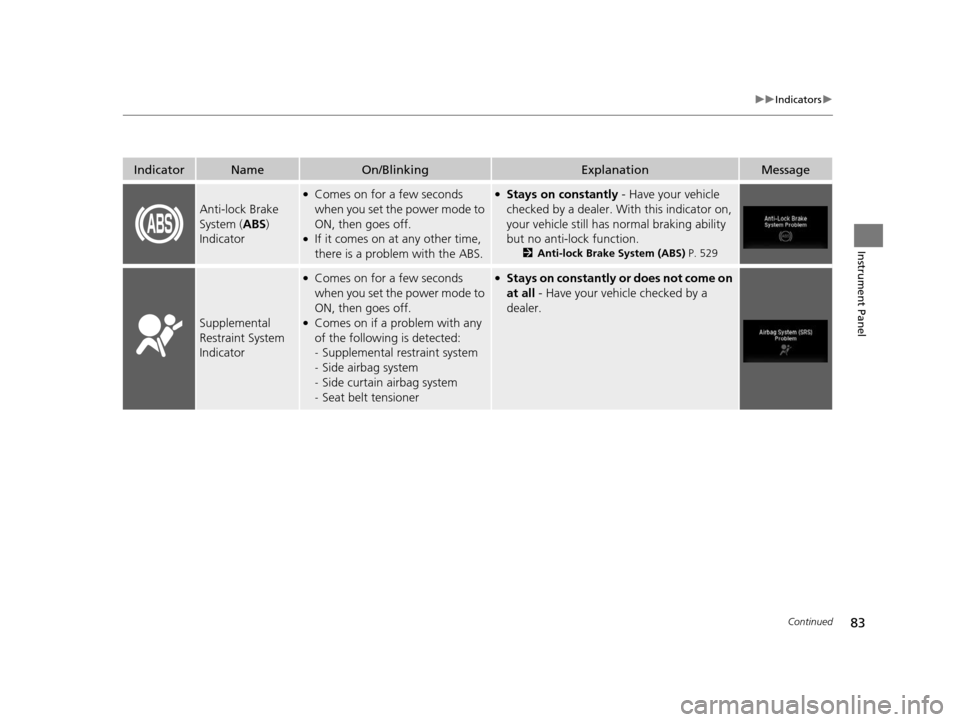
IndicatorNameOn/BlinkingExplanationMessage
Anti-lock Brake
System (ABS)
Indicator
●Comes on for a few seconds
when you set the power mode to
ON, then goes off.
●If it comes on at any other time,
there is a problem with the ABS.
●Stays on constantly - Have your vehicle
checked by a dealer. With this indicator on,
your vehicle still has normal braking ability
but no anti-lock function.
2 Anti-lock Brake System (ABS) P. 529
Supplemental
Restraint System
Indicator
●Comes on for a few seconds
when you set the power mode to
ON, then goes off.
●Comes on if a problem with any
of the following is detected:
-Supplemental restraint system
- Side airbag system
- Side curtain airbag system
- Seat belt tensioner
●Stays on constantly or does not come on
at all - Have your vehicle checked by a
dealer.
16 PILOT-31TG76000.book 83 ページ 2015年6月15日 月曜日 午前11時30分
Page 87 of 661

86
uuIndicators u
Instrument Panel
IndicatorNameOn/BlinkingExplanationMessage
Electric Power
Steering (EPS)
System Indicator
●Comes on when you set the
power mode to ON, and goes off
when the engine starts.
●Comes on if there is a problem
with the EPS system.
●Stays on constantly or does not come on
at all - Have your vehicle checked by a
dealer.
2 If the Electric Power Steering (EPS)
System Indicator Comes On P. 626
Low Tire Pressure/
TPMS Indicator
●Comes on for a few seconds
when you set the power mode to
ON, then goes off.
●Comes on if the tire pressure of
any of the tires becomes
significantly low.
●Blinks for about one minute, and
then stays on if there is a problem
with the TPMS with Tire Fill
Assist, or when a compact spare
tire
* is temporarily installed.
●Comes on while driving - Stop in a safe
place, check tire pres sures, and inflate the
tire(s) if necessary.
●Blinks and remains on - Have your vehicle
checked by a dealer. If the vehicle is fitted
with a compact spare, get your regular tire
repaired or replaced and put back on your
vehicle as soon as you can.
Turn Signal and
Hazard Warning
Indicators
●Blinks when you operate the turn
signal lever.
●Blinks along with all turn signals if
you press the hazard warning
button.
●Does not blink or blinks rapidly - A turn
signal light bulb has blown. Change the
bulb immediately.
2 Front Turn Signal/Parking* and Fog*
Light Bulbs P. 578
—
High Beam
Indicator●Comes on when the high beam
headlights are on.——
* Not available on all models
16 PILOT-31TG76000.book 86 ページ 2015年6月15日 月曜日 午前11時30分
Page 161 of 661
uuOperating the Switches Around the Steering Wheel uAuto High-Beam System*
160
Controls
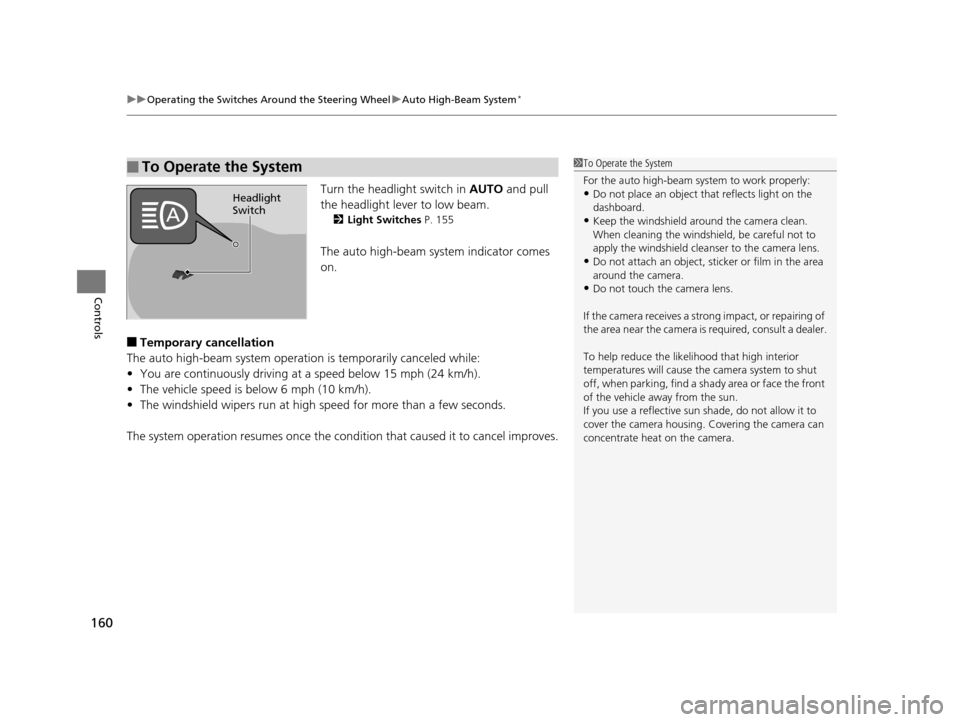
Turn the headlight switch in AUTO and pull
the headlight lever to low beam.
2 Light Switches P. 155
The auto high-beam system indicator comes
on.
■Temporary cancellation
The auto high-beam system operatio n is temporarily canceled while:
• You are continuously driving at a speed below 15 mph (24 km/h).
• The vehicle speed is below 6 mph (10 km/h).
• The windshield wipers run at high speed for more than a few seconds.
The system operation resumes once the condit ion that caused it to cancel improves.
■To Operate the System1To Operate the System
For the auto high-beam system to work properly:
•Do not place an object that reflects light on the
dashboard.
•Keep the windshield around the camera clean.
When cleaning the windshield, be careful not to
apply the windshield cleanser to the camera lens.
•Do not attach an object, sticker or film in the area
around the camera.
•Do not touch the camera lens.
If the camera receives a st rong impact, or repairing of
the area near the camera is required, consult a dealer.
To help reduce the likel ihood that high interior
temperatures will cause the camera system to shut
off, when parking, find a sh ady area or face the front
of the vehicle away from the sun.
If you use a reflective sun shade, do not allow it to
cover the camera housing. Covering the camera can
concentrate heat on the camera.
Headlight
Switch
16 PILOT-31TG76000.book 160 ページ 2015年6月15日 月曜日 午前11時30分
Page 175 of 661
174
Controls
Adjusting the Seats
Adjusting the Seat Positions
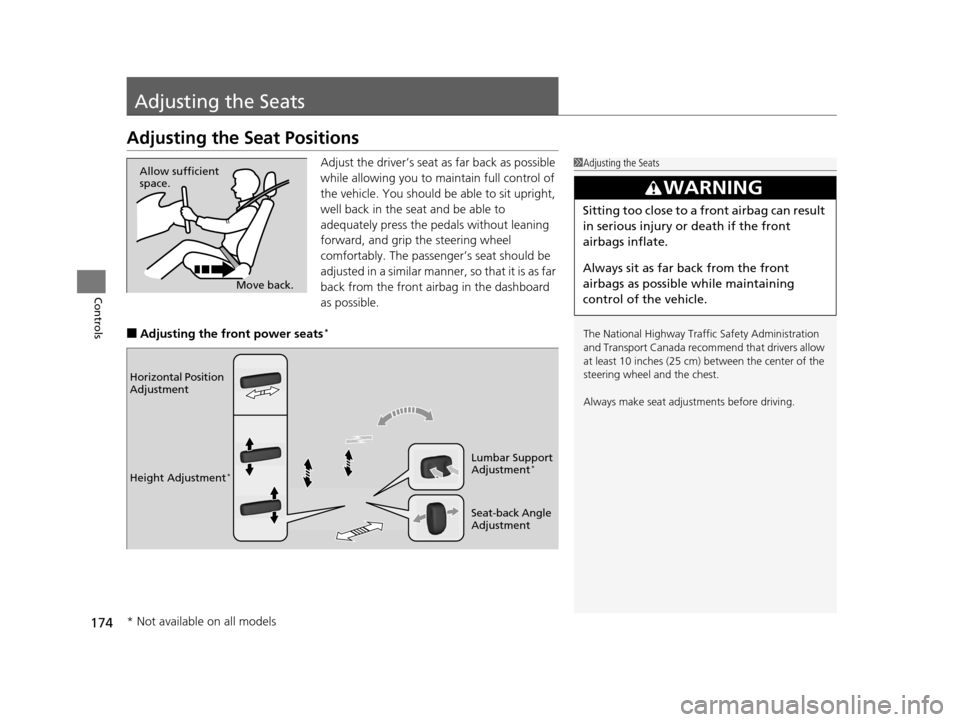
Adjust the driver’s seat as far back as possible
while allowing you to maintain full control of
the vehicle. You should be able to sit upright,
well back in the seat and be able to
adequately press the pedals without leaning
forward, and grip the steering wheel
comfortably. The passenger’s seat should be
adjusted in a similar manner, so that it is as far
back from the front airbag in the dashboard
as possible.
■Adjusting the front power seats*
1Adjusting the Seats
The National Highway Traffic Safety Administration
and Transport Cana da recommend that drivers allow
at least 10 inches (25 cm) between the center of the
steering wheel and the chest.
Always make seat adjustments before driving.
3WARNING
Sitting too close to a front airbag can result
in serious injury or death if the front
airbags inflate.
Always sit as far back from the front
airbags as possible while maintaining
control of the vehicle.
Move back.
Allow sufficient
space.
Horizontal Position
Adjustment
Height Adjustment
*
Seat-back Angle
Adjustment Lumbar Support
Adjustment
*
* Not available on all models
16 PILOT-31TG76000.book 174 ページ 2015年6月15日 月曜日 午前11時30分
Page 179 of 661
uuAdjusting the Seats uAdjusting the Seat Positions
178
Controls
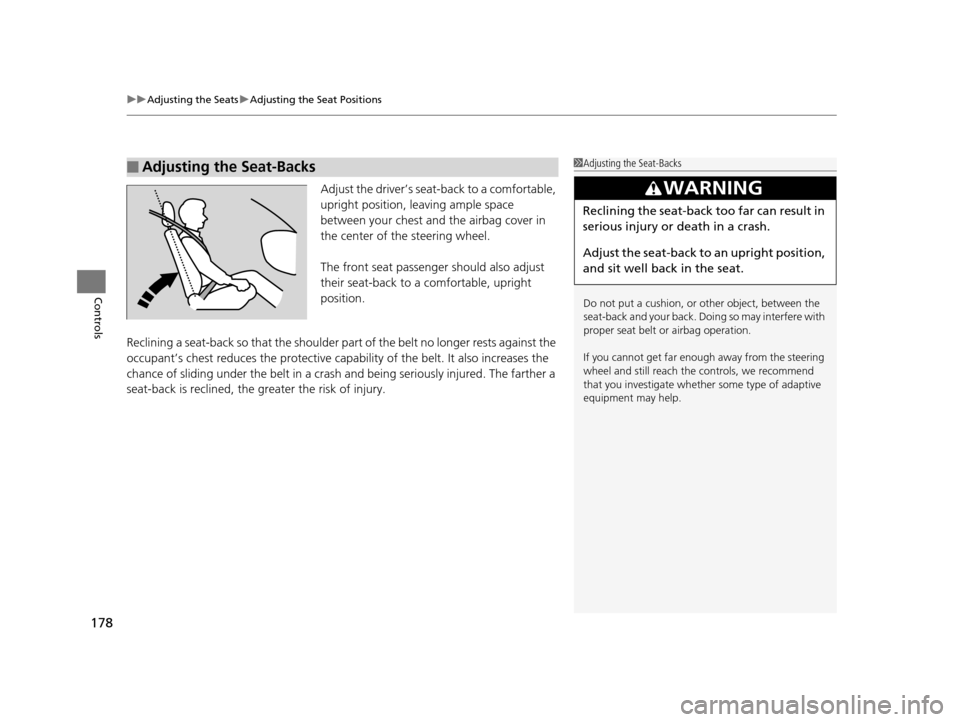
Adjust the driver’s sea t-back to a comfortable,
upright position, leaving ample space
between your chest and the airbag cover in
the center of the steering wheel.
The front seat passenger should also adjust
their seat-back to a comfortable, upright
position.
Reclining a seat-back so that the shoulder pa rt of the belt no longer rests against the
occupant’s chest reduces the protective capa bility of the belt. It also increases the
chance of sliding under the belt in a crash and being seriously injured. The farther a
seat-back is reclined, the greater the risk of injury.
■Adjusting the Seat-Backs1 Adjusting the Seat-Backs
Do not put a cushion, or other object, between the
seat-back and your back. Do ing so may interfere with
proper seat belt or airbag operation.
If you cannot get far e nough away from the steering
wheel and still reach th e controls, we recommend
that you investigate whether some type of adaptive
equipment may help.
3WARNING
Reclining the seat-back too far can result in
serious injury or death in a crash.
Adjust the seat-back to an upright position,
and sit well back in the seat.
16 PILOT-31TG76000.book 178 ページ 2015年6月15日 月曜日 午前11時30分
Page 181 of 661
uuAdjusting the Seats uAdjusting the Seat Positions
180
Controls
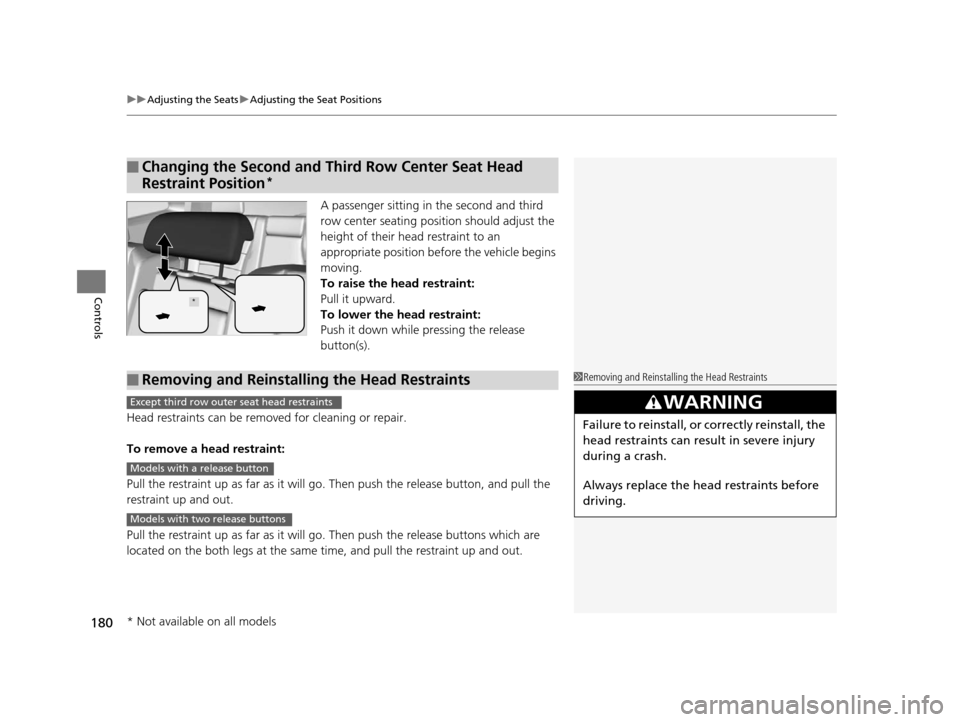
A passenger sitting in the second and third
row center seating position should adjust the
height of their head restraint to an
appropriate position befo re the vehicle begins
moving.
To raise the head restraint:
Pull it upward.
To lower the head restraint:
Push it down while pressing the release
button(s).
Head restraints can be removed for cleaning or repair.
To remove a head restraint:
Pull the restraint up as far as it will go. Then push the release button, and pull the
restraint up and out.
Pull the restraint up as far as it will go. Then push the releas e buttons which are
located on the both legs at the same time, and pull the restraint up and out.
■Changing the Second and Third Row Center Seat Head
Restraint Position
*
*
■Removing and Reinstalling the Head Restraints1 Removing and Reinstalling the Head Restraints
3WARNING
Failure to reinstall, or correctly reinstall, the
head restraints can result in severe injury
during a crash.
Always replace the he ad restraints before
driving.
Except third row outer seat head restraints
Models with a release button
Models with two release buttons
* Not available on all models
16 PILOT-31TG76000.book 180 ページ 2015年6月15日 月曜日 午前11時30分