Page 4 of 661

Contents
Child Safety P. 58Exhaust Gas Hazard P. 74Safety Labels P. 75
Opening and Closing the Tailgate P. 135 Security System P. 144 Opening and Closing the Windows P. 147
Panoramic Glass Roof* P. 150 Operating the Switches Around the Steering Wheel P. 151
Interior Lights/Interior Convenience Items P. 188 Heating and Cooling* P. 205
Audio System Basic Operation P. 224, 242 Audio Error Messages P. 304
Blu-ray/DVD Rear Entertainment System* P. 313 Customized Features P. 342
Bluetooth® HandsFreeLink ® P. 406 Compass* P. 439
Off-Highway Driving Guidelines P. 459 When Driving P. 461 Braking P. 527
Refueling P. 550 Fuel Economy P. 552Accessories and Modifications P. 553
Maintenance Under the Hood P. 563 Replacing Light Bulbs P. 575
Checking and Maintaining Tires P. 585 Battery P. 594 Remote Transmitter Care P. 596
Heating and Cooling System
*/Climate Control System* Maintenance P. 599 Cleaning P. 600
Engine Does Not Start P. 615 Shift Lever Does Not Move* P. 618 Jump Starting P. 619
Fuses P. 628 Emergency Towing P. 633
When You Cannot Open the Tailgate P. 636 Refueling P. 635
Devices that Emit Radio Waves P. 641 Reporting Safety Defects P. 642
Authorized Manuals P. 647 Customer Service Information P. 648
Quick Reference GuideP. 4
Safe DrivingP. 31
Instrument PanelP. 77
ControlsP. 119
FeaturesP. 217
DrivingP. 441
MaintenanceP. 555
Handling the UnexpectedP. 605
InformationP. 637
IndexP. 649
16 PILOT-31TG76000.book 3 ページ 2015年6月15日 月曜日 午前11時30分
Page 5 of 661
4
Quick Reference Guide
Quick Reference Guide
Visual Index
❙Gauges (P113)
❙Multi-Information Display
(MID)
(P114)
❙System Indicators (P78)
❙ECON Button (P483)
❙Audio System (P218)
❙Navigation System*
() See the Navigation System Manual
❙Audio/Information Screen (P225)
❙Hazard Warning Button
❙ (Vehicle Stability Assist (VSA ®)
System OFF) Button
(P516)
❙Collision Mitigation Braking SystemTM
(CMBSTM) OFF Button* (P534)
❙Heated Windshield Button* (P167)
❙Road Departure Mitigation (RDM)
Button* (P504)
❙Parking Sensor System Button* (P542)
❙Climate Control System* (P210)
❙Heating and Cooling System* (P205)
❙Rear Defogger/Heated Door Mirror
Button* (P167)
❙Rear Entertainment System* (P313)
❙Front Seat Heaters and Seat
Ventilation Buttons* (P202)
❙Front Seat Heater Buttons* (P201)
❙Steering Wheel Adjustments (P170)
❙ENGINE START/STOP Button (P151)
16 PILOT-31TG76000.book 4 ページ 2015年6月15日 月曜日 午前11時30分
Page 8 of 661
7
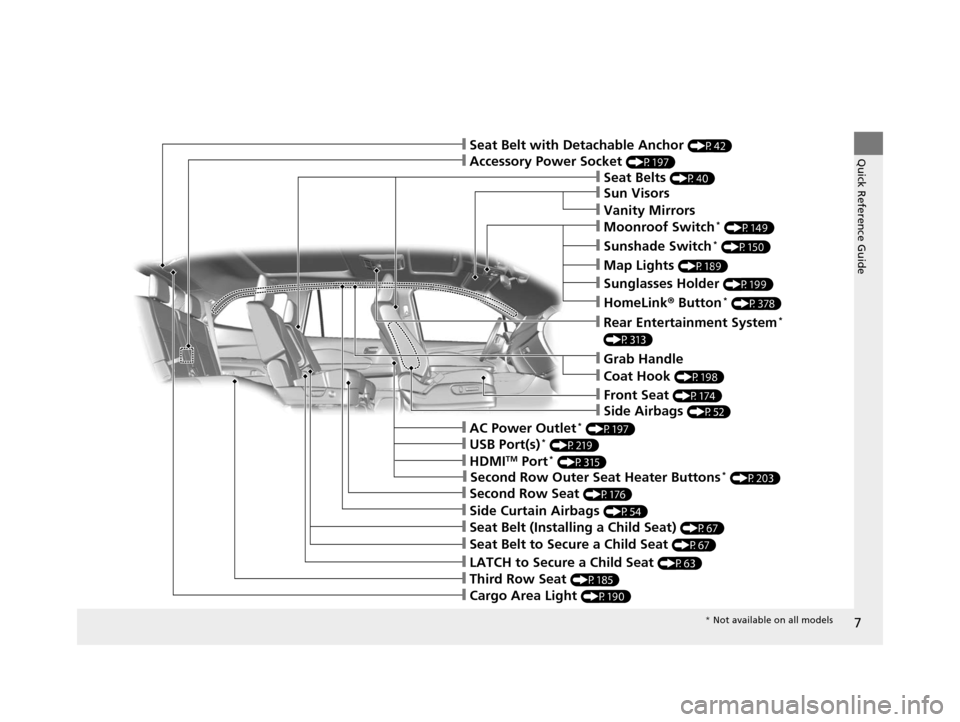
Quick Reference Guide❙Accessory Power Socket (P197)
❙Seat Belts (P40)
❙Grab Handle
❙Front Seat (P174)
❙LATCH to Secure a Child Seat (P63)
❙Seat Belt (Installing a Child Seat) (P67)
❙Third Row Seat (P185)
❙Second Row Seat (P176)
❙Seat Belt to Secure a Child Seat (P67)
❙Cargo Area Light (P190)
❙Side Curtain Airbags (P54)
❙Second Row Outer Seat Heater Buttons* (P203)
❙AC Power Outlet* (P197)
❙HDMITM Port* (P315)
❙USB Port(s)* (P219)
❙Rear Entertainment System*
(P313)
❙Sun Visors
❙Vanity Mirrors
❙Moonroof Switch* (P149)
❙Sunshade Switch* (P150)
❙Map Lights (P189)
❙Sunglasses Holder (P199)
❙HomeLink® Button* (P378)
❙Seat Belt with Detachable Anchor (P42)
❙Coat Hook (P198)
❙Side Airbags (P52)
* Not available on all models
16 PILOT-31TG76000.book 7 ページ 2015年6月15日 月曜日 午前11時30分
Page 218 of 661
217
Features
This chapter describes how to operate technology features.
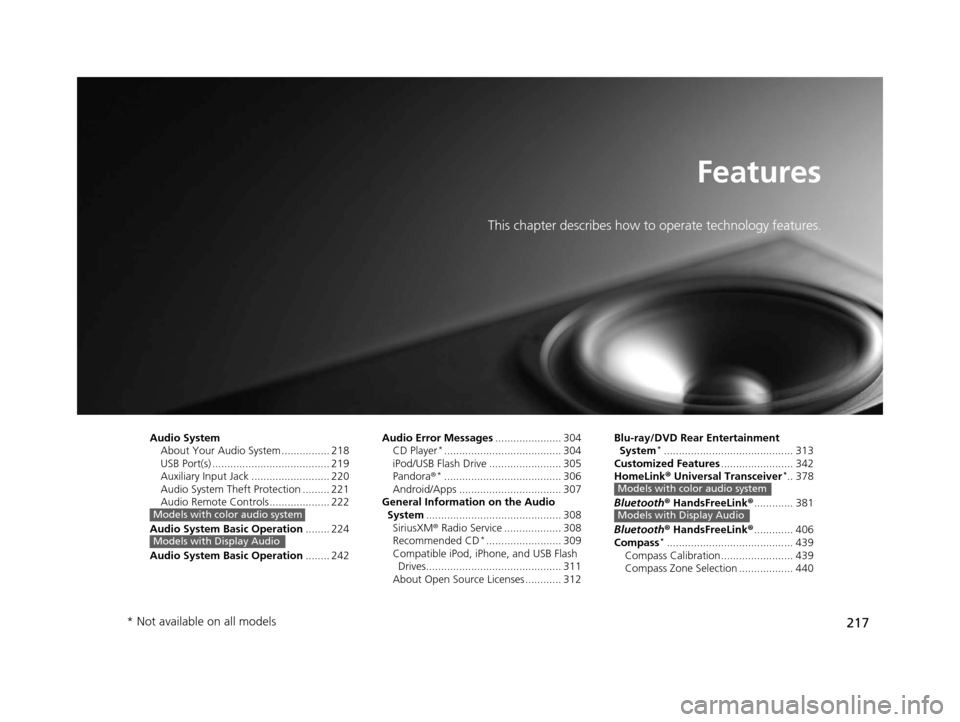
Audio SystemAbout Your Audio System ................ 218
USB Port(s) ....................................... 219
Auxiliary Input Jack .......................... 220
Audio System Theft Protection ......... 221
Audio Remote Controls .................... 222
Audio System Basic Operation ........ 224
Audio System Basic Operation ........ 242
Models with color audio system
Models with Display Audio
Audio Error Messages...................... 304
CD Player*....................................... 304
iPod/USB Flash Drive ........................ 305
Pandora ®
*....................................... 306
Android/Apps .................................. 307
General Information on the Audio
System ............................................. 308
SiriusXM ® Radio Service ................... 308
Recommended CD
*......................... 309
Compatible iPod, iPhone, and USB Flash Drives............................................. 311
About Open Source Licenses ............ 312 Blu-ray/DVD Rear Entertainment
System
*........................................... 313
Customized Features ........................ 342
HomeLink ® Universal Transceiver
*.. 378
Bluetooth ® HandsFreeLink® ............. 381
Bluetooth ® HandsFreeLink® ............. 406
Compass
*.......................................... 439
Compass Calibration........................ 439
Compass Zone Selection .................. 440
Models with color audio system
Models with Display Audio
* Not available on all models
16 PILOT-31TG76000.book 217 ページ 2015年6月15日 月曜日 午前11時30分
Page 247 of 661
246
uuAudio System Basic Operation uAudio/Information Screen
Features
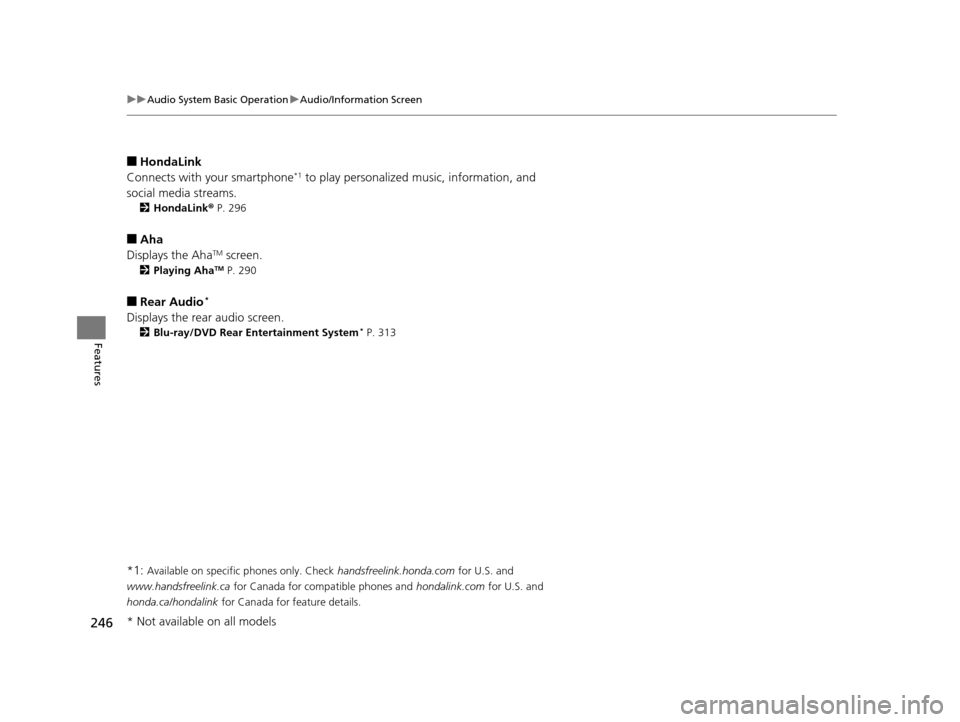
■HondaLink
Connects with your smartphone*1 to play personalized music, information, and
social media streams.
2 HondaLink® P. 296
■Aha
Displays the AhaTM screen.
2 Playing AhaTM P. 290
■Rear Audio*
Displays the rear audio screen.
2Blu-ray/DVD Rear Entertainment System* P. 313
*1: Available on specific phones only. Check handsfreelink.honda.com for U.S. and
www.handsfreelink.ca for Canada for compatible phones and hondalink.com for U.S. and
honda.ca/hondalink for Canada for feature details.
* Not available on all models
16 PILOT-31TG76000.book 246 ページ 2015年6月15日 月曜日 午前11時30分
Page 314 of 661
313
Features
Blu-ray/DVD Rear Entertainment System*
Rear seat passengers can enjoy a completely separate entertainment source than
front passengers, including movies, games, and other audio choices.
Wireless Headphones
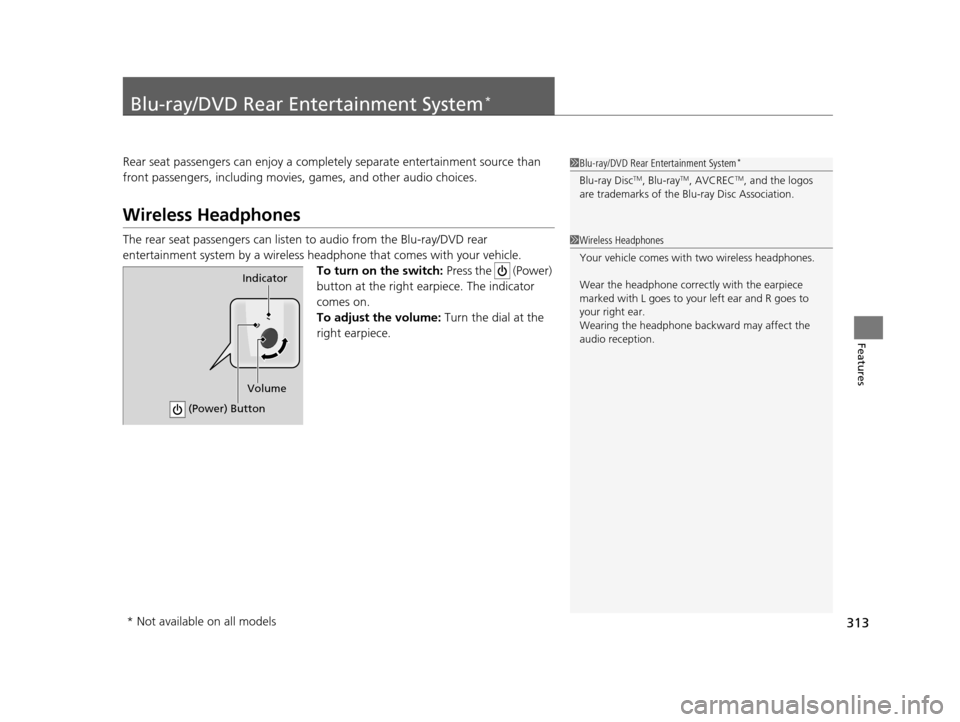
The rear seat passengers can listen to audio from the Blu-ray/DVD rear
entertainment system by a wireless h eadphone that comes with your vehicle.
To turn on the switch: Press the (Power)
button at the right earpiece. The indicator
comes on.
To adjust the volume: Turn the dial at the
right earpiece.
1 Blu-ray/DVD Rear Entertainment System*
Blu-ray DiscTM, Blu-rayTM, AVCRECTM, and the logos
are trademarks of the Bl u-ray Disc Association.
1Wireless Headphones
Your vehicle comes with two wireless headphones.
Wear the headphone correc tly with the earpiece
marked with L goes to y our left ear and R goes to
your right ear.
Wearing the headphone back ward may affect the
audio reception.
Indicator
(Power) Button
Volume
* Not available on all models
16 PILOT-31TG76000.book 313 ページ 2015年6月15日 月曜日 午前11時30分
Page 315 of 661
314
uuBlu-ray/DVD Rear Entertainment System*uAuxiliary Console Panel
Features
Auxiliary Console Panel
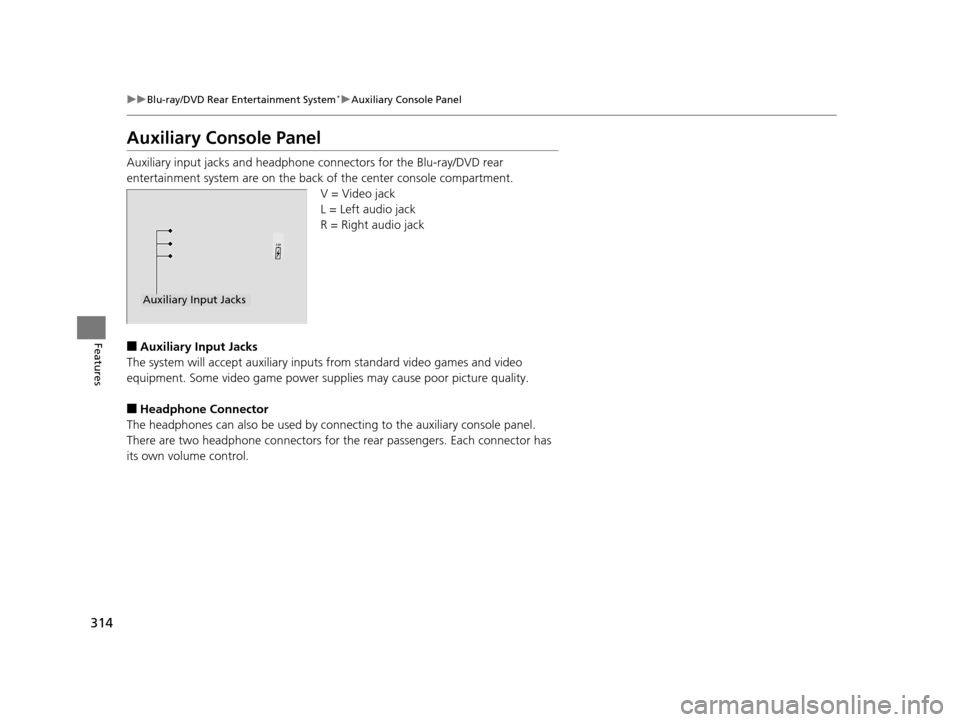
Auxiliary input jacks and headphone connectors for the Blu-ray/DVD rear
entertainment system are on the back of the center console compartment.
V = Video jack
L = Left audio jack
R = Right audio jack
■Auxiliary Input Jacks
The system will accept auxiliary inputs from standard video games and video
equipment. Some video game power supplies may cause poor picture quality.
■Headphone Connector
The headphones can also be used by conn ecting to the auxiliary console panel.
There are two headphone connectors for the rear passengers. Each connector has
its own volume control.
Auxiliary Input Jacks
16 PILOT-31TG76000.book 314 ページ 2015年6月15日 月曜日 午前11時30分
Page 316 of 661
315
uuBlu-ray/DVD Rear Entertainment System*uUSB Ports*
Features
USB Ports*
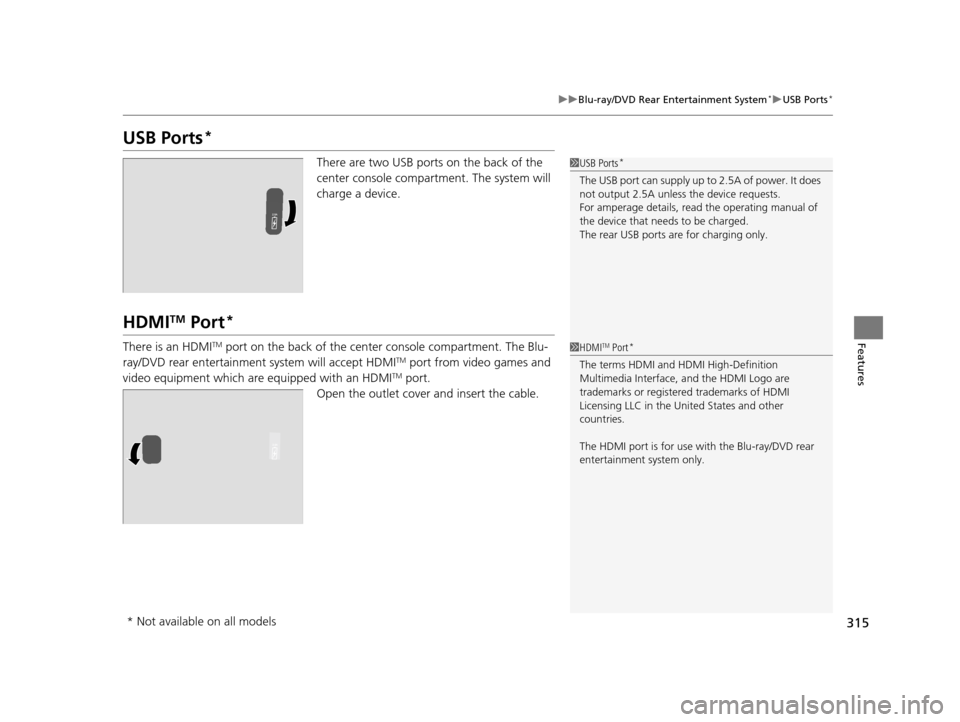
There are two USB ports on the back of the
center console compartment. The system will
charge a device.
HDMITM Port*
There is an HDMITM port on the back of the center console compartment. The Blu-
ray/DVD rear entertainment system will accept HDMITM port from video games and
video equipment which are equipped with an HDMITM port.
Open the outlet cover and insert the cable.
1 USB Ports*
The USB port can supply up to 2.5A of power. It does
not output 2.5A unless the device requests.
For amperage details, read the operating manual of
the device that ne eds to be charged.
The rear USB ports ar e for charging only.
1HDMITM Port*
The terms HDMI and HDMI High-Definition
Multimedia Interface, and the HDMI Logo are
trademarks or registered trademarks of HDMI
Licensing LLC in the United States and other
countries.
The HDMI port is for use with the Blu-ray/DVD rear
entertainment system only.
* Not available on all models
16 PILOT-31TG76000.book 315 ページ 2015年6月15日 月曜日 午前11時30分