Page 484 of 661
483
uuWhen Driving uECON Button
Driving
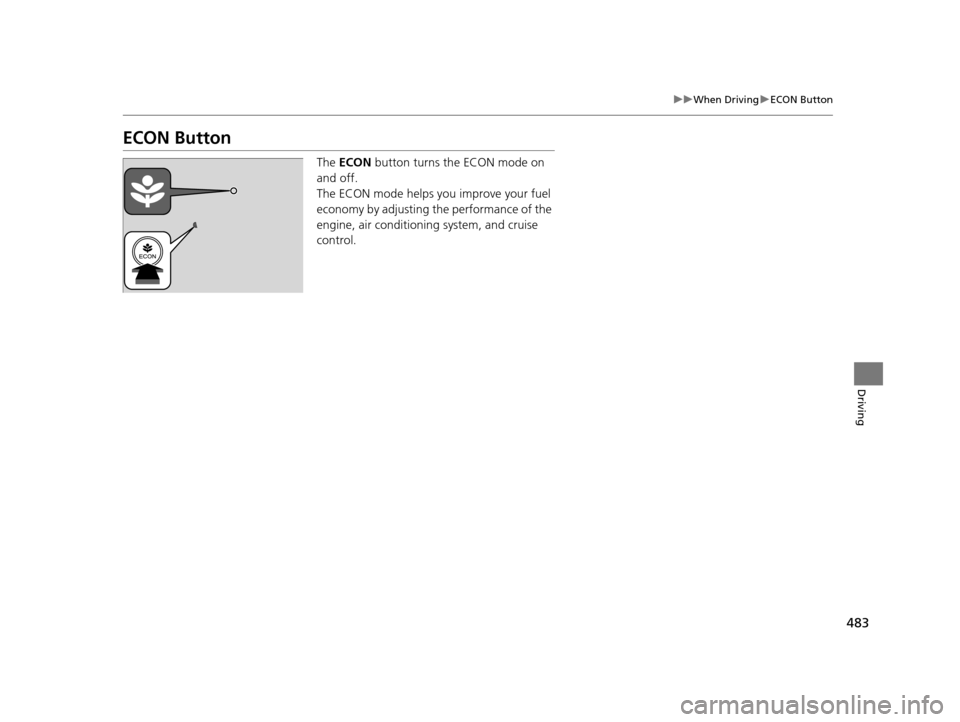
ECON Button
The ECON button turns the ECON mode on
and off.
The ECON mode helps you improve your fuel
economy by adjusting the performance of the
engine, air conditioning system, and cruise
control.
16 PILOT-31TG76000.book 483 ページ 2015年6月15日 月曜日 午前11時30分
Page 490 of 661

489
uuWhen Driving uFront Sensor Camera*
Continued
Driving
Front Sensor Camera*
The camera, used in systems su ch as LKAS, RDM, ACC, and CMBSTM, is designed to
detect an object that triggers any of the systems to operate its functions.
This camera is located behind the rearview
mirror.
To help reduce the likelihood that high interior
temperatures will cause the camera’s sensing
s y s t e m t o s h u t o f f , w h e n p a r k i n g , f i n d a s h a d y
area or face the front of the vehicle away from
the sun. If you use a reflective sun shade, do
not allow it to cover the camera housing.
Covering the camera can concentrate heat on
it.
■Camera Location and Handling Tips
1 Front Sensor Camera*
Never apply a film or attach any objects to
windshield, the hood, or the front grill that could
obstruct the camera’s fiel d of vision and cause the
system to operate abnormally.
Scratches, nicks, and othe r damage to the windshield
within the camera’s fiel d of vision can cause the
system to operate abnormall y. If this occurs, we
recommend that you replac e the windshield with a
genuine Honda replacem ent windshield. Making
even minor repairs within th e camera’s field of vision
or installing an aftermarket replacement windshield
may also cause the system to operate abnormally.
After replacing the winds hield, have a dealer
recalibrate the camera. Pr oper calibration of the
camera is necessary for the system to operate
properly.
Do not place an object on the top of the instrument
panel. It may reflect onto the windshield and prevent
the system from detecting lane lines properly.
Front Sensor
Camera
* Not available on all models
16 PILOT-31TG76000.book 489 ページ 2015年6月15日 月曜日 午前11時30分
Page 491 of 661
uuWhen Driving uFront Sensor Camera*
490
Driving
1Front Sensor Camera*
If the Some Driver Assist Systems Cannot
Operate: message appears:
•Use the climate control system to cool down the
interior and, if necessary, also use defroster mode
with the air flow directed towards the camera.
•Start driving the vehicle to lower the windshield
temperature, which cool s down the area around
the camera.
If the Some Driver Assist Systems Cannot
Operate: message appears:
•Park your vehicle in a sa fe place, and clean the
windshield. If the message does not disappear after
you have cleaned the winds hield and driven for a
while, have your vehicle checked by a dealer.
* Not available on all models
16 PILOT-31TG76000.book 490 ページ 2015年6月15日 月曜日 午前11時30分
Page 507 of 661
506
uuWhen Driving uRoad Departure Mitigation (RDM) System*
Driving
■Roadway conditions
• Driving on a snowy or wet roadway (obscured lane marking, vehicle tracks,
reflected lights, road spray, high contrast).
• Driving on a road with temporary lane markings.
• Faint, multiple, or varied lane markings are visible on the roadway due to road
repairs or old lane markings.
• The roadway has merging, split, or crossing lines (e.g., such as at an intersection
or crosswalk).
• The lane markings are extremely narrow, wide, or changing.
• The vehicle in front of you is driving near the lane lines.
• The road is hilly or the vehicle is approaching the crest of a hill.
• Driving on rough or unpaved roads, or over bumpy surfaces.
• When objects on the road (c urb, guard rail, pylons, etc.) are recognized as white
lines (or yellow lines).
• When driving on roads with double lines.
■Vehicle conditions
• Headlight lenses are dirty or the headlights are not properly adjusted.
• The outside of the windshield is streake d or blocked by dirt, mud, leaves, wet
snow, etc.
• The inside of the windshield is fogged.
• The camera temperature gets too hot.
• An abnormal tire or wheel condition (wrong sized, varied size or construction,
improperly inflated, comp act spare tire, etc.).
• The vehicle is tilted due to a heav y load or suspension modifications.
• When tire chains are installed.
16 PILOT-31TG76000.book 506 ページ 2015年6月15日 月曜日 午前11時30分
Page 515 of 661
514
uuWhen Driving uLane Keeping Assist System (LKAS)*
Driving
■Roadway conditions
• Driving on a snowy or wet roadway (obscured lane marking, vehicle tracks,
reflected lights, road spray, high contrast).
• Driving on a road with temporary lane markings.
• Faint, multiple, or varied lane markings are visible on the roadway due to road
repairs or old lane markings.
• The roadway has merging, split, or crossing lines (e.g., such as at an intersection
or crosswalk).
• The lane markings are extremely narrow, wide, or changing.
• The vehicle in front of you is driving near the lane lines.
• The road is hilly or the vehicle is approaching the crest of a hill.
• Driving on rough or unpaved roads, or over bumpy surfaces.
• When objects on the road (c urb, guard rail, pylons, etc.) are recognized as white
lines (or yellow lines).
• When driving on roads with double lines.
■Vehicle conditions
• Headlight lenses are dirty or the headlights are not properly adjusted.
• The outside of the windshield is streake d or blocked by dirt, mud, leaves, wet
snow, etc.
• The inside of the windshield is fogged.
• The camera temperature gets too hot.
• An abnormal tire or wheel condition (wrong sized, varied size or construction,
improperly inflated, comp act spare tire, etc.).
• The vehicle is tilted due to a heav y load or suspension modifications.
16 PILOT-31TG76000.book 514 ページ 2015年6月15日 月曜日 午前11時30分
Page 516 of 661
515
uuWhen Driving uVehicle Stability Assist (VSA ®), aka Electronic Stability Control (ESC), System
Continued
Driving
Vehicle Stability Assist (VSA ®), aka Electronic
Stability Control (ESC), System
VSA ® helps to stabilize the vehicle during corn ering if the vehicle turns more or less
than what was intended. It also assists in maintaining traction on slippery surfaces.
It does so by regulating engine outp ut and selectively applying the brakes.
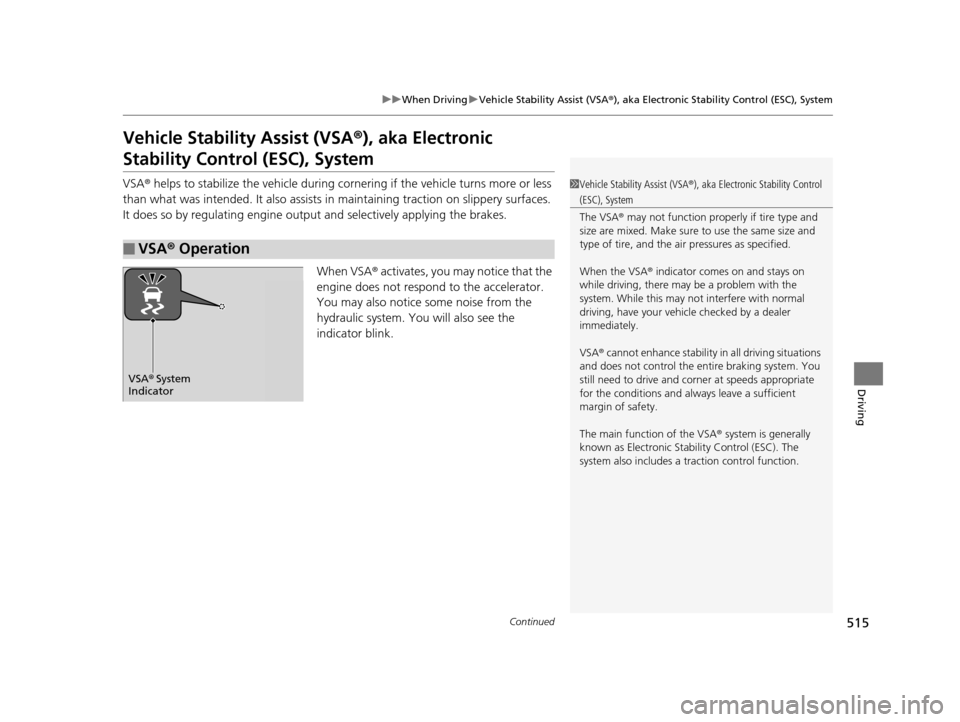
When VSA ® activates, you may notice that the
engine does not respond to the accelerator.
You may also notice some noise from the
hydraulic system. You will also see the
indicator blink.
■VSA ® Operation
1 Vehicle Stability Assist (VSA ®), aka Electronic Stability Control
(ESC), System
The VSA ® may not function properl y if tire type and
size are mixed. Make sure to use the same size and
type of tire, and the air pressures as specified.
When the VSA ® indicator comes on and stays on
while driving, there may be a problem with the
system. While this may not interfere with normal
driving, have your vehi cle checked by a dealer
immediately.
VSA ® cannot enhance stability in all driving situations
and does not control the entire braking system. You
still need to drive and corner at speeds appropriate
for the conditions and alwa ys leave a sufficient
margin of safety.
The main function of the VSA ® system is generally
known as Electronic Stability Control (ESC). The
system also includes a traction control function.
VSA® System
Indicator
16 PILOT-31TG76000.book 515 ページ 2015年6月15日 月曜日 午前11時30分
Page 520 of 661
519
uuWhen Driving uBlind spot information (BSI) System*
Driving
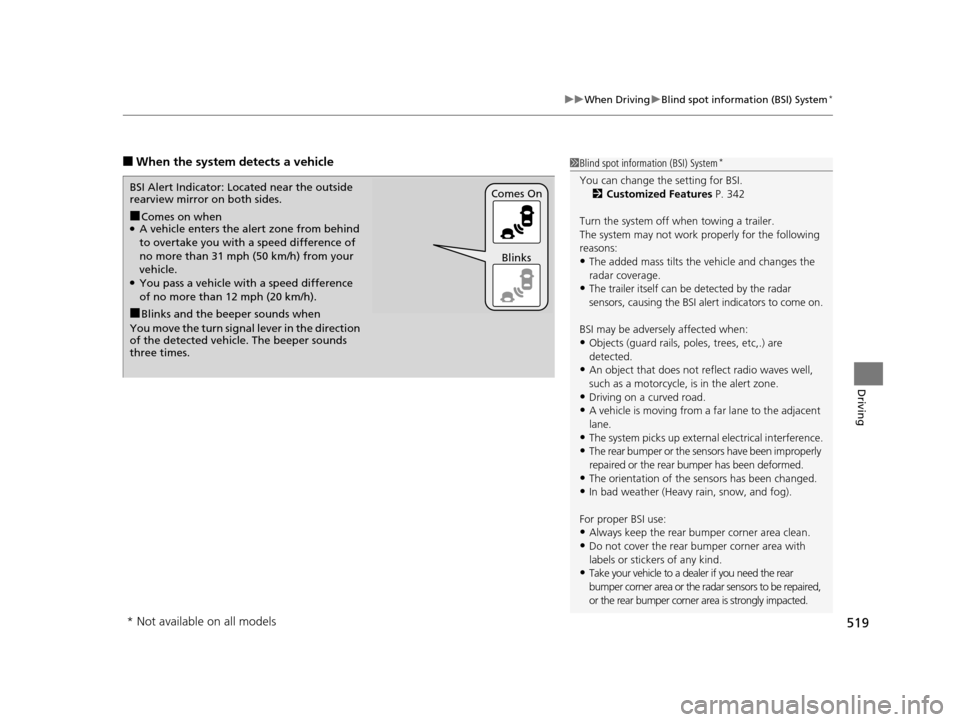
■When the system detects a vehicle1Blind spot inform ation (BSI) System*
You can change the setting for BSI.
2 Customized Features P. 342
Turn the system off when towing a trailer.
The system may not work properly for the following
reasons:
•The added mass tilts the vehicle and changes the
radar coverage.
•The trailer itself can be detected by the radar
sensors, causing the BSI al ert indicators to come on.
BSI may be adversel y affected when:
•Objects (guard rails, poles, trees, etc,.) are
detected.
•An object that does not re flect radio waves well,
such as a motorcycle, is in the alert zone.
•Driving on a curved road.
•A vehicle is moving from a far lane to the adjacent
lane.
•The system picks up external electrical interference.•The rear bumper or the sens ors have been improperly
repaired or the rear bu mper has been deformed.
•The orientation of the sensors has been changed.•In bad weather (Heavy rain, snow, and fog).
For proper BSI use:
•Always keep the rear bumper corner area clean.
•Do not cover the rear bumper corner area with
labels or sticke rs of any kind.
•Take your vehicle to a dealer if you need the rear
bumper corner area or the radar sensors to be repaired,
or the rear bumper corner area is strongly impacted.
■Comes on when●A vehicle enters the ale rt zone from behind
to overtake you with a speed difference of
no more than 31 mph (50 km/h) from your
vehicle.
●You pass a vehicle with a speed difference
of no more than 12 mph (20 km/h).
BSI Alert Indicator: Located near the outside
rearview mirror on both sides.
■Blinks and the beeper sounds when
You move the turn signal lever in the direction
of the detected vehicle. The beeper sounds
three times. Comes On
Blinks
* Not available on all models
16 PILOT-31TG76000.book 519 ページ 2015年6月15日 月曜日 午前11時30分
Page 523 of 661

522
uuWhen Driving uIntelligent VTM4 (i-VTM4)*
Driving
Intelligent VTM4 (i-VTM4)*
The Intelligent VTM4 (i-VTM4) is a full time all wheel drive system that automatically
controls and transfers varying amount of engine torque to all wheels independently
according to the driving conditions.
You still need to exercise the same care when accelerating, steering, and braking
that you would in a two wheel drive vehicle.
Avoid continuously driving on slippery surfa ces where a wheel is likely to spin out,
and do not drive if the AWD indicator starts blinking. Driving continuously under
such conditions can damage the system's torque distribution unit.
If the AWD indicator blinks while driving , it indicates the differential temperature is
too high. If this happens, pull to the side of the road when it is safe, shift to park, an
idle the engine idle until the indicator goes out. If the indicator does not go out, take
your vehicle to a dealer to have it checked.1Intelligent VTM4 (i-VTM4)*
NOTICE
Do not continuously spin the front tires of your
vehicle. Continuously spinning the front tires can
cause transmission or re ar differential damage.
The i-VTM4 system may not function properly if tire
type and size are mixed. Make sure to use the same
size and type of tire, and the air pressures as
specified.
2 Tire and Wheel Replacement P. 591
* Not available on all models
16 PILOT-31TG76000.book 522 ページ 2015年6月15日 月曜日 午前11時30分