2016 HONDA FIT ad blue
[x] Cancel search: ad bluePage 70 of 75

132 || 133
CUSTOMER INFORMATION
CUSTOMER INFORMATION
Learn about information speciic to you as a Honda customer and how to get help.
Frequently Asked Questions/Troubleshooting
Below are some frequently asked questions and troubleshooting items that you may have about the vehicle. Q: How do I set the vehicle clock?
A: For vehicles without navigation, see page 45. For vehicles with navigation, the
time is automatically set using GPS signals.Q: Why doesn’t the vehicle start when I press the ENGINE START/STOP button?*
A: The brake pedal must be pressed to start the engine.
Q: What is the AUTO* setting on my headlight lever?
A: When in the AUTO position, the vehicle’s exterior lights will automatically turn
on or off depending on the ambient lighting.Q: Why won’t the driver’s door unlock when I grab the door handle, even though
the keyless access remote is within range?* A: If you pull the handle too quickly, the system may not have time to conirm the
door is unlocked. Wait to hear a beep to conirm the door is unlocked. If you are
wearing gloves, the system may be slow to respond. Q: After my battery was disconnected or went dead, the audio system is asking for
a code. Where do I ind this? A: In most cases, you do not need to enter a code. Turn on the vehicle and the
audio system, and press and hold the power button until the system reactivates. Q: Why can’t I operate Pandora ®
through the audio system?
A: Audio may be streaming through Bluetooth®
Audio. Make sure Pandora mode
is selected and the phone cable is properly connected to the USB adapter.
Some phones may prompt you to “Allow” a connection.Q: Is my phone compatible with Bluetooth features?
A: Visit handsfreelink.com (U.S.) or handsfreelink.ca (Canada) to check phone
compatibility for Bluetooth®
Audio, Bluetooth ®
HandsFreeLink ®
, and SMS text
messaging.Q: Every time I press the Talk button, the system gives me voice prompts. Can I turn
these off?* A: From the Home screen, select Settings. Select the Voice Recog tab, then select
Voice Prompt. Select Off.
CUSTOMER INFORMATION
*if equipped
Contact Us
Honda dealer personnel are trained professionals. They should be able to answer all your questions. If you encounter a problem that your dealership does not solve
to your satisfaction, please discuss it with the dealership’s service manager or
general manager. If you are dissatisied with the decision made by the dealership’s management, contact Honda Automobile Customer Service.
U.S. owners
American Honda Motor Co., Inc. Honda Automobile Customer Service
1919 Torrance Blvd.Mail Stop 500-2N-7A
Torrance, CA 90501-2746
Tel: (800) 999-1009
In Puerto Rico and the U.S. Virgin Islands
Bella International
P.O. Box 190816San Juan, PR 00919-0816
Tel: (787) 620-7546
When you call or write, please give us the following information: • Vehicle Identiication Number
• Date of purchase • Odometer reading of your vehicle
• Your name, address, and telephone number
• A detailed description of the problem• Name of the dealer who sold the vehicle to you
Q:
Why can’t I select an item using the selector knob or touchscreen*?
A: To prevent driver distraction, certain items are limited or inoperable while the
vehicle is moving. Use voice commands or pull over to select the items. Q: Where can I ind the vehicle identiication number (VIN)?
A: Check the label on the driver’s doorjamb.
*if equipped
Canadian owners
Honda Canada, Inc. Customer Relations180 Honda Blvd.Markham, ONL6C 0H9
Tel: (888) 946-6329Fax: (877) 939-0909e-mail: [email protected]
Page 73 of 75

138 || 139
VOICE COMMAND INDEX
VOICE COMMAND INDEX
Audio Commands
The system accepts these commands on most screens. Audio volume levels
cannot be controlled using voice commands.
FM/AM Radio Commands
• Audio on*
• Audio off*
• Radio on*
• Radio off*• Radio select FM
• Radio select AM
• Radio tune to # FM (#: frequency,
e.g., 95.5)
• Radio tune to # AM (#: frequency,
e.g., 1020)
• Radio seek up
• Radio seek down
• Radio next station
• Radio preset # (#: 1 to 12)
• Radio FM preset # (#: 1 to 12)
• Radio AM preset # (#: 1 to 6)
• Radio scan*
SiriusXM ®
Radio Commands
• Radio select XM
• XM channel # (#: 0 to 255)
• XM channel up
• XM channel down
• XM category up
• XM category down
• XM preset # (#: 1 to 12)
• XM scan*
• XM category scan*
• XM channel scan*• XM category mode
• XM channel mode
Disc Commands
•
Disc play
• Disc play track # (#: 1 to 30)
• Disc skip forward
• Disc skip back
• Disc track random*
• Disc track repeat*
• Disc track scan*
• Disc folder up
• Disc folder down
• Disc folder random*
• Disc folder repeat*
• Disc folder scan*
• Disc normal play
*These commands toggle the function on and off, so the command may not match your intended action.
Song By Voice™ Commands
Available for iPod and USB music search.
• Music search
• What am I listening to?
• Who am I listening to?• Who is this?
• Who’s playing?
• What’s playing?
• What album is this?
• Play artist (name)
• Play track/song (name)
• Play album (name)
• Play genre/category (name)• Play playlist (name)
• Play composer (name)
• List artist (name)
• List album (name)
• List genre/category (name)• List playlist (name)
• List composer (name)
Audio Commands (continued)
USB Commands
• Music search
• USB play
• USB play track # (#: 1 to 30)
• USB skip forward
• USB skip back
• USB track random*
• USB track repeat*
• USB track scan*• USB folder up
• USB folder down
• USB folder random*
• USB folder repeat*
• USB folder scan*• USB normal play
Pandora ®
Commands**
• Pandora play*
• Pandora skip forward
• Pandora station up
• Pandora station down
• Pandora pause*
• Pandora resume* • Pandora like this song
• Pandora dislike this song
*These commands toggle the function on and off, so the command may not match your intended action.
**U.S. models only
iPod®
Commands
• Music search
• iPod play
• iPod play track # (#: 1-30)
• iPod skip forward
• iPod skip back
• iPod track shufle*
• iPod album shufle*
• iPod track repeat*• iPod normal play
• What/Who am I listening to?
• Who is this?
• What’s playing?
• Who’s playing?
• What album is this?
Bluetooth ®
Audio Commands
• Bluetooth audio play
• Bluetooth audio skip forward
• Bluetooth audio skip back
• Bluetooth audio pause
• Bluetooth audio resume
• Bluetooth audio group up
• Bluetooth audio group down
Commands may not work on some phones or devices.
AUX Commands
• Auxiliary play
Page 74 of 75
140 || 141
INDEX
VOICE COMMAND INDEX
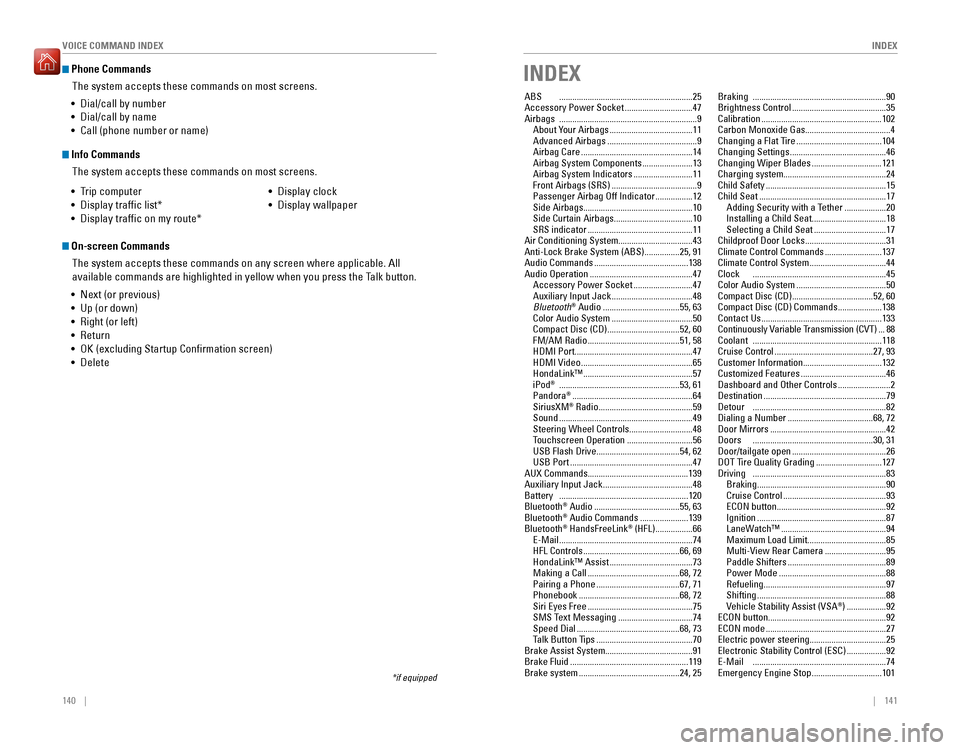
Phone Commands
The system accepts these commands on most screens.
Info Commands
The system accepts these commands on most screens.
• Trip computer
• Display trafic list*
• Display trafic on my route* • Display clock
• Display wallpaper
On-screen Commands
The system accepts these commands on any screen where applicable. All
available commands are highlighted in yellow when you press the Talk button.
• Next (or previous)
• Up (or down)
• Right (or left)
• Return
• OK (excluding Startup Conrmation screen)
• Delete
*if equipped
• Dial/call by number
• Dial/call by name
• Call (phone number or name)
INDEX
ABS
............................................................. 25
Accessory Power Socket ...............................47
Airbags ............................................................... 9
About Your Airbags ...................................... 11
Advanced Airbags ......................................... 9
Airbag Care ................................................... 14
Airbag System Components .......................13
Airbag System Indicators ...........................11
Front Airbags (SRS) ....................................... 9
Passenger Airbag Off Indicator .................12
Side Airbags .................................................. 10
Side Curtain Airbags ....................................10
SRS indicator ................................................ 11
Air Conditioning System..................................43 Anti-Lock Brake System (ABS) ................25, 91
Audio Commands ........................................... 138
Audio Operation ............................................... 47
Accessory Power Socket ...........................47
Auxiliary Input Jack ..................................... 48
Bluetooth ®
Audio ................................... 55, 63
Color Audio System ..................................... 50
Compact Disc (CD) .................................52, 60
FM/AM Radio .......................................... 51, 58
HDMI Port ...................................................... 47
HDMI Video ................................................... 65
HondaLink™ .................................................. 57
iPod ®
....................................................... 53, 61
Pandora ®
....................................................... 64
SiriusXM ®
Radio ........................................... 59
Sound ............................................................. 49
Steering Wheel Controls .............................48
Touchscreen Operation ..............................56
USB Flash Drive ...................................... 54, 62
USB Port ........................................................ 47
AUX Commands..............................................139Auxiliary Input Jack ......................................... 48
Battery ........................................................... 120
Bluetooth ®
Audio ....................................... 55, 63
Bluetooth ®
Audio Commands ......................139
Bluetooth ®
HandsFreeLink ®
(HFL) ................. 66
E-Mail ............................................................. 74
HFL Controls ............................................ 66, 69
HondaLink™ Assist ...................................... 73
Making a Call .......................................... 68, 72
Pairing a Phone ...................................... 67, 71
Phonebook .............................................. 68, 72
Siri Eyes Free ................................................ 75
SMS Text Messaging ..................................74
Speed Dial ............................................... 68, 73
Talk Button Tips ............................................ 70
Brake Assist System........................................91Brake Fluid ...................................................... 119
Brake system .............................................. 24, 25Braking
............................................................. 90
Brightness Control ........................................... 35
Calibration ....................................................... 102
Carbon Monoxide Gas .......................................4
Changing a Flat Tire ....................................... 104
Changing Settings ............................................ 46
Changing Wiper Blades ................................121
Charging system...............................................24Child Safety ....................................................... 15
Child Seat .......................................................... 17
Adding Security with a Tether ...................20
Installing a Child Seat ..................................18
Selecting a Child Seat .................................17
Childproof Door Locks .....................................31
Climate Control Commands ..........................137
Climate Control System ...................................44
Clock ............................................................. 45
Color Audio System ......................................... 50
Compact Disc (CD) ..................................... 52, 60
Compact Disc (CD) Commands ....................138
Contact Us ....................................................... 133
Continuously Variable Transmission (CVT) ...88
Coolant ........................................................... 118
Cruise Control ............................................. 27, 93
Customer Information ....................................132
Customized Features ....................................... 46
Dashboard and Other Controls ........................2
Destination ........................................................ 79
Detour ............................................................. 82
Dialing a Number ....................................... 68, 72
Door Mirrors ..................................................... 42
Doors ....................................................... 30, 31
Door/tailgate open ........................................... 26
DOT Tire Quality Grading ..............................127
Driving ............................................................. 83
Braking ........................................................... 90
Cruise Control ............................................... 93
ECON button .................................................. 92
Ignition ........................................................... 87
LaneWatch™ ................................................ 94
Maximum Load Limit ....................................85
Multi-View Rear Camera ............................95
Paddle Shifters ............................................. 89
Power Mode ................................................. 88
Refueling ........................................................ 97
Shifting ........................................................... 88
Vehicle Stability Assist (VSA ®
) .................. 92
ECON button ......................................................92
ECON mode ....................................................... 27
Electric power steering ...................................25
Electronic Stability Control (ESC) ..................92
E-Mail ............................................................. 74
Emergency Engine Stop ................................101