Page 100 of 532
Continued99
uuGauges and Displays uMulti-Information Display*
Instrument Panel
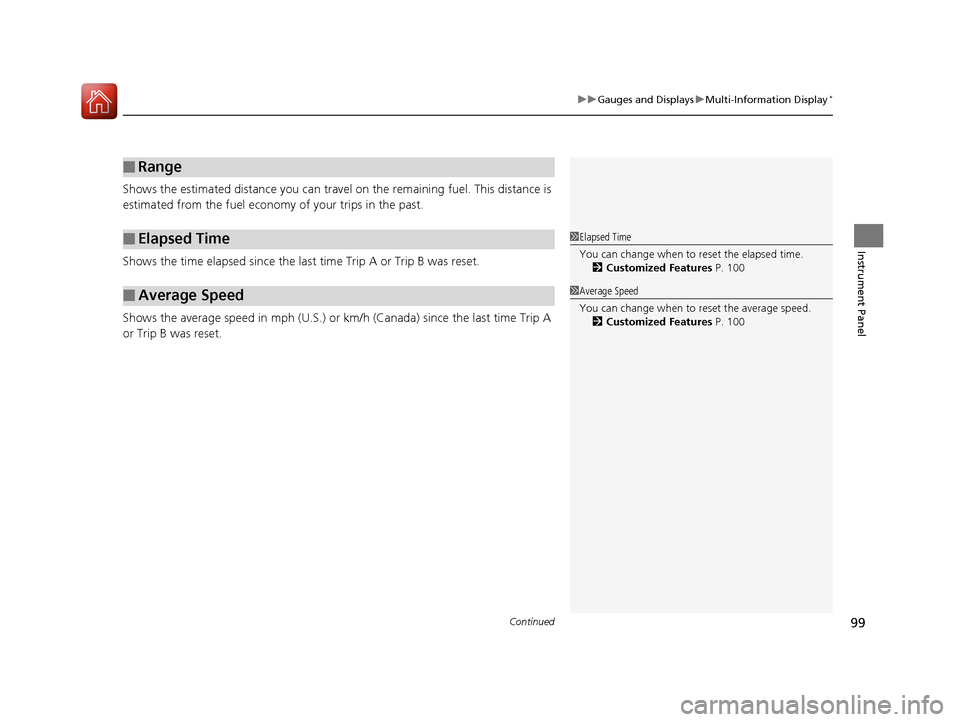
Shows the estimated distance you can travel on the remaining fuel. This distance is
estimated from the fuel economy of your trips in the past.
Shows the time elapsed since the last time Trip A or Trip B was reset.
Shows the average speed in mph (U.S.) or km /h (Canada) since the last time Trip A
or Trip B was reset.
■Range
■Elapsed Time
■Average Speed
1 Elapsed Time
You can change when to reset the elapsed time.
2 Customized Features P. 100
1Average Speed
You can change when to reset the average speed.
2 Customized Features P. 100
15 CR-V-31T0A6300.book 99 ページ 2015年2月2日 月曜日 午前10時35分
Page 101 of 532
uuGauges and Displays uMulti-Information Display*
100
Instrument Panel
Use the multi-information display to customize certain features.
■How to customize
Select the VEHICLE SETTINGS screen by pressing the button while the
ignition switch is in ON
(w*1. The screen switches to CHANGE SETTINGS.
*1: Models with the smart entry system have an ENGINE START/STOP button
instead of an ignition switch.
■Customized Features1 Customized Features
To select customizing items, press the SEL/RESET
button on the CHANGE SETTINGS screen, then
press the button. 2 List of customizable options P. 104
2 Example of customization settings P. 109
When you customize settings, shift to
( P.
Multi-Information Display:
Goes to customize settings.
Button:
Changes the customize menus and items.
SEL/RESET Button:
Enters the selected item.
15 CR-V-31T0A6300.book 100 ページ 2015年2月2日 月曜日 午前10時35分
Page 102 of 532
101
uuGauges and Displays uMulti-Information Display*
Continued
Instrument Panel
■Customization flow
Press the button.
“TRIP B” RESET TIMING
FUEL EFFICIENCY BACKLIGHT
“TRIP A” RESET TIMING
FORWARD COLLISION WARNING DISTANCESEL/RESET
VEHICLE SETTINGS
CHANGE SETTINGS
ADJUST OUTSIDE TEMP. DISPLAY
LANGUAGE SELECTION
SEL/RESETDRIVER ASSIST SYSTEM
SETUP*
METER SETUPSEL/RESET
LANE KEEPING ASSIST SUSPEND BEEP
TPMS CALIBRATION
ACC DISPLAY SPEED UNIT
ACC FORWARD VEHICLE DETECT BEEP
SEL/RESET
* Not available on all models
15 CR-V-31T0A6300.book 101 ページ 2015年2月2日 月曜日 午前10時35分
Page 103 of 532
102
uuGauges and Displays uMulti-Information Display*
Instrument Panel
KEYLESS LOCK ACKNOWLEDGMENT
SECURITY RELOCK TIMER
KEY AND REMOTE UNLOCK MODE
INTERIOR LIGHT DIMMING TIME
AUTO DOOR UNLOCK
AUTO DOOR LOCK
SEL/RESET
DOOR SETUPSEL/RESET
AUTO LIGHT SENSITIVITY
HEADLIGHT AUTO OFF TIMER
SEL/RESETDRIVING POSITION SETUPSEL/RESETMEMORY POSITION LINK
LIGHTING SETUP
DOOR UNLOCK MODESEL/RESET
KEYLESS ACCESS BEEP
KEYLESS ACCESS SETUP*
* Not available on all models
15 CR-V-31T0A6300.book 102 ページ 2015年2月2日 月曜日 午前10時35分
Page 104 of 532
103
uuGauges and Displays uMulti-Information Display*
Continued
Instrument Panel
SEL/RESET
EXIT
KEYLESS OPEN MODESEL/RESET
POWER OPEN BY OUTER HANDLE
POWER TAILGATE SETUP
MAINTENANCE RESET
DEFAULT ALL
EXIT
15 CR-V-31T0A6300.book 103 ページ 2015年2月2日 月曜日 午前10時35分
Page 106 of 532
105
uuGauges and Displays uMulti-Information Display*
Continued
Instrument Panel
*1:Default Setting
Setup Group Customizable Features DescriptionSelectable settings
CHANGE
SETTINGSMETER SETUP LANGUAGE
SELECTION
Changes the displayed language.
ENGLISH
*1/
FRANCAIS /ESPANOL
ADJUST OUTSIDE
TEMP. DISPLAY Adjusts the temperature reading by a few
degrees. −5°F ~
±0°F
*1 ~ +5°F
(U.S.)
−3°C ~ ±0°C
*1 ~ +3°C
(Canada)
“TRIP A” RESET
TIMING Changes the setting of how to reset trip
meter A, average fuel economy A, average
speed A, and elapsed time A. WHEN REFUELED
/
IGN OFF /MANUALLY
RESET
*1
“TRIP B” RESET
TIMING Changes the setting of how to reset trip
meter B, average fuel economy B, average
speed B, and elapsed time B. WHEN REFUELED
/
IGN OFF /MANUALLY
RESET
*1
FUEL EFFICIENCY
BACKLIGHT Turns the ambient meter feature on and off.
ON*1/OFF
15 CR-V-31T0A6300.book 105 ページ 2015年2月2日 月曜日 午前10時35分
Page 109 of 532
108
uuGauges and Displays uMulti-Information Display*
Instrument Panel
*1:Default Setting
Setup Group Customizable Features DescriptionSelectable settings
CHANGE
SETTINGSPOWER
TAILGATE
SETUP*
KEYLESS OPEN
MODE
Changes the keyless setting for when the
power tailgate opens. ANYTIME*1/
WHEN
UNLOCKED
POWER OPEN BY
OUTER HANDLE Changes the setting to open power tailgate
by tailgate outer handle. OFF (MANUAL
ONLY)
/ON (POWER/
MANUAL)
*1
MAINTENANCE
RESET —Resets/Cancels the engine oil life display
when you have performed the maintenance
service. CANCEL
/RESET
DEFAULT
ALLCancels/Resets all the cu stomized settings as
default.SET /CANCEL
* Not available on all models
15 CR-V-31T0A6300.book 108 ページ 2015年2月2日 月曜日 午前10時35分
Page 110 of 532
109
uuGauges and Displays uMulti-Information Display*
Continued
Instrument Panel
■Example of customization settings
The steps for changing the “TRIP A” RESET TIMING setting to WHEN REFUELD are
shown below. The default setting for “TRIP A” RESET TIMING is MANUALLY
RESET .
1.Press the button until VEHICLE
SETTINGS appears on the display, then
press the SEL/RESET button.
2. Press the button until CHANGE
SETTINGS appears on the display, then
press the SEL/RESET button.
3. Press the button until METER
SETUP appears on the display, then press
the SEL/RESET button.
u LANGUAGE SELECTION appears first in
the display.
15 CR-V-31T0A6300.book 109 ページ 2015年2月2日 月曜日 午前10時35分