Page 175 of 585
uuInterior Lights/Interior Convenience ItemsuInterior Convenience Items
174
Controls
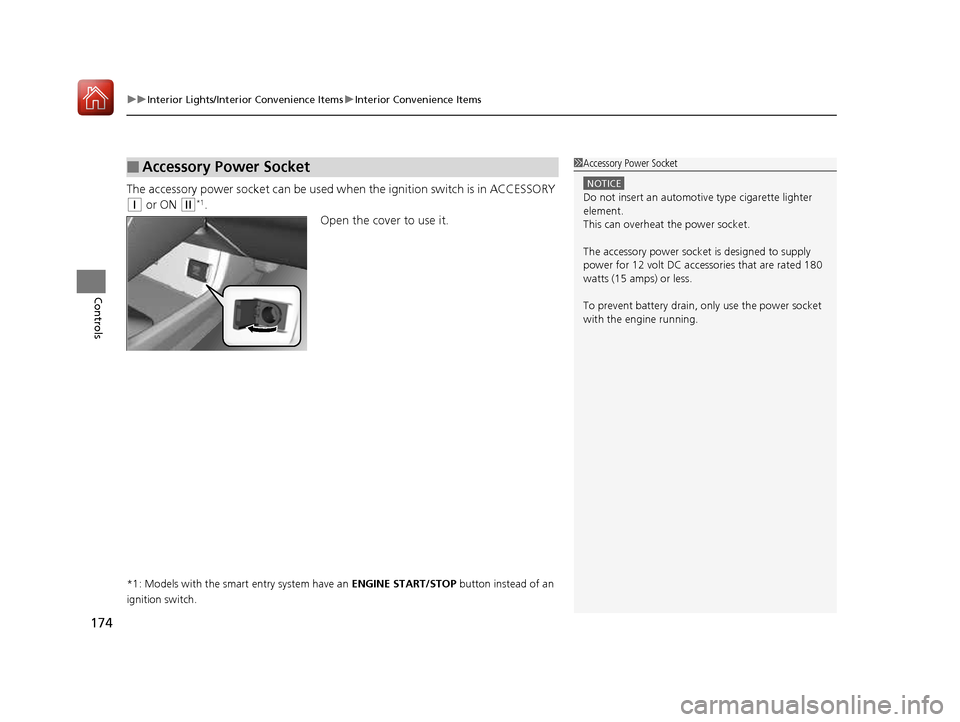
The accessory power socket can be used wh en the ignition switch is in ACCESSORY
(q or ON (w *1
.
Open the cover to use it.
*1: Models with the smart entry system have an ENGINE START/STOP button instead of an
ignition switch.
■Accessory Power Socket1Accessory Power Socket
NOTICE
Do not insert an automotive type cigarette lighter
element.
This can overheat the power socket.
The accessory power socket is designed to supply
power for 12 volt DC access ories that are rated 180
watts (15 amps) or less.
To prevent battery drain, only use the power socket
with the engine running.
16 CIVIC 2D HC2 (0A 01 0C)-31TBG6000.book 174 ページ >0>.>/6年>0月>/>0日 金曜日 午後4時>/6分
Page 177 of 585
uuInterior Lights/Interior Convenience ItemsuInterior Convenience Items
176
Controls
■ When charging does not start
Perform one of the solution s in the following table.
IndicatorCauseSolution
Green
&
AmberBlinking
simulta- neously
There is an obstacle(s) between
the charging area and the
device.Remove the
obstacle(s).
The device is not within the
charging area. Move the device to the
center of the charging
area where is
located.
AmberBlinkingThe wireless charger is faulty.Contact a dealer for repairs.
1Wireless Charger
*
NOTICE
Do not place any magneti
c recording media or
precision machines within the charging area while charging.
The data on your cards such as credit cards can be
lost because of the magnetic effect. This magnetic
effect can also affect th e operation of precision
machines such as watches.
“Qi” and marks are the registered trademarks
owned by Wire less Power Consortium (WPC).
In the following cases, ch arging may stop or not start:
• The device is already fully charged.
• The temperature of the device is extremely high while charging.
• You are at a place that emits strong
electromagnetic wave or noises, such as a TV
station, electric power plant, or gas station.
A device may not charge if the size or shape of its rechargeable
side is not appropriate for use with the charging area.
Not all devices are compatible with the system.
During the charging phase, it is normal for the charging area and device to heat up.
Changing may be briefl y interrupted when:
• Both doors and the trunk are closed
- to avoid interference with the proper functioning
of the smart entry system.
• The position of the device is altered.
Do not charge more than one device at a time on a
charging area.
* Not available on all models
16 CIVIC 2D HC2 (0A 01 0C)-31TBG6000.book 176 ページ >0>.>/6年>0月>/>0日 金曜日 午後4時>/6分
Page 179 of 585
uuInterior Lights/Interior Convenience ItemsuInterior Convenience Items
178
Controls
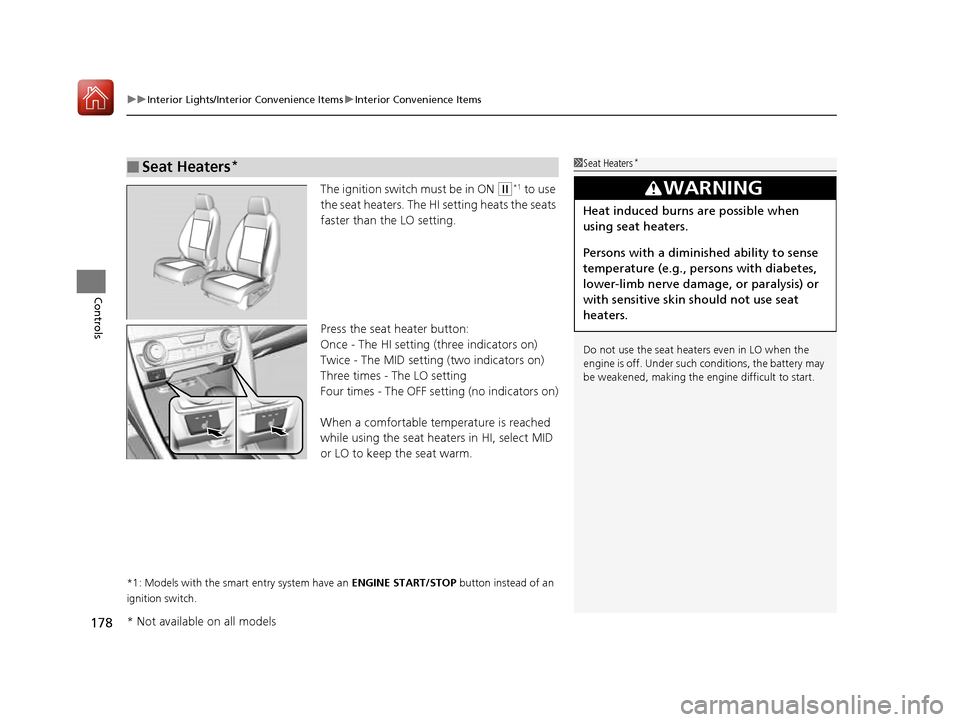
The ignition switch must be in ON (w *1
to use
the seat heaters. The HI setting heats the seats
faster than the LO setting.
Press the seat heater button:
Once - The HI setting (three indicators on)
Twice - The MID setting (two indicators on)
Three times - The LO setting
Four times - The OFF se tting (no indicators on)
When a comfortable temperature is reached
while using the seat heaters in HI, select MID
or LO to keep the seat warm.
*1: Models with the smart entry system have an ENGINE START/STOP button instead of an
ignition switch.
■Seat Heaters *1Seat Heaters
*
Do not use the seat heaters even in LO when the
engine is off. Under such conditions, the battery may
be weakened, making the engine difficult to start.
3WARNING
Heat induced burns are possible when
using seat heaters.
Persons with a diminished ability to sense
temperature (e.g., persons with diabetes,
lower-limb nerve damage, or paralysis) or
with sensitive skin should not use seat
heaters.
* Not available on all models
16 CIVIC 2D HC2 (0A 01 0C)-31TBG6000.book 178 ページ >0>.>/6年>0月>/>0日 金曜日 午後4時>/6分
Page 190 of 585
189
uuAudio SystemuUSB Port(s)
Features
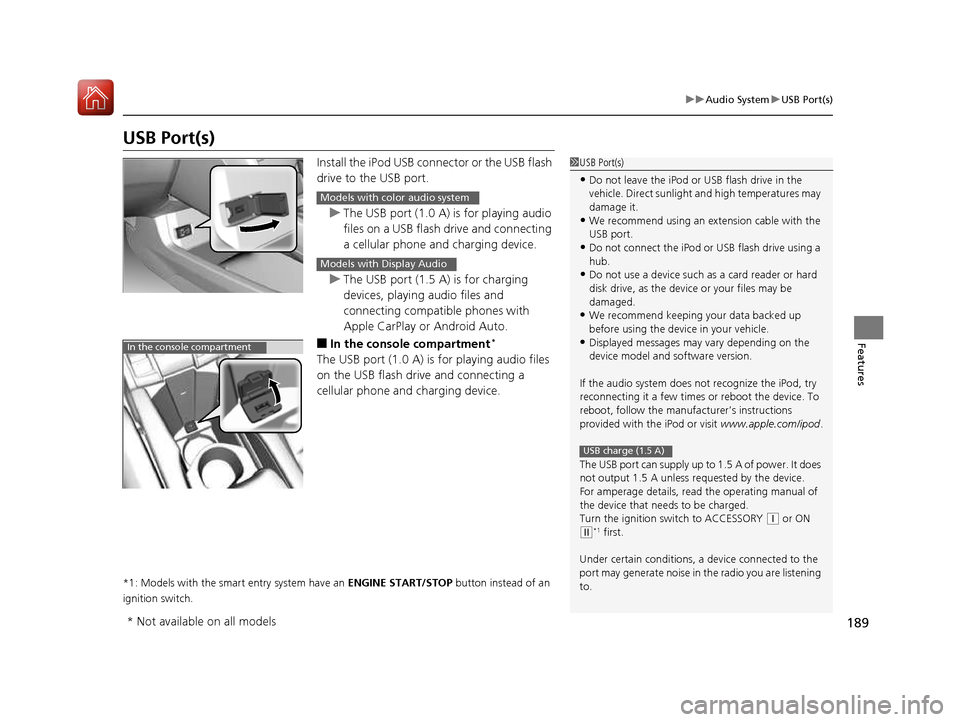
USB Port(s)Install the iPod USB connector or the USB flash
drive to the USB port.
uThe USB port (1.0 A) is for playing audio
files on a USB flash drive and connecting
a cellular phone and charging device.
uThe USB port (1.5 A) is for charging
devices, playing audio files and connecting compatible phones with
Apple CarPlay or Android Auto.
■ In the consol e compartment *
The USB port (1.0 A) is for playing audio files
on the USB flash drive and connecting a
cellular phone and charging device.
*1: Models with the smart entry system have an ENGINE START/STOP button instead of an
ignition switch.
1USB Port(s)
• Do not leave the iPod or USB flash drive in the
vehicle. Direct sunlight and high temperatures may damage it.
• We recommend using an ex tension cable with the
USB port.
• Do not connect the iPod or USB flash drive using a
hub.
• Do not use a device such as a card reader or hard
disk drive, as the device or your files may be
damaged.
• We recommend k eeping your data backed up
before using the device in your vehicle.
• Displayed messages may vary depending on the
device model and software version.
If the audio system does not recognize the iPod, try
reconnecting it a few times or reboot the device. To
reboot, follow the manufac turer’s instructions
provided with the iPod or visit www.apple.com/ipod.
The USB port can supply up to 1.5 A of power. It does
not output 1.5 A unless re quested by the device.
For amperage details, read the operating manual of
the device that ne eds to be charged.
Turn the ignition switch to ACCESSORY
(q or ON
(w *1
first.
Under certain condi tions, a device connected to the
port may generate noise in the radio you are listening
to.
USB charge (1.5 A)
Models with color audio system
Models with Display Audio
In the console compartment
* Not available on all models
16 CIVIC 2D HC2 (0A 01 0C)-31TBG6000.book 189 ページ >0>.>/6年>0月>/>0日 金曜日 午後4時>/6分
Page 191 of 585
190
uuAudio SystemuAudio System Theft Protection
Features
Audio System Theft Protection The audio system is disabled when it is disconnected from the power source, such as
when the battery is disconnected or goes dead. In certain conditions, the system may display ENTER CODE *1
/Enter Code *2
. If this occurs, reactivate the audio
system. ■ Reactivating th e audio system
1. Turn the ignition switch to ON
(w*3
.
2. Turn on the audio system.
3. Press and hold the audio system power button for more than two seconds.
uThe audio system is reactivated when the audio co ntrol unit establishes a
connection with the vehicle control unit. If the control unit fails to recognize
the audio unit, you must go to a dealer and have the audio unit checked.
*1: Models with color audio system
*2: Models with the Display Audio
*3: Models with the smart entry system have an ENGINE START/STOP button instead of an
ignition switch.
16 CIVIC 2D HC2 (0A 01 0C)-31TBG6000.book 190 ページ >0>.>/6年>0月>/>0日 金曜日 午後4時>/6分
Page 196 of 585
195
Features
Audio System Basic Operation
To use the audio system, the ignition switch must be in ACCESSORY (q or ON (w*1
.
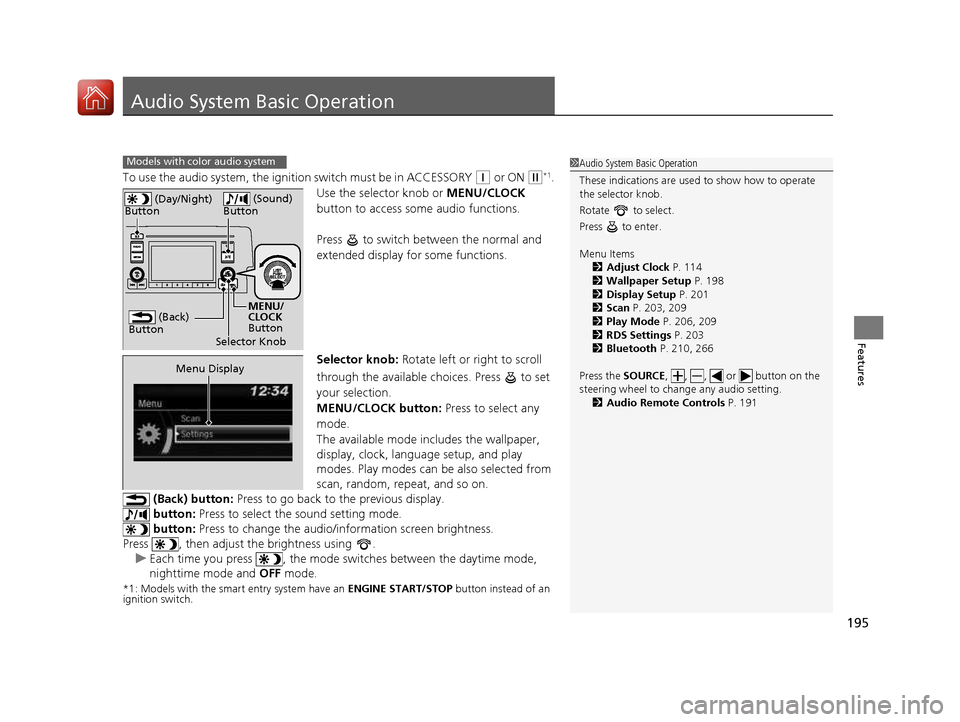
Use the selector knob or MENU/CLOCK
button to access some audio functions.
Press to switch between the normal and
extended display fo r some functions.
Selector knob: Rotate left or right to scroll
through the available choices. Press to set
your selection.
MENU/CLOCK button: Press to select any
mode.
The available mode in cludes the wallpaper,
display, clock, language setup, and play
modes. Play modes can be also selected from
scan, random, repeat, and so on.
(Back) button: Press to go back to the previous display.
button: Press to select the sound setting mode.
button: Press to change the audio/in formation screen brightness.
Press , then adjust the brightness using .
uEach time you press , the mode sw itches between the daytime mode,
nighttime mode and OFF mode.
*1: Models with the smart entry system have an ENGINE START/STOP button instead of an
ignition switch.
Models with color audio system1Audio System Basic Operation
These indications are used to show how to operate
the selector knob.
Rotate to select.
Press to enter. Menu Items 2 Adjust Clock P. 114
2 Wallpaper Setup P. 198
2 Display Setup P. 201
2 Scan P. 203, 209
2 Play Mode P. 206, 209
2 RDS Settings P. 203
2 Bluetooth P. 210, 266
Press the SOURCE, , , or button on the
steering wheel to cha nge any audio setting.
2 Audio Remote Controls P. 191
(Back)
Button
Selector Knob MENU/
CLOCK
Button
(Day/Night)
Button
(Sound)
Button
Menu Display
16 CIVIC 2D HC2 (0A 01 0C)-31TBG6000.book 195 ページ >0>.>/6年>0月>/>0日 金曜日 午後4時>/6分
Page 214 of 585
213
Features
Audio System Basic Operation
To use the audio system function, the ignition swit ch must be in ACCESSORY (q or
ON
(w *1
.
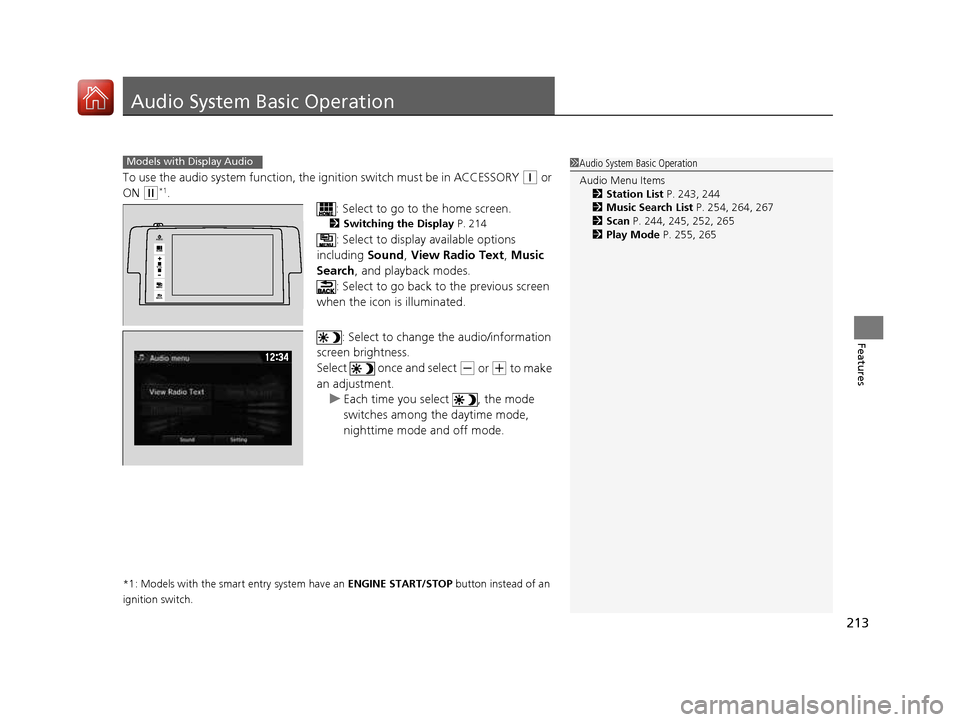
: Select to go to the home screen.
2 Switching the Display P. 214
: Select to display available options
including Sound, View Radio Text , Music
Search , and playback modes.
: Select to go back to the previous screen
when the icon is illuminated.
: Select to change the audio/information
screen brightness.
Select once and select
(- or (+ to make
an adjustment.
uEach time you select , the mode
switches among the daytime mode,
nighttime mode and off mode.
*1: Models with the smart entry system have an ENGINE START/STOP button instead of an
ignition switch.
1Audio System Basic Operation Audio Menu Items 2 Station List P. 243, 244
2 Music Search List P. 254, 264, 267
2 Scan P. 244, 245, 252, 265
2 Play Mode P. 255, 265Models with Display Audio
VOL
HOME
MENU
BACK
AUDIO
16 CIVIC 2D HC2 (0A 01 0C)-31TBG6000.book 213 ページ >0>.>/6年>0月>/>0日 金曜日 午後4時>/6分
Page 238 of 585
237
uuAudio System Basic OperationuDisplay Setup
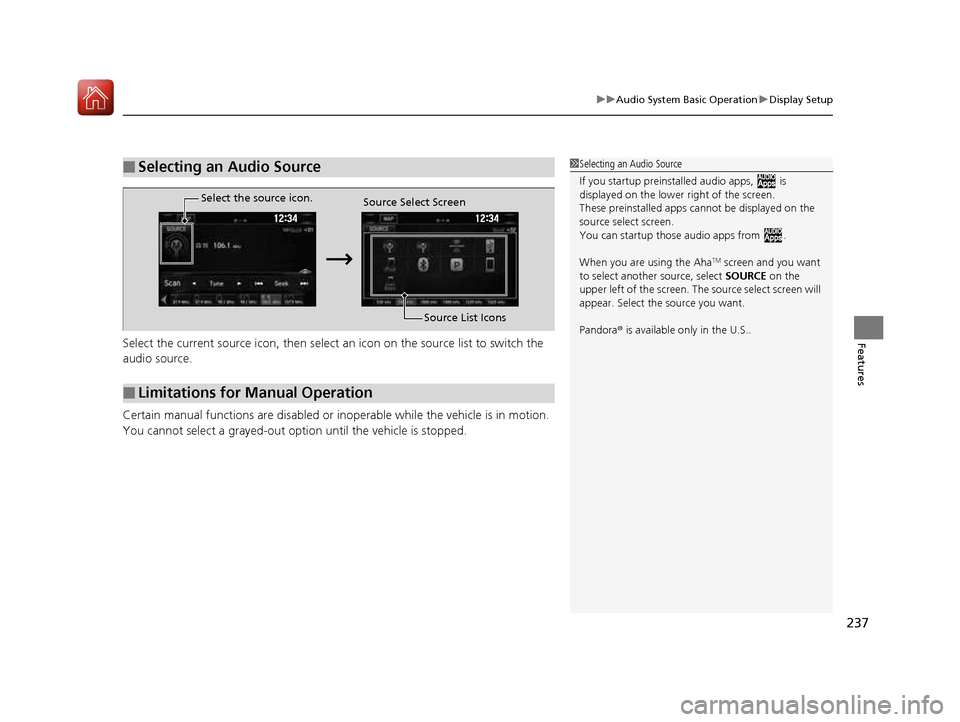
FeaturesSelect the current source icon, then select an icon on the source list to switch the
audio source.
Certain manual functions are disabled or inoperable while the vehicle is in motion.
You cannot select a grayed-out option until the vehicle is stopped.
■Selecting an Audio Source1Selecting an Audio Source If you startup preinstalled audio apps, is
displayed on the lower right of the screen.
These preinstalled apps ca nnot be displayed on the
source select screen.
You can startup thos e audio apps from .
When you are using the Aha TM
screen and you want
to select anothe r source, select SOURCE on the
upper left of the screen. The source select screen will
appear. Select the source you want. Pandora ® is available only in the U.S..
■Limitations for Manual Operation
Select the source icon.
Source Select Screen
Source List Icons
16 CIVIC 2D HC2 (0A 01 0C)-31TBG6000.book 237 ページ >0>.>/6年>0月>/>0日 金曜日 午後4時>/6分