Page 89 of 585
88
uuIndicatorsu
Instrument Panel
*1:Models with the smart entry system have an ENGINE START/STOP button instead of an ignition switch.
IndicatorNameOn/BlinkingExplanationMessage*
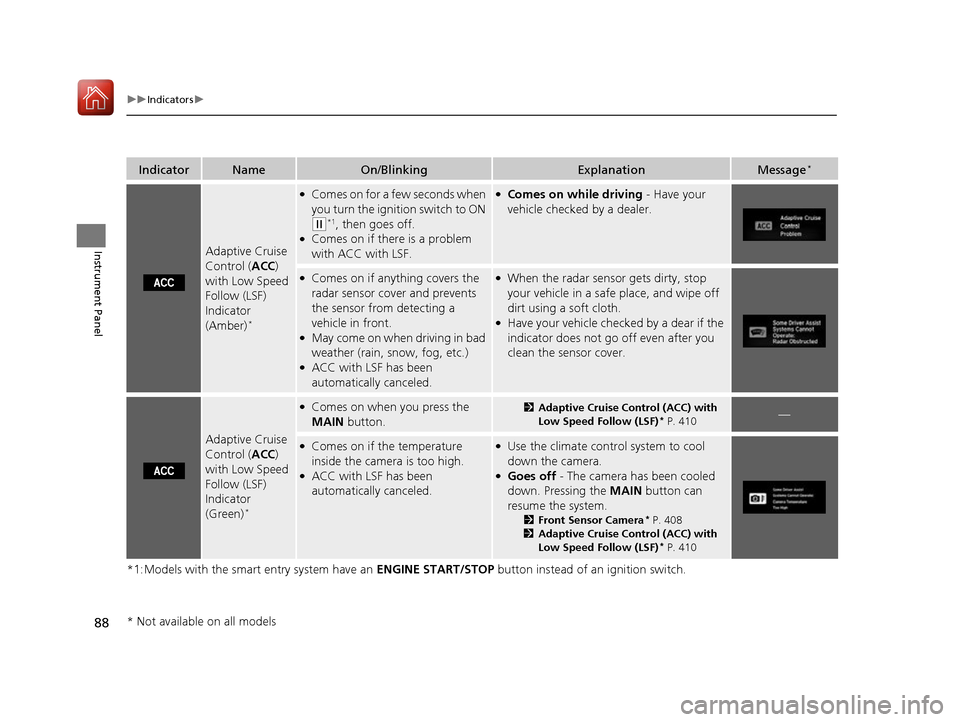
Adaptive Cruise Control (
ACC)
with Low Speed
Follow (LSF) Indicator (Amber) *
●
Comes on for a few seconds when you turn the ignition switch to ON
(w *1
, then goes off.
● Comes on if there is a problem
with ACC with LSF.
●Comes on while driving - Have your
vehicle checked by a dealer.
● Comes on if anything covers the
radar sensor cover and prevents
the sensor from detecting a
vehicle in front.
● May come on when driving in bad
weather (rain, snow, fog, etc.)
● ACC with LSF has been
automatically canceled.●When the radar sensor gets dirty, stop
your vehicle in a safe place, and wipe off
dirt using a soft cloth.
● Have your vehicle checked by a dear if the
indicator does not go off even after you
clean the sensor cover.
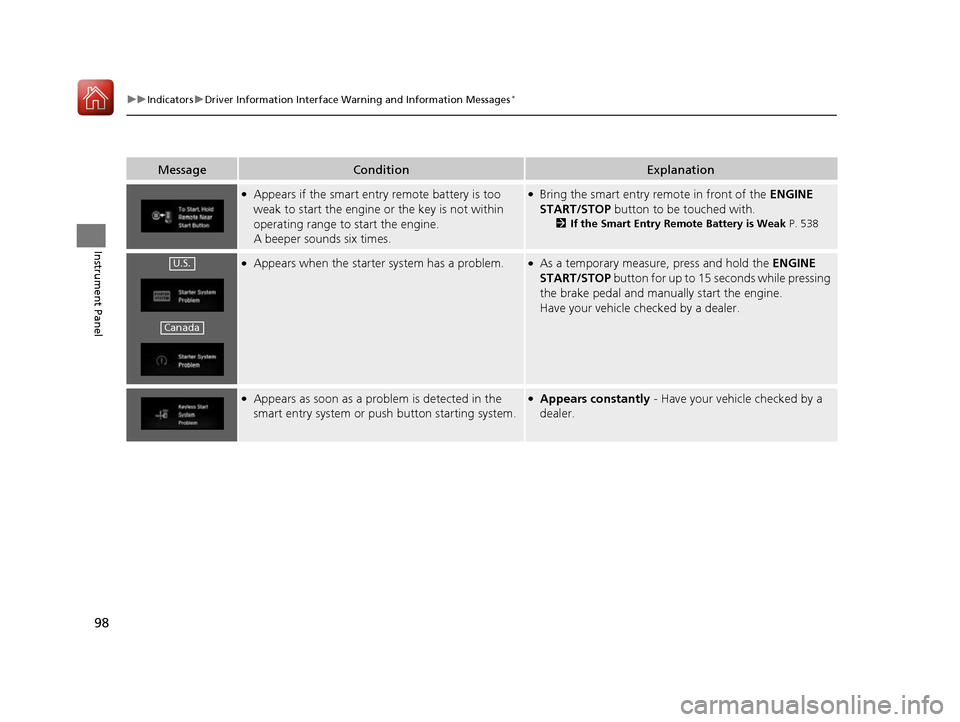
Adaptive Cruise Control ( ACC)
with Low Speed
Follow (LSF) Indicator
(Green) *
●
Comes on when you press the
MAIN button.2Adaptive Cruise Control (ACC) with
Low Speed Follow (LSF) *
P. 410—
● Comes on if the temperature
inside the camera is too high.
● ACC with LSF has been
automatically canceled.●Use the climate control system to cool
down the camera.
● Goes off - The camera has been cooled
down. Pressing the MAIN button can
resume the system. 2Front Sensor Camera *
P. 408
2 Adaptive Cruise Control (ACC) with
Low Speed Follow (LSF) *
P. 410
* Not available on all models
16 CIVIC 2D HC2 (0A 01 0C)-31TBG6000.book 88 ページ >0>.>/6年>0月>/>0日 金 曜日 午後4時>/6分
Page 90 of 585
89
uuIndicatorsu
Continued
Instrument Panel
*1:Models with the smart entry system have an ENGINE START/STOP button instead of an ignition switch.
IndicatorNameOn/BlinkingExplanationMessage*
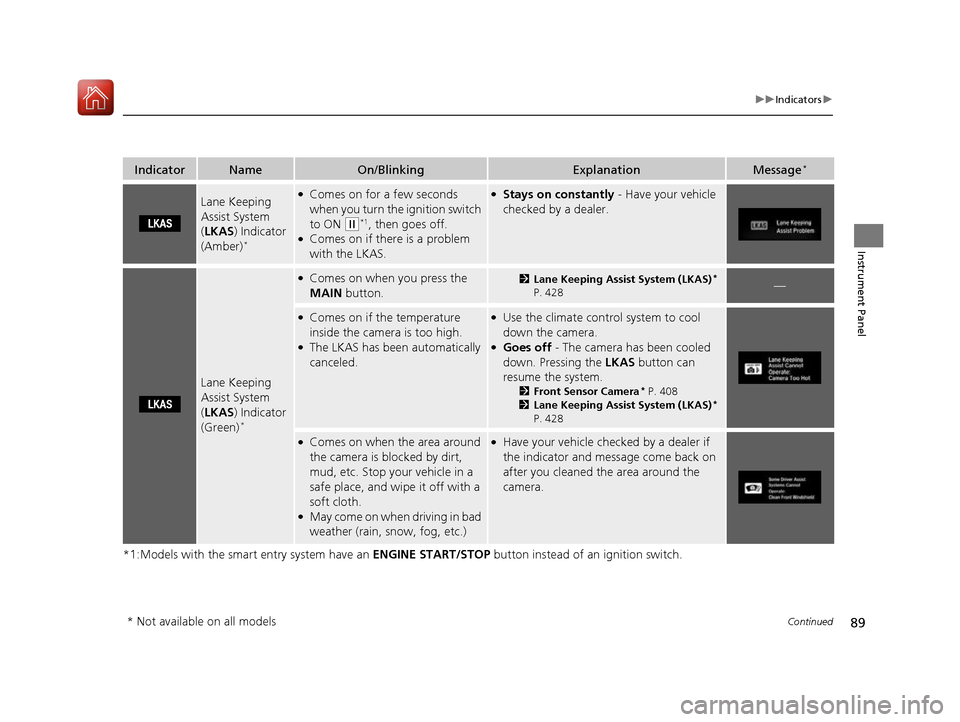
Lane Keeping Assist System (
LKAS ) Indicator
(Amber) *●
Comes on for a few seconds
when you turn the ignition switch
to ON
(w *1
, then goes off.
● Comes on if there is a problem
with the LKAS.
● Stays on constantly - Have your vehicle
checked by a dealer.
Lane Keeping Assist System ( LKAS ) Indicator
(Green) *
●
Comes on when you press the
MAIN button.2Lane Keeping Assist System (LKAS) *
P. 428—
● Comes on if the temperature
inside the camera is too high.
● The LKAS has been automatically canceled.●
Use the climate control system to cool
down the camera.
● Goes off - The camera has been cooled
down. Pressing the LKAS button can
resume the system. 2Front Sensor Camera *
P. 408
2 Lane Keeping Assist System (LKAS) *
P. 428
● Comes on when the area around
the camera is blocked by dirt,
mud, etc. Stop your vehicle in a
safe place, and wipe it off with a
soft cloth.
● May come on when driving in bad
weather (rain, snow, fog, etc.)● Have your vehicle checked by a dealer if
the indicator and message come back on
after you cleaned the area around the
camera.
* Not available on all models
16 CIVIC 2D HC2 (0A 01 0C)-31TBG6000.book 89 ページ >0>.>/6年>0月>/>0日 金 曜日 午後4時>/6分
Page 91 of 585
90
uuIndicatorsu
Instrument Panel
*1:Models with the smart entry system have an ENGINE START/STOP button instead of an ignition switch.
IndicatorNameOn/BlinkingExplanationMessage*
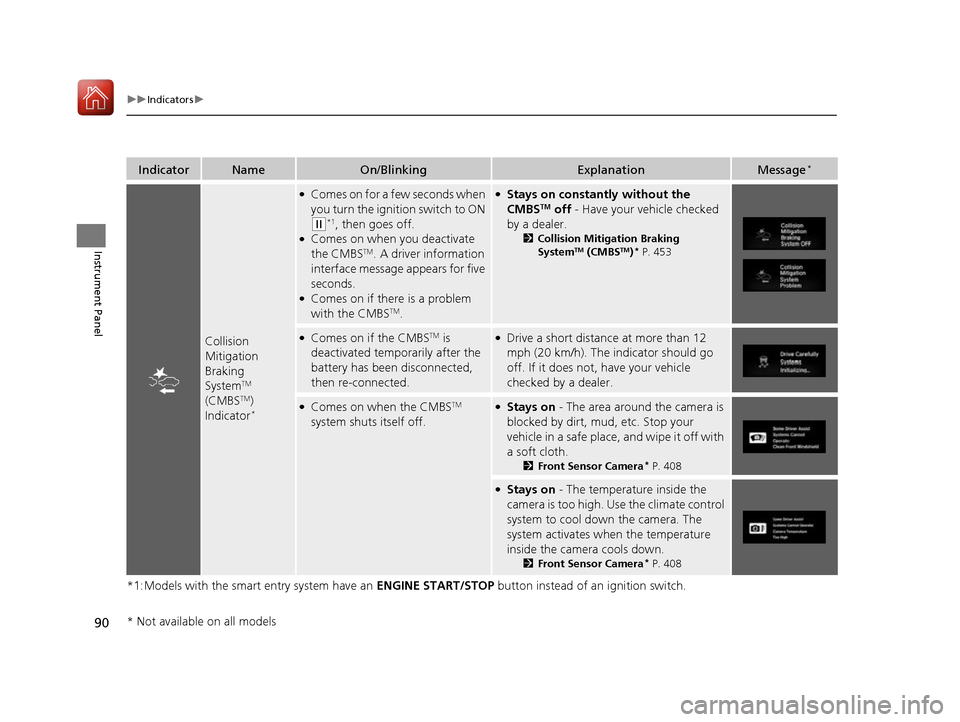
Collision
Mitigation Braking
SystemTM
(CMBS TM
)
Indicator *
●
Comes on for a few seconds when
you turn the ignition switch to ON
(w *1
, then goes off.
● Comes on when you deactivate the CMBS TM
. A driver information
interface message appears for five
seconds.
● Comes on if there is a problem
with the CMBS TM
.
● Stays on constantly without the
CMBS TM
off - Have your vehicle checked
by a dealer. 2Collision Mitigation Braking System TM
(CMBS TM
)*
P. 453
● Comes on if the CMBS TM
is
deactivated temporarily after the
battery has been disconnected,
then re-connected.● Drive a short distance at more than 12
mph (20 km/h). The indicator should go
off. If it does not, have your vehicle checked by a dealer.
●Comes on when the CMBS TM
system shuts itself off.● Stays on - The area around the camera is
blocked by dirt, mud, etc. Stop your
vehicle in a safe place, and wipe it off with
a soft cloth. 2Front Sensor Camera *
P. 408
● Stays on - The temperature inside the
camera is too high. Use the climate control
system to cool down the camera. The
system activates when the temperature
inside the camera cools down. 2Front Sensor Camera *
P. 408
* Not available on all models
16 CIVIC 2D HC2 (0A 01 0C)-31TBG6000.book 90 ページ >0>.>/6年>0月>/>0日 金 曜日 午後4時>/6分
Page 99 of 585
98
uuIndicatorsuDriver Information Interface Warning and Information Messages *
Instrument Panel
MessageConditionExplanation
●
Appears if the smart entry remote battery is too
weak to start the engine or the key is not within
operating range to start the engine.
A beeper sounds six times.●Bring the smart entry remote in front of the ENGINE
START/STOP button to be touched with.
2 If the Smart Entry Remote Battery is Weak P. 538
●
Appears when the starter system has a problem.●As a temporary measure, press and hold the ENGINE
START/STOP button for up to 15 seconds while pressing
the brake pedal and manua lly start the engine.
Have your vehicle checked by a dealer.
● Appears as soon as a problem is detected in the
smart entry system or pus h button starting system.●
Appears constantly - Have your vehicle checked by a
dealer.
U.S.
Canada
16 CIVIC 2D HC2 (0A 01 0C)-31TBG6000.book 98 ページ >0>.>/6年>0月>/>0日 金 曜日 午後4時>/6分
Page 159 of 585
158
uuAdjusting the MirrorsuPower Door Mirrors
Controls
Power Door MirrorsYou can adjust the door mirrors when the
ignition switch is in ON
(w*1
.
■ Mirror position adjustment
L/R selector switch: Select the left or right
mirror. After adjusting the mirror, return the
switch to the center position.
Mirror position adjustment switch: Press
the switch left, right, up, or down to move the mirror.
The driver’s side door mirror has outer and
inner segments.
The outer segment is slightly curved to provide
a wider angle view than a standard flat mirror.
This wider view may help you check areas that
are not visible using a standard door mirror.
*1: Models with the smart entry system have an ENGINE START/STOP button instead of an
ignition switch.
Selector
SwitchAdjustment Switch
■Expanded View Driver’s Mirror1Expanded View Driver
Page 176 of 585

Continued175
uuInterior Lights/Interior Convenience ItemsuInterior Convenience Items
Controls
To use the wireless charger, the power mode must be in ACCESSORY or ON.
Charge a compatible device on the ar ea indicated by the mark as follows:
1. To turn the system on and off, press and
hold the (power) button.
uWhen the system is activated, the green
indicator light comes on.
2. Place the device you want to charge on the charging area.
uThe system will au tomatically start
charging the device, and the amber
indicator light will come on.
uMake sure that the device is compatible
with the system, and placed with the
rechargeable side in the center of the
charging area.
3. When charging is completed, the green
indicator light will come on.
uDepending on the device, the amber
indicator light will stay on.
■Wireless Charger *
Canadian models1Wireless Charger
*
This system consumes a lot of power. Do not use the system for a long time when the engine is not
running. This may weaken the battery, making it
difficult to start the engine.
When using the wireless charger, check the user’s manual
that came with the compatible device you want to charge.
3CAUTION
Metal objects between the charge pad
and the device to be charged will get
hot and can burn you. • Always remove foreign objects from
the charge pad before charging the
device.
• Be sure the surface is clear of dust and
other debris before charging.
• Do not spill liquids (i. e. water, drinks,
etc.) on the charger and the device.
• Do not use oil, grease, alcohol,
benzine or thinner for cleaning the
charge pad.
• Do not cover the system with towels,
clothing, or other objects while
charging etc.
• Avoid spraying aerosols which may
come in contact with the charge pad surface.
Green Indicator
Amber Indicator
Charging Area (Power) Button
* Not available on all models
16 CIVIC 2D HC2 (0A 01 0C)-31TBG6000.book 175 ページ >0>.>/6年>0月>/>0日
金曜日 午後4時>/6分
Page 191 of 585
190
uuAudio SystemuAudio System Theft Protection
Features
Audio System Theft Protection The audio system is disabled when it is disconnected from the power source, such as
when the battery is disconnected or goes dead. In certain conditions, the system may display ENTER CODE *1
/Enter Code *2
. If this occurs, reactivate the audio
system. ■ Reactivating th e audio system
1. Turn the ignition switch to ON
(w*3
.
2. Turn on the audio system.
3. Press and hold the audio system power button for more than two seconds.
uThe audio system is reactivated when the audio co ntrol unit establishes a
connection with the vehicle control unit. If the control unit fails to recognize
the audio unit, you must go to a dealer and have the audio unit checked.
*1: Models with color audio system
*2: Models with the Display Audio
*3: Models with the smart entry system have an ENGINE START/STOP button instead of an
ignition switch.
16 CIVIC 2D HC2 (0A 01 0C)-31TBG6000.book 190 ページ >0>.>/6年>0月>/>0日 金曜日 午後4時>/6分
Page 381 of 585

380
Driving
Before Driving
Driving Preparation
Check the following items before you start driving.
• Make sure there are no obstructions on the windows, door mirrors, exterior
lights, or other parts of the vehicle.
uRemove any frost, snow, or ice.
uRemove any snow on the roof, as this can slip down and obstruct your field of
vision while driving. If frozen solid , remove ice once it has softened.
uWhen removing ice from around the wheels, be sure not to damage the wheel
or wheel components.
• Make sure the hood is securely closed.
uIf the hood opens while driving, your front view will be blocked.
• Make sure the tires are in good condition.
uCheck air pressure, check for damage and excessive wear.
2 Checking and Maintaining Tires P. 510
• Make sure there are no people or ob jects behind or around the vehicle.
uThere are blind spots from the inside.
■Exterior Checks1Exterior Checks
NOTICE
When doors are frozen shut, use warm water around
the door edges to melt any ice. Do not try to force
them open, as this can damage the rubber trim
around the doors. When done, wipe dry to avoid further freezing.
Do not pour warm water into the key cylinder.
You will be unable to insert key if the water freezes in the hole.
Heat from the engine and exhaust can ignite
flammable material s left under the hood, causing a
fire. If you've parked y our vehicle for an extended
period, inspect and remove any debris that may have
collected, such as dried grass and leaves that have
fallen or have been carried in for use as a nest by a
small animal. Also check under the hood for leftover
flammable materials after you or someone else has
performed maintenance on your vehicle.
16 CIVIC 2D HC2 (0A 01 0C)-31TBG6000.book 380 ページ >0>.>/6年>0月>/>0日 金曜日 午後4時>/6分