2016 HONDA CIVIC COUPE trunk
[x] Cancel search: trunkPage 71 of 585
70
Safe Driving
Exhaust Gas Hazard
Carbon Monoxide Gas
The engine exhaust from this vehicle contains carbon monoxide, a colorless,
odorless, and highly toxic gas. As long as you properly maintain your vehicle, carbon
monoxide gas will not get into the interior.
■ Have the exhaust system inspected for leaks whenever
• The exhaust system is m aking an unusual noise.
• The exhaust system may have been damaged.
• The vehicle is raised for an oil change.
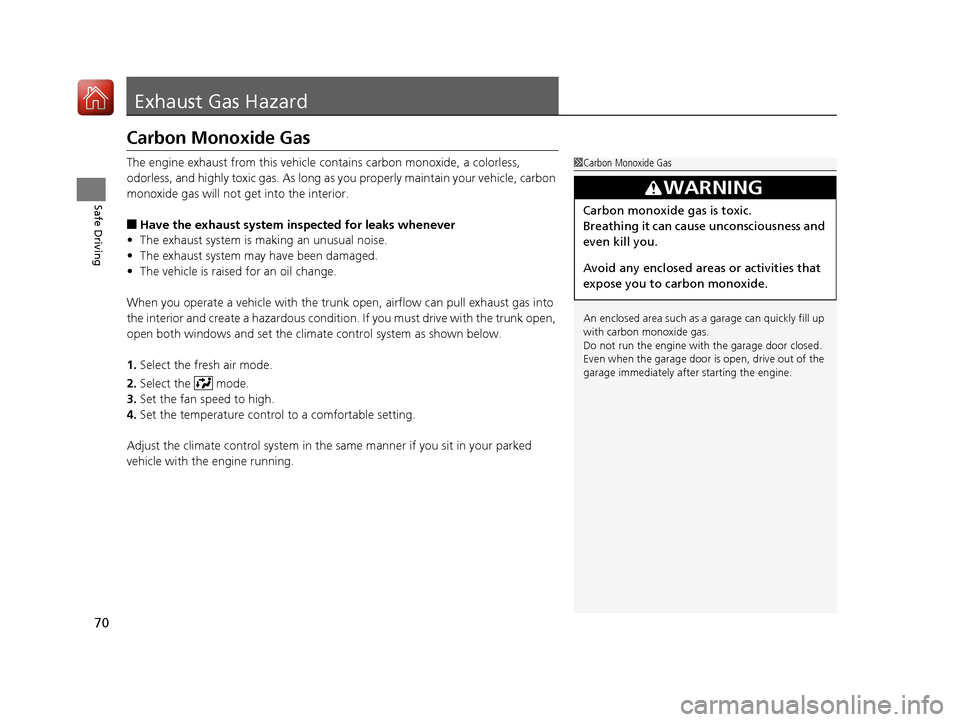
When you operate a vehicle with the trunk open, airflow can pull exhaust gas into
the interior and create a hazardous condition. If you must drive with the trunk open,
open both windows and set the climate control system as shown below. 1. Select the fresh air mode.
2. Select the mode.
3. Set the fan speed to high.
4. Set the temperature control to a comfortable setting.
Adjust the climate control system in the same manner if you sit in your parked
vehicle with the engine running.
1Carbon Monoxide Gas
An enclosed area such as a garage can quickly fill up
with carbon monoxide gas.
Do not run the engine with the garage door closed.
Even when the garage door is open, drive out of the garage immediat ely after starting the engine.
3WARNING
Carbon monoxide gas is toxic.
Breathing it can cause unconsciousness and
even kill you.
Avoid any enclosed areas or activities that
expose you to carbon monoxide.
16 CIVIC 2D HC2 (0A 01 0C)-31TBG6000.book 70 ページ >0>.>/6年>0月>/>0日 金 曜日 午後4時>/6分
Page 82 of 585
81
uuIndicatorsu
Continued
Instrument Panel
*1:Models with the smart entry system have an ENGINE START/STOP button instead of an ignition switch.
IndicatorNameOn/BlinkingExplanationMessage*
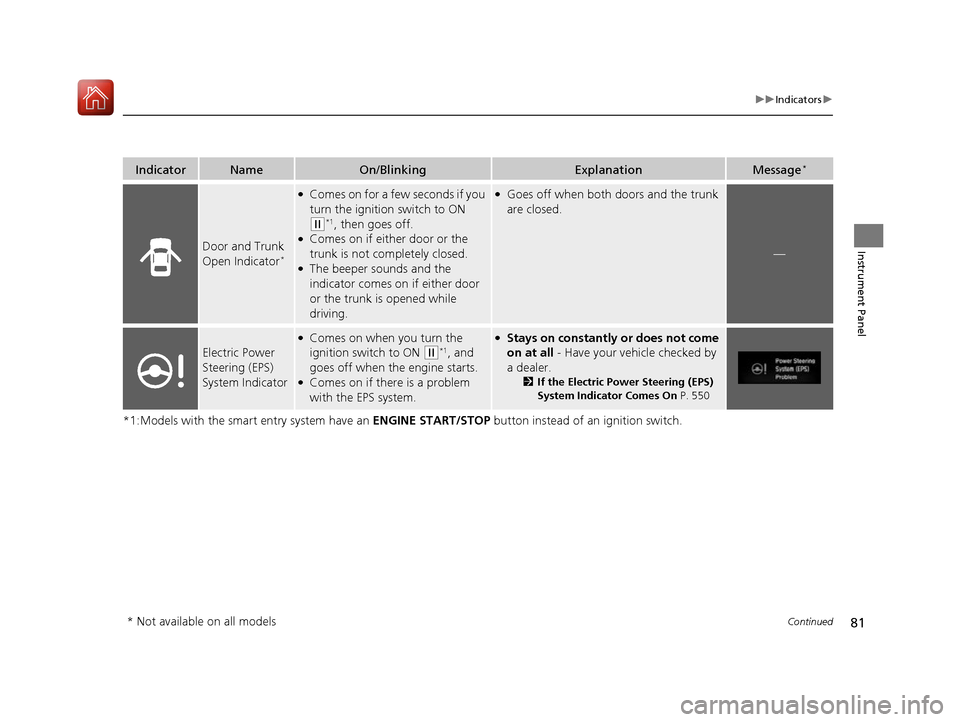
Door and Trunk
Open Indicator *
●
Comes on for a few seconds if you
turn the ignition switch to ON
(w *1
, then goes off.
● Comes on if either door or the
trunk is not completely closed.
● The beeper sounds and the
indicator comes on if either door
or the trunk is opened while
driving.
●Goes off when both doors and the trunk are closed.
—
Electric Power Steering (EPS) System Indicator
●
Comes on when you turn the
ignition switch to ON
(w *1
, and
goes off when the engine starts.
● Comes on if there is a problem
with the EPS system.
●Stays on constantly or does not come
on at all - Have your vehicle checked by
a dealer. 2If the Electric Power Steering (EPS)
System Indicator Comes On P. 550
* Not available on all models
16 CIVIC 2D HC2 (0A 01 0C)-31TBG6000.book 81 ページ >0>.>/6年>0月>/>0日 金 曜日 午後4時>/6分
Page 94 of 585
93
uuIndicatorsuDriver Information Interface Warning and Information Messages*
Continued
Instrument Panel
Driver Information Interface Warning and Information Messages *
The following messages appear only on the driver information interface. Press the (d isplay/information) button to see the message
again with the system message indicator on.
MessageConditionExplanation
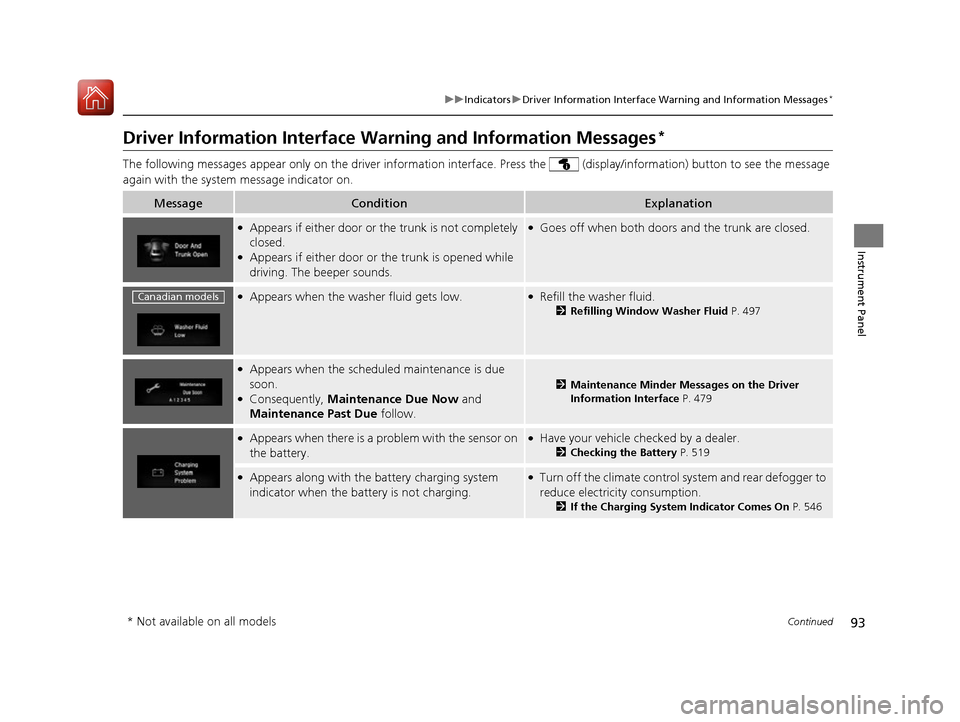
● Appears if either door or th e trunk is not completely
closed.
● Appears if either door or the trunk is opened while
driving. The beeper sounds.●
Goes off when both doors and the trunk are closed.
●
Appears when the washer fluid gets low.●Refill the washer fluid.
2Refilling Window Washer Fluid P. 497
●
Appears when the schedul ed maintenance is due
soon.
● Consequently, Maintenance Due Now and
Maintenance Past Due follow.
2Maintenance Minder Messages on the Driver
Information Interface P. 479
●
Appears when there is a pr oblem with the sensor on
the battery.● Have your vehicle checked by a dealer.
2Checking the Battery P. 519
●
Appears along with the ba ttery charging system
indicator when the battery is not charging.● Turn off the climate control system and rear defogger to
reduce electricity consumption.
2If the Charging System Indicator Comes On P. 546
Canadian models
* Not available on all models
16 CIVIC 2D HC2 (0A 01 0C)-31TBG6000.book 93 ページ >0>.>/6年>0月>/>0日 金 曜日 午後4時>/6分
Page 114 of 585
113
Controls
This chapter explains how to operate th e various controls necessary for driving.
Clock.................................................. 114
Locking and Unlocking the Doors Key Types and Functions .................. 116
Low Smart Entry Remote Signal Strength*... 118Locking/Unlocking the Doors from the Outside .......................................... 119
Locking/Unlocking the Doors from the Inside ............................................. 126
Auto Door Locking/Unlocking .......... 129
Opening and Closing the Trunk ....... 133
Security System Immobilizer System .......................... 136
Security System Alarm ...................... 136
Opening and Closing the Windows ..... 139
Opening and Closing the Moonroof*..... 142
Operating the Switches Around the
Steering Wheel
Ignition Switch *
............................... 143
ENGINE START/STOP Button *
........... 144
Ignition Switch and Power Mode
Comparison ................................... 147
Turn Signals ..................................... 148
Light Switches.................................. 148 Fog Lights *
...................................... 151
Daytime Running Lights ................... 151
Wipers and Washers ........................ 152
Brightness Control ........................... 154Rear Defogger/Heat ed Door Mirror*
Button ........................................... 155
Adjusting the Steering Wheel........... 156 Adjusting the Mirrors
Interior Rearview Mirror ................... 157
Power Door Mirrors ......................... 158
Adjusting the Seats .......................... 159
Interior Lights/Interior Convenience
Items ................................................ 168
Climate Control System Using Automatic Climate Control .... 179
Synchronized Mode *
....................... 184
Automatic Climate Control Sensors......185
* Not available on all models
16 CIVIC 2D HC2 (0A 01 0C)-31TBG6000.book 113 ページ >0>.>/6年>0月>/>0日 金曜日 午後4時>/6分
Page 117 of 585
116
Controls
Locking and Unlocking the Doors
Key Types and Functions
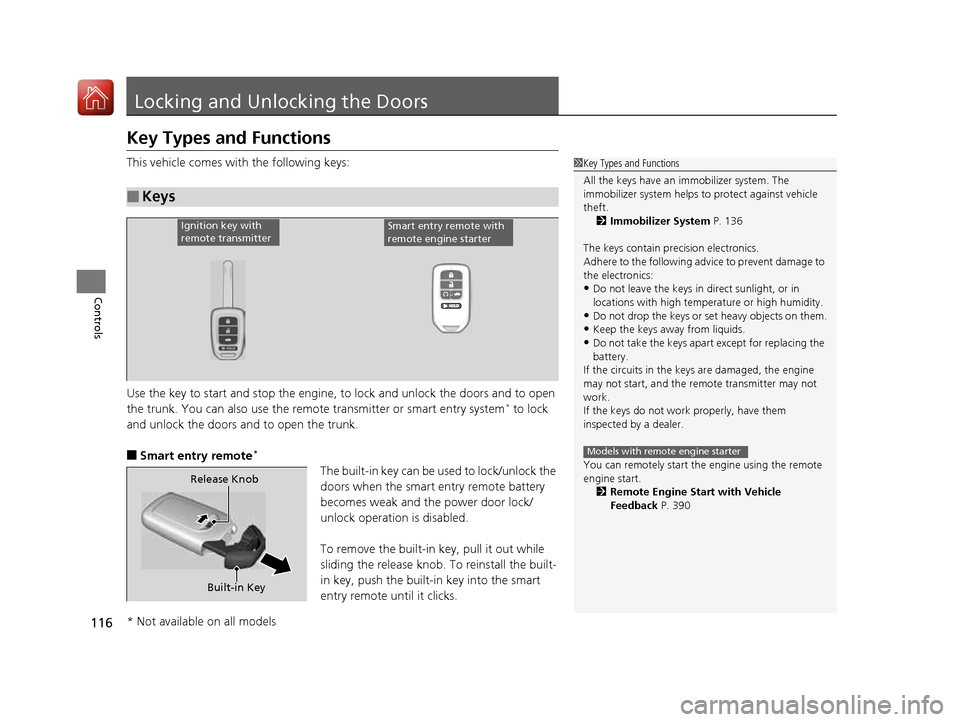
This vehicle comes with the following keys:
Use the key to start and stop the engine, to lock and unlock the doors and to open
the trunk. You can also use the remote transmitter or smart entry system*
to lock
and unlock the doors and to open the trunk.
■ Smart entry remote *
The built-in key can be us ed to lock/unlock the
doors when the smart entry remote battery becomes weak and th e power door lock/
unlock operation is disabled.
To remove the built-in key, pull it out while
sliding the release knob. To reinstall the built-
in key, push the built-in key into the smart
entry remote until it clicks.
■Keys
1Key Types and Functions
All the keys have an immobilizer system. The
immobilizer system helps to protect against vehicle
theft.
2 Immobilizer System P. 136
The keys contain precision electronics.
Adhere to the following advi ce to prevent damage to
the electronics:
• Do not leave the keys in direct sunlight, or in
locations with high temperature or high humidity.
• Do not drop the keys or set heavy objects on them.
• Keep the keys away from liquids.
• Do not take the keys apart except for replacing the
battery.
If the circuits in the keys are damaged, the engine
may not start, and the remote transmitter may not
work.
If the keys do not work properly, have them
inspected by a dealer.
You can remotely start the engine using the remote
engine start.
2 Remote Engine Start with Vehicle
Feedback P. 390
Models with remote engine starter
Ignition key with
remote transmitterSmart entry remote with
remote engine starter
Built-in Key
Release Knob
* Not available on all models
16 CIVIC 2D HC2 (0A 01 0C)-31TBG6000.book 116 ページ >0>.>/6年>0月>/>0日
金曜日 午後4時>/6分
Page 119 of 585
118
uuLocking and Unlocking the DoorsuLow Smart Entry Remote Signal Strength*
Controls
Low Smart Entry Remo
te Signal Strength*
The vehicle transmits radio waves to loca te the smart entry remote when locking/
unlocking the doors, opening the trunk, or to start the engine.
In the following cases, locking/unlocking the doors, opening the trunk, or starting
the engine may be inhibited or operation may be unstable: • Strong radio waves are being tra nsmitted by nearby equipment.
• You are carrying the smart entry remote together with telecommunications
equipment, laptop computers, ce ll phones, or wireless devices.
• A metallic object is touching or covering the smart entry remote.
1Low Smart Entry Remote Signal Strength*
Communication between the smart entry remote and
the vehicle consumes the smart entry remote’s
battery.
Battery life is about two years, but this varies
depending on re gularity of use.
The battery is consumed whenever the smart entry
remote is receivi ng strong radio wave s. Avoid placing
it near electrical appliances such as televisions and
personal computers.
* Not available on all models
16 CIVIC 2D HC2 (0A 01 0C)-31TBG6000.book 118 ページ >0>.>/6年>0月>/>0日 金曜日 午後4時>/6分
Page 120 of 585

119
uuLocking and Unlocking the DoorsuLocking/Unlocking the Doors from the Outside
Continued
Controls
Locking/Unlocking the Doors from the OutsideWhen you carry the smart entry remote, you
can lock/unlock the doors and open the trunk.
You can lock/unlock the doors within a radius
of about 32 inches (80 cm) of the outside door
handle. You can open the trunk within about
32 inches (80 cm) radius from the trunk
release button.
■ Locking the vehicle
Press the door lock button on either door.
uSome exterior lights flash; the beeper
sounds; both doors and the trunk lock;
and the security system sets.
■Using the Smart Entry with Push Button Start System *1Using the Smart Entry with Push Button Start System
*
• Do not leave the smart entry remote in the vehicle
when you get out. Carry it with you.
• Even if you are not carrying the smart entry remote,
you can lock/unlock the doors while someone else
with the remote is within range.
• The door may be unlocked if the door handle is
covered with water in heavy rain or in a car wash if
the smart entry remote is within range.
• If you grip either door handle wearing gloves, the
door sensor may be slow to respond or may not
respond by unlocking the doors.
• You cannot unlock the door by gripping the handle
after two seconds of locking it.
• The door might not open if you pull it immediately
after gripping the door handle. Grip the handle
again and confirm that th e door is unlocked before
pulling the handle.
• Even within the 32 inches (80 cm) radius, you may
not be able to lock/unlock the doors with the smart
entry remote if it is a bove or below the outside
handle.
• The smart entry remote may not operate if it is too
close to the door and door glass.
If the distance at which it works varies, the battery is
probably low.
If the LED does not come on when you press a
button, the battery is dead. 2 Replacing the Button Battery P. 521
You can customize the door lock mode and keyless
lock acknowledge ment setting.
2 Customized Features P. 292
Models with Display Audio
Door Lock Button
* Not available on all models
16 CIVIC 2D HC2 (0A 01 0C)-31TBG6000.book 119 ページ >0>.>/6年>0月>/>0日 金曜日 午後4時>/6分
Page 122 of 585
Continued121
uuLocking and Unlocking the DoorsuLocking/Unlocking the Doors from the Outside
Controls
To temporarily deactivate the function: 1.Set the power mode to OFF.
2. Open the driv er’s door.
3. Using the master door lock switch, operate
the lock as follows:
Lock Unlock Lock Unlock.
uThe beeper sounds an d the function is
deactivated.
To restore the function: • Set the power mode to ON.
• Lock the vehicle without using the auto lock
function
• Walk away at least more than about 6 feet
(2 m) away from the vehicle while carrying
the smart entry remote.
1Locking the vehicle (Walk away auto lock)
The auto lock function does not operate when any of
the following conditions are met.
• The smart entry remote is inside the vehicle.
• A door or the hood is not closed.
• The power mode is set to any mode other than
OFF.
• The smart entry remote is not located within a
radius of about 6 feet (2 m) from the vehicle when
you get out of the vehicle and close the doors.
The auto lock function will make the warning in the
following cases.
The warning buzzer will sound to make sure the walk
away auto lock is not activated.
• The auto lock func tion is deactivated.
Auto lock function operation stop beeper
After the auto lock function has been activated, the
auto lock operation stop beeper sounds for
approximately two seconds in the following cases.
• The smart entry remote is put inside the vehicle through a window.
• You are located too close to the vehicle.
• The smart entry remote is put inside the trunk.
If the warning beeper sounds, check that you are
carrying the smart entry remote. Then, open/close a
door and confirm the auto lock activation beeper
sounds once.
16 CIVIC 2D HC2 (0A 01 0C)-31TBG6000.book 121 ページ >0>.>/6年>0月>/>0日 金曜日 午後4時>/6分