2016 FORD FUSION (AMERICAS) manual
[x] Cancel search: manualPage 467 of 518

GENERAL MAINTENANCE
INFORMATION
Why Maintain Your Vehicle?
Carefully following the maintenance
schedule helps protect against major repair
expenses resulting from neglect or
inadequate maintenance and may help to
increase the value of your vehicle when
you sell or trade it. Keep all receipts for
completed maintenance with your vehicle.
We have established regular maintenance
intervals for your vehicle based upon
rigorous testing. It is important that you
have your vehicle serviced at the proper
times. These intervals serve two purposes;
one is to maintain the reliability of your
vehicle and the second is to keep your cost
of owning your vehicle down.
It is your responsibility to have all
scheduled maintenance performed and to
make sure that the materials used meet
the specifications identified in this owner's
manual. See Capacities and
Specifications (page 313).
Failure to perform scheduled maintenance
invalidates warranty coverage on parts
affected by the lack of maintenance.
Why Maintain Your Vehicle at Your
Dealership?
Factory-Trained Technicians
Service technicians participate in extensive
factory-sponsored certification training to
help them become experts on the
operation of your vehicle. Ask your
dealership about the training and
certification their technicians have
received. Genuine Ford and Motorcraft®
Replacement Parts
Dealerships stock Ford, Motorcraft and
Ford-authorized branded re-manufactured
replacement parts. These parts meet or
exceed our specifications. Parts installed
at your dealership carry a nationwide
24-month or unlimited mile (kilometer)
parts and labor limited warranty.
If you do not use Ford authorized parts they
may not meet our specifications and
depending on the part, it could affect
emissions compliance.
Convenience
Many dealerships have extended evening
and Saturday hours to make your service
visit more convenient and they offer one
stop shopping. They can perform any
services that are required on your vehicle,
from general maintenance to collision
repairs.
Note:
Not all dealers have extended hours
or body shops. Please contact your dealer
for details.
Protecting Your Investment
Maintenance is an investment that pays
dividends in the form of improved
reliability, durability and resale value. To
maintain the proper performance of your
vehicle and its emission control systems,
make sure you have scheduled
maintenance performed at the designated
intervals.
Your vehicle is equipped with the
Intelligent Oil-Life Monitor system, which
displays a message in the information
display at the proper oil change interval.
This interval may be up to one year or
10000 miles (16000 kilometers).
464
Fusion/Mondeo (CC7) Canada/United States of America, enUSA, First Printing Scheduled Maintenance
Page 468 of 518

When the oil change message appears in
the information display, it is time for an oil
change. Make sure you perform the oil
change within two weeks or 500 miles
(800 kilometers) of the message
appearing. Make sure you reset the
Intelligent Oil-Life Monitor after each oil
change. See Information Messages
(page 105).
If your information display resets
prematurely or becomes inoperative, you
should perform the oil change interval at
six months or 5000 miles (8000
kilometers) from your last oil change.
Never exceed one year or 10000 miles
(16000 kilometers) between oil change
intervals.
Your vehicle is very sophisticated and built
with multiple, complex, performance
systems. Every manufacturer develops
these systems using different
specifications and performance features.
That is why it is important to rely upon your
dealership to properly diagnose and repair
your vehicle.
Ford Motor Company has recommended
maintenance intervals for various parts
and component systems based upon
engineering testing. Ford Motor Company
relies upon this testing to determine the
most appropriate mileage for replacement
of oils and fluids to protect your vehicle at
the lowest overall cost to you and
recommends against maintenance
schedules that deviate from the scheduled
maintenance information.
We strongly recommend the use of only
genuine Ford, Motorcraft or
Ford-authorized re-manufactured
replacement parts engineered for your
vehicle. Additives and Chemicals
This owner's manual and the Ford
Workshop Manual list the recommended
additives and chemicals for your vehicle.
We do not recommend using chemicals or
additives not approved by us as part of
your vehicle
’s normal maintenance. Please
consult your warranty information.
Oils, Fluids and Flushing
In many cases, fluid discoloration is a
normal operating characteristic and, by
itself, does not necessarily indicate a
concern or that the fluid needs to be
changed. However, a qualified expert, such
as the factory-trained technicians at your
dealership, should inspect discolored fluids
that also show signs of overheating or
foreign material contamination
immediately.
Make sure to change your vehicle ’s oils and
fluids at the specified intervals or in
conjunction with a repair. Flushing is a
viable way to change fluid for many vehicle
sub-systems during scheduled
maintenance. It is critical that systems are
flushed only with new fluid that is the same
as that required to fill and operate the
system or using a Ford-approved flushing
chemical.
Owner Checks and Services
Make sure you perform the following basic
maintenance checks and inspections every
month or at six-month intervals.
465
Fusion/Mondeo (CC7) Canada/United States of America, enUSA, First Printing Scheduled Maintenance
Page 487 of 518
TRADEMARKS: This EULA does not grant
you any rights in connection with any
trademarks or service marks of FORD
MOTOR COMPANY, MS, Microsoft
Corporation, third party software or service
providers, their affiliates or suppliers.
PRODUCT SUPPORT: Product support
for the SOFTWARE is not provided by MS,
its parent corporation Microsoft
Corporation, or their affiliates or
subsidiaries. For product support, please
refer to FORD MOTOR COMPANY
instructions provided in the documentation
for the DEVICE. Should you have any
questions concerning this EULA, or if you
desire to contact FORD MOTOR
COMPANY for any other reason, please
refer to the address provided in the
documentation for the DEVICE.
No Liability for Certain Damages:
EXCEPT AS PROHIBITED BY LAW, FORD
MOTOR COMPANY, ANY THIRD PARTY
SOFTWARE OR SERVICES SUPPLIERS,
MS, MICROSOFT CORPORATION AND
THEIR AFFILIATES SHALL HAVE NO
LIABILITY FOR ANY INDIRECT, SPECIAL,
CONSEQUENTIAL OR INCIDENTAL
DAMAGES ARISING FROM OR IN
CONNECTION WITH THE USE OR
PERFORMANCE OF THE SOFTWARE. THIS
LIMITATION SHALL APPLY EVEN IF ANY
REMEDY FAILS OF ITS ESSENTIAL
PURPOSE. IN NO EVENT SHALL MS,
MICROSOFT CORPORATION AND/OR
THEIR AFFILIATES BE LIABLE FOR ANY
AMOUNT IN EXCESS OF U.S. TWO
HUNDRED FIFTY DOLLARS (U.S.
$250.00).
• THERE ARE NO WARRANTIES OTHER
THAN THOSE THAT MAY EXPRESSLY
BE PROVIDED FOR YOUR NEW
VEHICLE. Adobe
Contains Adobe® [Flash® Player] or
[AIR®] technology by Adobe Systems
Incorporated. This [Licensee Product]
contains [Adobe® Flash® Player]
[Adobe® AIR®] software under license
from Adobe Systems Incorporated,
Copyright ©1995-2009 Adobe
Macromedia Software LLC. All rights
reserved. Adobe, Flash and AIR are
trademarks of Adobe Systems
Incorporated.
End User Notice
Microsoft® Windows® Mobile for
Automotive Important Safety
Information
This system Ford SYNC contains software
that is licensed to Manufacturer FORD
MOTOR COMPANY by an affiliate of
Microsoft Corporation pursuant to a license
agreement. Any removal, reproduction,
reverse engineering or other unauthorized
use of the software from this system in
violation of the license agreement is strictly
prohibited and may subject you to legal
action.
Read and follow instructions:
Before
using your Windows Automotive- based
system, read and follow all instructions
and safety information provided in this end
user manual ("User's Guide"). Not
following precautions found in this User's
Guide can lead to an accident or other
serious consequences.
Keep User's Guide in vehicle: When kept
in the vehicle, the User's Guide will be a
ready reference for you and other users
unfamiliar with the Windows
Automotive-based system. Please make
certain that before using the system for
the first time, all persons have access to
the User's Guide and read its instructions
and safety information carefully.
484
Fusion/Mondeo (CC7) Canada/United States of America, enUSA, First Printing Appendices
Page 488 of 518
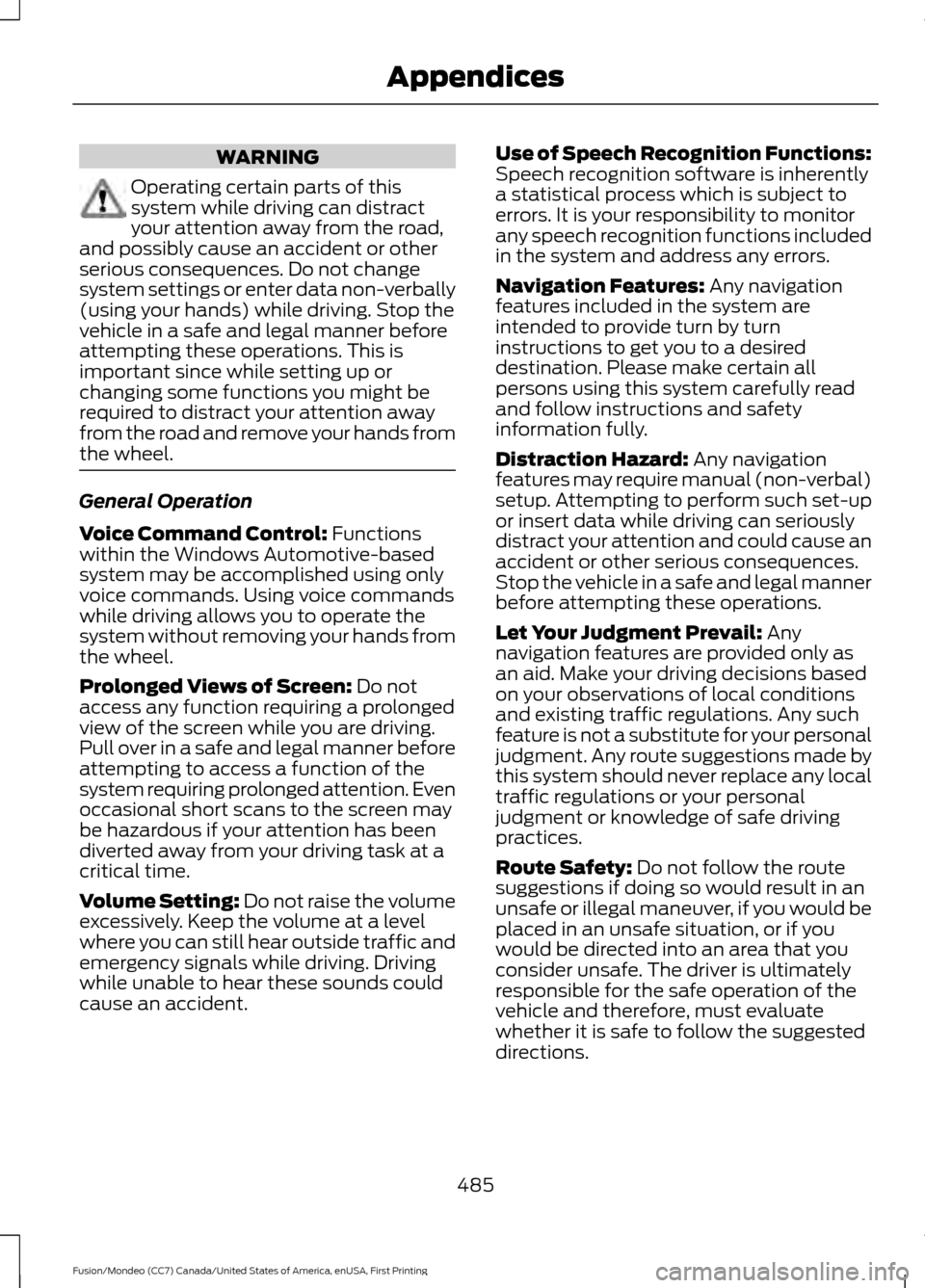
WARNING
Operating certain parts of this
system while driving can distract
your attention away from the road,
and possibly cause an accident or other
serious consequences. Do not change
system settings or enter data non-verbally
(using your hands) while driving. Stop the
vehicle in a safe and legal manner before
attempting these operations. This is
important since while setting up or
changing some functions you might be
required to distract your attention away
from the road and remove your hands from
the wheel. General Operation
Voice Command Control: Functions
within the Windows Automotive-based
system may be accomplished using only
voice commands. Using voice commands
while driving allows you to operate the
system without removing your hands from
the wheel.
Prolonged Views of Screen:
Do not
access any function requiring a prolonged
view of the screen while you are driving.
Pull over in a safe and legal manner before
attempting to access a function of the
system requiring prolonged attention. Even
occasional short scans to the screen may
be hazardous if your attention has been
diverted away from your driving task at a
critical time.
Volume Setting: Do not raise the volume
excessively. Keep the volume at a level
where you can still hear outside traffic and
emergency signals while driving. Driving
while unable to hear these sounds could
cause an accident. Use of Speech Recognition Functions:
Speech recognition software is inherently
a statistical process which is subject to
errors. It is your responsibility to monitor
any speech recognition functions included
in the system and address any errors.
Navigation Features:
Any navigation
features included in the system are
intended to provide turn by turn
instructions to get you to a desired
destination. Please make certain all
persons using this system carefully read
and follow instructions and safety
information fully.
Distraction Hazard:
Any navigation
features may require manual (non-verbal)
setup. Attempting to perform such set-up
or insert data while driving can seriously
distract your attention and could cause an
accident or other serious consequences.
Stop the vehicle in a safe and legal manner
before attempting these operations.
Let Your Judgment Prevail:
Any
navigation features are provided only as
an aid. Make your driving decisions based
on your observations of local conditions
and existing traffic regulations. Any such
feature is not a substitute for your personal
judgment. Any route suggestions made by
this system should never replace any local
traffic regulations or your personal
judgment or knowledge of safe driving
practices.
Route Safety:
Do not follow the route
suggestions if doing so would result in an
unsafe or illegal maneuver, if you would be
placed in an unsafe situation, or if you
would be directed into an area that you
consider unsafe. The driver is ultimately
responsible for the safe operation of the
vehicle and therefore, must evaluate
whether it is safe to follow the suggested
directions.
485
Fusion/Mondeo (CC7) Canada/United States of America, enUSA, First Printing Appendices
Page 496 of 518
B. Canada Data. The following provi-
sions apply to the Data for Canada,
which may include or reflect data from
third party licensors (“Third Party
Data
”), including Her Majesty the Queen
in Right of Canada (“Her Majesty ”),
Canada Post Corporation (“Canada
Post”) and the Department of Natural
Resources of Canada (“NRCan ”):
1. Disclaimer and Limitation: Client
agrees that its use of the Third Party
Data is subject to the following provi-
sions: a. Disclaimer: The Third Party Data
is licensed on an “as is” basis. The
licensors of such data, including Her
Majesty, Canada Post and NRCan,
make no guarantees, representa-
tions or warranties respecting such
data, either express or implied,
arising by law or otherwise, including
but not limited to, effectiveness,
completeness, accuracy or fitness
for a particular purpose.
b. Limitation on Liability: The Third
Party Data licensors, including Her
Majesty, Canada Post and NRCan,
shall not be liable: (i) in respect of
any claim, demand or action, irre-
spective of the nature of the cause
of the claim, demand or action
alleging any loss, injury or damages,
direct or indirect, which may result
from the use or possession of such
Data; or (ii) in any way for loss of
revenues or contracts, or any other
consequential loss of any kind
resulting from any defect in the
Data. 2. Copyright Notice: In connection with
each copy of all or any portion of the
Data for the Territory of Canada, Client
shall affix in a conspicuous manner the
following copyright notice on at least
one of: (i) the label for the storage
media of the copy; (ii) the packaging
for the copy; or (iii) other materials
packaged with the copy, such as user
manuals or end user license agree-
ments:
“This data includes information
taken with permission from Canadian
authorities, including © Her Majesty
the Queen in Right of Canada, ©
Queen's Printer for Ontario, © Canada
Post Corporation, GeoBase®, © The
Department of Natural Resources
Canada. All rights reserved. ”
3. End-User Terms: Except as other-
wise agreed by the parties, in connec-
tion with the provision of any portion
of the Data for the Territory of Canada
to End-Users as may be authorized
under the Agreement, Client shall
provide such End-Users, in a reason-
ably conspicuous manner, with terms
(set forth with other end user terms
required to be provided under the
Agreement, or as otherwise may be
provided, by Client) which shall include
the following provisions on behalf of
the Third Party Data licensors,
including Her Majesty, Canada Post
and NRCan: The Data may include or reflect
data of licensors, including Her
Majesty the Queen in the Right of
Canada (“Her Majesty ”), Canada
Post Corporation (“Canada Post”)
and the Department of Natural
Resources Canada (“NRCan ”). Such
data is licensed on an “as is” basis.
The licensors, including Her Majesty,
Canada Post and NRCan, make no
guarantees, representations or
warranties respecting such data,
493
Fusion/Mondeo (CC7) Canada/United States of America, enUSA, First Printing Appendices
Page 508 of 518

A
A/C
See: Climate Control......................................... 120
About This Manual...........................................7
ABS See: Brakes............................................................ 172
ABS driving hints See: Hints on Driving With Anti-Lock
Brakes................................................................. 172
Accessories...................................................460 Exterior style....................................................... 460
Interior style........................................................ 460
Lifestyle................................................................ 460
Peace of mind.................................................... 460
Accessories See: Replacement Parts
Recommendation............................................. 11
ACC See: Using Adaptive Cruise Control............189
Active Park Assist..........................................181 Automatic Steering into Parking
Space................................................................. 182
Deactivating the Park Assist Feature..........183
Troubleshooting the System.......................... 183
Using Active Park Assist.................................... 181
Adjusting the Headlamps........................258 Horizontal Aim Adjustment........................... 259
Vertical Aim Adjustment................................ 258
Adjusting the Steering Wheel.....................71
Airbag Disposal
..............................................46
Air Conditioning See: Climate Control......................................... 120
Alarm See: Anti-Theft Alarm........................................ 70
All-Wheel Drive
..............................................167
Ambient Lighting............................................83
Anti-Theft Alarm............................................70 Arming the Alarm................................................. 70
Disarming the Alarm........................................... 70
Appendices...................................................480
Audible Warnings and Indicators.............95 Headlamps On Warning Chime...................... 95
Key in Ignition Warning Chime........................ 95
Keyless Warning Alert........................................ 95
Parking Brake On Warning Chime.................95 Audio Control....................................................71
MEDIA........................................................................\
71
Seek, Next or Previous......................................... 71
Audio System.................................................327 General Information.......................................... 327
Audio Unit - Vehicles With: AM/FM/CD/ SYNC/Satellite Radio.............................329
Audio Unit - Vehicles With: AM/FM/CD/ SYNC.............................................................328
Audio Unit - Vehicles With: Sony AM/ FM/CD
...........................................................332
Menu Structure................................................... 333
Autolamps........................................................78 Windshield Wiper Activated
Headlamps........................................................ 78
Automatic Climate Control - Vehicles With: Sony Audio System/Sony Audio
System...........................................................123
Automatic Climate Control - Vehicles Without: Sony Audio System
................122
Automatic High Beam Control.................80 Activating the System......................................... 81
Manually Overriding the System..................... 81
Automatic Transmission............................163 Automatic Transmission Adaptive
Learning............................................................ 166
Brake-Shift Interlock......................................... 164
If Your Vehicle Gets Stuck In Mud or Snow.................................................................. 166
SelectShift Automatic ™
Transmission................................................... 163
Understanding the Positions of Your Automatic Transmission............................. 163
Automatic Transmission Fluid Check.............................................................255
Auto-Start-Stop
............................................152
Disabling Auto StartStop................................. 153
Enabling Auto StartStop.................................. 152
Autowipers........................................................74
Auxiliary Power Points................................143 110 Volt AC Power Point................................... 143
12 Volt DC Power Point..................................... 143
Locations............................................................... 143
AWD See: All-Wheel Drive.......................................... 167
505
Fusion/Mondeo (CC7) Canada/United States of America, enUSA, First Printing Index
Page 510 of 518
D
Data Recording..................................................9
Event Data Recording........................................... 9
Service Data Recording........................................ 9
Daytime Running Lamps............................80 Type 1 - Conventional
(Non-Configurable)....................................... 80
Type 2 - Configurable......................................... 80
Digital Radio
..................................................335
HD Radio Reception and Station
Troubleshooting............................................ 336
Direction Indicators
.......................................82
Driver Alert......................................................196
PRINCIPLE OF OPERATION........................... 196
USING DRIVER ALERT..................................... 196
Driver and Passenger Airbags...................39 Children and Airbags.......................................... 39
Proper Driver and Front Passenger Seating Adjustment........................................................ 39
Driver and Passenger Knee Airbags........43
Driving Aids
.....................................................196
Driving Hints...................................................223
Driving Through Water...............................223
DRL See: Daytime Running Lamps........................ 80
E
Economical Driving
.....................................223
Electric Parking Brake..................................173 Applying the Electric Parking brake.............173
Battery With No Charge.................................... 175
Parking On a Hill (Vehicles With a Manual Transmission) ................................................. 173
Releasing the Electric Parking Brake...........174
Emission Control System..........................160 On-Board Diagnostics (OBD-II).................... 161
Readiness for Inspection and Maintenance (I/M) Testing.................................................... 161
End User License Agreement.................480 SYNC End User License Agreement
(EULA)............................................................. 480
Engine Block Heater....................................150 Using the Engine Block Heater....................... 151Engine Coolant Check................................252
Adding Engine Coolant.................................... 253
Checking the Engine Coolant........................ 252
Recycled Engine Coolant................................ 254
Severe Climates................................................. 254
What You Should Know About Fail-Safe Cooling.............................................................. 254
Engine Immobilizer See: Passive Anti-Theft System.................... 68
Engine Oil Check
...........................................251
Adding Engine Oil............................................... 251
Engine Oil Dipstick - 1.5L EcoBoost™..................................................251
Engine Oil Dipstick - 2.0L EcoBoost™/ 2.5L..................................................................251
Engine Specifications
..................................313
Drivebelt Routing................................................ 313
Entertainment..............................................408 AM/FM Radio..................................................... 409
Bluetooth Audio................................................. 423
CD........................................................................\
..... 419
SD Card Slot and USB Port........................... 420
SIRIUS® Satellite Radio (If Activated)......................................................... 414
Supported Media Players, Formats and Metadata Information................................. 423
Environment......................................................14
EPB See: Electric Parking Brake.............................. 173
Essential Towing Checks...........................219 Before Towing a Trailer..................................... 219
Hitches.................................................................... 219
Launching or Retrieving a Boat or Personal Watercraft (PWC)........................................ 220
Safety Chains....................................................... 219
Trailer Brakes........................................................ 219
Trailer Lamps........................................................ 219
When Towing a Trailer..................................... 220
Event Data Recording See: Data Recording.............................................. 9
Export Unique Options..................................13
Extended Service Plan (ESP).................462 SERVICE PLANS (CANADA ONLY)............463
SERVICE PLANS (U.S. Only)......................... 462
507
Fusion/Mondeo (CC7) Canada/United States of America, enUSA, First Printing Index
Page 513 of 518

J
Jump Starting the Vehicle........................228
Connecting the Jumper Cables.................... 228
Jump Starting...................................................... 229
Preparing Your Vehicle..................................... 228
Removing the Jumper Cables....................... 229
K
Keyless Entry...................................................64
SECURICODE™ KEYLESS ENTRY
KEYPAD.............................................................. 64
Keyless Starting............................................146 Ignition Modes...................................................... 147
Keys and Remote Controls.........................47
L
Lane Keeping System..................................197 Switching the System On and Off................197
Lighting Control
...............................................77
Headlamp Flasher................................................ 78
High Beams............................................................. 77
Lighting...............................................................77 General Information............................................. 77
Load Carrying................................................209
Load Limit
......................................................209
Vehicle Loading - with and without a
Trailer................................................................ 209
Locking and Unlocking................................60 Activating Intelligent Access ............................ 61
Autolock Feature ................................................. 63
Auto Relock............................................................ 62
Battery Saver......................................................... 63
Illuminated Entry.................................................. 63
Illuminated Exit..................................................... 63
Luggage Compartment..................................... 64
Power Door Locks................................................ 60
Remote Control.................................................... 60
Smart Unlocks For Integrated Keyhead Transmitter........................................................ 62
Smart Unlocks For Intelligent Access Keys ........................................................................\
........ 62
Locks..................................................................60
Lug Nuts See: Changing a Road Wheel....................... 305M
Maintenance..................................................247
General Information.......................................... 247
Manual Climate Control............................120
Manual Seats.................................................132
Media Hub......................................................340
Memory Function.........................................134 Easy Entry and Exit Feature............................ 135
Linking a PreSet Position to your Remote Control or Intelligent Access Key
Fob....................................................................... 135
Saving a PreSet Position.................................. 135
Message Center See: Information Displays................................. 96
Mirrors See: Heated Windows and Mirrors..............128
See: Windows and Mirrors................................ 84
Mobile Communications Equipment
.......12
Moonroof...........................................................87 Bounce-Back......................................................... 88
Opening and Closing the Moonroof.............88
Venting the Moonroof........................................ 88
Motorcraft Parts
............................................313
MyFord Touch ™..........................................386
General Information......................................... 386
MyFord Touch ™ Troubleshooting
.........453
MyKey Troubleshooting...............................58
MyKey ™
.............................................................54
Principle of Operation........................................ 54
N
Navigation......................................................444 cityseekr................................................................ 446
Destination Mode.............................................. 444
Map Mode............................................................ 450
Navigation Map Updates................................ 453
Navigation Voice Commands....................... 453
Point of Interest (POI) Categories..............446
Quick-touch Buttons........................................ 452
Setting Your Navigation Preferences.........447
Normal Scheduled Maintenance..........467 Intelligent Oil-Life Monitor............................. 467
Normal Maintenance Intervals.................... 468
510
Fusion/Mondeo (CC7) Canada/United States of America, enUSA, First Printing Index