2016 FORD FOCUS ELECTRIC display
[x] Cancel search: displayPage 57 of 276
CHECKING MYKEY SYSTEM
STATUS
You can find information on programmed
MyKey(s) using the information display
control on the steering wheel. See
Information Displays (page 87).
To find information on programmed MyKey(s), press the left arrow button to
access the main menu and scroll to: Description
Message
Press the
OK button.
Settings
Press the
OK button.
MyKey
Select one of the following:
Tracks the distance when drivers use a MyKey. The only way
to delete the accumulated distance is by using an admin key
to clear your MyKeys. If the distance does not accumulate as
expected, then the intended user is not using the MyKey, or
an admin key user recently cleared and then recreated a
MyKey.
MyKey Dist.
Indicates the number of MyKeys programmed to your vehicle.
Use this feature to detect how many MyKeys you have for
your vehicle and determine when a MyKey has been deleted.
{0} MyKeys
Indicates how many admin keys are programmed to your
vehicle. Use this feature to determine how many unrestricted
keys you have for your vehicle, and detect if an additional
MyKey has been programmed.
{0} Admin Keys
54
Focus (CDH) Battery Electric Vehicle (BEV), Canada/United States of America, enUSA, First Printing MyKey
™
Page 58 of 276
USING MYKEY WITH REMOTE
START SYSTEMS
Vehicles With Ford-Approved
Aftermarket Remote Start
Systems
When using a Ford-approved aftermarket
remote start system, the vehicle recognizes
the remote start system transmitter as an
additional admin key. It is the vehicle
’s
default setting.
When you start your vehicle with a
Ford-approved aftermarket remote start
system transmitter, the system shuts the
vehicle off after you open the door or shift
your vehicle into gear. This is intentional.
When you restart your vehicle, it reads the
vehicle key fob status instead of the
remote start system transmitter status.
With a Ford-approved aftermarket remote
start system, it is possible to program all
key fobs as MyKeys unintentionally. If this
happens, then the remote start system
transmitter is the admin key. If you want
to have only one key fob as a MyKey, or do
not want to have any MyKeys, then you
need to use your remote start system
transmitter to clear all MyKeys. In that
case, follow these steps:
1. Enter your vehicle and close all doors.
2. Start your vehicle using your remote start system transmitter.
3. See Clearing All MyKeys (page 53).
Follow Steps 1-3.
After clearing your MyKeys, you can create
a new MyKey. See
Creating a MyKey
(page 52).
Note: With push-button start, you cannot
program the remote start system
transmitter as a MyKey. Always treat the
remote start system transmitter as you
would any other admin key. Vehicles With Non-Ford-Approved
Aftermarket Remote Start
Systems
MyKey is not compatible with
non-Ford-approved aftermarket remote
start systems. If you choose to install a
remote start system, see an authorized
dealer for a Ford-approved remote start
system.
The following information may help if you
choose to install a non-Ford-approved
remote start system. The actions provided
below do not make MyKey compatible with
non-Ford-approved remote start systems,
but may help you retain some MyKey
functions.
When using a non-Ford-approved remote
start system, the vehicle may recognize
the remote start system as an additional
admin key with its associated privileges. If
you restart the vehicle by powering it off
and waiting a few seconds, and then
powering the vehicle back on, you may
retain some MyKey functions. This action
forces your vehicle to read the vehicle key
fob instead of the remote start system
transmitter and then uses the MyKey
associated privileges.
Note:
The MyKey system status menu
display may include the remote start system
as an additional key in the total count of
programmed keys. See
Checking MyKey
System Status (page 54).
With a non-Ford-approved aftermarket
remote start system, it is possible to
program all key vehicle key fobs as MyKeys
unintentionally. If this happens, then the
remote start system transmitter is the
admin key. If you want to have only one
vehicle key fob as a MyKey, or do not want
to have any MyKeys, then you need to use
your remote start system transmitter to
clear all MyKeys. In that case, follow these
steps:
1. Enter your vehicle and close all doors.
55
Focus (CDH) Battery Electric Vehicle (BEV), Canada/United States of America, enUSA, First Printing MyKey
™
Page 68 of 276

PASSIVE ANTI-THEFT
SYSTEM
Note:
The system is not compatible with
non-Ford aftermarket remote start systems.
Use of these systems may result in vehicle
starting problems and a loss of security
protection.
Note: Metallic objects, electronic devices
or a second coded key on the same key
chain may result in vehicle starting
problems, especially if they are too close to
the key when starting your vehicle. Prevent
these objects from touching the coded key
when starting your vehicle. If your vehicle
fails to start, switch your vehicle off, move
all objects on the key chain away from the
key and start your vehicle.
Note: Do not leave a duplicate coded key
in your vehicle. Always take your keys and
lock all doors when leaving your vehicle.
SecuriLock
The system helps prevent your vehicle
from starting unless you use a coded key
programmed to your vehicle. A message
may appear in the information display.
If your vehicle fails to start, the system may
have a fault. Contact an authorized dealer.
A message may appear in the information
display.
Automatic Arming
The system arms when you switch your
vehicle off.
Automatic Disarming
The system disarms when you switch your
vehicle on with a coded key.
Replacement Keys
Note: Your vehicle comes with two keys. The intelligent access key functions as a
programmed key that operates the driver
door lock and turns on the intelligent
access with push button start system, as
well as a remote control.
If your intelligent access keys are lost or
stolen and you do not have an extra coded
key, you need to have your vehicle towed
to an authorized dealer. You need to erase
the key codes from your vehicle and
program new coded keys.
Store a spare intelligent access key away
from your vehicle in a safe place. Contact
an authorized dealer to purchase
additional spare or replacement keys.
Programming a Spare Intelligent
Access Key
You must have two previously
programmed coded keys and the new
unprogrammed key readily accessible.
Contact an authorized dealer to have the
spare key programmed if two previously
programmed keys are not available.
Make sure that your vehicle is switched off
before beginning this procedure. Make sure
that you close all the doors before
beginning and that they remain closed
throughout the procedure. Carry out all
steps within 30 seconds of starting the
sequence. Stop and wait for at least one
minute before starting again if you carry
out any steps out of sequence.
Note:
You can program a maximum of eight
coded keys to your vehicle.
Read and understand the entire procedure
before you begin.
65
Focus (CDH) Battery Electric Vehicle (BEV), Canada/United States of America, enUSA, First Printing Security
Page 73 of 276
INFORMATION DISPLAY
CONTROL
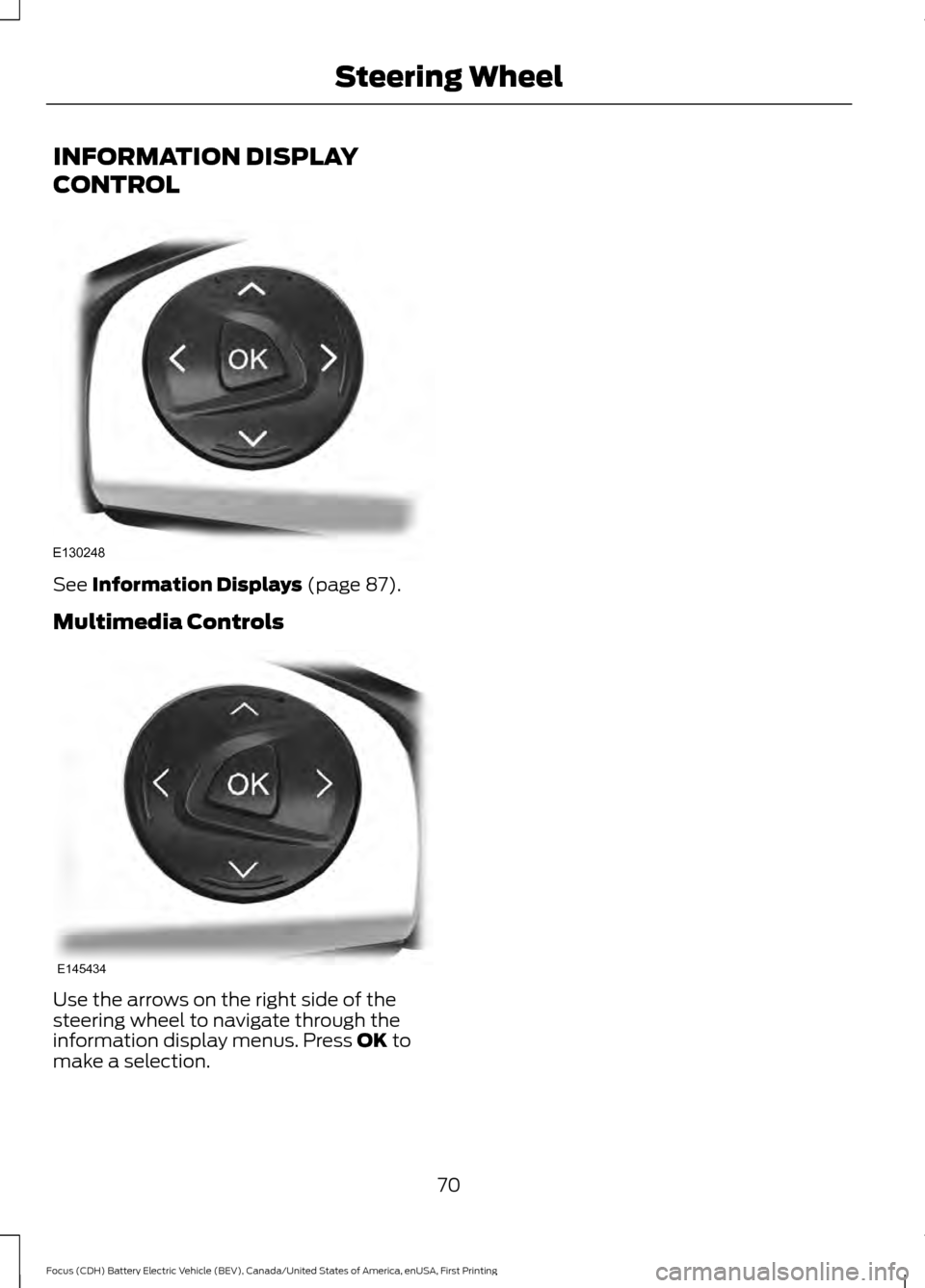
See Information Displays (page 87).
Multimedia Controls Use the arrows on the right side of the
steering wheel to navigate through the
information display menus. Press
OK to
make a selection.
70
Focus (CDH) Battery Electric Vehicle (BEV), Canada/United States of America, enUSA, First Printing Steering WheelE130248 E145434
Page 77 of 276
Headlamp Flasher
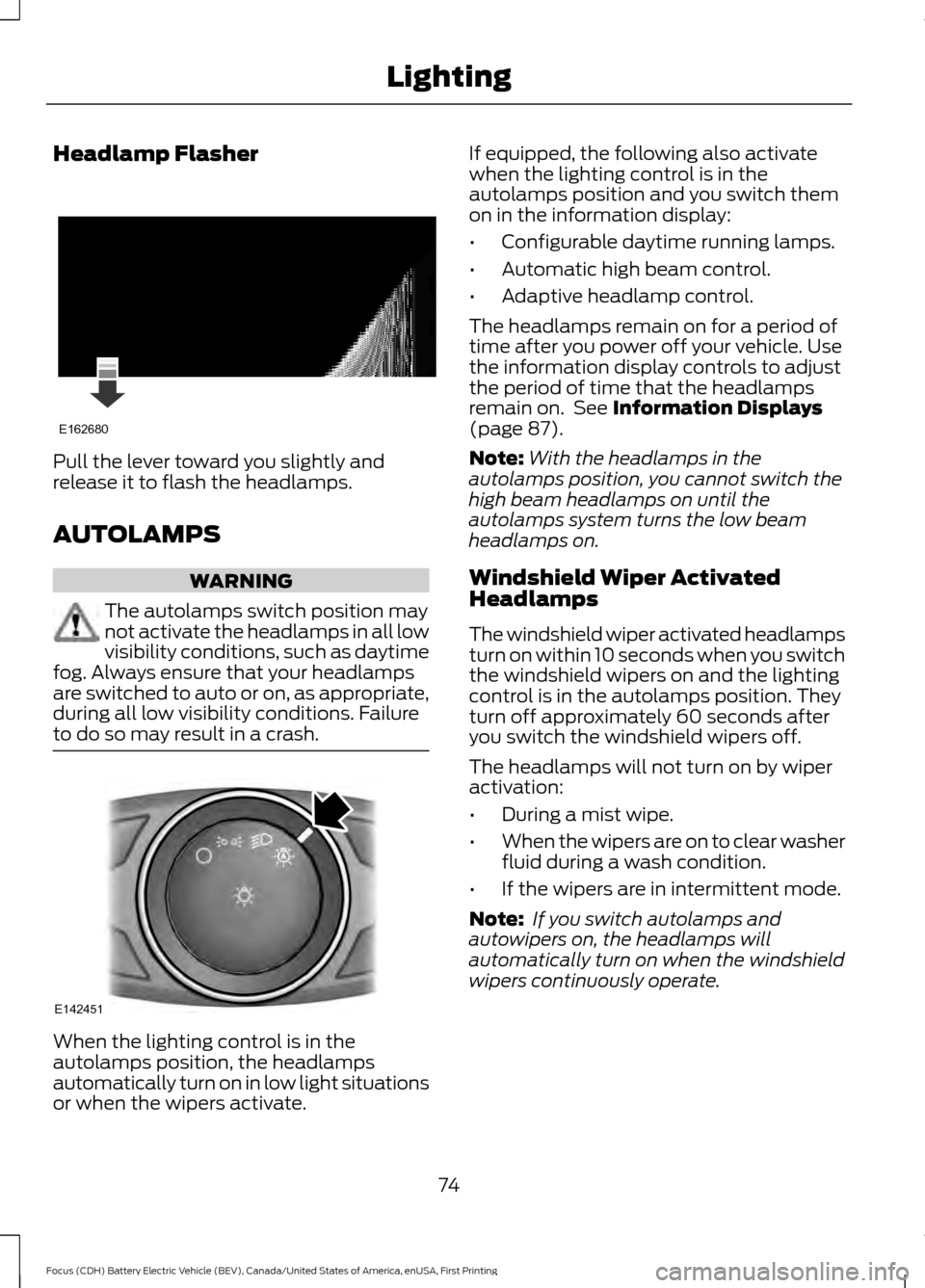
Pull the lever toward you slightly and
release it to flash the headlamps.
AUTOLAMPS
WARNING
The autolamps switch position may
not activate the headlamps in all low
visibility conditions, such as daytime
fog. Always ensure that your headlamps
are switched to auto or on, as appropriate,
during all low visibility conditions. Failure
to do so may result in a crash. When the lighting control is in the
autolamps position, the headlamps
automatically turn on in low light situations
or when the wipers activate. If equipped, the following also activate
when the lighting control is in the
autolamps position and you switch them
on in the information display:
•
Configurable daytime running lamps.
• Automatic high beam control.
• Adaptive headlamp control.
The headlamps remain on for a period of
time after you power off your vehicle. Use
the information display controls to adjust
the period of time that the headlamps
remain on. See Information Displays
(page 87).
Note: With the headlamps in the
autolamps position, you cannot switch the
high beam headlamps on until the
autolamps system turns the low beam
headlamps on.
Windshield Wiper Activated
Headlamps
The windshield wiper activated headlamps
turn on within 10 seconds when you switch
the windshield wipers on and the lighting
control is in the autolamps position. They
turn off approximately 60 seconds after
you switch the windshield wipers off.
The headlamps will not turn on by wiper
activation:
• During a mist wipe.
• When the wipers are on to clear washer
fluid during a wash condition.
• If the wipers are in intermittent mode.
Note: If you switch autolamps and
autowipers on, the headlamps will
automatically turn on when the windshield
wipers continuously operate.
74
Focus (CDH) Battery Electric Vehicle (BEV), Canada/United States of America, enUSA, First Printing LightingE162680 E142451
Page 78 of 276
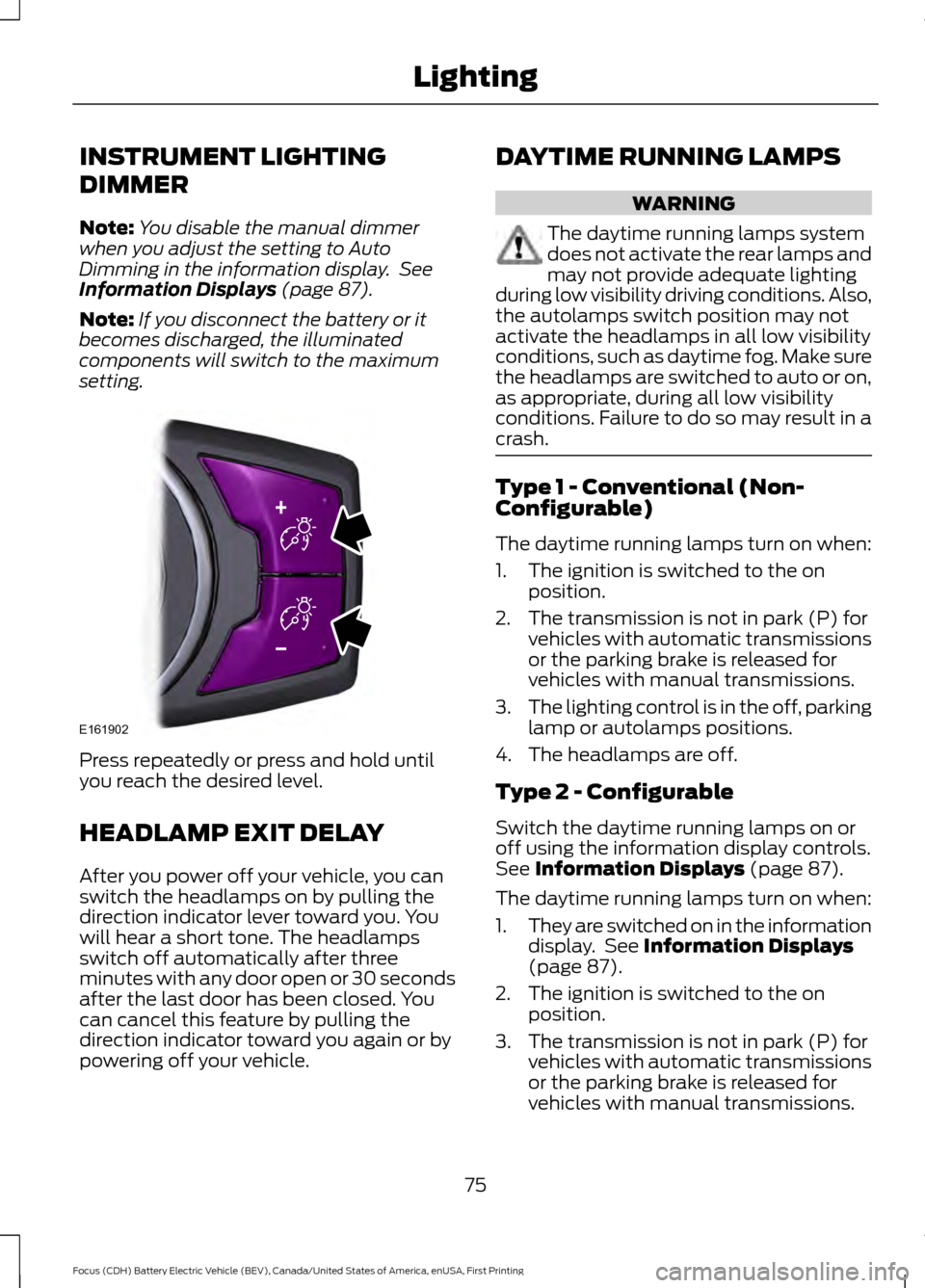
INSTRUMENT LIGHTING
DIMMER
Note:
You disable the manual dimmer
when you adjust the setting to Auto
Dimming in the information display. See
Information Displays (page 87).
Note: If you disconnect the battery or it
becomes discharged, the illuminated
components will switch to the maximum
setting. Press repeatedly or press and hold until
you reach the desired level.
HEADLAMP EXIT DELAY
After you power off your vehicle, you can
switch the headlamps on by pulling the
direction indicator lever toward you. You
will hear a short tone. The headlamps
switch off automatically after three
minutes with any door open or 30 seconds
after the last door has been closed. You
can cancel this feature by pulling the
direction indicator toward you again or by
powering off your vehicle. DAYTIME RUNNING LAMPS WARNING
The daytime running lamps system
does not activate the rear lamps and
may not provide adequate lighting
during low visibility driving conditions. Also,
the autolamps switch position may not
activate the headlamps in all low visibility
conditions, such as daytime fog. Make sure
the headlamps are switched to auto or on,
as appropriate, during all low visibility
conditions. Failure to do so may result in a
crash. Type 1 - Conventional (Non-
Configurable)
The daytime running lamps turn on when:
1. The ignition is switched to the on
position.
2. The transmission is not in park (P) for vehicles with automatic transmissions
or the parking brake is released for
vehicles with manual transmissions.
3. The lighting control is in the off, parking
lamp or autolamps positions.
4. The headlamps are off.
Type 2 - Configurable
Switch the daytime running lamps on or
off using the information display controls.
See
Information Displays (page 87).
The daytime running lamps turn on when:
1. They are switched on in the information
display. See
Information Displays
(page 87).
2. The ignition is switched to the on position.
3. The transmission is not in park (P) for vehicles with automatic transmissions
or the parking brake is released for
vehicles with manual transmissions.
75
Focus (CDH) Battery Electric Vehicle (BEV), Canada/United States of America, enUSA, First Printing LightingE161902
Page 79 of 276
4.
The lighting control is in the autolamps
position.
5. The headlamps are off.
The other lighting control switch positions
do not activate the daytime running lamps,
and you can use them to temporarily
override autolamp control.
When switched off in the information
display, the daytime running lamps are off
in all lighting control switch positions.
DIRECTION INDICATORS Push the lever up or down to use the
direction indicators.
Note:
Tap the lever up or down to make the
direction indicators flash three times to
indicate a lane change.
INTERIOR LAMPS
The lamps turn on when:
• You open any door.
• You press a remote control button.
• You press the buttons on the map
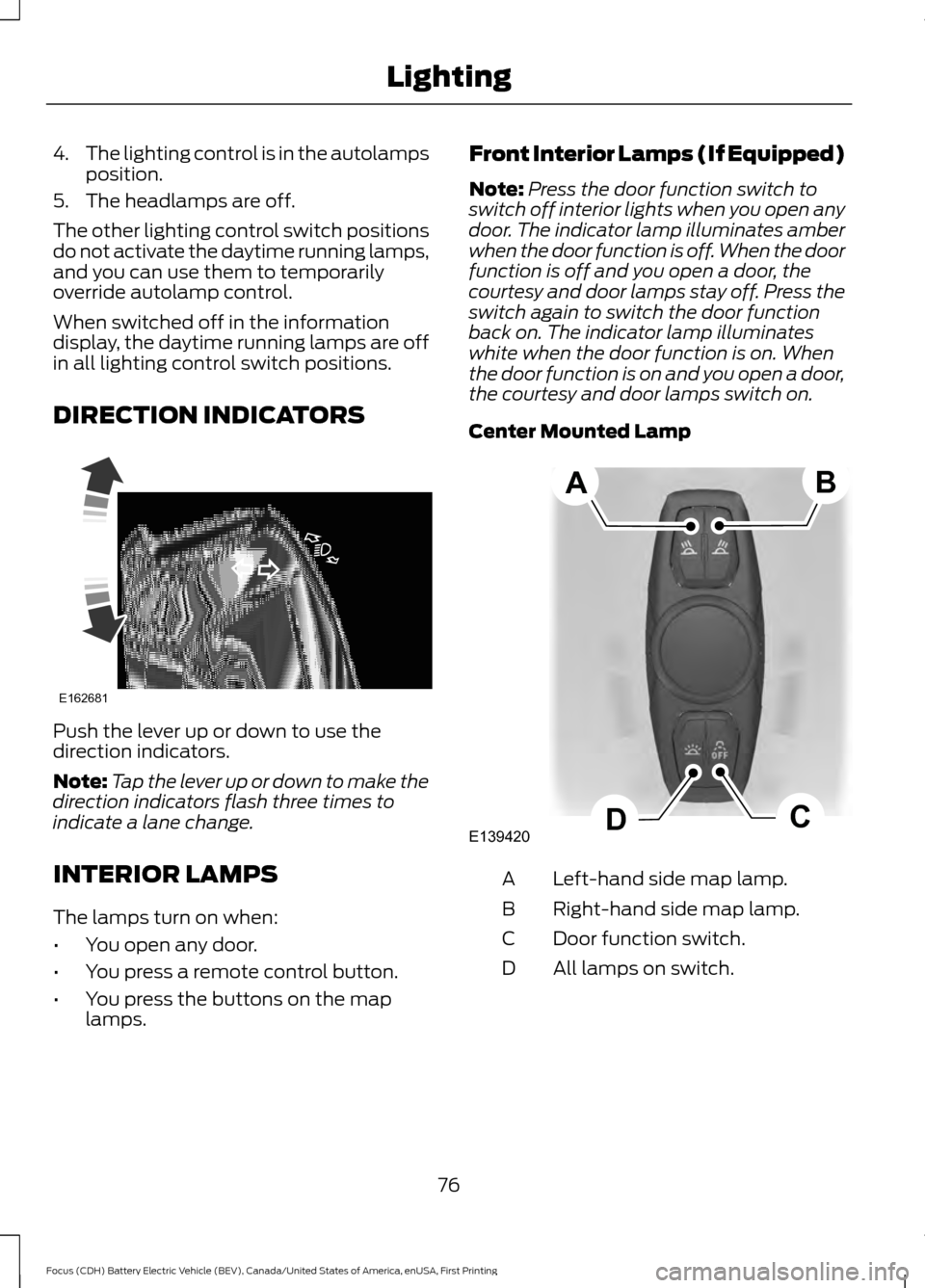
lamps. Front Interior Lamps (If Equipped)
Note:
Press the door function switch to
switch off interior lights when you open any
door. The indicator lamp illuminates amber
when the door function is off. When the door
function is off and you open a door, the
courtesy and door lamps stay off. Press the
switch again to switch the door function
back on. The indicator lamp illuminates
white when the door function is on. When
the door function is on and you open a door,
the courtesy and door lamps switch on.
Center Mounted Lamp Left-hand side map lamp.
A
Right-hand side map lamp.
B
Door function switch.
C
All lamps on switch.
D
76
Focus (CDH) Battery Electric Vehicle (BEV), Canada/United States of America, enUSA, First Printing LightingE162681 E139420C
D
AB
Page 85 of 276
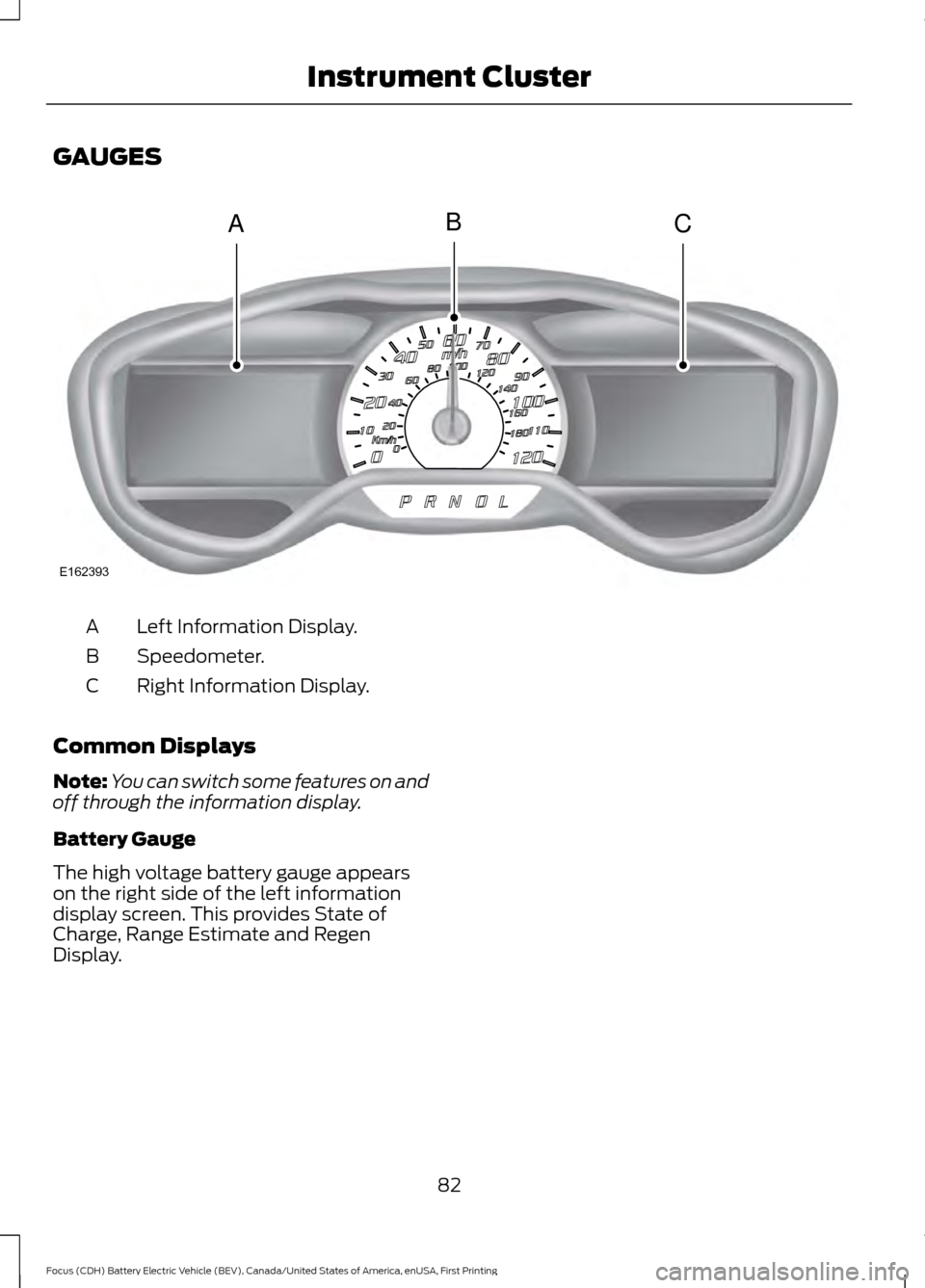
GAUGES
Left Information Display.
A
Speedometer.
B
Right Information Display.
C
Common Displays
Note: You can switch some features on and
off through the information display.
Battery Gauge
The high voltage battery gauge appears
on the right side of the left information
display screen. This provides State of
Charge, Range Estimate and Regen
Display.
82
Focus (CDH) Battery Electric Vehicle (BEV), Canada/United States of America, enUSA, First Printing Instrument ClusterACB
E162393