▫Values Displayed ..................... .193
▫ Personal Settings (Customer-Programmable
Features) ........................... .194
� CYBERSECURITY ...................... .208
� UCONNECT SETTINGS ..................210
▫ Buttons On The Faceplate ................210
▫ Buttons On The Touchscreen ..............210
▫ Customer Programmable Features — Uconnect
6.5N Settings .........................211
� UCONNECT RADIOS ...................226
� iPod/USB/MEDIA PLAYER CONTROL ......226
� STEERING WHEEL AUDIO CONTROLS ......227
▫ Radio Operation ..................... .228
▫ Player Operation ..................... .228�
CD/DVD DISC MAINTENANCE ...........228
� RADIO OPERATION AND MOBILE PHONES . .229
� CLIMATE CONTROLS ...................229
▫ Manual Climate Control System ...........229
▫ Automatic Dual Zone Climate Control System
(If Equipped) ........................ .235
� UCONNECT VOICE RECOGNITION QUICK
TIPS ............................... .248
▫ Introducing Uconnect ...................248
▫ Get Started ......................... .250
▫ Basic Voice Commands ..................251
▫ Radio ............................. .252
▫ Media ............................. .254
▫ Phone ............................. .256
160 UNDERSTANDING YOUR INSTRUMENT PANEL
Clear Personal Data
After pressing the “Clear Personal Data Settings” button
on the touchscreen the following settings will be avail-
able:
•Clear Personal Data
When this feature is selected it will remove personal data
including Bluetooth devices and presets. To Clear Per-
sonal Data press the “Yes” or “No” button on the
touchscreen.
UCONNECT RADIOS
For detailed information about your Uconnect radio,
refer to your Uconnect Supplement Manual.
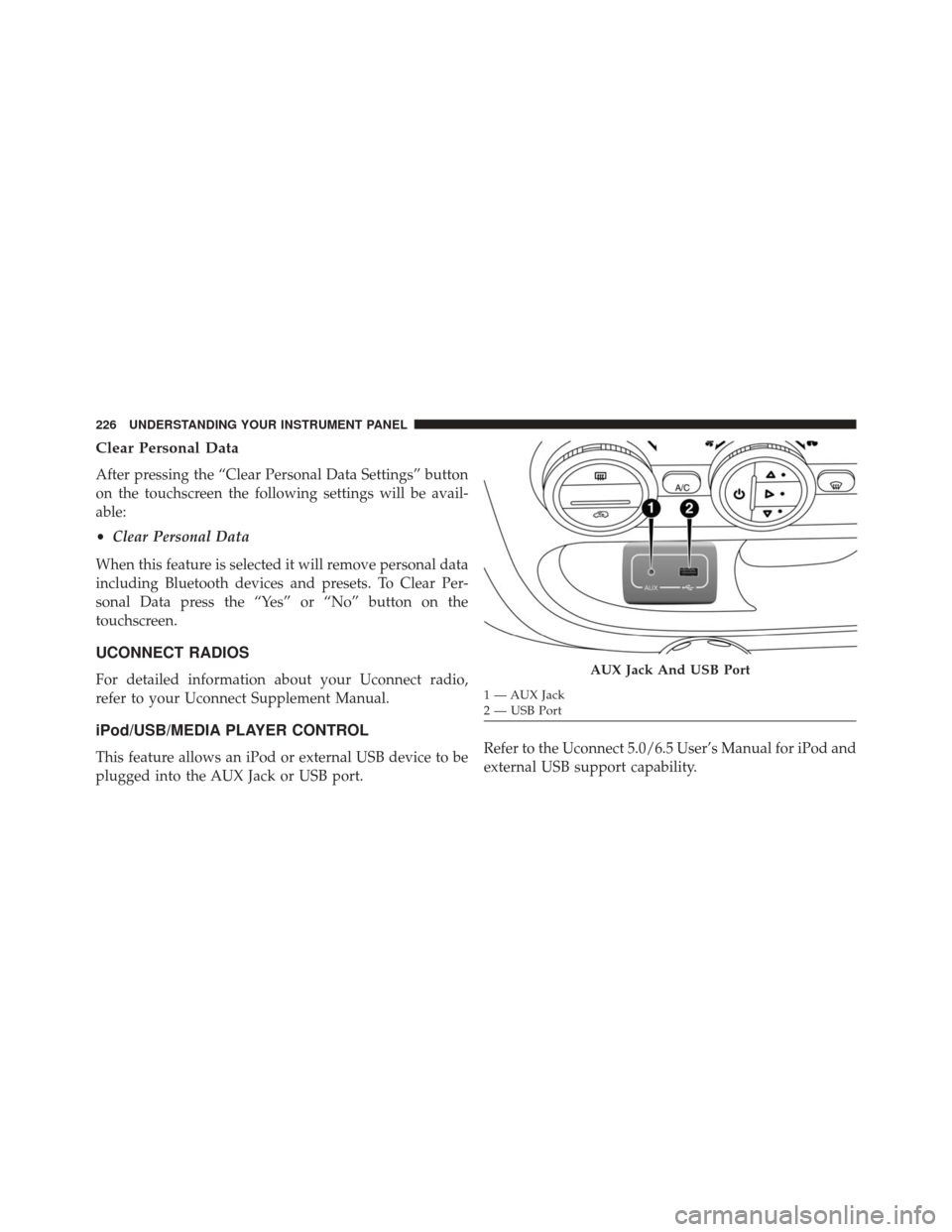
iPod/USB/MEDIA PLAYER CONTROL
This feature allows an iPod or external USB device to be
plugged into the AUX Jack or USB port. Refer to the Uconnect 5.0/6.5 User’s Manual for iPod and
external USB support capability.
AUX Jack And USB Port
1 — AUX Jack
2 — USB Port
226 UNDERSTANDING YOUR INSTRUMENT PANEL